

You've got the API working. The docs are published, the auth flow is stable, and now the core problem shows up. Developers still open raw HTTP examples, copy a JSON body into Postman, and get stuck on the same edge cases your team already solved three times. That's usually the moment people start asking whether they need an SDK for an API, and whether it should be a hand-built client, a generated client, or just better docs plus code samples.
A good SDK is not a cosmetic wrapper. It changes how people integrate, how support teams debug, and how product teams evolve the API without breaking everyone downstream. It also becomes part of the operating model for modern AI apps, where request-level logging, usage accounting, and traceability matter just as much as the call itself. Wonderment Apps also ships a prompt management system that follows that same administrative logic, with a prompt vault, versioning, parameter controls, logging, and cost visibility.
What an SDK for an API Actually Does
Friday night is when the difference becomes obvious. A developer has the base URL, the headers, the JSON schema, and three browser tabs open because the raw API works in theory but keeps failing on the third request. When an SDK lands in that repo, the whole shape of the problem changes, because the developer stops stitching together HTTP details by hand and starts calling named functions that already know how to talk to the service.
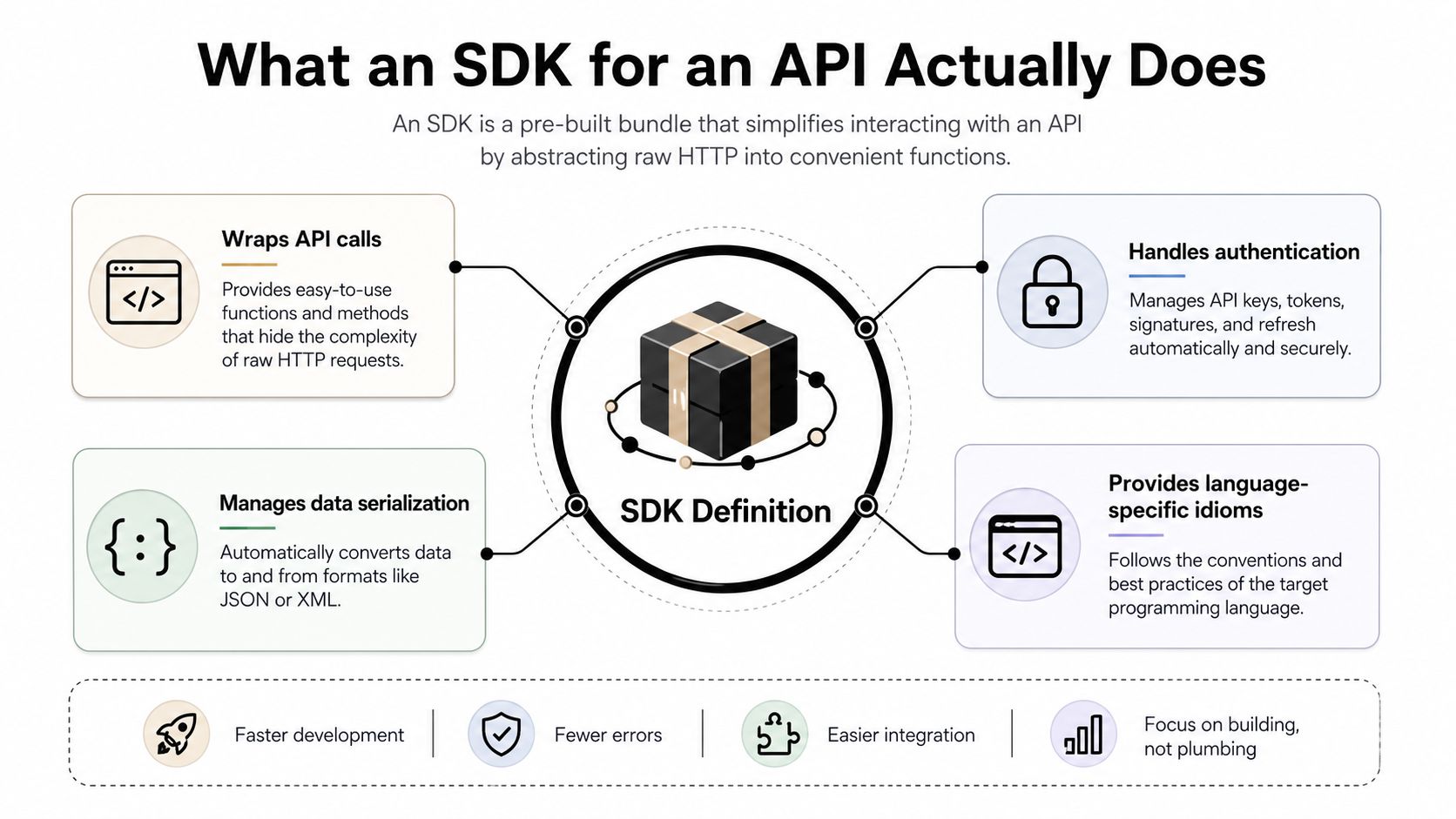
A software development kit, or SDK, is broader than a wrapper. It bundles tools, libraries, documentation, and code samples to speed development on a specific platform or service, and mature SDKs often log model names, token counts, user IDs, IP addresses, and timestamps at the request level so teams can attribute cost and activity precisely, especially in AI-enabled workflows (Speakeasy). That request-level logging matters because integration work is never just about getting a response back. It's also about being able to answer, later, who called what, when, and what it cost.
The practical mental model
An API is the contract. An SDK is the workflow around that contract. The API says what can be communicated, while the SDK reduces the amount of custom glue code teams need to write across web, mobile, and backend products.
Practical rule: if developers keep rebuilding the same auth helper, serialization layer, and retry logic, they're already acting like they need an SDK.
That's why a thoughtful SDK feels like a shortcut, but also like a guardrail. It lets teams move faster without forcing every consumer to rediscover the same protocol details, and it makes the integration path more consistent from one project to the next. If you want the deeper API-side discipline behind that consistency, the principles in API design principles are the right companion reading.
How SDKs Differ from APIs, Libraries, and Code Samples
The confusion usually starts because all four artifacts solve related problems, but they don't solve the same one. An API defines how systems communicate. A library gives you reusable code. Code samples show one possible path. An SDK packages those pieces into something that looks and feels like a real developer product.
AWS puts the distinction plainly. It defines an SDK as platform-specific building tools such as debuggers, compilers, and libraries, often with code samples and documentation, while an API is the mechanism that lets two software components communicate through predetermined protocols (AWS). That framing matters because a company can expose an API without shipping any SDK at all, and it can ship a useful library without claiming it's a complete kit.
What each artifact is good at
An API is the boundary. A library is a reusable implementation detail. Code samples are teaching aids. An SDK sits above them and makes the integration path feel native to a language or platform. IBM describes a well-designed SDK as packaging APIs with libraries, documentation, code samples, and tooling so developers can build faster and in a more standardized way (IBM).
That's why small teams sometimes stop at a high-quality library plus strong docs. If the audience is narrow, the integration surface is simple, and the API doesn't change often, a full SDK may be overkill. In other situations, especially when the goal is reducing support burden and keeping developers in a language they already trust, the extra packaging pays for itself.
| Artifact | Primary job | What it does not do |
|---|---|---|
| API | Defines the contract | Doesn't teach or abstract by itself |
| Library | Reuses code | Doesn't always shape the full integration experience |
| Code sample | Demonstrates one path | Doesn't scale as a maintained product surface |
| SDK | Packages the whole workflow | Doesn't replace the underlying API |
A useful test is simple, if developers can still do the right thing only by reading the docs carefully and hand-wiring everything else, you probably don't have an SDK yet, you have an API with examples.
When an SDK Is Worth Shipping and When It Is Not
The default answer in many teams is “yes, ship one.” That's too easy. An SDK is a product decision, not a ceremonial badge, and the core question is whether it changes adoption, support burden, or integration speed enough to justify the maintenance load.
Stainless frames the decision around who will use the API, saying that if it must be used by human developers or LLMs to build integrations quickly and correctly, you probably need an SDK, while IBM's “complete kit” framing makes the same point in different words, APIs can stand alone, SDKs are a packaging choice, not a universal requirement (Stainless). That's the part many teams skip. They ask how to build one before they ask whether the API deserves one.
Signals that justify the work
Look for repeated friction, not just polite interest.
- Multiple language communities, because the same API may need to feel natural in Python, TypeScript, Java, or Go.
- Repeated integration tickets, because the docs are technically correct but still too easy to misuse.
- Partner ecosystems, because external teams need a predictable surface they can trust for months, not days.
Signals that say wait
A tiny internal audience can often live with one well-maintained client. A rapidly changing API can make SDK maintenance feel like chasing a moving target. And if your service is simple enough that raw HTTP remains easy to use correctly, a full SDK may add more surface area than value.
The blunt version is this. If your teams keep writing the same helper code in every repo, if your customers need stronger typing to move fast, or if you're planning for AI agents to integrate directly, an SDK starts to look less optional and more like infrastructure. If none of those are true yet, keep the surface small and honest.
Designing SDKs Developers Actually Want to Use
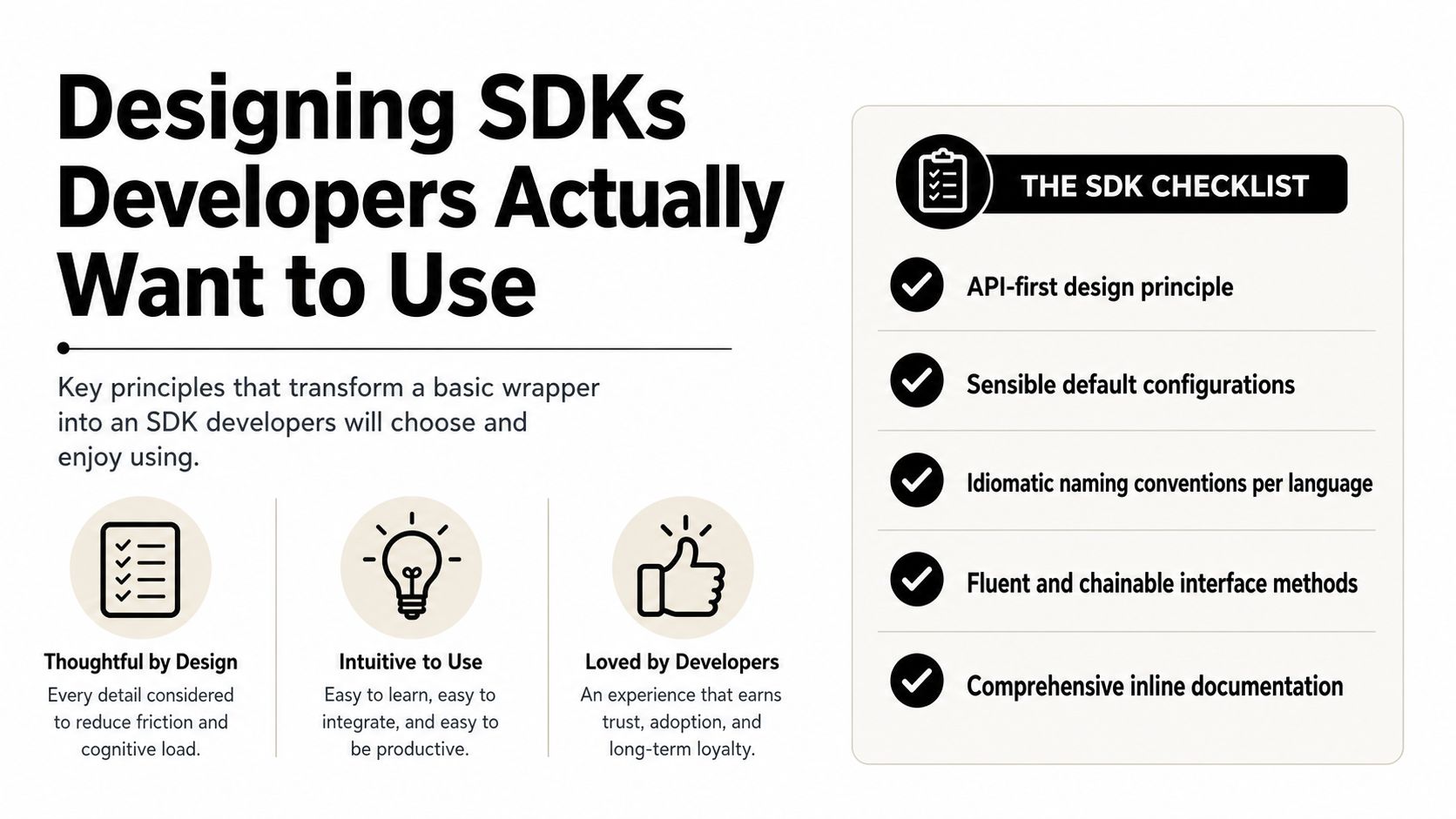
A good SDK feels boring in the best possible way. It does not make the developer think about URL encoding, header shape, or how to translate a service concept into a language that feels natural. It makes the right path obvious, and that usually starts with API-first design.
An OpenAPI-based workflow can raise the floor quickly. OpenAPI Generator can produce client SDKs, server stubs, and docs from OpenAPI 2.0 or 3.0 definitions, which helps keep libraries synchronized with the spec, but it also means the regeneration step has to live in the build pipeline so outdated clients don't ship by accident (Stack Overflow discussion).
What polished SDKs tend to share
The best clients usually do five things well.
- Sensible defaults. A developer should be able to make the first call without hunting for five extra knobs.
- Idiomatic naming. A Go SDK should read like Go, and a Swift SDK should read like Swift.
- Language-specific abstractions. The SDK should reflect the ecosystem instead of exposing raw protocol habits everywhere.
- Runnable examples. Not decorative snippets, real code paths that compile and run.
- A clear path for scale. If the API grows, the SDK needs an answer for versioning and regeneration.
A practical way to choose language coverage is to start with the languages already showing up in your telemetry, support queue, or partner requests. That keeps the investment tied to real usage, not guesswork.
Design rule: generated code gets you sync, but hand-curated edges still matter where the language needs to feel native.
That balance is why many teams combine generation with selective polish. The generator keeps drift low, while the human pass fixes naming, ergonomics, and the handful of places where a generic client would feel clumsy. The result is less “wrapper” and more “tool your team can ship with confidence.”
Authentication, Security, and Versioning Without Surprises
Auth and versioning belong in the same conversation because both are ways to keep downstream teams from waking up to broken builds. If you treat them separately, you usually end up with a secure client that is hard to operate, or a convenient client that breaks too easily.
API-key lifecycle management is now a first-class SDK concern. OpenRouter's SDK documentation describes programmatic CRUD operations for API keys, Tyk exposes API-key analytics views, and OpenAI's billing usage endpoint returns token consumption over a date range that can be summed to determine monthly cost (OpenRouter API keys service). The pattern is straightforward, usage is captured at request time, then aggregated later for reporting, control, and anomaly detection.
Build auth like an operational system
Good SDKs do more than pass a token in a header. They help teams create, rotate, and revoke keys without falling back to manual admin work. They also make it easier to segment traffic by customer or partner, so support teams can answer “what did this client do?” without digging through raw logs.
Versioning should be equally deliberate. If your API changes shape, the SDK needs a communication plan, not just a new package release. That usually means clear deprecation windows, explicit release notes, and a policy for when beta features are visible and when they're hidden behind a feature flag.
If your team is still deciding how to handle auth flows cleanly, the patterns in API authentication best practices map well to SDK design, especially when credentials need to be managed by both humans and automation.
Practical rule: never make a client library the only place where secret handling is implied. Put the auth model in the product design, not just in the code.
The useful mental model is that security and versioning are not release-day chores. They're part of the SDK's contract with the teams that depend on it.
Testing, CI/CD, and Release Pipelines for SDKs
An SDK that never gets tested against the live API, or at least against a faithful mock, is a liability dressed up as convenience. Release automation matters just as much as the client code, because a small change in a serializer, request path, or retry behavior can break every consuming app at once.
The SDK should be treated like a product with its own delivery pipeline, not just a package that happens to compile. IBM describes an SDK as an abstraction layer that bundles APIs with libraries, documentation, code samples, and tooling so developers can move faster in a standardized way. That abstraction only works if the pipeline keeps the package aligned with the service underneath it. Otherwise the SDK becomes a stale shell that still looks official while no longer matching reality.
Two release models
Hand-maintained SDKs usually mean a small core team owns each repo, runs contract tests, checks language-specific linting, and publishes by language. Generated SDKs shift the source of truth to the spec, which means the pipeline's job becomes rebuilding, testing, and publishing the surface from that spec whenever it changes.
The trade-off is straightforward. Hand-maintained clients leave more room for ergonomic tuning and edge-case handling. Generated clients reduce drift and give you a more predictable rebuild path. Many teams end up using both, with generation for the broad surface and human ownership for the awkward parts that need judgment.
A release pipeline should cover the checks that catch breakage before users do:
- Contract tests against a live API or mock server.
- Multi-language CI that lints, builds, and runs tests in each supported runtime.
- Automated publishing to the relevant package registries.
- Preview or release-candidate channels so downstream teams can validate changes before stable rollout.
A release pipeline also needs clear promotion steps, rollback rules, and ownership for failed builds. If you already run a disciplined API delivery process, the SDK should plug into that same system, not bolt on as an afterthought. The same observability that catches API regressions can catch SDK regressions too, which is how mature teams avoid support spikes after a release. For a practical starting point on the mechanics, see CI/CD pipeline best practices.
Documentation, Developer Experience, and Metrics That Matter
Docs are not a deliverable at the end of SDK work. They are part of the product surface. If someone can install the package but can't reach a real call in a few minutes, the SDK is still too hard to use.
Anthropic's Citations feature is a useful example of how docs and implementation meet in the actual world. The feature is generally available on the Anthropic API and Google Cloud's Vertex AI for Claude 3.5 Sonnet and Claude 3.5 Haiku, and Anthropic says it lets Claude ground answers in source documents and provide detailed references to the exact sentences and passages used (Anthropic announcement). The platform docs also say active models support citations except Haiku 3, and developers must enable citations on each document with citations.enabled=true, with citations enabled on either all documents or none in a request (Claude Platform docs). That's the kind of feature where docs, SDK options, and runtime behavior have to line up cleanly.
What strong SDK docs usually include
A useful documentation set tends to have a quickstart, runnable code samples in every supported language, reference pages generated from the same spec, and a changelog that reads like release notes rather than a git log. Developers shouldn't have to guess which endpoint maps to which method, or which flag changes behavior in production.
The metrics that matter most are the ones that tell you whether people are succeeding:
- Time-to-first-call, because it measures how fast someone reaches the first real response.
- Install-to-hello-world, because it captures the gap between package install and useful output.
- Support ticket volume per language, because one client may be much harder to use than the others.
- SDK usage versus hand-rolled HTTP, because that ratio tells you whether the SDK is winning adoption.
A good SDK should also reflect grounded features cleanly. If a model behavior depends on document-level toggles, the client should expose that in a way that feels discoverable and safe, not buried in a raw payload. That's where documentation, code samples, and runtime options all have to agree.
Putting It All Together and Modernizing With AI
The playbook is simple once you strip away the marketing gloss. Decide whether an SDK is worth shipping at all. If it is, choose the right mix of generated and hand-curated code. Put versioning and auth discipline into the release process. Then treat docs, examples, and metrics as part of the product, not side work.
That same discipline is what teams need when they modernize legacy apps with AI. The hard part is rarely calling a model once. The hard part is managing prompts, credentials, logs, and spend in a way that survives real production traffic. Wonderment Apps' prompt management system fits that pattern, with a prompt vault with versioning, a parameter manager for internal database access, a logging system across integrated AI providers, and a cost manager that surfaces cumulative spend.
The deeper lesson is that SDK thinking scales beyond SDKs. Any serious integration layer needs clear contracts, traceability, controlled releases, and a way to see what users and systems are doing in production. If you're planning the next version of your platform, or adding AI to software that already has customers relying on it, use that lens before you ship another thin wrapper.
If you're deciding whether your API needs an SDK, or you want help designing one that doesn't become a maintenance burden, contact Wonderment Apps and ask for a review of your integration surface, release workflow, and AI-ready admin tooling.