


A release goes out after a careful manual check. Then a small change to a shared component alters the checkout button's behavior, and customers can't complete their purchases. The team rolls back, investigates, and asks the obvious question: how did a change that looked so minor break a journey everyone thought they'd tested?
That's the problem automated testing of web applications helps address. It doesn't replace thoughtful QA or guarantee defect-free releases. It gives teams repeatable checks for critical workflows, so they can spot regressions sooner and spend human testing time on the risks that require human judgment. The same discipline matters when modernizing an app with AI: automated checks can validate dependable behavior, while people still need to review what the system does and whether it serves users well.
Why Automated Testing of Web Applications Is No Longer Optional
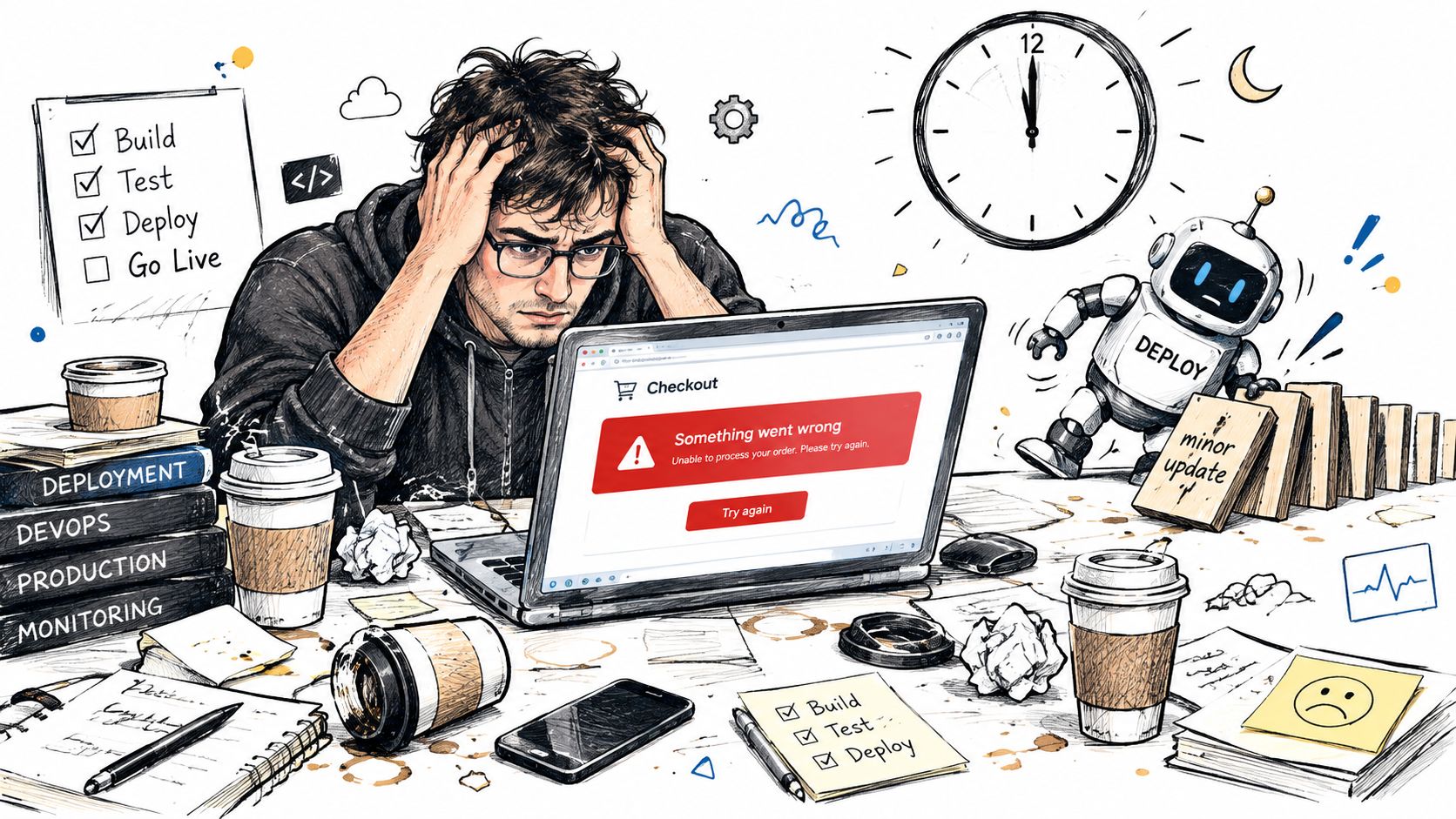
A checkout regression is rarely caused by a team ignoring quality. More often, the release includes many moving parts: a payment-provider update, a redesigned cart, a browser-specific styling change, or a permission rule that affects one customer role but not another. Manual testers may have verified the main path, yet missed a combination of browser, account state, and test data that exposes the defect.
The cost of relying only on manual regression grows as an application gains features and release frequency. The same workflow may need checking across browsers, devices, roles, and data conditions. Repeating those checks by hand can crowd out exploratory testing, where a tester follows unexpected paths and asks whether the experience makes sense.
Automation is an operating model, not a safety net
A systematic survey of 214 peer-reviewed papers published between 2014 and 2024 found that Selenium appeared in 163 studies, compared with 13 for Cypress, 5 for Puppeteer, and 3 for Playwright. The survey also found that most studies focused on black-box testing, which evaluates visible behavior rather than internal implementation. Yet only 17.8% involved industrial adoption or human-centered evaluation, a reminder that academic attention and tool popularity don't prove that a suite will be maintainable in a production environment (systematic survey of web application testing research).
In practice, automation works best as a quality operating model. Teams choose important user journeys, create stable checks, run them consistently, and treat failures as actionable signals. A documented experiment across 20 test cases found that automated execution took, on average, 19.26% of the time allocated to manual testing, or about an 80.74% reduction in execution time (manual and automated testing efficiency experiment). That result concerns test execution, not the cost of designing and maintaining the suite.
Production rule: Automate the checks you need to repeat. Keep people responsible for exploring what you didn't anticipate.
The Testing Pyramid and the Cost of Getting It Wrong
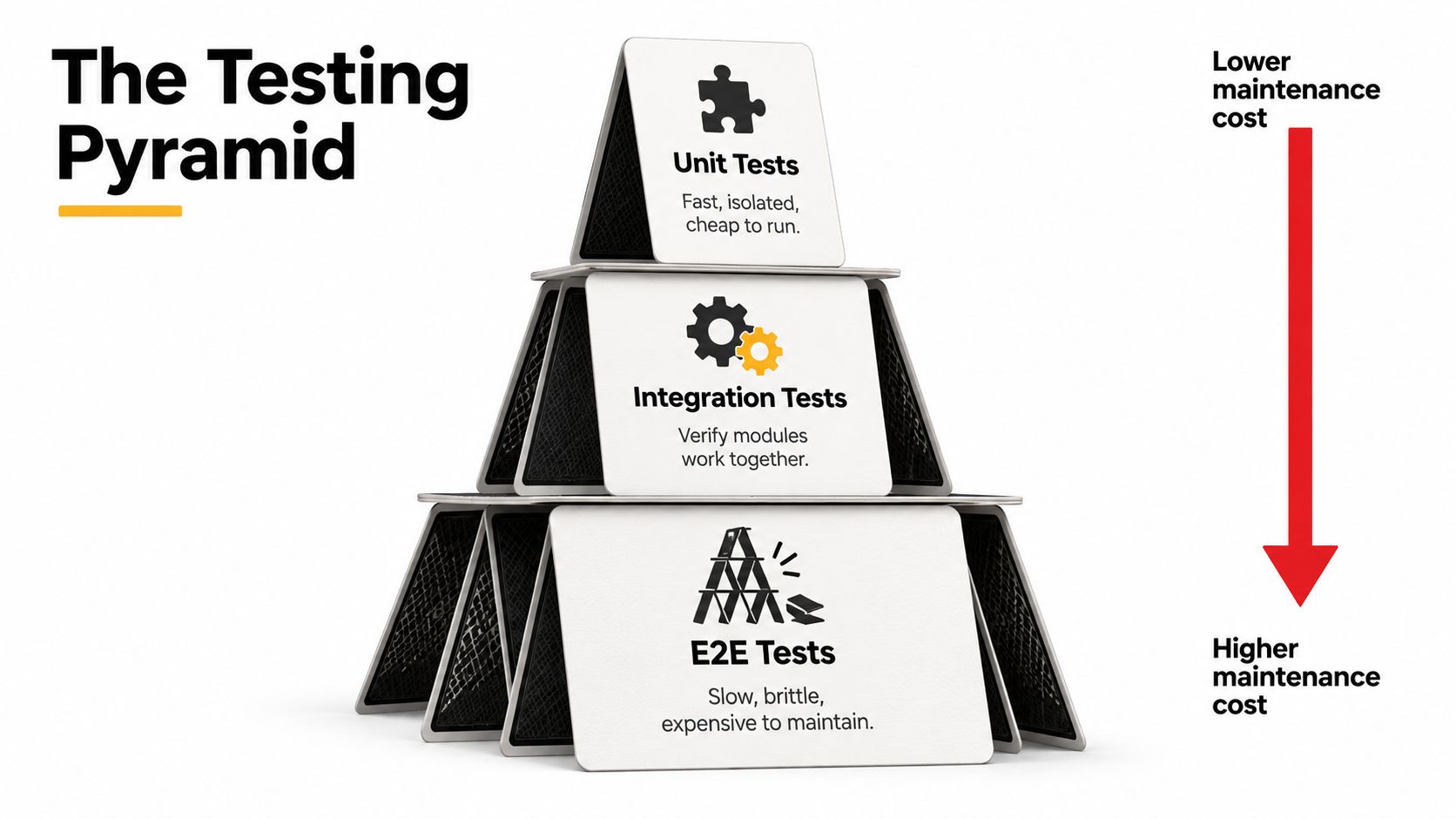
Think of a test suite as a house of cards. If the entire structure rests on a wide, fragile layer of browser tests, ordinary interface changes can shake the whole thing. A healthier arrangement places many fast checks near the bottom and reserves slower, more expensive end-to-end tests for journeys where seeing the whole system work matters.
Put each test at the layer where it can answer the question
Unit tests check a small piece of logic in isolation. A pricing function, for example, can be tested with different inputs without opening a browser or contacting a payment service. These tests usually return feedback quickly and help pinpoint the source of a failure.
Integration tests check whether connected parts behave correctly together. A database integration check might confirm that an order is saved with the right status. An API contract test can verify that one service's response still matches what its consumer expects. For a React or Vue app, component tests can validate interactions and rendered states without driving a full browser journey.
End-to-end (E2E) tests follow a workflow through the application as a user would. A checkout test might sign in, add an item, enter delivery details, and confirm the order. It provides valuable coverage across connected components, but it can also fail because of timing, environment setup, test data, or a harmless UI change.
The layers aren't interchangeable. If a calculation fails, a unit test is often the clearest place to catch it. If two services disagree, an integration or contract test gives more focused feedback than a browser test. Save E2E coverage for questions such as, “Can a customer complete this critical workflow in the deployed application?”
Teams can use functional testing versus unit testing to clarify which behavior belongs at which layer. Then inspect the suite: if nearly every test launches a browser, the pyramid may have turned into a tower of cards.
Comparing Selenium, Cypress, Playwright, and Puppeteer
A browser automation framework is a means to an end. The choice that matters is the one your team can integrate, debug, and maintain as the application changes. Research gives Selenium a long-established presence, while newer frameworks reflect a more recent wave of browser automation work. That history helps explain adoption, but it doesn't tell you which framework will suit your codebase.
| Framework | Language Ecosystem | Selector Strategy | Best Fit |
|---|---|---|---|
| Selenium | Multiple language options | WebDriver-based locators, with strategy and conventions owned by the team | Organizations needing flexibility or working across established automation assets |
| Cypress | JavaScript and TypeScript | Browser-facing selectors, ideally grounded in stable roles or test identifiers | Front-end teams seeking an integrated development and debugging workflow |
| Playwright | JavaScript and TypeScript, with other language bindings available | Locators designed for modern browser interactions, including accessible roles | Teams seeking a modern browser-testing workflow with broad cross-browser needs |
| Puppeteer | JavaScript and TypeScript | Browser DOM selectors and Chrome DevTools Protocol control | Projects focused on Chromium automation, browser control, or page-level tasks |
Choose for maintainability, not momentum
Selenium is a reasonable choice when a team already has a functioning suite or needs to fit automation into a polyglot environment. Its flexibility puts more responsibility on the team to maintain the surrounding framework. A migration isn't automatically worthwhile just because a newer tool is popular; first identify the specific pain points, such as slow debugging or difficult test isolation.
Cypress often fits JavaScript-heavy teams that want browser tests close to their front-end workflow. Its debugging experience can help developers understand failures, but teams should still establish locator conventions and decide how tests will run in their own CI environment.
Playwright is worth evaluating when cross-browser validation and repeatable local-to-CI behavior are priorities. Its browser automation model supports modern web applications, but adopting it doesn't remove the need for sound test design.
Puppeteer is useful when a task is specifically centered on controlling Chromium or working through the Chrome DevTools Protocol. It isn't automatically a replacement for a broader cross-browser testing strategy.
For teams comparing browser automation with scraping-oriented workflows, WebscrapingHQ's comparison of Playwright and Selenium offers useful context on how the tools differ. Whichever framework you select, test selector stability, parallel execution, language fit, and failure debugging with a small representative workflow before expanding the suite.
Wiring Tests Into CI/CD Without Slowing Releases
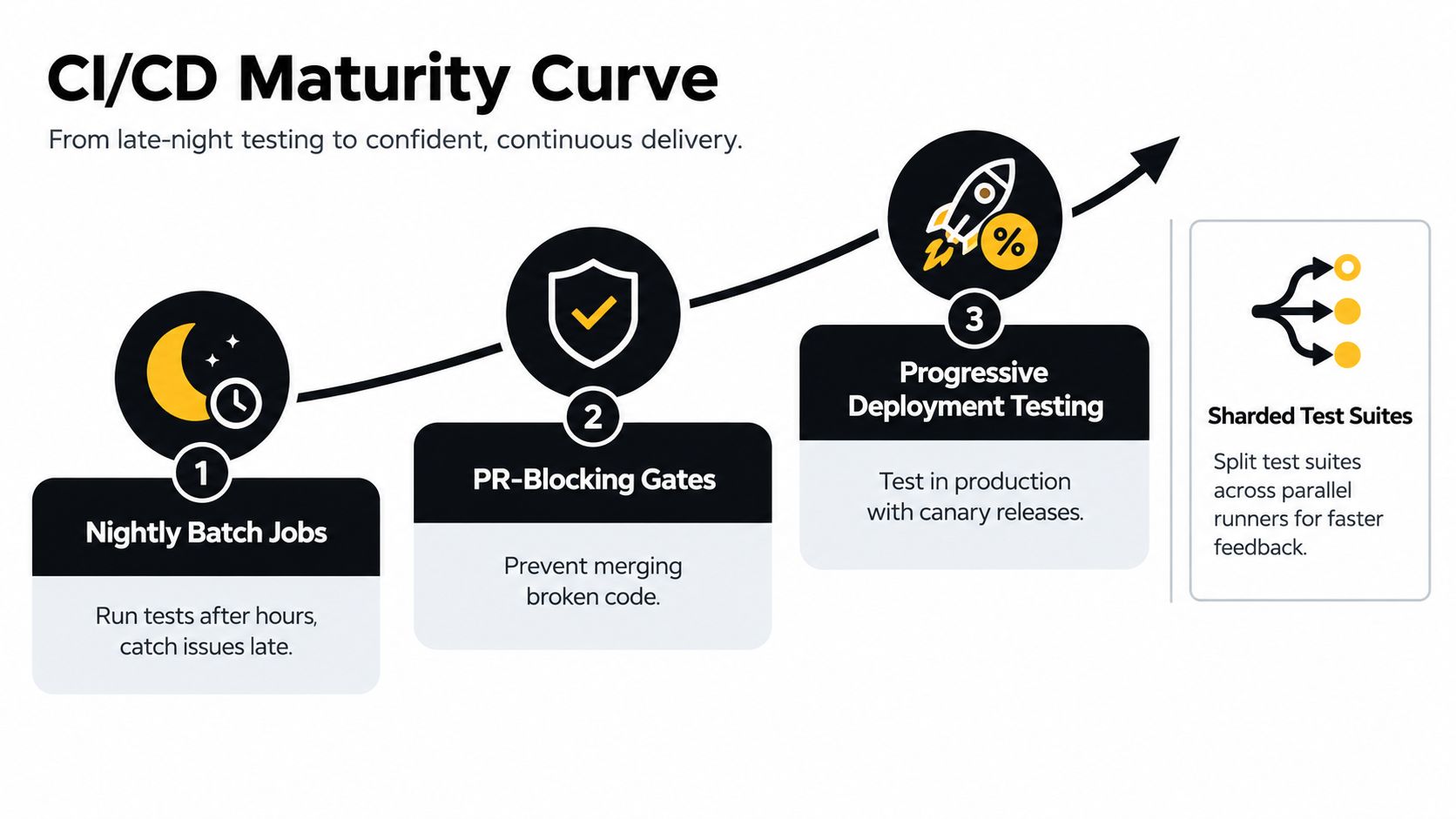
Putting automated tests in a pipeline isn't a one-time switch. Teams usually build confidence in stages, deciding which checks should inform a developer immediately, which can run later, and what evidence is needed before deployment. Blocking every change on a large, fragile suite can make the pipeline a bottleneck without making the product safer.
Grow the pipeline in deliberate stages
Start with scheduled runs. A nightly suite can reveal whether the tests and environment are reliable enough to trust. It gives the team room to address setup problems before test failures block everyday development.
Add targeted checks to pull requests. Run fast, high-value checks when developers propose a change. A focused smoke test might confirm that authentication and a key account action still work. Keep the gate narrow enough to return useful feedback, and make the failure report point to an owner and a next step.
Expand to release and deployment checks. Run broader regression tests before a release candidate. After deployment to a safe environment, verify that critical routes and service connections behave as expected. Progressive rollout practices can add checks around a limited release, but they still need monitoring and a rollback plan.
When suites grow, shard them across parallel runners so separate groups of tests execute at the same time. Use containerized runners or otherwise controlled environments to reduce differences between local and CI runs. Sharding helps only if tests don't depend on shared accounts, shared records, or execution order.
Make failures useful
A timeout can mean a slow application, a constrained runner, a missing wait condition, or an external service that didn't respond. Don't solve every failure by increasing timeouts. Capture logs, screenshots, traces, and relevant test data so the team can distinguish an application defect from an infrastructure problem.
Set an ownership policy for flaky tests. A test that fails intermittently shouldn't become background noise, but it also shouldn't block every release indefinitely. Teams can isolate an unstable check while they investigate it, then restore it only when the signal is trustworthy.
If test automation supports publishing or deployment operations, Mallary.ai's guidance on building resilient publishing workflows offers a related perspective on designing dependable automated processes. For pipeline planning, CI/CD pipeline best practices can help teams align test stages with release controls.
Measuring What Matters Beyond Test Counts
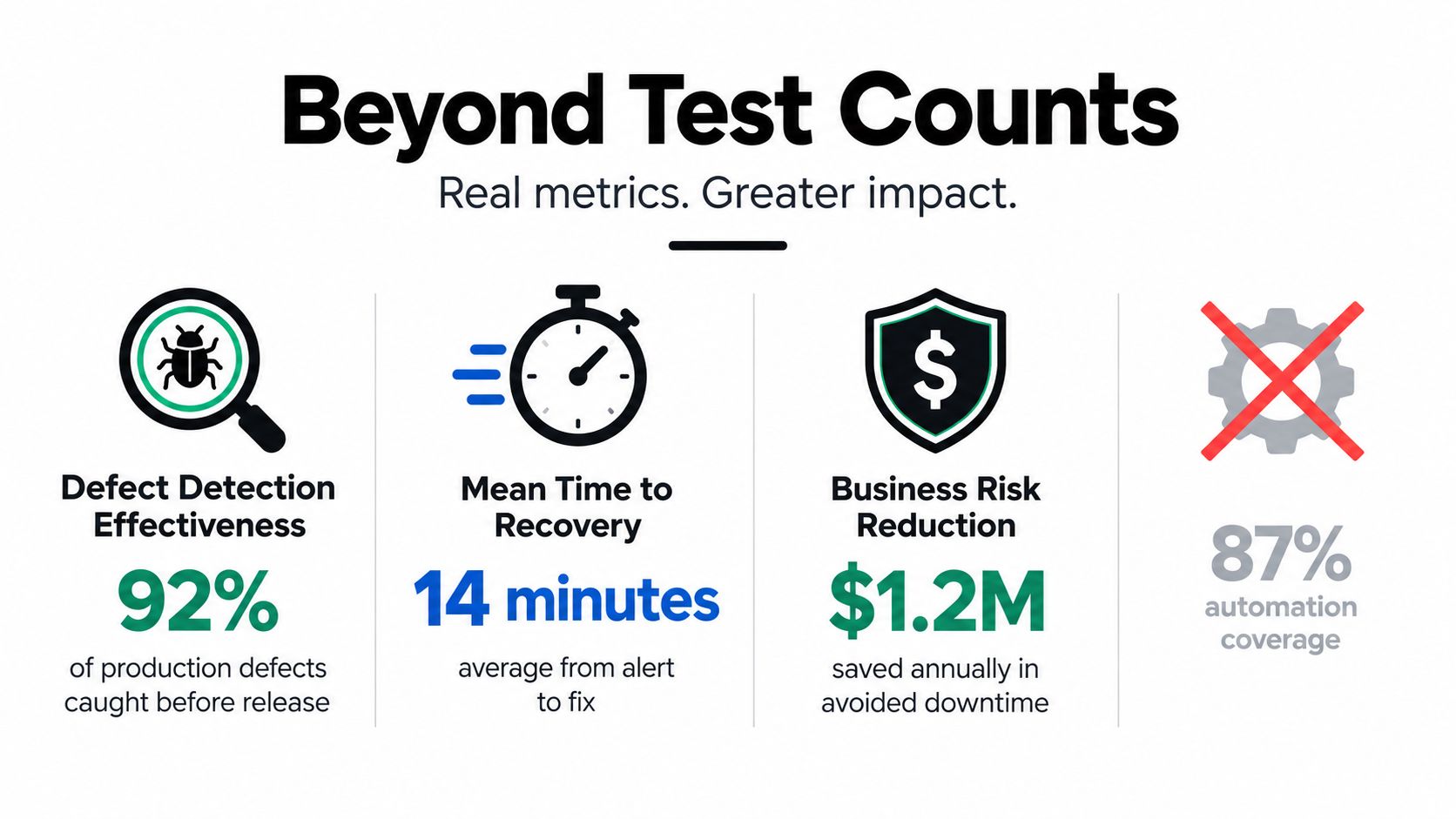
A large suite can still miss the defect that matters. Counting tests or reporting a broad “automation coverage” percentage tells leadership how much has been written, but not whether the checks catch meaningful failures or reduce risk to customers. A better conversation starts with business journeys and asks what happens when each one fails.
A recent industry report says 43% of teams track automated test counts and 42% track executions, while 60% track production defects and 58% say rapid releases allow defects to reach production. Only 25% of surveyed teams reported measuring test effectiveness in 2025 (software testing and quality report). Those findings point to a measurement gap: teams often know how much they run, but have a harder time showing whether those tests prevent or detect the failures that matter.
Rank journeys by business risk
Prioritize tests by considering business criticality, failure probability, user volume, remediation cost, and regulatory exposure. A payment flow may rank highly because a failure interrupts transactions. Account recovery may deserve attention because users who can't regain access can't use the product. A low-traffic administrative screen may need coverage too, especially if it affects sensitive permissions.
Translate those priorities into measures your team can explain:
- Defect detection: Which production issues did pre-release tests catch, and which escaped?
- Recovery speed: How long does it take to identify, mitigate, and fix a defect that reaches users?
- Journey reliability: How often do important workflows complete successfully in realistic test conditions?
- Risk reduction: Which customer, operational, or compliance risks does each check help control?
A survey of 90 testing practitioners found that 88.9% rated automated testing positively for regression and repetitive execution, and 88.0% agreed that automation was more accurate than manual testing for detecting recurring functional defects (survey of testing practitioners). Those perceptions support automation's role, but a positive opinion isn't a substitute for measuring how a particular suite performs in your product.
Executive question: Which customer journey would hurt the business most if it failed after the next release?
A test's value comes from the risk it helps control, not from adding another row to a dashboard. Teams can use test coverage in testing to examine what coverage metrics do and don't reveal.
Test Data and Environment Management Strategies
A test can be correctly written and still produce a misleading result. If one run uses an account with an existing cart, another run may encounter an empty one. If a shared staging environment is being changed by several teams, the same test can pass in the morning and fail later without any code change. This is why flaky tests often start with data or environment assumptions, not faulty assertions.
Make test setup explicit. Seed a known user and product through a test API, or create fixtures that represent the account state the workflow needs. When a test depends on a database record, give the record a predictable identity or create it as part of the test. Clean up after runs so repeated executions don't inherit old state.
Isolate dependencies and protect real user data
For an external payment, email, or identity service, decide whether the test should call the provider or a controlled substitute. A sandbox can help validate a provider integration, while service virtualization can isolate workflows from outages or changing responses outside your control. The choice depends on what the test is meant to prove.
Use ephemeral or containerized environments when teams need pull-request changes to run independently. A preview environment can give each change a space of its own, rather than relying on one shared staging system that developers and testers may accidentally alter. Keep environment configuration and authentication handling consistent, and don't hard-code reusable credentials into test scripts.
Healthcare and fintech applications require particular care with test data. Prefer synthetic records that preserve realistic shapes and edge cases without exposing personally identifiable information. For multi-tenant systems, include fixtures that verify one organization's users can't access another organization's data. Reliable automation is built from the whole test system: code, data, dependencies, and environment.
Best Practices, Pitfalls, and the Accessibility Reality Check
A stable suite doesn't come from adding more assertions to every browser test. It comes from making tests resilient to presentation changes while ensuring they still fail when user-visible behavior breaks. Accessibility is an important case where teams need to understand this distinction: automated scans can catch certain issues, but they can't determine whether a complete experience works for every user.
Use accessible roles and labels as locators where they reflect how people interact with the interface. Keep selectors away from styling classes that designers may change without altering functionality. A page object or similar shared abstraction can keep repeated navigation and setup in one place, but avoid building a giant helper layer that hides what each test does. Wait for clear application conditions instead of inserting arbitrary pauses.
A 2024 empirical comparison found that programmable testing took significantly more test-development effort than natural-language-based testing, with a p-value below 0.01 and a large effect size. During application evolution, however, teams still had to fix an average of 86% of capture-and-replay scripts, 78.8% of programmable tests, and 69.7% of natural-language tests (empirical study comparing test-development and maintenance approaches). Changing how tests are created doesn't make maintenance disappear.
Treat accessibility as an outcome, not a score
Automated accessibility checks can identify some code-level patterns, such as missing labels or certain contrast problems. They can't reliably judge whether instructions make sense, whether keyboard focus moves in a useful order, whether error recovery is understandable, or whether dynamic content works with someone's assistive technology.
Official U.S. Section 508 guidance calls for both automated and manual conformance testing, risk-based prioritization, and remediation before deployment. The same source reports that 60% of organizations use AI in QA, while 80% lack in-house AI testing expertise (U.S. Section 508 assessment guidance). AI-generated tests can extend coverage, but they may also repeat gaps in incomplete requirements. Build a layered practice: automated checks in CI, scripted keyboard and screen-reader journeys, representative device and browser testing, and periodic expert or user validation.
For practical guidance on structuring QA across products and workflows, RapidNative's app testing workflows offer a useful companion resource. Keep flaky tests visible, assign owners, and use quarantine only as a temporary investigation tool, not a permanent hiding place.
Your Roadmap to Reliable Web App Automation
Teams don't need to rebuild their QA process before they can improve it. Start with the tests and release habits you already have, then make each step more reliable and more valuable to the people who depend on the application.
Build the backbone before broadening coverage
Audit existing checks. List your manual regression steps, current automated tests, recurring production defects, and the workflows that carry the greatest customer or compliance risk. Look for tests that fail often without producing a useful diagnosis.
Stabilize critical journeys. Choose a small set of important paths, such as authentication, checkout, payment, or account recovery. Give each test deterministic data, clear setup, and selectors that reflect stable interface semantics.
Integrate with the delivery pipeline. Begin with focused smoke checks, then add broader regression runs as the suite proves reliable. Make test reports actionable, and ensure a named team owns failures, environment issues, and flaky cases.
Add depth where it pays off. Component checks, API contracts, database integration tests, and visual regression can cover different risks. Choose each layer to answer a specific question, rather than adding a test type because it's fashionable.
Measure outcomes. Track whether important defects are found before release, whether production issues are recovered quickly, and whether critical user journeys stay dependable. Revisit priorities as customer needs and application risks change.
Modernize AI-assisted QA with operational controls
AI can help teams draft test scenarios, interpret logs, or support workflows that connect an application to AI services. But production use needs operational controls: teams should know which prompt version ran, what parameters it used, how the interaction was logged, and how costs accumulate. Without that visibility, an AI-assisted test can become difficult to reproduce or govern.
Wonderment Apps' prompt management system is an administrative tool that can plug into existing software for AI integration. It includes a versioned prompt vault, a parameter manager for internal database access, a logging system across integrated AI providers, and a cost manager for cumulative spend. These controls can support teams modernizing applications and managing AI-assisted QA workflows alongside established testing practices.
Start with an audit, choose the critical journeys, and give every recurring failure an owner. Then expand the suite only when the new checks produce trustworthy feedback your team can act on.
Wonderment Apps helps organizations build and modernize web and mobile products, with engineering and QA support for reliable delivery. Visit Wonderment Apps to explore how its teams can support your application's testing and modernization roadmap.