

You probably felt tactile haptic feedback today and barely noticed it. You toggled a setting on your phone, pressed a virtual keyboard key, or confirmed a payment, and the screen answered with a tiny physical response that said, “Yes, that worked.”
That small moment matters more than many product teams realize. In apps, touch feedback can turn flat glass into something that feels reliable, polished, and easier to use. For business leaders trying to modernize digital products, tactile haptics sit in the same category as great motion design and thoughtful AI. Users may not name it, but they feel the difference immediately.
The interesting shift is that haptics no longer belong only to device makers or game studios. Product teams can now design them as part of the customer journey. And once AI enters the picture, those touch responses can become adaptive, contextual, and personalized rather than generic.
Beyond the Buzz A New Feel for Digital Experiences
The old mental model for haptics is a phone buzzing in your pocket. That’s still part of the story, but tactile haptic feedback has moved far beyond a blunt vibration.
Today, the best implementations feel like digital materials. A tap can feel crisp. A warning can feel distinct from a success message. A virtual control can feel more like a real switch than a dead patch of glass. That’s the difference between “my app works” and “my app feels premium.”
What tactile haptics actually means
At a simple level, tactile haptics are touch sensations felt on the skin. They’re the taps, pulses, bumps, and texture-like signals a device creates so users can feel an interaction rather than only see it.
That distinction is useful because many leaders hear “haptics” and think of futuristic gloves or expensive hardware. In practice, tactile haptics already live inside everyday mobile experiences. Smartphones and tablets account for the largest share of the market, and the overall haptic technology market was valued at $4.68 billion in 2024 and is projected to reach $6.46 billion by 2033 according to Custom Market Insights on the haptic feedback technology market.
Why business leaders should care
Tactile feedback changes user behavior in subtle ways.
- It reduces uncertainty. Users know an action registered.
- It adds trust. A payment confirmation feels more deliberate.
- It creates polish. The product feels designed, not merely assembled.
- It supports accessibility. Users get cues without depending only on visuals.
Practical rule: If an action is important enough to animate, it may be important enough to feel.
Often, many teams miss an opportunity. They invest in AI recommendations, smart workflows, or personalized content, but the interface still feels generic. The app may be intelligent, yet the interaction feels flat. Touch is often the missing layer.
There’s also a scaling challenge. Once teams start designing different haptic responses for onboarding, payments, alerts, accessibility, and personalized flows, the experience library grows quickly. Add AI-based personalization and that orchestration becomes a product system, not a one-off feature. The organizations that treat tactile haptics as a strategic UX layer, not a novelty, usually end up with products that feel more coherent and more memorable.
How Tactile Haptic Feedback Actually Works
A lot of confusion comes from treating all vibration as the same thing. It isn’t. Different hardware creates very different sensations.
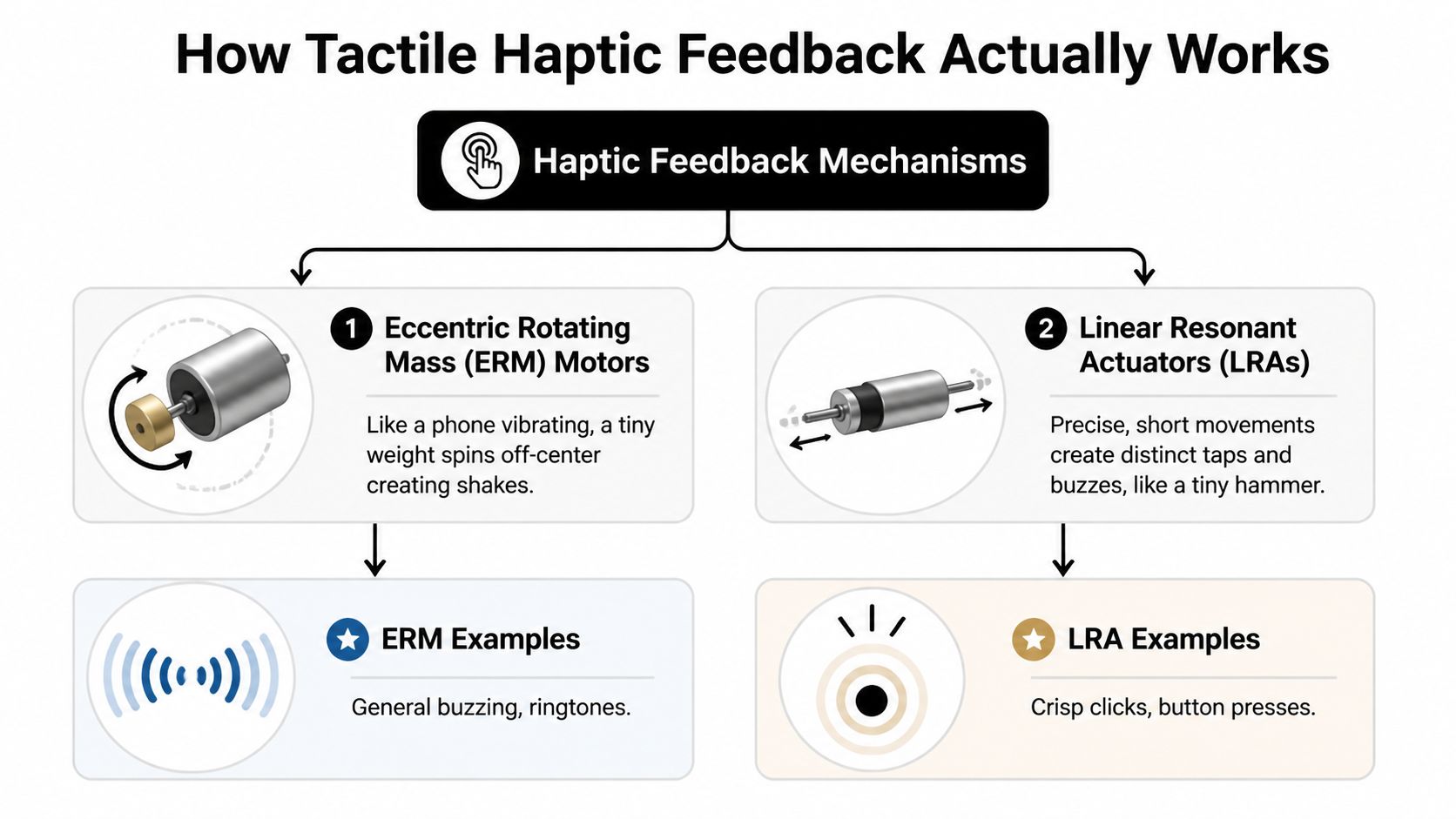
ERM feels like a broad buzz
An eccentric rotating mass motor, usually shortened to ERM, works like a tiny off-balance spinning weight. Think of a washing machine that’s slightly unbalanced. When it spins, you feel a general shake.
That’s why ERM-based feedback often feels blunt. It’s good for simple buzzing, alerts, and basic acknowledgment. It’s less effective when you want a clean, button-like click.
LRA feels sharper and more intentional
A linear resonant actuator, or LRA, moves back and forth in a more controlled way. The easiest analogy is a tiny speaker-like mechanism or miniature hammer producing a fast, focused pulse.
That control matters. According to the Michigan State haptics application note on vibrotactile feedback, advanced LRAs are up to 5 times more efficient than older ERM motors. The same source notes they can target skin mechanoreceptors at 80-250 Hz and can boost typing accuracy on flat screens by up to 92%.
For product teams, the takeaway is practical. ERM says “something happened.” LRA can say “this exact action happened, and it happened cleanly.”
When users describe an interface as “snappy” or “satisfying,” they’re often reacting to timing and tactile precision more than they realize.
Tactile and kinesthetic are not the same
This trips people up all the time, so it’s worth making the split clear.
| Term | What the user feels | Common example |
|---|---|---|
| Tactile feedback | Sensations on the skin, such as taps or vibrations | A phone keyboard click |
| Kinesthetic feedback | Force, resistance, or motion in muscles and joints | Resistance in a controller trigger |
A smartphone tap is tactile. A game trigger pushing back against your finger is kinesthetic. Both belong under the broader haptics umbrella, but they solve different UX problems.
The higher-end future
Some newer interfaces go beyond vibration and begin shaping the surface itself. A transparent microfluidic haptic interface described in this touchscreen haptics study uses a dense array of microfluidic chambers to create localized tactile cues on a screen while remaining transparent. That opens the door to interfaces that feel closer to raised buttons, contours, and textures.
You don’t need that hardware to benefit from haptics today. But it’s a useful signal of where product design is going. Touchscreens are slowly learning how to feel less like glass.
Designing Meaningful Haptic Experiences
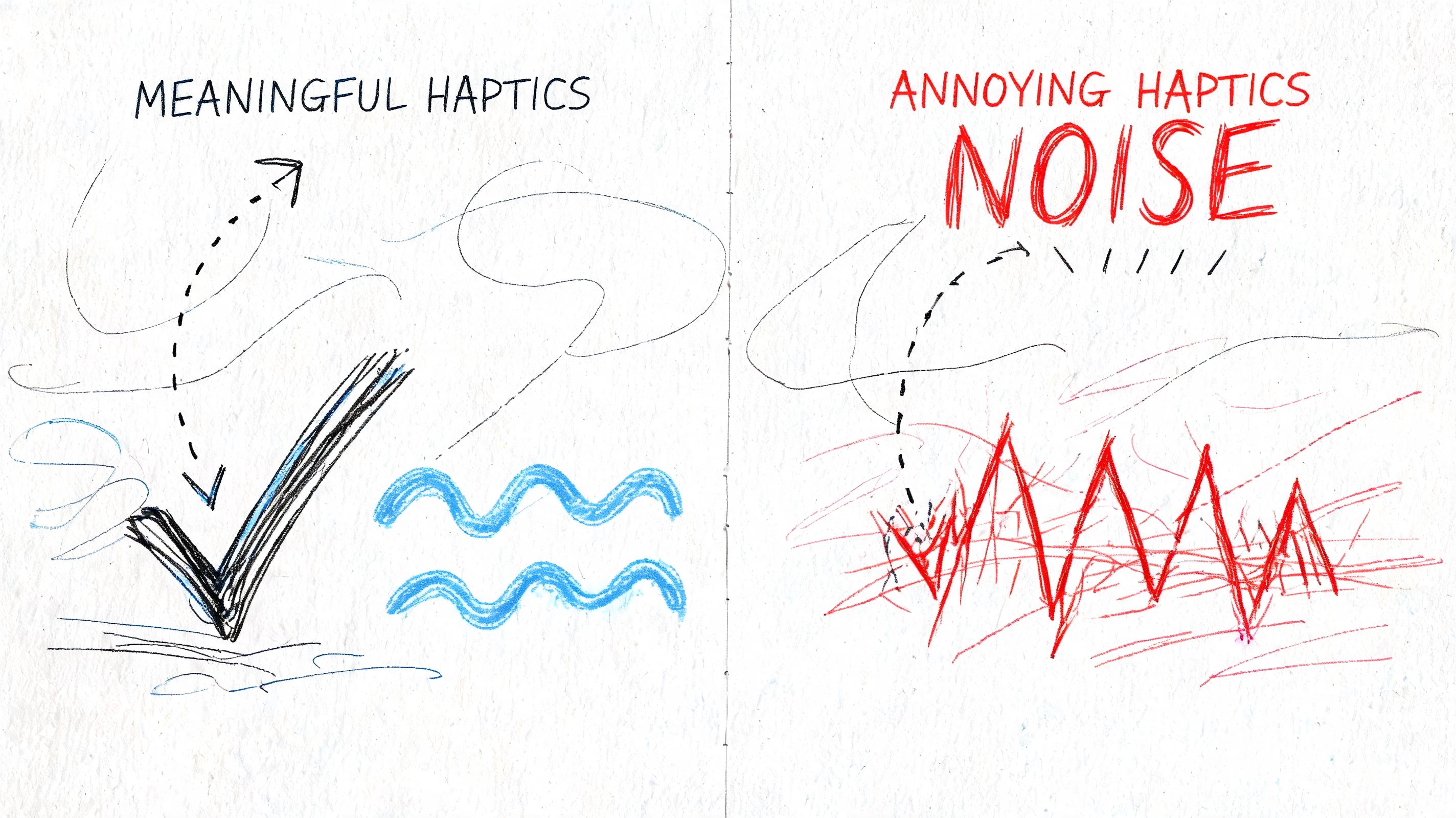
The worst haptics are the ones users notice for the wrong reason. Too frequent, too strong, too random, and the effect stops feeling helpful. It starts feeling noisy.
Use touch to communicate meaning
Good tactile haptic feedback behaves like good copywriting. It’s brief, specific, and matched to context.
Three patterns work especially well:
- Confirmation cues work when a user completes an action. A subtle tap after “Add to Cart” or payment approval can make the interaction feel certain.
- Notification cues signal urgency or category. A reminder shouldn’t feel the same as a failed login attempt.
- Immersion cues support experience design. Retail, gaming, and media products can use touch to reinforce what appears on screen.
The key is consistency. If every event triggers the same pulse, users stop learning from it.
Accessibility needs precision, not enthusiasm
Haptics can make apps more inclusive, especially for users who depend less on visual cues. But accessibility haptics require more discipline than many teams expect.
The challenge isn’t just adding vibration. It’s making signals distinguishable. Research summarized in the University of Maine paper on haptic information access found that users struggle to differentiate touchscreen vibrotactile lines with less than a 22.5° interval. That matters for navigation systems, directional guidance, and non-visual orientation.
So the design lesson is simple. Don’t assume more haptics means better accessibility. Clear spacing, distinct patterns, and careful testing matter more.
Accessibility haptics should answer one question fast: “What does this signal mean?”
A useful design checklist
Teams building memorable products usually review tactile patterns against a short set of criteria:
- Clarity first. Can a user tell success from warning from error without looking?
- Frequency control. Does the app reserve touch feedback for meaningful moments?
- Device realism. Will the effect still feel right across a range of phones?
- Inclusive design. Does the pattern help users who rely on non-visual interaction?
If you’re refining the full sensory side of your product, this broader guide to building an unforgettable app user experience pairs well with haptic planning.
Tactile Feedback Use Cases Across Industries
A customer taps “Buy now” on a crowded train, a nurse confirms a dosage change during a busy shift, and a field technician closes a work order in bright sunlight. In each case, a small physical cue can do something the screen alone cannot. It can confirm action instantly, reduce doubt, and keep the user moving.
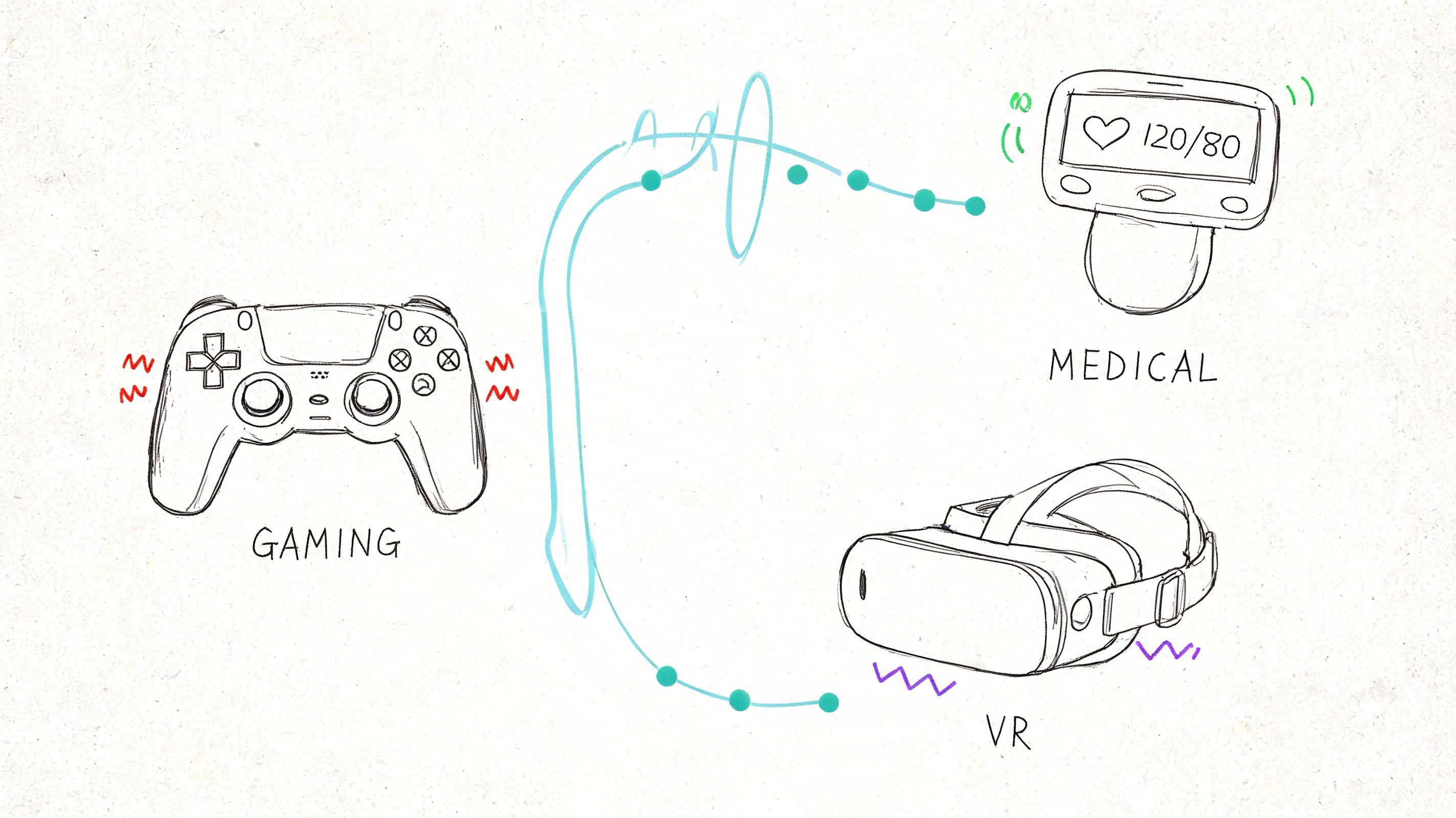
That is why haptics deserve a business lens. Used well, they can lower hesitation, shorten task time, and make digital products feel more modern and responsive. They also create a new signal layer for personalization. An app can adapt touch feedback based on context, user behavior, or urgency, which gives product teams another way to improve conversion, trust, and retention.
Ecommerce
In retail apps, uncertainty costs revenue. Users hesitate over product options, wonder whether a tap registered, or pause at the final payment step because the flow feels abstract.
Tactile feedback helps make those moments concrete. A light confirmation for size selection, a firmer response for “Add to Cart,” and a distinct completion cue at checkout can make the path to purchase feel more reliable. For business leaders, that matters because confidence affects completion rates.
Some commerce teams are also exploring richer product interaction. Earlier research discussed in this article showed that simulated touch can make digital product exploration feel more convincing. The practical takeaway is simple. Haptics can support the same goal as better photography or clearer product copy. They reduce ambiguity at the moment a customer decides.
Fintech and SaaS
Money and work software both depend on trust. If a user approves a transfer, submits payroll, confirms a policy update, or completes a sensitive admin action, the app should acknowledge it in a way that feels deliberate.
A well-designed haptic cue works like a digital handshake. It tells the user, “The system received that action.” This is especially valuable on mobile, where people are often multitasking, working outdoors, or dealing with poor visibility.
For SaaS products, the return is often operational. Field teams can complete approvals, scans, inspections, and check-ins with less need to stare at the screen. If your product roadmap includes mobile workflows across devices, the tradeoffs in native vs cross-platform mobile development will shape how consistent those haptic experiences feel in actual use.
Healthcare and wellness
Healthcare products have little room for ambiguity. Users may be managing medication schedules, following guided routines, logging symptoms, or practicing clinical skills. In those moments, tactile feedback can reinforce timing, confirm progress, and add reassurance without increasing visual clutter.
There is also a training angle. In simulation and guided learning, touch cues can represent contact, pressure, or a state change that a flat interface cannot communicate well on its own. That can improve confidence for the learner and make the product more useful to the organization paying for it.
AI personalization makes this category even more interesting. A wellness app could adjust haptic intensity based on adherence patterns or send gentler cues during stress-reduction sessions and stronger prompts for missed medication reminders.
Media and entertainment
Entertainment teams already understand immersion. Haptics give them another way to shape it.
A rhythm app can reinforce timing. A sports app can make a scoring alert feel immediate. Interactive storytelling can use subtle tactile changes to build suspense at key moments. These cues are not just decorative. They can make content feel more alive, which gives users a stronger reason to return.
The broader opportunity is competitive differentiation. As AI recommendation systems make content feeds feel more similar across apps, tactile design becomes one of the few product layers users can physically feel. That creates a brand signature, not just a feature.
The strongest haptic use cases tie physical feedback to a business outcome. Faster confirmation, higher trust, better retention, or a more memorable product experience.
Implementing Haptics in Your Application
Generally, tactile haptics are more achievable than they sound. You usually don’t need custom hardware or a research lab. You need product decisions, good implementation, and testing discipline.
Start with native capabilities
On Apple platforms, developers can use Core Haptics for detailed control over patterns and timing. On Android, VibrationEffect provides native tools for structured vibration behaviors. These frameworks let teams move beyond default buzzes and create feedback that matches specific product moments.
If your app targets both major platforms, cross-platform architecture may still work well, but haptics need careful handling because device behavior varies. This is one reason the build approach matters. Teams weighing tradeoffs can compare them in this guide to native vs cross-platform mobile development.
Focus on the experience map, not just the API
The technical integration is only part of the work. Product owners should decide:
- Which actions deserve feedback
- What each feedback pattern should mean
- Which moments should stay silent
- How the app should behave on lower-end devices
That last point matters. A polished haptic pattern on one device may feel weak or muddy on another. Testing should include multiple phones and tablets, especially if your audience is broad.
Watch performance and battery tradeoffs
Tactile feedback is lightweight compared with many media-heavy features, but it still needs restraint. Overuse can affect battery consumption and can make the product feel busy. Teams should also validate that haptics don’t clash with accessibility settings or create friction in high-frequency workflows.
A practical implementation plan is simple. Pick a few high-value moments first, build a small library of patterns, test on real devices, and expand only after users respond well.
The Future is Felt AI-Powered Personalization
The next interesting leap for tactile haptic feedback isn’t just better hardware. It’s smarter orchestration.
Most apps still treat haptics as static. Every user gets the same pulse for the same event. That’s workable, but it leaves a lot of value on the table. AI systems can tailor timing, intensity, and pattern selection based on context, behavior, and preference.
Personalization can move beyond visuals
A user who prefers subtle interactions might get lighter confirmation taps. A field worker using a noisy environment might need stronger non-visual cues. A shopper who hesitates during checkout might respond well to a cleaner confirmation pattern that reinforces action success.
That kind of adaptive design fits into a broader AI modernization strategy. Leaders trying to discover AI for business efficiency often focus on content generation, recommendations, or automation first. Those matter, but the physical layer of interaction deserves attention too. If AI changes what an app knows, haptics can change how that intelligence feels.
New research points to broader access
A notable signal comes from the March 2025 T2H framework paper on vision-based haptic feedback, which describes an approach that uses vision-based sensors and consumer-grade cameras to generate haptic feedback for teleoperation. For product leaders, the message isn’t that every app will suddenly become a robotics platform. It’s that haptic systems are moving toward more accessible and scalable forms.
As the tooling matures, more product teams will be able to experiment without waiting for exotic hardware ecosystems.
Where AI and haptics fit in product strategy
At this juncture, tactile haptics become strategic rather than decorative.
- Behavioral adaptation lets apps tune cues to user habits.
- Context awareness helps systems respond differently during urgency, routine use, or accessibility scenarios.
- Journey personalization means one event doesn’t need one universal sensation.
- Experience governance becomes essential because design systems now include prompts, rules, patterns, and analytics.
Teams exploring these capabilities often need more than model integration. They need operational structure around prompts, parameters, logs, and governance. That’s especially true when haptic decisions are influenced by AI logic, user state, and multiple product surfaces. If your roadmap is headed there, this overview of AI development services for modern applications is a useful place to assess what your stack and delivery model need.
Smart apps shouldn’t just respond with the right answer. They should respond with the right feel.
Frequently Asked Questions About Haptics
A product leader reviews two app flows that do the same job. One feels flat. The other confirms actions with a brief, well-timed pulse, reduces hesitation at key moments, and adapts those cues to the user and context. The second experience often feels more trustworthy, even before a user can explain why.
That is why haptics deserve a practical FAQ. For many teams, the question is no longer whether phones can vibrate. It is how touch can support clarity, retention, accessibility, and more personalized product journeys.
What’s the difference between tactile and kinesthetic feedback
Tactile feedback is sensation on the skin. A tap, pulse, or patterned buzz from a phone is tactile.
Kinesthetic feedback is force felt through muscles and joints. A trigger that resists your finger or a stylus that pushes back falls into that category. For app teams building on phones, tablets, and wearables, tactile feedback is usually the format that matters most because it works with hardware people already carry.
Does haptic feedback hurt battery life
It can, but poor design usually causes the bigger problem.
Short, intentional cues tend to have a modest impact. Constant vibration, repeated confirmations, and overlapping signals create waste fast. Battery performance also varies by device, so teams should test haptics on real hardware, not only in design mocks or simulators. Good haptic design is partly a UX decision and partly an efficiency decision.
How do you measure UX impact and ROI
Start where hesitation costs money or trust. Checkout steps, authentication, form completion, onboarding, and accessibility flows are strong candidates because a clearer response can reduce second-guessing.
Then measure before and after. Look at completion rates, error rates, abandonment, repeat usage, support tickets, and satisfaction signals. If your product already uses AI to personalize content or timing, haptics can become another adaptive layer. One user may need a stronger confirmation during a high-stakes action. Another may respond better to lighter cues during routine tasks. That turns haptics from a design detail into a product instrument you can test, tune, and connect to business outcomes.
Are haptics only useful for mobile apps
No. Mobile is the most familiar starting point.
Tactile cues also make sense in wearables, kiosks, vehicles, healthcare tools, training systems, and industrial interfaces. The shared principle is simple. If a user benefits from confirmation, guidance, or feedback without needing to look at a screen, haptics can improve the experience.
What’s the biggest mistake teams make
They treat haptics as decoration instead of language.
A useful haptic pattern gives a clear signal. It tells the user that something succeeded, needs attention, requires caution, or deserves focus. A weak implementation adds vibration everywhere and trains people to ignore it. The strongest teams define a small set of touch patterns, map each one to a product meaning, and govern those patterns the same way they govern visual and voice design. That discipline becomes even more valuable when AI personalization enters the product, because adaptive systems need rules, not just possibilities.
If you’re modernizing an app and want to combine AI, scalable UX, and operational control, Wonderment Apps is worth a look. Their team helps organizations design and build digital products that last, and they’ve also developed an administrative system for AI modernization with a prompt vault, versioning, parameter management for internal database access, cross-AI logging, and cost tracking. That combination is useful when your product experience is becoming more adaptive, more personalized, and more complex to manage over time.