


Your ecommerce team probably knows this feeling. Sales are coming in, but too much of the business still runs on workarounds. One tool handles the storefront, another handles inventory, a third sends marketing emails, and none of them share context cleanly. Customers see generic product recommendations, mobile checkout feels clunky, and your staff spends hours stitching reports together just to answer simple questions.
That’s where digital transformation ecommerce starts to matter. Not as a buzzword, and not as a giant rip-and-replace project, but as a practical shift from disconnected systems to a business that can learn, adapt, and scale. For many leaders, the smartest starting point isn’t rebuilding everything. It’s adding control where complexity is growing fastest, especially around AI, personalization, and operational decision-making.
The Future of Retail Is Here Welcome to Digital Transformation Ecommerce
A common retail story goes like this. A growing brand launches with a solid storefront, adds a few apps, then keeps layering tools as demand rises. At first, that looks efficient. Later, it becomes fragile. Marketing can’t personalize well because customer data lives in too many places. Operations can’t forecast confidently because reporting lags. Product teams want to test AI features, but leadership worries about cost, governance, and whether anyone can manage it all.
That tension is exactly why digital transformation ecommerce has moved from “nice to have” to board-level priority. The market has already changed. Global eCommerce sales are projected to reach between $6.4 trillion and $7.5 trillion by 2025, up from $5.7 trillion in 2023, and 2.77 billion people are projected to engage in eCommerce activities in 2025 according to digital commerce market statistics compiled by Cimulate. When that many buyers are online, friction doesn’t stay small for long.
For business leaders, the key shift is mindset. Transformation doesn’t mean buying every new platform or chasing every trend. It means choosing the few changes that remove the most friction first. Sometimes that starts with mobile performance. Sometimes it’s cloud infrastructure. Increasingly, it starts with putting an administrative layer around AI so teams can manage prompts, data access, logs, and spend before experimentation turns messy.
Practical rule: Don’t treat transformation like a single project. Treat it like a sequence of business upgrades with shared governance.
If you want a broader retail framing, this overview on unleashing retail digital transformation insights is useful because it connects the strategic side with the customer experience side. For a more ecommerce-specific lens, Wonderment also has a practical take on digital transformation for retail that’s especially relevant if your team is balancing modernization with day-to-day delivery pressure.
What leaders usually get wrong
The biggest mistake is assuming transformation has to begin with a full platform overhaul. It often shouldn’t.
A better first question is simpler: where does your current system create the most expensive confusion? That might be abandoned carts, slow merchandising updates, weak personalization, or AI pilots happening without guardrails. Once you identify that pressure point, the path gets clearer.
What this looks like in practice
A business with legacy systems can still make meaningful progress if it modernizes in layers:
- Customer layer first: Improve the shopping experience where buyers encounter friction.
- Operations next: Reduce manual work, brittle integrations, and reporting delays.
- Intelligence on top: Add AI and analytics in a managed way so the business learns faster without losing control.
That’s the practical heart of digital transformation ecommerce. It’s less like demolishing a store and more like upgrading it while it stays open.
Beyond the Shopping Cart What Ecommerce Transformation Really Means
Organizations often hear “digital transformation” and think “new website.” That’s too narrow.
A better analogy is this: imagine a corner store that grew into a flagship retail operation. The old store still has shelves, a checkout counter, and loyal customers. But the flagship adds connected inventory, smart merchandising, fast fulfillment, staff workflows, and visibility into what customers want before they ask. The store didn’t just get prettier. It got smarter.
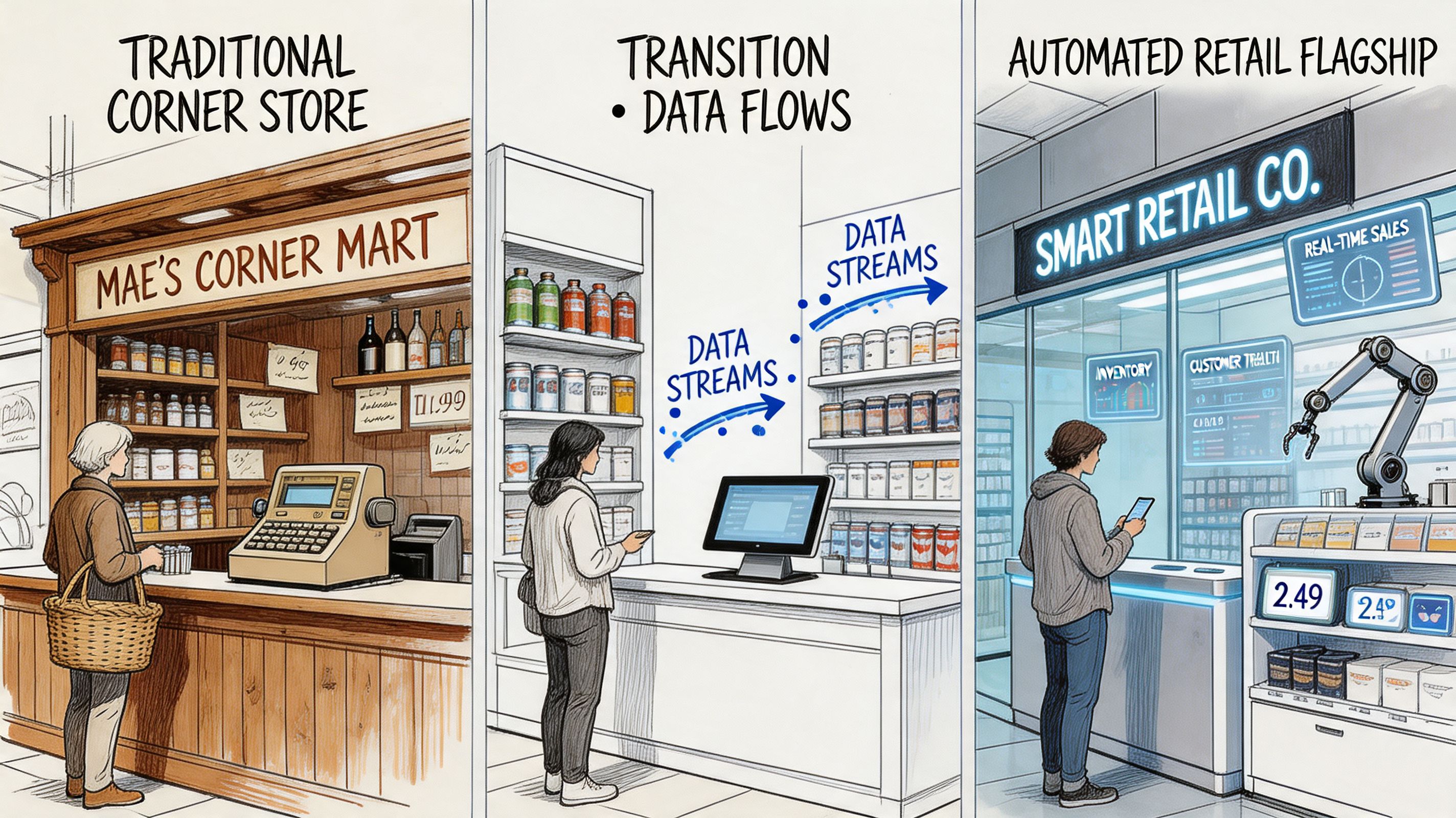
That’s what digital transformation ecommerce really means. It’s the shift from running an online store as a digital brochure with checkout, to running a connected commerce system that improves customer experience, operations, and decision-making at the same time.
Pillar one is customer experience
Customers don’t think in channels. They don’t care whether your product data lives in one system and your loyalty data lives in another. They care whether the site feels relevant, fast, and consistent.
That means transformation shows up in places like:
- Smarter discovery: Search, navigation, and recommendations that reflect intent rather than forcing shoppers to hunt.
- Consistent journeys: A customer who browses on mobile and buys later on desktop shouldn’t feel like they’re dealing with two different brands.
- Less friction at checkout: Fewer unnecessary steps, better saved preferences, and cleaner post-purchase communication.
A useful way to think about this is that your storefront is no longer just a sales channel. It’s a service interface.
Pillar two is operations
Many leadership teams get surprised by this fact: The best ecommerce transformations don’t only improve what the shopper sees. They reduce the drag behind the scenes.
Operations includes inventory visibility, pricing updates, returns handling, product information management, customer support tooling, and warehouse coordination. If any of those systems are slow or disconnected, your customer experience eventually reflects it. Even a polished storefront struggles if stock levels are unreliable or fulfillment teams work from stale data.
If your growth plan includes broader channel strategy, it helps to study how brands approach marketplace expansion because operational readiness often determines whether those moves create margin or chaos.
A modern commerce stack should help teams make fewer heroic saves. If your staff has to rescue the system every week, the system isn’t modernized yet.
Pillar three is data-driven culture
The hardest part isn’t software. It’s behavior.
A data-driven culture means teams stop relying on gut feel alone for merchandising, promotions, content decisions, and product priorities. Leaders still use judgment, but they pair it with better visibility. Marketing learns which journeys stall. Product sees where users drop off. Operations catches recurring friction before it becomes a customer complaint.
Here’s a simple comparison:
| Traditional ecommerce approach | Transformed ecommerce approach |
|---|---|
| Teams react after problems escalate | Teams monitor patterns and respond earlier |
| Data sits in separate tools | Data is connected enough to support action |
| Changes happen in large, risky batches | Teams test, learn, and adjust in smaller cycles |
| Channel experience varies widely | Brand experience feels more unified |
When readers get confused, it’s usually because “transformation” sounds abstract. It isn’t. It’s a business choosing to operate with better visibility, cleaner systems, and more deliberate customer experiences.
Your Tech Toolkit for a Transformed Ecommerce Platform
A modern commerce stack should reduce friction for customers and decision fatigue for teams. If your platform forces people to patch problems by hand, chase missing data, or wait weeks for small changes, the stack is working against growth.
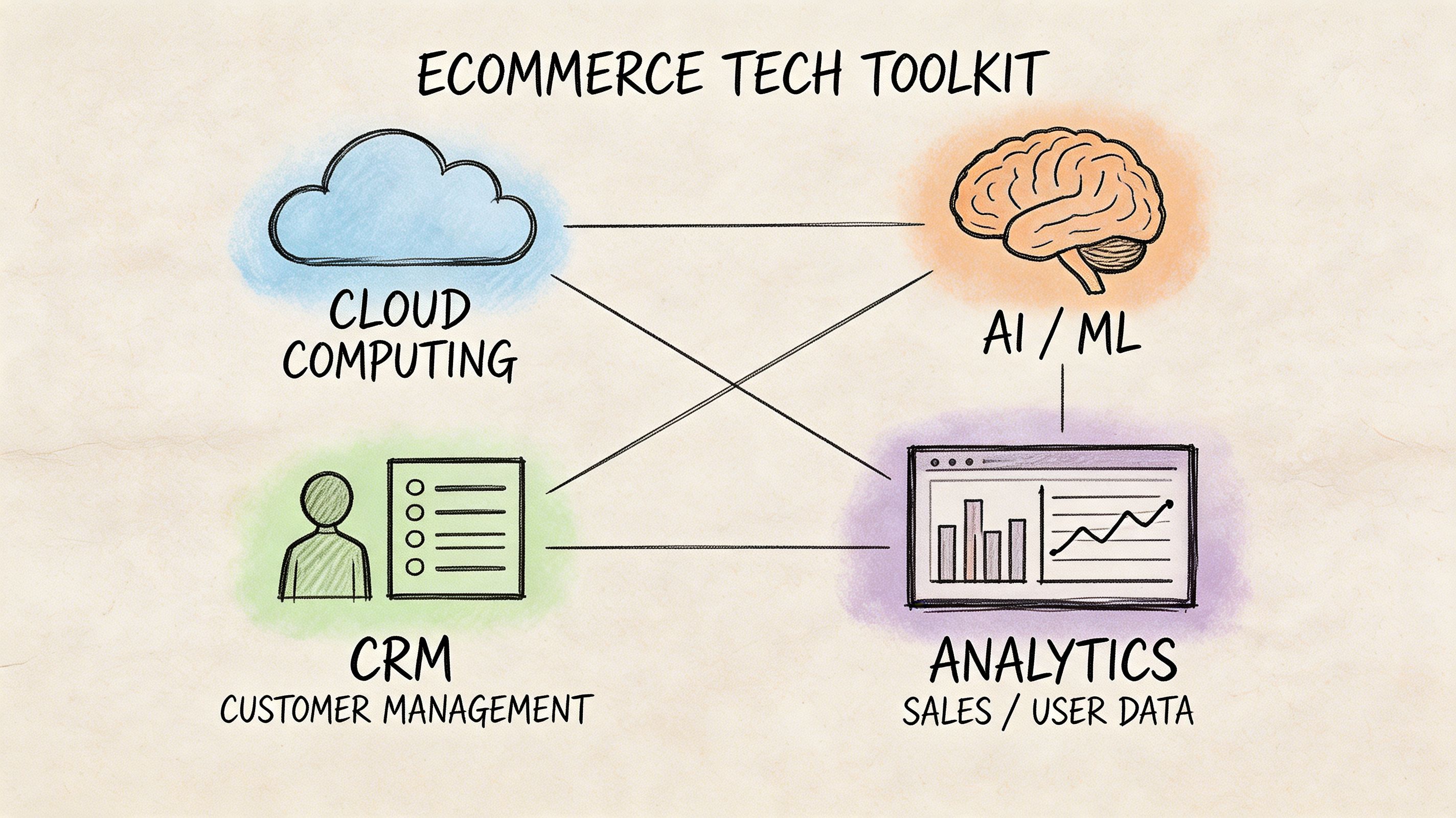
The goal is not to collect more software. The goal is to assemble a set of systems that help you test faster, connect data across teams, and add new capabilities without creating another layer of complexity. For many ecommerce businesses, the clearest starting point is not a full platform rebuild. It is an integration layer for AI and app logic that gives teams control over how new tools connect, what data they can access, and how performance is monitored.
AI and machine learning
AI deserves a place in your stack when it improves a specific task with clear business value. In ecommerce, that often means better product recommendations, smarter merchandising, support routing, content drafting with human review, or alerts when behavior looks unusual.
One common use case is personalization. Meegle’s overview of digital transformation for e-commerce notes that cloud-based personalization can increase sales when the underlying data and execution are handled well. The lesson for leaders is straightforward. Personalization works best when product data, customer behavior, and business rules are connected well enough to guide useful recommendations.
The hard part is not choosing a model. It is setting the rules around it.
Who can adjust prompts? Which internal systems can the model read from? Where are outputs stored for review? How do you track usage and cost before a pilot spreads across teams? A managed AI integration layer helps answer those questions early. It works like a control panel between your commerce stack and the AI tools your teams want to use. That makes experimentation safer and scaling more disciplined.
Headless and composable commerce
Traditional commerce platforms often behave like all-in-one appliances. They are convenient at first, but one weak component can limit the whole setup.
Headless and composable commerce separates the storefront from the backend services behind it. That gives teams more freedom to choose the parts that fit their business, such as search, content, checkout, analytics, or AI services, instead of forcing every job into one system. The approach is useful when your catalog is complex, your brand experience needs more control, or your business sells across several channels and regions.
It also adds architectural responsibility. More freedom means more decisions about integration, performance, governance, and maintenance. If you are weighing those tradeoffs, these examples of ecommerce development solutions can help clarify when custom architecture supports growth and when it adds work without enough return.
Cloud infrastructure
Cloud infrastructure matters because ecommerce demand rises and falls unevenly. A quiet Tuesday and a major promotion do not place the same load on your systems.
When infrastructure cannot absorb those swings, the business feels it quickly. Pages slow down. Search gets inconsistent. Internal teams delay launches because they do not trust the platform under pressure. Cloud-based environments give teams more room to scale capacity, monitor system health, and connect newer services without rebuilding everything at once.
For leaders, the business value shows up in a few practical areas:
- Capacity that adjusts with demand: You are not forced to pay for peak traffic every day of the year.
- Faster release cycles: Teams can ship updates in smaller batches, which lowers risk and shortens feedback loops.
- Clearer visibility: Monitoring and recovery improve when logs, alerts, and dependencies are easier to trace.
- Better support for modern integrations: Data pipelines, APIs, and AI services are easier to connect and manage.
The same logic applies beyond the storefront. Operations shape customer experience too. This guide to technologies for efficient ecommerce warehouses is a useful reference because fulfillment systems affect delivery promises, inventory accuracy, and return handling long before a shopper files a complaint.
Modern mobile experiences
Mobile performance is not only a design concern. It affects conversion, retention, and revenue.
A Progressive Web App, or PWA, gives a web storefront some of the behavior people expect from a native app, such as faster loading, cleaner interactions, and more stable browsing on mobile devices. That matters because phone shoppers are less forgiving. A slow filter, a crowded menu, or a shaky checkout can interrupt intent in seconds.
Appinventiv’s write-up on digital transformation in ecommerce points to strong results from PWA adoption among major retailers. The broader takeaway is more useful than any single number. Mobile architecture affects commercial performance. If your site still feels like a desktop experience compressed onto a smaller screen, you are likely carrying conversion friction that design changes alone will not fix.
Decision shortcut: If phone traffic dominates but checkout completion lags, start by reviewing speed, navigation, and mobile engineering choices before adding more acquisition spend.
A simple way to choose your stack
The fastest way to waste budget is to buy tools before naming the constraint they need to fix. A better method is to tie each technology choice to one business problem at a time.
| Technology area | Best first question |
|---|---|
| AI and ML | Which decision or customer task should improve first, and what controls need to be in place? |
| Headless or composable architecture | Where is platform rigidity slowing growth, testing, or channel expansion? |
| Cloud infrastructure | Which parts of the system fail, slow down, or become risky during spikes? |
| Mobile modernization and PWAs | Where does mobile friction interrupt purchase intent or checkout completion? |
That approach keeps the stack grounded in outcomes. It also makes AI modernization easier to control. Instead of bolting new tools onto an already messy system, you create a governed layer that helps your team add AI in a way that can be measured, managed, and expanded with confidence.
Your Step-by-Step Implementation Roadmap
The fastest way to derail ecommerce transformation is to treat it as one giant rebuild. Budgets swell, teams argue over priorities, and the business waits too long for proof that the effort is working. A phased roadmap keeps the work grounded. Each step should remove a visible constraint, reduce risk, and make the next step easier to execute.
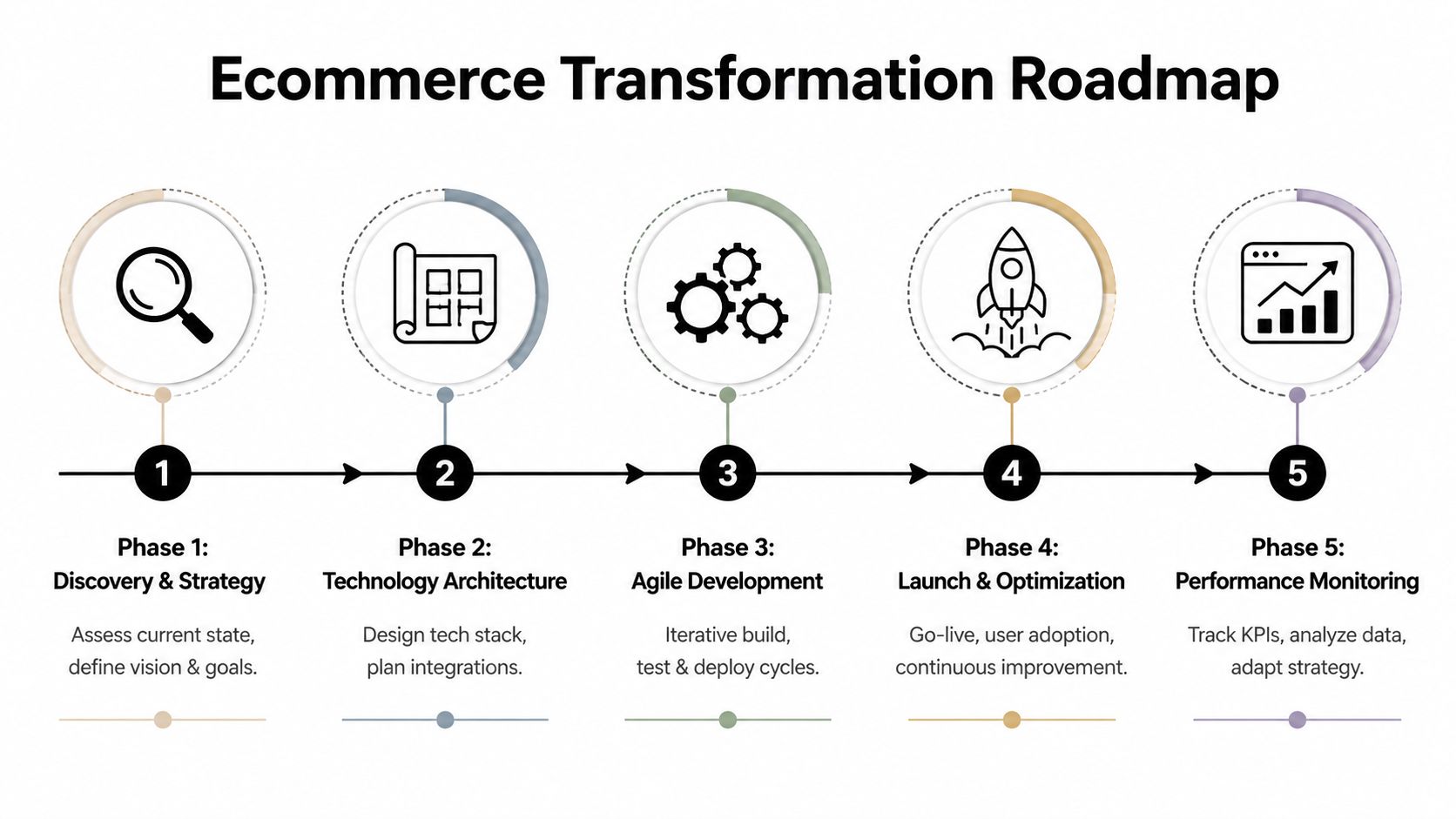
Phase one starts with an honest audit
Begin with two maps. One shows the customer journey from discovery to post-purchase. The other shows the systems, data sources, and team handoffs behind that journey. When those maps sit side by side, the root causes become easier to spot. A checkout drop may trace back to slow page loads, missing inventory data, or an approval bottleneck no customer ever sees.
The same problems show up again and again. Duplicate tools. Reports no one trusts. Integrations that break when one field changes. Teams making decisions without clear ownership.
A strong audit turns scattered complaints into a ranked list of business problems.
Use questions like these to keep the audit practical:
- Customer friction: Where do shoppers hesitate, abandon carts, or contact support?
- Operational drag: Which workflows still depend on spreadsheets, manual exports, or repeated cleanup?
- Data confidence: Which metrics guide decisions with confidence, and which ones trigger debate every week?
- AI readiness: Which customer or staff tasks could benefit from AI, and what systems would need to feed and govern that work?
That last question matters early. AI should not begin as a collection of isolated experiments. It should begin with a defined use case and a controlled path into your existing systems.
Phase two builds the operating foundation
Once the problems are ranked, fix the layers that support everything else. In practice, that often means cleaning up integrations, setting data standards, improving API connections, tightening identity and catalog logic, and deciding which platform components stay, which get replaced, and which need an interim fix.
This work rarely gets applause. It does, however, prevent expensive rework later.
A good comparison is store renovation. Fresh signage and attractive displays help, but they do not solve backroom inventory errors, broken receiving processes, or registers that fail during peak traffic. Ecommerce works the same way. New experiences on top of messy data create polished confusion.
For teams planning AI initiatives, this foundation phase is also the right time to add a managed integration layer. That gives the business one governed point for connecting models, workflows, and apps, instead of scattering AI logic across the stack. With a tool like Wonderment's, leaders can control where AI is used, what data it can access, how outputs are monitored, and how new use cases are added over time.
Phase three improves the experience in the places customers feel first
After the foundation is in better shape, the business can improve the parts customers and staff use every day. That may include search, navigation, merchandising, mobile flows, checkout, customer service tooling, or post-purchase communication.
Start with the experience gap tied to the clearest business cost. If site search sends shoppers to dead ends, fix search before redesigning the homepage. If support teams spend hours answering order-status questions, improve post-purchase visibility before adding more channels.
Personalization also belongs here, but only after the inputs are reliable. As noted earlier, more customized experiences can raise sales. The larger lesson is more useful than any headline number. Personalization works when product data is clean, customer context is current, and the rules behind recommendations are reviewed by the team responsible for performance.
Phase four adds controlled AI use cases
Many companies try AI at this stage by buying a few point tools and hoping they fit together later. That approach creates the digital version of extension cords running across an office floor. It works for a moment, then becomes hard to manage and risky to scale.
A better path is to start with one or two high-value use cases and run them through a managed integration layer. Good candidates include product enrichment, customer service assistance, personalized merchandising rules, or internal content workflows. Each one should have a business owner, approved data inputs, fallback rules, and a way to review results before wider rollout.
This approach gives leadership control. It also helps teams move faster because they are not rebuilding governance every time a new AI idea appears.
Phase five turns launch into an operating rhythm
Go-live is the start of a new management discipline. Teams need a regular cadence for reviewing behavior, fixing friction, and prioritizing the next round of improvements.
That rhythm usually includes:
- Reviewing customer behavior: Check search exits, cart abandonment, support themes, repeat purchase patterns, and page-level drop-off points.
- Running structured tests: Compare changes in messaging, recommendations, navigation, checkout steps, and post-purchase flows.
- Improving internal operations: Refine fulfillment visibility, alerting, team workflows, and system responses as new issues appear.
- Monitoring AI performance: Review output quality, exception rates, approval patterns, and the business impact of each AI-assisted workflow.
The goal is steady improvement, not a series of dramatic relaunches.
A readiness checklist for leadership teams
Before committing major budget or headcount, test the organization, not just the technology.
- Leadership alignment: Do leaders agree on the specific business problem this roadmap is solving?
- Decision ownership: Is one person accountable for tradeoffs across experience, data, and delivery?
- Team capacity: Can current teams absorb change without stalling day-to-day operations?
- Data reliability: Are product, customer, and operational records accurate enough to support automation and AI?
- Adoption planning: Do employees know how new tools, workflows, and approvals will be introduced?
- Measurement discipline: Has the business chosen a short list of metrics that will define progress?
If several answers are weak, slow the pace and fix those gaps first. The roadmap still holds. The timeline just needs to match the organization's ability to carry the change.
KPIs Challenges and How to Win the Long Game
A lot of ecommerce leaders measure success too narrowly. Revenue matters, but it doesn’t tell you why the business is improving or where it’s leaking value. Strong digital transformation ecommerce programs track a mix of customer, technical, and operational signals.
The KPIs worth watching
Some of the most useful indicators are straightforward:
- Conversion quality: Not just whether people buy, but where they hesitate in the journey.
- Customer lifetime value: A transformation should improve repeat behavior, not only first-purchase spikes.
- Average order value: Better merchandising and relevant recommendations often show up here.
- Site performance and uptime: If pages lag or fail during peak demand, revenue metrics hide the cause.
- Operational speed: Track how quickly teams can update products, launch campaigns, and resolve support issues.
A good KPI set should help leaders answer two questions. Is the customer experience getting easier? Is the business becoming easier to run?
Why solid strategies still fail
The hardest part of transformation usually isn’t selecting technology. It’s getting people to work differently with it.
Cultural inertia and employee resistance are primary reasons why 62% of digital transformation initiatives fail, and a separate McKinsey report found that 70% of transformations fall short due to people-related barriers, as summarized in Shopify’s discussion of digital transformation challenges. That should sound familiar to anyone who has watched a promising platform launch stall because training was light, ownership was fuzzy, or teams kept reverting to old habits.
The long-game mindset
Winning the long game means treating adoption as part of the product, not an afterthought.
| Challenge | Better response |
|---|---|
| Staff resist new workflows | Involve them early and show how the change reduces pain |
| Teams don’t trust the data | Improve visibility into where data comes from and how it’s used |
| New tools go underused | Assign owners, training, and review routines |
| Leaders expect instant transformation | Break the work into smaller business wins |
The systems can be modern while the habits stay old. If that happens, the business won’t feel transformed.
The practical lesson is simple. Budget for communication, training, and change leadership with the same seriousness you budget for engineering. That’s not soft work. It’s what makes the hard work stick.
The Smart Way to Integrate AI and Modernize Your App
AI is often the most exciting part of digital transformation ecommerce, and the easiest part to mishandle. Teams move fast because the possibilities look obvious. Personalized recommendations. smarter search. support copilots. content generation. internal reporting assistance. The trouble starts when each team experiments in its own corner with no shared controls.
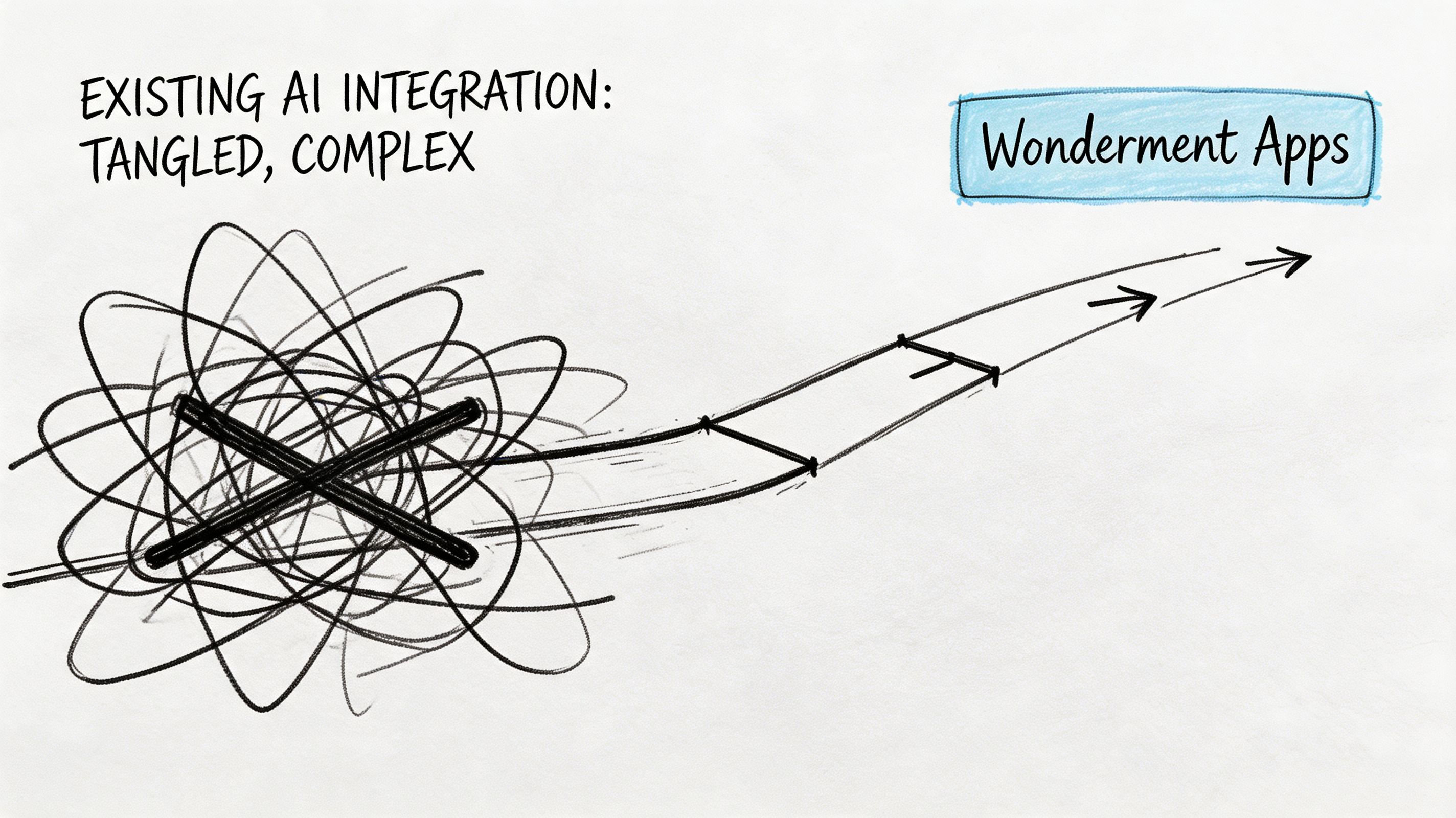
That’s why a managed AI integration layer is such a practical starting point. Instead of asking, “Which model should we plug in next?” ask, “How will we govern prompts, data access, logs, and spend across every AI feature we add?”
What a managed layer solves
A useful AI administration layer should give teams four things.
- Prompt versioning: Prompts change over time. Without version control, no one knows why outputs shifted or which prompt is live.
- Parameter management: AI features often need structured access to internal systems. That access should be governed, not improvised.
- Unified logging: If outputs create customer-facing issues or internal confusion, teams need a central record for debugging and review.
- Cost visibility: AI costs can spread unnoticed across features and environments if nobody tracks cumulative usage.
Those controls sound operational because they are. They’re what turn AI from an experiment into a manageable capability.
One practical option for ecommerce teams
One example is Wonderment Apps’ administrative prompt management system, which teams can plug into existing software to support AI modernization. It includes a prompt vault with versioning, a parameter manager for internal database access, a logging system across integrated AI services, and a cost manager that helps entrepreneurs and developers track cumulative spend. That kind of setup is especially useful when a business wants to add AI without losing control over governance or budget. If you want more context on where these use cases fit, this guide on the benefits of AI in ecommerce is a practical companion read.
How to use this approach without overcomplicating it
Start with one or two AI workflows that have clear value and manageable risk. For example:
- Recommendation support: Improve product relevance for returning visitors.
- Search assistance: Help shoppers find products when queries are vague.
- Internal operations help: Summarize support themes or assist merchandising teams with content drafts.
Then put governance around those workflows from day one. Decide who owns prompt changes. Decide what data can be accessed. Decide how outputs are reviewed. Decide how cost is monitored.
AI modernization works better when control arrives before scale, not after it.
That’s the smart path. Not slower. Smarter.
Your Ecommerce Transformation Questions Answered
How much does digital transformation ecommerce cost
It depends on scope, existing systems, and how much technical debt you’re carrying. A mobile performance improvement costs less than rebuilding your architecture. A managed AI layer costs less than launching disconnected AI experiments across multiple teams and cleaning up the mess later.
The practical way to budget is by phases. Fund discovery, then foundational modernization, then customer-facing improvements. That keeps investment tied to visible outcomes.
How long does it take
Some improvements can happen quickly. Others take longer because they involve data cleanup, integration redesign, or internal process changes.
A useful rule is to separate time to first value from time to full transformation. A business might improve one painful workflow early while still working through broader modernization over a longer period. Leaders should expect staged progress, not one dramatic finish line.
Is this only for large enterprise retailers
No. Smaller and mid-sized ecommerce businesses often benefit faster because they have fewer systems and fewer approval layers. They can pick a sharper priority, move faster, and avoid adding more complexity than they need.
Large enterprises have bigger upside, but they also have more dependencies. The principle is the same either way. Start where friction is expensive and visible.
What’s the best first step if our systems feel messy
Run a short audit before buying more software. Map the customer journey, identify the biggest internal bottlenecks, and list which systems hold critical data. Most companies already have enough signals to spot the first high-value improvement.
If AI is on your roadmap, include governance questions in that audit. Who controls prompts? How is data accessed? Where are outputs logged? How is spend tracked? Those questions save time later.
Should we replace everything at once
Usually not. Full replacement can make sense in some situations, but many businesses do better with selective modernization. Replace what blocks growth. Integrate what still works. Retire tools only when there’s a better operating model ready to take over.
That approach reduces risk and keeps teams functional during the transition.
What should leadership own personally
Leadership should own the business definition of success. Not the code. Not every tool decision. The business outcome.
That means setting priorities, choosing what matters most, backing change management, and refusing to let transformation turn into a scattered collection of software purchases. Teams move better when leaders make the destination clear.
If your team is trying to modernize ecommerce systems, introduce AI responsibly, or reduce the chaos that comes from disconnected tools, Wonderment Apps is worth a look. They help organizations modernize legacy applications, build scalable web and mobile experiences, and add practical AI controls through managed product and engineering delivery. A demo is a sensible next step if you want to see how an administrative AI layer could fit into your current stack without committing to a full overhaul on day one.