


Your team just launched a new AI feature, but the results are all over the place. One user gets a brilliant response, while the next gets something completely unusable. Sound familiar?
Ad-hoc prompting creates inconsistent behavior, brittle user experiences, and a maintenance mess once your product reaches real traffic. Teams often start with a few clever prompts in code, then discover that scaling AI inside desktop and mobile apps requires the same discipline they already apply to APIs, databases, and releases.
That means versioning prompts, testing them against real scenarios, logging what happened, and controlling how changes roll out. It also means recognizing that strong individual tactics only matter if your team can apply them consistently. That's why operationalizing prompt engineering matters. Prompt engineering best practices aren't just copy tweaks. They're operational decisions.
Wonderment's prompt management system sits right in that gap between experimentation and production. It gives teams a prompt vault with versioning, a parameter manager for internal database access, logging across integrated AI systems, and a cost manager that shows cumulative spend. If your current process involves Slack threads, code comments, and copied prompts in random docs, you don't have a prompt strategy yet. You have prompt drift.
1. Be Specific and Detailed in Your Instructions
Vague prompts create expensive failure modes. The model fills in missing details with assumptions, and those assumptions rarely match your product requirements, legal constraints, or brand standards.
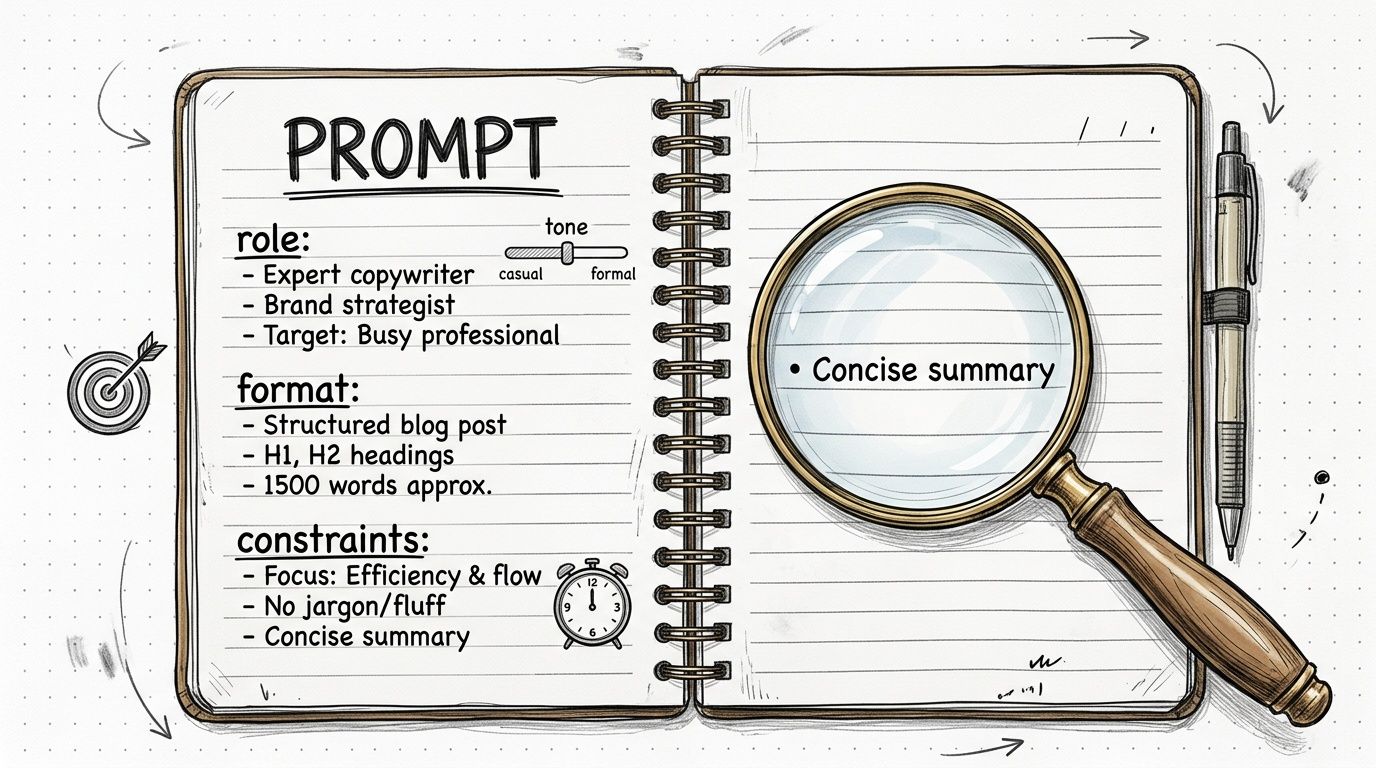
A support team might need short, policy-safe replies for order issues. A fintech product may require plain-English explanations that stay inside approved compliance language. A healthcare workflow may need patient-friendly summaries that avoid unsupported claims. The prompt has to carry those requirements clearly, or the model will improvise.
Good instruction design reads like an execution brief. State the task, the audience, the source boundaries, the output format, and the constraints. Include failure conditions too. If the assistant must avoid legal advice, unsupported medical guidance, refund promises, or speculative answers, say so directly.
What strong instruction design looks like
The highest-performing prompts usually answer five questions up front: Who is the assistant, what is it doing, what context can it use, what should the output look like, and what must it avoid?
- Define the role clearly: “You are a customer service AI for retail order support.”
- State the task precisely: “Summarize the customer issue and propose the next approved action.”
- Lock the output shape: “Return valid JSON with fields
summary,action_items, andpriority.” - Set hard limits: “Keep the response under 150 words.”
- State exclusions: “Do not promise refund timelines.”
- Use approved language: “Use only terminology from our policy library.”
One practical test works well. If a capable teammate would ask a follow-up question before starting, the prompt still has gaps.
This is also where scale changes the problem. Writing one detailed prompt is straightforward. Keeping hundreds of prompts specific, current, and consistent across teams is harder. Product, support, compliance, and engineering often need different constraints for the same workflow, and those differences get lost fast when prompts live in code comments, spreadsheets, or chat threads. A centralized system like Wonderment gives teams one place to version prompts, control variables, and keep instruction quality from drifting across environments.
A prompt should function like a controlled asset. Specificity is how you get reliable outputs. Centralized management is how you keep that specificity intact in production.
2. Use System Prompts to Define AI Behavior and Context
A good system prompt acts like policy, onboarding, and brand guidance rolled into one.
If user prompts carry all the responsibility, behavior will drift. The same assistant will sound formal in one session, casual in another, and unsafe in a third. That's a product problem, not just a prompt problem. System prompts create the stable layer underneath every interaction.
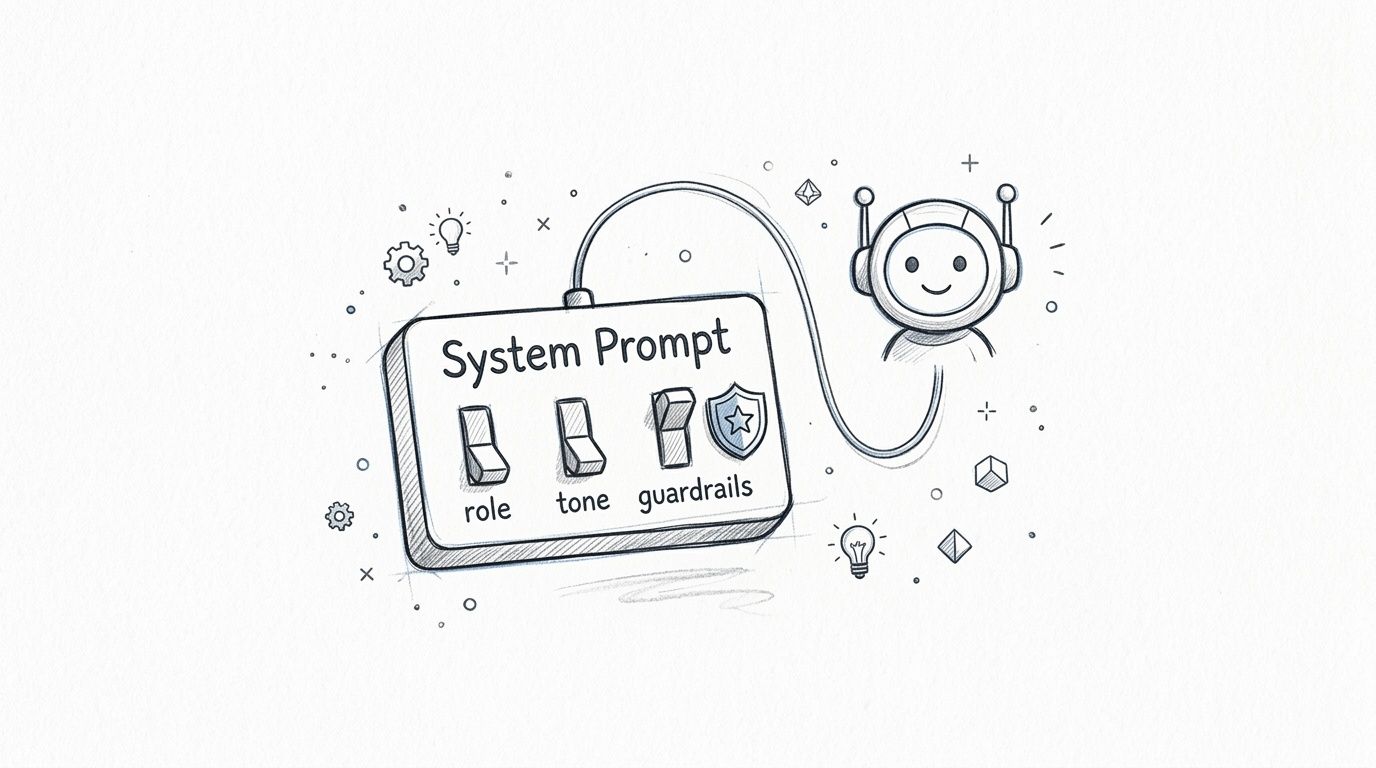
A healthcare chatbot can define its role around compliant, patient-friendly communication. A fintech assistant can refuse account changes or transactional actions. A retail recommendation assistant can stay aligned with tone and catalog rules. Those behaviors shouldn't be rebuilt from scratch on every request.
What belongs in the system layer
Strong system prompts usually include purpose, boundaries, tone, data rules, and industry-specific safety instructions.
- Primary purpose: State what the assistant is for, and what it isn't for.
- Hard constraints: Include strict rules such as never accessing or modifying protected records.
- Source boundaries: Specify what knowledge sources the model can rely on.
- Tone guidance: Define brand voice in plain language.
- Safety requirements: Add refusal behavior for sensitive requests.
A centralized tool is important. Wonderment's prompt vault lets teams version system prompts separately from application logic, so product and engineering teams can update behavior safely instead of editing scattered strings across services.
The fastest way to create inconsistent AI behavior is letting every feature team write its own “temporary” system prompt.
Central control doesn't slow teams down. It keeps your app from becoming five different AI products by accident.
3. Implement Chain-of-Thought Prompting for Complex Reasoning
Some tasks are simple extraction. Others require actual reasoning.
Loan review support, fraud analysis, medical summarization, policy comparison, and multi-step content review all benefit when the model works through the problem in stages. Asking for structured reasoning can improve quality because it forces the model to process complexity instead of jumping to the first plausible answer.
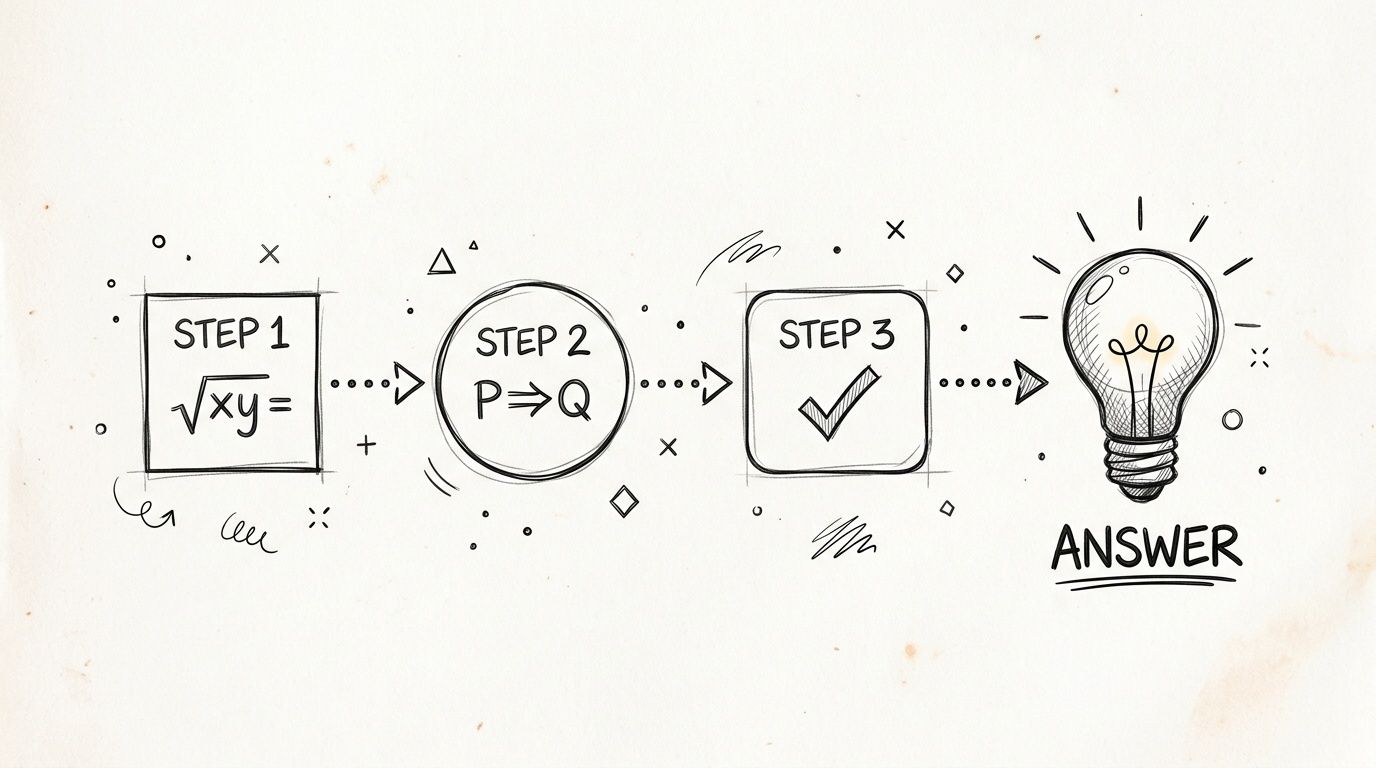
In practice, this works well when a fintech workflow needs the assistant to explain why an application was flagged, or when a fraud system needs a structured rationale for suspicious behavior. It also helps support teams debug weak answers because they can inspect intermediate logic instead of only seeing the final output.
Use it selectively
Chain-of-thought prompting isn't free. It increases token usage, can add latency, and may generate more text than your interface needs. That makes it a bad default for every feature, especially in high-volume mobile and web experiences where response speed matters.
Use prompts like these when the task justifies the extra reasoning:
- Step-by-step analysis: “Work through the decision in logical steps.”
- Intermediate checks: “State assumptions before the final answer.”
- Uncertainty handling: “Identify where confidence is low.”
- Structured output: Return reasoning separately from the user-facing answer.
Wonderment's cost manager becomes useful here because reasoning-heavy prompts can subtly inflate spend across integrated AI features. If one workflow burns more tokens than expected, you need visibility before usage scales.
The trade-off is straightforward. Don't pay for extra reasoning when extraction is enough. Do pay for it when a wrong answer costs trust, compliance risk, or manual rework.
4. Employ Few-Shot Learning with Strategic Examples
Examples teach faster than explanation.
If you need a model to classify products according to your taxonomy, mirror your support tone, or summarize reports in your house style, a few good examples usually outperform abstract instructions. Few-shot prompting gives the model a pattern to imitate, which is often more reliable than describing the pattern in prose.
LaunchDarkly's prompt engineering tutorial identifies few-shot prompting as a foundational best practice. Providing 3 to 5 high-quality examples can significantly improve consistency, and organizations using that technique report up to a 40% reduction in error rates compared to zero-shot approaches. The same guidance recommends repeating instructions at both the beginning and end of prompts to reduce recency bias. It also notes that reordering few-shot examples can change output quality by 15% to 25%, depending on task complexity.
Build examples like test cases
Teams often underinvest in example quality. They add two easy cases, skip edge cases, and assume the model will generalize cleanly. It won't.
Use examples that represent the actual spread of production traffic:
- Cover normal cases: Show the most common request patterns.
- Include edge cases: Add examples that have broken in production.
- Show format discipline: Demonstrate the exact response structure you want.
- Sequence intentionally: Put the most important examples where the model is likely to weight them properly.
Wonderment's prompt vault is a strong fit here because examples are assets. Teams should version them, compare performance over time, and preserve the combinations that work best across mobile apps, desktop workflows, and backend automations.
A prompt with examples is no longer a sentence. It's a repeatable behavior package.
5. Test, Iterate, and Measure Prompt Performance
Prompt work that isn't measured turns into opinion.
One person likes Prompt A. Another prefers Prompt B. Product says one version “feels better.” None of that is enough for production. You need a repeatable evaluation loop with representative test cases, clear thresholds, and logging that survives staff changes and model updates.
Braintrust's guidance on prompt evaluation recommends setting minimum quality thresholds such as factuality at 0.85 or higher, relevance at 0.90 or higher, and a 100% safety pass rate. It also recommends using a golden dataset of 20 to 50 real user cases before integrating evaluation into release processes.
A practical testing rhythm
Use a mix of automated and human review. Automated scoring catches drift quickly. Human review catches nuance, especially in regulated or user-facing experiences.
- Build a golden dataset: Use real production-style prompts, not toy examples.
- Test one variable at a time: If you change role, format, and examples at once, you won't know what helped.
- Track release history: Save prompt version, model, parameters, and outcomes together.
- Review failures weekly: Don't only study average performance. Study bad outputs.
For teams building mature AI products, AI model evaluation practices belong next to QA, not outside it.
Wonderment's integrated logging system is useful because it records prompt variants, outputs, feedback, and cost in one place across integrated AI systems. That makes prompt iteration less like guessing in a notebook and more like running software experiments with traceability.
6. Structure Outputs with Explicit Format Requirements
Natural language is flexible. Production software isn't.
If an AI response needs to populate a UI card, trigger a workflow, write to a database, or feed another service, output structure matters as much as output quality. Teams get into trouble when they accept “mostly formatted” answers and then pile brittle parsing logic on top.
A retail recommendation engine might require product_id, relevance_score, and explanation. A risk review workflow might need sections for rationale, severity, and next action. A healthcare summary might need symptoms, findings, and follow-up instructions separated cleanly. That's not presentation polish. That's integration hygiene.
Format first, prose second
Tell the model exactly what schema to return. Include field names, expected types, and rules for missing data. If your parser expects valid JSON, say so plainly.
A strong structured-output prompt usually includes:
- A template: Show the exact shape you want.
- Validation rules: Define allowed ranges and required fields.
- Missing-data behavior: Tell the model when to use
null, an empty array, or an error object. - Failure mode: Specify what to return when the task can't be completed safely.
The KERNEL prompt pattern discussed in a PromptEngineering community writeup reported first-try success improving from 72% to 94%, and explicit constraints on output length and exclusions reduced unwanted outputs by 91% in tests involving 1,000 prompts.
Ask for the exact structure your application needs. Don't ask the model to “be organized” and hope your parser agrees.
Good formatting instructions turn AI from a chat feature into an application component.
7. Manage Context Windows and Token Efficiency
Prompt quality and prompt size are not the same thing.
Teams often react to weak results by stuffing in more context. Entire policy libraries. Long chat histories. Huge product catalogs. Massive system instructions. That can help in the short term, but it also increases cost, latency, and the odds that the model pays attention to the wrong material.
In production, every unnecessary token compounds. That matters in customer support, ecommerce search, onboarding assistants, and mobile experiences where users expect fast responses and business leaders expect predictable operating costs.
Put the right context in the right place
The better strategy is selective context. Put critical instructions first, pull in only relevant data, and summarize background material when full detail isn't needed.
Useful habits include:
- Prioritize context: Put the most important rules and facts where attention is strongest.
- Use retrieval instead of dumping data: Pull the relevant product, account, or policy slice for each request.
- Compress history: Summarize prior turns instead of carrying every message forward.
- Set token budgets: Decide what a request is allowed to spend before it reaches production.
Portkey's overview of evaluating prompt effectiveness highlights using embedding models to calculate similarity between responses and predefined ideal answers, and consistency testing across multiple runs to assess reproducibility. That kind of evaluation helps teams see whether shorter prompts stay good enough, or whether compression is hurting output quality.
Wonderment's parameter manager and cost manager support this operationally. Teams can connect prompts to internal data sources without hardcoding everything into the prompt, then watch token consumption by feature and user path instead of treating AI cost as one big black box.
8. Implement Safety, Guardrails, and Ethical Constraints
Safety rules shouldn't be a flat list at the bottom of a long prompt.
That's where many teams go wrong. They include security constraints, refusal instructions, and compliance language, but they don't order those rules by importance. In long prompts, attention decays. Lower-priority wording can crowd out critical constraints. Worse, conflicting instructions often go unresolved because nobody specified which rule wins.
An analysis of prompt engineering guardrail priority ordering found that when guardrails are unordered, conflict resolution fails 60% of the time. Reordering them by priority and explicitly defining precedence increased success to 95%.
Rank rules like a policy system
A regulated app should think about prompt guardrails the way engineers think about authorization logic. Critical rules need precedence.
Try this approach:
- Put absolute rules first: Safety, privacy, and legal constraints come before style.
- Define conflict resolution: Tell the model which instruction outranks others.
- Separate refusal behavior: Don't bury refusal language inside brand voice notes.
- Test jailbreak attempts: Review adversarial prompts as part of QA.
A healthcare assistant might refuse diagnosis requests beyond its scope and clearly direct users to professional care. A fintech assistant might reject requests that suggest fraud, evasion, or unauthorized transactions. A retail assistant might avoid discriminatory recommendation logic. These are product decisions, not just model decisions.
If you're building for sensitive data, Wonderment's perspective aligns well with privacy by design principles. Logging safety-relevant events, reviewing refusals, and documenting your guardrail logic should be part of the delivery process from the start.
9. Leverage Domain-Specific Knowledge and Fine-Tuning When Needed
A generic prompt can write fluent copy. It cannot reliably apply your underwriting policy, your medical taxonomy, or your account-specific pricing rules unless that knowledge is available to the model.
That gap shows up fast in production. Teams ship a feature that performs well in demos, then watch confidence drop when the model misses internal terminology, cites outdated guidance, or answers with the right tone but the wrong substance. For a practical example of how brands track and validate AI visibility outside the prompt itself, see SearchMention's AI mention guide.
Choose the lightest method that solves the problem
Start with prompts. Add retrieval when the model needs current or proprietary information. Use fine-tuning only when you need consistent behavior that prompts and retrieval still cannot produce.
That order matters because each layer adds cost, maintenance, and operational risk. Fine-tuning can improve performance on narrow, repeated tasks, but it also creates a new asset to evaluate, version, and retest whenever your business rules change. Retrieval is usually easier to update because you can change the source material without retraining the model.
A practical decision path looks like this:
- Use prompt engineering first: Clear instructions, constraints, and examples often handle specialized workflows better than teams expect.
- Add retrieval for live or private knowledge: Product catalogs, policy documents, customer records, and internal playbooks belong in a retrieval layer, not hardcoded into prompts.
- Fine-tune for stable patterns: Use it for repeated language, strict classification behavior, or output styles that must remain consistent at scale.
- Version the full stack together: Prompt, model, retrieval settings, and source documents should ship as one controlled unit.
Prompt engineering stops being a writer's task and becomes a systems task.
Wonderment's prompt vault gives teams one place to manage domain prompts alongside retrieval configuration and version history, which makes review and rollback far less painful. That matters when legal, product, and engineering all need to know which knowledge source shaped a response. For a stronger foundation on how these systems work, knowledge in artificial intelligence explains why prompt design and knowledge design need to be built together.
10. Monitor, Log, and Continuously Optimize in Production
A prompt that looks solid in testing can still fail on Tuesday afternoon when live users hit it with vague requests, malformed inputs, and edge cases your team never wrote into a test set. Production is where prompt quality, latency, cost, and business impact finally show up in the same place.
That is why prompt engineering needs an operating system, not a folder full of prompt drafts.
The teams that improve fastest do not just write better prompts. They build visibility around prompt behavior and use that data to make controlled changes. Without logs, every revision is guesswork. With logs, teams can trace a bad answer back to a prompt version, model setting, retrieval state, or traffic pattern and fix the right layer.
Focus on a small set of production signals that connect model behavior to business outcomes:
- Log each prompt and response pair: Store the prompt version, model, parameters, latency, and any attached context.
- Track user outcomes: Record whether users accepted the answer, retried, escalated to a human, or dropped off.
- Watch cost by workflow: Token spend usually looks manageable in isolation and expensive in aggregate.
- Review failures on a schedule: Set a recurring cadence to inspect bad outputs, regressions, and high-cost flows, then update prompts with clear version control.
As noted earlier, analysts project strong growth in the prompt engineering market over the next several years. The useful takeaway is not the market size. It is the shift in team behavior. Prompting is becoming an operational discipline with ownership, auditability, and performance targets.
That shift matters because prompt quality rarely degrades all at once. It slips in specific places: a support flow starts retrying more often, a merchandising prompt produces weaker copy for one product family, or a mobile experience slows down because a prompt accumulated too much context over time. If nobody can see those patterns, nobody can fix them quickly.
Wonderment's administrative toolkit is built for that production loop. Its logging system tracks activity across integrated AI systems. Its parameter manager ties prompts to the internal data and configuration that shaped the output. Its cost manager shows cumulative spend by use case, which helps leaders decide where optimization work will pay back fastest. For teams also monitoring how brands appear inside AI systems, SearchMention's AI mention guide is a useful companion reference.
Prompt Engineering: 10 Best Practices Comparison
A useful prompt practice on its own can still fail in production if nobody knows where it lives, who changed it, or how it performs across workflows. This comparison table helps teams choose the right technique for the job and shows why mature AI teams centralize prompt decisions instead of managing them in scattered docs and chat threads.
| Item | Implementation complexity | Resource requirements | Expected outcomes | Ideal use cases | Key advantages |
|---|---|---|---|---|---|
| Be Specific and Detailed in Your Instructions | Low to Medium (requires upfront prompt design) | Low (drafting and test time) | More accurate, more consistent outputs | Automation, content generation, compliance-sensitive tasks | Reduces ambiguity, simplifies QA, improves downstream integration |
| Use System Prompts to Define AI Behavior and Context | Medium to High (design, versioning, rollout) | Medium (testing and prompt management) | More stable behavior across sessions and teams | Enterprise apps that need brand voice, policy control, or compliance | Centralized behavior control, stronger consistency at scale |
| Implement Chain-of-Thought Prompting for Complex Reasoning | Low to Medium (prompt design) | Medium to High (longer responses increase token use) | Better multi-step reasoning on harder tasks | Analysis-heavy workflows in finance, diagnostics, and moderation | Improves performance on complex problems, supports review of reasoning paths |
| Employ Few-Shot Learning with Strategic Examples | Medium (requires representative examples) | Medium (example curation and token cost) | Better task-specific performance without model retraining | Specialized formatting, style matching, niche business tasks | Fast adaptation, useful when fine-tuning is unnecessary or too costly |
| Test, Iterate, and Measure Prompt Performance | Medium to High (evaluation design and experimentation) | High (data collection, analytics, token spend) | Better prompts tied to measurable business outcomes | High-volume features, conversion-sensitive flows, customer-facing AI | Replaces guesswork with evidence, helps teams justify prompt changes |
| Structure Outputs with Explicit Format Requirements | Low to Medium (schemas and templates) | Low to Medium (validation and parsing tools) | More reliable, parseable outputs | API integrations, database ingestion, reporting workflows | Easier validation, fewer downstream failures, cleaner system integration |
| Manage Context Windows and Token Efficiency | Medium to High (retrieval, summarization, architecture work) | Medium to High (indexing, retrieval, monitoring) | Lower cost and better latency | Large documents, knowledge retrieval, high-volume applications | Controls token spend, improves response speed, supports scale |
| Implement Safety, Guardrails, and Ethical Constraints | High (policy design, monitoring, updates) | High (filters, audits, compliance effort) | Lower risk of harmful or non-compliant outputs | Healthcare, fintech, public-facing consumer products | Protects users, reduces compliance exposure, supports safer deployment |
| Use Domain-Specific Knowledge and Fine-Tuning When Needed | High (RAG setup or fine-tuning pipelines) | High (data engineering, compute, maintenance) | Higher domain accuracy and fewer hallucinations | Legal, medical, technical, or proprietary business workflows | Adds current or proprietary context, improves accuracy where generic prompts fall short |
| Monitor, Log, and Continuously Optimize in Production | High (logging, dashboards, alerting) | High (storage, analysis, engineering time) | Better visibility into failures, costs, and quality drift | Production AI systems operating across multiple teams or use cases | Supports continuous improvement, cost control, and operational accountability |
The pattern is straightforward. Lower-complexity practices improve output quality quickly. Higher-complexity practices are what make those gains durable across teams, releases, and model changes.
That is the operational gap many companies hit. A prompt works in testing, then breaks under real traffic because examples drift, system instructions fork across teams, or output formats change without review. Centralized prompt management closes that gap by giving teams one place to version prompts, compare variants, and tie performance back to product and cost decisions. Wonderment fits that operating model. It gives engineering and product teams a practical way to manage prompts as production assets instead of one-off text fragments.
Your Next Step From Prompts to a Production-Ready System
A prompt that works in a workshop often fails in production.
The gap is rarely the model. It is the operating model around the prompt. Teams start with a strong instruction, then add examples, retrieval logic, formatting rules, and safety constraints across different repos, tickets, and chat threads. A few releases later, nobody is fully sure which version drives which workflow, why output quality changed, or where token costs started rising.
That is the point of these ten practices as a system. Specific instructions improve output quality. System prompts set stable behavior. Evaluations catch regressions. Logging shows where quality, latency, and cost start to drift. Together, those practices turn prompting from individual craft into a repeatable engineering discipline.
For companies shipping AI in ecommerce, fintech, healthcare, SaaS, and content-heavy products, that discipline affects real business outcomes. Prompts influence user trust, review overhead, compliance risk, operating cost, and release speed. Once AI is embedded in web, desktop, or mobile products, prompt management belongs in the same category as version control, observability, and configuration management.
Wonderment Apps was built for that stage. Its administrative toolkit gives teams a central prompt vault with versioning, so production prompts are stored, reviewed, and updated like product assets instead of scattered text snippets. Teams can compare variants, roll back safely, and keep system prompts, examples, and retrieval settings organized in one place.
The platform also includes a parameter manager that connects prompts to internal data sources for context-aware responses. That matters when outputs depend on live catalog data, customer context, workflow state, or other structured inputs already inside the application. Instead of hardcoding fragile logic into the app layer, teams can manage prompt inputs with more control and less duplication.
Operations matter just as much. Wonderment's logging system tracks prompt performance across integrated AI workflows, giving product and engineering teams the feedback loop needed to improve quality over time. Its cost manager shows cumulative spend as usage expands across features, users, and channels.
If AI now affects a meaningful part of your product, treat prompts like production infrastructure. Wonderment Apps helps teams manage prompts, integrations, logs, and token costs with the control required for reliable AI delivery.