

Your team probably already feels the pressure. Product wants a mobile app. Marketing wants personalization. Operations wants cleaner workflows. Leadership wants AI features. Then someone asks the obvious question: who's equipped to build this well?
That's why a mobile app development course shouldn't be treated like a perk or a line item in L&D. It's capability building. If your business depends on digital products, mobile training affects delivery speed, hiring quality, architecture decisions, and your ability to ship AI features without creating a maintenance mess.
The smart move is to stop thinking about training as “teach a few developers Swift or Kotlin” and start treating it as a business system. Your people need technical depth, delivery discipline, and a practical way to manage AI behavior once your app starts using prompts, models, and internal data.
Why Your Business Needs a Mobile App Development Strategy
The demand signal is already clear. The online course app market generated $3.1 billion in revenue in 2023, reached 129 million users globally, and sits alongside a mobile development ecosystem with over 35 million developers active as of 2025. That's not niche training demand. That's the market telling you digital skills have become operational infrastructure.
A business leader shouldn't read that and think, “Maybe we should reimburse a few courses.” You should think, “We need a repeatable way to build mobile capability.”
Training is a strategic lever, not a learning perk
If your app is central to revenue, service delivery, retention, or customer experience, then mobile expertise belongs in your operating plan. You need people who can make platform decisions, ship stable releases, work with APIs, and design product flows that don't frustrate users.
That capability can sit inside your company, with a managed delivery partner, or in a hybrid model. But it has to exist.
Three business outcomes usually justify the investment fast:
- Faster decision-making: Teams with mobile fluency can judge tradeoffs early instead of debating every technical choice in circles.
- Better vendor oversight: Even if you outsource development, trained internal stakeholders ask sharper questions and catch bad assumptions sooner.
- Stronger product resilience: Teams that understand mobile architecture, testing, and AI integration build systems that are easier to maintain.
Practical rule: Don't buy a course because it's popular. Buy training that matches the kind of app your business will actually run.
AI changed the bar for “qualified”
A few years ago, a mobile app development course could focus on UI components, navigation, networking, and local storage and still feel complete. That's no longer enough.
Now your team also has to understand how AI features behave in production. That means prompt design, guardrails, logging, cost visibility, and secure access to internal data. If your app includes recommendations, search, summaries, chat, or workflow automation, the technical challenge isn't just “can we call a model.” It's “can we manage this responsibly after launch.”
That's where many companies get blindsided. They train developers to build screens, but not to operate AI-backed experiences.
What business leaders should do first
Before anyone enrolls in anything, answer these questions:
- What business problem should the app solve first
- Which user group matters most
- Do you need native performance, broad reach, or rapid launch
- Will the app include AI features in the first release or shortly after
- Do you want to upskill your current team, hire specialists, or combine both
If you can't answer those cleanly, a course won't fix the problem. It will just make your confusion more expensive.
Choosing Your Development Path iOS Android or Cross-Platform
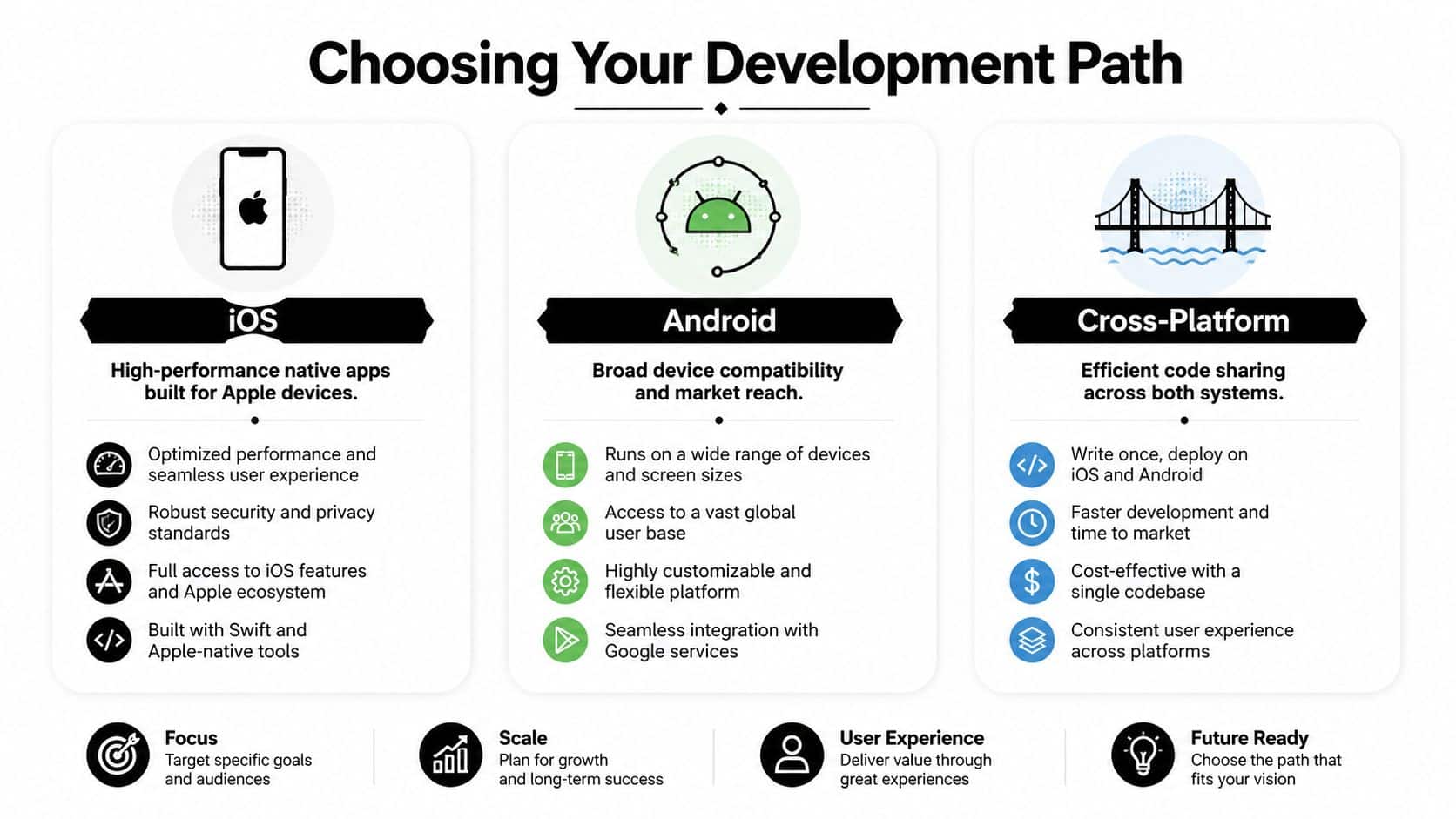
Most companies waste time here because they start with tooling. Start with business fit instead. Your development path determines hiring needs, training content, maintenance load, and how quickly your team can move.
Pick the path that matches your app's job
If your app needs deep device integration, strong performance, polished UX, and strict platform-specific behavior, native development usually wins. If your app is content-heavy, workflow-driven, or needs broad reach with shared logic, cross-platform may be the smarter investment.
This isn't ideology. It's portfolio management.
Choosing a path based on what your first hire happens to know is a mistake. That's backward. Start with the product requirement, then build the training plan around it.
| Attribute | Native iOS (Swift) | Native Android (Kotlin) | Cross-Platform (React Native/Flutter) |
|---|---|---|---|
| Primary strength | Tight Apple ecosystem fit | Broad Android device support | Shared codebase across platforms |
| Best for | Premium UX, Apple-first audiences, performance-sensitive apps | Android-heavy user bases, device flexibility, platform-specific control | Faster multi-platform rollout, leaner teams, shared business logic |
| Training focus | Swift, Xcode, iOS design patterns | Kotlin, Android Studio, Android architecture | Framework conventions, shared components, platform abstraction |
| Risk if chosen poorly | Limited audience reach if your users skew Android | More device variation to handle well | Performance or platform edge cases if the app needs deep native behavior |
| Good business fit | Fintech, healthcare, premium consumer experiences | Field apps, broad-market apps, hardware-diverse audiences | Media, commerce, internal tools, MVPs with long-term roadmap |
A blunt decision framework
Use this if you need a fast executive call:
- Choose iOS first if your users are concentrated in Apple-heavy segments and the app experience needs to feel refined from day one.
- Choose Android first if your audience is broader, your distribution environment is more varied, or your workflows depend on compatibility across many device types.
- Choose cross-platform if time-to-market and shared engineering effort matter more than squeezing every platform-specific advantage from the first release.
A good course teaches syntax. A good strategy teaches your team why one platform choice creates more future rework than another.
Don't train for tutorials. Train for production.
Many course catalogs disappoint. The actual gap isn't beginner content. It is the jump from “I built a sample app” to “I can help ship a regulated, scalable product.”
That gap matters because enterprise-ready training has to cover compliance, API security, and apps that scale to millions of users with 99.9% uptime. If your course path stops at toy projects, you're funding confidence, not competence.
For a deeper product-side view of platform tradeoffs, read Wonderment's guide to native vs cross-platform mobile development.
What to align before you spend money
A business-aligned mobile app development course should map to:
- Your target audience: Where do your users already live, iOS, Android, or both?
- Your app complexity: Does the product rely on hardware features, advanced animations, offline logic, or heavy AI interaction?
- Your operating model: Will one internal team maintain both platforms, or will you rely on a partner with native specialists?
- Your roadmap: If version one is simple but version two includes AI, payments, or secure workflows, plan training for the future app, not just the first release.
Train against the roadmap you intend to fund. Anything else is expensive theater.
Decoding the Modern App Development Curriculum
A weak course teaches coding commands. A strong course teaches delivery. An excellent course prepares your team to build software that can survive real users, real compliance pressure, and real product change.
That's the standard you want.
The non-negotiable curriculum pieces
Every serious mobile app development course should include a core stack plus enterprise habits. At minimum, look for these components:
- A primary language and framework: Swift for iOS, Kotlin for Android, or a cross-platform stack used in actual delivery teams.
- UI and UX fundamentals: Not just screens, but flows, states, loading behavior, accessibility, and error handling.
- API integration: Authentication, request handling, state management, failure recovery, and secure data exchange.
- Data handling: Local storage, sync strategy, and practical database usage.
- Version control and collaboration: Git workflows, branching discipline, code review habits.
- Testing basics: Unit, UI, and release-readiness thinking.
- Deployment literacy: Build pipelines, environment separation, release process, and monitoring awareness.
If a course skips half of that, it's not preparing developers for production. It's preparing them for demos.
The AI skills most courses still miss
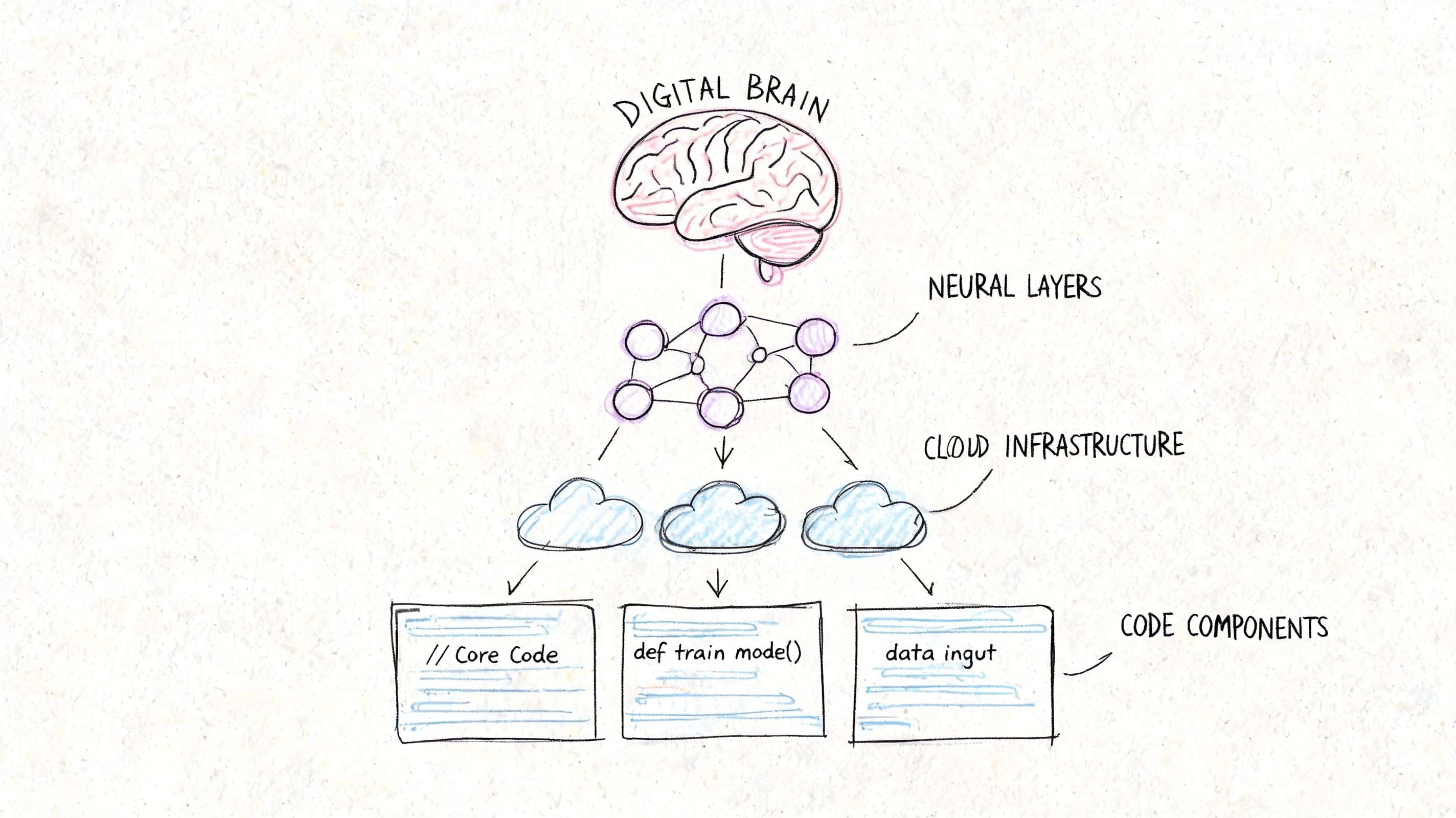
This is the modern gap that matters. Emerging 2026 curricula introduce “Vibe Coding,” where developers collaborate with AI, but most courses still fail to teach prompt engineering, model selection for edge computing, and responsible AI guardrails.
That gap has business consequences. Your team might know how to connect to an AI service, but still make poor decisions about reliability, privacy, response quality, or cost control.
The curriculum should cover:
Prompt design for app workflows
Not clever one-off prompts. Structured prompts for repeatable product behavior.Model selection
Which tasks belong on-device, which belong in the cloud, and which need fallback logic.Guardrails and safety
Input constraints, output checks, escalation paths, and domain-specific controls.Operational thinking
Logging, versioning, experiment tracking, and review processes when prompts change.
Teams don't need more AI hype. They need developers who can make an AI feature predictable enough for a real product.
Curriculum quality shows up in the assignments
You can judge a course by its exercises. If every project looks like a weather app, a to-do list, or a clone of a basic consumer product, expect shallow outcomes.
Better programs simulate real constraints. Authentication flows. API failures. Permissions. Role-based access. Edge cases. Compliance-aware design. Teams building internal education programs can also borrow principles from Zanfia's guide on creating high-impact course content with Zanfia to make training more practical and role-specific.
For leaders comparing technical learning paths, Wonderment's breakdown of app development frameworks is a useful companion when you're matching training to your future stack.
A simple scorecard for course selection
Use this before approving budget:
| What to inspect | Weak signal | Strong signal |
|---|---|---|
| Project work | Simple tutorial clones | Business-style projects with complexity |
| AI coverage | Optional add-on module | Built into product workflows |
| Security discussion | Bare mention | Practical implementation habits |
| Collaboration | Solo-only exercises | Team workflows and review practices |
| Production realism | Classroom success only | Deployment and maintenance mindset |
If a provider can't show how the curriculum connects to actual shipping work, move on.
Designing a Hands-On Project Roadmap for Success
Your team finishes a course. Certificates get shared. Then the first internal app project stalls because nobody can turn lessons into delivery. That is the failure point leaders should plan for.
A hands-on roadmap fixes it. Treat training like a controlled product build with deadlines, review gates, and business goals attached.
Scope discipline comes first
Scope control decides whether training produces useful builders or confident beginners with no shipping habits.
Globally, 45-50% of mobile app projects fail when scope creep isn't managed. Analysts at BetaTest Solutions tie better outcomes to clear objectives, defined requirements, and realistic timelines. Build your training roadmap the same way.
Set one business workflow per capstone. Skip vague prompts like "build an ecommerce app" or "create a healthcare platform." Those assignments reward breadth, not judgment.
Use narrower project briefs such as:
- A checkout-focused commerce app with product listing, cart, payment handoff, and order confirmation
- A booking app with scheduling, confirmation, and cancellation
- A patient-facing utility app with secure login, appointment view, and notifications
- A field operations app with task assignment, status updates, and offline-aware data entry
Each option maps to a real operating need. Each forces tradeoffs. That is what good training should do.
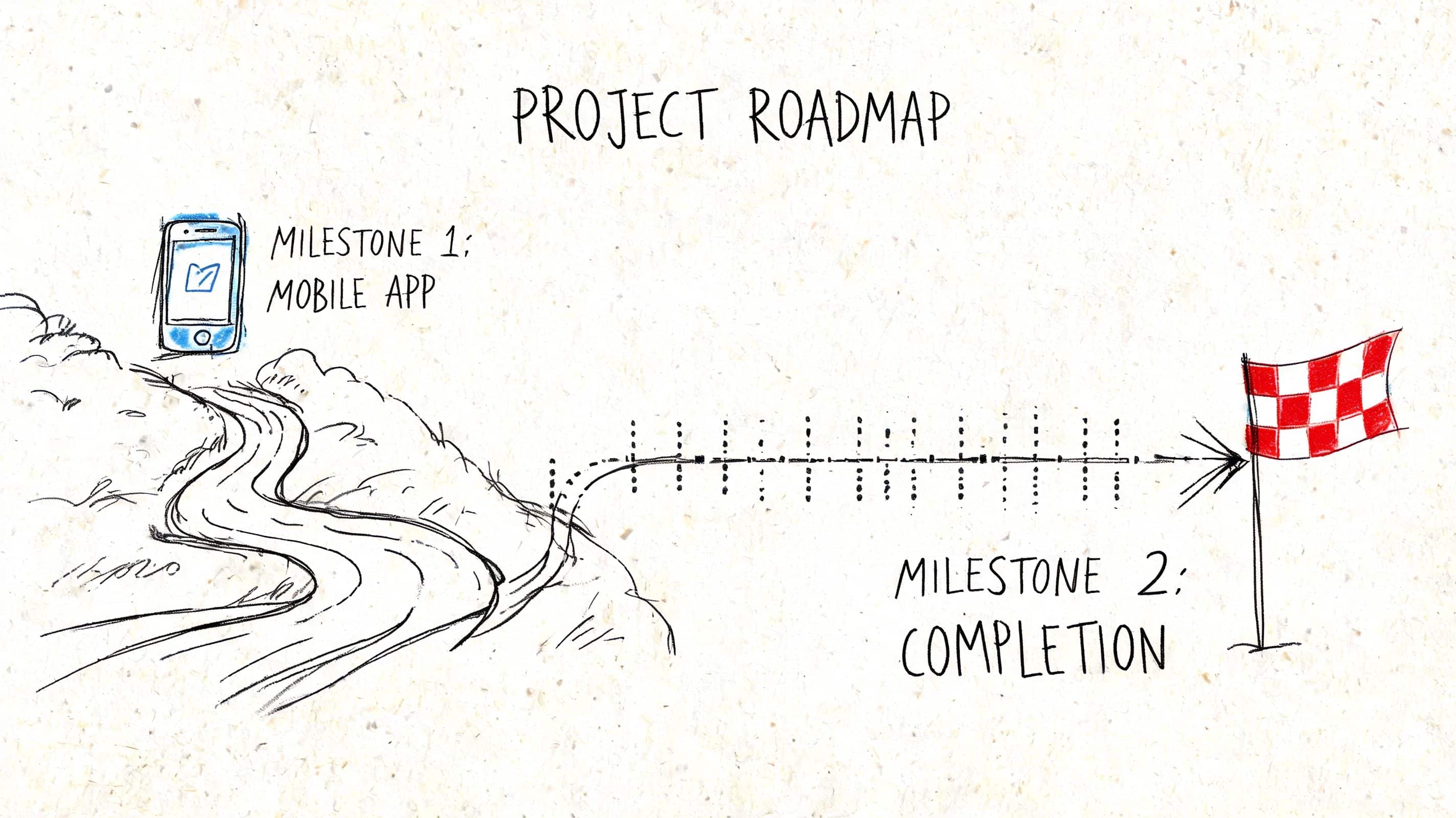
Use milestones that mirror real delivery
A free-form build teaches people to keep adding screens. A milestone roadmap teaches them to make decisions, defend scope, and ship in stages.
Milestone 1 for problem definition
Start with a one-page product brief. It should name the user, the business problem, the core workflow, the success metric, and the items excluded from version one.
Include one AI use case if your business plans to ship AI-assisted features. Keep it practical. Triage support requests, summarize inspection notes, recommend next actions, or flag risky inputs. If the team cannot explain where AI improves speed, cost, or accuracy, remove it from the brief.
Milestone 2 for wireframes and flow logic
Require screen maps before code starts. Teams should define key states, failure conditions, permissions, and data handoffs.
This is also the point to test delivery ownership. Product, design, and engineering need a shared view of the workflow. If you expect to scale this capability beyond one course cohort, review how you would structure delivery roles in a dedicated development team for mobile product execution.
Small projects teach more when teams handle failure states, approval logic, and user trust issues instead of racing to a polished demo.
Milestone 3 for build and integration
Build the smallest version that proves the workflow works. Keep the feature set tight. As noted earlier from the same BetaTest Solutions analysis, successful apps usually center on a small set of core features instead of trying to ship everything at once.
That rule matters even more in training. Teams that finish a focused app learn release discipline. Teams that chase extras learn how to miss deadlines.
Include at least one integration that reflects real operating conditions. API data. Authentication. Notifications. Payment handoff. AI inference through a managed service. The point is to teach system thinking, not just interface assembly.
Milestone 4 for testing, review, and release readiness
This phase should look like a pre-launch review, not a classroom wrap-up.
Require bug review, device checks, basic accessibility checks, security questions, and release notes. Ask teams to document known issues and explain what they would fix before production approval. That habit builds better engineers and better project managers.
What leaders should review in project demos
Do not settle for a polished walkthrough. Review the decision quality behind the build.
Ask:
- What business outcome does this version improve
- Why were these features chosen for version one
- Which edge cases were handled, and which were deferred
- Where does AI add measurable value, and where does it create risk
- What would block this from production use today
- How would the team change the roadmap with twice the users or stricter compliance requirements
Those questions expose whether your training investment is building an AI-ready delivery capability or just producing demo apps.
Evaluating Courses and Building Your Team
Price matters, but it's not the main filter. The fundamental question is whether a course shortens your path to reliable delivery. If it doesn't, cheap training is expensive.
That's why business leaders need to evaluate courses the same way they evaluate software vendors. Look for operational value, not marketing gloss.

What separates strong courses from weak ones
The clearest signal is whether the curriculum teaches release discipline. A course that ignores testing is setting your team up to ship unstable software.
That matters because multi-layered testing across regression, unit, UI, and smoke testing can reduce bug rates by up to 60-70% before launch. For fintech, healthcare, and ecommerce teams, that isn't a nice-to-have. It's table stakes.
Look for evidence that the course includes:
- Automated testing habits: Not just manual clicking through screens
- Cross-device thinking: Different screen sizes, OS variations, and failure conditions
- Secure development basics: Especially if your app touches sensitive user data
- Production review standards: Debugging, QA handoff, and release checks
- Instructor credibility: People who have shipped and maintained apps, not just taught slides
If a course provider can't explain how they teach testing, they're teaching coding, not app development.
Free, paid, bootcamp, or self-paced
Each format has a place. None is automatically right.
| Format | Best use | Main limitation |
|---|---|---|
| Free course content | Early exploration and terminology | Usually shallow on production practice |
| Paid structured course | Focused upskilling with accountability | Quality varies widely |
| Intensive bootcamp | Fast immersion for committed learners | Can move too fast for real retention |
| Self-paced learning | Flexible for working teams | Completion rates often suffer without oversight |
A business should rarely choose only one. The better model is layered: foundational learning, guided project work, and supervised application inside a live initiative.
Upskill your team or hire outside help
This decision should be blunt.
Upskill internally if you already have solid engineers, product owners, or technical leads who understand your business context and can absorb new platform skills. This works best when the roadmap is steady and you want long-term product ownership in-house.
Bring in a partner if the roadmap is urgent, your compliance burden is high, or your current team lacks mobile delivery experience. In those cases, training alone is too slow.
A hybrid model is often strongest. External specialists can build the first version while your internal team learns the stack, delivery process, and maintenance model alongside them. If you're exploring what that staffing path looks like, Wonderment has a practical guide to hiring a dedicated development team.
The team-building lens leaders should use
Don't ask, “Can we train someone to code mobile apps?”
Ask:
- Who can own architecture decisions
- Who can enforce testing and release quality
- Who understands our domain constraints
- Who can maintain and evolve the app after launch
- Who can handle AI feature operations without creating risk
That set of questions leads to a better investment than chasing course badges.
From Learning to Launching Your AI-Powered App
Many teams stall at this stage. They complete training, build a prototype, and perhaps even ship a first release before hitting the operational reality of AI-enabled software.
The challenge isn't just generating output from a model. It's managing that behavior over time inside a production app.
What changes once AI enters the product
The moment your mobile app includes AI-assisted search, recommendations, chat, summarization, or workflow support, the operational surface area expands. Your team now has to manage prompt quality, version changes, internal data access rules, auditability, and spend visibility.
That's why AI-ready development capability is bigger than model integration. It includes governance.
A practical operating stack should let teams:
- Version prompts so product changes are controlled instead of improvised
- Manage parameters that connect AI behavior to internal systems safely
- Log interactions across AI services for debugging and accountability
- Track cumulative spend before finance gets surprised by usage growth
Those aren't abstract platform features. They're the controls that turn AI from a novelty into a manageable product component.
Launching well means teaching operations, not just implementation
Teams also benefit from learning how AI changes content creation and training workflows around the product. If your organization is building internal enablement or customer education alongside the app, LearnStream's review of the best AI avatars for online courses is a useful example of how AI tooling is already shaping delivery beyond code.
The bigger point is simple. A mobile app development course should lead to a launch system, not just a certificate. Your people need to know how to build, test, ship, monitor, and refine an app that gets more complex once AI enters the picture.
If your current training plan ends at “connect the API and demo the feature,” it's unfinished.
If your business is investing in mobile capability, don't stop at generic training. Wonderment Apps helps teams design, build, and modernize mobile products with AI-ready delivery practices, managed engineering support, and an administrative toolkit for prompt versioning, parameter control, logging, and spend visibility. If you're planning a new app or upgrading an existing one, it's worth booking a demo and seeing how your team can move from learning to launch with fewer blind spots.