

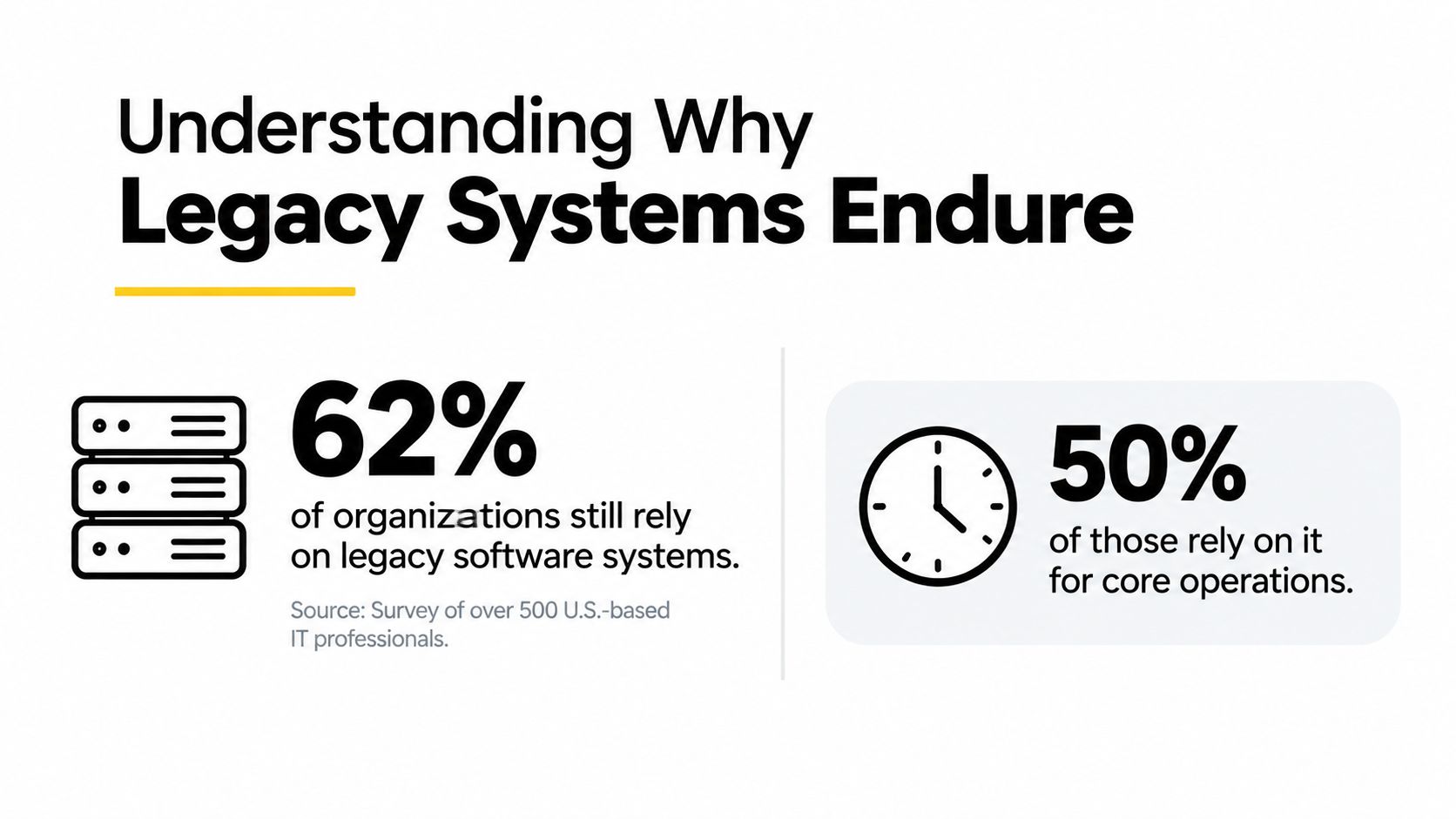
62% of organizations still rely on legacy software systems, and half of those delaying modernization do so because the existing system still works. Legacy platforms remain in place because they support essential operations, carry valuable historical data, and often appear less risky to maintain than replace.
That answer sounds simple, but it changes how leaders should approach modernization. A legacy system isn't automatically a failed system. It may be the quiet engine behind inventory, payments, patient records, claims processing, public services, or internal reporting. The difficult question isn't whether the software is old. It's whether the organization can keep depending on it without limiting security, growth, integration, and customer experience.
The strongest modernization programs don't begin with a dramatic replacement announcement. They map what the old system still does well, isolate what creates risk, and add modern capabilities in controlled stages. That approach also creates a practical path to introduce AI into desktop and mobile applications without turning a dependable transaction system into an ungoverned experiment.
Understanding Why Legacy Systems Endure
Legacy systems endure because they are embedded in how organizations work. A 2025 survey of U.S. IT professionals documents this pattern in a survey of legacy software modernization among U.S. IT professionals, which examines why teams continue operating older platforms rather than replacing them immediately.
A retailer's order management platform may have an awkward interface and limited APIs, yet still handle stock reservations, complex fulfillment rules, returns, and financial reconciliation correctly. Replacing it could improve development speed, but an error could delay shipments or produce inventory discrepancies during the busiest trading period. The old platform is therefore more than code. It is a tested collection of business rules and operational data.
Hospitals face the same trade-off. Older scheduling or patient administration software can be difficult to extend, while staff already understand its workflows and depend on its records. Leaders assessing a healthcare platform also need to account for the operational conditions described in these healthcare IT market and staffing insights, particularly where specialist knowledge and continuity affect patient-facing work.
Stability becomes part of the business model
Legacy software survives inside staff procedures, audit routines, vendor relationships, training materials, and continuity plans. Replacing one application can force several departments to change their connected systems and carefully rehearsed manual workarounds at the same time. Those dependencies make the replacement risk larger than the application itself.
Organizations may recognize security weaknesses while still relying on the internal IT teams that understand the system's behavior. That tension explains why maintenance continues even when leaders accept that modernization is necessary. The people best positioned to reduce operational risk are often the people carrying the burden of the old platform.
Practical rule: Treat a legacy application as an operational asset until you have mapped its workflows, data dependencies, integration points, and failure consequences.
Hybrid IT adds another constraint. A legacy platform may sit behind modern services as the system of record, receiving transactions or supplying data that newer applications need. That makes it a potential foundation for reporting and AI, provided teams expose its data safely, preserve transaction controls, and introduce capabilities incrementally. Prompt management belongs in that control layer, with approved prompts, access rules, testing, and review before AI outputs influence operational work.
The answer to why legacy systems are still used is practical. Continuity has value, replacement has consequences, and a dependable core can support modernization when teams improve around it instead of discarding it at once.
The Real Barriers to Legacy Replacement
Replacing a legacy system is an operational transformation, not a software purchase. The work affects budget allocation, specialist knowledge, uptime commitments, integration behavior, data governance, and the workflows that keep the business running. A replacement can look technically sound and still fail if those conditions are treated as secondary.
Five barriers recur in modernization programs.
The maintenance budget is already committed
A modernization survey reports that 72% of budgets were spent on maintenance and patching of legacy software systems, according to this legacy modernization research reference. That allocation leaves less capacity for experiments, product improvements, architecture work, and migration planning.
The problem is also structural. Teams spend those funds fixing defects, adapting interfaces, managing infrastructure, and preserving integrations because each task protects daily operations. A replacement project must compete with work whose consequences are immediate and visible. Leaders therefore need a funding model that protects modernization capacity instead of waiting for maintenance demand to disappear.
Specialist knowledge is scarce
In Ensono's 2025 IT modernization research, 90% of respondents reported at least one talent gap blocking modernization, while 49% said actual legacy maintenance costs exceeded planned costs in the prior year. The findings are published in Ensono's 2025 State of IT Modernization report.
An organization may understand that its platform must change and still lack people who know both the existing system and the target architecture. That combination creates avoidable risk. A cloud engineer can design a new service, but without a reliable model of batch jobs, data contracts, exception handling, and operational timing, the migration may break behavior that no document records.
Knowledge transfer has to be part of the project. Pairing experienced maintainers with modernization engineers, capturing decision rules, and testing undocumented workflows can reduce dependence on a small group of specialists.
Reliability makes replacement difficult to justify
Some legacy platforms remain exceptionally reliable. One expert source cites 99.999% uptime for mainframes versus a 99.5% average for distributed systems, as discussed in this analysis of legacy platform reliability and performance.
Those figures do not prove that a mainframe should remain unchanged. They explain why banking, insurance, and public-service organizations hesitate to replace a stable core with an architecture whose behavior has not been proven in their environment. A modern interface or deployment process has limited value if transaction reliability declines.
The practical response is to define service-level requirements before choosing a migration pattern. Teams should compare measured performance, recovery procedures, reconciliation controls, and failure consequences rather than treating newer technology as automatically safer.
Integration creates a chain reaction
Older platforms frequently sit inside transactional flows that include databases, batch jobs, reporting tools, partner systems, and downstream applications. A migration can alter timing, field formats, error handling, or transaction order. The resulting failure may appear in a dependent application rather than in the component being replaced.
Teams reduce this risk by documenting dependencies before selecting an approach. They test complete business workflows, preserve reconciliation paths, and run new services beside the old system while results are compared. A step-by-step decommissioning playbook helps make retirement activities explicit instead of leaving them as the final line in a project plan.
Valuable data can make the old system useful
A 2026 industry report found that 78% of IT decision makers viewed legacy systems as more important than two years earlier, with nearly half viewing them as a critical foundation for AI and a key data source, according to The Register's report on legacy IT assets and AI investment.
That finding changes the modernization decision. A legacy system may contain transaction history, operational rules, and domain context that a replacement does not have. Teams can expose and govern that data while preserving the controls that make it trustworthy. For AI integrations, prompt management belongs in the same control layer. Approved prompts, access rules, evaluation tests, logging, and human review should be established before model outputs affect operational work.
| Barrier | Key stat or insight | Impact level |
|---|---|---|
| Maintenance burden | 72% of budgets were estimated to go to maintenance and patching | High |
| Talent shortage | 90% reported at least one modernization-blocking talent gap | High |
| Reliability expectations | Mainframes were cited at 99.999% uptime versus 99.5% for distributed systems | High |
| Integration complexity | Core transactions may connect dependent applications, data stores, and batch jobs | High |
| Strategic data value | 78% viewed legacy systems as more important than two years earlier | High |
A practical guide to reducing technical debt supports deliberate choices about what to preserve, wrap, rewrite, or retire. Debt reduction means reducing risk and cost, not deleting every old component. When a legacy core remains dependable and its data is governed, incremental modernization can turn an inherited system into a controlled foundation for new services and AI.
Why Organizations Choose to Keep Legacy Core Systems
A legacy core can be a strategic asset when its records, rules, and transaction history provide a trusted foundation for new services. The decision is not just whether the platform still runs. It is whether the organization can expose its value safely, control its interfaces and security exposure, and improve the surrounding capabilities without disrupting authoritative records.
A 2025 enterprise survey reported that 68% of respondents said legacy systems and applications prevented their organizations from fully embracing modern technologies, while 48% said they couldn't stop supporting legacy applications because those systems remained business critical. The findings are available in this enterprise survey announcement on legacy applications.
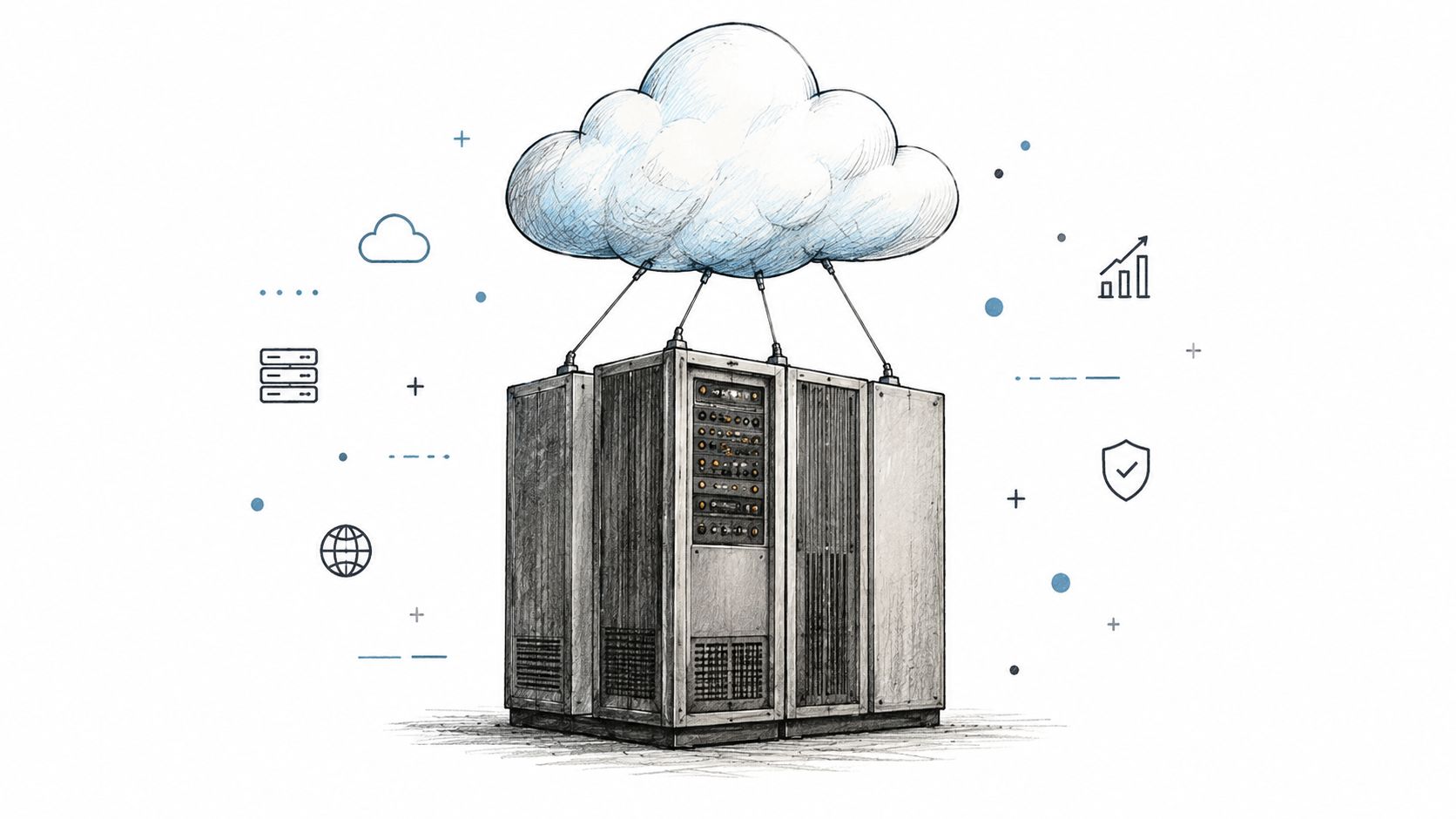
That tension creates a practical architecture choice. The core can continue processing transactions while an integration layer makes selected data available to modern applications. For example, an organization could expose approved order and customer records to an AI search or recommendation service. The service can answer questions or suggest relevant products, while the established platform remains the source of truth for fulfillment and account changes.
Modernization should change the surface first
An integration layer can define which capabilities are exposed, enforce authentication and authorization, record activity, and give web, mobile, and AI features a controlled route into the core. Prompt management belongs in that same control layer. Teams should govern approved prompts, access rules, evaluation tests, logging, and human review before generated output influences operational work.
This arrangement supports experimentation without placing unnecessary load or risk on the transaction engine. A mobile app can provide personalized assistance while the authoritative order record stays in the established platform. Employees can search across permitted enterprise data while source systems retain ownership and access controls.
The cost of remaining static still matters. If the platform blocks new products, creates manual work, or leaves security weaknesses unresolved, its strategic value declines. The sound choice is to modernize the capability with the clearest business return while preserving the core data and processes that remain dependable.
Signals That It Is Time to Start Modernizing
A legacy system becomes a liability when it limits what the business can offer. Its age matters less than the operational evidence around it. Track where maintenance consumes planned capacity, where security controls depend on exceptions, and where new work stops at the system boundary.
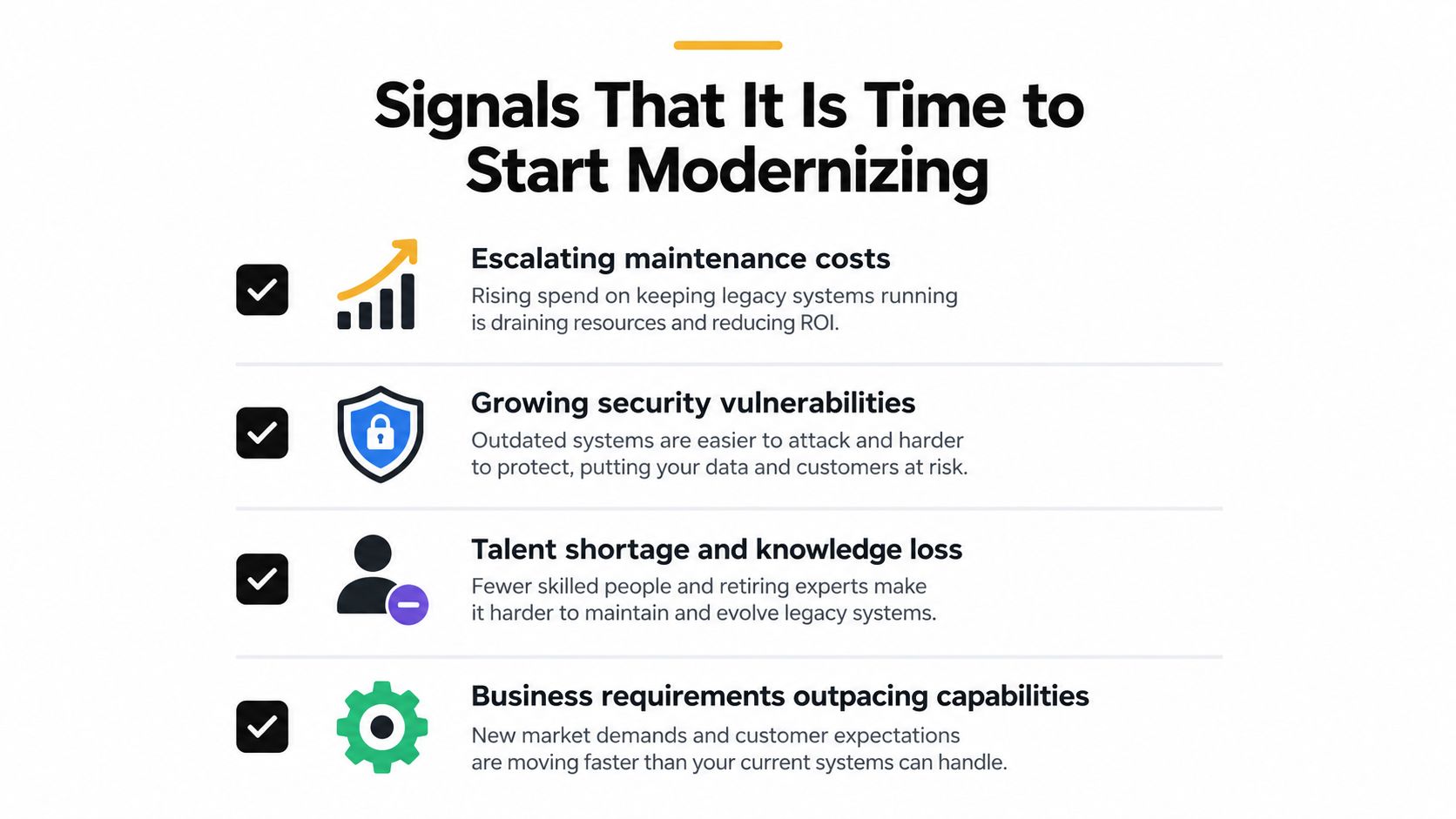
Four signals deserve immediate attention
- Maintenance costs keep escaping the plan: Compare planned and actual effort across consecutive release cycles. As noted in Ensono's modernization research, maintenance overruns are a warning that emergency fixes and specialist support are displacing planned investment. A second consecutive overrun should trigger a thin-slice modernization assessment.
- Security work becomes reactive: Look for unsupported components, recurring audit exceptions, manual access reviews, or patches that require unusual coordination. The survey analysis of legacy software modernization reinforces the need to treat recurring security exposure as a delivery signal. Define the risk to reduce, the owner, and the deadline rather than accepting another temporary exception.
- Knowledge is concentrated in too few people: Ask whether two engineers can independently explain the batch schedule, data transformations, failure recovery, and approval rules. If they cannot, staff changes create continuity risk. Document the workflow, test recovery procedures, and pair legacy specialists with engineers who will maintain the next layer.
- Business requirements outpace the platform: A feature that cannot ship because the core lacks an API, blocks a required data flow, or takes too long to change is a commercial signal. Record each blocked request, its business impact, and the dependency causing the delay. Repeated blockage identifies a useful modernization boundary.
Legacy applications rarely disappear in one project. The Pega survey coverage on technical debt describes how few transformation efforts position organizations to retire their entire legacy estate. That reality makes selective modernization more practical than an immediate replacement mandate.
Diagnose before selecting a target architecture
Map workflows tied to revenue, compliance, customer service, and operational continuity. Classify each component as preserve, surround, refactor, replace, or retire. Include data ownership, integration contracts, recovery procedures, and points where sensitive information leaves the core. Stable systems may remain valuable data foundations for analytics and AI, provided access, provenance, and permissions are clear.
Then run a bounded modernization slice with measurable acceptance criteria and a rollback path. Keep the established transaction route available until the new path performs correctly against real data. For AI features, test prompts, retrieval sources, permissions, output quality, and human review before generated results affect operations. Prompt management belongs in the same diagnostic plan as APIs and access controls.
Migration signal: If no one can explain a critical function without naming one individual, document it before changing the code.
A Phased Approach to Legacy Modernization
The safest migrations start with an inventory, a dependency map, and one value-creating slice. A full-estate replacement promise creates pressure before the team understands which transactions, data stores, and interfaces the business cannot afford to disrupt. Legacy systems may also contain the cleanest historical record available, making them useful foundations for reporting and AI when access and permissions are controlled.
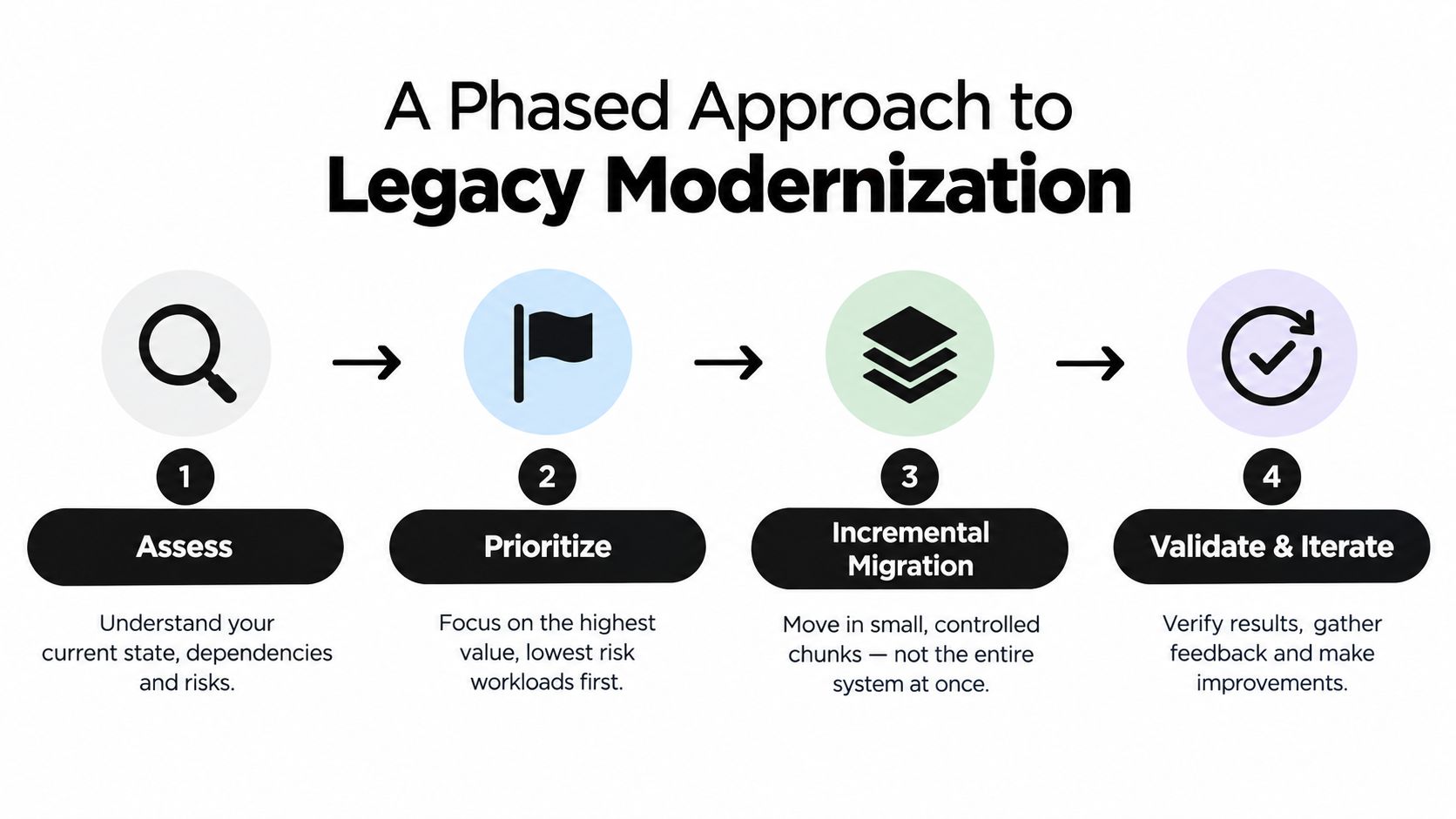
Assess the actual system
Start with workflows, not application names. Trace how an order, claim, payment, patient record, or service request passes through screens, services, files, queues, approvals, and reports. Document business rules that exist only in code, operational procedures, or staff knowledge.
Record data ownership, recovery procedures, integration contracts, and every point where sensitive information leaves the core. This map shows whether a proposed change affects a transaction boundary, an audit trail, or a data source that future analytics and AI will depend on. Without it, a team can modernize the visible interface while leaving the underlying failure points untouched.
Prioritize by value and risk
Rank candidate capabilities by business impact, change frequency, security exposure, integration complexity, and reversibility. A high-value component is not automatically the right first target. Choose a capability that justifies investment while keeping failure contained and recovery practical.
Use a thin vertical slice. Expose one read workflow to a mobile application, verify its data and permissions, and expand only after operations and security teams accept the results. The application modernization roadmap can help sequence architecture, testing, security, and ownership decisions around that evidence.
Add a controlled integration layer
A prompt management system can bridge stable transaction systems and new AI capabilities without placing generated output directly in the authoritative transaction path. Developers and entrepreneurs can manage prompts outside hard-coded workflows, while the legacy core continues to perform the system-of-record operation.
Wonderment Apps' prompt management system includes a prompt vault with versioning, a parameter manager for internal database access, logging across integrated AI services, and a cost manager for cumulative spend visibility. These controls make prompt changes traceable and give teams a way to review behavior, access, and spending as the integration evolves.
Validate and iterate
Test the new layer against known outputs, permissions, failure conditions, and workload patterns. Keep human review for decisions that could affect money, access, safety, or regulatory obligations. Log the prompt version, parameters, selected AI service, source data, and resulting action so engineers can reproduce failures and compare revisions.
Keep the established transaction route available until the new path performs correctly with operational data. This phased approach lets the organization extend the life of valuable systems, build dependable data and AI foundations, and collect evidence about which components warrant eventual replacement.
Integrating AI Into Legacy Workflows Safely
AI adds value to a legacy environment when it helps people find, interpret, or act on trusted information without bypassing controls. It creates fragility when a team drops an untracked model call into a critical workflow and can't explain which prompt, data, permissions, or cost produced the result.
A practical guide to AI integration should therefore begin with ownership and observability, not with model selection.
Compare the two modernization paths
| Approach | What it does well | Where it struggles |
|---|---|---|
| Rip and replace | Creates a cleaner long-term architecture and removes selected old constraints | Requires broad migration knowledge, disrupts dependent workflows, and concentrates operational risk |
| Modular AI-first modernization | Adds capability around stable transaction systems, supports gradual learning, and keeps rollback options available | Requires disciplined interfaces, prompt governance, data controls, and careful evaluation |
| Unmanaged AI overlay | Produces a quick demonstration for a narrow use case | Makes behavior, access, quality, and spend difficult to trace |
A prompt management system gives developers an administrative control plane for AI features inside existing desktop, mobile, and web applications. Teams can change a prompt without burying every variation in application code, compare versions during testing, and roll back a change when behavior moves in the wrong direction.
Control the connection to enterprise data
The parameter manager is particularly important around legacy databases. It can help define which internal data an AI workflow may access and how that access is passed into the model interaction. That boundary is safer than giving a general-purpose assistant unrestricted access to a production database.
Logging across integrated AI services adds another layer of accountability. A team should be able to see which service handled a request, which prompt version ran, what parameters were supplied, and what downstream action followed. These records support debugging and make human review possible when an answer is incomplete or incorrect.
Cost management deserves equal attention. AI usage can spread across features, teams, and providers faster than ordinary infrastructure spending because each workflow may call a different service. A cumulative spend view helps an entrepreneur identify expensive features, compare usage patterns, and decide whether a workflow needs caching, a smaller model, stricter limits, or a different interaction design.
Design principle: Put AI beside the system of record before you put it in charge of the system of record.
The result isn't a magic layer that makes old software modern by itself. It is a controlled bridge. The organization can add summarization, search, recommendations, anomaly detection, or assisted workflows while preserving transaction validation and human ownership of consequential decisions.
Building Software That Lasts for Years to Come
Legacy modernization becomes durable when teams treat it as an operating discipline rather than a one-time rewrite. Preserve reliable cores where they still earn their place, surround them with tested integration layers, and replace components when the evidence shows that retention costs more than change.
AI should follow the same standard. Version prompts, manage data parameters, log integrated services, monitor cumulative spend, and evaluate outputs against business rules. Assemble engineers, designers, QA specialists, product leaders, and domain experts who can maintain the application after launch, not just deliver the first demonstration.
The long-term objective is a software ecosystem that can adapt without discarding valuable history. A stable transaction engine can support a modern mobile experience, a data layer can support governed AI, and an incremental architecture can scale to very large audiences while keeping failures understandable and recoverable.
Wonderment Apps helps organizations modernize legacy ecosystems, integrate AI into existing desktop and mobile applications, and build scalable digital products with managed engineering teams. Visit Wonderment Apps to explore how its prompt management capabilities and modernization services can help you add AI with clearer control over prompts, integrations, logging, and cost.