

You're in the middle of a messy kickoff. Product wants fast delivery, QA wants confidence, engineering wants fewer interruptions, and the requirements doc still reads like a suggestion rather than a spec. That's exactly where test case design earns its keep, because good test cases turn vague intent into repeatable checks that catch the expensive stuff before users do.
For teams building modern software, that also means thinking beyond classic flows. If you're planning AI-assisted features, personalization, or prompt-driven experiences, it helps to wire in a management layer early, including prompt versioning, parameter control, logging, and cost visibility. That's the kind of operational backbone that keeps AI behavior testable instead of mysterious.
Understanding Objectives and Early AI Integration
A strong test effort starts with a simple question, what business outcome are we trying to protect? If the answer is “checkout completion,” “claims intake accuracy,” or “safe AI recommendations,” then the test set needs to mirror that goal instead of wandering through every possible click path. Teams commonly err by jumping straight to writing cases before defining what “good” looks like.
A practical kickoff usually includes three kinds of objectives, functional coverage, quality targets, and risk tolerance. That framing keeps the suite from becoming a grab bag of duplicate checks. It also makes it easier to decide where a tool belongs, especially when an AI-enabled workflow needs prompt history, controlled variables, and auditability from day one.
Practical rule: if a requirement can't be explained in one sentence, the test cases built from it will drift just as fast.
For teams modernizing their application stack, it's useful to think about AI support at the planning stage, not after the suite is already brittle. Wonderment Apps' prompt management system fits naturally into that early layer because it can centralize prompt versions, track parameters, and log AI activity across integrations while the team is still shaping the test plan. For a broader view of how planning decisions affect delivery, Talent Pronto's AI hiring guide is a useful companion read, especially when the team itself needs AI-aware builders and testers. The surrounding methodology also aligns well with Wonderment's software testing methodology overview, which is helpful when you want your testing language and your delivery process to line up.
The right objective doesn't need to be fancy. It just needs to tell the team what failure would hurt, what behavior matters most, and where a case should begin.
Selecting Effective Test-Design Techniques
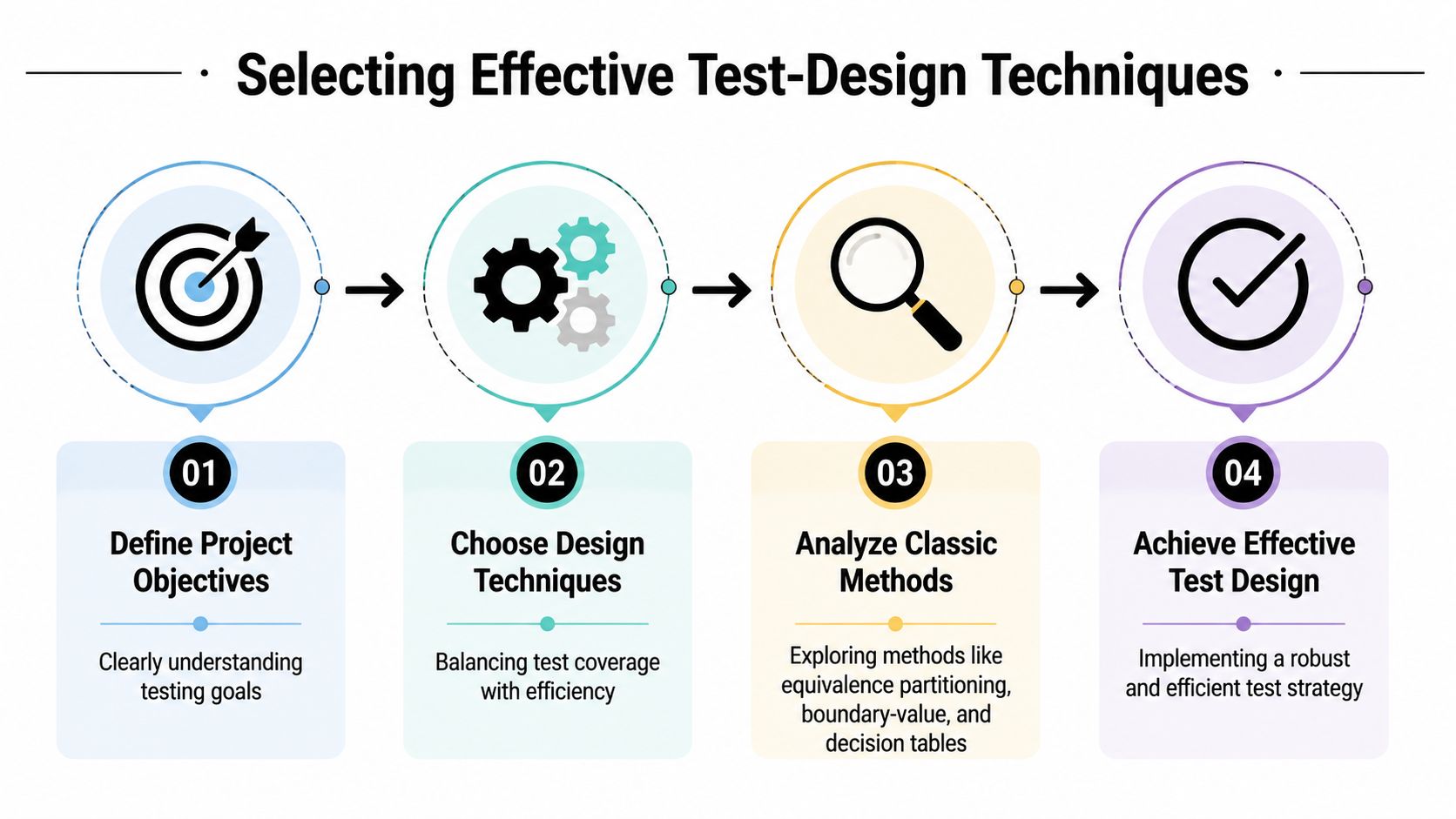
The oldest mistake in test case design is trying to test everything the same way. That's how suites get bloated, slow, and hard to maintain. The smarter move is to pick a small set of techniques that complement each other and fit the risk profile of the product.
Start with the classic methods
Equivalence partitioning is still one of the most efficient ways to reduce redundant checks. The Purdue summary of Myers' software-testing chapter describes it as dividing an input domain into a finite number of classes so one representative test can stand for each class, and it pairs that with boundary-value analysis, which targets the minimum, maximum, and values just beyond them (Purdue chapter summary). That combination matters because it keeps the suite focused on where defects usually hide, while still respecting the efficiency principle that test coverage should be broad without becoming wasteful.
Decision tables are the right choice when business rules depend on several conditions at once. State transitions make more sense when the application behaves differently based on status, such as signed out, pending approval, or locked. Both techniques work best when the team wants clear expected results instead of improvising behavior case by case.
Add modern controls when the inputs multiply
Pairwise testing becomes useful when the number of possible combinations starts to explode. Rather than checking every possible combination, it ensures each pair of parameter values appears at least once, which is especially helpful in configuration-heavy systems like checkout options, payment setups, or feature-flag matrices (pairwise guidance). Risk-based selection belongs in the same toolkit, because it pushes critical business flows to the front of the line and keeps edge and negative scenarios from being treated like optional extras.
Boundary checks usually pay off fastest in forms, pricing logic, and anything that accepts human input. Pairwise selection pays off fastest when there are many switches, modes, or dependencies.
AI-augmented tools can help here too, especially when they suggest candidate partitions, likely boundaries, or high-risk combinations. They don't replace judgment, but they can cut down the blank-page problem that slows teams at the beginning. For a visual framework on prioritization, Fluidwave's task prioritizing tool is a handy reference point when you're deciding what deserves attention first.
A good checklist is simple. Use boundary-value analysis for ranges, equivalence partitioning for broad input groups, one structural technique like decision tables or state transitions for rule-heavy behavior, and pairwise testing when combinations threaten to overwhelm the suite.
Crafting Test Cases with Templates and Examples
A test case gets much stronger when it's written like a small contract. The most useful structure is plain and reusable, with Test Case ID, Preconditions, Steps, and Expected Results sitting in a repeatable template. That layout makes it easier for another tester, a developer, or an automation script to understand exactly what should happen.
A reusable template that stays readable
| Standard Test Case Template | |
|---|---|
| Test Case ID | Unique traceable identifier |
| Preconditions | What must already be true |
| Steps | The exact user actions |
| Expected Results | The observable pass condition |
A practical test case should be built from three core components, preconditions, user actions, and success criteria, making tests precise and repeatable (Figr design guidance). That's the heart of the template above. If any one of those pieces is vague, the test becomes interpretive instead of executable.
Here's a simple ecommerce example. A login test might begin with the user account already created, the browser session cleared, and the environment pointed at the staging site. The steps should say exactly what the user does, such as entering the username, entering the password, and selecting sign in. The expected result should be concrete, like the dashboard loads and the user name appears in the header.
Keep the case focused
A detailed test-case design guide recommends keeping each case focused and trying not to exceed 10–15 steps, writing separate cases for the main success path and each alternate or error flow, and maintaining a Requirements Traceability Matrix (RTM) for mapping IDs (Testlio guidance). That advice matters because long, multi-purpose cases are hard to debug when they fail. They also get awkward in automation, where a case should describe one reason to pass or fail.
A useful naming habit is to keep the intent visible in the title. “Checkout payment succeeds with valid card” is better than “Payment test 12,” because the first one helps triage and reuse. That kind of clarity pays off when the same flow needs to be tested manually, automated, and re-run after a release.
Mapping Test Cases to Requirements and Prioritization
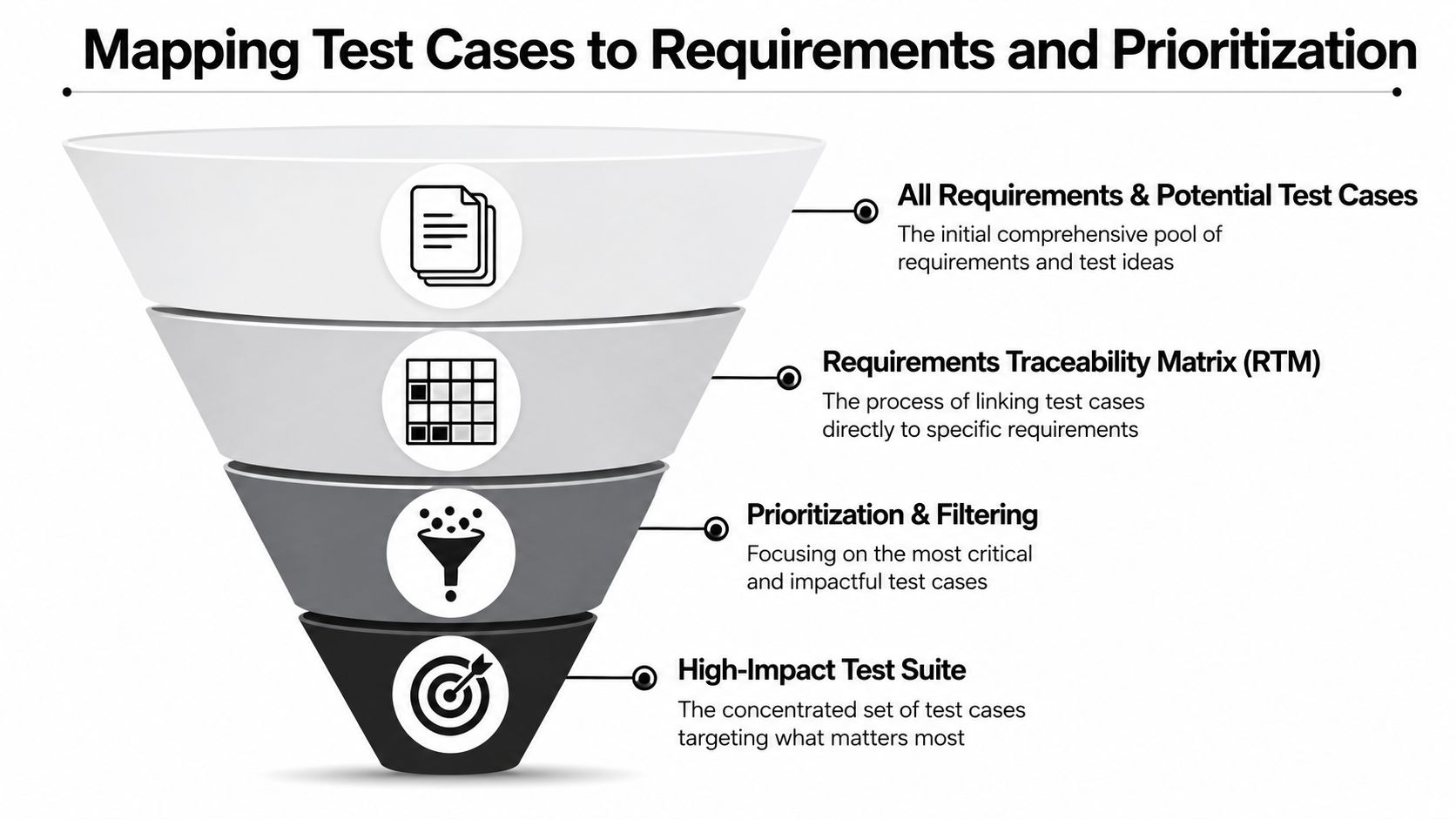
A big suite is not the same thing as a useful suite. The best ones are traceable, ordered, and easy to explain when someone asks why a test exists. An RTM gives that structure by linking each test case ID back to the requirement ID that created it, so coverage can be checked instead of guessed.
Trace first, then rank
The RTM is the backbone. Once the matrix exists, the team can see which requirements have strong coverage and which ones only have scattered checks. That visibility makes it easier to keep test design aligned with evolving business requirements instead of relying on memory or tribal knowledge.
A detailed test-case design guide recommends keeping each case focused at 10–15 steps, writing separate cases for alternate flows, and maintaining an RTM for mapping IDs (Testlio guidance). In practice, that also helps when requirements change. If a requirement ID moves, the linked tests can be reviewed instead of rediscovered.
Prioritization makes regression faster
Risk-based prioritization turns the suite into a decision tool. High-risk items should surface first, especially when the flow touches revenue, security, or data integrity. That's why a checkout error, a failed funds transfer, or a broken account recovery step deserves more attention than a cosmetic edge case.
For teams already juggling multiple backlogs, Fluidwave's task prioritizing tool can be useful as a model for how to keep urgent work from getting buried. The principle is the same in testing, because the highest-value cases are the ones most likely to protect users and the business.
Useful pattern: keep a high-impact subset ready for every regression cycle, then rotate lower-priority cases based on change scope and recent defect history.
The most reliable habit is to treat traceability and prioritization as one system. Traceability tells you what exists, prioritization tells you what to run first, and the RTM keeps both sides honest.
Designing Test Data Strategies for Reliable Coverage
Good cases fail for bad reasons when the data is weak. That's why test data strategy belongs inside test case design, not somewhere off to the side. If the input set is too narrow, the suite looks healthy while missing the exact combinations users bring to production.
Partition the data before you scale it
Equivalence partitioning works well for shaping input domains into meaningful groups, so you don't waste time testing every value that behaves the same way (Purdue chapter summary). That gives you a clean base for data design, especially in forms with age checks, amount limits, status fields, or role-based access.
For combinations, pairwise testing is the practical limiter. It selects cases so each pair of parameter values appears at least once, which controls combinatorial explosion for configuration-heavy systems (pairwise guidance). That's a good fit for products with many toggles, channels, devices, or pricing rules.
Keep representative data, not random data
A smart data set includes normal values, boundary values, and negative cases, but it doesn't need to be huge. Real transaction logs can help shape realistic inputs, while masked or synthetic records keep sensitive details out of test environments. The key is repeatability, because a test that can't be recreated isn't really a test case, it's a one-off event.
Wonderment Apps' AI prompt management system becomes useful here when AI-assisted tests need controlled parameters and a stable audit trail. A parameter manager can keep internal database access organized, while centralized logging shows what the AI consumed during the run. That matters most when the same flow needs to be replayed after a model update or a data refresh.
When the dataset gets messy, the suite gets noisy. When the dataset is deliberate, the suite can tell the difference between a real defect and an unfortunate sample.
Automating Maintenance and QA Workflow Integration
A test suite ages whether the team notices or not. Requirements change, flows shift, APIs evolve, and a once-solid case can turn into noise. Maintenance has to be part of the workflow, not a cleanup task that waits for someone to have a slow week.
Build upkeep into the pipeline
The cleanest approach is to treat test maintenance like code maintenance. Store cases in a versioned repository, tie them to issue tracker updates, and review them whenever requirements or interface contracts change. That keeps drift from piling up between releases and makes failed tests easier to interpret.
Recent guidance stresses that AI-based features require tests that validate probabilistic behavior and fallback logic, which is a gap in traditional deterministic test-case design (BairesDev guidance). That matters because AI-enabled tests can't always rely on one static expected result. They often need acceptance bands, fallback checks, or scenario-based validation instead.
Make flaky behavior visible
The right maintenance habits are specific. Tag flaky cases so they don't get confused with product regressions. Review long-lived failures on a schedule. Diff specs against test definitions so silent drift shows up before the release train does. Those steps won't make a suite glamorous, but they do keep it trustworthy.
If your team is adding more automation and needs the right people around it, recruit top QA automation talent is the kind of search that becomes relevant when maintenance load starts rising. A strong automation engineer can help keep the suite readable, resilient, and tied to actual product behavior instead of accidental implementation details.
Wonderment's prompt vault versioning and cost manager also fit here when AI-driven tests are part of the workflow. Versioning helps teams know which prompt produced which result, and cost tracking keeps usage visible enough to avoid surprises. That combination matters most when the test environment includes multiple AI calls and the team needs the logs to stay understandable months later.
Conclusion Next Steps and Wonderment Prompt Management Demo
Strong test case design starts with clear objectives, then moves through technique selection, templated cases, traceability, data strategy, and maintenance. Teams that keep all of those pieces connected usually spend less time chasing noise and more time validating the flows that matter. That's especially true when AI-assisted features need prompt version control, parameter management, centralized logs, and cost tracking to stay testable over time.
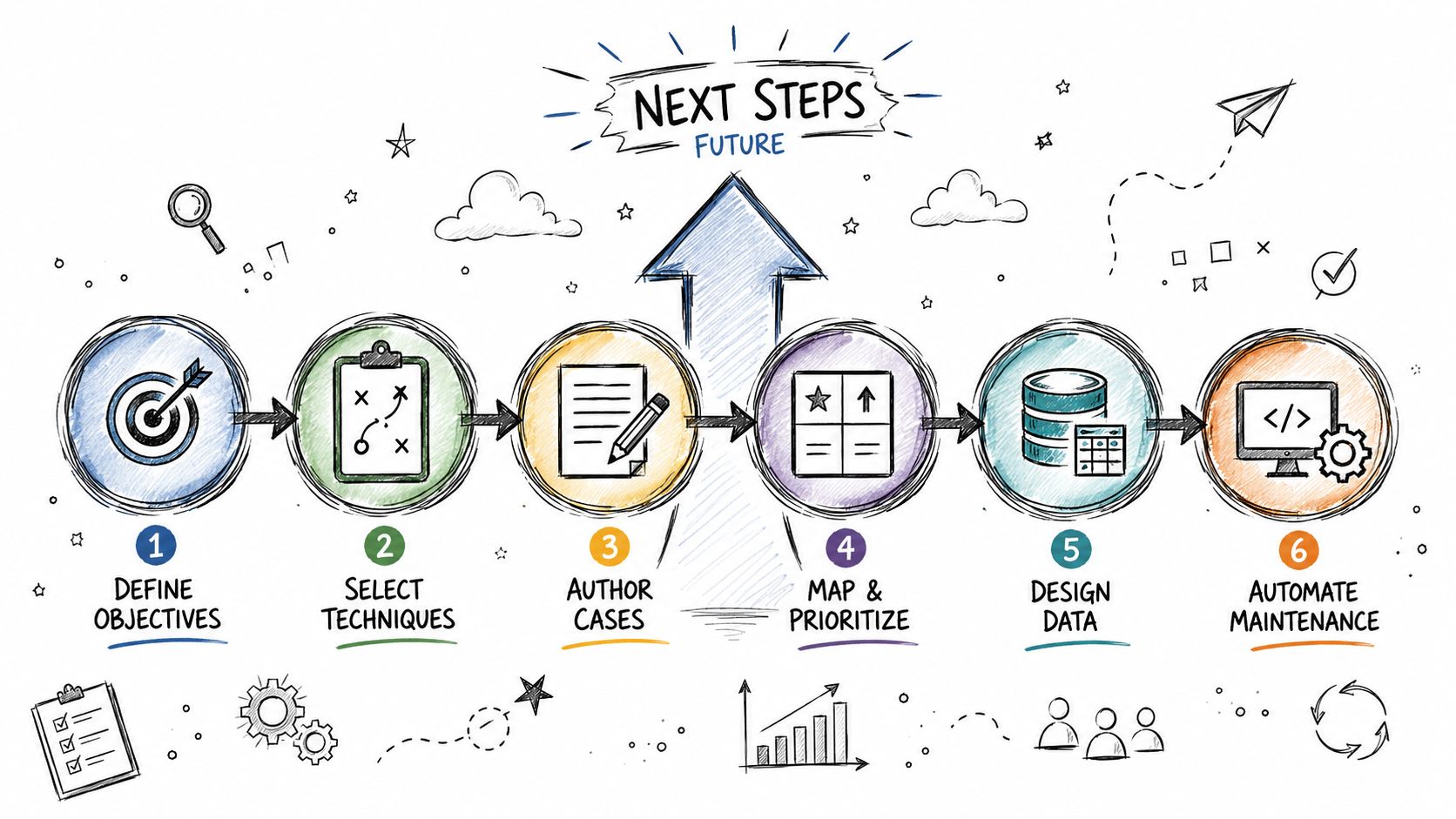
Wonderment Apps' prompt management system is built to support that kind of operational discipline. It brings together a prompt vault with versioning, a parameter manager for internal database access, logging across integrated AI systems, and a cost manager that shows cumulative spend. If you want to see how that setup can support your QA and AI workflows, request a demo with Wonderment Apps and map it against one live use case from your own product.
A CTA for Wonderment Apps.