

Your release calendar probably looks healthy in the planning doc and chaotic in real life. Features bunch up at the end of the sprint. A small UI tweak breaks checkout. A mobile hotfix solves one issue and inadvertently introduces another. Everyone agrees quality matters, but the team still relies on late-stage manual regression to catch what slipped through.
That's the point where QA automation stops being a nice engineering upgrade and becomes operational infrastructure. If you want to ship faster, support more users, and start layering AI into a web or mobile product without turning every release into a gamble, your testing approach has to mature first. Teams that are modernizing for AI also need control around prompts, parameters, logs, and spend, because fragile software plus opaque AI behavior is a bad combination.
The urgency is real. The automation testing market outlook from MarketsandMarkets projects the global automation testing service market will reach USD 55.2 billion by 2028, growing at a 14.5% CAGR from USD 28.1 billion in 2023. That growth tracks what engineering leaders already know. Speed without repeatable quality control doesn't scale.
Why Manual QA Cannot Keep Up Anymore
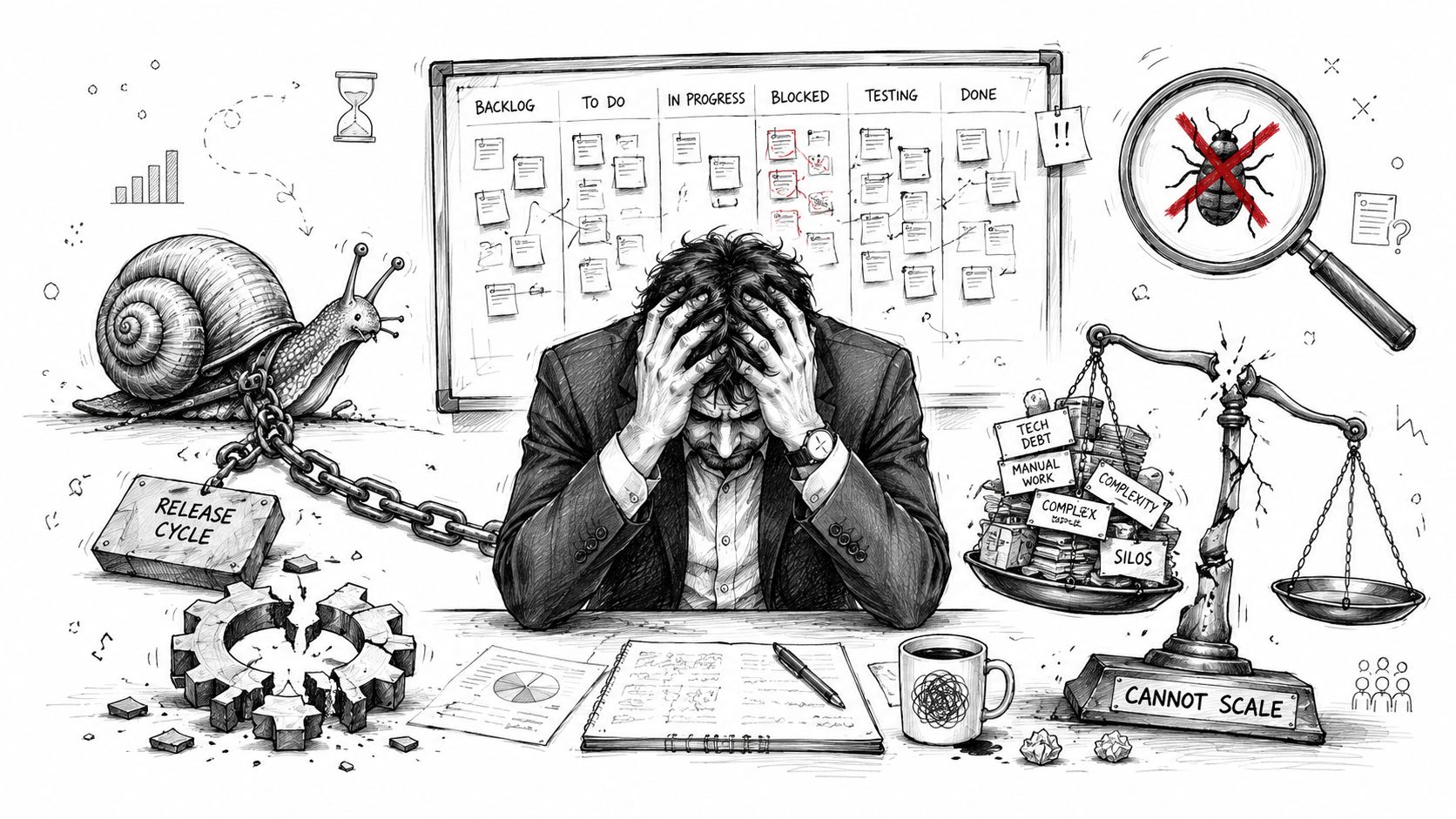
Manual QA still has a place. Exploratory testing, visual polish checks, and edge-case discovery often benefit from human judgment. But as the primary release gate, manual testing creates drag that compounds with every feature, integration, device type, and customer segment.
A team can manually verify a handful of core journeys. It can't reliably re-check every pricing rule, every auth path, every API dependency, every browser variation, and every mobile workflow on every deployment. That's especially true when the same product is also adding personalization, recommendation logic, or AI-assisted features.
Where manual testing breaks down
Three patterns show up again and again:
- Regression grows faster than headcount. The app adds more paths than the QA team can re-test by hand.
- Knowledge gets trapped in people. One tester knows the checkout edge cases. Another understands the admin workflow. Coverage becomes tribal knowledge.
- Release confidence falls. Teams slow down not because they want to, but because they don't trust the build.
That trust problem is expensive even when nobody puts a dollar figure on it. Product managers cut scope. Engineers batch risky changes. Leaders postpone modernization work because the foundation already feels unstable.
Practical rule: If a defect is easy to reproduce and important enough to check every release, it should probably be automated.
QA automation is now a platform decision
The strongest QA automation services don't just write scripts. They help teams decide what must be tested at each layer, how failures should route back to developers, and which signals matter before a deployment goes live. That's the difference between “we have some automated tests” and “we have a quality system.”
For teams trying to modernize legacy software, that quality system also becomes the staging ground for AI adoption. Before you add prompt-driven experiences or model-based workflows, you need stable regression coverage around the app behaviors those features touch. A good starting point is tightening your broader QA testing process so quality stops being a final checkpoint and starts becoming part of delivery.
The Spectrum of Automated Testing Types
Organizations often get into trouble when they treat automated testing as one thing. It isn't. A healthy test strategy looks more like a layered system, with faster and cheaper checks lower down and broader user-flow validation higher up.
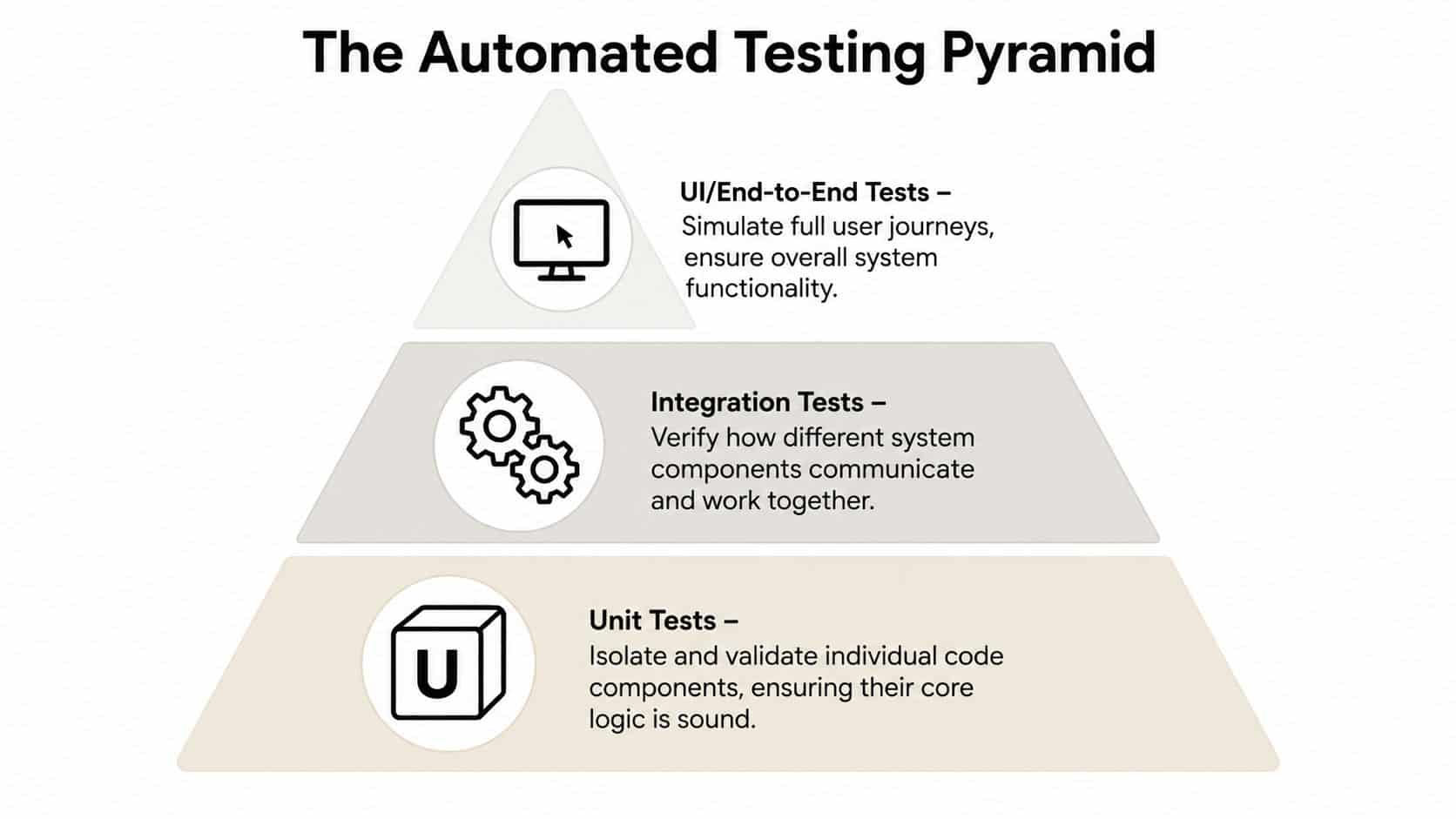
The simplest mental model is the testing pyramid.
The base layer
Unit tests sit at the bottom. They validate individual functions, classes, and business rules in isolation. If pricing logic, tax calculations, eligibility rules, or formatting behavior can break, unit tests should catch it before anything reaches staging.
These tests usually run fast and fail precisely. Developers trust them because they point to a narrow issue instead of producing a vague “something broke” message.
The middle layer
Integration and API tests check how components talk to each other. They matter because a lot of real defects don't live inside one function. They show up where services exchange data, auth tokens expire, schemas drift, or an upstream system responds in a slightly different shape than expected.
This is also where data-driven testing becomes powerful. The QASource explanation of external data integration in automated testing notes that using sources like CSV files or databases can reduce static-state failures by 40 to 60% in enterprise web applications because tests run against dynamic conditions that better reflect real user behavior. In practice, that means fewer brittle tests built around one perfect demo account and more coverage for the messy inputs production systems see.
The top layer
UI and end-to-end tests simulate full user journeys. Login, search, cart, checkout, claims intake, account updates, subscription changes. These tests give business stakeholders confidence because they mirror visible product behavior.
They're also the easiest tests to overuse.
UI tests are slower, more brittle, and more sensitive to front-end changes than lower-level checks. Good QA automation services keep this layer focused on critical paths instead of stuffing every scenario into browser automation.
A reliable suite usually has many narrow tests and a smaller number of broad end-to-end journeys.
The non-functional layer teams forget
Beyond the pyramid, two categories protect the business in ways customers notice immediately:
- Performance testing checks whether the system remains responsive under load, during spikes, and across expensive operations.
- Security automation looks for vulnerabilities, broken access controls, dependency issues, and risky regressions introduced during regular feature work.
For teams refining release readiness, a useful companion read is this piece on spec-driven AI development testing, especially if product requirements and test definitions keep drifting apart.
If you want a broader map of where these test types fit, Wonderment's guide to the main types of software testing is a solid reference for aligning engineering, product, and QA around coverage.
Choosing Your QA Services Engagement Model
Plenty of leaders know they need QA automation services and still get stuck on the operating model. The key question isn't “should we automate?” It's “who owns it, how embedded should they be, and how much control do we need day to day?”
That choice matters more now because delivery is moving toward service-based models. The Precedence Research projection for automation as a service estimates the market will grow from USD 2.98 billion in 2026 to USD 15.50 billion by 2035 at a 20.21% CAGR, which points to a continued shift toward flexible, cloud-based delivery rather than fixed, on-premise setups.
What the three models look like
Some organizations want a vendor to own the function. Others need a specialist or two inside an existing engineering team. Others need a dedicated pod that behaves like part of product delivery.
Here's the practical comparison.
| Factor | Managed Services | Staff Augmentation | Embedded QA Team |
|---|---|---|---|
| Ownership | Vendor owns most QA operations | Your team owns delivery, added specialists support it | Shared ownership with a dedicated QA pod integrated into delivery |
| Control | Lower day-to-day control | High control over priorities and workflow | High control with stronger process support |
| Speed to start | Usually fast once scope is agreed | Fast if the team already has delivery structure | Moderate, because alignment and rituals matter |
| Best fit | Teams that want coverage without building internal QA leadership | Teams with strong engineering management and a clear backlog | Teams shipping continuously across web, mobile, and APIs |
| Knowledge retention | More knowledge stays with the vendor | More knowledge stays in-house | Shared, often stronger than pure outsourcing |
| Scalability | Easier to scale service capacity | Depends on talent availability and internal management | Scales well when roadmap and delivery cadence are stable |
| Communication overhead | Higher if requirements are unclear | Lower if specialists sit in your rituals | Lowest when QA joins planning, grooming, and retrospectives |
The trade-offs leaders feel later
Managed services work well when internal teams are stretched or lack QA leadership. The downside is distance. If the vendor doesn't understand product nuance, the team spends too much time clarifying expected behavior.
Staff augmentation gives you flexibility and direct control. It works best when your product managers, tech leads, and delivery managers already run a disciplined process.
Embedded QA teams usually create the healthiest long-term rhythm for active product development. They participate in sprint planning, shape testability before code lands, and stay close enough to engineering to influence architecture, not just bug reports.
Pick the model that matches your operating discipline, not just your budget. A cheaper model that your team can't manage well becomes expensive fast.
The Modern QA Tech Stack and The Role of AI
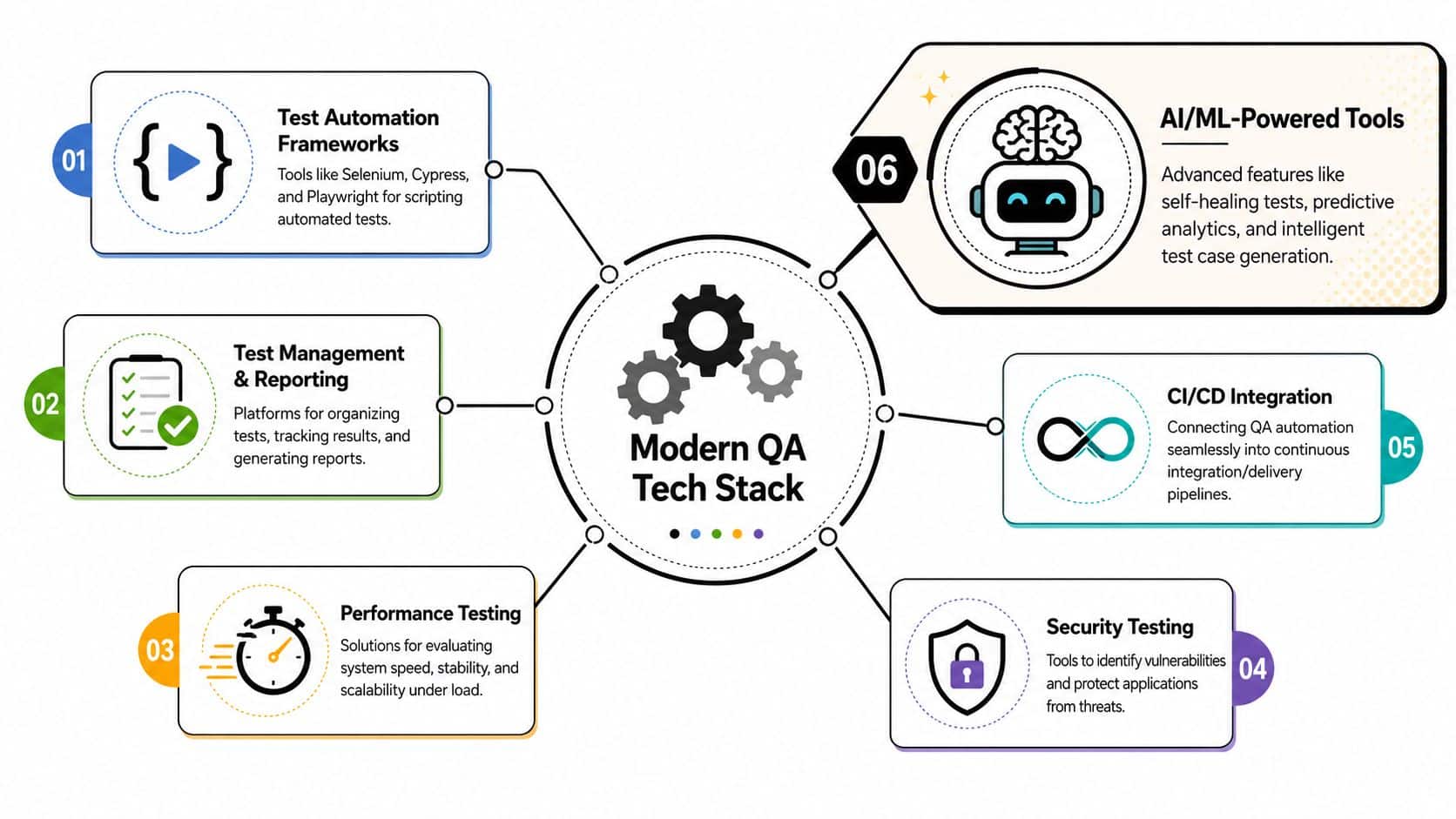
A modern testing stack is no longer just Selenium plus a dashboard. Teams now mix browser automation, API tooling, test management, CI runners, device labs, observability, and AI-assisted workflows. The trick isn't collecting tools. It's making them reinforce each other.
The baseline stack that still matters
Most serious teams still build around recognizable components:
- Automation frameworks such as Selenium, Cypress, and Playwright for web coverage
- API testing tools for service-level validation
- Test management systems to organize suites, runs, defects, and evidence
- Performance and security tools for non-functional coverage
- CI integrations so checks run automatically instead of waiting for a person to remember
That baseline is necessary. It isn't enough on its own when products ship frequently and interfaces keep changing.
Where AI changes the equation
AI is changing QA in three practical ways. First, it can reduce the amount of code needed to create useful tests. Second, it can make tests more resilient when UI details shift. Third, it can help teams decide what to run first when full regression would take too long.
The QA.Tech analysis of AI-driven autonomous testing platforms says these tools can reduce test creation time by up to 70% and deliver 3 to 5x higher parallel test run efficiency compared with traditional frameworks. Those gains matter most in products with non-linear user journeys, frequent releases, and lots of configuration states.
In practice, AI helps with:
- Self-healing behavior when selectors or layout details change
- Risk-based prioritization so the pipeline runs the most relevant checks first
- Test data generation for broader scenario coverage
- No-code or low-code authoring for teams that need product and QA to collaborate more closely
Teams get the best results when they use AI to remove repetitive testing work, not when they expect it to replace engineering judgment.
AI in QA and AI in the product need the same controls
Here, QA and product modernization intersect. If your application is adding AI features, your engineering organization needs stronger control over how prompts, model parameters, logs, and usage costs behave across environments. Tools that treat those concerns as first-class operational assets help keep experimentation from turning into sprawl.
That's why some teams pair QA automation with platform controls used elsewhere in delivery. For example, systems for prompt governance resemble the admin discipline companies want when they explore concepts like unlimited AI employees. The common thread isn't hype. It's visibility, repeatability, and guardrails around automation.
One option in this space is Wonderment Apps' prompt management system, which includes a prompt vault with versioning, a parameter manager for internal database access, logging across integrated AI systems, and cost management for cumulative spend. For teams modernizing an existing application, that kind of control sits naturally alongside QA automation because both reduce invisible failure modes.
Integrating Automation into Your CI/CD Pipeline
Automation creates the most value when it runs continuously, not when someone triggers it during a release panic. That's why good QA automation services don't live off to the side. They plug directly into the build and deployment path.
What continuous testing looks like
In a healthy pipeline, different tests run at different moments:
- On commit or pull request, fast unit and API checks validate core logic.
- On merge to a shared branch, broader integration tests verify component interactions.
- Before deployment, critical end-to-end tests confirm the main user journeys still work.
- After deployment, smoke tests and monitoring confirm the environment behaves as expected.
This is the practical meaning of shifting left. Teams move defect detection closer to the moment code changes, when context is fresh and fixes are smaller.
Why orchestration matters
Many pipelines fail not because tests are missing, but because execution is messy. Suites run in the wrong order. Environment setup is inconsistent. Dependencies don't wait for each other. Results land in too many places for anyone to trust them.
If your release process still feels stitched together, this workflow orchestration guide is useful for thinking through sequencing, dependencies, and automation control beyond the test suite itself.
A clean CI/CD setup usually follows a few rules:
- Fail fast on the cheap checks. Don't wait for browser tests to discover a broken core function.
- Keep environments predictable. Automation can't compensate for unstable staging systems.
- Route feedback to the people who can act on it. Developers need clear failure context, not a generic red build.
- Separate signal from noise. Flaky tests train teams to ignore real problems.
What works in the real world
The strongest pipelines are opinionated. They define which tests block a release, which ones inform risk, and which failures require human review. They also keep maintenance visible. A neglected automation suite becomes a second codebase with no owner.
For teams tightening release discipline, these CI/CD pipeline best practices map well to QA automation because they focus on repeatability, faster feedback, and deploy confidence rather than tool churn.
Measuring Success with KPIs and Real ROI
A lot of QA programs sound productive and still struggle to justify themselves in business terms. They report test counts, pass rates, and defects found. Leadership hears activity, not impact.
That measurement gap is common. The Abstracta discussion of QA automation ROI notes that only 22% of IT leaders say they have clear metrics tying QA automation to business outcomes like revenue or customer satisfaction. That's the core problem. Teams often prove the system is busy, not that the business is safer or faster.
Metrics that executives can actually use
Good QA reporting connects engineering quality to operating outcomes. The most useful KPIs usually include:
Release cycle time
How long it takes to move from approved work to production.Escaped defect rate
How often meaningful issues still reach users after release.Mean time to resolution
How quickly the team diagnoses and fixes production defects.Critical path stability
Whether the journeys that matter most, such as signup, checkout, claims submission, or billing changes, remain reliable across releases.SLA adherence and support burden
Whether service commitments hold and whether support teams spend less time handling preventable issues.
What not to overvalue
A huge automated suite can hide weak strategy. More tests aren't automatically better. Neither is a high pass rate if the suite avoids the risky parts of the product.
Watch out for these traps:
- Counting scripts instead of coverage
- Celebrating speed without checking escaped defects
- Ignoring maintenance cost
- Treating flaky tests as harmless background noise
The right question isn't “How many tests do we have?” It's “What business risk can we now catch before customers do?”
A better ROI conversation
When QA automation is working, teams usually feel it in three places. Releases stop bunching up behind manual verification. Engineers spend less time chasing regressions. Product leaders gain confidence to ship changes that would have felt too risky before.
That's also why ROI should include outcomes like fewer production incidents per user, steadier service performance, smoother audits, and stronger confidence in scaling the application. In ecommerce, fintech, healthcare, and SaaS, those outcomes matter more than a flashy dashboard.
Your Vendor Selection Checklist and AI Modernization
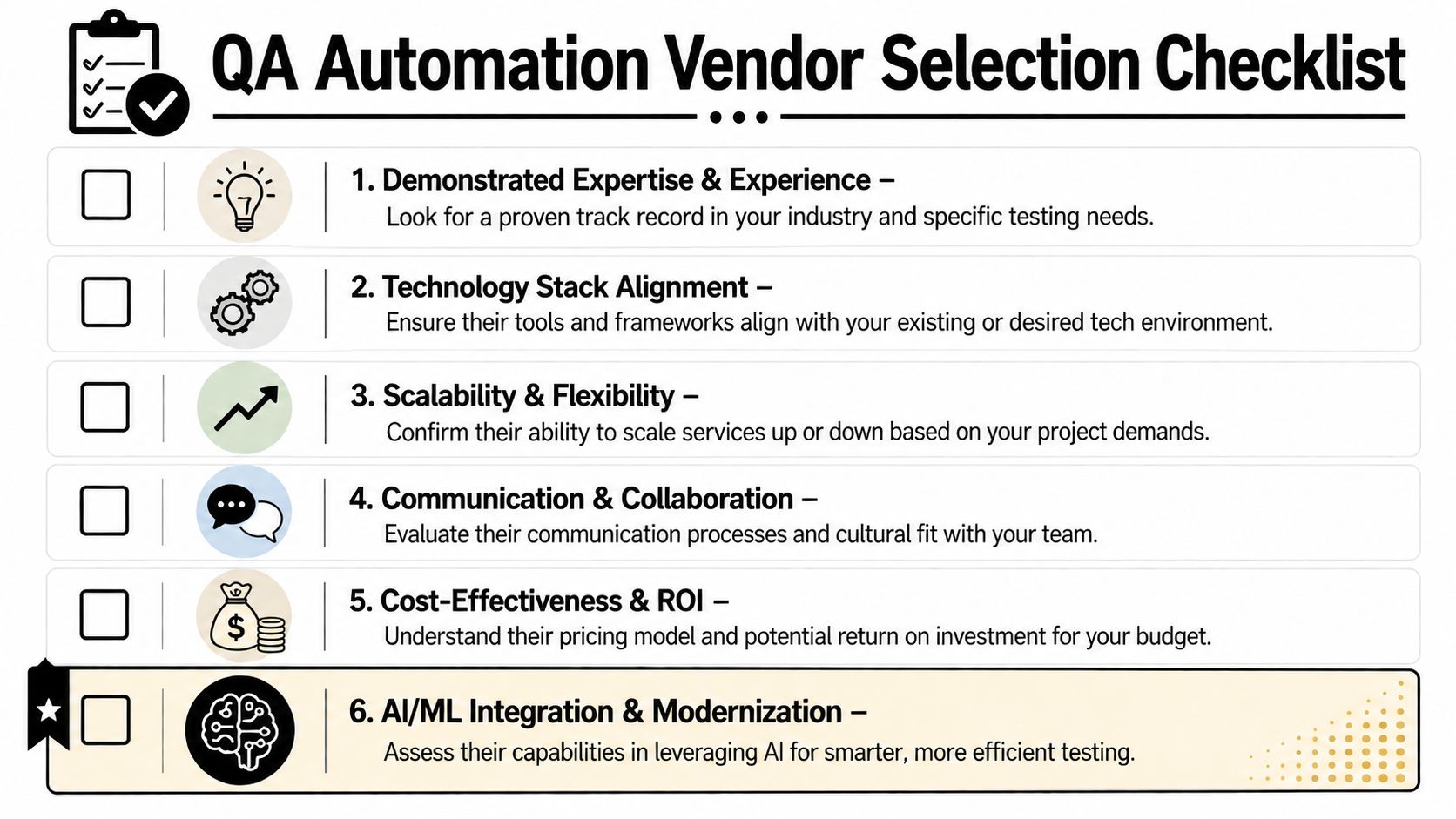
Choosing a QA partner is less about vendor theater and more about operational fit. A polished sales process won't help if the team can't work inside your delivery cadence, understand your domain rules, or build coverage that survives product change.
The shortlist criteria that matter
Use this checklist when evaluating QA automation services:
Relevant delivery history
Ask whether they've supported products like yours. Ecommerce checkout, fintech permissions, healthcare workflows, and media platforms all break in different ways.Stack compatibility
They should be comfortable with your web, mobile, API, and CI tooling. If they push one framework regardless of context, that's a warning sign.Test strategy depth
Look for thinking across unit, integration, UI, performance, and security. Vendors that only talk about browser automation often leave coverage gaps.Maintenance discipline
Ask how they handle flaky tests, changing selectors, test data, and environment drift.Communication habits
Good QA partners write clear bug reports, join planning discussions, and challenge ambiguous requirements early.AI modernization capability
If your roadmap includes AI features, ask how they support prompt validation, model-related regression risk, logging, and governance.
What future-proofing actually means
Future-proofing doesn't mean stuffing AI into every workflow. It means building software that can absorb AI safely, with enough testing and operational control to keep behavior understandable over time.
That's where the vendor conversation should widen beyond defect detection. If a partner can help you verify core application behavior while also preparing the product for AI-era controls, you're getting more than a testing service. You're reducing the chance that modernization creates a new class of reliability problems.
A strong partner should be able to explain, plainly, how they'd validate classic software paths and AI-touched flows side by side. If they can't, they're probably solving yesterday's QA problem.
If your team is upgrading a product, tightening release quality, or preparing an app for AI integration, Wonderment Apps can help you approach QA as part of a broader modernization effort. Their work spans web and mobile delivery, automated and manual QA, and AI-ready operational tooling, including a prompt management system with versioned prompt storage, parameter management for internal data access, centralized logging across integrated AI systems, and cumulative cost visibility. If you want to see how that fits into a real product workflow, it's worth booking a demo.