

Most leaders don’t start looking for enterprise software development services because they love architecture diagrams. They start because work feels harder than it should. Teams copy data from one system to another. Customers hit clunky screens that should’ve been retired years ago. Product ideas stall because every change breaks something upstream.
That frustration is common, and it’s part of a much bigger shift. The global software development market is projected to reach $740.89 billion in revenue by 2025, with enterprise software accounting for over 61% of the custom development market, according to software development market statistics. Companies aren’t investing in enterprise software for fun. They’re doing it because the software now shapes growth, customer experience, speed, and increasingly, AI capability.
AI raises the stakes. It’s one thing to add a chatbot to a dashboard. It’s another to manage prompts, versions, access to internal data, model logging, and usage costs inside a real business application. That’s where modern enterprise software strategy has changed. AI is no longer a side experiment. It’s part of the operating model.
Is Your Software Holding Your Business Back
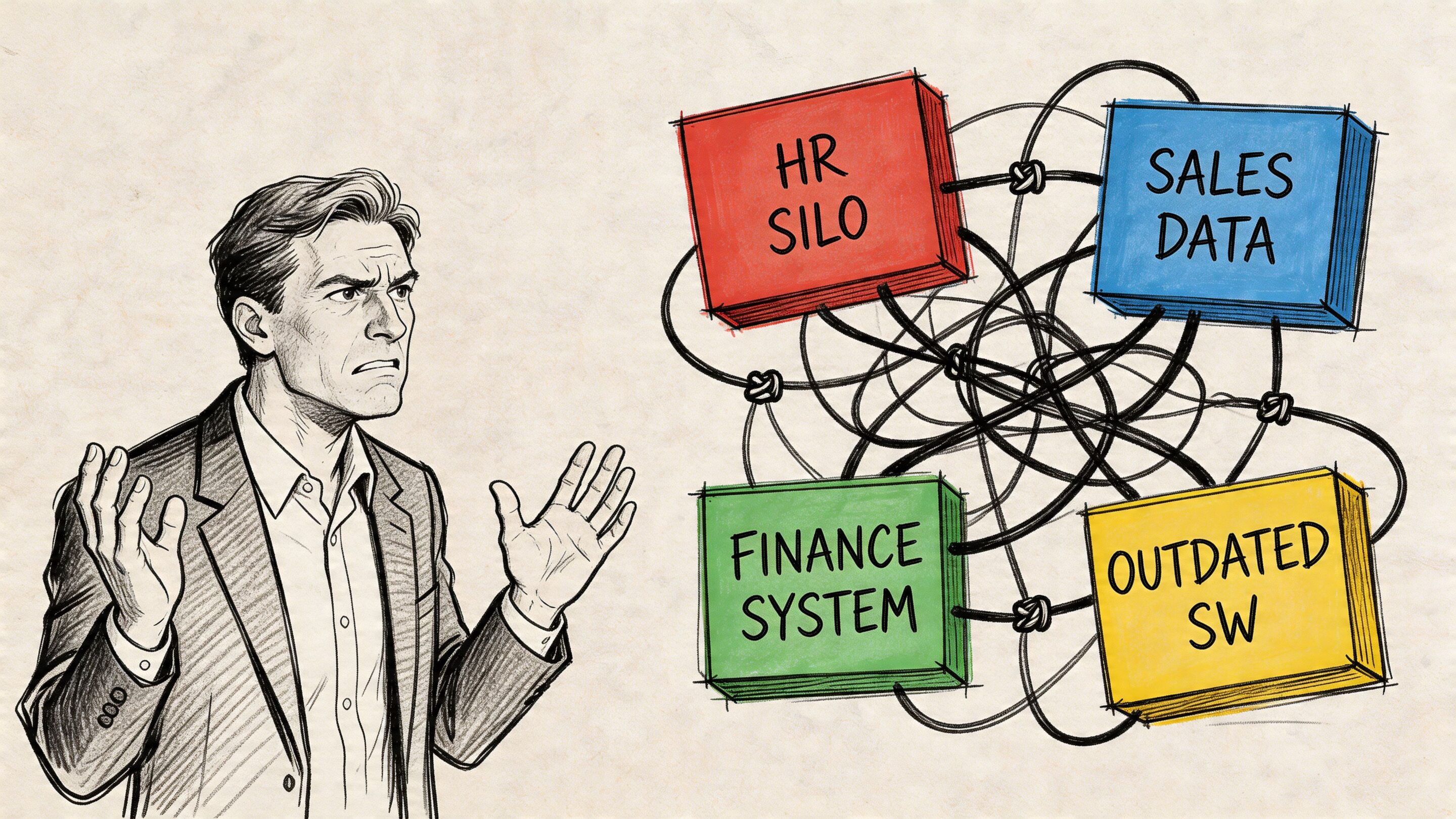
A COO I once worked with described her internal tools as “a relay race where everyone drops the baton.” Sales entered customer details in one system. Operations retyped the same details into another. Finance exported spreadsheets to reconcile invoices. Leadership wanted one dashboard, but every report sparked an argument about which numbers were correct.
That’s the sort of mess businesses tolerate for years because the workarounds seem manageable. Then growth arrives. More customers, more transactions, more staff, more vendors. Suddenly the cracks widen into operational drag.
The warning signs leaders usually see first
You usually don’t need a technical audit to know the system is struggling. The business symptoms show up first.
- Data lives in silos. Teams can’t trust what they’re seeing because each department has its own version of the truth.
- Every process has a workaround. If your best employees rely on spreadsheets, screenshots, and Slack messages to keep the business moving, the software isn’t doing its job.
- Customer experience slips. Slow portals, confusing workflows, and inconsistent data all show up in churn, complaints, and internal rework.
- New ideas take too long. A simple feature request turns into a project because the old system wasn’t built to change safely.
A useful companion read on that business friction is Why Your Technology Is Holding Back Business Growth, which looks at how outdated systems restrict execution.
What enterprise software development services actually solve
Good enterprise software development services don’t just replace old screens with prettier ones. They fix the plumbing underneath the business. That means rethinking workflows, integrations, security, scalability, and how people use the system day to day.
Practical rule: If your team spends more time compensating for software than using software, the problem isn’t training. It’s architecture, process design, or both.
A modern partner should help you answer questions like these:
- What should be rebuilt, and what should be integrated
- Which workflows deserve automation first
- Where AI can add value without adding risk
- How to keep future changes from becoming expensive rewrites
AI is where many leaders get stuck. They know they want personalization, automation, search, copilots, or anomaly detection. But once AI touches production software, somebody has to manage prompt versions, model behavior, cost visibility, and audit logs. That isn’t a marketing problem. It’s an enterprise systems problem.
The Core Menu of Enterprise Software Development Services
Most buyers hear the word “services” and picture developers writing code. Code matters, but it’s just one item on the menu. Strong enterprise software development services cover the full lifecycle from business problem to long-term operation.
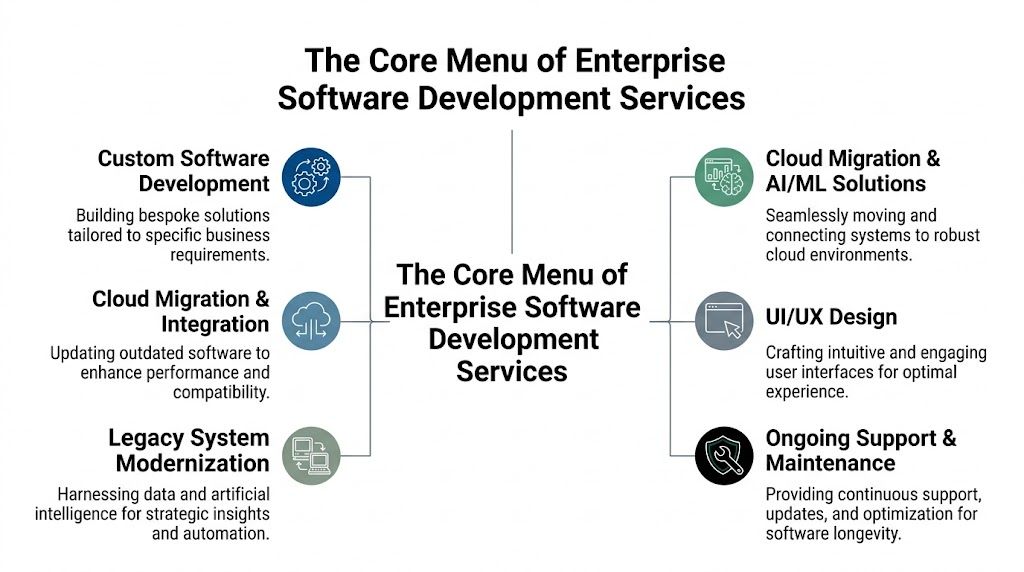
The six services that matter most
Solution architecture
This is the blueprint. Architects decide how systems should connect, where business rules should live, how data should move, and what needs to scale independently.
If you skip this step, teams often build something that works in a demo but becomes expensive to maintain. Architecture is what keeps today’s quick win from becoming next year’s rewrite.
Custom web and mobile application development
This is the visible part. Teams build the portals, dashboards, admin tools, customer apps, and internal workflows your staff and users interact with every day.
Business value comes from fit. Off-the-shelf software asks your company to bend around the tool. Custom development lets the tool fit the way your business works.
Legacy modernization
Many companies don’t need a dramatic “rip and replace.” They need a thoughtful upgrade path. That might mean separating one critical workflow from an aging monolith, improving performance, or replacing brittle manual processes one module at a time.
Old software isn’t always the problem. Unchangeable software is.
Legacy modernization should reduce risk while increasing flexibility. A careful partner knows when to preserve, when to refactor, and when to rebuild.
The services leaders often underestimate
API and system integration
Project success or failure often hinges on system communication. Your ERP, CRM, warehouse system, payment tools, analytics stack, and support platforms all need to talk to one another cleanly.
Without solid integration work, companies end up with modern interfaces sitting on top of broken data flow. It looks new, but the old pain remains underneath.
UX and UI design
This isn’t decoration. It’s workflow engineering in human form. Good UX reduces training time, error rates, and support tickets because the system guides people toward the right action.
A practical way to think about UX is this. A confusing internal screen creates hidden labor costs. A clean screen reduces decision fatigue and keeps work moving.
Quality assurance and testing
QA protects the business from embarrassing launches and expensive regressions. That includes functional testing, performance testing, security checks, and validation of integrations across devices and roles.
When buyers skip deep QA, they usually still pay for it later. They just pay in production, with customers watching.
DevOps and release management
DevOps is how software gets shipped safely and repeatedly. It covers deployment pipelines, cloud environments, monitoring, rollback plans, and the operational discipline that keeps delivery steady.
That matters because modern software is never really “done.” It evolves constantly. Teams that can’t release confidently tend to move slowly, and slow systems become strategic liabilities.
How these services fit together
A simple way to evaluate the menu is to ask whether the partner can handle software as a living product, not a one-time build.
Here’s a useful mental model:
| Service area | What it does for the business |
|---|---|
| Architecture | Prevents expensive structural mistakes |
| Development | Turns workflows into usable software |
| Integrations | Connects systems so data flows reliably |
| UX design | Makes adoption easier for staff and customers |
| QA | Protects reliability, trust, and brand reputation |
| DevOps and support | Keeps the product stable and adaptable |
If you’re comparing firms, it also helps to understand how mature teams move from idea to release. This overview of product development lifecycle stages is useful because it frames software as a sequence of decisions, not just a coding sprint.
Solving for Scale and Security in Your Industry
A retail platform and a healthcare platform can both look polished in a demo. That doesn’t mean they’re equally enterprise-ready. What matters is how they behave under stress, and whether they respect the rules of the industry they operate in.
That’s why enterprise software development services need industry context, not just technical skill. The right system for a fintech workflow isn’t automatically the right system for a patient-facing mobile app or a media platform with sudden traffic spikes.
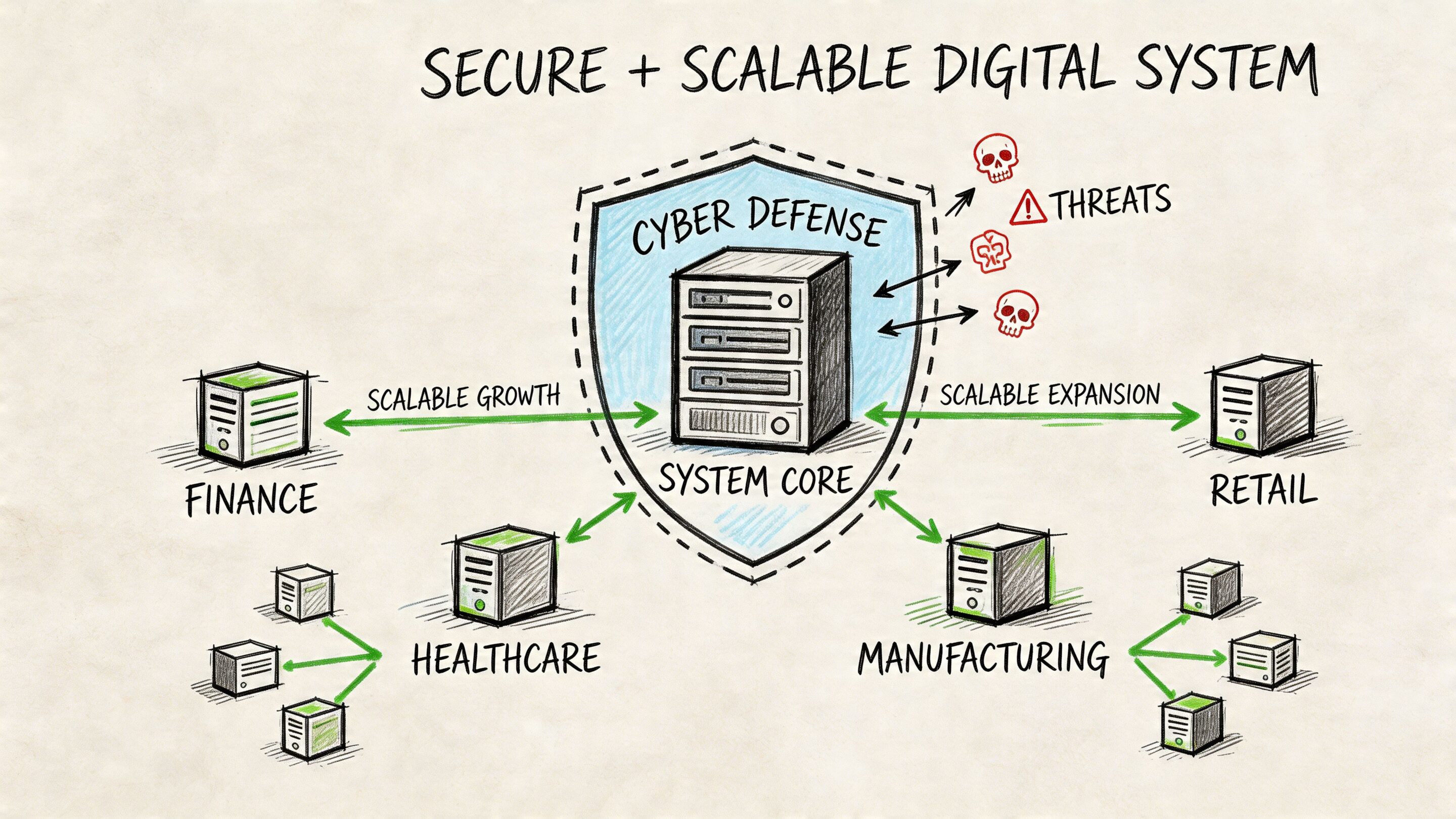
Why scale has to be designed early
Leaders often ask for scalability when traffic starts rising. By then, the architecture choices have usually already been made.
Enterprises adopting cloud-native microservices report 3-5x faster deployment cycles and 60% lower downtime during peak loads, enabling systems to process 10,000+ transactions per second with 99.99% uptime, which can boost conversion rates by 15-20%, according to this analysis of cloud-native microservices outcomes. The business lesson is straightforward. Systems built for modular scaling behave very differently from systems that grew by patchwork.
A retailer might need recommendation services, checkout flows, and inventory sync to scale independently. A media company may need content delivery, user identity, and subscriptions to stay responsive during event-driven surges. A fintech product might need transaction monitoring isolated from the customer dashboard so one heavy process doesn’t drag down the whole experience.
Security and compliance aren’t add-ons
In regulated environments, security isn’t a feature your team adds near launch. It shapes architecture from day one.
Consider what changes by industry:
- Healthcare needs careful handling of protected health information, access controls, and auditability.
- Fintech needs stronger transaction integrity, fraud controls, and clear data boundaries.
- Public sector and nonprofits often need stricter governance, procurement alignment, and accessibility discipline.
- Ecommerce needs secure payment flows, account protection, and resilient customer identity systems.
A secure system is rarely the one with the most tools. It’s the one with the clearest boundaries, the fewest surprises, and the most disciplined access model.
Questions to ask by industry
A vendor can be technically competent and still be the wrong fit if they don’t understand your operating reality. Ask how they handle problems specific to your environment.
| Industry | What you should probe |
|---|---|
| Ecommerce and retail | Traffic spikes, personalization, catalog sync, checkout resilience |
| Fintech and SaaS | Audit trails, transaction integrity, role-based access, anomaly handling |
| Healthcare and wellness | Data privacy controls, workflow traceability, mobile usability for sensitive tasks |
| Media and entertainment | High concurrency, rich content delivery, subscription workflows |
| Government and nonprofit | Accessibility, administrative reporting, long-term maintainability |
The best partners won’t answer with generic promises. They’ll talk about architecture decisions, deployment patterns, testing approaches, and operational safeguards that match your risk profile.
Finding Your Fit Choosing the Right Development Partner Model
Choosing a delivery model is less about procurement terminology and more about management reality. Who owns direction. Who owns delivery. Who fills skill gaps. Who carries operational load when requirements change.
That matters because many companies don’t need the same kind of partner for every project. A team extending an existing platform may want added engineering capacity. A business launching a new product may want a self-contained delivery team. Another may want an outside partner to run an entire function while internal leaders stay focused on strategy.
The three common models
Staff augmentation
This model adds individual specialists to your existing team. You might bring in a React developer, a .NET engineer, a QA lead, or a DevOps specialist to close a specific gap.
It works well when your internal product leadership is strong and you need more hands or sharper expertise. It works poorly when your internal team doesn’t have time to manage the day-to-day work.
Managed projects
This model gives a defined scope to a dedicated external team. The partner handles planning, design, engineering, QA, and project rhythm while you provide goals, feedback, and business context.
This is often the most balanced option for companies that need speed but still want strategic involvement. If you’re weighing the trade-offs, this comparison of staff augmentation vs managed services is a useful framing device.
Full outsourcing
This model hands off a broader function or product area to a partner. That might include ongoing development, support, releases, and platform evolution.
It’s attractive when internal bandwidth is thin or when the business wants predictable execution without building a large in-house software operation. The trade-off is that vendor selection and governance become far more important.
What the market is already showing
Software outsourcing is mainstream. Over 64% of global companies outsource at least one software function, and they cite benefits including access to specialized talent (32%) and more efficient demand fulfillment (35%). The same source reports an average 2.8x ROI on outsourced projects within 12-18 months, according to software development outsourcing statistics for 2025.
That doesn’t mean outsourcing is automatically right. It means leaders should treat it as a strategic operating choice, not a last resort.
Development Partner Models Compared
| Criterion | Staff Augmentation | Managed Projects | Full Outsourcing |
|---|---|---|---|
| Control | Highest day-to-day internal control | Shared control with clear delivery ownership | Lower daily control, higher vendor dependence |
| Speed to start | Fast if scope is clear and internal processes exist | Fast once goals and scope are aligned | Can be slower to set up because governance matters more |
| Management overhead | Highest for your internal leaders | Moderate | Lowest internally, highest vendor trust required |
| Best use case | Fill a skill gap or expand a working team | Launch or modernize a defined initiative | Delegate a larger software function |
| Risk if misused | Added people, but no added delivery structure | Scope drift if goals are fuzzy | Loss of visibility if oversight is weak |
Buy the model that matches your management capacity, not just your budget. A cheaper structure can become more expensive if your team can’t support it.
The AI Modernization Playbook Building Software for the Next Decade
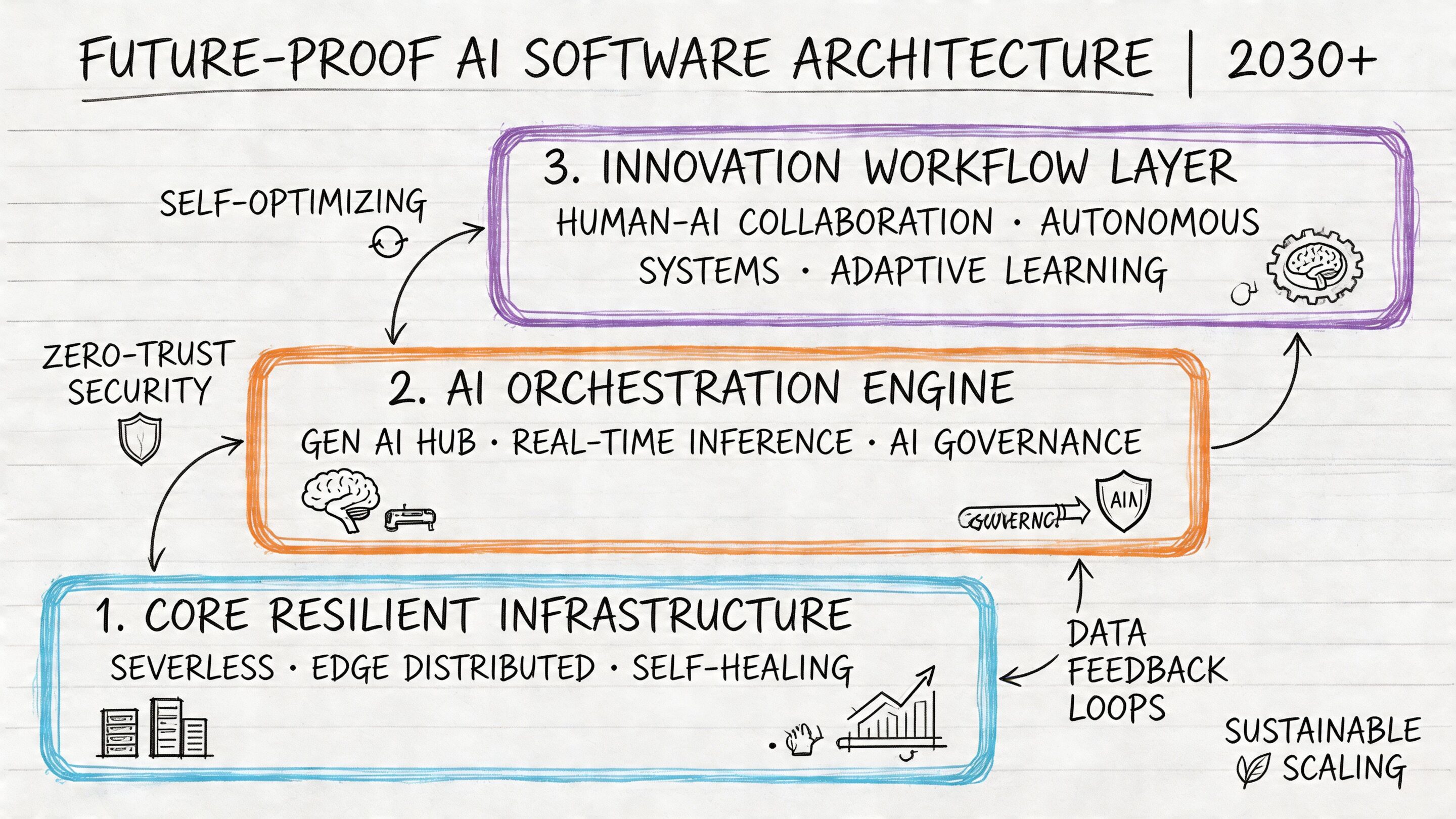
Modernization used to mean moving to the cloud, improving performance, and cleaning up integrations. That’s still important, but it’s no longer enough. If your application can’t support intelligent workflows, your software will feel dated long before the codebase technically expires.
AI changes how users search, how staff resolve cases, how products recommend next actions, and how operations teams detect unusual patterns. For ecommerce, that can mean better product discovery and personalization. For fintech, it can mean anomaly detection and workflow support. For healthcare and public-facing services, it can mean faster navigation of complex information with tighter human review.
Why AI strategy now belongs inside software strategy
Gartner predicts that by 2028, 75% of enterprise software engineers will use AI code assistants, up from less than 10% in early 2023, enabling development teams to deliver projects 20-30% faster and focus on higher-value strategic tasks, according to this summary of the next era of software development.
That forecast matters in two ways. First, your development partner needs to know how to use AI productively. Second, your business needs a plan for AI inside the applications you ship to users and staff. Those are different questions, and both matter.
A practical AI modernization framework
Leaders usually get more value when they treat AI as an application capability, not a standalone feature.
Start with one narrow workflow
Don’t begin with “we need AI everywhere.” Start with a constrained workflow where better predictions, retrieval, summarization, or recommendations can improve speed or quality.
Examples include:
- Support triage for incoming requests
- Product or content recommendations inside customer journeys
- Internal knowledge search across fragmented documentation
- Anomaly review assistance for operations teams
Put guardrails around the model
Most failed AI rollouts aren’t caused by lack of model power. They’re caused by weak governance. Teams need to know which prompts are live, who changed them, what parameters are being passed, how outputs are logged, and what usage is costing.
That’s why AI in enterprise software needs an administrative layer.
Treat prompts like production assets
If prompts shape user outcomes, they need versioning, review, and traceability just like code and configuration do.
When AI is in production, “just try a better prompt” stops being a casual suggestion. It becomes a release decision.
The control layer many teams now need
A useful AI operating model often includes four capabilities:
| Capability | Why it matters |
|---|---|
| Prompt vault with versioning | Tracks prompt history so teams can review, test, and roll back changes |
| Parameter manager | Controls how apps pass internal context and database-backed variables to models |
| Cross-model logging | Creates visibility into requests, outputs, and behavior across integrated AI systems |
| Cost management | Helps leaders monitor cumulative spend and spot inefficient usage patterns |
This is the practical problem a tool like AI development services should help you think through: not just where AI fits, but how it gets governed inside real applications.
One example in the market is Wonderment Apps, which offers a prompt management system built around a prompt vault with versioning, a parameter manager for internal database access, logging across integrated AIs, and a cost manager for cumulative spend visibility. That kind of control panel is useful when you want AI features without turning your application into a black box.
Your Vetting Checklist How to Choose the Right Development Partner
A polished sales call can hide a weak delivery engine. The safest way to choose a partner is to move the conversation away from claims and toward evidence, process, and operating behavior.
You’re not just hiring coders. You’re selecting a team that may shape customer experience, security posture, delivery cadence, and future adaptability. That decision deserves a sharper checklist than “they seemed smart.”
Questions that reveal real capability
Ask about your industry, not just their stack
A team can know React, .NET, AWS, Azure, Kubernetes, or mobile frameworks and still misunderstand your business. Ask what they’ve built in environments like yours and what risks they expect to encounter.
Good signs include specific discussion of workflow constraints, data handling, approval steps, support burdens, and adoption challenges. Weak signs include generic reassurance and recycled platform language.
Ask how they design for change
Software projects rarely stay frozen. Priorities move. New integrations appear. Internal stakeholders learn what they need after seeing early versions.
Ask questions like:
- How do you handle scope changes without losing control of delivery
- What happens when a dependency or integration changes mid-project
- How do you separate urgent fixes from roadmap work
- How do you plan for long-term maintenance
A mature team won’t pretend requirements never change. They’ll show how they manage change without chaos.
The delivery questions buyers often skip
Communication and visibility
You need to know how work becomes visible, not just how it gets done.
Ask for:
- Examples of sprint or milestone reporting
- Who runs delivery meetings and how often
- How risks are surfaced early
- What tools are used for issue tracking, documentation, and decision logs
If the answer is fuzzy before the contract, it usually won’t improve after kickoff.
Security and compliance discipline
You don’t need a lecture full of acronyms. You need clear operating habits.
Look for answers that cover:
- Access controls and environment separation
- How they review code and test releases
- How they document integrations and sensitive workflows
- What they do when handling regulated or confidential data
Ask vendors to describe their process when something goes wrong. Their incident response mindset tells you more than their marketing deck.
A simple scoring lens
You don’t need a giant procurement matrix. A small decision grid can reveal a lot.
| Area to score | What strong answers sound like |
|---|---|
| Industry fit | They understand your workflows and likely failure points |
| Architecture thinking | They explain trade-offs, not just technologies |
| Delivery maturity | They show how work is planned, tracked, and communicated |
| Support model | They explain what happens after launch |
| AI readiness | They can discuss governance, logging, prompt control, and cost visibility where relevant |
| Team fit | Their working style matches your organization’s pace and decision habits |
Leaders often overvalue technical charisma and undervalue operational steadiness. In enterprise work, steady usually wins.
From Code to Capital Measuring the ROI of Your Software Investment
The board doesn’t care that your team moved from a monolith to services. Finance won’t celebrate because you adopted a cleaner deployment pipeline. Those things matter, but only when they improve business outcomes.
The point of enterprise software development services is to turn software into a better operating system for the company. That means less friction, faster execution, stronger user experience, and better room to grow.
What to measure instead of vanity metrics
Useful ROI conversations usually center on operational and commercial outcomes.
Track changes like:
- Cycle time reduction in internal workflows
- Lower support burden because users can complete tasks without assistance
- Higher conversion or retention when customer journeys become smoother
- Faster release cadence because the team can ship safely
- Reduced manual effort after integrations and automation remove duplicate work
You can also track adoption quality. If a tool launches on time but staff avoid it, the software didn’t succeed. It merely shipped.
What success looks like in practice
A few common before-and-after patterns show up across industries:
Internal operations example
A business replaces email-and-spreadsheet approvals with a centralized workflow app. Managers stop chasing status manually. Finance gets cleaner reporting. Staff spend less time on clerical follow-up and more time on exception handling.
Customer experience example
A commerce platform simplifies search, account management, and personalized recommendations. Users find products faster, support tickets fall, and the business gets a more stable foundation for ongoing testing.
AI modernization example
A team adds AI-assisted search or triage into an existing application, but wraps it with prompt governance, logging, and cost visibility. Leaders can then evaluate whether the feature is improving service quality without losing operational control.
If you’re budgeting a project and need a grounded planning lens, this guide to the cost of software development is a useful companion because it helps frame costs against delivery scope, complexity, and long-term value.
Software becomes capital when it keeps producing returns after launch. That usually comes from better workflows, better decisions, and better customer experiences.
A good partner will help you define those outcomes before design starts. A great one will keep tying technical decisions back to them throughout the engagement.
If your business is modernizing legacy software or planning AI features inside web and mobile products, a practical next step is to book a demo with Wonderment Apps. Ask to see how a prompt management system handles prompt versioning, parameter control, cross-model logging, and cumulative AI cost visibility inside a real application workflow.