

Your product probably still works. Customers can log in. Orders still move. Reports still run.
But the team hesitates every time someone suggests a new feature, an API update, or an AI integration. Releases feel riskier than they should. Small requests take too long. Support tickets linger because nobody wants to touch the part of the codebase that “always breaks something else.”
That’s what maintenance of software looks like in practice. Not dramatic collapse. Slow friction.
Founders often treat maintenance like building upkeep. Keep the lights on, patch a few issues, move on. In practice, maintenance determines whether your product can scale, whether your team can ship with confidence, and whether AI modernization is realistic or just a slide in a roadmap deck. A brittle application can’t absorb much change. A well-maintained one can.
The businesses that manage this effectively stop thinking in terms of “bug fixes” and start thinking in terms of system fitness. They maintain the code, the infrastructure, the integrations, the documentation, and the delivery process. That’s also where modern administrative tooling matters. If you’re adding AI to an existing app, you need more than prompts pasted into source files. You need versioning, auditability, logging, and cost visibility from day one.
Beyond Bug Fixes The Strategic Value of Software Maintenance
A familiar pattern shows up when a company starts growing. The product that got the business to this point becomes the thing slowing it down.
A retailer wants better personalization, but the catalog service is tightly coupled to a checkout flow written years ago. A fintech team wants to add AI-assisted workflows, but nobody trusts the current integration layer. A healthcare platform needs cleaner audit trails, but support engineers are still spending their week chasing production issues. The software isn’t “down.” It’s just too stiff to evolve.
That’s why maintenance of software deserves a seat in strategy conversations, not just engineering standups.
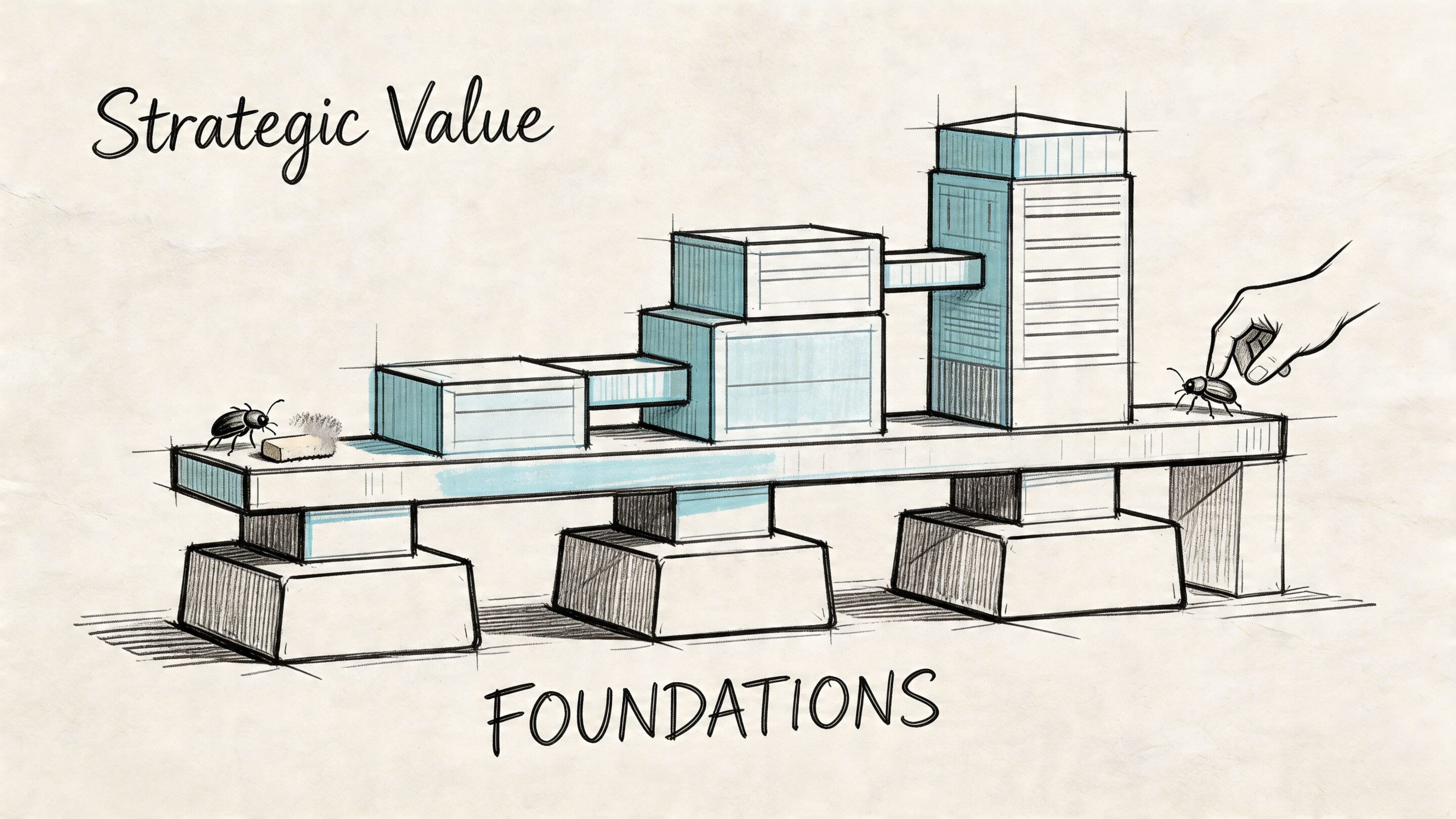
Maintenance protects momentum
When leaders hear “maintenance,” they often picture developers fixing defects after launch. That’s only a slice of the work. Good maintenance also means keeping dependencies current, reducing operational risk, improving performance, tightening security, and clearing the path for new capabilities.
That’s why maintenance often acts more like product enablement than overhead.
A simple analogy helps. Think of your application like a distribution center. If the floor plan is clean, inventory is labeled, and routes are predictable, you can add a new conveyor line without chaos. If every aisle is cluttered, every improvement becomes a disruption.
Practical rule: If every release feels dangerous, your maintenance problem is already a growth problem.
It’s also the foundation for modernization
AI doesn’t remove the need for maintenance. It raises the bar for it.
Teams integrating language models into desktop or mobile applications need tighter governance, not looser. Prompts change. Model behavior changes. Access to internal data has to be controlled. Logs have to tell you what happened when a response went wrong. Costs need to be visible before they become a surprise.
That’s why digital transformation efforts usually succeed when leaders treat maintenance as part of the operating model, not the clean-up crew. If you’re mapping that broader shift, Wonderment’s thinking on digital transformation strategy is a useful companion.
Maintenance isn’t the opposite of innovation. It’s what makes innovation deployable.
The Four Faces of Effective Software Maintenance
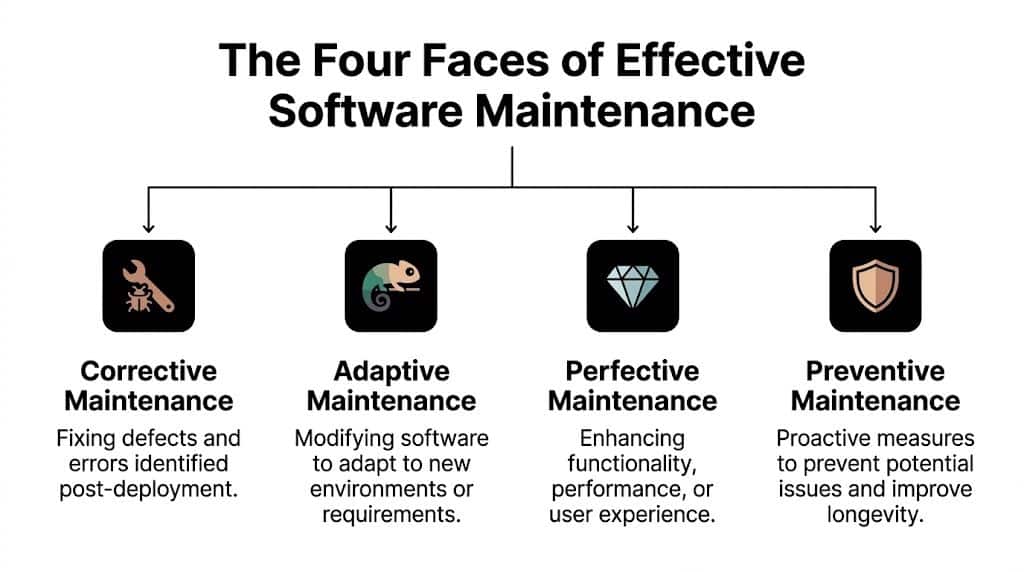
Most non-technical leaders hear one word, maintenance, and assume it means one activity. It doesn’t. It covers four different kinds of work, and each one solves a different business problem.
A classic car is a useful analogy. Owning it isn’t just about fixing breakdowns. You also adapt it to changing road conditions, improve the ride, and do routine work that keeps the engine from failing at the worst moment.
Corrective maintenance
This is the break-fix work everyone recognizes. A defect appears in production. Something crashes, calculates the wrong value, or behaves inconsistently. The team investigates and patches it.
Corrective maintenance matters, but it shouldn’t dominate the plan. According to Orchestrate, corrective maintenance accounts for only 20% of all software maintenance activities, while the remaining 80% falls into adaptive, perfective, and preventive work. The same source notes that moving from reactive support to proactive monitoring can produce ROI within 6-12 months through lower incident overhead and better stability (Orchestrate’s guide to effective software maintenance).
If your team spends most of its energy here, you’re driving with the hood up.
Adaptive maintenance
The world around your software changes even when your product roadmap doesn’t.
Operating systems update. Payment gateways revise APIs. Browsers deprecate behavior. Mobile devices change screen conventions. Security rules tighten. Your software has to adapt or it slowly falls out of compatibility.
This work doesn’t always feel urgent until the day it is. Then the business calls it an outage.
A product owner should expect adaptive maintenance whenever the application depends on:
- Third-party services: Payment processors, CRMs, shipping providers, analytics platforms
- Platform updates: iOS, Android, browser engines, cloud services
- Regulated workflows: Compliance obligations that affect data handling, identity, or reporting
Perfective maintenance
Here, many teams win back speed.
Perfective maintenance improves what already works. Maybe the search is too slow. Maybe onboarding is clunky. Maybe the admin panel takes too many clicks. Maybe a back-office workflow needs automation. Nothing is broken, but the software can be better.
This is also where product and engineering should spend more time together. Perfective work often delivers the kind of improvements leaders care about most: smoother operations, happier users, faster releases, and room for features that the original architecture didn’t anticipate well.
Maintenance becomes strategic the moment it starts improving throughput, not just preventing failure.
Preventive maintenance
Preventive maintenance is the oil change nobody celebrates until it’s skipped.
It includes refactoring risky areas, improving test coverage, cleaning up outdated dependencies, strengthening documentation, and simplifying code paths before they cause incidents. This work rarely produces a flashy launch announcement. It does produce calmer release days.
A simple way to think about the four types is this:
| Maintenance type | Business meaning | Car analogy |
|---|---|---|
| Corrective | Fix what failed | Repair a flat tire |
| Adaptive | Keep up with external change | Modify the engine for new fuel |
| Perfective | Improve performance or experience | Tune suspension for better handling |
| Preventive | Reduce future risk | Change the oil before damage starts |
The healthiest software organizations don’t eliminate corrective work. They stop letting it consume the entire budget.
Building Your Maintenance Blueprint Costs and Governance
Software gets sold like a project and lived like an operating expense.
That gap causes trouble. Leaders approve a build budget, launch the product, and then act surprised when the system keeps demanding attention. In reality, the maintenance of software is where a large share of ownership cost lives.
What the economics actually say
According to the widely cited 60/60 rule, about 60% of a software product’s total lifecycle expenses are dedicated to maintenance, and 60% of those maintenance costs are tied to enhancements rather than simple bug fixing. The same source notes that for a $1 million initial development effort, maintenance over the product’s life can exceed $1.5–2 million. It also reports that in 2022, poor software quality cost the US at least $2.41 trillion, including $1.52 trillion in technical debt (Vention’s breakdown of software maintenance costs).
That changes the conversation. Maintenance isn’t an annoying tail after delivery. It is a primary cost center and a primary lever.
If you need a simpler analogue for non-technical stakeholders, website owners often face the same budgeting mistake on a smaller scale. This overview of website maintenance charges is useful because it shows how ongoing support, updates, security, and performance work continue after launch.
Budget for capability, not just emergencies
A practical maintenance blueprint usually separates work into two lanes.
The first lane covers business continuity. Production support, security patching, dependency updates, incident response, backups, and infrastructure reliability live here.
The second lane covers product evolution. Performance improvements, UX refinements, analytics instrumentation, internal tooling, and modernization work live here.
When teams combine both into a single vague “support” bucket, the urgent work crowds out the valuable work. Founders then conclude maintenance produces no strategic return, when, in fact, the issue is that the budget has no structure.
A better review cadence asks:
- What must stay stable: Revenue paths, regulated workflows, customer-facing availability
- What must improve: Slow release areas, aging integrations, costly manual processes
- What must be visible: Risk register, dependency status, incident themes, delivery blockers
Governance that isn’t ceremonial
A maintenance plan needs owners, thresholds, and response rules.
Service expectations should map to business consequences. A checkout issue isn’t handled the same way as a reporting glitch. A broken patient intake flow isn’t in the same class as a cosmetic defect in an internal dashboard.
Use governance to answer plain-language questions:
| Governance area | Leadership question |
|---|---|
| Service levels | How fast do we respond when this breaks? |
| Change approval | Who signs off on risky releases? |
| Risk tracking | Which parts of the system are most fragile? |
| Maintenance backlog | What are we intentionally fixing before it fails? |
If you’re aligning budgets with software ownership, this guide on the cost of software development helps frame why launch cost and lifetime cost should never be treated as the same thing.
The best maintenance plans don’t eliminate surprises. They make fewer of them expensive.
Modern Tooling and KPIs for Peak Performance
A maintenance plan without instrumentation is guesswork with a nice spreadsheet.
Leaders don’t need to read server logs, but they do need a dashboard that tells them whether the product is becoming more stable, more fragile, or more expensive to change. That’s where modern tooling earns its keep.
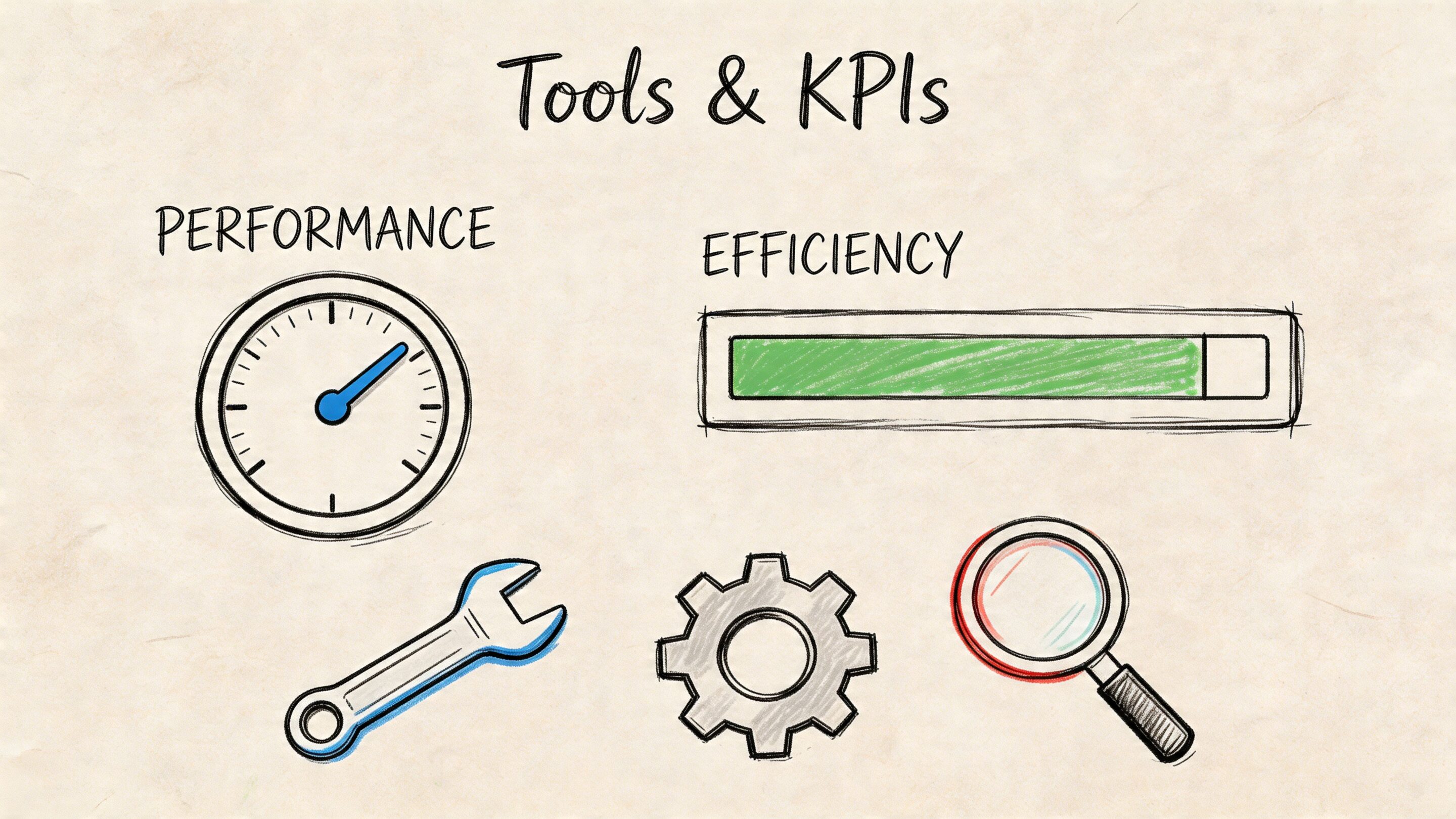
The metrics that actually matter
Many teams collect too much telemetry and too little meaning. A founder or product owner usually needs a short list.
Mean Time to Resolution (MTTR) tells you how long issues stay alive once discovered. If that number keeps stretching, your software is getting harder to diagnose or your team lacks enough context to act quickly.
Change Failure Rate asks a harder question. How often does a deployment cause trouble? This is one of the clearest indicators of system health because it connects engineering activity to business disruption.
Application Availability is the plain-English measure of whether users can use the service when they need it.
Lead Time for Changes shows how long it takes to move a validated improvement into production. If it keeps lengthening, the maintenance burden is eating delivery speed.
If reliability metrics stay flat while delivery slows, the codebase may still be “working” while your operating model deteriorates.
The tooling behind the numbers
These KPIs don’t appear by magic. Teams need a toolchain that captures reality.
A practical stack often includes:
- Monitoring platforms: Tools such as New Relic or Datadog for alerts, infrastructure views, and application performance signals
- Observability layers: Logs, traces, and metrics tied together so engineers can follow a problem across services
- CI/CD pipelines: Automated build, test, and deployment workflows that reduce manual release risk
- Error tracking: Tools that group failures, surface regressions, and give product teams a shared view of impact
- Feature controls: Flags and staged rollouts that let teams release carefully instead of betting the whole product on one deploy
Knowing when maintenance should become modernization
There’s a point where better tooling doesn’t just improve maintenance. It exposes that the current architecture has become the bottleneck.
The maintenance-modernization paradox is exactly that problem. Traditional maintenance mode can fail to deliver the reliability leaders need, while teams still lack a clear decision rule for when to stop patching and move toward AI-enhanced, cloud-native modernization. The key signals include rising costs and slowing feature delivery, which can indicate that migration is the more cost-effective path, as discussed in this analysis of the maintenance-modernization paradox (YouTube reference).
That doesn’t mean every legacy system should be replaced. It means metrics should inform the decision.
A healthy rule is simple:
- If incidents are rare and delivery is healthy, maintain.
- If incidents are manageable but key workflows are rigid, refactor selectively.
- If every meaningful change creates broad risk, modernization belongs on the board agenda.
Transforming Technical Debt into Technical Wealth
Technical debt gets described like a messy code problem. Leaders should treat it more like a financing problem.
Debt changes the shape of future decisions. It makes each new feature more expensive, increases the chance that a small change triggers a larger issue, and pushes capable engineers into defensive work instead of forward motion. The code may still compile. The business still pays interest.
What debt looks like outside engineering
You usually don’t spot technical debt by opening a repository. You spot it in meetings.
A roadmap item gets cut because “that area is too risky.” A release slips because testing has to be mostly manual. A support issue returns because the team applied another workaround instead of fixing the root cause. New hires take too long to become effective because the system logic lives in people’s heads.
Those aren’t separate annoyances. They’re symptoms of a software asset losing agility.
Turn vague concern into a visible list
Most organizations already know where the trouble sits. They just haven’t named it consistently.
Start with a debt register that records:
- Fragile components: Areas that regularly break when touched
- Old dependencies: Libraries or services that nobody wants to update
- Manual workflows: Repetitive support or operations tasks that software should handle
- Knowledge silos: Features only one engineer fully understands
- Deferred cleanup: Temporary fixes that became permanent architecture
This doesn’t need to be fancy. A well-maintained spreadsheet with owners, business impact, and recommended next action is far better than a general feeling of unease.
Debt is manageable when teams can point to it, rank it, and decide what gets paid down first.
Refactor with business intent
The mistake many teams make is paying down debt in a technically elegant but commercially disconnected way. Refactoring should support a business aim.
If checkout changes are scary, stabilize checkout. If reporting logic blocks compliance work, start there. If your AI plans depend on access to internal data and cleaner service boundaries, invest in the parts that enable that path.
The conversation moves from debt reduction to technical wealth. Wealth in software means you own a platform that is easier to extend, easier to observe, easier to secure, and easier to staff.
That’s also why selective modernization often beats endless patching. You don’t need to rewrite everything. You need to improve the parts of the system that create compounding drag. For teams sorting through that decision, Wonderment’s guidance on how to reduce tech debt gives a practical starting point.
A codebase becomes an asset again when each improvement makes the next improvement easier.
Assembling Your Elite Maintenance and Modernization Team
Good maintenance doesn’t come from “some developers when they have time.” It comes from a team model that matches the stage of the product.
The right structure depends on how much change your software needs, how much risk the business can tolerate, and whether you’re maintaining a steady platform or reshaping it.
Three common team models
In-house platform ownership works well when the product is core to the business and leadership wants direct control over priorities, architecture, and delivery rhythm. This model builds internal knowledge well. It can struggle when niche skills are needed quickly, especially around modernization, mobile performance, cloud architecture, or AI integration.
Managed projects fit when a company needs focused momentum for a defined outcome. That could be stabilizing a shaky platform, modernizing a legacy workflow, or integrating AI into an existing product without distracting the internal team from day-to-day commitments. This model usually gives leaders a clearer delivery structure.
Staff augmentation is useful when the internal team is solid but missing specific expertise or bandwidth. It works best when leadership already has strong product ownership and engineering management in place. It works poorly when the underlying problem is lack of direction.
Match the model to the moment
A practical rule of thumb:
| Situation | Best-fit model |
|---|---|
| Stable product, known roadmap, internal technical leadership | In-house team |
| Major platform upgrade or modernization push | Managed project |
| Temporary gap in a critical skill set | Staff augmentation |
What to look for in any team
Whatever model you choose, ask the same questions.
- Can they support the software they build? Some teams love launch work and disappear when the hard maintenance starts.
- Can they explain trade-offs in business language? You need more than technical competence.
- Can they work across product, design, QA, and operations? Maintenance is cross-functional.
- Can they modernize safely? Especially if AI, compliance, or customer-critical workflows are involved.
The strongest partners don’t just close tickets. They help leadership decide what should be maintained, what should be improved, and what should be replaced.
Software Maintenance Strategies in the Real World
Maintenance theory sounds sensible in a planning deck. It becomes convincing when you look at how different industries use it.
Ecommerce and retail
An ecommerce team usually feels maintenance pain first in conversion paths and operations.
A search experience slows down. Promotions don’t behave consistently across devices. Product data arrives from too many systems with too many quirks. The platform still functions, but every campaign creates more operational strain than it should.
Perfective maintenance helps here. Teams tune search logic, clean up catalog sync jobs, simplify checkout friction, and improve admin tooling so merchandisers can move faster without engineering help on every request.
Preventive work matters too. Dependency updates, observability around checkout events, and a disciplined release pipeline lower the chance that a busy sales period turns into a war room.
Fintech and SaaS
Fintech teams live with a different pressure. Reliability and change discipline matter as much as feature velocity.
Adaptive maintenance often takes center stage because external requirements keep moving. APIs change. Authentication standards evolve. Reporting obligations shift. Internal controls need to be reflected in software behavior.
Disciplined release management and strong operational hygiene are essential. If you need a non-technical explainer for one piece of that discipline, this overview of patch management is a practical way to frame why routine updates are part of risk control, not just IT busywork.
Healthcare and wellness
Healthcare applications carry little tolerance for ambiguity.
Preventive maintenance is often the quiet hero. Teams review access patterns, tighten auditability, improve documentation, and reduce points of failure in patient-facing flows. Even when the product roadmap is ambitious, the maintenance plan has to preserve trust and keep operational surprises small.
The work may feel unglamorous, but clean logs, predictable integrations, and well-understood release procedures make compliant software easier to operate.
In regulated environments, maintenance discipline is part of the product experience. Users may never see it, but they feel its absence immediately.
Media and content platforms
Media systems often expose architectural weaknesses during spikes, launches, or heavy content cycles.
Corrective maintenance may solve the immediate production issue, but media teams usually benefit more from a mix of perfective and modernization work. Caching behavior, content workflows, rendering paths, and infrastructure elasticity all need attention if the platform is expected to handle sudden demand gracefully.
The business lesson across these industries is consistent. Reactive support keeps software alive. Planned maintenance keeps it useful. Modernization keeps it competitive.
The Future Is Intelligent Maintenance Your AI-Powered Advantage
The next step in maintenance of software isn’t just better discipline. It’s better intelligence.
Many leaders already understand that maintenance consumes real budget and real attention after launch. The harder problem is deciding how much to spend, where to spend it, and how to lower risk without freezing progress. Pretius notes that around 60% of software lifecycle costs stem from maintenance, while many organizations still lack a framework for balancing profit, risk, and post-launch system health (Pretius on system maintenance).
That framework gets more important once AI enters the picture.
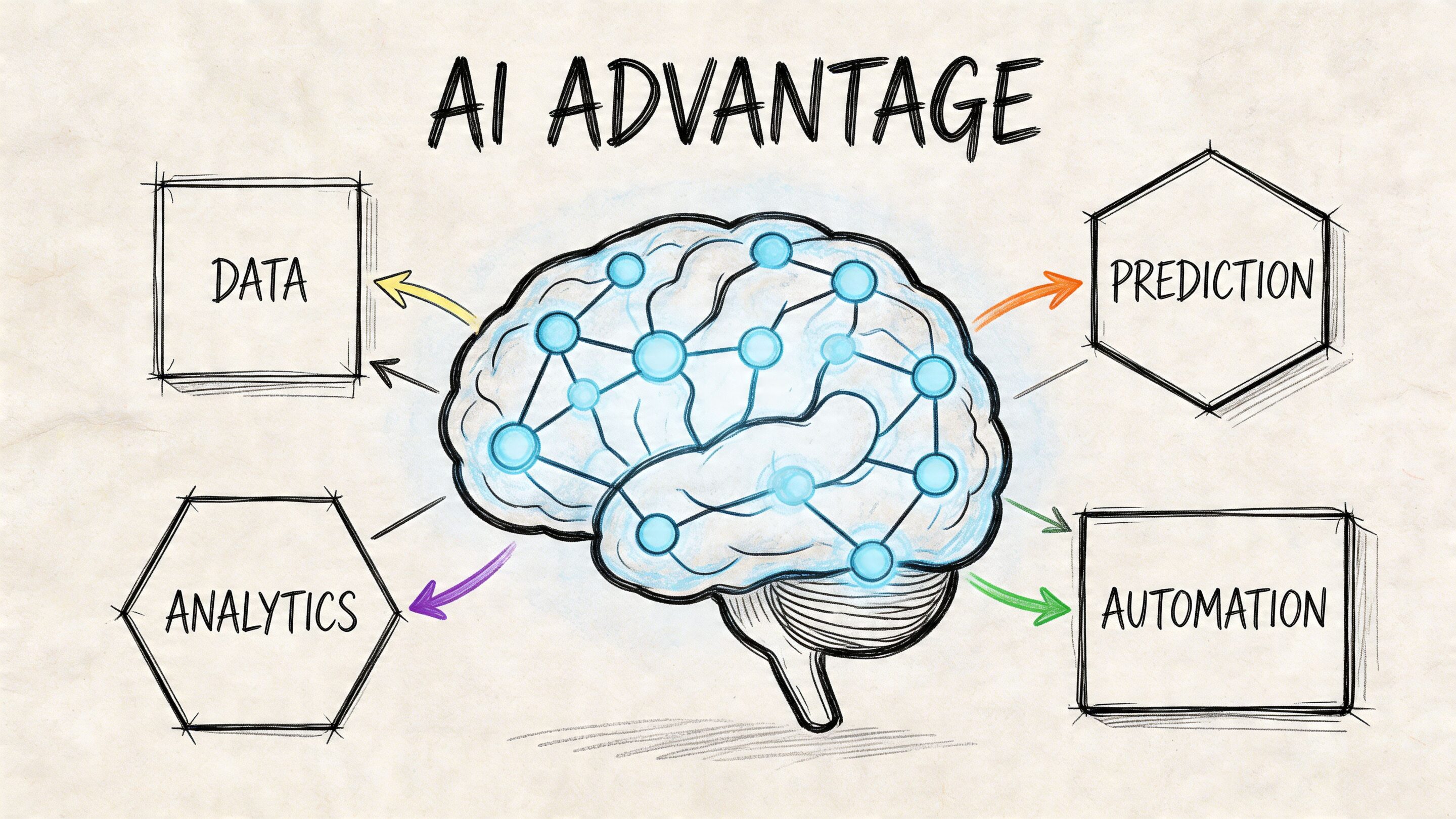
Intelligent maintenance changes the operating model
Traditional maintenance asks, “Did something break?”
Intelligent maintenance asks better questions:
- Which parts of the product are becoming costly to change
- Which prompts, models, or workflows are drifting over time
- Which incidents repeat because the team lacks operational visibility
- Which AI features need stronger controls before they scale
That shift matters because AI-integrated products create a new maintenance surface. You’re not only maintaining code. You’re maintaining prompts, parameters, model selection, access patterns, logs, and spend controls.
The administrative layer most teams are missing
In this situation, a dedicated tool helps more than another ad hoc script.
One option is the Wonderment Apps prompt management system, which is designed as an administrative layer that can plug into an existing application during AI modernization. It includes a Prompt Vault with versioning, a Parameter Manager for controlled access to internal database inputs, a logging system across integrated AI tools, and a cost manager that lets teams track cumulative model spend.
Those functions map directly to the maintenance problems that show up in AI-enabled products:
| Need | Why it matters |
|---|---|
| Prompt versioning | Teams need consistency and rollback options |
| Parameter control | Data access should be deliberate and auditable |
| Unified logging | Diagnosis gets much easier when activity is visible |
| Cost tracking | AI usage needs governance, not guesswork |
What a smart next step looks like
If your product is already carrying maintenance burden, adding AI without governance will usually magnify it. If your maintenance practice is disciplined, AI can become a force multiplier instead.
A sensible path looks like this:
- Stabilize core workflows so your critical journeys aren’t brittle.
- Instrument the system so performance, incidents, and release quality are visible.
- Pay down selective debt in the areas that block delivery or AI adoption.
- Add an administrative layer for AI operations so prompts, logs, and costs are governed like the rest of the product.
That’s the difference between bolting AI onto a fragile stack and building software that can evolve for years.
If your team is deciding whether to keep patching, refactor selectively, or modernize with AI in a controlled way, talk to Wonderment Apps. We help organizations turn aging products into scalable, well-governed systems, and we can show you how the prompt management platform fits into that journey with a live demo.