

The most popular advice in any Angular vs ReactJS debate is simple, and it's wrong in an expensive way. It says pick the most popular tool, hire the most available developers, and you'll be safe. Popularity helps you hire. It doesn't tell you how five squads will share forms, who governs your libraries in year three, or what breaks when a dashboard grows deep and busy.
Think of the choice as an operating decision. You're buying a set of defaults your second, third, and tenth team will inherit, plus a hiring pool to staff them. Treat those as separate questions and the answer gets much clearer.
Angular vs ReactJS at a Glance
Pick ReactJS as the practical default for a new interactive product when you want a wide hiring pool, composable UI, and room to ship screens in slices. Pick Angular when several squads must share one official way to handle routing, forms, HTTP, dependency injection, and testing for years. That's the whole argument in two sentences. Everything else is cost detail.
Angular vs ReactJS decision snapshot
| Criterion | Angular | ReactJS |
|---|---|---|
| Product type | Full framework and platform | UI library plus a chosen ecosystem |
| Language | TypeScript by default | JavaScript or TypeScript |
| UI model | Templates, components, dependency injection | JSX, function components, and hooks |
| Built-in scope | Router, forms, HTTP, CLI, and test tooling | Rendering core, router and data tools chosen separately |
| Default state | Services with signals or RxJS, NgRx for complex shared flow | Local state and context, Redux Toolkit or Zustand when shared |
| Change detection | Tree checks, with OnPush to skip stable subtrees | Render then reconcile, memo and tight state boundaries |
| Learning curve | Steeper start, more consistent across squads | Faster start, more library decisions later |
| Talent signal | Smaller, more specialized pool | Broader hiring and learning pool |
| Best first fit | Long-lived regulated or multi-squad admin systems | Interactive surfaces and incremental modernization |
Two costly mistakes hide behind that table. First, ReactJS isn't only a view layer in a real app. Your router, data cache, form library, and design-system rules are part of the bill, even though nobody invoices you for choosing them badly. Second, Angular isn't automatically faster or safer. It's more prescriptive, which helps only if your teams follow the prescriptions.
Survey share measures access to developers, not audit cost or defect rate.
Either stack can host modern AI features, which is why a rewrite is rarely step one. Our prompt management system is an administrative tool that plugs into an existing app or software product to add AI without rebuilding the front end. We'll go into detail on a demo near the end. For now, remember the order: decide governance and lifespan first, test AI value second, argue about logos last.
Adoption Numbers and What They Do Not Prove
Read adoption numbers the way a hiring manager reads a resume pile: they tell you how many candidates exist, not how well any of them will perform. React's lead is real, it has held steady for years, and it still doesn't answer the question you're asking.
React and Angular adoption signals
| Signal | React | Angular | When |
|---|---|---|---|
| Stack Overflow respondents using it | 40.58% (29,137) | 17.46% (12,537) | 2023 survey |
| Stack Overflow want to work with it | 42.87% | 19.89% | 2023 survey |
| Stack Overflow all respondents | 39.5% | 17.1% | 2024 survey |
| Stack Overflow professional developers | 41.6% | 19.4% | 2024 survey |
| Weekly npm downloads | 33,918,683 | 3,683,390 | March 2025 |
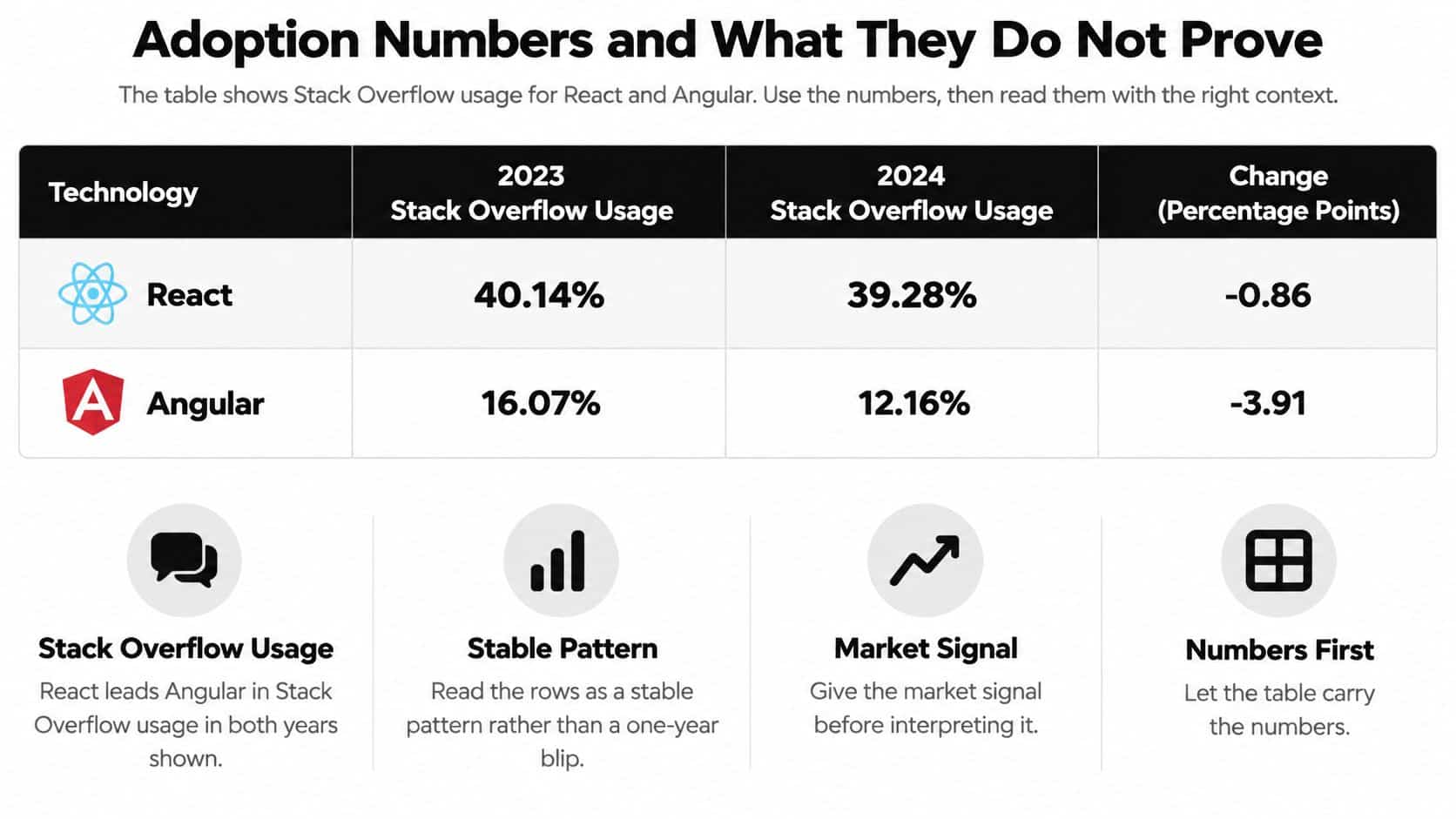
The Stack Overflow 2023 Developer Survey, conducted from May 8 to 19, 2023 with more than 90,000 respondents, counted 29,137 developers using React against 12,537 using Angular, about 2.3 times as many. Want-to-work-with interest ran the same direction, which suggests the gap feeds itself: developers learn what employers post, and employers post what developers already know. The Stack Overflow 2024 Developer Survey summary put React at 39.5% of respondents and Angular at 17.1%.
Among professional developers specifically, the Stack Overflow 2024 survey technology results gave React a 41.6% usage share and Angular 19.4%. Package activity agrees, since InfoWorld's March 2025 npm figures recorded 33,918,683 weekly React downloads against 3,683,390 for Angular. Downloads inflate with CI builds and tutorial traffic, so treat them as a directional signal rather than a count of real production apps.
What the gap buys and what it does not
- Easier recruiting: More candidates, more tutorials, and more third-party examples for ecommerce, SaaS, media, and public sites.
- Faster problem solving: Common React errors usually have a public answer your team can find quickly.
- No compliance discount: Popularity doesn't lower audit cost, defect rates, or upgrade risk.
- No governance for free: React's larger share can fragment architecture when every squad picks its own router, state library, and test style.
That last bullet is where leaders misread the chart. A bigger talent pool raises the ceiling on staffing speed; it does nothing for the floor on consistency. Angular's smaller share can suit organizations that want fewer competing patterns, because a prescriptive framework narrows the space of choices a new hire can get wrong. The survey gap is a hiring signal, so weigh it against the things surveys never measure: how strictly your teams need shared conventions, how long the product will live, and how expensive a migration would be if you guess wrong.
Check your local market before you trust a global percentage. These surveys aren't a census of every team, and a city full of enterprise Angular engineers changes your math more than a worldwide average does. If your pipeline already produces senior Angular developers, the "rarer" skill may be the cheaper hire for you.
Architecture Learning Curve and State
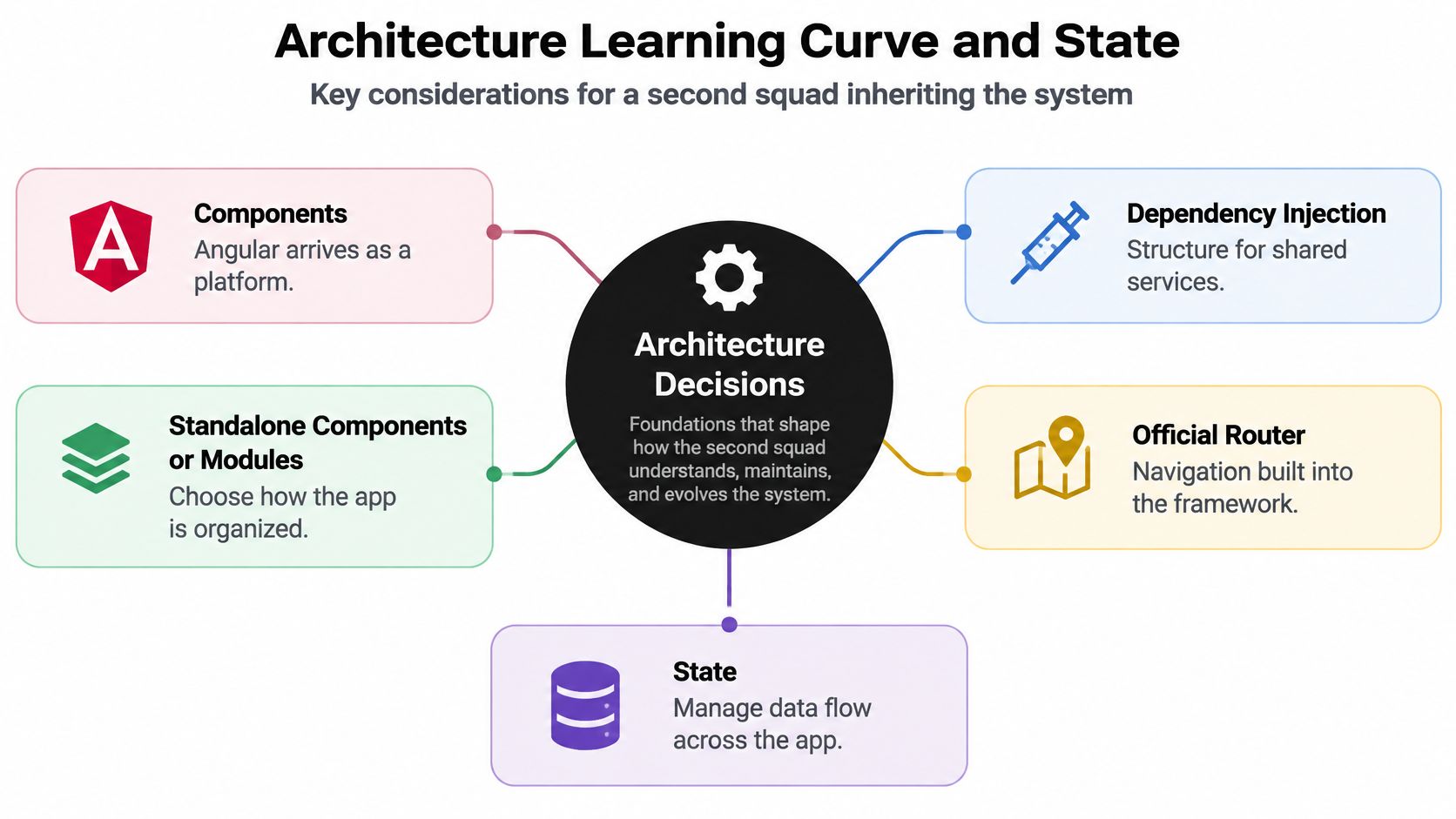
Architecture is the set of decisions a second squad inherits without being in the room. That framing matters more than syntax. A tidy demo can become a maintenance tax when a new team has to guess where data lives, how forms validate, and which component owns a permission check.
What Angular hands you on day one
Angular arrives as a platform. You get components, dependency injection, standalone components or modules, an official router, template-driven or reactive forms, HttpClient, a CLI, and a built-in testing story. TypeScript is the normal language, so types guide refactors early.
The early curve is real. Newcomers meet dependency injection, RxJS or signals, and change-detection vocabulary at the same time, and that first month can feel dense. After that climb, a new squad has fewer places to invent a private style. Say you're building a multi-step insurance underwriting desk. Reviewers, brokers, and auditors touch the same workflow for years, so identical form handling and service boundaries save you arguments every sprint.
What ReactJS leaves open on purpose
ReactJS arrives as a UI library built around function components, JSX, hooks, and one-way data flow. Your team adds React Router or a framework router, a server cache such as TanStack Query, and a form library. That freedom is why a prototype feels fast.
It's also why two product teams can drift apart. One squad caches server data in one place, another stuffs it into global state, and soon a shared header behaves differently on two routes. Say you're running a media homepage that swaps modules weekly for campaigns and live events. React composition shines there because editors and engineers can rearrange surfaces without negotiating a platform-wide pattern each time.
State without the sprawl
Keep React state local with useState first. Lift it only when siblings share it, and reserve context for low-frequency values such as theme or session. Reach for Redux Toolkit or Zustand when distant screens share frequent updates, not because a tutorial started there.
In Angular, start with services plus signals or RxJS. Add NgRx when a fintech ledger, claims workflow, or large admin console needs explicit events and traceable transitions that an auditor can follow. If a state change can't explain who triggered it and why, your tool choice won't rescue you.
Week-one standard: Freeze one router, one data-access pattern, one form approach, and one place for shared UI rules before feature work spreads.
New hires confuse library count with flexibility. Flexibility helps when product needs diverge. It hurts when identical problems get three answers. Write the standard down, put examples in the repo, and make the easy path the approved path. Your future self, debugging at midnight, will say thanks.
Performance Controls for Deep Component Trees
There's no universal speed winner in Angular vs ReactJS. There's only a workload, a tree shape, and a lever you either pull correctly or don't. Anyone who quotes a winner without naming list size, update frequency, and bundle strategy is selling you a slogan.
Two models for deciding what updates
Angular's change detection walks the component tree to see whether bindings need DOM updates, and the Angular runtime performance guidance warns that frequent checks across a large tree can cause slowdowns. OnPush checks a component primarily when an input changes, a local event fires, or the component is explicitly marked for checking. That lets you skip quiet subtrees, but only when inputs stay immutable or identity-stable and you avoid broad state changes.
React compares newly rendered elements with its previous internal representation and updates only DOM nodes it determines have changed, yet the render work itself still costs time. The React memo documentation describes memo as an optimization rather than a guarantee and recommends it mainly when a component re-renders frequently with identical props and expensive rendering logic. Unstable object or function props cancel the savings, and context that changes for unrelated consumers does the same. Our deeper notes on React performance optimization walk through profiling those boundaries in practice.
Performance lever by workload
| Workload | Lever in Angular | Lever in React | Check before shipping |
|---|---|---|---|
| Long ecommerce catalogue | Virtualize the list and keep row identity stable with OnPush inputs | Virtualize the list and keep row keys stable with memo on rows | Interaction time on filter and scroll |
| Fintech dashboard with ticking prices | Isolate ticking values in a child component with OnPush | Isolate ticking state so sibling panels do not re-render | Render count of stable sibling panels |
| Deep admin tree with rare edits | Skip work at the subtree boundary with OnPush | Keep state local and avoid context for frequently changing values | Change-detection or render frequency per edit |
Profile before you sprinkle. Flipping every Angular component to OnPush without measuring detection frequency can hide stale views. Wrapping every React component in memo without stabilizing props adds comparison cost and false confidence.
Try this habit instead. Measure one hot screen, change one boundary, and keep the result only if interaction time drops. A catalogue needs virtualized rows, a ticking dashboard needs isolated state, and a quiet admin tree needs subtree skipping. Same discipline, different dial.
Starter Structures for Large-Scale Apps
Compare skeletons, not logos. If both stacks use the same folder names, an engineer moving between teams finds the routes, data code, and tests on day one. That small kindness compounds across hiring and support.
One feature folder in both stacks
- Angular slice: Create
features/claimswith its routes, a standalone component, a service that exposes signals, and a spec file. Put shared tokens in a design-system library, not in a random shared folder. - Presentational Angular component: Set
changeDetectionto OnPush and pass an immutable input from the parent. Keep API calls out of the view so the component stays easy to test. - React slice: Create the same
features/claimsfolder with a route module, auseClaimshook that wraps the data cache, a presentational component that receives props, and a test beside it. Add memo to rows only after profiling shows repeated identical props.
Notice what's identical. The feature owns its route, its data access, its display pieces, and its tests. The framework changes the file contents, not the ownership map.
Shared rules that keep slices honest
- One router: No team introduces a second navigation model for a single feature.
- One data-access pattern: Every feature fetches, caches, and handles errors the same way.
- One form approach: Validation messages and disabled states look and behave consistently.
- One lint configuration in CI: Style debates end in the pipeline, not in pull request comments.
Test each slice at three levels. A component test proves rendering, a contract test protects the API shape, and an accessibility check runs in the pipeline before release. Skip the contract test and your shiny new folder structure still breaks when the backend renames a field.
Tooling, Staffing and Scale to Millions
Components don't scale a business. The system around them does, including generators, tests, design ownership, hiring, caching, and the people who answer alerts. Pick tooling that reduces arguments your teams don't need to have twice.
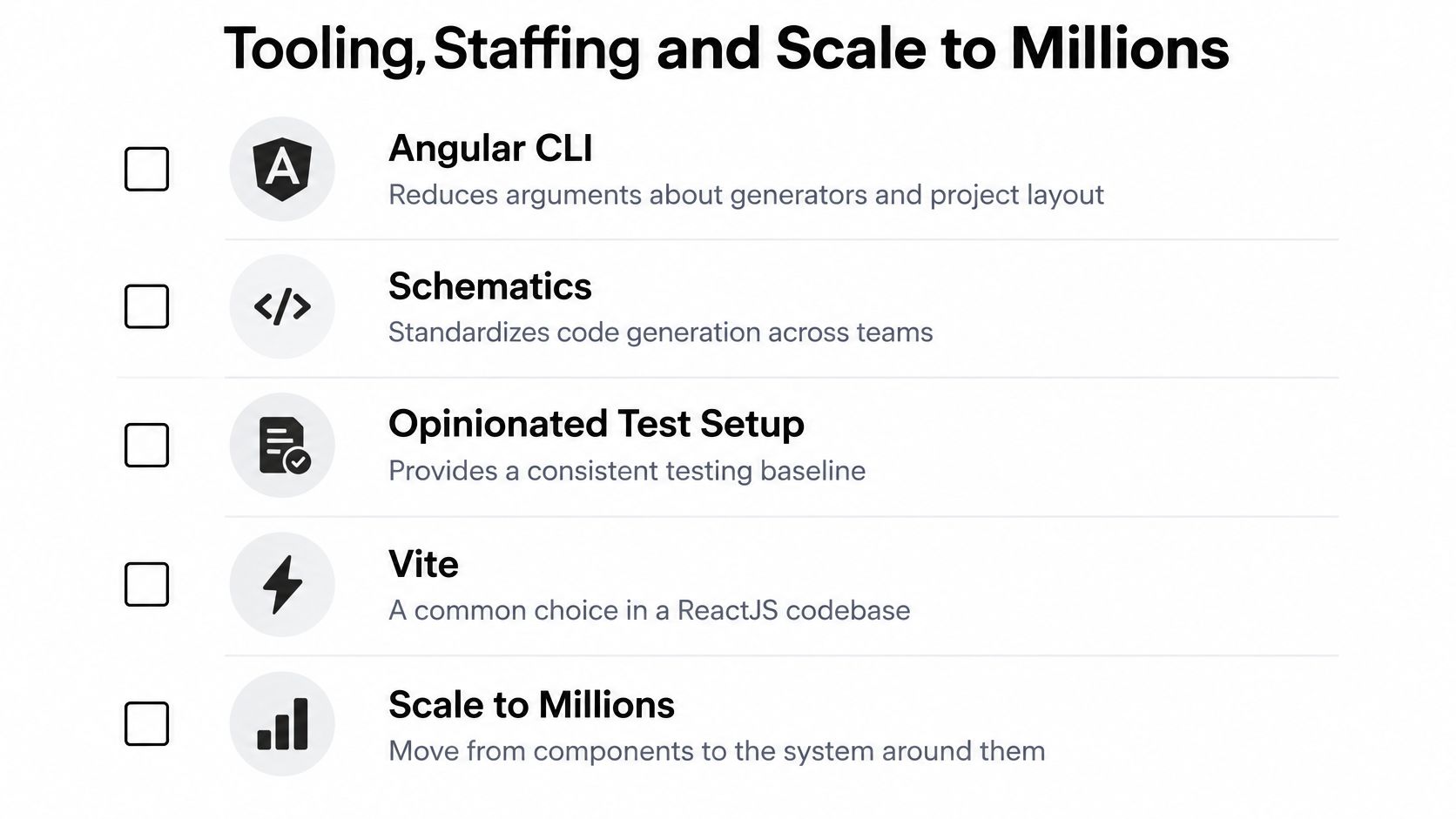
Angular's CLI and schematics standardize project layout and code generation, and its opinionated test setup gives squads a common baseline. A ReactJS codebase more often combines Vite or a full-stack framework with Testing Library, Vitest or Jest, and a separately chosen linter and folder convention. Neither replaces a design system. Shared tokens, component ownership, and accessibility checks matter more than the framework once several squads ship.
Staffing follows the talent signal
React roles are usually easier to fill and easier to pair with mobile work. Our mobile team keeps up with the most up-to-date developments on iOS, Android, and React, which helps when web and mobile roadmaps overlap. Angular roles are fewer and often come from enterprise codebases, which can help regulated programs that need patience with conventions.
If you're building a junior pipeline rather than hunting only senior specialists, HiredBySkill's guide to junior developer jobs is a useful starting point for understanding entry-level expectations. Score candidates on state boundaries, tests, and design-system discipline, not hook or RxJS trivia. Trivia winners can still ship tangled state.
Scale is a budget, not a setting
Plan code splitting, image and list budgets, server rendering or hydration where the first view is public, caching, and autoscaling. Use one worked rule: a product list targets a fixed JavaScript budget per route, lazy-loads checkout, and virtualizes any list your team expects to grow long. New rendering features still need tests for caching, accessibility, and authorization, not version-number celebration.
Our Managed Projects work builds highly performant, intuitively designed technology that can support up to millions of users per day. Custom AI integrations can add anomaly detection, self-healing, and autoscaling to keep applications reliable, with human sign-off for scaling changes that affect cost or customer access. Let AI flag a latency spike at 2 a.m. Let a person approve the expensive fix.
Best Fit by Product and Risk
Feature lists won't make this decision. Situations will, especially product lifespan, risk profile, and how many teams must cooperate without stepping on each other.
Which stack fits which product
| Situation | Lean toward | Flip if |
|---|---|---|
| Content or media site with frequent layout change | ReactJS | One platform team must enforce a single enterprise standard |
| Ecommerce catalogue and personalization | ReactJS | The same squad owns a heavily regulated back office |
| Fintech or healthcare admin with audit trails | Angular | The hiring market cannot staff Angular and governance is already strong |
| Government or nonprofit portal | Angular for one platform team | Several vendors must contribute and library choices are frozen |
| Mobile companion beside a web product | ReactJS | The product is a strict extension of an existing Angular design system |
| Existing estate being modernized | Keep the current core | A measured boundary has more value than the migration risk |
A content-heavy media site usually leans ReactJS because teams ship islands, iterate layout, and hire broadly. An ecommerce catalogue can work in either stack if the design system is strict. ReactJS has the edge when merchandising UI changes often, while Angular fits when the same platform team also owns a complex back office.
A fintech or healthcare admin console leans Angular for a different reason. Dependency injection, official forms, and a shared test style reduce one-off patterns around audit trails and role boundaries. If you want a broader method for weighing those constraints, our guide on choosing the right technology stack for your project pairs well with the table here.
Accept Angular's smaller labor pool when standardized structure lowers operating risk, and accept React's extra governance work when talent supply and UI velocity dominate.
Government and nonprofit portals hinge on team topology. One platform group favors Angular conventions, while several vendors favor ReactJS for its wider labor pool if a lead architect freezes library choices. A mobile companion also leans ReactJS, and our mobile team keeps up with the most up-to-date developments on iOS, Android, and React. Lifespan and risk outrank any generic winner.
Modernize in Place Before You Rewrite
Most businesses don't have a greenfield problem. They have a working app, paying users, and a roadmap that can't pause for a heroic rewrite. That is the question many comparisons skip, because popularity rankings describe who is hiring, not which stack will carry your product for the next several years.
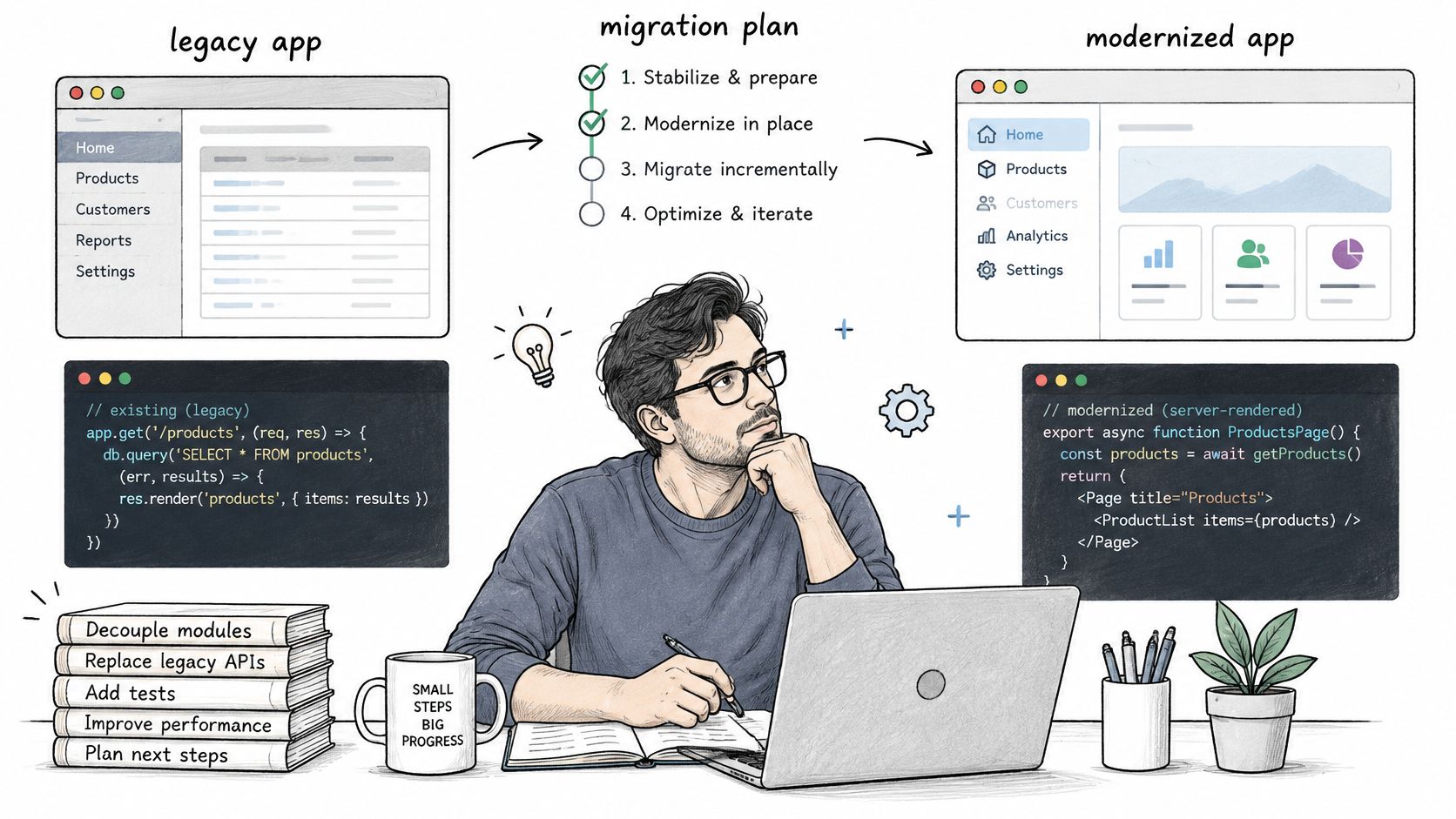
The Stack Overflow migration tag contains more than 11,000 questions, including current Angular 19 server-side-rendering upgrade failures. Treat a framework swap as an operations project. Map the blast radius, name a rollback path, and move only a boundary with measurable value such as checkout, personalization, or an authenticated workflow.
Default to coexistence. Share API contracts and design tokens, isolate legacy screens, and introduce strangler-pattern routes one slice at a time. A React island can sit inside an older platform, and stable Angular admin modules can stay put to avoid needless regression. Our guide to refactoring legacy code explains how to sequence that work without freezing delivery. Test SSR, caching, accessibility, authorization, and observability on each slice before traffic grows.
Add AI operations without changing stacks
Wonderment's prompt management system is the administrative layer mentioned at the start of this guide. Teams plug it into an existing web or mobile app to modernize for AI integration, and it covers three jobs: managing the prompts your features send to each model, handling the integrations that connect those models to your stack, and controlling token costs so spend stays visible as usage grows.
Custom AI integrations can go further, adding anomaly detection, self-healing, and autoscaling to keep applications reliable. The same layer supports action execution, where AI calls customer APIs with guardrails for tasks such as granting credits, repricing, routing, banning, or scaling. That work sits beside our Technology Services in Backend Architecture, API and Database Development, Frontend Interface Development, Server Side Development, Manual and Automated Quality Assurance, and Tech Consulting and Staffing Services. Staffing coverage also includes React, .NET, C#, Java, iOS, Android, and WordPress developers, automated and manual QA engineers, product developers, product managers, and UX designers.
Start with a demo of the prompt system and a short assessment of which boundary is worth migrating first. Fund that slice, measure it, and only then discuss a wider Angular vs ReactJS move.
If you're weighing Angular against ReactJS for a new build or an existing estate, Wonderment Apps can assess the boundary worth modernizing, design and build the first slice, and wire in prompt operations for AI features without forcing a rewrite. Book a demo and a short stack assessment with Wonderment Apps, and bring your riskiest screen, your hiring constraints, and your AI wish list.