

76% of project professionals believed AI would transform project management, according to a global survey of 2,314 professionals across 129 countries discussed in the Project Management Journal review. For teams shipping AI inside desktop and mobile apps, that transformation creates a practical question: who controls the instructions after customers start depending on them?
Prompt project management means managing those instructions as production assets, not disposable text. The difficult part isn't writing a clever prompt. It's keeping its behavior acceptable as models, business rules, customer expectations, and costs change.
Why Managed Prompts Beat a Shared Doc
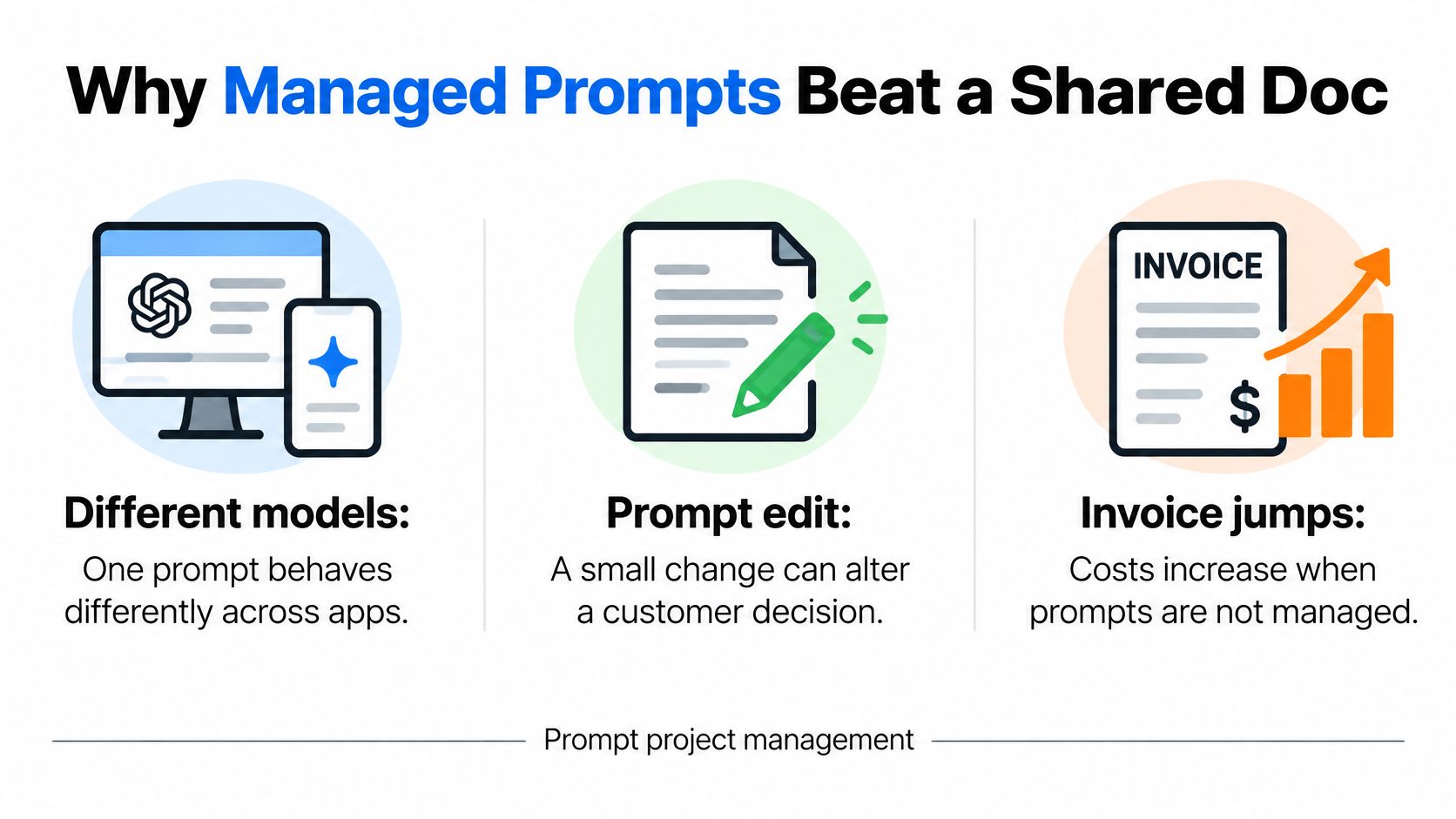
A shared document works for drafting instructions. It stops being an adequate control system when your desktop app and mobile app use different models, an edit changes a customer recommendation, or nobody can explain a sudden increase in spend.
Consider an ecommerce assistant that explains return eligibility. An editor makes its language friendlier but accidentally weakens an exclusion. The response sounds better, yet the app now suggests refunds the business doesn't permit.
Managed prompts connect the instruction to an owner, an acceptance rubric, testing evidence, approval, and a recoverable release. A document can describe those controls, but it can't enforce which instruction your application runs.
What the management evidence tells us
The 2024 PMI study surveyed 500 project professionals across 12 countries and 18 industry sectors, classifying those using generative AI on at least 50% of their projects as trailblazers. Its reported outcomes are below.
Generative AI outcomes for trailblazers and explorers
Share of PMI respondents reporting improvement, high adopters versus explorers.
| Outcome | Trailblazers | Explorers |
|---|---|---|
| Productivity | 93% | 58% |
| Effectiveness | 88% | 50% |
| Problem-solving | 89% | 46% |
| Scope management | 87% | 34% |
| Scheduling | 85% | 46% |
| Cost management | 85% | 42% |
| Quality management | 91% | 40% |
PMI also identified prompt engineering as a defining capability among high adopters, including its use in planning, analysis, and risk management. These are reported associations, not proof that a prompt management tool causes better project outcomes.
Still, the operational lesson is useful: treat AI as part of how teams plan and control work, rather than merely a faster drafting assistant.
Put control where the app runs
Wonderment's prompt management system is a plug-in administrative layer for an existing app, with a versioned prompt vault, logs across integrated AI models, and a cost manager showing cumulative spend. A demo should make the difference between editing text and managing application behavior tangible.
For your own team, use a simple decision rule:
- Keep drafting lightweight: A shared document is fine for exploring an internal idea before it touches production.
- Govern customer-facing behavior: Introduce controlled releases when instructions affect recommendations, eligibility explanations, or customer communications.
- Require operational evidence: If nobody can identify the active instruction or account for its spend, don't expand the rollout.
The table provides context for taking AI management seriously. Your application's own evaluation results should determine whether a particular prompt deserves production traffic.
How to Promote a Prompt into Production
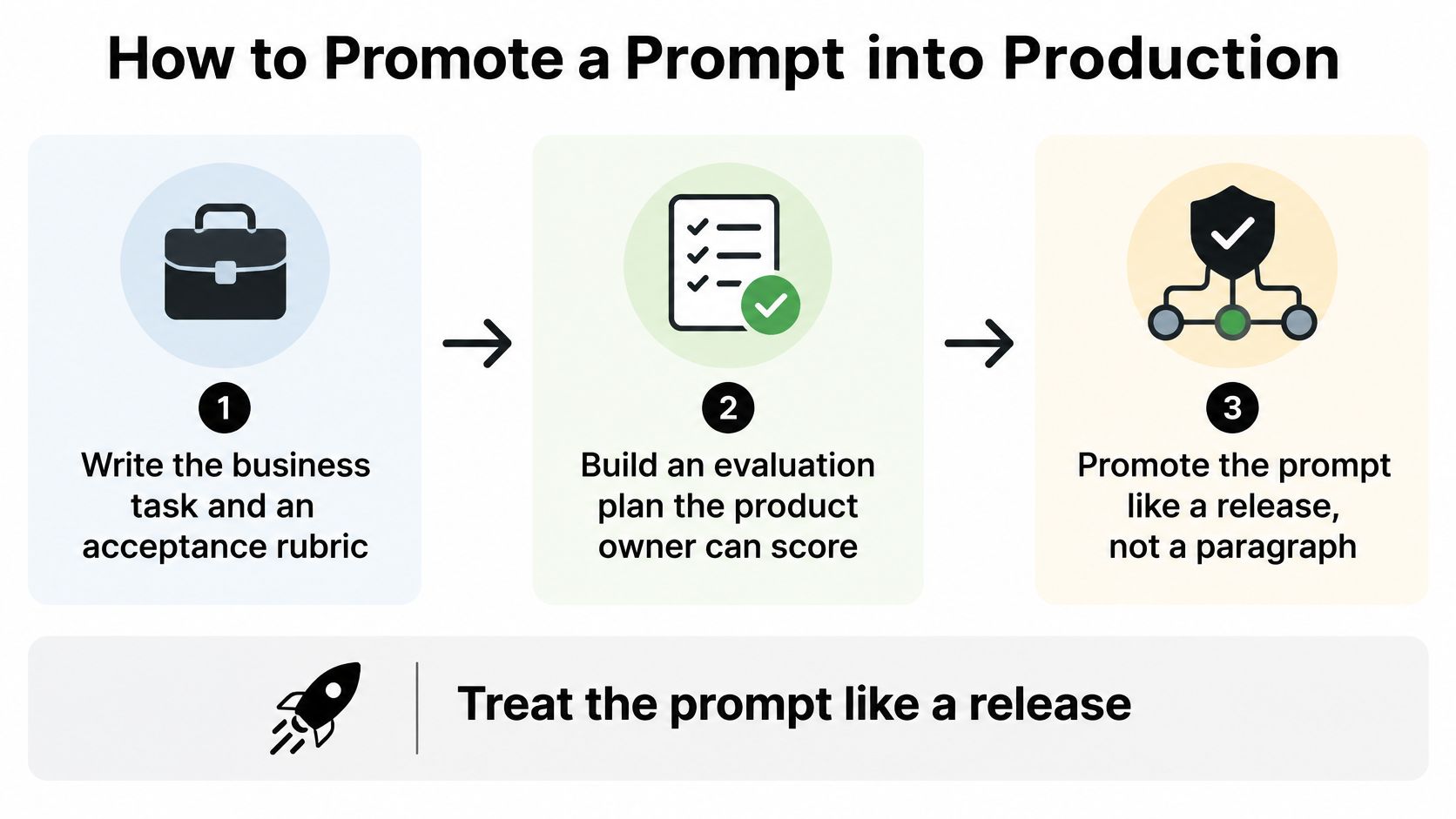
Treat the prompt like a release, not a paragraph. For a mobile support assistant, a convincing response isn't enough: it must follow policy, use authorized information, and return something the interface can safely display.
Build evidence before changing traffic
Define the task and rubric. Write an observable outcome, such as explaining an account restriction using approved policy. The product owner should score the answer without inspecting private model reasoning.
Build the evaluation set. Include ordinary requests, missing information, conflicting records, adversarial instructions, and regulated scenarios so easy examples don't conceal consequential failures. For code or tool use, define executable tests before editing.
Capture the baseline. Save the current prompt, model version, temperature, retrieval context, and token cap so comparisons have a stable reference.
Change one variable. Adjust instruction order or an example, not the prompt and model together, so you can identify what caused the result.
Repeat the trials. The Wharton technical report tested each condition 100 times and found substantial differences when evaluating partial versus 100% correctness. Use confidence intervals or nonparametric comparisons rather than choosing a winner from a pleasing sample.
For engineering prompts, plan for partial automation. A project-level code-generation benchmark reports pass rates of about 52.2% for GPT-4o and 46.9% for Mistral-22B-Instruct, with few-shot prompting improving some results without establishing near-complete correctness.
Check the release packet
Release packet for a production prompt change
| Gate | Pass rule | If it fails |
|---|---|---|
| Aggregate quality | Meets the task rubric on the full eval set | Stay on the baseline |
| Critical cases | Zero misses on regulated, payment, or clinical examples | Block the release |
| Code or tool use | pass@k plus static analysis and security review | Keep human review |
| Latency | Within the latency target set in the budget | Do not promote |
| Token cost | At or under the per-task cap | Try a shorter prompt or fallback model |
| High-blast change | Human sign-off for auth, payments, clinical, or infra | Do not auto-deploy |
Here, pass@k evaluates success across a defined number of generated candidates, rather than trusting one answer. Passing critical examples is a release requirement, not a guarantee that unseen inputs will always be safe.
Approve against the whole packet. Reject improvements that introduce unacceptable safety, fairness, cost, or latency regressions, even when average quality rises.
Prepare the deployment. Add the approved version to regression testing, preserve its predecessor, and retest after model upgrades. Apply CI/CD pipeline best practices so prompt changes follow a controlled delivery path.
Bind and instrument the endpoint. Bind the approved prompt ID to the endpoint and permitted database parameters. Log prompt and model versions, temperature, retrieval references, token counts, latency, evaluator version, and failure category, while protecting sensitive content.
Who Owns a Prompt After Launch
Who answers when a prompt starts producing the wrong behavior: the person who wrote it, the developer who deployed it, or the manager who approved it? Without an explicit assignment, everyone can reasonably assume somebody else is responsible.
In KPMG's enterprise AI report, 82% of respondents expected risk management to be the greatest obstacle to their GenAI strategies in 2025, followed by data quality at 64%. That makes ongoing accountability a delivery concern, not an administrative afterthought.
Separate editing from approval
Compare an informal arrangement with a governed one. In the informal version, whoever has access can update the instruction and ask a colleague whether it looks good. In the governed version, each person has defined authority and a clear boundary.
Prompt roster and what each role may do
| Role | Daily job | Cannot do alone |
|---|---|---|
| Prompt owner | Sets the task and acceptance rubric | Skip the critical-case gate |
| Editor | Changes one prompt variable per trial | Approve their own edit |
| Evaluator | Runs repeated trials and files failure categories | Ship on a high average with a critical miss |
| Approver | Signs the release and owns later behavior | Edit the prompt during approval |
| Operator | Binds the endpoint, logs calls, rolls back | Invent new database parameters at runtime |
The owner decides what the assistant is supposed to accomplish. The editor proposes an implementation, but doesn't get to redefine success because a variant performs poorly.
The evaluator needs authority to block a release. Otherwise, testing becomes a reporting exercise rather than a meaningful safeguard.
The approver accepts responsibility for the decision to release. The operator needs permission to restore a safe state without waiting for a committee while customers receive incorrect responses.
Accountability rule: Put a person's name beside every production responsibility. A department name isn't an on-call contact.
Handle incidents and regional boundaries
Say a healthcare assistant begins including information from an inappropriate record. The operator should contain the incident, the owner should coordinate business impact assessment, and the evaluator should convert the failure into a regression case.
Write those responsibilities before launch. Also document permitted data regions, retention rules, escalation contacts, and what counts as an incident, including inappropriate recommendations or misleading customer messages.
Small teams can combine roles, but they shouldn't eliminate independent approval for consequential edits. The person making a change shouldn't be its only judge.
Our Project Management team has extensive experience with enterprise customers, start-ups, and everything in between. We keep the client in the driver's seat while working with qualified technical staff, and assemble a right-sized team of coders, designers, QA, and project managers for each project.
When choosing developers, ask them to demonstrate this handoff using a sample failure. A team that can explain who contains, diagnoses, approves, and communicates an incident is showing more useful capability than a polished prompt alone.
Tips for Token Cost and Reliability Budgets
Self-consistency generates multiple candidate answers and combines them, which can improve results while increasing consumption. In a 2025 COLING study, it achieved the highest accuracy, but on GSM8K delivered a statistically insignificant 6.74% performance increase while consuming 200% more tokens than standard prompting.
That's a useful warning against equating more elaborate prompting with better value. The clever prompt still has to survive the invoice.
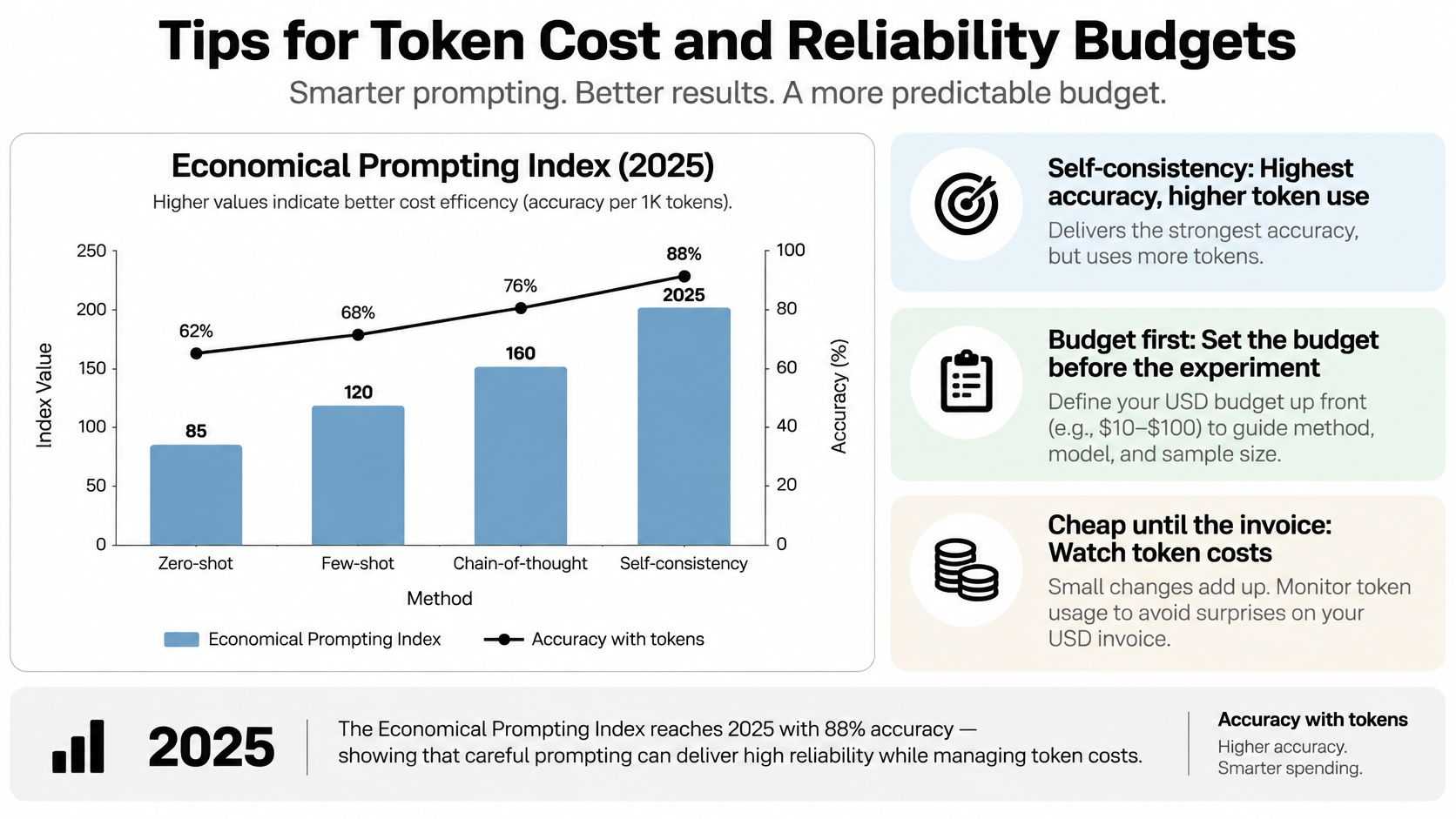
Set the budget before the experiment
Build a task budget around what the user needs. An interactive mobile response has different waiting-time constraints from a desktop report generated in the background.
- Baseline the whole task: Record input and output tokens, retrieved context, retries, quality, and response time. A short answer can still require an expensive request.
- Set enforceable caps: Define maximum context, output length, retry behavior, and timeout handling. Give the interface a useful fallback when a request exceeds them.
- Evaluate fallback models: Route eligible tasks to a smaller model only after it passes the relevant rubric. Cheaper incorrect output isn't a saving.
- Reserve multiple candidates: Use extra sampling where the consequence of a miss justifies the expense and a reliable selection method exists.
- Join spend to versions: Attribute consumption to the active prompt, model, feature, and environment so an experiment doesn't disappear into a company-wide total.
For a business-level measurement lens, Magnitude Marketing's discussion of measuring cost per correct outcome is a useful companion. Include human review and correction effort when deciding whether automation has earned its place.
Choose the technique for the task
Quality gain against token spend
| Technique | Token effect | Quality effect | Use when |
|---|---|---|---|
| Standard prompting | Baseline | Baseline | Default for routine tasks |
| Keyword-style prompts | About 16.7% fewer tokens | Comparable, marginal similarity dip | Cost cap is tight and the task is simple |
| Self-consistency | About 200% more tokens on GSM8K | About 6.74% improvement, not statistically significant there | A single miss is expensive and the cap allows it |
| Larger model or long context | Budget for potentially higher spend and latency | Accept only if the eval gate improves | Critical cases fail on the smaller model |
The keyword-style result comes from the separate study summarized in the COLING source context; it isn't a promise for your application. Test compression carefully, because removing a policy exception to save tokens would defeat the purpose.
For a broader planning worksheet, use our AI app development cost guide alongside task-level measurements. Include integration, testing, monitoring, and maintenance rather than budgeting only for model calls.
Spend more when the improvement changes the business outcome, not merely when the response sounds more impressive.
Suppose a desktop analyst needs a carefully checked explanation of a disputed transaction. Additional retrieval and review may be justified, while the same workflow would be excessive for rewriting a navigation label.
Keep those paths separate. A universal maximum-quality setting is usually a poor substitute for a deliberate routing policy.
Monitor and Iterate Live Prompts
A prompt clears its release gate once. Production then tests it thousands of times against customer inputs nobody predicted and retrieval content that changes weekly. Treat each live prompt as a running service with a measurable contract: it has uptime, failure modes, and a bill attached.
Google's Site Reliability Engineering guidance defines a service-level objective, or SLO, as a measurable target expressed through a service-level indicator, or SLI. It pairs that objective with an error budget, the permitted rate of misses before the team stops shipping changes and starts fixing causes. For a prompt, a sensible SLI is the share of responses that pass a groundedness check and land inside the latency ceiling.
Measure the user experience
For a mobile assistant, measure response latency and successful task completion separately. A fast answer that violates policy still counts against the error budget. Track cost per completed task on the same dashboard, since a clever prompt that calls the model three times per request can hit its quality target while exceeding the budget.
- Review the error budget weekly: If failures consume it too quickly, pause prompt releases and investigate before adding traffic.
- Group failures meaningfully: Separate retrieval gaps, malformed outputs, unauthorized tool attempts, timeouts, and incorrect business conclusions. Each category points at a different fix.
- Rerun after dependency changes: Model upgrades and retrieval changes deserve fresh evaluation, even when the instruction text stays untouched.
- Retire unsupported prompts: Remove production routes that no longer have an accountable owner or a valid business purpose.
A workable setup combines a versioned store, correlated logs, an evaluation harness, and an SLO dashboard. Our AI model evaluation guide explains how to keep offline test scores honest once real traffic starts to drift.
Keep controls throughout the lifecycle
The NIST AI Risk Management Framework FAQs describe trustworthiness as a lifecycle concern spanning design, development, deployment, use, and evaluation. Relevant considerations include validity and reliability, safety, security, privacy, accountability, explainability, and managing harmful bias.
Turn that list into scheduled checks. Restrict access to logs and redact sensitive fields, review failure categories monthly, and preserve enough evidence to reconstruct consequential changes after the fact.
For an outbound assistant connected to sales software, assess record access and activity history alongside AI behavior. Yalc's comparison of CRM options for B2B outbound teams offers context for choosing the surrounding system, while permission scopes and audit capabilities still need direct verification.
The European Commission's AI Act overview describes transparency and compliance obligations that phase in on staggered timelines depending on a system's risk classification. Get legal advice on your system's category and applicable timetable rather than assuming every assistant carries identical obligations.
Evidence kept during operation is far cheaper than reconstructing why the application behaved a particular way after an incident.
Plug Prompt Governance into Your Existing App
An existing application does not need to be discarded to introduce AI. It needs a clear boundary between customer experience, business data, and the administrative controls that govern model behavior. The hard part is rarely writing one clever instruction. It is governing that instruction as quality, latency, and token cost change after release.
For a desktop product, that might mean adding an assisted-analysis workflow behind existing account permissions. For a mobile app, it might mean a focused conversational feature with explicit loading states, cancellation, and an understandable fallback when the assistant cannot complete the task. In both cases, the prompt layer works like a control panel beside the app, with named owners and history rather than a shared document.
Give the administrative layer a defined job
The plug-in approach works when developers keep governance controls outside the text of the prompt itself. An instruction to respect privacy is no substitute for restricting which records the application can supply.
The administrative toolkit should make these responsibilities concrete:
- Prompt vault with versioning: Keep instruction history identifiable so the application can return to a known version instead of relying on someone's saved copy.
- Data access boundaries: Limit which internal fields the workflow can access, and enforce authorization in application code rather than allowing generated text to grant itself access.
- Logging across integrated AI models: Make activity traceable across integrations. During implementation, verify that the captured fields support diagnosis without unnecessarily retaining sensitive content.
- Cost manager for cumulative spend: Give the entrepreneur visibility into total consumption, not just the cost of an isolated test.
These components do not remove the need for engineering judgment. They give developers and business owners a common place to apply it.
Start narrow: Modernize a bounded workflow with a measurable outcome before giving an assistant broader authority.
Demonstrate the controls with a real workflow
Bring a representative request, an approved data sample, and a difficult failure case to a walkthrough. Follow the request from parameter selection through model execution, administrative review, and cost visibility. A clever prompt that blows the budget on one edge case is a bill, not a win.
If the roadmap includes agents that take actions, examine the operating boundaries before expanding autonomy. AY Automate's description of a governed enterprise AI agent pilot is useful context for discussing controlled pilots rather than jumping straight to unrestricted automation.
The quality of the delivery relationship matters too. Todd described his experience with Wonderment Apps this way:
“Wonderment Apps was great. The site architecture and pricing were great. Transparency and project management were good. They hit all deadlines. The system is very easy to use.”
The practical objective is software that remains understandable and maintainable as its AI components change. Keep business rules explicit, interfaces replaceable, and operational evidence accessible to the people responsible for the outcome.
Wonderment Apps offers AI modernization and a plug-in prompt management system to help teams govern instructions, integrated AI activity, and cumulative spend. Visit Wonderment Apps, click “Discuss Your Project,” and describe the desktop or mobile workflow you want to modernize and the governance controls it needs. You can also request a free project quote to discuss the integration work alongside those controls.