

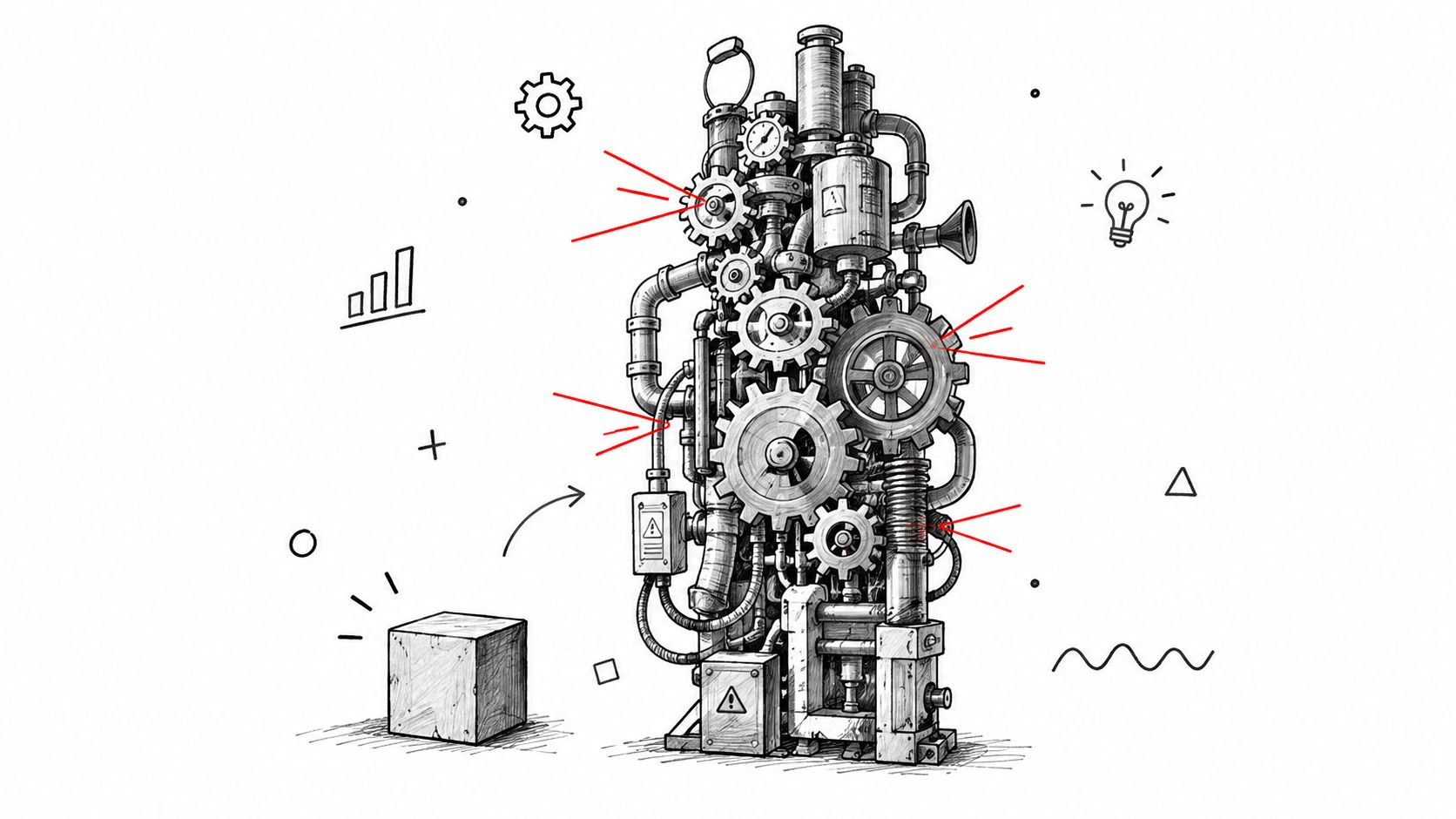
You've added servers, hired another squad, and still watched response times climb while releases become harder to coordinate. The product works for its original audience, but every new market, integration, workflow, or AI feature adds another gear to the machine. That's the uncomfortable reality of trying to scale a project: growth exposes the seams you could ignore when the system was smaller.
The reliable path isn't “add more people and hope.” It's to remove bottlenecks in architecture, data, coordination, compliance, and operating discipline before growth magnifies them. AI modernization belongs in that conversation too. A governed prompt layer can help teams integrate AI into desktop and mobile applications without scattering prompts, model settings, logs, and costs across the codebase.
Why Scaling Breaks Most Projects and How to Think Differently
A product team can move quickly while serving a narrow audience because the team carries context in its head. One product manager can answer questions, one engineer can understand the database, and one release process can cover most changes. Growth changes the equation. More users create more states, more integrations create more dependencies, and more stakeholders create more decisions that need to be recorded rather than remembered.
Historical project data makes the risk clear. The Standish Group CHAOS data summarized by Opencommons' project outcome repository reports that only 31% of projects were successful globally in 2020, while 50% were challenged and 19% failed. Small projects performed far better, at about 90% success, while large projects had less than 10% success. Earlier benchmark data found that only 16.2% of software projects were delivered on time and on budget, and 31.1% were canceled before completion.
Those figures don't mean large products are doomed. They show that project size is itself a risk factor. Scope, complexity, and stakeholder count make it harder to keep schedule, budget, quality, and user value aligned. Adding capacity without reducing coordination cost often produces a larger version of the same problem.
Treat scaling as a systems decision
The first question shouldn't be, “How many developers do we need?” Ask instead:
- Where is work waiting? Look for database contention, approval queues, unclear ownership, environment limitations, or integration handoffs.
- What must remain stable? Identify contracts, data boundaries, security controls, and user journeys that can't change casually.
- Which capability repeats? Automation, personalization, recommendations, anomaly detection, and AI-assisted workflows become valuable when teams can operate them consistently.
- How will leaders see the trade-off? A useful channel scaling decision framework can help structure decisions around capacity, evidence, and sustainable expansion.
This framing turns scaling into a strategic program. Architecture, team structure, data governance, reliability, compliance, and rollout decisions must reinforce one another. If one layer lags, it becomes the limiting gear.
Wonderment Apps' prompt management system fits into this modernization layer as an administrative toolkit that can connect to an existing application. It gives teams a controlled place to manage AI behavior instead of burying prompts and model settings inside scattered application code. The details matter, because an AI feature that works in a demo can become expensive, inconsistent, and difficult to audit once many teams and workflows depend on it.
The encouraging part is that scaling doesn't require making every decision at once. Smaller increments, explicit boundaries, and visible operating signals let leaders find the next constraint before it turns into a crisis.
How to Scale Architecture and Infrastructure for Growth
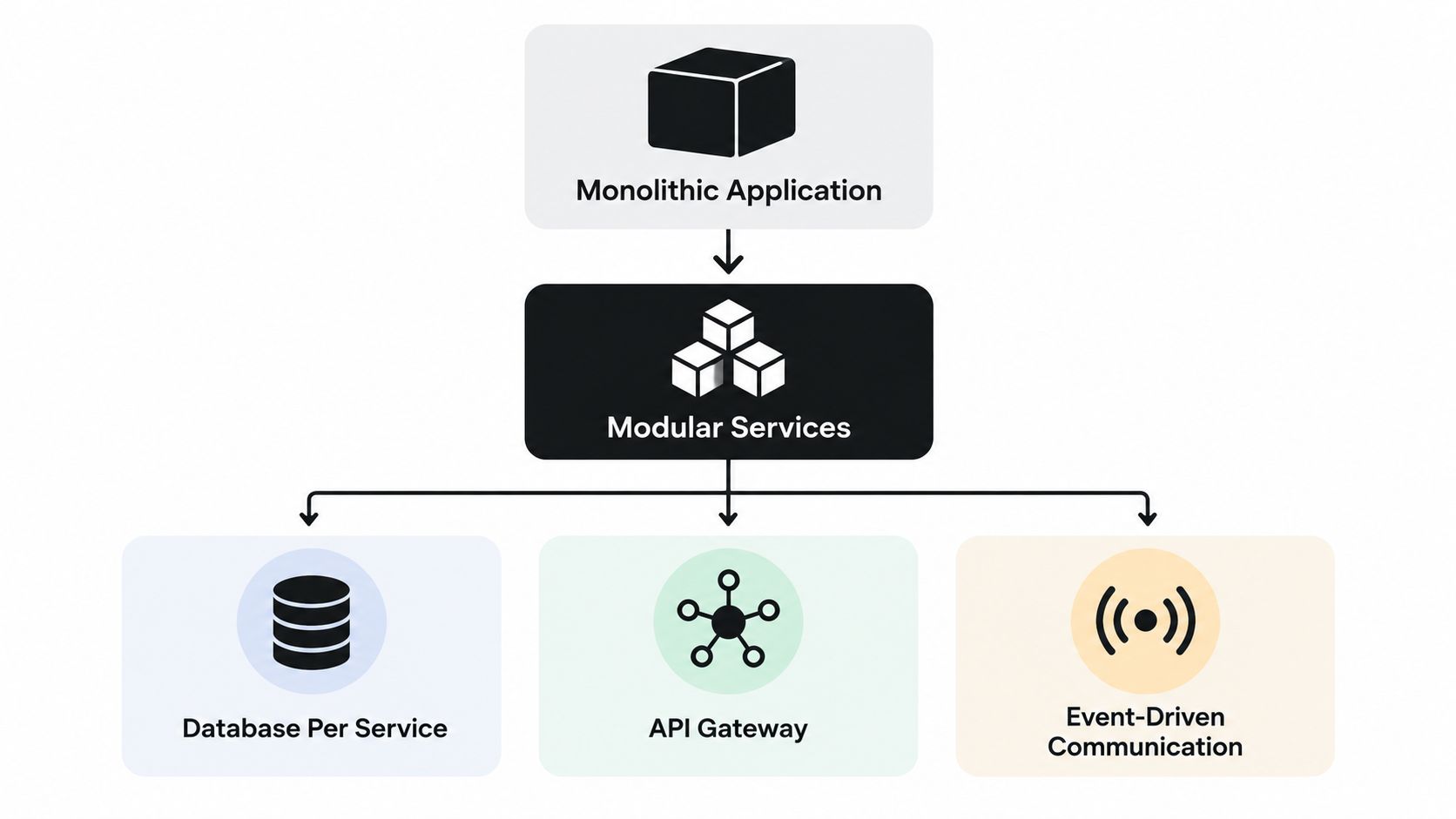
A scalable architecture gives each part of the system room to grow without forcing every other part to grow with it. That doesn't automatically mean converting a monolith into dozens of microservices. It means separating responsibilities where independent change, load, security, or ownership justifies the boundary.
Start with the user journeys that matter most. In ecommerce, checkout and catalog browsing have different performance and availability needs. In SaaS, authentication, tenant administration, reporting, and background jobs often behave differently. In media, content delivery and personalization may need separate scaling policies. Define those boundaries around business capabilities, not fashionable diagrams.
Build boundaries before adding teams
A practical sequence looks like this:
- Map dependencies. Document which components call one another, which data they own, and which operations must happen synchronously.
- Split scope into increments. A workstream should deliver a meaningful slice without waiting for every other workstream to finish.
- Define release boundaries. Decide which services, schemas, APIs, and user experiences can ship independently.
- Choose communication deliberately. Use APIs for interactions that need an immediate response, and events for work that can happen asynchronously.
- Keep shared state under suspicion. Shared databases and mutable global state create coordination points that become harder to protect as demand grows.
Stateless compute is usually the easier part. A stateless service can handle a request without relying on the memory of a particular server, which makes it suitable for horizontal scaling and replacement. Sessions, queues, object storage, and durable data belong in managed or deliberately designed shared systems, with clear ownership and failure behavior.
Autoscaling needs guardrails. It can add compute capacity when demand rises, but it can't make a database, payment provider, search index, or third-party API accept unlimited work. Current engineering guidance warns that autoscaling stateless compute can increase contention on databases and other shared resources, so teams should fix the constrained dependency before increasing workload capacity through enterprise software architecture guidance.
Protect the database read path
A database often becomes the first visible bottleneck. Software teams commonly encounter a major read-path scaling issue around 1,000 users, and practical remedies include query tuning and caching, according to Techuz's SaaS architecture guidance. Treat that figure as an engineering signal, not a universal ceiling. Workload shape, schema design, indexing, infrastructure, and query behavior matter more than a single user count.
The useful trigger is trend-based. If p95 latency rises for three straight weeks, investigate query plans, indexes, cache hit behavior, connection pools, and slow endpoints before adding more application servers. That same discipline applies to a SaaS reporting screen, a media recommendation feed, or a retail inventory lookup.
Key takeaway: Scale the bottleneck, not the headline metric. Modular services, stateless compute, tuned queries, and explicit release boundaries are more valuable than a larger infrastructure bill.
For deeper implementation guidance, review software architecture best practices while documenting ownership and failure modes for every boundary.
Scaling Your Team and Process Without Slowing Delivery
A larger team doesn't automatically deliver more effectively. An empirical study of agile scaling approaches found that none of the studied approaches significantly changed team effectiveness, which makes framework selection a weak substitute for operational discipline. The study is available in the empirical research on agile scaling.
That finding should change how leaders evaluate scaling plans. Don't ask whether a team uses a named framework first. Ask whether people understand who owns each decision, how dependencies are surfaced, what “done” means, and which delivery measures apply across workstreams.
Create coordination that earns its keep
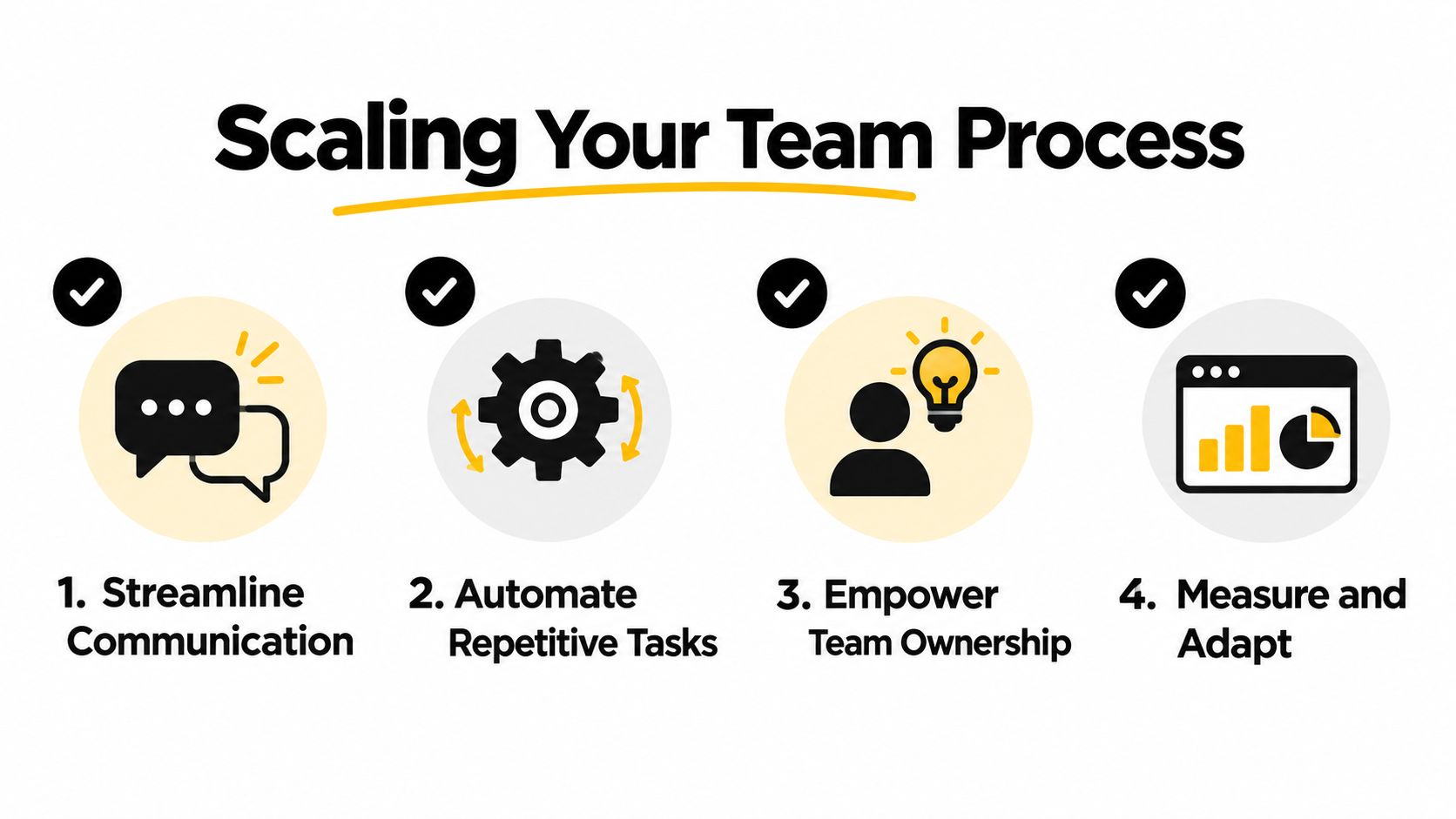
Use a lightweight operating model:
- Make ownership visible. Assign a directly responsible person for each product area, service, decision, and operational risk.
- Control dependencies. Maintain a dependency register, review it regularly, and remove unnecessary cross-team sequencing.
- Standardize delivery signals. Compare teams using consistent measures such as cycle time, escaped defects, blocked work, incident recovery, and release predictability.
- Automate repeatable administration. CI checks, test execution, deployment workflows, environment provisioning, and release notes should not depend on a person remembering a manual step.
Leaders often add meetings when coordination fails. Meetings can help, but they can also hide the underlying problem. If two teams need constant meetings to make one small change, the architecture, ownership boundary, or interface probably needs attention. A useful resource on scaling your team with automation can help identify operational work that should be handled by systems rather than more coordination.
Choose developers for the work ahead
Hiring should match the product's constraints. A regulated fintech platform needs engineers who understand security and auditability. A consumer mobile product may need strong iOS or Android expertise, reliable backend integration, and UX judgment. A legacy modernization effort may need people who can preserve business rules while introducing modular services.
One large-scale project success study associated stronger outcomes with a project manager who had a D-type personality, keeping D-type team members under 15%, and maintaining more than 10% I-type team members. The team-composition findings are summarized in this project success research paper. These signals shouldn't become a personality test disguised as hiring. They're a prompt to balance decisive leadership, collaboration, communication, and technical independence.
Keep workstreams small enough to own outcomes. A product manager, designer, engineers, and QA contributors should be able to validate a vertical slice without passing every decision through a central committee. For a practical view of responsibilities and collaboration, use agile team structure as a reference point, then adapt it to the product's domain and risk profile.
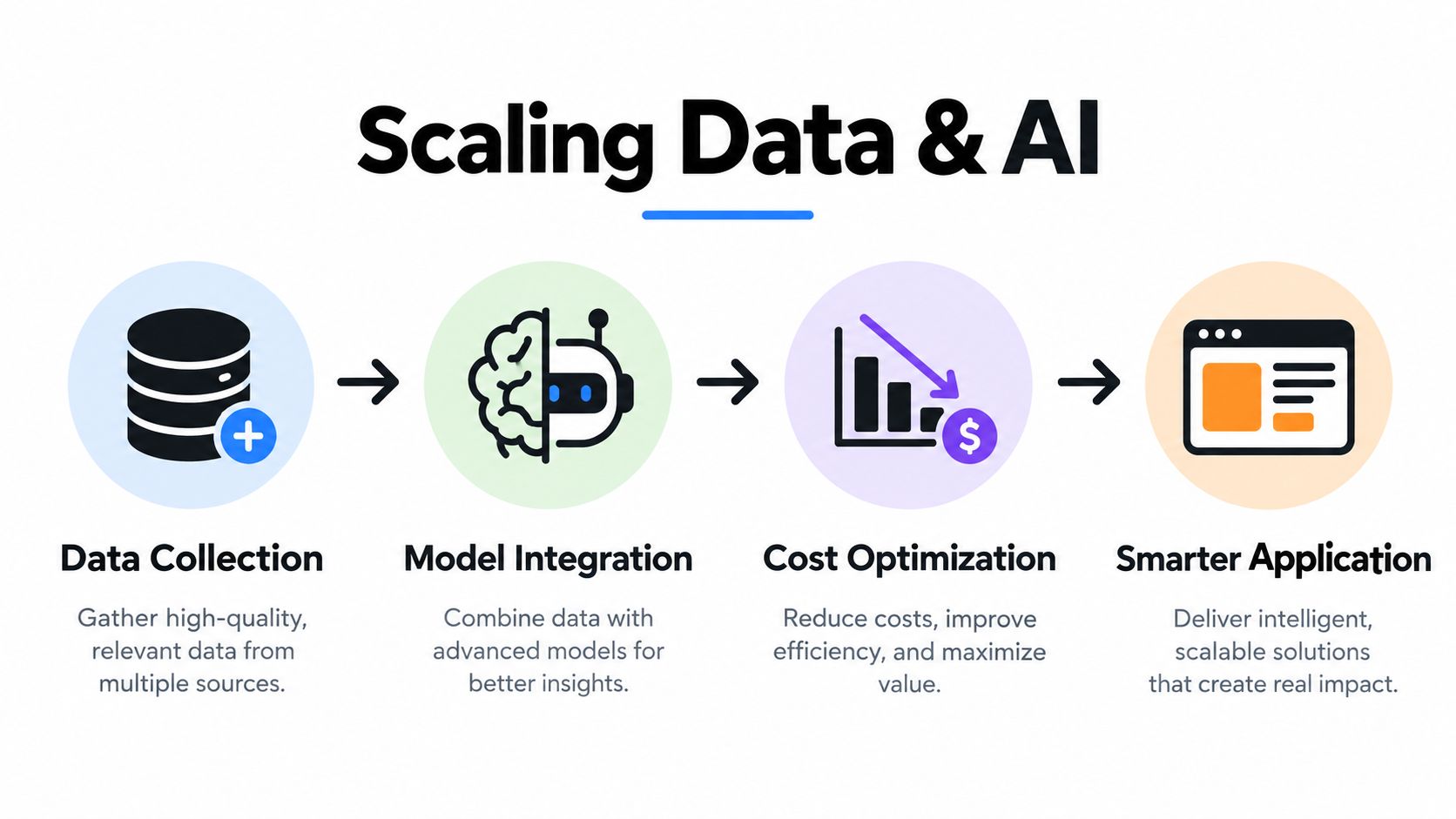
Scaling Data and AI So Your App Gets Smarter and Cheaper
AI integration works best when it starts with a real product workflow rather than a model search. A desktop claims application might use document extraction and anomaly detection. A mobile wellness app might provide personalized guidance within carefully defined boundaries. A SaaS platform might summarize account activity or recommend next actions. Each use case needs reliable data access, clear permissions, observable behavior, and a fallback when the model is uncertain or unavailable.
Put AI behind a governed application layer
Avoid connecting every feature directly to a model provider. Create an application-level AI service that can manage identity, retrieval, prompt selection, model routing, output validation, safety rules, retries, and fallbacks. The mobile and desktop clients should consume a stable product capability, not carry provider-specific logic through every screen.
Prompt governance becomes important as soon as multiple workflows exist. Wonderment Apps' administrative toolkit can plug into an existing app or software product to support AI modernization through four practical capabilities:
- Prompt vault with versioning: Store prompts centrally and preserve versions so teams can identify which instruction set produced an output.
- Parameter manager: Control parameters used for internal database access, helping teams separate application data rules from ad hoc prompt edits.
- Logging across integrated AI systems: Record activity across connected AI services so engineers can investigate reliability, quality, and workflow behavior.
- Cost manager: Give entrepreneurs visibility into cumulative AI spend instead of forcing them to reconstruct usage from separate provider dashboards.
The value isn't the word “AI.” It's operational control. A prompt change can affect customer support, recommendations, document processing, or internal search. Versioning and logs let a team review that change as deliberately as it would review an API or database migration.
Measure business value, not novelty
BCG's research covering about 2,000 global companies found that scaling individual digital solutions can generate revenue increases of 9% to 25% and cost savings of 8% to 28% versus the baseline, as reported in BCG's research on scaling digital ability and value. Those figures support a practical distinction: a pilot demonstrates possibility, while scale depends on adoption and repeatable operations.
For each AI capability, define the user action it should improve and the business measure connected to that action. Track answer quality, task completion, escalation behavior, latency, failure handling, and cumulative spend. A recommendation engine that produces clever suggestions but slows checkout isn't a successful feature. A summarization tool that saves review effort but exposes unauthorized data isn't ready to scale.
Use the least complex model that meets the task's quality and safety requirements. Cache stable results where appropriate, batch non-urgent work, redact sensitive data before transmission, and keep a human review path for decisions with material consequences. AI should make the application more capable without turning the application into an ungoverned experiment.
Performance Reliability Cost Control and Rollout Strategies That Scale
Scaling decisions become easier when leaders compare safeguards against the risk they're meant to control. A high-traffic consumer feature may justify a canary release and aggressive observability. A regulated workflow may need approval gates, audit logs, and a slower rollout. An internal productivity feature might tolerate a simpler deployment path, provided access and data boundaries remain clear.
Performance monitoring should focus on user impact, not just infrastructure utilization. Watch p95 latency trends, error rates, queue depth, database saturation, cache behavior, external service failures, and AI response time. A rising p95 trend can reveal degradation while average latency still looks comfortable.
| Strategy | Best For | Risk to Watch | Cost Impact |
|---|---|---|---|
| Feature flags | Separating deployment from user exposure | Stale flags and inconsistent combinations | Adds management overhead, but limits unnecessary rollback work |
| Canary release | Testing a change with a controlled audience | The canary may not represent every user segment | Requires parallel monitoring and temporary operational capacity |
| Blue-green deployment | Fast switching between prepared environments | Data migrations may not work cleanly in both versions | Increases environment cost during the transition |
| Incremental rollout | Large user-facing changes with measurable checkpoints | Teams may expand exposure before understanding early signals | Spreads operational effort and reduces big-bang exposure |
| AI budget controls | Model-backed features with variable usage | Hard limits can interrupt important workflows | Makes cumulative spend visible and supports deliberate model selection |
Fix constraints before scaling capacity
Autoscaling should respond to demand, but thresholds need protection against runaway work. Set limits on concurrency, queue growth, retries, payload size, and model usage. Caching can reduce repeated reads, but stale data and invalidation failures need explicit handling. Query tuning can improve a hot path, but it won't solve an overloaded downstream payment, search, or compliance service.
Compliance belongs in the design rather than the final approval queue. Kyndryl's recent global survey identified complexity of technology environments at 31%, regulatory or compliance concerns at 31%, and difficulty aligning business and technology teams at 26% among leading barriers to scaling technology investments, according to its readiness report executive summary. Those barriers explain why delivery speed alone rarely drives sustainable growth.
Use performance testing as a continuous engineering activity, not a launch-week ritual. Continuous performance testing helps teams test critical paths repeatedly as code, data volume, integrations, and infrastructure change. The objective is early detection. Finding a bottleneck in a controlled test is cheaper than finding it through customer complaints.
Operational rule: Every scaling safeguard needs an owner, a threshold, and a response. A dashboard without a decision attached is decoration.
Your Next Moves to Scale a Project Successfully
Start with a constraint audit rather than a staffing request. Ask the team to identify the slowest user journey, the most fragile integration, the most contested data resource, the least clear ownership boundary, and the AI workflow with the weakest cost or quality visibility. Rank those constraints by customer impact and by how many other workstreams they block.
Then create a short execution plan:
- Set architecture boundaries. Assign ownership to core capabilities, document synchronous dependencies, and separate stateless compute from shared state.
- Slice the roadmap. Break large initiatives into vertical increments that can be tested, released, and measured without waiting for the entire program.
- Make coordination explicit. Define decision rights, dependency handling, delivery measures, and escalation paths before adding teams.
- Govern AI early. Centralize prompts, version changes, control internal data parameters, log integrated AI activity, and monitor cumulative spend.
- Design the rollout. Choose feature flags, canaries, blue-green deployment, or incremental exposure based on the consequence of failure.
- Review the constraint repeatedly. Once one bottleneck is removed, measure again. Scaling is a sequence of controlled decisions, not a single architecture project.
Bring in a partner when the product needs several disciplines at once, such as engineering, product management, UX, QA, cloud infrastructure, and AI integration. Wonderment Apps' Managed Projects practice assembles right-sized delivery teams, and its curated staffing service covers roles including React, .NET, Java, iOS, Android, WordPress, automated and manual QA, product management, and UX design. That model can help organizations add capability without making internal leaders coordinate every specialist independently.
The durable advantage comes from treating growth as an operating system for the business. Modular design reduces blast radius, small increments create feedback, governed AI keeps modernization manageable, and visible costs prevent clever features from becoming financial surprises.
If you're ready to scale a project without sacrificing reliability, Wonderment Apps can help with AI modernization, web and mobile development, UX, QA, and managed delivery teams. Visit Wonderment Apps to discuss your architecture, rollout constraints, and a demo of the prompt management toolkit.