


A lot of digital product decisions look technical on the surface and strategic underneath. This is one of them.
A business leader usually reaches this fork with a clear vision and an unclear delivery path. The product might be a customer portal, a booking platform, a field workflow tool, a loyalty experience, or an AI-powered assistant inside an existing service. The hard part isn't deciding whether software matters. It's deciding which software format creates the least friction today and the most opportunity tomorrow.
That's why mobile app development vs web development isn't a design preference debate. It's a business model decision. It affects acquisition, retention, performance, update cycles, maintenance load, and now, with equal weight, your ability to integrate AI in a controlled way instead of bolting it on later.
The First Big Question in Your Digital Journey
A familiar scenario goes like this. A retail team wants personalized shopping tools. A healthcare group wants a better patient experience. A fintech founder wants faster onboarding and stronger trust signals. Everyone asks the same thing first: should we build a mobile app or a web app?
That question matters more than it used to because user behavior has shifted hard toward mobile. As of August 2024, mobile apps accounted for 61.95% of web traffic, which shows how strongly mobile-first behavior shapes real usage patterns across major markets, even when the content itself is still web-based, according to WorkingMouse's breakdown of mobile apps vs web apps.

What leaders usually underestimate
The first step often involves comparing channels. Browser or app store. URL or download. Desktop reach or phone engagement.
The deeper issue is operational. Web apps run in a browser and don't require installation. Mobile apps are distributed through app stores and are usually built with platform-specific SDKs and languages. That changes your launch process, your release cadence, and how much engineering specialization you need.
Practical rule: If your product wins on accessibility and fast distribution, web usually gets you to market with less friction. If your product wins on interaction quality and device capability, mobile usually earns its extra complexity.
Why AI changes the decision
AI has made this choice more interesting, not simpler. A search layer, recommendation engine, assistant, workflow copilot, or internal prompt-driven admin feature can live in either a web or mobile product. But the way you manage prompts, parameters, logs, and model costs becomes part of your architecture, not an afterthought.
That's where many teams get stuck. They can imagine the AI feature. They can't yet see the operating model behind it.
If you're building now, the better question isn't just “mobile or web?” It's “which platform provides the product experience we need and gives us a clean path to AI-driven growth later?”
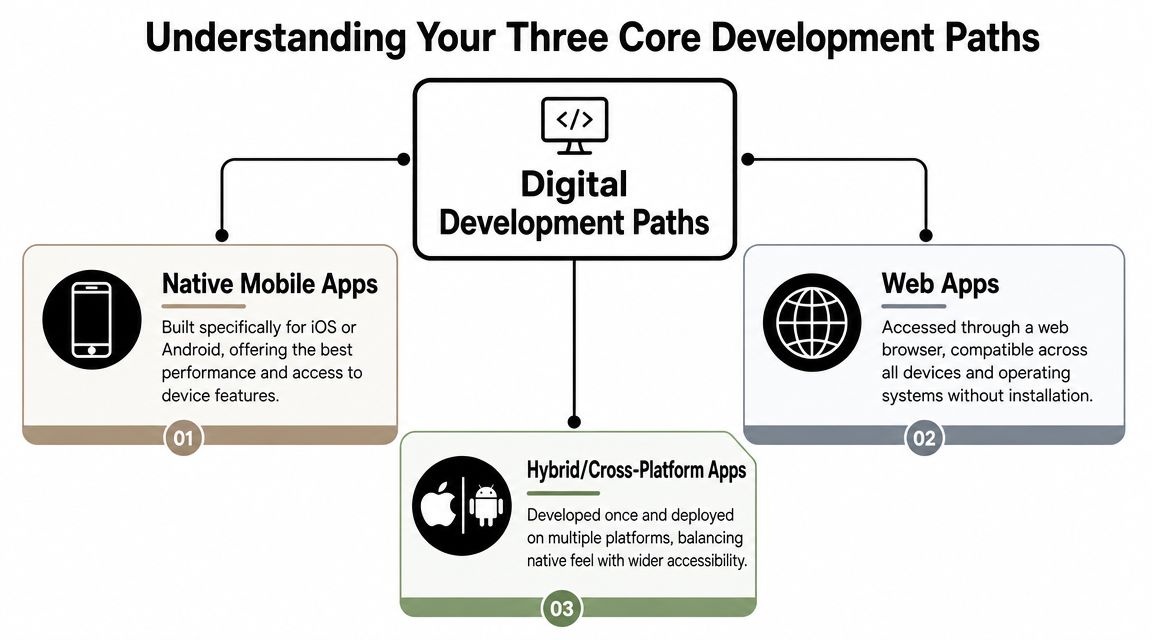
Understanding Your Three Core Development Paths
The old debate treated the world like a coin flip. Website or app. Browser or native. That model is outdated.
The array of options is broader. As Very Good Ventures notes in its comparison of web apps and mobile apps, the choice is no longer a simple native vs web binary. Mobile now includes strong cross-platform options, and web apps have become more app-like. That shifts the essential decision toward balancing speed, platform reach, maintenance load, and user experience.
Web apps and PWAs
A web app lives in the browser. Users open a link and start using it. That's the core advantage.
Teams usually build web apps with technologies like React, Angular, or similar JavaScript-based frameworks on the front end, paired with an API and database behind the scenes. A Progressive Web App (PWA) adds more app-like behavior, such as install prompts and improved offline behavior in some use cases.
Web is usually the cleanest fit when you need:
- Fast distribution: No app store approval cycle.
- Broad compatibility: One product can serve desktop, tablet, and mobile browser users.
- Frequent updates: Teams can ship changes without waiting for users to install a new version.
For executives sorting through stack choices, Wonderment's article on how to choose the right technology stack for your project is a useful companion to this decision.
Native mobile apps
A native app is built specifically for one platform. Usually Swift for iOS and Kotlin for Android.
This path gives the development team the most direct access to operating system features, interface conventions, and hardware capabilities. It also tends to produce the most polished touch experience when the product depends on speed, animation quality, background behavior, camera workflows, or advanced authentication.
Native is often the right answer when your product needs to feel tightly integrated with the device itself.
Cross-platform and hybrid apps
This middle path has become far more credible than it was years ago. Tools such as React Native and Flutter let teams share substantial logic and interface work across iOS and Android while still producing app-store-distributed software.
That doesn't erase trade-offs. Some products still benefit from pure native control. But cross-platform can be a smart business decision when you need mobile presence without running two mostly separate engineering tracks from day one.
If you're evaluating vendors as well as architecture, this roundup of iOS and Android app developers for 2025 can help you compare what different teams specialize in.
A Detailed Comparison Across Critical Business Factors
Here's the practical version of mobile app development vs web development. Not which one sounds more modern. Which one supports the way your product needs to operate.
| Factor | Web Development (incl. PWA) | Native Mobile Development | Cross-Platform Development |
|---|---|---|---|
| Distribution | Accessed by URL in a browser | Downloaded through app stores | Downloaded through app stores |
| Reach | Broad device compatibility | Strong mobile focus by platform | Broad mobile reach across iOS and Android |
| Performance | Good for many workflows, browser-dependent | Strongest for speed and interaction quality | Often strong, depends on framework and implementation |
| Device access | More limited | Deep access to device capabilities | Better than web, sometimes less direct than native |
| Offline behavior | Possible in some cases, usually more limited | Strong option for offline or weak-connection use | Often workable, implementation-dependent |
| Updates | Fast, centralized rollout | Release management tied to app-store flow and user updates | Similar operational pattern to native app releases |
| Maintenance | One browser-based codebase | Often separate platform codebases | Shared mobile code can reduce duplication |
| Best fit | MVPs, portals, dashboards, broad-access tools | High-engagement products and device-centric workflows | Mobile-first products balancing speed and efficiency |
Performance and user experience
Native mobile usually pulls ahead here. According to Tech-Stack's comparison of web development and mobile app development, native mobile apps generally deliver faster performance and smoother interactions because they run on the device and can directly use hardware features such as the camera, GPS, and push notifications. They also support offline use, which makes them stronger for latency-sensitive workflows.
Native tends to matter most when delay feels like failure. Think dispatch tools, media experiences, guided workflows, identity checks, and anything that relies on camera, location, or background behavior.
Web apps can still deliver excellent experiences. For account management, internal dashboards, content-heavy products, marketplaces, and SaaS platforms, the browser is often more than enough. But if your product promise depends on touch-first fluidity, native deserves serious weight.
Cost and time to market
Web usually wins the first-launch race. One browser-based application can serve many users on many devices, and distribution is immediate.
Native mobile usually demands more platform-specific engineering and more release process overhead. Cross-platform can reduce that burden, especially for teams that need mobile reach early but can't justify fully separate iOS and Android tracks yet.
A useful outside read for smaller teams working through budget-versus-channel questions is this Guide for small business app development, which frames some of the early-stage trade-offs in practical terms.
Maintenance and scalability
Maintenance isn't glamorous, but it determines how expensive your roadmap becomes.
A web app usually gives you one primary delivery surface and one update flow. Native can create more operational complexity because teams may manage different platform behaviors, release schedules, QA paths, and store requirements. Cross-platform sits between those models. It can reduce duplicated work, but it still needs careful handling where platform-specific behavior matters.
For a deeper look at this exact trade-off, Wonderment's comparison of native application vs web application is helpful.
Security and compliance
Neither web nor mobile is automatically “secure.” Teams make them secure through architecture, permissions, testing, access control, and process discipline.
Where they differ is how control is expressed. Browser environments come with established security models and broad accessibility. Mobile environments can support stronger device-level flows and richer trust signals, especially where biometrics, secure storage, and protected native interactions are important.
Decision lens: In regulated environments, don't ask which format is safer in theory. Ask which format supports the exact compliance workflow, audit trail, identity flow, and user behavior your product requires.
If the application sits in healthcare, finance, or public service, security decisions should be made with the product workflow in hand, not from a generic checklist.
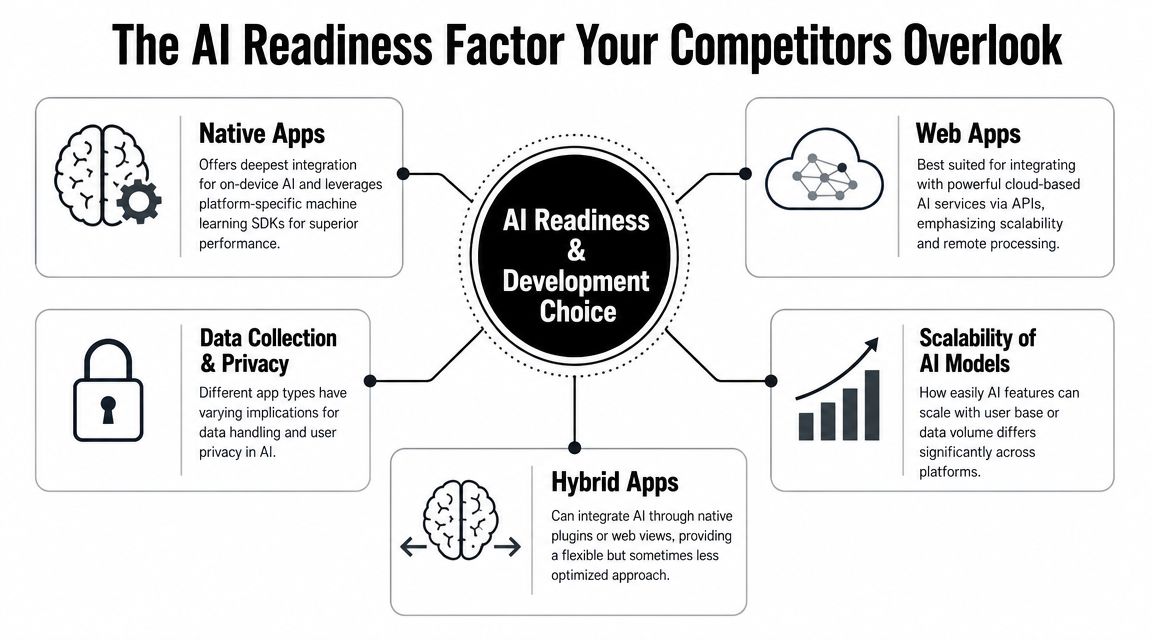
The AI Readiness Factor Your Competitors Overlook
A lot of companies still treat AI as a feature layer. Add a chatbot. Connect an API. Generate summaries. Move on.
That approach breaks quickly. Real AI products need governance. Teams need prompt versioning, parameter control, observability, and cost visibility. Otherwise, the AI layer turns into a pile of hidden logic spread across frontend code, backend services, and vendor dashboards.
Where platform choice affects AI design
Native mobile has an edge when the experience benefits from tight device integration, low-latency interactions, camera input, voice capture, or sensor-driven workflows. Web has an edge when the AI logic is primarily cloud-driven and needs broad, low-friction access across many user environments.
Hybrid approaches can support either model, but they need sharper architectural discipline. Teams have to decide what runs locally, what runs through APIs, and what must stay centralized for consistency and auditability.
Talent and operating complexity
The labor market tells part of the story. The U.S. Bureau of Labor Statistics projects web development jobs to grow by 13% through 2030, while software development overall is projected to grow by 22%, which is relevant because mobile app development is commonly treated as part of the broader software development category, according to Noble Desktop's overview of web development vs mobile app development.
That's not just a hiring note. It signals that businesses increasingly need specialized engineering capacity around richer application behavior, which often includes AI, native integrations, and complex software delivery.
The hidden AI question isn't “Can we add AI?” It's “Can our team operate AI responsibly after launch?”
The admin layer most teams forget
If your roadmap includes multiple AI models, internal data access, prompt iteration, and cross-channel delivery, you need an administrative control plane. A practical setup often includes:
- Prompt versioning: So teams know which prompt is live and what changed.
- Parameter management: So internal data access is structured instead of hard-coded everywhere.
- Logging across models: So QA, product, and compliance teams can inspect behavior.
- Cost tracking: So finance and product leaders can see what usage is doing to budget.
That's where a tool such as Wonderment Apps' prompt management system fits. It's an administrative layer for plugging AI into existing apps or new products, with a prompt vault, versioning, parameter controls, logging, and spend visibility. For AI-enabled mobile and web products, that kind of operational clarity matters as much as model quality.
Which Path Is Right for Your Industry
Industry patterns aren't rules, but they're useful. Buyers, regulators, staff, and end users bring expectations with them. Good product strategy starts there.
Ecommerce and retail
Web often leads the first phase because it reduces friction. Shoppers can discover a product, land on a page, and convert without an install step. That makes web strong for acquisition, catalog access, and fast experimentation.
Native often enters when retention becomes the priority. Loyalty programs, saved preferences, richer notifications, camera-based shopping flows, and higher-frequency usage can justify the shift.
Fintech and SaaS
Fintech products often lean mobile when trust, identity, and high-frequency account interaction matter. Teams may want biometric login, stronger device-native interaction patterns, and the kind of polish users associate with financial seriousness.
SaaS is different. If the product is used heavily during work hours on desktop, web usually remains the primary operating surface. Mobile becomes a companion, not the core workspace.
Healthcare and wellness
Healthcare decisions usually come down to workflow realism. A patient-facing education portal may work beautifully on the web. A care-management tool used in the field, or anything that relies on camera capture, notifications, or device-specific interaction, often benefits from mobile.
Compliance also affects the answer. It's not enough to ship an interface that looks modern. The product has to fit how staff and patients use it.
In healthcare, convenience loses to workflow fit every time. If clinicians need speed, reliability, and simple task completion under pressure, that should drive the channel choice.
Media and entertainment
Media products often split cleanly. Web is excellent for discovery, search, account access, and broad content distribution. Native becomes more attractive when the experience depends on smooth playback, repeat engagement, offline consumption, or personalized notifications.
If content is the asset, channel strategy should follow how audiences consume it, not how the org chart is structured.
Public sector and nonprofits
These organizations often need the broadest possible accessibility, which points to web first. A browser-based service lowers the barrier for citizens, donors, staff, and community members.
Mobile becomes useful when field programs, notifications, check-ins, or repeated authenticated usage matter. Many public-serving organizations benefit from a phased strategy rather than a single permanent bet.
A Simple Framework for Making the Right Choice
Many teams don't need more options. They need a tighter decision filter.
The cleanest way to choose between mobile app development vs web development is to work backward from constraints. Not preferences. Not trends. Constraints.
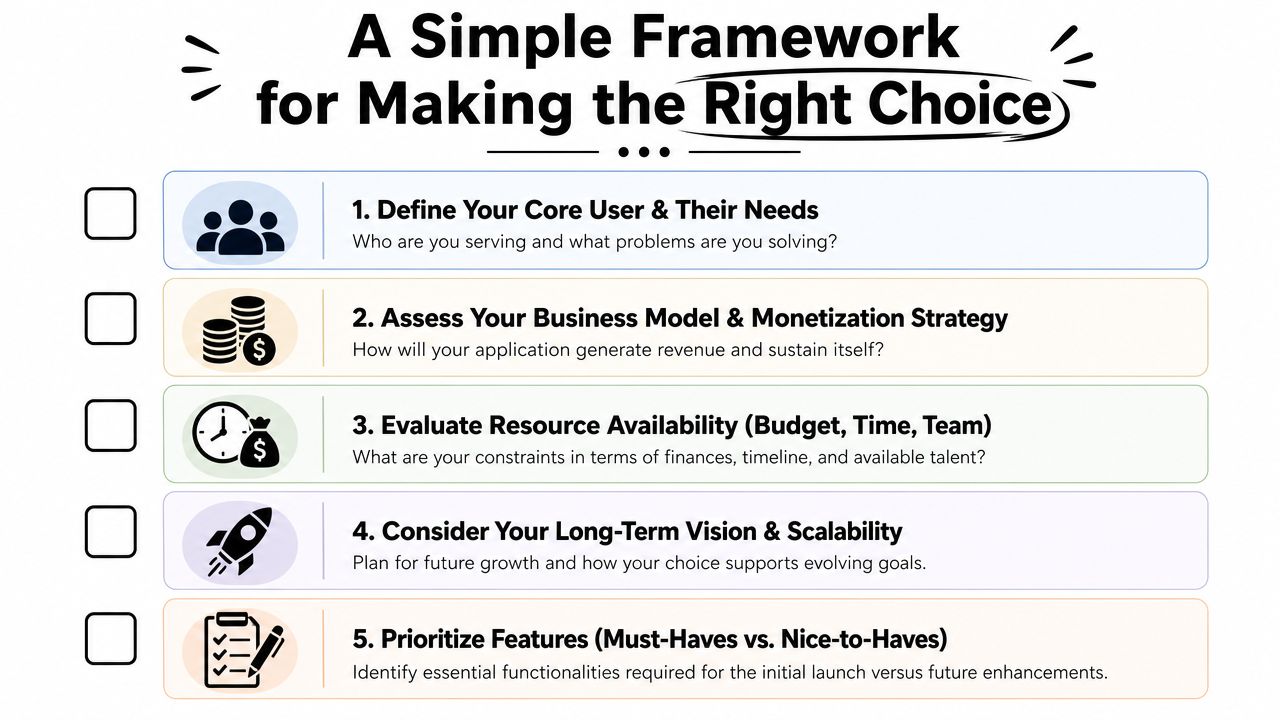
Five questions that usually settle it
The product constraint logic is well summarized by The Knowledge Academy's explanation of web and mobile app differences: mobile apps are often chosen for device capabilities and richer interaction, while web apps are often chosen because they are cheaper, easier to maintain, and accessible across devices without app-store friction.
Use that principle as a checklist:
Does your core value depend on device features?
If the answer includes camera, GPS, biometrics, push notifications, or offline-first behavior, mobile climbs quickly.How important is zero-friction access?
If growth depends on immediate usage from search, email, ads, or shared links, web usually has the advantage.Where does the product live during the workday?
If users spend hours in the product on desktop or across many device types, web may be the more natural home.Can your team support app-store operations?
Native and cross-platform apps create release, QA, and governance work that browser products avoid.What should phase one prove?
If the goal is learning fast, web often makes experimentation easier. If the goal is proving a high-trust or highly interactive experience, mobile may justify the extra effort.
A simple scoring shortcut
If most of your answers point to reach, speed, and easy updates, start with web.
If most point to richer interaction, device integration, and repeated mobile engagement, prioritize mobile.
If the answers split, a phased or hybrid plan is usually the most honest answer.
Future-Proofing Your App with Hybrid Strategies and AI
The strongest product strategies rarely treat launch architecture as a permanent identity. They treat it as a sequence.
A smart pattern is to start with a web app or PWA when broad access and fast iteration matter most, then add mobile experiences when user behavior proves that app-store presence, push engagement, or device-native workflows will pay off. In other cases, teams launch a focused mobile app for a specific high-value workflow and keep broader account management on the web. Hybrid strategy isn't indecision. It's portfolio thinking.
That matters even more when AI enters the roadmap. AI features don't stay still. Prompts evolve. Models change. Costs move. Compliance requirements tighten. A product that looks clean at launch can become hard to govern if the AI layer is scattered across mobile code, backend services, and vendor accounts with no central operating view.
For teams planning a blended delivery model, Wonderment's article on hybrid mobile app approaches is a practical next step.
The better long-term move is to build with a control layer in mind. That means keeping prompts versioned, data parameters managed, logs reviewable, and AI spending visible. Those aren't “nice once we scale” tasks. They're how you avoid rebuilding your AI foundation later.
The exciting part is that this choice is no longer limited to “web or app.” You can design for reach, deepen for engagement, and modernize with AI in a way that matches how your business grows.
If you're deciding between web, native mobile, cross-platform, or a staged approach with AI built in from the start, Wonderment Apps can help you evaluate the right path and operationalize it. Their team works across web and mobile delivery, AI modernization, and product strategy, and they also offer a prompt management system with a prompt vault, versioning, parameter management, cross-model logging, and cost tracking. If your roadmap includes intelligent features and long-term maintainability, request a demo and look at the architecture before the complexity piles up.