

A lot of product roadmaps stall in the same boring, expensive way. You need to ship a mobile app refresh, modernize a web platform, add AI features, tighten security, and keep the current system alive. Then hiring drags on, local salaries blow up the budget, and your internal team becomes a traffic controller instead of a delivery engine.
That’s why nearshore application development keeps coming up in serious planning conversations. It isn’t just a cheaper way to write code. Done well, it gives product leaders more delivery capacity, better working-hour overlap, and access to people who can help with cloud modernization, UX, QA, integrations, and AI implementation without turning every sprint into an overnight relay race.
The catch is that modern software work is no longer only about shipping features. If your roadmap includes AI, the harder problem is governance. Prompts change. Parameters drift. Costs creep. Logs get scattered across providers. Teams need a way to manage that complexity, especially when multiple engineers and product stakeholders are involved.
Is Your Product Roadmap Stuck Between High Costs and Slow Hiring
A familiar scenario looks like this. The product team has a clear backlog. Leadership wants faster releases. Engineering managers know exactly which roles are missing. But hiring locally for React, .NET, mobile, QA, or AI-related work takes too long, and every open requisition competes with larger companies that can move faster on compensation.

That pressure is one reason the market is moving hard toward nearshore models. The nearshore software development market is projected to grow at a 15% CAGR from 2025 to 2033, according to Vrinsoft’s offshore software development trends and statistics. That projection matters because it reflects how companies are changing their delivery strategy, not just trimming spend.
Why roadmaps stall
Most roadmaps don’t fail because teams lack ideas. They fail because capacity arrives too late.
Common blockers include:
- Hiring lag: Internal recruiting can’t fill specialized roles quickly enough.
- Context switching: Senior engineers spend time mentoring new hires, patching legacy systems, and handling release support.
- Skill gaps: AI integration, cloud architecture, data workflows, and mobile modernization often require expertise the current team doesn’t have.
- Management drag: Adding more vendors without a clear operating model creates more meetings, not more output.
A nearshore partner can relieve pressure fast, especially when your team needs more than one discipline at once. Product design, front-end engineering, QA, cloud work, and AI integration usually move better together than in separate handoffs.
Practical rule: If your roadmap depends on three or more hard-to-hire roles landing at the same time, you don’t have a hiring problem. You have a delivery model problem.
Why this matters more in AI-era builds
AI features raise the stakes. Adding summarization, search, recommendations, support copilots, or internal workflow automation sounds simple at the roadmap level. In execution, the work touches prompts, APIs, logging, database access, guardrails, and spend control.
That’s where many teams discover that “we hired developers” isn’t the same as “we built an AI-ready delivery system.”
If you’re weighing whether to keep pushing on in-house recruiting or bring in outside capacity, this perspective on in-house tech hiring vs bringing in burstable partners is worth reading. The best answer often isn’t all internal or all outsourced. It’s a model that gets you shipping again without creating long-term chaos.
Decoding Development Models Onshore vs Nearshore vs Offshore
The three common models sound simple until budget, workflow, and accountability get involved. Product leaders need clean definitions because each model changes how decisions get made every day, not just where invoices go.
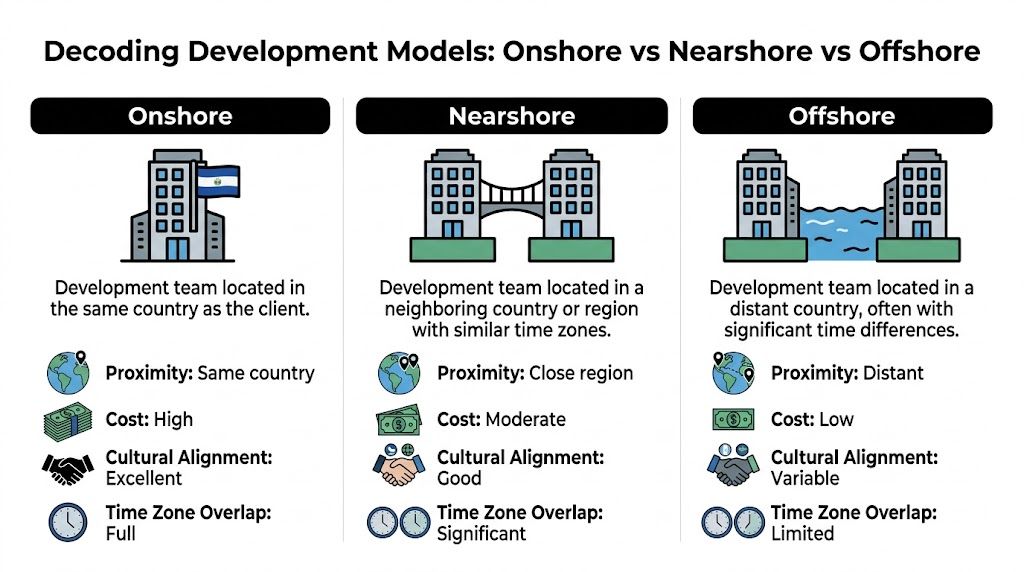
The basic difference
It involves collaborating with a team in the same building, a nearby city, or another continent.
| Model | What it means | Working pattern | Typical trade-off |
|---|---|---|---|
| Onshore | Team is in your country | Full overlap, easy meetings | Strong alignment, highest cost |
| Nearshore | Team is in a nearby country or region | Significant overlap, easier real-time collaboration | Better balance of cost and speed |
| Offshore | Team is in a distant region | Limited overlap, more async work | Lower rates, more coordination risk |
Onshore works best when control matters most
Onshore teams make sense when the work is embedded in your business, highly sensitive, or tightly coupled to stakeholders who need constant access. If executives, compliance officers, users, and engineers all need fast, in-person style collaboration, onshore can be the cleanest option.
The downside is obvious. Cost rises quickly, and the same hiring pressure that slowed your roadmap in the first place usually still exists.
Nearshore sits in the middle for a reason
Nearshore application development is the model many teams land on when they need meaningful cost relief without giving up working-hour overlap. According to Decode’s overview of nearshore software development benefits, nearshore teams typically work within 1 to 4 hours of time zone difference and can deliver 20% to 30% faster development cycles compared to offshore models.
That speed benefit isn’t magic. It comes from being able to handle daily standups, clarifications, QA questions, design reviews, and release fixes in the same workday.
Here’s the practical difference:
- Onshore question: “Can you jump on a call in 15 minutes?”
- Nearshore question: “Can you jump on a call this afternoon?”
- Offshore question: “Can you answer this by tomorrow’s handoff?”
That gap matters when a feature is blocked by one API contract, one UX decision, or one failed test suite.
Offshore still has a place
Offshore can be a strong fit for well-scoped work with stable requirements, strong documentation, and a team that already knows how to operate asynchronously. It can also work when cost pressure is the dominant factor and the project is less dependent on rapid iteration.
What offshore usually doesn’t love is messy product discovery. If requirements are changing weekly, design is evolving, and business stakeholders want same-day discussion, distance becomes an operating issue.
Nearshore wins when your team needs conversation, not just capacity.
How to choose the model
Use this quick lens:
- Choose onshore when stakeholder access, local context, or regulatory confidence outweighs cost.
- Choose nearshore when you need agile collaboration, specialized talent, and better economics without losing momentum.
- Choose offshore when work can run on strong documentation and async execution.
For a more focused comparison of delivery trade-offs, this guide on nearshore vs offshore is useful, especially if your team keeps debating rate cards instead of operating realities.
The Strategic Business Benefits of Going Nearshore
Nearshore application development becomes compelling when you stop treating it like a staffing tactic and start treating it like a business lever. The benefit isn’t “developers in another country.” The benefit is a delivery system that can move with your product team instead of behind it.
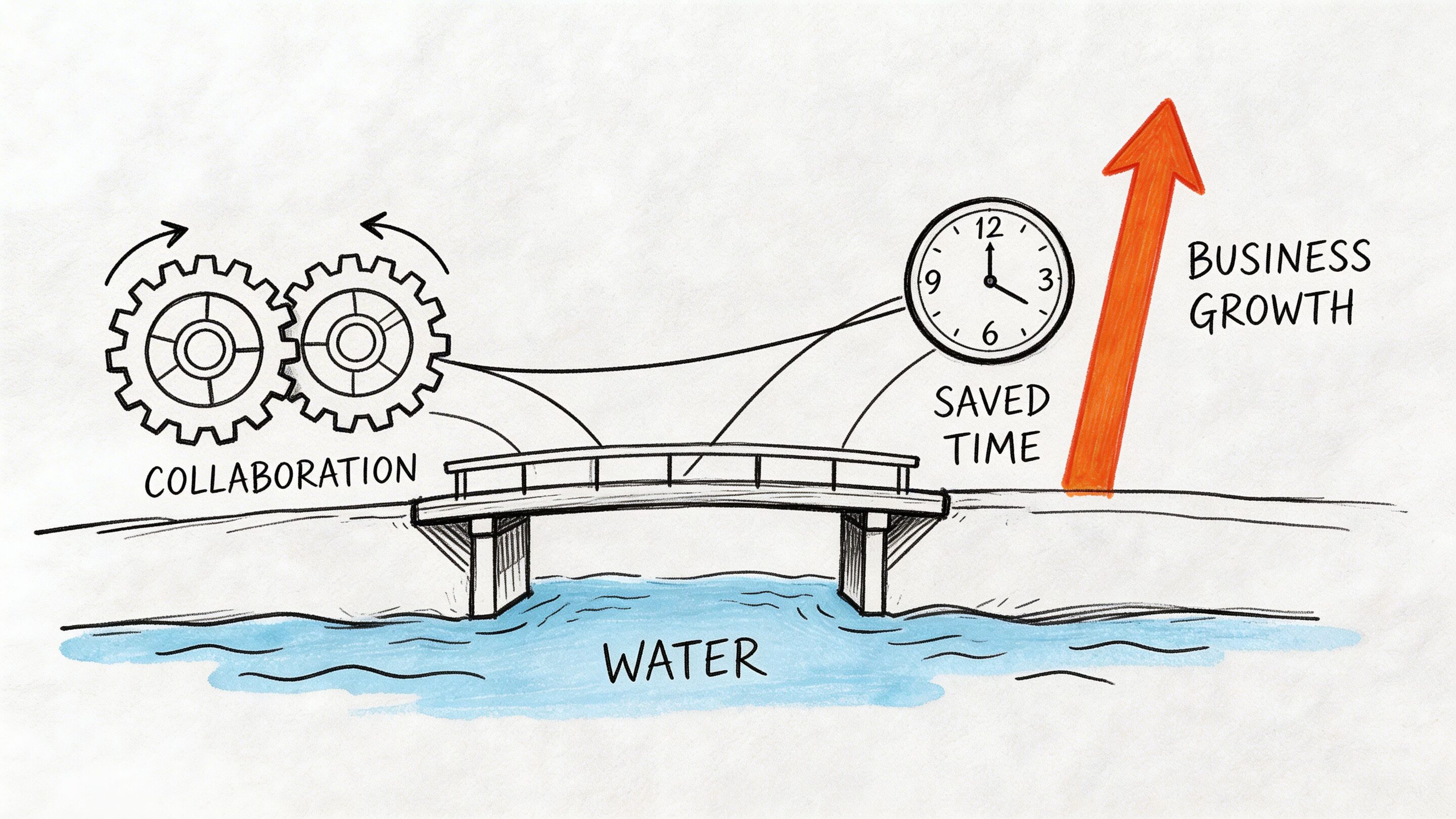
One signal that this has moved into the mainstream: 21% of small businesses outsourcing software development intend to hire nearshore companies in 2025, up from 15% the previous year, according to HatchWorks’ nearshore software development statistics.
Faster decisions create faster releases
Nearshore teams help agile processes behave the way agile is supposed to behave. Product owners can clarify requirements during the workday. Designers can review interactions while engineers are still in the sprint. QA can flag issues and get developer feedback without waiting for a full day to pass.
That operating rhythm matters more than most spreadsheets show.
A few business effects show up quickly:
- Shorter feedback loops: Fewer “we’ll revisit tomorrow” delays.
- Less requirement drift: Teams catch misunderstandings while implementation is still fresh.
- Cleaner releases: Bugs and regression issues get triaged faster.
Access to broader technical depth
Product leaders often start looking nearshore because one role is missing. Then they realize the bigger value is team shape.
A strong nearshore partner can add combinations that are hard to assemble internally at the same speed, such as:
- React plus UX design for a customer-facing web refresh
- .NET plus QA automation for enterprise workflow modernization
- iOS and Android support for a mobile push
- AI integration plus backend engineering for model-enabled features
That matters when your roadmap isn’t one project. It’s modernization, feature delivery, and risk reduction happening at once.
Better fit for scaling products
Nearshore isn’t only useful at launch. It’s useful when success creates pressure.
Ecommerce teams may need personalization features, search improvements, and checkout stability. Fintech teams need secure transaction flows, auditability, and release discipline. Healthcare products need compliant UX, careful data handling, and steady iteration.
These aren’t “cheap code” problems. They’re coordination problems.
If a product serves real customers, the value of a development partner shows up in release quality, response time, and operational calm.
Why product leaders like the model
The strongest nearshore relationships feel less like outsourcing and more like an extension of the product organization. Good teams join sprint rituals, write maintainable code, challenge weak assumptions, and surface risks early.
What doesn’t work is treating a nearshore team like a black box. If leadership wants velocity, the team needs context, access, and accountability.
Navigating the Risks and Common Nearshoring Pitfalls
Nearshoring gets oversold when people pretend proximity solves everything. It doesn’t. A team can share your workday and still miss your standards, your architecture discipline, or your compliance expectations.
The most overlooked issue is integration friction. An estimated 40% of nearshore projects face integration delays due to mismatched DevOps practices and regulatory hurdles like HIPAA or PCI-DSS compliance variances, according to Talently’s discussion of moving development closer.
Where nearshore engagements go sideways
The failure patterns are usually operational, not theoretical.
DevOps mismatch
One team expects trunk-based development, automated tests, and disciplined pull request review. The other is used to looser branching, manual deployment steps, or inconsistent environment setup.
The result is ugly. Work looks finished in sprint demos but slows down during release prep.
Weak compliance translation
Regulated work doesn’t tolerate fuzzy interpretation. Healthcare, fintech, and public sector products need clean answers on access control, logging, data handling, and documentation.
A partner may say they’ve worked in a regulated domain. That’s not the same as proving they can operate inside your controls.
Too little product context
Some companies try to “protect time” by giving an external team only tickets. That usually backfires.
Without product context, developers can complete stories while missing user intent, edge cases, and downstream system impact.
What to do instead
Use prevention, not rescue.
- Run a workflow audit early: Before sprint one, map branching strategy, CI/CD process, environments, release approvals, and QA ownership.
- Test communication in real conditions: Don’t judge a partner by the sales call. Judge them by how they handle ambiguity, change requests, and production issues.
- Define compliance responsibilities: Spell out who owns evidence gathering, data boundaries, secrets management, and incident response.
- Start with a contained workstream: A pilot feature or bounded modernization effort reveals collaboration quality quickly.
The biggest hidden cost in nearshore application development isn’t the hourly rate. It’s the price of discovering too late that your operating models don’t fit.
Red flags worth taking seriously
| Red flag | Why it matters |
|---|---|
| Vague answers on delivery process | Process gaps usually become schedule slips |
| No clear QA ownership | Quality becomes everyone’s job and no one’s responsibility |
| Generic compliance language | Regulated work needs specifics |
| Only salespeople in early conversations | You need access to delivery leaders and engineers |
A nearshore model works best when both sides commit to the same playbook. Shared time zones help. Shared standards matter more.
Your Evaluation Checklist for Choosing the Right Nearshore Partner
Most partner evaluations focus too much on resumes and too little on execution. A polished deck can hide weak engineering discipline for months. A smart review process forces the vendor to show how they work.
Use the checklist below in live meetings. Don’t just collect yes-or-no answers. Ask for examples, artifacts, and decision logic.
Technical capability
Start with the stack you need, not the stack they want to sell.
- Core platform fit: Can they support the technologies your product already runs on, such as React, .NET, Java, iOS, Android, or WordPress?
- Integration depth: Ask how they approach APIs, identity systems, data pipelines, payment services, analytics tooling, and third-party dependencies.
- AI readiness: If AI is on your roadmap, ask who handles prompt workflows, model integration, fallback logic, observability, and cost controls.
- Legacy modernization experience: Teams should be able to explain how they replace or refactor old systems without breaking production stability.
Delivery process
A real partner has a point of view on execution.
Ask to see:
Sprint structure
How do they run planning, standups, backlog refinement, demos, and retrospectives?Definition of done
Does “done” include QA, documentation, security checks, and deployment readiness?Escalation path
When a feature is blocked, who gets involved and how quickly?Release management
How do they handle environments, approvals, rollback planning, and post-release monitoring?
Security and compliance
Many evaluations become lazy at this stage. Don’t let the conversation stay high level.
A good review includes questions like:
- Access control: How do they manage developer access to repos, cloud resources, and production-adjacent data?
- Sensitive data handling: How do they work with masked data, protected records, and environment separation?
- Audit support: Can they produce documentation and evidence in a way your compliance team can use?
- Incident response: What happens if a credential leaks, a deployment fails, or a suspicious event appears in logs?
Ask the partner to describe a compliance-heavy workflow in plain language. If they can’t make it understandable, they probably can’t make it reliable.
Team design and communication
You’re not hiring a logo. You’re hiring a team shape.
Look for clarity on:
- Who does what: Engineer, QA, designer, product manager, tech lead.
- How feedback works: Especially when stakeholders disagree.
- How they document decisions: In tickets, docs, architecture notes, or recorded demos.
- How they handle overlap with your internal staff: Good partners avoid stepping on ownership.
Commercial sanity check
Don’t finish evaluation without this table.
| Question | Strong answer looks like |
|---|---|
| What happens if priorities change? | They have a clear change-management process |
| How do you replace a team member? | There’s a transition plan and knowledge capture |
| What do you need from us to succeed? | They ask for access, decision-makers, and product context |
| How do you measure engagement health? | They track delivery quality, communication, and risk |
The right nearshore partner should make your organization feel more coordinated, not more dependent.
Structuring Engagement Models and Calculating True ROI
Nearshore application development usually lands in one of two structures. Staff augmentation adds people into your existing team. Managed projects give a partner responsibility for delivery outcomes within a defined scope and operating model.
Neither is automatically better. The right choice depends on how much product leadership, technical leadership, and process maturity you already have.
Staff augmentation works when your system is already stable
This model fits companies with a solid internal engineering culture, clear product ownership, and established delivery rituals. You know how work gets prioritized. You know how releases happen. You need more hands and deeper specialization.
This is a good fit when:
- You have experienced internal leads.
- Your architecture direction is clear.
- You need to increase throughput on an active roadmap.
- You want the external team embedded inside your existing ceremonies.
Managed projects work when you need more than extra capacity
This model fits teams that need a partner to help structure the work, not just execute assigned tickets. It’s useful for new product builds, major modernization efforts, app redesigns, or AI initiatives where multiple disciplines need to move in sync.
A managed engagement usually helps when:
- Scope is broad and cross-functional.
- Internal stakeholders are busy or fragmented.
- Delivery needs stronger coordination.
- You want one team accountable for outcomes, not just hours.
Start with total cost, not hourly rates
Hourly comparison is the fastest way to make a bad decision. What matters is total cost of ownership.
According to Softjourn’s overview of nearshore software development advantages, nearshore development offers rates 30% to 50% lower than US onshore, at $50 to $80 per hour versus $120 to $200 per hour, and can drive 25% to 40% savings in total project costs through reduced travel, training, and overhead.
That’s useful, but it’s still only part of the picture.
A better ROI lens
Evaluate nearshore work across four buckets:
- Direct delivery cost: Rates, team composition, contract structure.
- Internal management cost: How much leadership attention the engagement consumes.
- Speed value: Whether faster delivery lets you launch, modernize, or unblock revenue-driving initiatives sooner.
- Risk cost: Rework, production issues, compliance failure, and missed deadlines.
The cheapest engagement on paper often becomes the most expensive one if your team spends months correcting process, quality, or architecture mistakes.
A smart ROI conversation with finance should include questions like:
- Are we replacing recruiting spend and hiring delays?
- Are we reducing the burden on our highest-cost internal people?
- Are we shipping strategic features sooner?
- Are we lowering operational risk in systems that already matter to customers?
That’s the business case. Not “we found lower rates,” but “we built a delivery model that improves output and reduces friction.”
Supercharge Your App with Nearshore AI Modernization
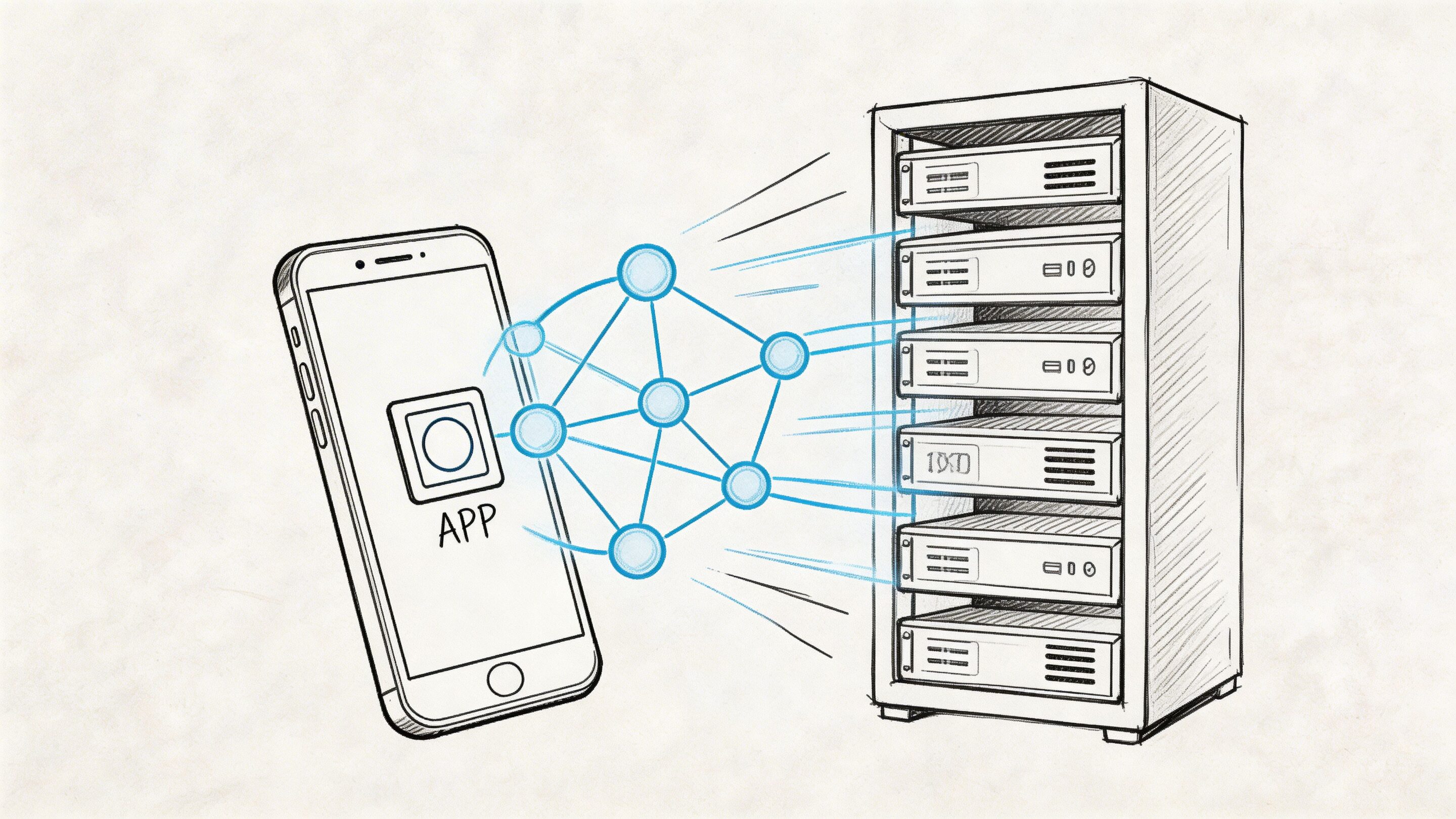
AI modernization is where nearshore application development becomes especially useful. These projects usually combine product thinking, backend integration, model selection, UX, governance, and cost management. They move faster when teams can collaborate in real time, make decisions quickly, and test behavior continuously.
That said, AI projects fail in a very specific way. The team gets the model working, but the system around it stays messy. Prompts live in scattered files. Parameters are hard-coded. Logging is fragmented across providers. Nobody has a clean view of token usage or cumulative spend.
Why governance matters more than demos
A prototype can hide bad habits. Production can’t.
AI-enabled products need a layer that keeps prompts, parameters, model behavior, logs, and costs visible across the whole team. That matters even more when engineers, product managers, and operators are working across multiple systems and release cycles.
For teams exploring enterprise AI patterns, it can also help to study adjacent implementations like custom ChatGPT solutions from Ekipa AI. The useful takeaway isn’t the label. It’s the importance of building controlled interfaces around language models instead of dropping them into an app and hoping governance appears later.
What a useful prompt management layer should include
A mature setup should cover four things.
Prompt vault with versioning
Prompts are product logic. Treat them that way.
Versioning lets teams track what changed, compare outputs across revisions, and roll back when a “small wording improvement” damages quality or behavior.
Parameter manager for internal data access
AI features often rely on internal business rules, retrieval settings, filters, and structured data access. A parameter manager gives teams a cleaner way to control those inputs without burying them in code.
Logging across integrated AI systems
If your app uses more than one model, vendor, or workflow, fragmented logs become a major operations problem. Centralized logging helps teams trace behavior, debug issues, and understand how user inputs move through the system.
Cost manager for cumulative spend
Token costs drift upward when prompts expand, retries multiply, or new features launch. A cost manager gives operators and founders a direct way to monitor usage and avoid surprises.
If AI modernization is part of your roadmap, this perspective on AI development services adds helpful context around how to build AI into software without turning maintenance into a permanent tax.
AI features become durable when teams manage them like product infrastructure, not like one-off experiments.
Frequently Asked Questions About Nearshore Development
How do you protect intellectual property with a nearshore team
Use the same discipline you’d want with any external partner. Contracts should clearly define IP ownership, confidentiality, code access, repository controls, and offboarding procedures. Operational controls matter as much as legal language.
How do you integrate nearshore developers into a daily workflow
Integrate them into the process. Include them in standups, sprint planning, backlog refinement, design reviews, and release retrospectives. Shared rituals prevent the “external ticket factory” problem that weakens collaboration.
Is nearshore application development viable for startups
Yes, if the startup has a focused scope and a clear decision-maker. Early-stage teams often benefit from nearshore support because they need speed and broad skill coverage. What they can’t afford is vague ownership or constant scope churn.
What should regulated teams do before signing
Bring security and compliance stakeholders into evaluation early. Ask for process details, not only promises. For teams thinking through security frameworks around AI-enabled systems, this primer on securing AI-powered applications with NIST 800 53 controls is a useful reference point.
What’s the most common mistake buyers make
They choose on price, then discover they bought misalignment. The best nearshore partnerships are built on operating fit, communication quality, and technical credibility.
If your roadmap includes AI modernization, scalable web or mobile development, or a nearshore delivery model that works in practice, Wonderment Apps is worth a look. They help teams design, build, and mod…com) is worth a look. They help teams design, build, and modernize applications with the engineering depth, UX focus, and AI governance needed to launch faster and keep systems manageable over time.