

Imagine your sales, marketing, and support tools could all talk to each other, instantly. That’s the magic behind application integration—a core business strategy that finally tears down data silos and powers the seamless experiences customers now expect. It's the engine running quietly in the background, handling everything from personalized e-commerce recommendations to ultra-secure fintech transactions, especially when supercharged with AI.
But let's be honest, integrating AI into your existing software isn't a walk in the park. It introduces new headaches like managing countless prompts, keeping an eye on spiraling costs, and trying to make sense of logs from multiple AI models. To truly modernize your applications and build for the future, you need a control center. That's why at Wonderment Apps, we've developed a prompt management system—an administrative tool that plugs right into your software, giving you the power to manage, monitor, and optimize your AI integrations with confidence. We'll dive deeper into how this works later on.
Why Application Integration Is Your New Superpower
Most companies today rely on a sprawling collection of software to keep things running. You probably have a CRM for customer data, an ERP for financials, and a completely separate platform for marketing automation. Each app holds a valuable piece of the puzzle, but when they operate on their own, they create invisible walls. We call these data silos.
This disconnect is a recipe for manual data entry, inconsistent information across teams, and a ton of missed opportunities.
Application integration is simply the process of building bridges between these disconnected systems. It lets them share data and automate workflows in real time. Think of it as creating a central nervous system for your entire business. When a new lead comes in through your marketing tool, it can automatically pop up in your sales CRM, triggering a follow-up task without anyone lifting a finger.
Unlocking Growth and Efficiency
This kind of seamless connectivity isn't just a technical "nice-to-have" anymore; it's a critical driver of growth. Business today moves fast, and manual processes just can't keep up. In fact, industry analysis shows that by 2026, over 80% of digital initiatives will demand this level of system-to-system connectivity. That makes integration a boardroom-level priority.
The rise of AI only amplifies this trend, since connected, clean data is the fuel for building smart, responsive applications. You can dig into the full enterprise integration report to see the detailed projections for yourself.
A move toward a connected ecosystem delivers some huge wins:
- A Unified Customer View: When you sync data across every touchpoint, you finally get a complete picture of your customer's journey. That’s how you deliver truly personalized experiences.
- Increased Productivity: Automating all those repetitive tasks frees up your team to focus on strategic work instead of soul-crushing data entry.
- Real-Time Decision Making: With up-to-the-minute data flowing between systems, leaders can make faster, smarter decisions based on what’s actually happening, not what happened last week.
As companies look to modernize, integrating AI has become the next big frontier. This brings its own set of challenges, like managing prompts and controlling costs across different AI models. Fortunately, modern tools like Wonderment Apps' prompt management system are designed to solve this exact problem, giving you a control center to build a truly intelligent and connected business.
Choosing Your Integration Blueprint
Just like you wouldn't start building a house without a blueprint, you can't build a connected business without an architectural plan. Application integration isn’t a one-size-fits-all deal; the right approach hinges entirely on what you're trying to accomplish. Nailing this choice from the start ensures your systems can talk to each other efficiently, scale without breaking, and adapt to whatever comes next.
Think of these architectures as different strategic game plans for connecting your software. Each one offers a unique way to manage the flow of data, and picking the right one is your first real step toward building a powerful, unified system. Let’s break down the most common patterns with some simple analogies to make sense of how they really work.
This map shows how application integration acts as the engine that breaks down data silos, which in turn fuels growth and unlocks critical insights for the business.
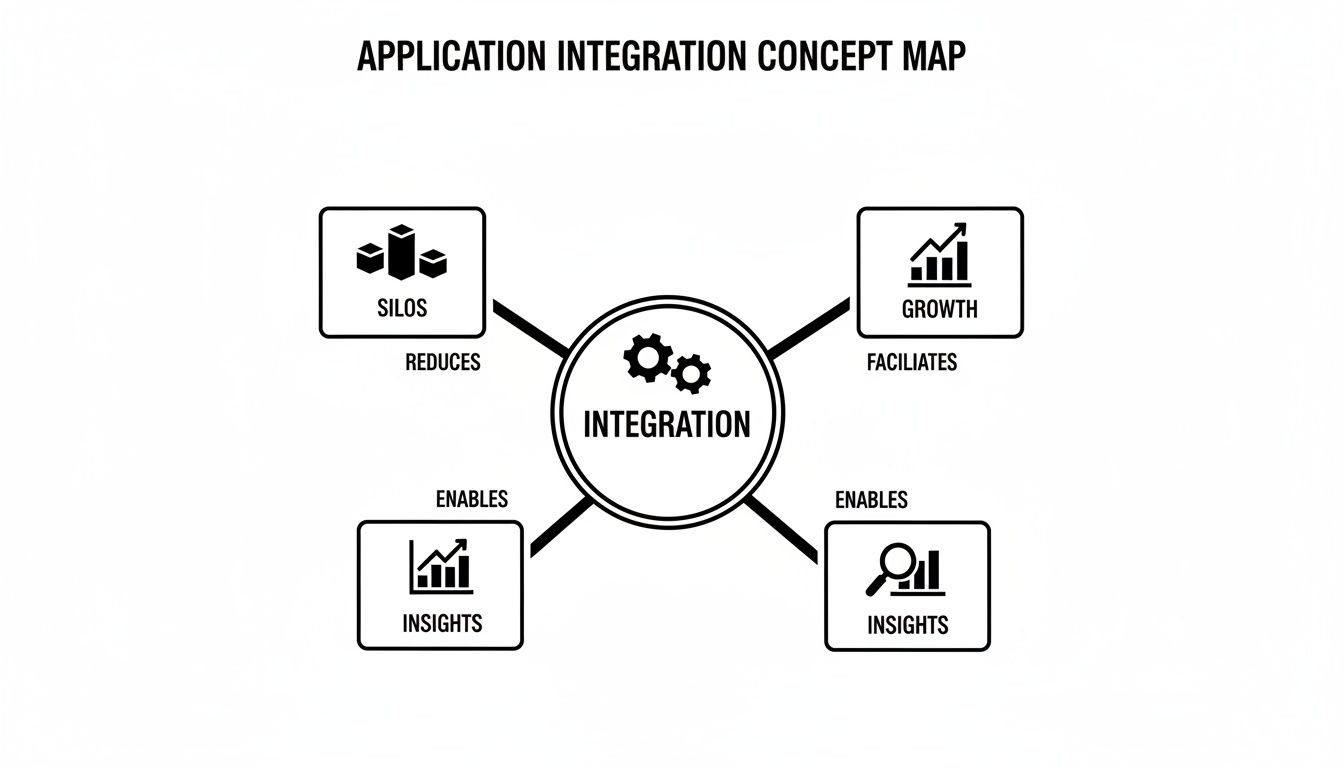
It’s clear that a well-thought-out integration strategy is the foundation for turning isolated data points into a smart, cohesive operation.
Comparing Common Integration Patterns
To help you find the best fit for your project, this table gives you a quick comparison of the architectures we're about to cover. Think about your project's complexity, scalability needs, and what you're ultimately trying to build.
| Pattern | Best For | Key Benefit | Common Use Case |
|---|---|---|---|
| API-Led | Modern, scalable architectures | Reusability & flexibility | Connecting mobile apps to backend services |
| ESB | Centralized control in large enterprises | Centralized governance & routing | Legacy system integration in a large company |
| iPaaS | Rapidly connecting cloud apps | Speed & ease of use (low-code) | Syncing Salesforce leads to a Mailchimp list |
| Event-Driven | Real-time, responsive systems | Decoupling & high scalability | Updating inventory across multiple e-commerce channels |
Each of these patterns has its place. Your job is to match the pattern's strengths to your specific business challenge. Now, let's dive into the details of each.
API-Led Connectivity: The Universal Translator
One of the most popular modern approaches is API-led connectivity. Imagine each of your applications speaks a different language. An API (Application Programming Interface) is like a universal translator for each one, letting them all communicate fluently without having to learn every other app's native tongue.
This method is incredibly flexible and scalable. Instead of building messy, direct point-to-point connections every time you add a new app, you create reusable APIs that other systems can simply plug into. It creates an organized, layered architecture that’s far easier to manage and grow over time.
The Enterprise Service Bus: The Central Post Office
An older but still very relevant pattern is the Enterprise Service Bus (ESB). Picture an ESB as your company's central post office. Instead of applications sending messages directly to one another, they all send their "mail" to the ESB.
The ESB then takes on the job of routing, transforming, and delivering each message to the right destination. While this approach gives you a ton of centralized control, it can also become a serious bottleneck if it isn't managed well. If the "post office" gets swamped, the entire system grinds to a halt.
iPaaS: The Cloud-Based Lego Kit
For businesses needing to connect multiple cloud-based apps quickly, iPaaS (Integration Platform as a Service) is the clear winner. Think of an iPaaS platform as a massive box of Legos. It comes packed with pre-built connectors (the Lego blocks) for hundreds of popular apps like Salesforce, Shopify, and Slack.
You can simply drag and drop these connectors to build out integration workflows, often without writing a single line of code. This low-code approach massively speeds up the integration process and makes it accessible to teams that don't have deep development expertise.
The enterprise application integration market is exploding, valued at USD 17.67 billion in 2025 and projected to hit USD 36.56 billion by 2030. This growth is almost entirely driven by the urgent need for seamless connectivity, with iPaaS platforms leading the charge.
Event-Driven Architecture: The Responsive Dancers
Finally, we have event-driven architecture, a highly responsive and modern pattern. Imagine a group of dancers on a stage. They don't talk to each other directly. Instead, they all react instantly to the music. When a specific beat drops (an "event"), certain dancers perform a specific move.
In this model, one application "publishes" an event—like a new customer signing up—and other applications "subscribe" to that event and react accordingly. Your CRM might create a new contact, while your email marketing tool sends a welcome message. This creates a loosely coupled system that is incredibly resilient and scalable, making it perfect for real-time applications like e-commerce and IoT platforms.
Making the right choice here is critical. You can learn more by exploring our guide on enterprise application integration best practices.
Keeping Your Connected Data Safe and Sound
Connecting your applications unlocks immense power, but that power comes with a critical responsibility: protecting the data flowing between them. A successful integration program rests on two pillars: a translation guide to ensure data makes sense across systems, and a digital fortress to keep it secure.
Get either of these wrong, and your seamless ecosystem can quickly become a source of errors and vulnerabilities.
Building Your Data's Rosetta Stone
Think of data mapping as creating a Rosetta Stone for your software. Your CRM might store a customer's first name under the field first_name, while your email marketing platform uses FirstName. Without a clear map, your systems are speaking different dialects. This inevitably leads to confusion, lost information, and broken workflows.
Data mapping is simply the process of defining these translations. It ensures that when data moves from System A to System B, it arrives in the correct field and format. This meticulous step prevents errors, maintains data integrity, and makes sure every piece of your connected architecture understands the others perfectly.
Building Your Digital Fortress
With your data flowing accurately, the next priority is security. Each new connection point can be a potential door for unauthorized access if not properly secured. Building a digital fortress around your integrated systems isn't optional; it’s essential for protecting your business and your customers' trust.
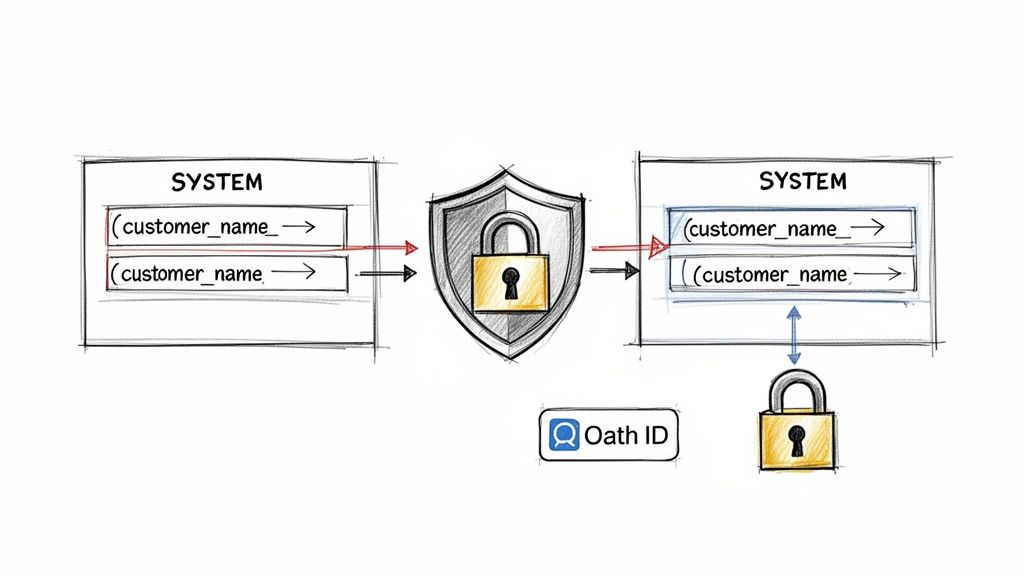
This fortress is built with several layers of defense:
- Authentication: This is all about verifying identity. It’s like asking for a digital ID badge before granting access to a system.
- Authorization: Once authenticated, this layer determines what a user or application is allowed to do. It’s the difference between a guest pass and an all-access backstage pass.
- Encryption: This scrambles your data, making it unreadable to anyone without the key. It’s crucial for protecting data both when it's moving between apps (in transit) and when it's stored in a database (at rest).
A modern, robust approach to authentication is a must. To dive deeper into this topic, check out our guide on API authentication best practices which covers the latest standards.
The Modern Security Toolkit
To implement these security layers, businesses rely on proven standards and protocols. One of the most important is OAuth 2.0, an open standard for access delegation. Instead of sharing passwords, OAuth 2.0 allows an application to grant limited access to its resources on behalf of a user, without exposing their credentials.
It’s the secure handshake that lets you "Log in with Google" on a third-party site without ever giving that site your Google password.
By simplifying infrastructure and reducing operational overhead, a secure integration strategy directly improves the performance and efficiency of API-driven applications. It removes unnecessary network hops and potential failure points, leading to a more resilient system.
Another critical component is the API Gateway. Think of it as a security guard and traffic cop rolled into one, acting as a single, managed entry point for all your APIs. It can enforce authentication policies, manage traffic flow to prevent overloads, and provide detailed logging—giving you a centralized control panel for your entire integration landscape.
Staying Compliant in a Regulated World
Finally, security isn't just about technology; it's also about compliance. Depending on your industry and location, you’re likely subject to strict data protection regulations. Failing to comply can result in hefty fines and severe damage to your reputation.
Here’s a quick checklist to help you stay on the right side of those regulations:
- Know Your Data: Identify what sensitive data you handle (e.g., personal information, financial records, health data).
- Understand Applicable Laws: Determine which regulations, like GDPR in Europe or HIPAA in U.S. healthcare, apply to your business.
- Implement Access Controls: Enforce the principle of least privilege, ensuring users and systems can only access the data they absolutely need to do their jobs.
- Maintain Audit Trails: Keep detailed logs of who accessed what data and when. This is non-negotiable for accountability and forensic analysis.
- Conduct Regular Audits: Periodically review your security measures and integration points to identify and patch any new vulnerabilities.
By prioritizing both data mapping and robust security, you ensure your application integration is not just functional but also trustworthy and resilient.
Building Integrations That Can Handle the Rush
A beautifully designed application integration is useless if it crumbles under pressure. A successful connection needs to work just as flawlessly for ten million users as it does for ten. This means building for performance and scale from day one isn't a luxury—it’s a fundamental requirement for any serious business.
When traffic spikes during a product launch or a holiday sale, your integrations are on the front lines. If they can't keep up, you risk sluggish response times, frustrating user experiences, and costly downtime that can erode customer trust in an instant.
Designing for Speed and Responsiveness
The key to handling the rush is to build a system that can distribute the workload intelligently and respond to requests as quickly as possible. This involves a few core strategies that work together to create a resilient and high-performing integration architecture.
- Load Balancing: Think of a load balancer as a skilled air traffic controller for your application traffic. Instead of letting all requests hit a single server and creating a bottleneck, it intelligently distributes them across multiple servers. This prevents any one part of your system from becoming overwhelmed, ensuring smooth performance even during peak demand.
- Caching: Caching is like keeping frequently requested information on a nearby shelf instead of running to the back of the warehouse every time. By storing commonly used data in a temporary, high-speed storage layer, your integration can serve requests much faster, reducing the load on your backend databases and significantly improving responsiveness.
These two techniques are foundational for any integration of applications designed to serve a large audience. They are especially vital for e-commerce platforms, media streaming services, and SaaS products where even a few seconds of delay can lead to lost revenue. If you're interested in the nuts and bolts, you can explore a detailed microservice architecture example that showcases these principles in action.
An architecture that simplifies infrastructure and reduces operational overhead directly improves the performance and efficiency of API-driven applications. Removing unnecessary network hops and potential points of failure leads to a more resilient system.
From Monitoring to True Observability
Building a scalable system is only half the battle; you also need to see what's happening inside it. This is where monitoring and observability come in. While they sound similar, they represent an important evolution in understanding system health.
Monitoring is about watching predefined metrics—like CPU usage, response time, and error rates. It’s like having a dashboard in your car that tells you your speed and fuel level. It's essential, but it only tells you what is happening.
Observability, on the other hand, gives you the power to ask why. It involves collecting detailed logs, traces, and metrics that allow your team to explore the system's state, diagnose unknown issues, and understand the root cause of a problem without having to predict it beforehand.
It’s the difference between seeing a "check engine" light and having a full diagnostic report that pinpoints the exact faulty sensor.
For any modern integration, observability is a must-have. It allows you to spot and fix bottlenecks before they become major outages, ensuring your connected ecosystem remains fast, reliable, and ready for whatever your users throw at it.
Using AI to Modernize Your Applications
The real magic in application integration starts when you plug artificial intelligence into your existing software. This isn't some far-off concept anymore; it's a very real strategy for overhauling business operations, automating painfully complex processes, and creating personalized user experiences that simply weren't possible before.
Think of AI as an intelligent brain that sits on top of your connected systems, turning a flood of raw data into smart insights and proactive workflows. For example, by wiring a predictive AI model into your CRM and inventory systems, you could forecast customer demand with startling accuracy. To get a feel for how AI enhances specific support functions, the homepage of supportGPT is a great place to start.
But stepping into AI integration brings a whole new set of headaches that traditional development doesn't really prepare you for. Suddenly, you're not just wrestling with code. You're trying to tame prompts, juggle models, and keep an eye on operational costs that can spin out of control.
The New Challenges of AI Integration
Once you start weaving AI-powered features into your apps, you’ll find the complexity doesn't just add up—it multiplies. A few common hurdles can easily derail an otherwise brilliant AI project if you aren't ready for them.
- Model and Prompt Sprawl: You begin with one AI model, but pretty soon you're testing several to see which one works best. Each model needs different prompts, and you'll find yourself constantly tweaking them to get better results. Before you know it, you’ve got a versioning nightmare on your hands.
- Controlling Unpredictable Costs: Most AI models work on a pay-per-use basis, often charging you per "token." A badly written prompt or a sudden spike in user activity can make your costs explode without any warning.
- Unified Monitoring and Logging: With multiple AI services running, trying to get a single, clear picture of performance, errors, and usage is incredibly difficult. You need to know which prompts are failing and which models are secretly draining your budget.
These issues make one thing clear: you need a dedicated control center for your AI operations—a tool built specifically to handle the unique demands of AI integration.
By 2026, 50% of enterprise companies will operate more than 50 integrations. The influence of AI is profound, with 76% of products featuring generative AI and a forecast that 40% of apps will include task-specific AI agents by that year.
Gaining Control with a Prompt Management System
This is exactly where an administrative tool becomes non-negotiable for any serious integration of applications that involve AI. Picture it as an AI command center that lives between your application and the different AI services you rely on, giving you the visibility and control you need to scale with confidence.
Wonderment Apps has built a prompt management system for this very reason. It's an administrative tool that developers and entrepreneurs can plug into their existing software to modernize it for AI, tackling the biggest challenges head-on.
A solid system needs to have several key pieces:
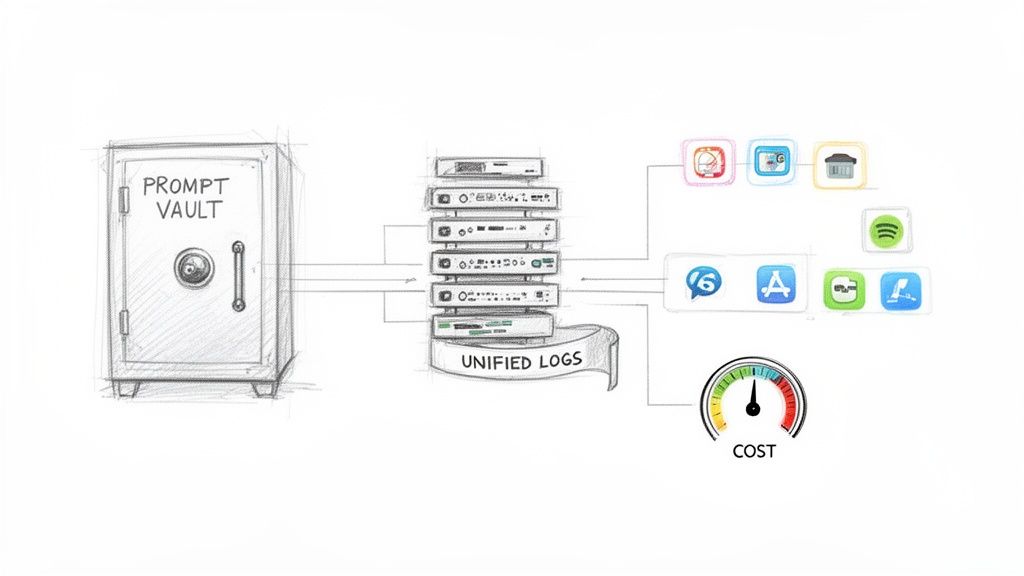
- A Prompt Vault with Versioning: This is your central library for every prompt you create. You can track changes, roll back to older versions, and A/B test different prompts to find what works best—all without having to touch your application's core code.
- A Secure Parameter Manager: For AI to be truly useful, it needs your internal data. A parameter manager lets you securely feed information—like a customer's purchase history or product specs—from your database directly into your prompts in a controlled, safe way.
- Unified Logging Across All AIs: This component pulls logs from every single AI model you've integrated into one dashboard. You can instantly spot which prompts are working and which are failing, monitor performance, and squash bugs efficiently.
- A Comprehensive Cost Manager: By keeping tabs on token usage across all your AI services, a cost manager provides a real-time snapshot of your cumulative spend. This lets you set budgets, pinpoint expensive prompts, and make smart decisions to keep your AI initiatives from breaking the bank.
By bringing a tool like this into your workflow, you can finally unleash the power of AI without the fear. You'll have the guardrails in place to manage the complexity, control the costs, and build intelligent applications that are made to last.
Your Integration Success Checklist
Kicking off an application integration project can feel like a massive undertaking. The key is to break it down. Think of this checklist as your playbook, turning the high-level strategies we've talked about into a straightforward plan that guides you from a rough idea to a successful launch.
Following these steps will help you sidestep the common traps that derail these kinds of initiatives. This is your roadmap to building a business ecosystem that’s connected, efficient, and ready to scale.
Phase 1: Define and Discover
Before you write a single line of code, you need a crystal-clear vision and a solid grasp of your current environment. This first phase is all about setting the stage for everything that follows.
- Define Clear Business Goals: What, exactly, are you trying to achieve? "Integrate the CRM and marketing platform" is too vague. A much better goal is, "Cut lead response time by 50% by automatically syncing new marketing leads to our sales CRM." Be specific.
- Audit Your Current Systems: It's time for an inventory. Make a detailed list of your existing applications, databases, and APIs. You need to understand their capabilities, their limitations, and how data currently moves (or fails to move) between them.
- Identify Key Stakeholders: Who from sales, marketing, IT, and leadership needs a seat at the table? Getting buy-in and honest input from every team that will be affected is non-negotiable for a smooth project.
Phase 2: Plan and Design
With a clear goal and a map of your current landscape, it’s time to architect the solution. This is where you pick your tools and lay down the technical blueprint for your integration.
- Select the Right Architecture: Based on your goals, choose the right pattern for the job. Are you just trying to connect a few cloud apps quickly? An iPaaS might be perfect. Building a highly responsive, real-time system? You'll want to look at an Event-Driven approach.
- Choose Your Tools and Technology: Will you go with a low-code iPaaS platform or build custom integrations from scratch? If you’re bringing AI into the mix, have you picked a prompt management system to keep a handle on versions, costs, and security?
- Establish Robust Security Protocols: Security can't be an afterthought. Plan your strategy from day one. Define your authentication methods (like OAuth 2.0), map out data encryption for data in transit and at rest, and get clear on any compliance requirements you need to meet.
- Plan for Data Migration and Mapping: This is a big one. Create a detailed data map that clearly defines how information will be translated from one system to another. A clean, well-thought-out migration is what prevents data loss and corruption down the line.
These principles—from having clear goals to baking in robust security—are the bedrock of any successful integration. Seeing them in action provides the clarity needed to move forward with confidence.
Modernizing your software with a well-planned integration strategy is one of the most powerful moves you can make. To see how Wonderment’s platform simplifies this entire process, especially for complex AI integrations, book a demo and let us show you how to bring your connected vision to life.
Got Questions? We've Got Answers.
Jumping into application integration can feel like learning a new language. A lot of terms get thrown around, and it's easy to get bogged down in the details. Let's clear up some of the most common questions you might have as you start planning your projects.
What’s the Real Difference Between Application Integration and Data Integration?
This one trips people up all the time, but the distinction is actually pretty simple.
Application integration is all about action. It’s about making different software systems talk to each other to kick off a business process, usually in real-time. Think about it: a customer buys something on your website, and that single event needs to automatically create an invoice in your accounting software, update your CRM, and send a shipping order to the warehouse. It’s a chain reaction of processes.
Data integration, on the other hand, is about insight. The goal here is to pull data from all those different sources—sales, marketing, customer support—and consolidate it into one place, like a data warehouse. This gives you a single, unified view for reporting and analysis.
So, in short: application integration is process-driven, while data integration is data-driven.
Should I Build a Custom Integration or Just Use an iPaaS?
Ah, the classic "build vs. buy" debate. The honest answer? It completely depends on your situation.
You should only really consider building a custom integration if your needs are incredibly specific and an off-the-shelf tool just won't cut it. This path gives you total control over every detail, but it also means you're on the hook for building, maintaining, and updating it forever. You'll need a solid in-house development team with time to spare.
For most businesses, an iPaaS (Integration Platform as a Service) is the smarter starting point. If you need to connect common SaaS applications, want to lean on pre-built connectors to get moving quickly, and prefer a low-code approach that doesn't tie up your developers, an iPaaS is your best bet. It's simply a more efficient and scalable way to handle your integration of applications.
What Are the Biggest Security Traps in Application Integration?
Every time you connect two systems, you're creating a new doorway into your network. The biggest risks usually boil down to insecure APIs, unencrypted data flying back and forth, and sloppy access controls. Each new connection widens your "attack surface," giving bad actors more potential ways in.
You absolutely have to build security in from the very beginning—it can't be an afterthought. Here’s where to focus:
- Lock down access: Use strong authentication standards like OAuth 2.0 to make sure only the right people and systems can get in.
- Encrypt everything: Data should be encrypted both when it's moving between systems (in transit) and when it's sitting in a database (at rest). No exceptions.
- Be proactive: Run regular security audits to find and fix weak spots before someone else does.
- Use a gatekeeper: An API gateway is a must. It acts as a single, managed checkpoint for all your connections, making it far easier to enforce security policies.
At Wonderment Apps, our specialty is guiding businesses through these kinds of complex decisions to build applications that are secure, scalable, and intelligent. With deep expertise in AI modernization and a powerful prompt management system, we bring the control and clarity your projects need. See how we can modernize your software by booking a demo today.