

A lot of teams arrive at scala hadoop spark from the same place. Their app is growing, the event stream is noisy, dashboards lag, recommendation logic runs too late to matter, and every new AI feature seems to add one more system that nobody fully owns.
That is usually the moment the architecture conversation gets real. You are no longer choosing a stack for developer taste. You are choosing how fast the business can process signals, how safely it can scale, and whether the data platform can support AI features without turning into an expensive science project.
The good news is that scala hadoop spark still makes a strong, practical combination for teams that need distributed storage, fast compute, and code that holds up in production. The better news is that once the data side is stable, AI modernization gets easier. Prompt versioning, parameter control, logging across model calls, and spend visibility stop being afterthoughts and become part of the operating model.
Why Your Business Needs Scala Hadoop and Spark Now
The usual trigger is operational pain. A flash sale floods your platform with events. Fraud checks need current data, not yesterday’s batch. Product teams want personalization that reacts while the customer is still browsing, not after the session is over.
That is where scala hadoop spark earns its keep.
Apache Spark changed enterprise data processing because it handles iterative and interactive workloads far faster than disk-heavy MapReduce. In one benchmark on 100 GB of data, Hadoop MapReduce took 110 seconds per iteration, while Spark took 80 seconds for the first load and then 6 seconds for each later iteration, which is about an 18x improvement for those subsequent iterations (icertglobal benchmark details). For machine learning, exploration, and repeated transformations, that difference is not academic. It changes what your team can ship.
Why Scala matters in this stack
Scala is not just a language choice for people who enjoy type systems. It fits Spark unusually well.
Spark was originally built with Scala, and the fit shows in daily work. Collection-style transformations feel natural, case classes map cleanly to typed datasets, and compile-time checking catches mistakes before they become long cluster runs and awkward incident reviews.
For a tech lead, that has business implications:
- Cleaner pipelines: Teams express transformations more directly.
- Safer refactors: Typed code surfaces breakage earlier.
- Better handoff to production: The code that works locally is easier to reason about under load.
Why businesses move now instead of later
Modern apps do not just analyze data. They operationalize it.
A retailer wants ranking logic and anomaly detection. A fintech platform wants low-latency checks and explainable batch trails. A healthcare system wants compliant processing with less brittle glue code. The stack has to support both storage economics and fast compute.
That is why Hadoop and Spark still belong in the same conversation. Hadoop gives you durable distributed storage patterns. Spark gives you a fast execution layer for analytics, streaming-style workloads, SQL, and machine learning. Scala gives your engineers a disciplined way to build on top of both.
Key takeaway: If your team needs both large-scale historical processing and faster product decisions, scala hadoop spark is often less about “big data” branding and more about operational timing.
Staffing matters too. If you need engineers who can ramp into distributed systems work without building an oversized local team, this guide pairs well with resources on how to Hire LATAM developers for platform and application modernization.
If your leadership team is still connecting data engineering to business outcomes, Wonderment’s piece on applying data pipelines to business intelligence is a useful companion read.
Setting Up Your Big Data Development Environment
A good local setup prevents a lot of bad production habits. If developers cannot run and inspect Spark jobs on a laptop, they start treating the cluster like a debugging tool. That gets expensive fast.
For scala hadoop spark, the local environment should mirror production concepts without copying production complexity.
The baseline toolchain
You need a few moving parts, each for a different reason:
JDK
Spark runs on the JVM. Scala compiles to JVM bytecode. If the Java runtime is wrong, everything downstream gets weird.Scala
Install the version your Spark distribution supports. Keep this aligned with your build tool and cluster libraries.SBT
SBT handles dependency management, compilation, test execution, and packaging into a JAR.Spark local install
A local Spark runtime gives you fast iteration withlocal[*]execution.Hadoop client libraries
You do not need a full Hadoop cluster on your laptop just to start coding, but you do need the right libraries if your app will talk to HDFS or read formats commonly used in Hadoop ecosystems.
Spark and Hadoop solve different problems. Hadoop’s HDFS is the storage layer. Spark is the processing engine. Their combination is practical because Spark can work over data stored in Hadoop-oriented environments while giving you one API for batch work, SQL, streaming-style processing, and machine learning tasks (OpenLogic’s Spark vs Hadoop overview).
A sensible project structure
Keep the first project boring. Boring is good.
A typical layout:
src/main/scalafor application codesrc/test/scalafor testsbuild.sbtfor dependencies and packagingproject/for SBT configurationresources/for sample schemas or local config files
In build.sbt, define Spark modules you use. For many first projects, that is Spark Core and Spark SQL. If you are integrating with Hadoop-backed storage systems, include the matching Hadoop client dependencies your environment requires.
Local Spark configuration that helps
Use local mode for development. Keep configs explicit so engineers can see what changes between laptop and cluster.
A practical starting point is:
- local master for all available cores
- app name set clearly
- shuffle partitions set intentionally for local work
- logging toned down so console output is readable
That gives your team a place to test joins, schema handling, and output paths before YARN or another cluster manager enters the picture.
Tip: If a developer’s first experience with Spark is a remote cluster failure, they will debug by trial and error. If their first experience is a local run with visible plans and readable logs, they will debug with intent.
What not to overbuild
A lot of first-time teams make setup harder than it needs to be.
Avoid these traps:
- Do not containerize everything on day one: Useful later, not required for first success.
- Do not simulate the full cluster locally: You need coding feedback, not an imitation data center.
- Do not pull every Hadoop ecosystem dependency into one repo: Start with the minimum needed to read, transform, and write data.
Environment choices that pay off later
Here, a little discipline matters.
| Component | Why it matters | Common mistake |
|---|---|---|
| JDK alignment | Prevents runtime incompatibilities | Mixing versions across local and CI |
| Scala version | Keeps build and Spark APIs compatible | Upgrading Scala independently |
| SBT | Standardizes package and dependency handling | Manual JAR assembly |
| Local Spark | Speeds up iteration | Using cluster runs for basic testing |
| Hadoop libs | Enables storage integration | Pulling in mismatched transitive dependencies |
One more strategic note. If your team is also evaluating broader platform decisions, Wonderment’s guide on how to choose the right technology stack for your project is useful because scala hadoop spark only works well when the rest of the delivery stack is coherent.
A first-day checklist
Before anyone writes business logic, verify this:
- Build runs cleanly:
sbt compileshould finish without dependency conflicts. - A local Spark session starts: Keep the app tiny at first.
- A sample file loads and writes back out: Prefer Parquet or CSV for local tests.
- Tests run in CI: Even a small smoke test catches broken environments quickly.
If those four things work, your team is ready to write real jobs rather than spend a week discussing abstractions.
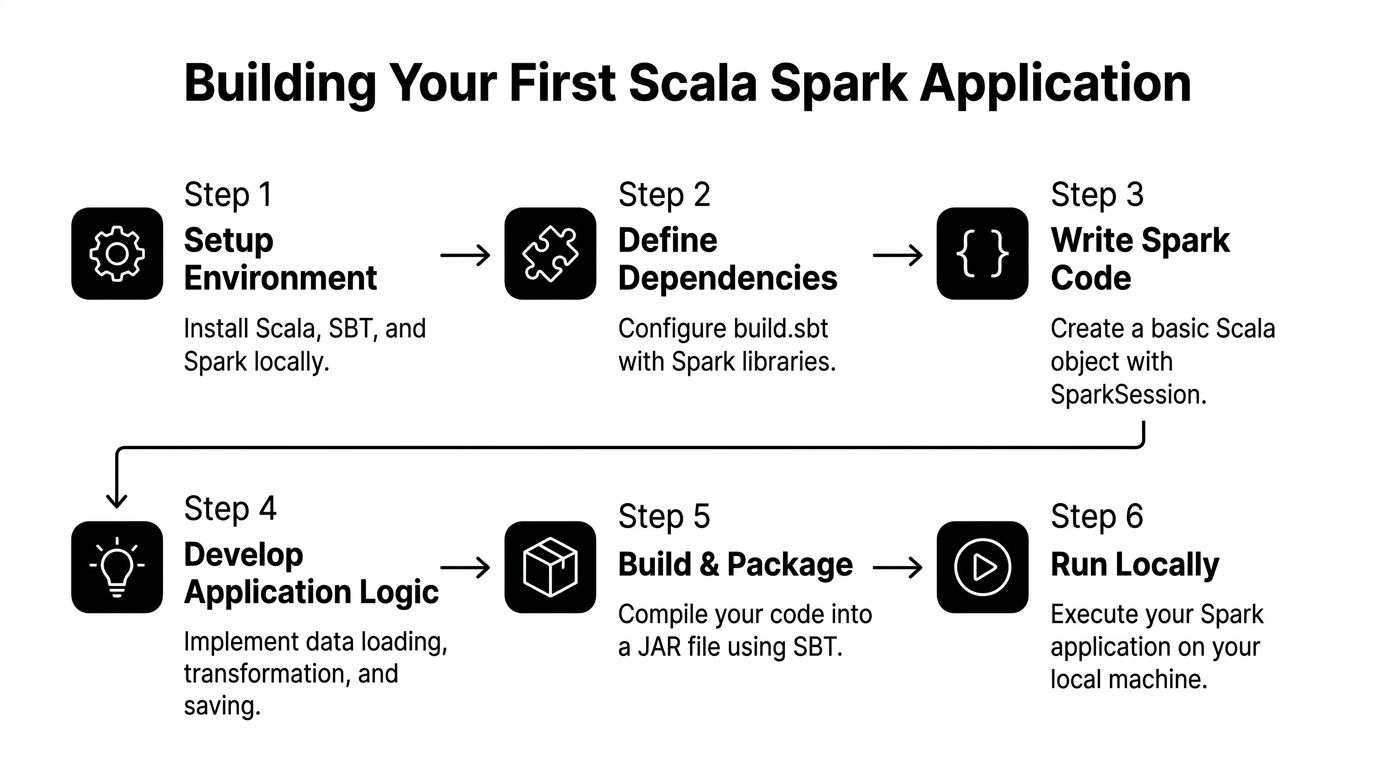
Building Your First Scala Spark Application
The first useful project should solve a problem your product team recognizes. For ecommerce, clickstream analysis is ideal. It is messy enough to be real and structured enough to teach Spark correctly.
Say you want to identify popular products from user event data. The raw feed contains events like product views, add-to-cart actions, and purchases. Your job is to load the data, model it cleanly, aggregate it, and write an output dataset that downstream teams can use.
Start with types, not just columns
A common beginner move is to treat everything as an untyped DataFrame forever. That works until someone renames a field, changes a nested shape, or passes a nullable value into code that assumed otherwise.
Typed datasets are where Scala starts paying rent.
case class ClickEvent(
  userId: String,
  sessionId: String,
  productId: String,
  eventType: String,
  eventTime: String
)
With a case class in place, your transformation code has structure. Reviewers can reason about it. Refactors are less risky.
The practical benefit is not theoretical. Using type-safe Datasets with case classes can reduce runtime errors by up to 30% compared to dynamically typed approaches, and writing intermediate results to Parquet supports fault tolerance because Spark can rebuild lost partitions through immutable RDD lineage (AltexSoft on Spark pipeline reliability).
Create the Spark entry point
Your application starts with a SparkSession.
import org.apache.spark.sql.SparkSession

object PopularProductsJob {
  def main(args: Array[String]): Unit = {
    val spark = SparkSession.builder()
      .appName("PopularProductsJob")
      .master("local[*]")
      .getOrCreate()

    import spark.implicits._

    val events = spark.read
      .option("header", "true")
      .csv("data/clickstream.csv")
      .as[ClickEvent]

    val productViews = events
      .filter(_.eventType == "view")
      .groupByKey(_.productId)
      .count()

    productViews.write.mode("overwrite").parquet("output/popular-products")

    spark.stop()
  }
}
This example stays simple on purpose. It reads a source file, converts rows into a typed dataset, filters for product views, groups by product, and writes the result.
Why this shape works
There are four habits worth keeping from the start.
Use SparkSession once
Create one session per application entry point. Keep it centralized so configs are visible and testable.
Keep transformations readable
Write transformations in stages. Avoid giant chains that make debugging painful.
Prefer typed operations for domain logic
When product behavior matters, types help. A dataset of ClickEvent is clearer than a generic frame with magic strings scattered across the codebase.
Write output in Parquet
Parquet is a practical default for downstream analytics and reprocessing. It preserves schema better than ad hoc flat files and plays well with Spark’s execution model.
Practical rule: If a dataset will be reused by another job, treat its schema like a product contract, not an afterthought.
A more realistic aggregation flow
Product teams usually care about more than raw views. They want a signal that balances interest and intent.
A slightly richer job might:
- filter to a rolling time window
- count views by product
- count add-to-cart events separately
- count purchases separately
- join those aggregates into a product engagement dataset
That can still be clean in Scala if you name each step.
val views = events.filter(_.eventType == "view")
  .groupByKey(_.productId)
  .count()
  .withColumnRenamed("count(1)", "view_count")

val carts = events.filter(_.eventType == "add_to_cart")
  .groupByKey(_.productId)
  .count()
  .withColumnRenamed("count(1)", "cart_count")

val purchases = events.filter(_.eventType == "purchase")
  .groupByKey(_.productId)
  .count()
  .withColumnRenamed("count(1)", "purchase_count")
Then join them and write the result to a curated output location. That output can feed ranking logic, reporting, or model features later.
Packaging the app
Once the job runs locally, package it into a JAR with SBT. Keep packaging part of the normal workflow, not a special release ritual.
Typical flow:
- compile locally
- run tests
- build the artifact
- verify the JAR can run with expected arguments
This discipline matters because deployment failures often come from packaging mismatches, not business logic.
What usually goes wrong in first apps
New teams often hit the same issues:
- Schema drift: CSV headers change and break assumptions unnoticed.
- Too much logic in one object: Hard to test, hard to reuse.
- String-heavy code: Easy to mistype column names.
- Premature RDD use: Useful in some cases, but many first jobs are better with DataFrames or Datasets.
- Output without partition strategy: Fine locally, painful later.
A better pattern is to separate concerns:
| Concern | Good first-project choice |
|---|---|
| Input parsing | Read once, validate early |
| Domain model | Case classes for important entities |
| Transform logic | Small named steps |
| Output format | Parquet |
| Packaging | SBT-built JAR |
A small design habit with big payoff
When a job represents business meaning, create domain names that product and analytics teams understand. popularProducts, purchaseEvents, and sessionSummary are better than df1, df2, and tmpFinal.
That sounds minor. It is not. Teams keep jobs alive for years. Names become operating documentation.
Deploying Your Job on a Production Cluster
Local success proves the logic. Production proves the engineering.
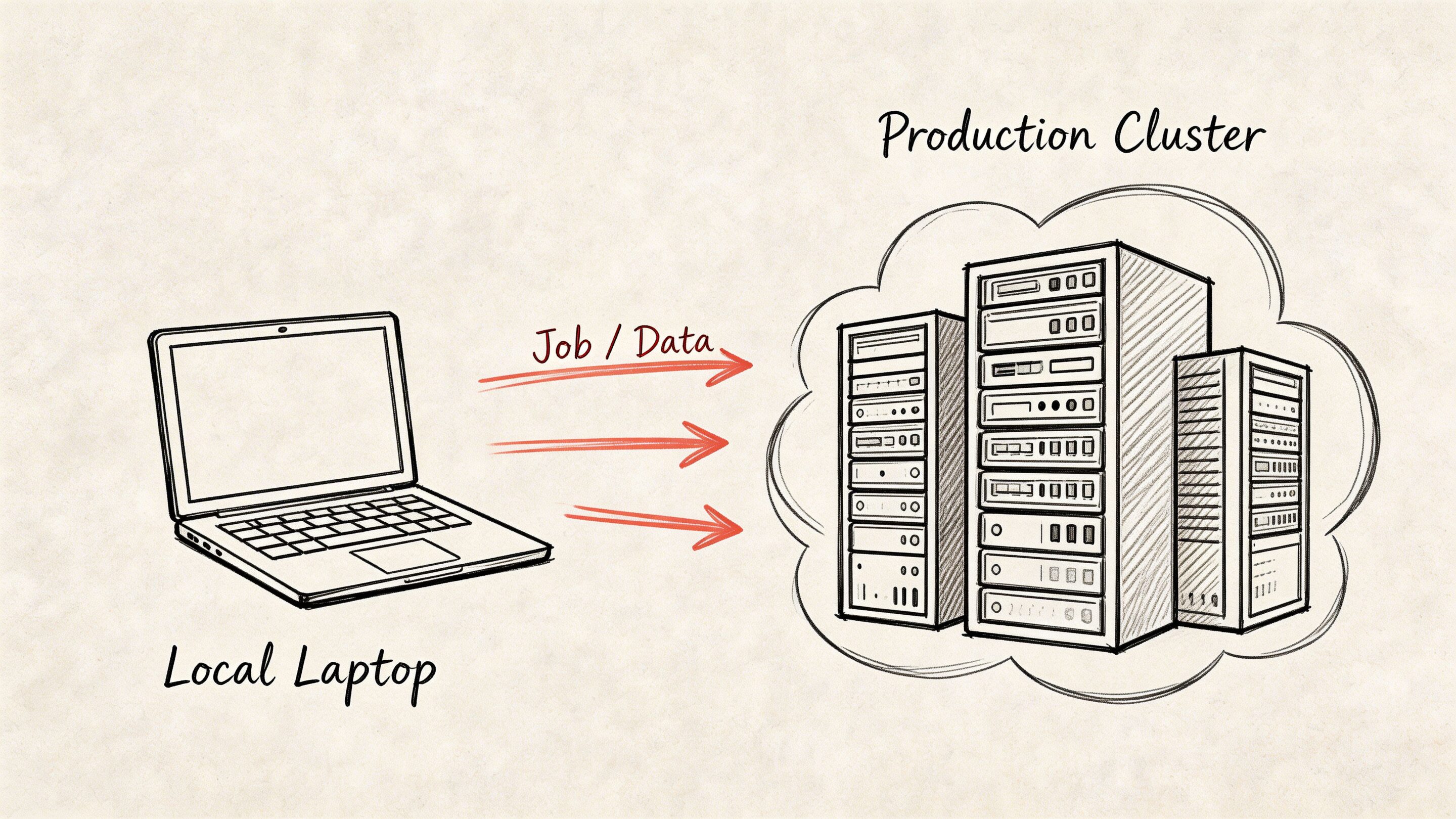
The center of gravity is spark-submit. That command defines what code runs, where it runs, and what resources it gets. Most production issues come from poor assumptions about those three things.
The deployment questions that matter
Before comparing platforms, answer this:
- Where does the data live?
- Who already manages cluster infrastructure?
- How strict are security and compliance controls?
- Does your team operate containers well, or mostly JVM and Hadoop services?
- How often do jobs change?
Those answers usually point you toward YARN or Kubernetes.
YARN versus Kubernetes
YARN remains a sensible choice when your organization already runs Hadoop-centered infrastructure. Kubernetes becomes attractive when the wider platform is container-native and your ops model is already built around pods, images, and declarative deployment.
Here is the practical comparison:
| Option | Best fit | Trade-off |
|---|---|---|
| YARN | Existing Hadoop ecosystem, HDFS-heavy environments, established enterprise clusters | Less aligned with modern container workflows |
| Kubernetes | Container-native platforms, shared orchestration standards, teams comfortable with image-based delivery | More moving parts if your data platform is still Hadoop-centric |
For many legacy-modernization projects, YARN wins first because it is close to the data and already understood by infra teams. Kubernetes wins later when platform standardization matters more than historical architecture.
What spark-submit needs from you
At minimum, define:
- application JAR
- main class
- deploy target
- executor memory
- cores
- configuration overrides
- input and output arguments
A first production command should be explicit, not clever. Hidden defaults make root-cause analysis harder.
What works in YARN environments
If your data already sits in HDFS and the organization has operational muscle around Hadoop, deploying Spark jobs on YARN reduces friction.
That usually means:
- fewer debates about network paths and storage access
- easier alignment with existing security controls
- less retraining for operations staff
This is common in established retail, financial, and healthcare environments where the data estate grew before the current wave of platform engineering.
What works in Kubernetes environments
Kubernetes helps when Spark is one workload among many and the company wants consistent deployment patterns across services.
That approach is attractive when:
- platform teams already build around containers
- CI pipelines produce deployable images by default
- your organization values one orchestration model across app and data workloads
The catch is that a Kubernetes migration does not automatically fix poor Spark job design. It changes orchestration. It does not remove shuffles, skew, or memory mistakes.
Key takeaway: Choose the cluster manager your operators can support well. Elegant architecture loses to stable operations every time.
Production habits that save pain
A few habits matter more than any one platform choice:
- Externalize config: Keep environment-specific settings out of business logic.
- Write logs with intent: Include job name, inputs, partition context, and output target.
- Fail early on missing arguments: Do not start a cluster job just to discover a blank path.
- Test with realistic sample data: Local toy data hides partition and schema problems.
Cloud deployment patterns also affect how Spark jobs fit into the wider application estate. Wonderment’s article on developing in the cloud is useful if your platform team is balancing data jobs with broader cloud-native delivery.
Performance Tuning and Optimization Secrets
A Spark job that runs 40 minutes instead of 8 is not a technical nuisance. It increases compute spend, delays model inputs, and makes every AI modernization promise harder to defend to finance and operations.

The fix usually starts in one place. Diagnose before tuning.
Open the Spark UI. Read the physical plan with explain(). Check where the job shuffles data, where tasks spill to disk, and whether one partition is doing far more work than its peers. Teams new to Scala Spark often reach for executor memory or partition counts first. That can help, but only after you know whether the core problem is skew, an avoidable wide transformation, or a driver action that should never have happened.
Three things to check first
Serialization
If a pipeline passes large JVM object graphs between stages, serializer choice affects both runtime and cluster cost. KryoSerializer is often a practical improvement in Scala-heavy jobs because it reduces serialization overhead compared with Java serialization.
Adaptive Query Execution
Enable spark.sql.adaptive.enabled=true for workloads that benefit from runtime plan changes. AQE helps after shuffle boundaries, where Spark has better information about partition sizes and can make smarter join and coalescing decisions.
Driver safety
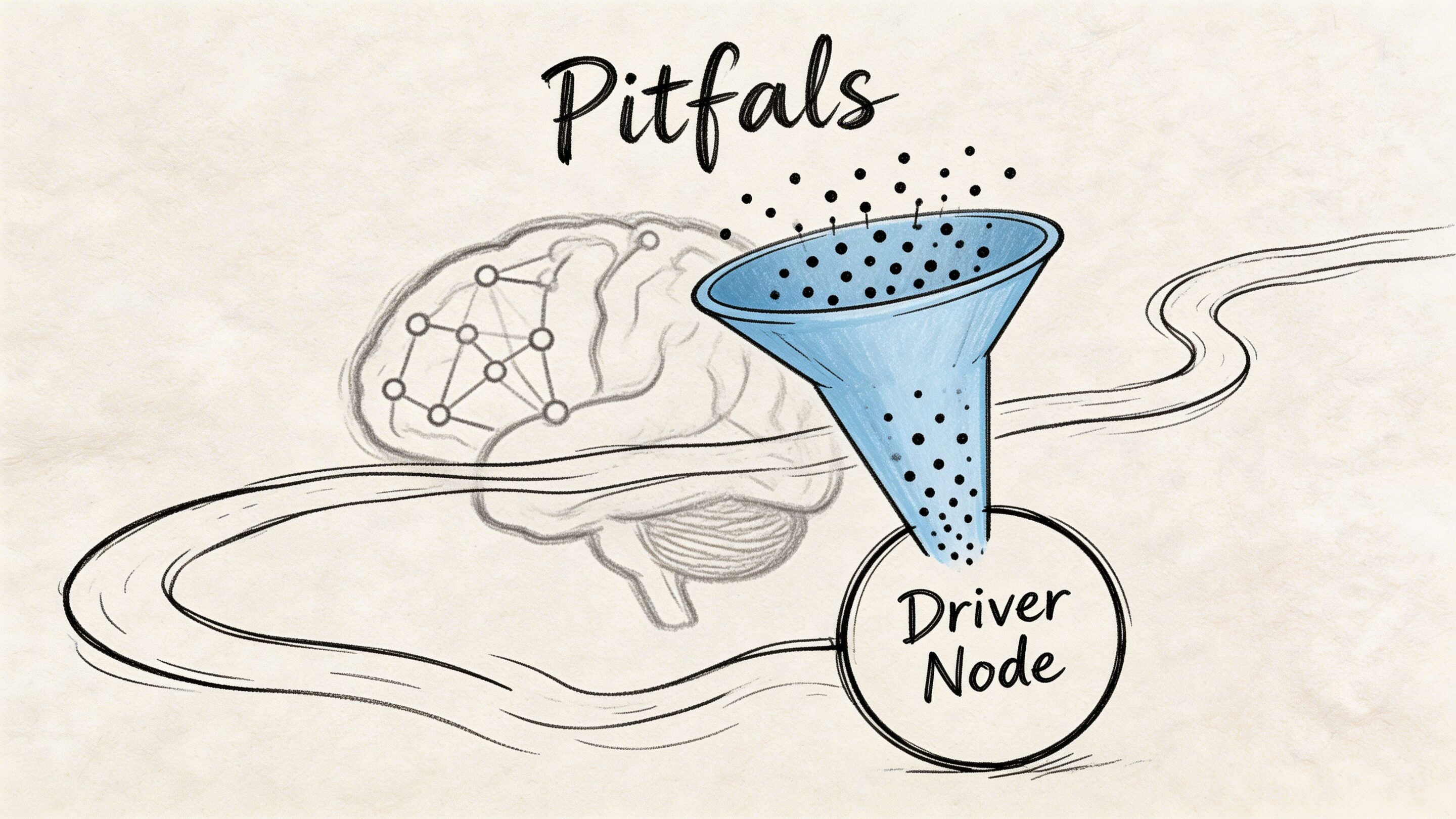
The driver should coordinate work, not hold your dataset. Pulling large results back with .collect() is one of the fastest ways to turn a healthy distributed job into a failed one. Use .take() for inspection, or write output to distributed storage and inspect a sample there. Flexera's Spark with Scala guidance discusses both serializer choice and the risk of novice jobs failing at the driver due to large collection actions (Flexera Spark optimization notes).
Tip: Sample like an engineer, not like a BI export. Inspect a few rows. Keep the full result distributed.
What the Spark UI usually reveals
The UI shows where money and time are going.
Look for:
- stages with large shuffle reads or writes
- skewed tasks where one or two partitions finish far later than the rest
- repeated recomputation because a reused dataset was never cached
- spills to disk that point to memory pressure
- joins that should be broadcast, repartitioned, or rewritten
If one stage dominates runtime, inspect the transformation that created it. In production, the expensive stage is usually tied to data movement. Grouping too early, joining on badly distributed keys, or exploding row counts before filtering are common causes.
Common bottlenecks and the practical fix
| Bottleneck | What it looks like | Usual response |
|---|---|---|
| Large shuffle | Stage runs long with heavy data exchange | Rework grouping, partitioning, and join strategy |
| Driver OOM | Job fails after a local collection step | Replace .collect() with .take() or write results out |
| Memory spill | Executors slow down and write intermediates to disk | Tune memory, cache selectively, reduce row width |
| Skew | A few tasks lag far behind the rest | Change key distribution or aggregation pattern |
Caching and file format discipline
Cache only data you reuse and that costs real time to recompute. Over-caching is a common beginner move, and it shifts the problem from CPU time to memory pressure and eviction churn.
File format matters too. Parquet is the default choice for analytical storage because Spark can skip unneeded columns and push predicates down efficiently. CSV and JSON are fine at ingestion boundaries, but leaving core analytical datasets in text formats increases scan cost and slows every downstream consumer, including feature pipelines for AI workloads.
This is one of the places where technical choices map directly to business outcomes. Better file layout, fewer shuffles, and less spill do not just improve a benchmark. They lower cloud spend and keep SLAs stable as data volume grows. At Wonderment, we usually frame tuning work around those two outcomes first, because a faster job that still scales cost poorly is only half fixed.
What does not work
A few habits create noise instead of progress:
- changing partition counts without checking stage behavior
- caching every intermediate DataFrame
- using UDFs where built-in Spark functions can do the work
- writing large numbers of tiny files
- tuning configs before reading the physical plan
These mistakes come from treating Spark like a black box. Good tuning is simpler than that. Observe the job, reduce data movement, then tune memory and serialization where the evidence supports it.
A tighter optimization workflow
For a slow job, follow this sequence:
- inspect the Spark UI
- run
explain()on the expensive branch - identify shuffles, skew, and unnecessary scans
- reduce data movement first
- tune caching, memory, and serialization second
- benchmark with representative data
- record the final settings in code or deployment config
That process keeps optimization tied to delivery goals. Faster pipelines, steadier AI inputs, and lower compute waste.
Navigating Pitfalls and Integrating AI
The hard part of scala hadoop spark is rarely writing the first working job. The hard part is keeping the platform understandable while the business asks for more. More data sources. More real-time behavior. More compliance checks. Then AI arrives and adds a new category of operational risk.
Legacy migrations are where this gets messy. Moving from Java MapReduce to Scala on Spark often causes a 30 to 50% initial productivity dip while teams learn new APIs and DAG behavior, and 65% of migration questions in the cited analysis focus on issues like schema mismatches and resource contention that ordinary tutorials skip (IBM discussion of Hadoop vs Spark migration challenges).
The mistakes that keep recurring
Some failures are technical. Some are organizational.
- Schema assumptions leak into production: Legacy feeds contain edge cases that local samples never showed.
- Teams translate old jobs too directly: A Java MapReduce workflow copied line-for-line into Spark usually stays awkward.
- Resource ownership is unclear: Platform, data, and app teams each think someone else is tuning the cluster.
- AI gets bolted on after the data layer: Prompts, parameters, logs, and spend controls end up scattered across repos and services.
The AI integration problem is operational
Once your pipeline can produce timely features and aggregates, product teams usually want model-driven behavior. Recommendations. summarization. anomaly detection. support copilots. internal search.
At that point, data engineering is only half the system. You also need a way to manage prompt changes, track which version produced which output, control parameters used for retrieval or database access, and monitor model usage over time.
Without that, teams create a second kind of sprawl. One prompt lives in app code, another in a notebook, another in a workflow tool, and nobody can confidently answer why the model behaved differently last week.
A practical way to keep AI manageable
One option is to standardize AI operations with a dedicated admin layer rather than burying model behavior inside application code. Wonderment Apps offers a prompt management system that includes a prompt vault with versioning, a parameter manager for internal database access, a logging system across integrated AI tools, and a cost manager for tracking cumulative spend. In a scala hadoop spark environment, that kind of layer is useful because it connects data outputs to AI behavior without making every prompt tweak a full redeploy.
Practical rule: Treat prompts and model parameters like production configuration, not copy pasted text hidden in source files.
That matters most when your app is already scaling. The same discipline you apply to schemas, storage formats, and Spark jobs should apply to AI interactions. Otherwise, the data platform becomes reliable just in time to feed an unreliable AI layer.
The teams that handle this well do one thing consistently. They connect architecture choices to business controls. Reliable pipelines support timely decisions. Managed prompts support repeatable AI behavior. Logging supports audits. Spend visibility supports budgeting.
If your organization is modernizing a product, not just a data stack, that alignment is where the true value shows up.
Wonderment Apps helps organizations modernize legacy software into scalable, AI-ready products with data engineering, web and mobile delivery, and an administrative toolkit for prompt versioning, integrations, logging, and cost control. If your team is planning a first major Scala and Spark initiative or wants to connect that data foundation to production AI features, explore Wonderment Apps.