


The choice between native and cross-platform mobile development comes down to a fundamental trade-off: do you build a specialized app for a single operating system (iOS or Android), or do you use one codebase to serve both? This isn't just a technical footnote; it’s a strategic decision that dictates your app's performance, user experience, budget, and timeline.
Native apps offer unmatched performance and deep integration with device hardware, while cross-platform development delivers major cost savings and a much faster path to market. Getting this choice right from the start sets the entire foundation for your project's future. The fun part? Both paths now lead to incredible opportunities, especially when you start thinking about how to integrate scalable AI to create truly excellent and modern app experiences.
At Wonderment Apps, we've seen that the best apps aren't just well-built; they're built to last. A key part of that is future-proofing your application with a smart AI strategy. That’s why we developed a prompt management system that plugs into your app, giving you a powerful administrative tool to scale your AI features seamlessly. We'll dive deeper into how this works later, but for now, let's explore which development path is right for you.
Breaking Down the Core Concepts
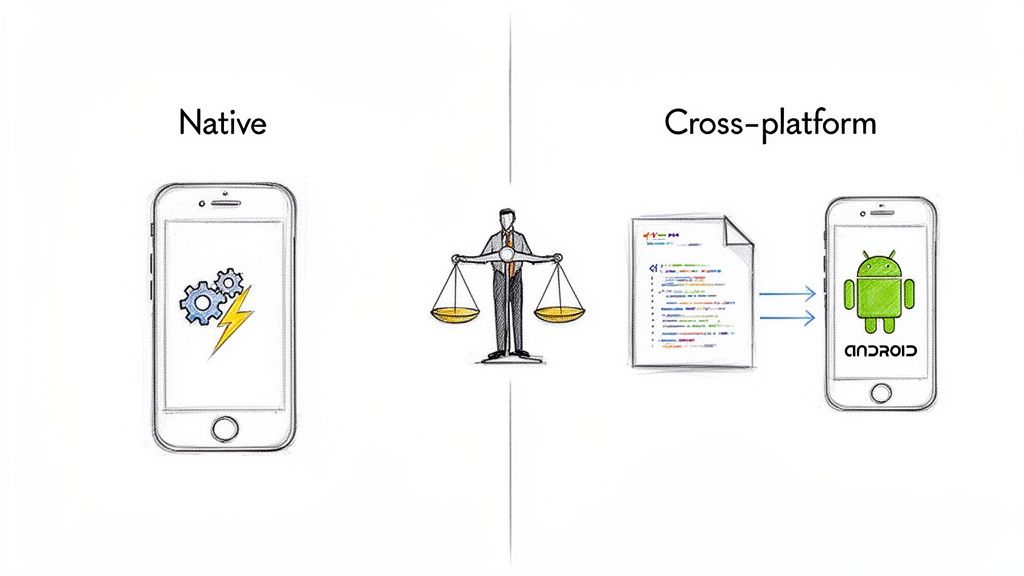
This decision is far more than a developer's debate—it’s a business move that shapes your entire product roadmap. To make the right call, you first have to understand the philosophy behind each approach and how it aligns with your company's goals.
Native Development Explained
Native development means building an application from the ground up for a specific platform. For iOS, developers write code using languages like Swift or Objective-C. For Android, the tools of the trade are Kotlin or Java.
Because the app is built in the device's native tongue, it can communicate directly with the operating system and all its built-in features—the camera, GPS, accelerometer, and push notifications. This direct line results in a buttery-smooth, fast, and incredibly reliable user experience that feels completely at home on the device.
Cross-Platform Development Explained
Cross-platform development takes a different path, focusing on efficiency by writing code once and deploying it everywhere. Frameworks like React Native, Flutter, or Xamarin act as a middle layer, translating a single, shared codebase into the native UI elements for both iOS and Android.
This approach massively cuts down on development time and cost. You don't need two distinct teams or two separate codebases. It’s the perfect strategy for businesses looking to launch a Minimum Viable Product (MVP) quickly or reach the broadest audience possible on a tighter budget.
The real question isn't "which is better?" but rather "which is the right strategic fit for my product, my timeline, and my users?" Your answer sets the foundation for your app's future scalability and success.
Deciding between the two means weighing your priorities. Do you need the absolute best performance for a graphics-heavy gaming app, or is getting to market quickly with a consistent brand experience more important? The table below gives a quick snapshot of the key differences.
Quick Comparison Native vs Cross Platform
This table offers a high-level summary of the core trade-offs between native and cross-platform development, looking at the factors that most impact business and technical decisions.
| Factor | Native Development | Cross-Platform Development |
|---|---|---|
| Performance | Highest possible speed and responsiveness. | Near-native, but can lag in intensive apps. |
| User Experience (UX) | Seamlessly matches the platform's look and feel. | Consistent UI across platforms; may feel less native. |
| Development Cost | Higher, as it requires two separate codebases/teams. | Lower, due to a single, reusable codebase. |
| Time-to-Market | Slower, as two apps are built concurrently. | Faster, with a single development cycle. |
| API Access | Immediate access to all new OS features and APIs. | Potential delays for new feature support. |
| Maintenance | Two separate codebases to update and maintain. | Simpler maintenance with one codebase to manage. |
Ultimately, the right choice depends entirely on your project's specific needs—from the user experience you want to deliver to the budget and resources you have available.
A Detailed Comparison of Development Approaches
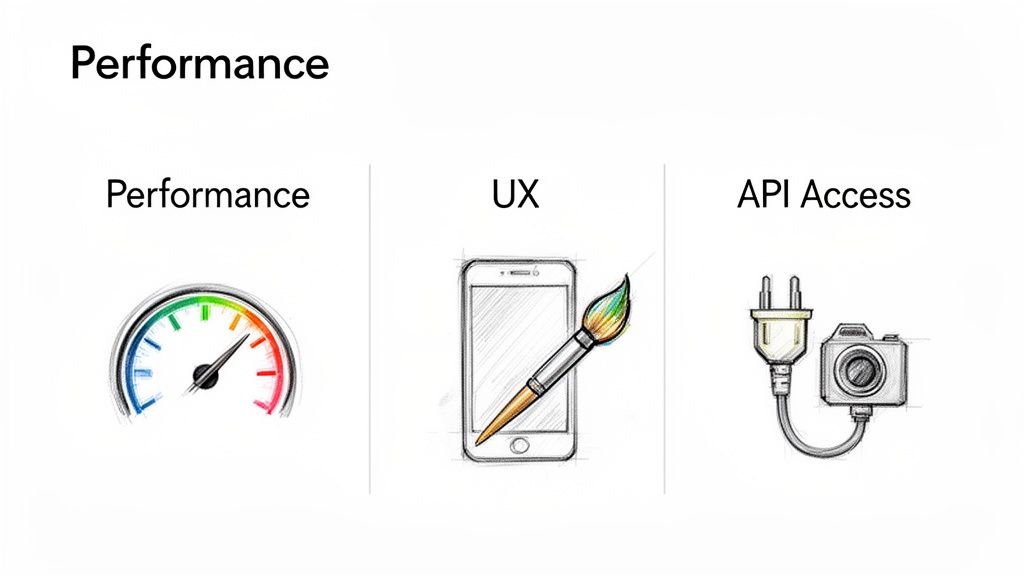
Picking between native and cross-platform isn't about finding a single "best" answer. It's about weighing the trade-offs. If we move beyond the simple pro-con lists, we can see how these two paths directly shape how your app actually performs in the wild and how users feel about it.
Let's cut through the noise and focus on the three criteria that really matter: performance, user experience (UX), and access to device APIs. These aren't just technical bullet points; they're the elements that make an app feel snappy, intuitive, and genuinely useful. Get this choice right, and you set yourself up for long-term success.
Performance: The Speed and Responsiveness Test
Performance is usually the first thing people argue about in the native versus cross-platform debate. Native apps come out of the gate with a huge head start. Why? Because they're built in the device's mother tongue, speaking directly to the operating system with no need for a translator.
This direct line to the hardware delivers raw speed and efficiency. If you're building something with heavy graphics, slick animations, or intense calculations—think AR apps or high-end mobile games—native is the clear winner. There’s no abstraction layer causing a bottleneck, which means your users get the smoothest possible experience.
But let's be realistic. Modern cross-platform frameworks have made incredible strides. Frameworks like Flutter now compile code directly into native machine language, hitting performance levels that are virtually indistinguishable from native for most apps.
Key Takeaway: For roughly 80% of typical business apps—like ecommerce, social media, or fintech—a well-built cross-platform solution is more than fast enough. The need for native-level performance is really reserved for that niche where every millisecond of lag can ruin the entire experience.
Even frameworks like React Native, which use a JavaScript bridge to talk to native components, deliver excellent performance for the majority of applications. The real question is whether your app's core function falls into that specialized 20% that absolutely demands raw, unfiltered access to the hardware.
User Experience: The Look and Feel Factor
UX is about more than raw speed; it's about making your app feel right at home on a user's device. This is where native development truly shines. It’s designed to create an experience that flows perfectly with the platform's established design language.
An iOS app built with Swift just feels like an iOS app. It uses the gestures, navigation patterns, and UI controls that iPhone users already know. The same goes for an Android app built with Kotlin. This built-in familiarity lowers the learning curve and makes your app feel like a natural part of the phone.
Cross-platform frameworks take a different approach, prioritizing a consistent brand experience no matter the device. Their UI toolkits let you build one interface that looks and feels the same on both iOS and Android. For brands that want total control over their visual identity, this is a massive advantage.
Of course, a critical part of a good UX is ensuring your app works well on any screen, which is where responsive design for mobile apps becomes essential regardless of the approach you choose.
Native vs. Cross-Platform UI/UX:
- Native: Feels instantly familiar to the user by following platform-specific design rules.
- Cross-Platform: Delivers a consistent brand look and feel across all devices.
The biggest risk with cross-platform is creating an app that feels slightly "off" everywhere. But today’s frameworks are smart. They offer huge libraries of platform-aware widgets that can automatically adapt to look and feel native, giving you a powerful middle ground.
API Access: Tapping into Device Features
Finally, we need to talk about accessing the phone's hardware and software features through Application Programming Interfaces (APIs). Here, native has an unbeatable edge: immediate, day-one access to every new feature that rolls out with an OS update.
This means you can immediately tap into advanced camera features, ARKit or ARCore, Face ID, and deep system integrations like Apple Health or Google Pay. If your app’s competitive advantage relies on being the first to use new OS-level technology, native is your only real option.
Cross-platform frameworks need a bit of a workaround. They rely on plugins and community-developed packages to act as a bridge between your shared code and the native APIs. For common features like GPS, the camera, or the accelerometer, there's a massive ecosystem of reliable packages available.
The catch? There's almost always a delay. When Apple or Google releases a brand-new feature, the community needs time to build and test a stable plugin for it. And if you need access to a very obscure or specialized hardware feature, you might find that a bridge doesn't exist at all, forcing you to write custom native code anyway. This can add unexpected complexity and cost, undermining the primary benefits of going cross-platform.
Analyzing Cost, Time, and Team Skill Implications
Every strategic decision you make in software development trickles down to your budget, timeline, and team. When you're weighing native vs. cross-platform, the conversation quickly shifts from performance benchmarks to the practical realities of your resources. Getting this right is absolutely critical for a successful launch.
The most common argument for cross-platform development comes down to money. It's a powerful one. By writing a single codebase for both iOS and Android, you're fundamentally cutting down on development hours. You don't need two separate teams building and maintaining two separate apps; you can run a leaner, more unified operation.
This efficiency hits your bottom line directly. We’ve seen that cross-platform development can slash initial project costs by a staggering 40-50% compared to building natively. This makes launching a minimum viable product (MVP) far more accessible, bringing the cost into the $50,000-$140,000 range. It’s no surprise that 61% of mobile teams now lean on cross-platform solutions to get to market faster and cheaper. If you want to dig deeper into what makes up these costs, check out our guide on the real cost of software development.
Time to Market: The Race to Launch
In a competitive landscape, speed is your secret weapon. Getting to market first means you capture user attention, start gathering crucial feedback, and iterate before anyone else can. This is another area where having a single codebase gives you a serious advantage.
Cross-platform development can shorten your launch timeline by 30-50%. You aren't building two distinct apps in parallel, so the entire cycle—from design all the way to deployment—gets compressed. This makes it a perfect fit for MVPs, where the main goal is simply to validate an idea with real users as quickly as possible.
But it's not always a straight shot. There can be hidden complexities. While the core of your app comes from one source, you might find yourself writing custom "bridge" code or hunting down third-party plugins to tap into specific native APIs. And debugging platform-specific glitches can sometimes take longer because the issue could be buried in the framework, the native layer, or the shaky connection between them.
While cross-platform offers a faster initial launch, native development can sometimes provide a smoother path for long-term maintenance, especially for apps that rely heavily on the latest OS-specific features.
Assembling Your Development Team
Your choice here also dictates the kind of talent you need to find and hire. This isn't just a small detail; it has massive implications for your recruitment pipeline and team structure. Picking the right developers is key to making your software initiative successful.
Native Development Teams:
- Requires Specialization: You're hiring for two distinct skill sets: iOS developers who live and breathe Swift, and Android developers who are experts in Kotlin. Sourcing and hiring top-tier talent for both can be difficult and more expensive.
- Larger Team Size: Your team is naturally bigger. You'll need at least one developer for each platform, plus project managers who can juggle two parallel development streams without letting things get out of sync.
Cross-Platform Development Teams:
- Versatile Skill Sets: You can build a team around widely popular technologies like JavaScript (for React Native) or Dart (for Flutter). The talent pool for these languages is often much larger and easier to tap into.
- Leaner Structure: A single, smaller team can handle the entire project. This simplifies communication, reduces management overhead, and fosters a more cohesive and agile development process.
When you step back, a clear pattern emerges. Cross-platform is the champion of cost and time efficiency, making it an incredible tool for startups and businesses that need to enter the market quickly. Native, while more resource-intensive upfront, gives you unparalleled control and is the clear winner for projects where elite performance and deep platform integration are non-negotiable.
Choosing Your Framework: A Look at the Top Players
Once you’ve settled on an approach in the native vs. cross-platform debate, the next move is picking the right technology. This isn't just a choice for your developers; it's a decision that ripples through your app's capabilities, how it scales, and its long-term maintenance. Each framework has its own community, unique strengths, and ideal use cases.
Think of it like choosing a vehicle for a specific job. You wouldn't use a sports car to haul lumber, and you wouldn’t take a semi-truck to a go-kart race. The same principle applies here—the tool has to fit the task at hand.
The Native Champions: Swift and Kotlin
When you commit to native development, you’re aligning with the titans of the mobile world: Apple and Google. Their official languages are engineered for peak performance and tight security within their respective ecosystems.
- Swift (iOS): Created by Apple, Swift is a powerful and intuitive language known for its speed and safety features. It gives developers a direct line to the latest iOS APIs, making it the clear winner for apps that need to integrate cutting-edge features like ARKit or Face ID from day one.
- Kotlin (Android): As Google's preferred language for Android development, Kotlin is modern, concise, and completely interoperable with Java. It helps developers write cleaner, more stable code, which cuts down on common errors and speeds up the development cycle for Android.
Going native means you’re buying into a mature, well-supported world with extensive documentation and a massive community of specialized developers ready to help.
The Cross-Platform Contenders: Flutter and React Native
On the cross-platform side of things, two frameworks dominate the conversation. Both promise the efficiency of a single codebase but get there in very different ways, which is a huge factor when you choose the right technology stack for your project.
Flutter:
Developed by Google, Flutter uses the Dart programming language and is celebrated for its ability to create visually stunning, high-performance apps from a single codebase. Its real power comes from its widget-based UI library, which gives developers incredible control over every single pixel on the screen.
Flutter compiles directly to native ARM machine code, completely bypassing the need for a JavaScript bridge. This architecture is why it can often hit 60 FPS performance, creating incredibly smooth animations and a snappy user experience that feels almost identical to a native app.
React Native:
Backed by Meta (formerly Facebook), React Native lets developers build mobile apps using JavaScript and React. Its biggest advantage is tapping into the enormous pool of JavaScript developers, making it much easier to staff projects. It uses native UI components, which helps an app feel more at home on the device it's running on.
Here’s a quick breakdown of how they stack up:
| Feature | Flutter | React Native |
|---|---|---|
| Performance | Excellent, often near-native due to direct compilation. | Very good, but relies on a JavaScript bridge to native code. |
| User Interface | Highly customizable, consistent UIs across platforms. | Uses native UI components, which adapt to the OS. |
| Developer Pool | Growing rapidly; requires learning the Dart language. | Massive; leverages the huge JavaScript/React ecosystem. |
| Ideal For | Apps demanding beautiful, branded UIs and high performance. | Teams with existing JavaScript skills aiming for faster builds. |
Ultimately, there's no single "winner" here. The best framework is the one that lines up perfectly with your team's skills, your product's specific requirements, and your long-term business goals.
Making the Right Call for Your Industry
Theoretical debates are great, but strategic decisions have to be grounded in the real world. The choice between native vs. cross-platform mobile development isn’t the same across every sector; what works for a simple e-commerce app might be a complete non-starter for a medical device. The right path depends entirely on your industry’s unique demands, user expectations, and regulatory landscape.
This simple decision tree illustrates the initial thinking when you're weighing which development path to take.
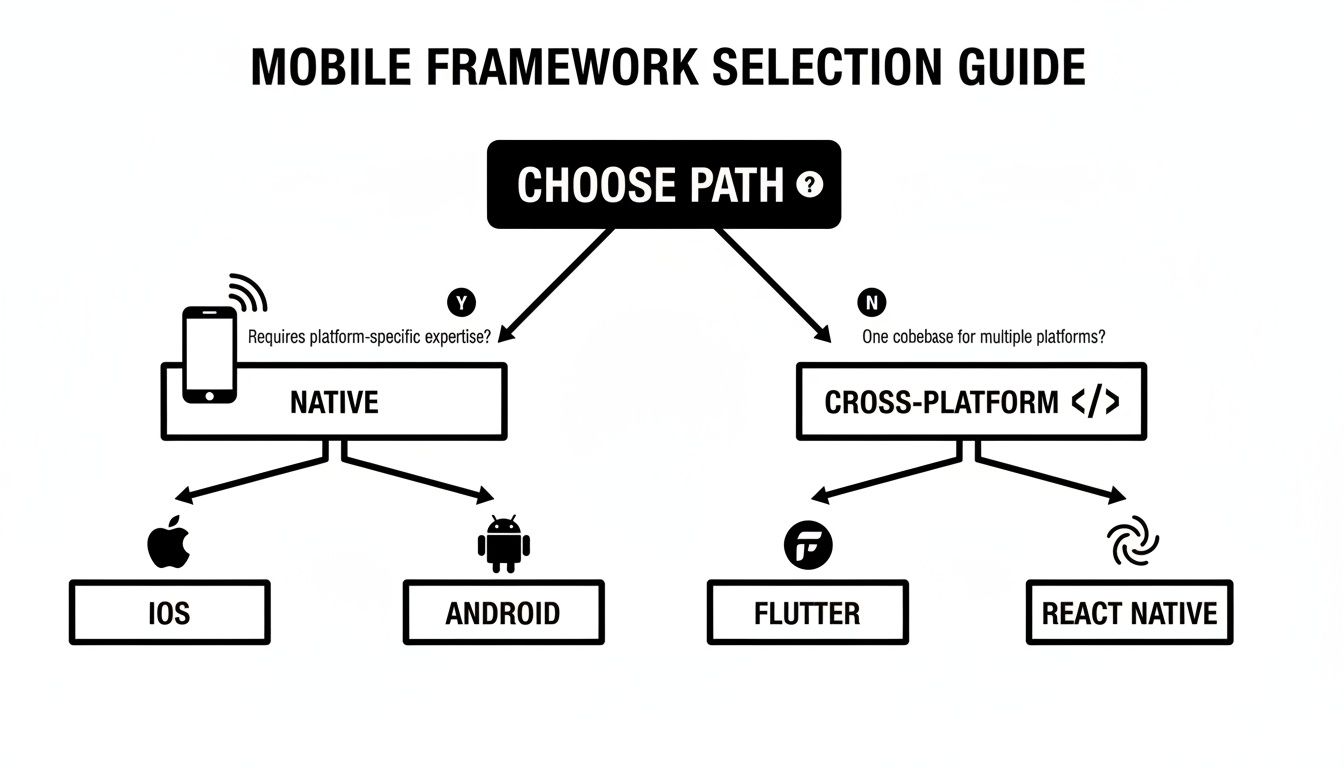
As you can see, your first decision immediately splits you into two distinct streams, each with its own specialized tools. This shows just how critical getting this initial choice right is.
Ecommerce and Retail
In the fast-paced world of e-commerce, speed-to-market is king. This is where cross-platform development often shines, allowing retailers to quickly roll out new features, sales promotions, and updates to both iOS and Android users at the same time. A single codebase means a faster, more cost-effective way to keep a consistent brand experience on every device.
But the moment an e-commerce app needs to get deep into the phone's hardware, the conversation changes.
- Augmented Reality (AR) Try-Ons: Building a feature that lets users virtually try on clothes or see furniture in their room? You’ll need to go native. It provides the raw performance and direct access to ARKit (iOS) and ARCore (Android) that are essential for a smooth, believable experience.
- In-Store Navigation: Apps using precise indoor positioning with Bluetooth beacons tend to perform more reliably when built natively. Direct API access minimizes the kind of latency that can frustrate users.
For most standard retail apps, cross-platform is a pragmatic and powerful choice. But for anyone pushing the boundaries of interactive shopping, native provides the muscle you're going to need.
Fintech and Financial Services
Security and trust are the absolute cornerstones of fintech. While cross-platform frameworks have solid security measures, native development has an inherent advantage by tying directly into platform-specific security features. This includes hardware-level biometrics like Face ID and fingerprint scanners, which are non-negotiable for user authentication.
For financial apps handling sensitive data, the uncompromising security and immediate access to platform-specific biometric APIs often make native development the default choice. Any delay in supporting the latest security protocols is a risk most fintech companies are unwilling to take.
Cross-platform can be a perfectly viable option for simpler fintech tools like budget trackers or financial news apps where the security stakes are lower. But for core banking, investment platforms, or payment apps, the precision and reliability of native development are usually considered a must-have.
Healthcare and Wellness
The healthcare industry is governed by strict regulations like the Health Insurance Portability and Accountability Act (HIPAA) in the United States. Compliance isn't just a feature; it's a legal requirement. Native development gives you far greater control over data handling and security protocols, making it much easier to build and validate a HIPAA-compliant app.
On top of that, many modern healthcare apps need to connect reliably with external medical devices via Bluetooth Low Energy (BLE). Think glucose monitors, smart scales, or blood pressure cuffs.
- Device Integration: Native development provides the most stable and performant connection to BLE devices, which is critical for apps that collect and transmit vital health data.
- Data Security: Building natively allows for more granular control over how sensitive patient information is encrypted, stored, and transmitted, simplifying the path to regulatory compliance.
While a general wellness or fitness app might thrive on a cross-platform framework, any application that handles protected health information (PHI) or connects to medical hardware strongly benefits from the control and reliability of a native build.
Future-Proofing Your App With Scalable AI
Whether you go native or cross-platform, one thing is certain: the future of standout apps is tied to artificial intelligence. Integrating AI opens up a world of powerful features, from deep personalization and smart recommendations to predictive analytics that keep users coming back. Your choice between native and cross-platform development lays the groundwork, but your long-term success hinges on how well you innovate on top of that foundation.

Here's the catch: managing the AI prompts that power these features gets complicated and expensive, fast. This is where a dedicated prompt management system stops being a nice-to-have and becomes a game-changer for any serious application looking to modernize.
Building a Scalable AI Architecture
At Wonderment Apps, we built an administrative tool that plugs directly into your existing app or software, giving you a centralized system to de-risk and scale your AI initiatives. It provides the architectural pieces you need for long-term growth and control, making sure your app is built to last for many years to come. For a closer look at this strategy, you can explore how to leverage artificial intelligence in ways that deliver real business value.
Our prompt management system is designed to solve the biggest headaches in AI integration:
- Prompt Vault: Think of this as a central library for your AI prompts, complete with versioning. It lets you test, deploy, and roll back prompt updates instantly—without having to push a whole new app release.
- Parameter Manager: This component securely connects your AI models to your internal databases, which is key for generating dynamic, data-rich responses.
- Unified Logging System: Get transparent monitoring across all your integrated AI services in one dashboard. No more bouncing between different provider UIs.
- Cost Manager: Keep a close eye on your cumulative spend across every model. This allows you, the entrepreneur, to see your costs clearly and prevent them from spiraling out of control.
When you implement a robust management system early on, you shift from just tacking on AI features to building a scalable, future-proof architecture. This sets you up for continuous innovation and keeps your app competitive for years.
We invite you to schedule a demo to see exactly how our toolkit can ensure your AI-powered application is built for success, no matter which development path you choose.
A Few Lingering Questions
Deciding between native and cross-platform development always kicks up a few key questions for founders and product leaders. Let's tackle the most common ones head-on to help you get some clarity. These are the practical, real-world concerns we hear all the time.
Can a Cross-Platform App Really Keep Up With a Native One?
For the vast majority of business apps—think ecommerce, media, or fintech—the answer is a resounding yes. Modern cross-platform frameworks like Flutter have gotten so good that the performance is virtually identical to native from a user's perspective. For everyday tasks, any speed difference is just not something a real person would ever notice.
But, if you're building something graphically punishing like a high-end mobile game, a complex AR experience, or an app that does heavy data crunching right on the device, native still has the edge. It can talk directly to the phone's hardware, squeezing out every last drop of performance. That direct access is crucial in those specific, high-demand scenarios.
Can We Switch From Cross-Platform to Native Later On?
You can, but it's not like flipping a switch. Migrating from a cross-platform app to native means a complete, ground-up rewrite for each operating system. You'd be building one app in Swift for iOS and a completely separate one in Kotlin for Android. It’s a massive undertaking in both time and budget.
A much smarter play is to launch a cross-platform MVP first. Get your product out there, test the market, and do it quickly and affordably. If you later find that one or two specific features absolutely need that elite, native-level performance, you can build just those components natively and plug them into your existing cross-platform app. It's the best of both worlds.
How Different is App Maintenance Between the Two?
This is where cross-platform shines and can save you a lot of operational headaches. You have one codebase. That means updates, bug fixes, and new features are written once and pushed out to both the Apple App Store and Google Play Store at the same time. It dramatically simplifies your workflow and keeps long-term costs in check.
Native development, on the other hand, means you're wrestling with two separate codebases. Every single change has to be built, tested, and deployed twice—once for iOS, once for Android. You're effectively doubling the maintenance effort and require two specialized teams just to keep both versions of your app in sync.
At Wonderment Apps, we guide businesses through these tough decisions to create scalable, AI-powered applications designed for the long haul. Our unique prompt management system helps you modernize your app, letting you integrate and manage AI features seamlessly, regardless of the development path you take. Schedule a demo with us today to see how we can build a future-proof foundation for your software.