


That old system might feel comfortable, like a worn-in pair of shoes. But behind the scenes, it's quietly draining your resources. The decision to modernize legacy systems isn't just about chasing the latest tech; it’s a strategic move to stop the slow bleed of cash, time, and competitive edge caused by outdated software.
Think of it less as an IT project and more as a critical business imperative for long-term growth. The really exciting part? Modernization is your golden ticket to integrating powerful AI into your applications, building software that’s not just fixed, but built to last for years to come. At Wonderment Apps, we've seen firsthand how a smart approach, especially with the right tools, can turn a daunting project into a game-changing success. We'll even give you a peek at how our own prompt management system can make integrating AI a whole lot easier.
The Hidden Costs of Your Legacy System
Sticking with old technology feels safe until you actually run the numbers. The most obvious drain is maintenance, which can gobble up a staggering 80% of an IT budget. We're not just talking about simple bug fixes, either. This includes inflated salaries for developers who know ancient programming languages and the constant, frustrating work of patching together systems that were never designed to talk to each other.
But the direct costs are only part of the story. The operational drag is massive. Legacy systems are notoriously rigid, creating bottlenecks that frustrate everyone from your employees to your customers. A task that should take a few clicks becomes a convoluted, multi-step nightmare. Need a new report? That could take days, not minutes. This isn't just inefficient; it actively stifles your team's ability to innovate.

Security Gaps and Competitive Disadvantages
Security is another glaring weak spot. Older platforms often can't support modern security protocols, painting a giant target on your back for cyberattacks. The sensitive data locked inside could be dangerously exposed, and a single breach can cause devastating financial and reputational harm.
The real danger of a legacy system isn't just what it costs you to maintain, but what it prevents you from building. It’s an anchor holding you back while your competitors are setting sail with more agile, data-driven solutions.
Ultimately, these outdated systems put you at a serious competitive disadvantage. While your rivals are busy launching new features, personalizing customer experiences, and using real-time data to make smarter decisions, you're stuck just trying to keep the lights on. To see the full picture of this problem, check out this great breakdown of how technology can hinder business growth.
A Smarter Path to Modernization
The good news is that you don't have to rip and replace everything overnight. There’s a smarter way to tackle this transition, especially when integrating modern AI into the mix. Let's be honest, the trickiest part of AI modernization is getting it to work reliably and seamlessly with your existing data.
This is where a dedicated prompt management system becomes a true game-changer. A tool like the one from Wonderment Apps de-risks this crucial step by creating a central hub to manage, version, and deploy your AI prompts. It acts as an intelligent bridge connecting your valuable legacy data to powerful AI models, giving you consistency and control.
This approach transforms a daunting overhaul into a manageable, strategic upgrade, setting you up with software that’s not just functional today but ready for whatever comes next.
Choosing Your Modernization Path with the 7 Rs
Deciding to modernize your legacy system is a massive undertaking. But the real make-or-break decision isn't if you should do it, but how. There's no magic bullet here. Picking the wrong strategy can lead to blown budgets, operational nightmares, and a project that stalls out before it ever delivers value. The right one, however, can completely reshape your business for the better. This is where the "7 Rs" framework comes in—it's less of a rigid process and more of a practical set of proven strategies to guide your journey.
The urgency to pick a path is growing. Let's be honest, many organizations are running on borrowed time. A recent survey of over 500 IT professionals revealed a pretty stark reality: a staggering 62% of organizations still depend on outdated software, fully aware of the security and performance risks.
Why the hesitation? A shocking 50% of them haven't upgraded simply because 'the current system still works,' a mindset that creates massive, often invisible, vulnerabilities. The same study showed that when companies do pull the trigger, their top priorities are improved performance (48%), cloud accessibility (45%), and greater scalability (44%). This tells us the goal is always future growth. You can dive into more findings on the state of legacy software from this comprehensive survey.
Breaking Down the 7 R Strategies
Think of the 7 Rs as a spectrum of options, ranging from quick-and-dirty fixes to a complete, ground-up overhaul. Each one is a tool designed for a specific job. You wouldn't use a sledgehammer to hang a picture, and you wouldn't try to knock down a wall with a tiny hammer.
Here’s the rundown of your options:
- Rehost (Lift-and-Shift): This is your simplest move. You're essentially picking up your application from an on-premise server and dropping it into a cloud infrastructure with almost no code changes. It’s fast, straightforward, and relatively low-cost.
- Replatform (Lift-and-Tinker): A step up from rehosting. As you move the application, you make a few cloud-specific tweaks to get some quick wins. Think switching to a managed database service like Amazon RDS or using auto-scaling groups to handle traffic spikes.
- Refactor: Now you're getting your hands dirty. You start restructuring and optimizing chunks of existing code to improve performance or make it easier to maintain, all without changing what the application actually does. This is a classic move for tackling technical debt.
- Rearchitect: This is where you fundamentally rethink the application's architecture to take full advantage of what the cloud offers. It often means breaking down a clunky monolithic app into nimble, independent microservices.
- Rebuild: You're starting from scratch but keeping the original scope and specifications. This is your chance to create a modern, clean, and highly efficient version of your legacy application using today's best practices and technologies.
- Replace: Sometimes it's better to just cut your losses. Instead of rebuilding, you scrap the old application entirely and switch to a third-party SaaS product that already does what you need, probably better and cheaper.
- Retain: The wisest move can sometimes be no move at all. If an application is humming along just fine, isn't causing any major headaches, and the cost to modernize outweighs the benefits, you might just leave it alone for now.
This visual from AWS does a great job of showing how these strategies stack up in terms of effort and the value you get back.
The key takeaway here is the clear trade-off between the effort you put in and the business value you get out. Simpler strategies like Rehost are quick wins, while more involved options like Rebuild or Rearchitect deliver deeper, game-changing advantages that pay off for years to come.
Comparing the 7 R Modernization Strategies
To really understand the trade-offs, it helps to see the strategies laid out side-by-side. Every project has its own unique constraints—whether it’s time, money, or tolerance for risk. This table breaks down what you can expect from each approach.
| Strategy | Description | Typical Cost | Risk Level | Best For |
|---|---|---|---|---|
| Rehost | Move application to the cloud with minimal changes. "Lift-and-Shift." | Low | Low | Quick cloud migration for stable apps with no immediate need for new features. |
| Replatform | Move to the cloud and make minor optimizations to leverage cloud features. | Low-Medium | Low | Getting quick wins from the cloud (e.g., managed DBs) without major code changes. |
| Refactor | Restructure existing code to improve non-functional attributes like maintainability. | Medium | Medium | Reducing technical debt and improving the health of a strategically important app. |
| Rearchitect | Fundamentally alter the application's architecture, often to microservices. | High | High | Breaking up a monolith to enable independent scaling, deployment, and innovation. |
| Rebuild | Rewrite the application from scratch while preserving its scope. | Very High | High | When the existing codebase is unsalvageable but the functionality is still vital. |
| Replace | Discard the old application and switch to a third-party or SaaS solution. | Variable | Medium | When a commercial off-the-shelf solution can meet business needs better than a custom app. |
| Retain | Do nothing and keep the application as-is. | None | Low | Non-critical applications that still work and have a low business impact. |
As you can see, there's a clear path for nearly every scenario. Your job is to honestly assess your application, your team's capabilities, and your business goals to find the right fit.
Matching the Strategy to Your Business Needs
So, how do you actually choose? It always comes back to your specific business goals, your budget, and how quickly you need to see results.
Let’s imagine a small e-commerce business running a legacy inventory management system. It's slow but it gets the job done. A simple Rehost to the cloud could be the perfect move. It would instantly boost speed and reliability without needing a massive investment. The core logic stays the same, but the performance gets a much-needed shot in the arm.
The goal isn't just to adopt new technology; it's to select a modernization path that directly supports your business objectives, whether that's cutting costs, accelerating innovation, or improving customer experience.
Now, contrast that with a financial services company whose core transaction processor was written in COBOL decades ago. That system is a massive bottleneck preventing them from launching new digital banking products, and frankly, it's a huge security risk. For them, a full Rebuild is the only logical path forward.
It allows them to create a secure, scalable platform from the ground up, ready to integrate with modern AI for things like fraud detection and personalized customer offers. Yes, the investment is significant, but it unlocks a future of growth that was completely impossible before.
Choosing the right "R" is the foundational decision that will shape your entire project to modernize legacy systems. By carefully aligning your technical strategy with your business vision, you set the stage for a transformation that truly delivers.
Building Your Modernization Roadmap
A brilliant idea to modernize legacy systems is just a dream without a solid plan. I've seen it happen too many times: trying to "wing it" is a surefire way to end up with blown budgets, missed deadlines, and a team that’s completely burned out.
A practical, step-by-step roadmap is what turns that dream into an achievable project. It's the guide that takes you from the messy "as-is" state to a sleek, modern "to-be" architecture. Think of it as your project's GPS—it shows you the destination, plots the best route, and helps you navigate around the inevitable roadblocks. Most importantly, it forces you to ask the hard questions upfront, making sure everyone from the C-suite to the dev team is on the same page.
Starting with Discovery and Assessment
Before you write a single line of new code, you have to understand what you’re working with. The discovery and assessment phase is non-negotiable. It’s like a home inspector checking the foundation before you start knocking down walls; skipping it just means you'll find the nasty surprises later when they're far more expensive to fix.
The goal here is to map out the entire ecosystem of your legacy application. This goes way beyond just the code. You need to understand the intricate web of connections it has with other systems, databases, and business processes.
Here's what I always focus on:
- System Dependencies: You need to identify every single input and output. What other applications feed it data? What systems does it push data to? A dependency map is your best friend here.
- Business Process Impact: Pinpoint exactly which business processes rely on this system. Is it handling customer checkouts? Managing payroll? You have to quantify the risk—if this system goes down during the migration, what’s the real-world impact on the business?
- Technical Debt Audit: Be brutally honest about the state of the code. Is it poorly documented? Is the architecture a tangled mess? Getting a clear picture of your technical debt helps you estimate the real effort required for a refactor or rebuild.
A thorough discovery phase isn't just about documenting what exists. It’s about uncovering the hidden risks and opportunities that will ultimately define your project's success. Trying to navigate this without a proper assessment is like walking through a minefield blindfolded.
Designing Your Target Architecture
Once you have a crystal-clear picture of your current state, you can start designing the future. This is where you decide what the new, modernized system will look like. Are you moving to a microservices architecture to improve scalability? Or maybe adopting a serverless approach to cut down on infrastructure management?
The choices you make here are foundational. For instance, if a key business goal is to launch new features faster, sticking with a monolithic architecture is probably not the answer. A move to microservices, where small, independent teams can build and deploy their own services, would be a much better fit for that goal.
This diagram gives a simplified look at the most common paths you can take—Rehost, Rebuild, and Replace—which are core decisions in shaping your target architecture.
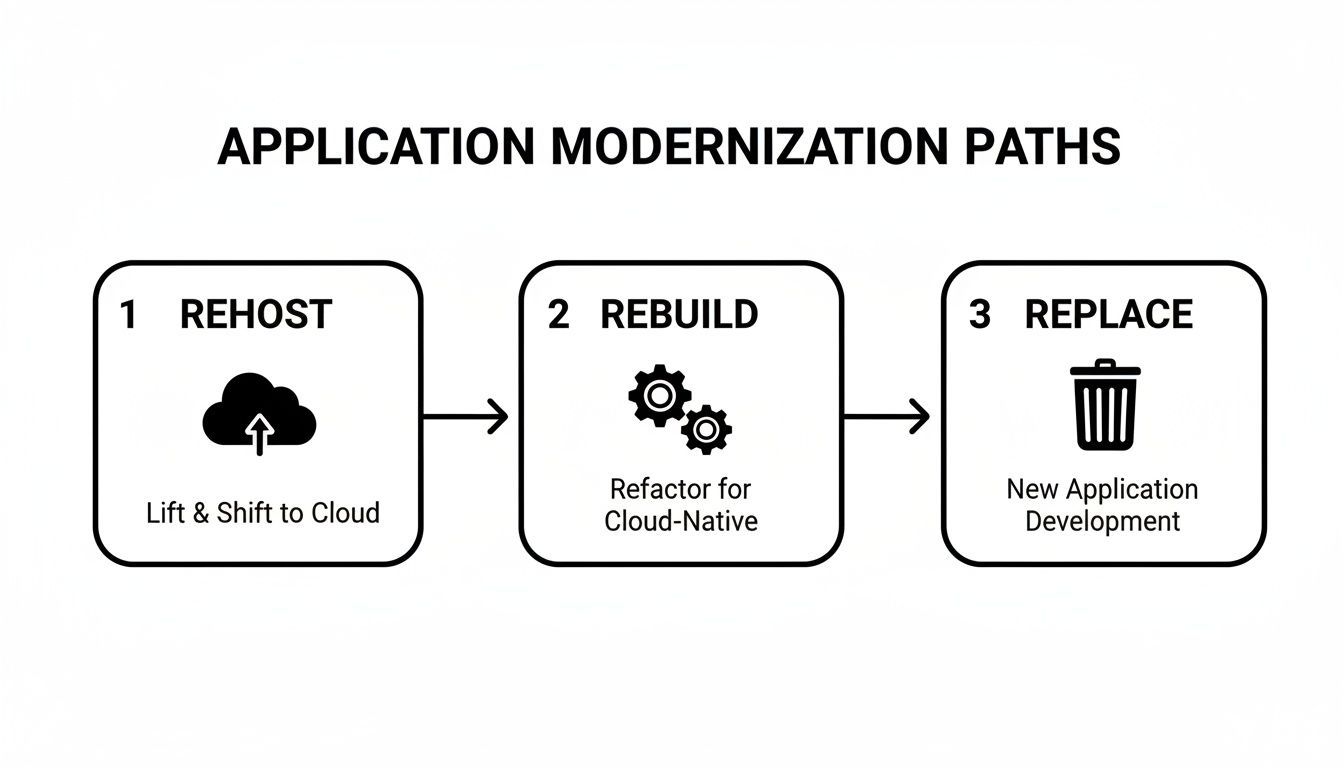
Each path represents a different level of investment and transformation, and your choice will directly influence the complexity and capabilities of your new architecture.
Planning the Human Side of Change
Technology is only half the battle. A modernization project is a massive organizational change, and you need to plan for the human element with just as much care as the technical one.
Getting stakeholder buy-in from the very beginning is absolutely essential. Your project sponsor in the C-suite needs to be your champion, someone who can clear roadblocks and communicate the project’s value across the company.
Structuring your team for success is equally important. You'll need a mix of skills: developers who know the old system inside and out, architects who can design the new one, and project managers who can keep everything on track. Don't forget to plan for upskilling; your team may need training on new cloud technologies or programming languages.
Building a comprehensive plan is crucial, and our guide on how to create a product roadmap offers deeper insights into structuring these strategic initiatives. By mapping everything out—from technical milestones to team readiness—you create a clear path to follow, ensuring your effort to modernize legacy systems stays on schedule and delivers real business results.
Weaving AI Into Your Modernization Roadmap
Let's be honest, modernizing a legacy system isn't just about swapping out old code for new or moving to the cloud. That’s just table stakes. The real win, the move that sets you up for the next decade, is baking artificial intelligence right into the core of your new system. This is how you go from just fixing problems to building a genuine competitive advantage.
Instead of ending up with a faster, shinier version of what you already had, you can build something truly intelligent. Imagine an application that doesn't just process orders but predicts what customers will buy next. Or a system that doesn't just log support tickets but automates their resolution. That's the leap you can make when AI is part of the plan from day one.
Unlocking Capabilities You Never Had Before
Bringing AI into the fold isn't an all-or-nothing proposition. You can start with targeted, high-impact features and expand from there. The goal is always to tie the AI capability directly back to a real business need.
Here are a few ways we see this play out in the real world:
- Intelligent Automation: Think of all the repetitive, manual tasks your team gets bogged down in. Using Natural Language Processing (NLP), you can build bots that handle common customer service questions or automatically triage internal support tickets. This frees up your people to focus on the complex, creative work that actually moves the needle.
- Predictive Analytics: Your historical data is a goldmine. Machine learning models can dig through it to forecast future trends with startling accuracy. An e-commerce site could anticipate demand spikes for certain products, while a logistics platform could dynamically optimize delivery routes on the fly.
- Hyper-Personalization: Generic customer segments are a thing of the past. AI can analyze user behavior on an individual level to deliver uniquely tailored experiences. We're talking custom product recommendations, dynamic content, and pricing that adapts in real-time to boost engagement and sales.
- Smarter Decision-Making: AI can spot subtle patterns and correlations in your data that are invisible to the human eye. These insights can sharpen everything from marketing spend to supply chain adjustments, giving you a serious edge.
For a concrete example of this in action, look at how tools like Microsoft AI Copilot are embedding these kinds of smart features directly into everyday business tools.
Taming the AI Beast: Managing the Complexity
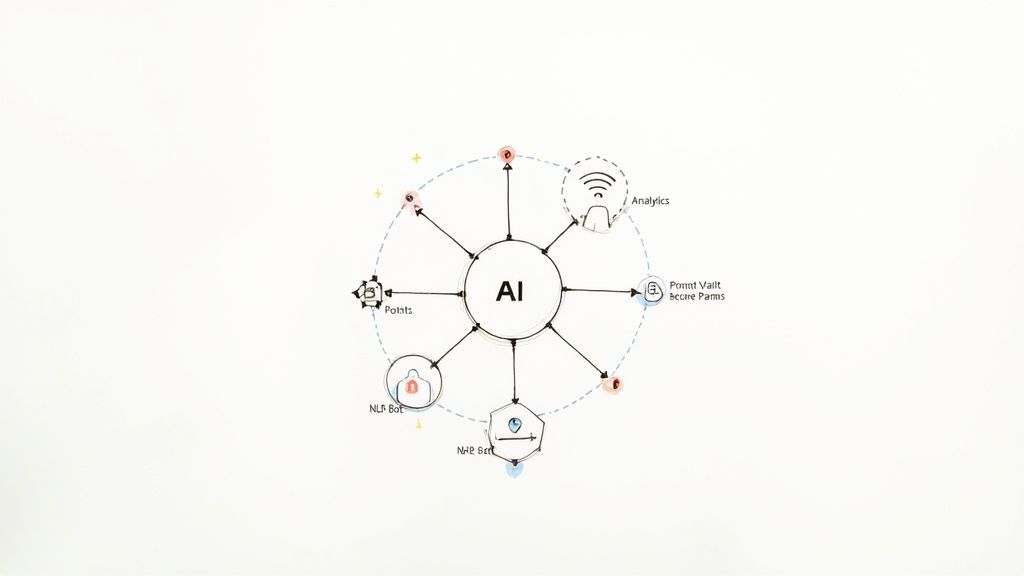
Here’s the catch: integrating AI isn't as simple as plugging in a single tool. You're often dealing with a whole ecosystem of different models—one for language, one for predictions, another for image analysis—each with its own API, data needs, and, crucially, its own cost. Without a way to manage this, you can quickly end up with a chaotic and expensive science experiment.
This is exactly why a dedicated prompt management system, like the one we've built at Wonderment Apps, is so critical. It’s the command center for your entire AI operation, bringing structure and control to what can otherwise be a tangled mess. Trying to do this without a central management layer is like trying to conduct an orchestra without a conductor.
Think of it this way: your modernized application is a high-performance car, and the various AI models are its powerful, specialized engines. A prompt management system is the sophisticated dashboard and control unit that lets you tune each engine, monitor its fuel consumption, and make sure they're all working in perfect harmony.
The Central Nervous System for Your AI Operations
A proper prompt management platform gives you the guardrails you need to turn a complex AI strategy into something that's controlled, scalable, and doesn't break the bank. Frankly, it's a non-negotiable part of any serious effort to modernize legacy systems with AI. This is precisely the problem our administrative tool at Wonderment Apps solves, giving developers and entrepreneurs a plug-and-play solution to modernize their software for AI.
Here's what that looks like in practice:
- A Prompt Vault with Versioning: Consistency is king. A central vault ensures every part of your app uses the exact same version of a tested and optimized prompt. When you improve a prompt, you update it once, and the change rolls out everywhere instantly. No more guesswork or inconsistent AI behavior.
- A Parameter Manager for Secure Data Access: Your AI models need your internal data to be useful, but that access has to be locked down. A parameter manager is a secure gateway that lets you define precisely what data from your internal database each prompt can access, preventing sensitive information from ever being accidentally exposed.
- A Logging System Across All AI Integrations: You can't improve what you can't measure. A unified logging system tracks every single AI request and response across all integrated AIs, giving you a complete audit trail. This is invaluable for debugging, finding optimization opportunities, and meeting compliance standards.
- A Cost Manager for Financial Control: Most AI models are pay-as-you-go, and the bills can add up fast. A cost manager gives you a real-time dashboard of your cumulative spend across every model. This lets you stay on budget and accurately calculate the ROI of your AI features.
Integrating AI is the final, and most powerful, step in truly future-proofing your software. To go deeper, you can leverage artificial intelligence to build smarter and more adaptable applications. By combining a modern architecture with an intelligent management layer, you're not just building for today—you're building a system that’s ready to evolve for years to come.
Managing Costs and Measuring Real ROI
Let's be honest: any project to overhaul legacy systems is a serious investment. No executive is going to sign off on a massive budget without a rock-solid business case showing exactly how—and when—they’ll see a return. This means we have to get comfortable talking about money, not just technology.
The conversation really needs to start by framing the true cost of doing nothing. That old system isn't just sitting there; it's a cash drain, a silent killer of innovation. Research has shown that some organizations pour up to 80% of their IT budgets into simply maintaining these outdated platforms. The numbers are pretty grim. An enterprise might spend around $40,000 per legacy system annually just to keep the lights on, while the U.S. government alone spends roughly $337 million a year on its ten most problematic legacy systems.
Building a Compelling Business Case
To get the green light, your business case needs to speak the language of the C-suite: costs, revenue, and risk. Don't just drone on about the IT budget; you have to connect your modernization effort to tangible business outcomes.
First, you need to calculate the Total Cost of Ownership (TCO) for your current system. And I don't just mean server costs and software licenses. Dig deeper.
- Direct Maintenance Costs: This is the obvious one. Think salaries for specialized developers (who are getting harder to find), vendor support contracts, and hardware upkeep.
- Operational Inefficiency Costs: How many hours do your employees waste wrestling with slow, clunky workflows? Multiply that wasted time by their average hourly rate. The number will probably shock you.
- Opportunity Costs: This is huge. What new products couldn't you launch? What market share did you lose to more agile competitors because your system couldn't keep up?
- Risk Mitigation Costs: Every year you wait, the odds of a security breach or catastrophic system failure go up. What's the potential financial fallout from that?
The most powerful business cases don't just show how much you'll save. They show how much you'll gain. Frame modernization as an investment in future growth, not just another expense to be managed.
Looking Beyond the Obvious Savings
The real magic of modernization shows up in the gains that don't always appear on a simple TCO spreadsheet. These are the "hidden" returns that turn a project from a cost-cutting exercise into a strategic game-changer. You need to think about the ripple effects across the entire organization.
Happier, more productive employees are a massive win. When you replace a frustrating legacy tool with something modern and intuitive, you slash training time and boost morale. That has a direct impact on employee retention and the quality of their work.
Another major gain is faster time-to-market. A modern, modular architecture lets your development teams build and roll out new features in weeks instead of months. That kind of agility is a huge competitive advantage, allowing you to respond to customer feedback and market shifts at a speed your rivals can't match. To get a handle on what a new build might cost, our guide on the cost of software development provides a helpful framework.
Key Performance Indicators to Track Success
To prove the project’s value, you need to measure what matters. Establish a baseline for these KPIs before you start and track them relentlessly throughout the project and beyond.
Financial and Operational KPIs
| KPI Category | Specific Metrics to Track |
|---|---|
| Cost Savings | – Reduction in annual maintenance costs – Decrease in infrastructure spending (cloud vs. on-prem) |
| Productivity | – Reduction in time to complete key business processes – Increase in employee satisfaction scores |
| Agility | – Decrease in average time to deploy new features – Increase in deployment frequency |
| Customer Impact | – Improvement in customer satisfaction (CSAT) scores – Reduction in customer support ticket volume |
| System Health | – Decrease in system downtime and critical incidents – Improvement in application performance (e.g., page load times) |
By tracking these metrics, you can build a clear, data-driven story that shows the undeniable financial and strategic wins of your modernization project. This is how you turn a complex technical initiative into a clear business success story that everyone, from the engineering floor to the boardroom, can understand and celebrate.
Common Questions About Legacy Modernization
Even with a clear roadmap, diving into a legacy modernization project can feel like a massive leap. It’s only natural to have questions. In my experience, business leaders and tech teams tend to circle around the same core concerns: timelines, risk, and keeping the lights on.
Let's tackle these head-on. Here are some straight answers and practical advice to bring some clarity to your project and build confidence with your stakeholders.
How Long Does Legacy System Modernization Typically Take?
There’s no single answer here—the timeline can be anything from a few months to several years. It all boils down to the complexity of your system and the modernization path you’ve chosen. A simple Rehost, or "lift-and-shift," where you move an application to the cloud with minimal changes, might take just 3-6 months.
On the other hand, a complex Rebuild of a core enterprise system that’s tangled up with dozens of other applications, could easily stretch from 18 to 36 months. For these larger projects, you should never, ever attempt a "big bang" release. It’s just far too risky.
The smart approach is to break it down into manageable phases. A strategy like the Strangler Fig pattern allows you to gradually build new services around the old system, minimizing disruption along the way. A thorough initial assessment isn't just a recommendation; it's the only way to build a realistic and achievable roadmap.
What Are the Biggest Risks and How Can We Mitigate Them?
The usual suspects in any large tech project are budget overruns, scope creep, failed data migrations, and, of course, business disruption. The good news is that these are all manageable if you plan for them from day one.
To get out ahead of them, here’s a simple game plan:
- Secure Executive Buy-In: Don't just get a budget approved. Start with a rock-solid business case that turns your leadership team into active champions for the project.
- Embrace an Agile Rollout: Ditch the risky "all-or-nothing" approach. A phased, agile rollout lets you deliver value incrementally, gather user feedback early, and adjust your course without derailing the whole effort.
- Obsess Over Data Migration: A botched data migration can be catastrophic. Your plan needs to be robust, with multiple stages of validation, testing, and reconciliation to ensure every critical piece of data makes the journey safely.
- Communicate Relentlessly: Maintain constant, transparent communication with all stakeholders. This manages expectations, builds trust, and makes sure everyone understands the "why" behind the project, not just the "what."
Can We Modernize Without Disrupting Daily Operations?
Absolutely. In fact, minimizing disruption is the entire point of a well-executed modern strategy. The goal is to perform this complex surgery while the business continues to run smoothly. The Strangler Fig pattern is your best friend here.
This approach involves gradually building new services that "strangle" the old system over time. You build a new piece of functionality, route traffic to it, and then repeat the process until the legacy system has been completely phased out. It’s a methodical, low-risk way to modernize.
Another powerful technique, especially for the final cutover, is a blue-green deployment. This involves running two identical production environments: the current one (blue) and the new one (green). You can direct traffic to the green environment for full, real-world testing.
Once you're confident everything is perfect, you just switch the router to send all traffic to the new green environment. If any unforeseen issues pop up, you can switch back to the blue environment in an instant. It gives you a zero-downtime rollback plan.
How Do I Convince Leadership to Invest in Modernization?
To get buy-in from the top, you have to stop talking like an engineer and start talking like a business strategist. Forget the technical jargon about microservices and containers. Frame your pitch around the three things every executive actually cares about.
- Cost Reduction: Show them the money. Present a clear financial model comparing the massive, ongoing costs of maintaining the old system against the long-term savings of a modern, efficient cloud architecture.
- Risk Mitigation: Highlight the very real dangers of doing nothing. Talk about the glaring security vulnerabilities, the potential for catastrophic system failure, and the compliance risks of running on unsupported tech.
- Business Growth: This is where you get them excited. Explain how a modern system isn't just a cost center; it's a revenue enabler. Show how it will allow the company to respond faster to market changes, unlock new revenue streams through AI and data, and deliver a superior customer experience.
A clear, compelling ROI model that speaks their language is your single most powerful tool for turning a "maybe later" into a "let's do this now."
Ready to modernize your legacy system and unlock the power of AI? The team at Wonderment Apps specializes in transforming outdated software into intelligent, high-performance applications. We provide the strategy, engineering talent, and AI integration tools you need to build for the future. Schedule a demo today to see how our prompt management system can de-risk your AI initiatives and accelerate your journey to modernization.