

Think about building a new application. The old way was a lot like constructing a skyscraper. You had to buy the land (your servers), pour a concrete foundation (your infrastructure), and then cross your fingers that you built it big enough for future crowds. If a surprise event brought a flood of traffic, your building was instantly overwhelmed. On quiet days? You were still paying for all that empty, unused space.
That entire paradigm gets flipped on its head with cloud development. This guide will show you how to design and develop excellent app experiences that can scale, how AI can be integrated into your custom software, and how to use AI to modernize your application so it lasts for years to come.
Shifting Your Foundation from On-Premise to On-Demand
Instead of buying and managing your own physical hardware, you’re essentially renting computing power, storage, and a whole suite of services from providers like Amazon Web Services (AWS), Microsoft Azure, or Google Cloud. This isn't just a minor technical switch; it's a fundamental change that turns software creation from a slow, capital-heavy process into an agile, operational one.
This new way of building has ignited a massive market explosion. The global cloud computing market was valued at $156.4 billion back in 2020, but it’s projected to hit an incredible $1.614 trillion by 2030. That meteoric rise is being driven by businesses of all sizes looking for flexible, powerful solutions to fuel their digital projects and AI ambitions.
The Real-World Business Advantages
Moving to the cloud is about so much more than just cutting server costs. It’s about giving your team capabilities that were once reserved for only the largest tech giants. It completely changes how you build, launch, and improve your software.
Here’s where you’ll see the difference:
- Speed and Agility: Your teams can spin up brand-new development environments in minutes, not weeks or months. This freedom allows them to experiment, test out new ideas, and get features into the hands of customers faster than ever before.
- Effortless Scalability: Did a marketing campaign just go viral? No problem. Your application can automatically scale up to handle massive, unexpected traffic spikes, ensuring every user gets a smooth, fast experience.
- A Laser Focus on Innovation: When you offload the headaches of infrastructure management to your cloud provider, your developers can stop worrying about server maintenance and focus on what they do best—building incredible features that create real value for your customers.
- Access to Advanced Tech: Cloud platforms put powerful tools for data analytics, machine learning, and AI right at your fingertips, making it easier to build smarter, more capable applications.
Getting Ready for an AI-Powered Future
Artificial intelligence is quickly becoming a non-negotiable part of modern software, and the cloud provides the perfect environment to build and run it. But coordinating the complex dance between your application and various AI models requires a new set of specialized tools.
This is where a dedicated control system for AI becomes absolutely critical. To successfully modernize an app with AI, you need to manage a constant stream of prompts, carefully control data access, and track spending meticulously to avoid any nasty budget surprises.
To really appreciate the scale of this change, it helps to understand how Cloud Computing Empowering Businesses is opening up entirely new doors for innovation.
This is exactly why we built a prompt management system at Wonderment. It’s an administrative tool that plugs right into your software, giving you a powerful and controlled way to integrate AI. If you're looking to modernize your application, a tool like this is essential for managing prompts, data, and costs. We’ll dive deeper into how this works later in the article.
Choosing Your Cloud Architecture Building Blocks
Once you've wrapped your head around the "on-demand" nature of cloud development, the next big question is how you're going to build your application. Not all cloud strategies are created equal, and the architectural choices you make today have a direct line to your app's future performance, costs, and ability to change with the times. This isn't just a technical chat for the engineering team; it's a strategic conversation that business leaders need to be in on.
Think of it like choosing the right foundation for a building. You wouldn't use the same blueprint for a nimble pop-up shop as you would for a sprawling corporate campus. Your application's architecture has to align with what you're trying to achieve—whether that's racing to market, keeping a tight lid on costs, or bracing for a massive wave of new users.
This map lays out the core pillars that hold up modern cloud development, from its ability to scale on a dime to its deep integration with AI.
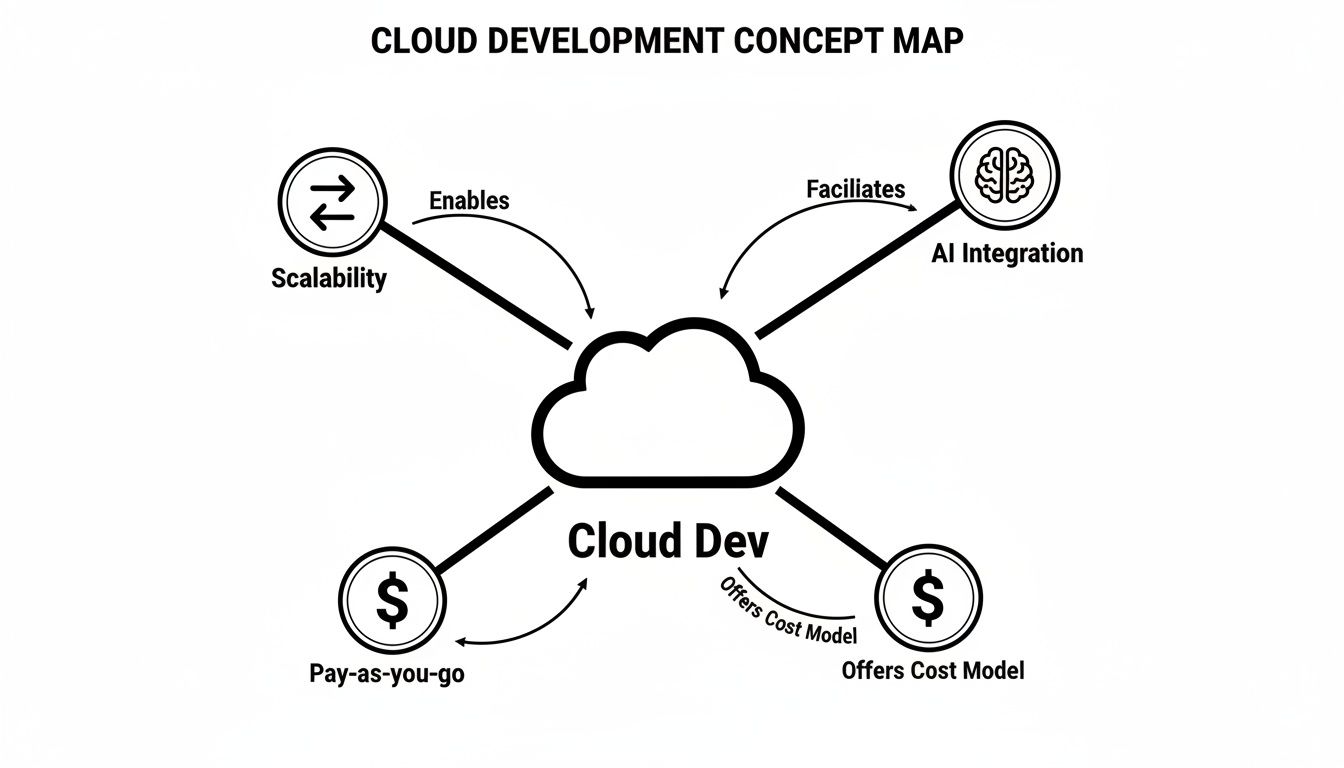
Each of these pillars—scalability, AI integration, and pay-as-you-go cost models—is only possible because of the specific architectural choices you make from the start.
Understanding Your Architectural Options
Let's break down the three most common architectural patterns with some simple analogies. Getting a handle on these will empower you to have much smarter, more productive conversations with your dev team.
1. Microservices: The Team of Specialists
Imagine your application isn't one giant, tangled program but a team of independent specialists. One handles user logins, another processes payments, and a third manages the product catalog. This is the heart of a microservices architecture. Each "service" is its own small, self-contained application that does one specific job and does it perfectly.
The beauty here is resilience and agility. If the payment specialist has a bad day and goes offline, the rest of your app—like browsing products or logging in—keeps running smoothly. This structure lets teams update, fix, or scale individual parts of the application without messing with anything else, which means much faster development cycles. You can dive deeper into making this work by exploring these microservices architecture best practices.
2. Containers: The Standardized Shipping Crate
So, how do you ensure each specialist on your team has the exact tools they need and can work absolutely anywhere? That’s where containers come in. A container is like a standardized shipping crate that bundles up an application's code along with all its dependencies—libraries, settings, and tools—into one tidy package.
This guarantees the application runs the exact same way, whether it's on a developer's laptop, a testing server, or live in front of millions of users. It completely stamps out the dreaded "it worked on my machine!" problem, making deployments way faster and far more reliable.
3. Serverless: The On-Demand Caterer
What if you only wanted to pay for your specialists exactly when they were working? That’s the big idea behind serverless computing. In this model, you don't manage any servers at all. You just write the code for a specific function (like resizing an image after a user uploads it), and the cloud provider runs it for you, but only when it gets triggered.
Serverless is like hiring a caterer only for the hours your party is running. You pay for the precise amount of computing power used and not a second more. This can be an incredibly cost-effective approach for applications with unpredictable traffic.
Making the Right Choice for Your Business
The table below breaks down these three popular architectures, helping you see at a glance which might be the best fit for your specific business needs.
Comparing Cloud Development Architectures
| Architecture | Best For | Key Benefit | Potential Challenge |
|---|---|---|---|
| Microservices | Complex, large-scale applications with independent teams. | Agility & Resilience. Teams can work independently; failure in one service doesn't take down the entire app. | Increased complexity in managing communication between many services. |
| Containers | Applications needing consistent environments from development to production. | Portability & Consistency. Eliminates the "it works on my machine" problem; easy to deploy anywhere. | Can have a steeper learning curve and requires an orchestration tool like Kubernetes. |
| Serverless | Event-driven tasks and applications with unpredictable, spiky traffic. | Cost-Efficiency. You only pay for the exact compute time used, with no idle server costs. | "Cold starts" can introduce latency; potential for vendor lock-in. |
Choosing the right path isn't about picking the "best" architecture, but the one that best solves the business problem you're facing. A startup might go serverless for its low initial cost and automatic scaling, while a large enterprise might break down a legacy system into microservices to boost resilience and development speed.
The dominance of cloud-based applications is only growing. The Software as a Service (SaaS) market is projected to hit around $390.5 billion in revenue in 2025. But it's the infrastructure powering these services that's really exploding. Infrastructure as a Service (IaaS)—the foundation for these architectures—is the fastest-growing segment, pushed forward by the massive demand for AI and big data capabilities. The key is to match the architecture to the outcome you want.
How Automation Fuels Your Competitive Edge
Ever wonder how top tech companies release new features multiple times a day, while other projects seem stuck in cycles of month-long deployments? The secret isn’t magic; it’s a relentless focus on automation. For development in the cloud, this automation is the powerful assembly line that gets your software from idea to user.
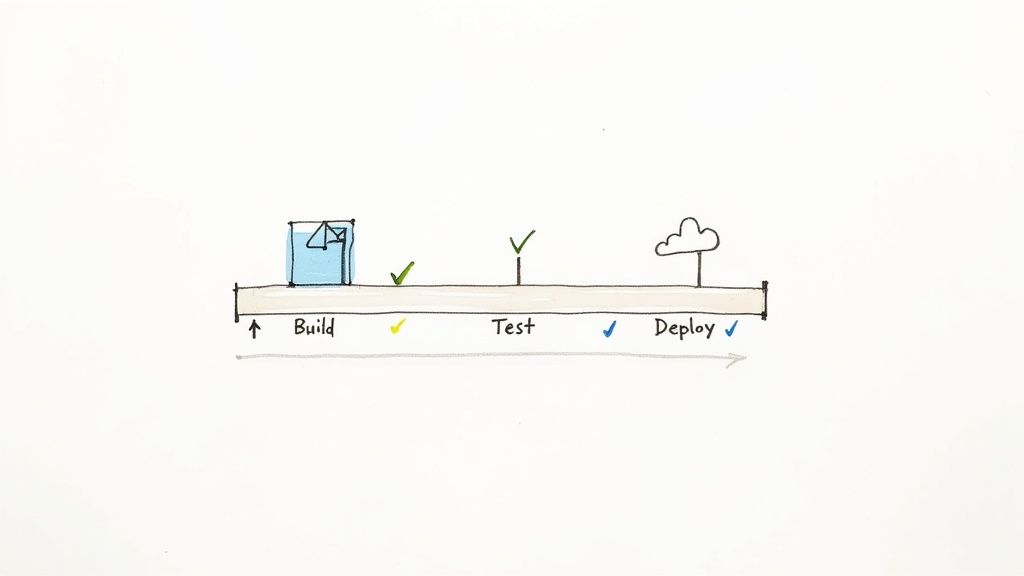
This automated pipeline is known as CI/CD, short for Continuous Integration and Continuous Deployment. Think of it as a digital factory floor where your code is automatically built, tested, and shipped without constant manual meddling. It’s the engine that turns slow, risky deployments into a fast, predictable, and frankly, boringly routine process.
This isn't just about being more efficient. It’s a profound competitive advantage. When your development process is automated, your business can react to market feedback, crush bugs, and launch new ideas with incredible speed.
The CI/CD Pipeline Explained
So, what does this automated assembly line actually do? It’s a sequence of steps that every single code change has to pass through before it ever reaches your users, ensuring quality and stability at every point.
A typical CI/CD pipeline breaks down into a few key stages:
- Build: The moment a developer commits new code, the pipeline automatically compiles it, gathering all the necessary pieces to create a runnable version of the application.
- Test: The newly built application is then put through a gauntlet of automated tests. These can range from simple unit checks on individual functions to complex end-to-end tests that simulate how a real user would interact with the software.
- Deploy: Once the code passes every single test without a hiccup, the pipeline automatically deploys it to your users. This could mean a small, staged rollout for final checks or a full push to everyone.
This automated workflow is a game-changer for reducing human error. It catches bugs early—long before they can impact your customers—and frees up your engineers to focus on building value instead of getting bogged down in repetitive manual tasks.
Gaining a Competitive Advantage with Speed
In a fast-moving market, the ability to iterate quickly is everything. An automated pipeline directly translates to business velocity. You’re no longer held back by lengthy manual testing cycles or the fear of a botched deployment. Instead, you can confidently push out small, frequent updates.
By automating the path from idea to production, you create a feedback loop that lets you learn directly from your users. This allows you to fine-tune your product, respond to customer needs, and stay several steps ahead of slower-moving competitors.
Setting up this kind of system requires a good understanding of the process. For those looking to dive in, our guide on CI/CD pipeline best practices offers a great starting point for building a reliable and efficient workflow. This automation is a core tenet of modern development in the cloud and the key to building software that can evolve at the speed of your business.
Mastering Your Cloud Costs and Performance
The pay-as-you-go model of cloud computing is one of its biggest draws—it promises incredible flexibility and efficiency. But that flexibility can become a massive financial headache if you’re not paying attention. A small configuration mistake or a single runaway process can lead to a jaw-dropping bill at the end of the month, turning what should be a strategic asset into a painful, mysterious expense.
This is where the real work begins. Building in the cloud isn’t just about shipping new features. It's about operating those features in a way that’s both high-performing and financially sustainable. Nailing this balance is what separates the companies that truly thrive in the cloud from those that just get by.
Beyond Monitoring to True Observability
For a long time, the standard approach was monitoring. Teams would keep an eye on a dashboard of known metrics—CPU usage, memory consumption, things like that—to see if anything broke. The trouble with monitoring is that it only alerts you when something you already knew to watch for goes wrong. It’s like only looking at the engine temperature gauge in your car; it’s helpful, but it won’t tell you why there's a weird rattling noise coming from the suspension.
Observability, on the other hand, is all about understanding the why. It’s the ability to ask new questions about your system’s behavior without having to ship new code to get the answers. To do this, you need to collect rich data from three core pillars:
- Logs: These are the detailed, time-stamped records of every event happening inside your application.
- Metrics: These are simple numeric measurements over time, like requests per second or error rates.
- Traces: These map out the entire journey of a single request as it travels through all the different services in your system.
With real observability, when a customer complains about a slowdown, your team can trace their exact request from end to end, see which specific service is the bottleneck, and dig into its logs to find the root cause. This level of insight is absolutely essential for optimizing both performance and cost.
Embracing FinOps: A Culture of Cost Awareness
Getting a handle on cloud spend isn’t just a job for the finance team anymore. It demands a cultural shift that involves your entire engineering organization, a practice now known as FinOps (Financial Operations). The whole point is to make cost a first-class metric, putting it on the same level of importance as performance or uptime.
FinOps is about empowering developers with the data they need to make cost-conscious decisions. It’s about building a shared understanding that every line of code can have a direct impact on the company's bottom line.
This creates a culture where engineers don’t just ask, "Will it work?" but also, "What is the most cost-effective way to make it work?" This simple shift changes cloud spending from a reactive problem you clean up later into a proactive, strategic part of the development cycle itself.
The stakes are incredibly high. Enterprise spending on cloud infrastructure is projected to hit somewhere between $95.3 billion and $99 billion in Q2 2025 alone. Yet even with that massive investment, a staggering 82% of cloud decision-makers say cost management is their single biggest challenge. This reveals a huge gap between adopting the cloud and actually optimizing it—a gap that solid FinOps practices are designed to close. You can discover more cloud spending statistics and see how businesses are adapting to these trends.
Actionable Strategies to Control Your Cloud Spend
Building a cost-conscious culture comes down to implementing practical, everyday habits. Here are a few key strategies to get your team started:
- Tag Everything: Make a strict tagging policy mandatory for all cloud resources. Tagging by project, team, or feature gives you a crystal-clear view of where the money is going, making it possible to hold teams accountable for their spend.
- Automate Shut-Downs: Idle resources are one of the biggest money pits in the cloud. Set up automated scripts to shut down non-production environments (like development and staging) outside of normal business hours.
- Right-Size Your Resources: Use your observability tools to see how much your servers and databases are actually being used. Teams often over-provision resources "just in case." By sizing them to match real-world demand, you can see immediate and significant savings.
- Leverage Reserved Instances: For any workload with predictable, steady usage, look into purchasing Reserved Instances or Savings Plans from your cloud provider. Committing upfront can slash your costs by up to 70% compared to paying on-demand prices.
Integrating AI into Your Cloud Application
If you’re developing in the cloud, you've already built the perfect launchpad for infusing your software with powerful artificial intelligence. This is where applications stop being static tools and start becoming dynamic, intelligent partners for your users. Going beyond the hype, adding AI is all about creating real value through smarter, more personalized experiences.
Think about an intelligent chatbot that resolves customer issues on the spot, or a recommendation engine that actually predicts what shoppers will love next, driving up sales. It could even be an internal tool that flags strange patterns in your data before they snowball into major problems. The possibilities are huge, and the cloud's scalable infrastructure makes them a reality for businesses of any size.
The Challenge of Managing AI Prompts
But as you start working with AI models, a critical challenge pops up almost immediately. The instructions you give them—known as prompts—are the control levers for their behavior. Managing these prompts is the difference between a clunky, unreliable feature and a seamless, intelligent one.
As you fine-tune your AI, you'll constantly be tweaking prompts to get better results. Without a system, this process quickly descends into chaos. Different prompt versions get lost, successful ones are difficult to replicate, and connecting the AI securely to your own data becomes a massive engineering headache.
A Control System for AI Modernization
This is exactly why a dedicated prompt management system is no longer a "nice-to-have." Think of it as the central nervous system for your app's AI brain, giving you structure, security, and financial oversight.
For business leaders, having this level of control is non-negotiable. It transforms AI integration from an unpredictable experiment into a manageable, scalable, and budget-conscious part of your software strategy, which is vital for modernizing an application effectively.
At Wonderment, our prompt management system is built to solve these exact problems. It is an administrative tool that developers and entrepreneurs can plug into their existing app or software to modernize it for AI integration. For more ideas on implementation, you can explore how to leverage artificial intelligence in different business contexts.
Here’s how a dedicated tool brings order to the complexity:
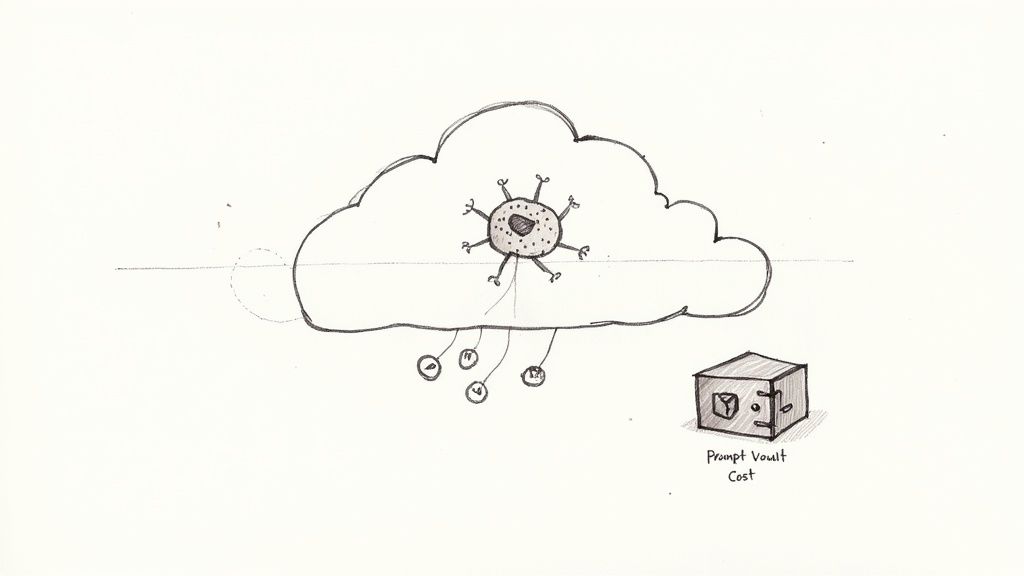
- A Centralized Prompt Vault: This is your single source of truth for all prompts. Our tool includes versioning, so you can track every change, see what worked, and roll back if a new tweak doesn't perform as expected.
- A Secure Parameter Manager: To be truly useful, your AI needs access to your internal databases. A parameter manager creates a secure bridge, letting the AI pull in customer data or product info without exposing sensitive systems.
- A Unified Logging System: When you’re using multiple integrated AI models, you need one place to see how they're all doing. Our logging system tracks every interaction across all AIs, helping you spot what’s working and diagnose issues fast.
- A Real-Time Cost Manager: AI models use resources, and the costs can add up quickly. Our built-in cost manager allows an entrepreneur to see their cumulative spend, making sure innovation doesn’t blow up the budget.
To get conversational AI into your cloud applications faster, you can also look at developer resources like the ChatGPT Apps SDK. Tools like these can speed up the process, letting your team focus more on building a great user experience. At the end of the day, successful AI integration in the cloud is about having both power and control.
Charting Your Course to Cloud Success
Jumping into a cloud project can feel like a huge undertaking. But with the right plan, that feeling of uncertainty quickly turns into a clear path forward. This roadmap is built for business leaders, cutting through the jargon to show you how to take your software ideas from the drawing board to a thriving application that’s ready for the future.
The first step is always a candid look in the mirror. Before you build anything, you have to really understand your existing applications—what are their pain points, where are the technical roadblocks, and how are they failing to move your business forward? This isn't just a tech audit; it's about drawing a straight line from your software's performance to your bottom line.
Define Your Goals and Start Small
Once you have a clear picture of where you are, you can figure out where you want to go. What does winning look like for you? Is it cutting operational costs by 30%? Is it boosting customer retention by making your app faster and more reliable? Or maybe it's about launching new features twice as fast as the competition. Whatever it is, make your goals specific, measurable, and grounded in reality.
With your goals in hand, resist the urge to do everything at once. A massive, high-risk overhaul is usually a recipe for disaster. Instead, kick things off with a focused pilot project. Pick a single, well-defined problem and aim for a quick, decisive win. A successful pilot does more than just solve a problem—it builds momentum, shows tangible value to stakeholders, and teaches you invaluable lessons for your broader strategy.
A well-executed pilot project is your best tool for getting the whole organization on board. It shifts the conversation from "what if" to "look what we did," making it far easier to get the budget and support you need for the bigger moves.
Finding the Right Development Partner
Your success in the cloud hinges on having the right expertise in your corner. As you map out your project, you'll need to find developers who are more than just coders. You need a partner who has been there and done that—someone with proven experience building scalable cloud architectures and a deep understanding of how to weave in AI.
Look for a team that can:
- Design for Scale: They need to be experts in architectures like microservices and serverless, making sure your application can handle growth without falling apart.
- Integrate AI Thoughtfully: Your partner should know the ropes when it comes to connecting AI models to your data securely and managing them for peak performance without breaking the bank.
- Provide Strategic Guidance: A great partner doesn’t just build what you ask. They push back, challenge your assumptions, and guide you toward the smartest solutions for both your tech and your business.
This roadmap gives you a solid framework to start your cloud journey. By starting with an honest assessment, setting clear goals, proving the value with a pilot, and bringing in the right expertise, you’re setting your software up to not just survive, but thrive. Your journey starts now, and seeing a demo of Wonderment's prompt management tool can show you just how quickly you can get your AI modernization efforts off the ground.
Your Cloud Development Questions, Answered
Even with a clear plan, taking the first steps into cloud development can feel like venturing into new territory. Let's walk through a few of the most common questions and concerns that business leaders bring up. We'll get you the clarity you need to move forward with confidence.
How Can I Be Sure My Data Is Actually Secure in the Cloud?
This is usually the first question people ask, and it's a great one. Trusting your sensitive data to a third party can feel like a major leap. But the reality is, major cloud providers like Amazon Web Services (AWS), Microsoft Azure, and Google Cloud have staked their entire reputations on providing world-class security.
The key thing to understand is that security in the cloud is a shared responsibility. The provider takes care of securing the massive, underlying infrastructure—the physical data centers, the global networks, the servers themselves. Your team is then responsible for securing everything you build on top of that infrastructure.
In practice, this means putting smart security measures in place, such as:
- Encryption: Scrambling your data so it’s unreadable to anyone without the key is non-negotiable. You need to encrypt it "at rest" (when it's being stored on a disk) and "in transit" (as it zips across the network).
- Strict Access Controls: Use tools like Identity and Access Management (IAM) to enforce the "principle of least privilege." This is a fancy way of saying people and applications should only have permission to access the absolute minimum they need to do their job—and nothing more.
- Leaning on Compliance Certifications: The big providers go through incredibly rigorous audits to meet global standards like SOC 2, HIPAA, and GDPR. This doesn't make you compliant automatically, but it gives you a huge head start and simplifies your own auditing process.
What’s the Real Difference Between IaaS, PaaS, and SaaS?
You'll hear these three acronyms constantly, and they just represent the different service models in the cloud. A simple real estate analogy breaks it down perfectly.
Think of IaaS (Infrastructure as a Service) like buying an empty plot of land. The provider gives you the raw ground and connects the utilities, but you’re responsible for everything else—building the house from the foundation up. On the cloud, this means you manage the operating system, the software, and all your data.
PaaS (Platform as a Service) is more like leasing a fully built but completely unfurnished office space. The landlord (the provider) handles the building, electricity, and plumbing (the servers, databases, and operating systems). You just bring in your own furniture and get to work (your code and data).
And finally, SaaS (Software as a Service) is like renting a fully furnished, all-inclusive office that's ready to go on day one. You just show up and start using the service. Think Google Workspace or Salesforce—you don't worry about managing anything behind the scenes at all.
How Do I Choose the Right Cloud Provider?
Trying to pick between the "big three"—AWS, Azure, and Google Cloud Platform (GCP)—can feel a bit paralyzing. The honest answer is that there’s no single "best" one. The right choice is always the one that best fits your company's specific situation.
Here are the key factors to weigh when making your decision:
- Your Existing Tech Stack: Does your organization run on Microsoft? If so, Azure is often the path of least resistance, offering deep integrations and potential pricing breaks you won't find elsewhere.
- Their Unique Strengths: While all three offer the basics, they each have areas where they shine. AWS has the broadest and deepest portfolio of services, period. GCP is widely praised for its incredible data analytics and machine learning tools. Azure is the undisputed leader in hybrid cloud setups that connect your on-premise data centers to the cloud.
- Cost and Pricing Models: Be warned: cloud pricing is notoriously complex. Don't just look at the list price. Use the official cost calculators and, more importantly, run small pilot projects to get a real-world feel for what your monthly bill will actually look like before you go all-in.
Modernizing your application for the cloud and integrating AI requires a powerful, manageable toolkit. Wonderment Apps provides the expertise and tools, like our prompt management system, to ensure your software is built to last. Book a demo today to see how we can accelerate your journey.