

Database migration best practices really boil down to three things: meticulous planning, rigorous testing, and a deep understanding of your data dependencies before you even think about moving a single byte. A successful project avoids the all-too-common disasters—data loss, painful downtime, and blown budgets—by treating the migration as a strategic business initiative, not just another IT task.
This process is your golden ticket to not only improve performance but to modernize your entire application stack, making it ready for the next wave of AI integration. But to get there, you need a smart approach. Modernizing for AI often involves complex interactions with various models, and managing these can be a major headache. This is where a dedicated administrative tool, like a prompt management system, becomes a game-changer. It provides the essential controls—like a prompt vault, parameter manager, and cost tracking—that turn a simple data move into a true strategic upgrade.
Why Most Database Migrations Stumble
Let's be honest: moving a database can feel like performing open-heart surgery on your business. It's a high-stakes operation, and a shocking number of these projects don't just hit a few bumps; they completely miss their goals. So many teams underestimate the complexity hiding just beneath the surface, especially in critical sectors like fintech and ecommerce where uptime and data integrity are everything.
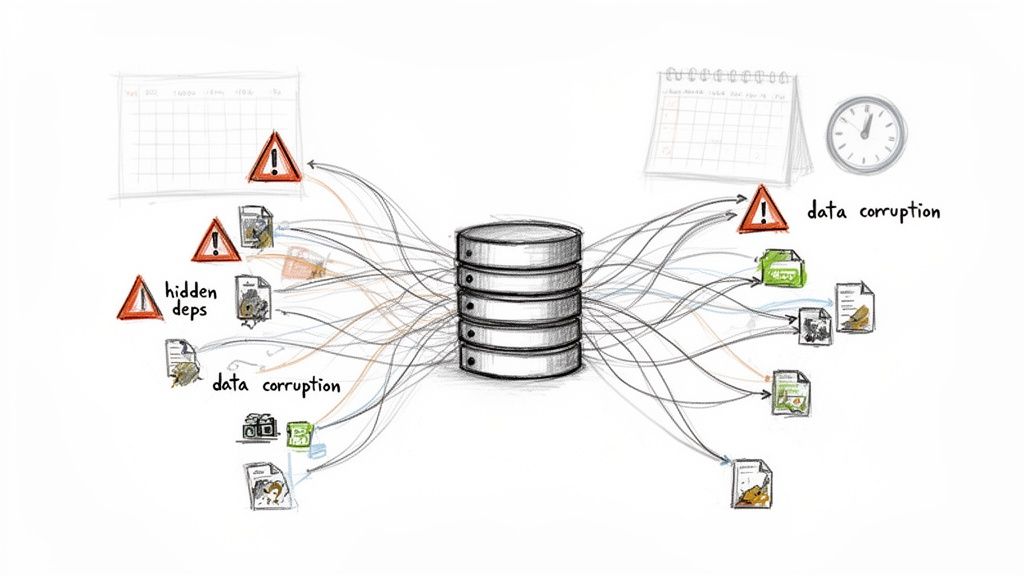
The reality is pretty stark. Gartner research found that a staggering 83% of data migration projects either go over budget, miss their deadlines, or fail outright. This number alone should tell you why a solid game plan is so critical, especially when you're dealing with massive transactional databases where even small delays lead to huge cost overruns.
This isn’t just a technical problem; it’s a strategic challenge that demands real foresight.
The Hidden Icebergs of Migration
So where do things usually go wrong? It’s rarely a single, catastrophic failure. More often, it's the subtle, overlooked details that snowball into major headaches down the road.
- Undiscovered Dependencies: You think you're moving a simple application, but it turns out to have hidden connections to a dozen other services, forgotten reports, or ancient scripts. Miss just one of those threads, and you've broken a critical business function post-migration.
- Data Corruption and Quality Issues: The migration process is notorious for shining a bright light on pre-existing data quality problems. Inconsistent formatting, duplicate entries, or "dirty" data that somehow worked in the old system will almost certainly cause the new one to choke.
- Poor Planning for Legacy Systems: Many projects get derailed by something as predictable as an end-of-life event. Forgetting about critical lifecycle milestones, like planning for SQL Server 2008 end of support, can force a rushed, poorly executed migration.
A successful migration is less about the speed of the data transfer and more about the quality of the pre-flight checklist. The projects that succeed are the ones that obsess over discovery and testing before the main event.
Modernizing for an AI-Powered Future
These days, a migration is much more than just a lift-and-shift. It's the perfect opportunity to set up your entire infrastructure for the future of AI. Modernizing your database isn't just about moving data from point A to point B; it’s about structuring that data so it can be consumed by intelligent systems. You're building an environment that can actually support next-generation applications. Our guide on how to modernize legacy systems dives deeper into what this looks like in practice.
This is where you need to think differently. Using specialized administrative tools to streamline this modernization ensures your new system is AI-ready from day one. At Wonderment, we've seen how a prompt management system can bridge the gap, providing the necessary controls—like a prompt vault, parameter manager, and cost controls—to make sure your newly migrated database can actually power the next generation of software.
Crafting Your Migration Blueprint
A database migration is won or lost long before you move a single byte of data. It's just like building a house: you wouldn't pour concrete without a detailed architectural plan. The pre-migration planning phase is exactly that—it's where you lay the foundation for a project that actually stays on schedule and on budget.
This isn't just about high-level strategy. It’s time to roll up your sleeves and get into the weeds. Your first move is to create a complete, unflinching inventory of your current database environment. You need to map out every table, view, stored procedure, and—most critically—every single dependency.
Which applications talk to this database? What APIs pull data from it? What obscure, forgotten nightly report will suddenly break if a field name changes? This deep dive is non-negotiable; it’s how you spot the landmines that derail otherwise well-intentioned projects.
Define Your "Why" Before Your "How"
Once you have a crystal-clear picture of your current setup, you can define your business goals. Why are you even doing this? "Moving to a new database" isn't a goal; it's a chore. A real goal is specific, measurable, and tied directly to a business outcome.
Think in concrete terms. Your objectives might be:
- Slash Operational Costs: Are you trying to cut licensing fees by 25% by migrating from a commercial database to an open-source option?
- Supercharge Application Performance: Do you need to drop query response times by 40% to fix a laggy user experience in your main SaaS product?
- Unlock New AI/ML Features: Is the real driver a need to restructure your data to feed machine learning models for fraud detection or product recommendations?
Having these hard numbers keeps everyone honest. Every decision you make, from the migration strategy you choose to the tools you buy, can be measured against these goals. To build out a truly solid plan, it pays to understand the essential cloud migration best practices, which give you a great framework for this stage.
The real measure of success isn't just whether the data arrives intact. It’s whether the new system delivers the business value you promised from the start. Your blueprint is the document that holds everyone accountable to that outcome.
Assembling Your Migration Dream Team
No blueprint works without a skilled team to bring it to life. A classic mistake is just assuming your current DBAs and developers have all the skills needed for the job. Migrations demand a unique mix of expertise that you might not have in-house.
Your A-team should cover these core roles:
- Database Admins (for both source and target): You absolutely need an expert who knows the old system inside and out, plus another who is a pro with the new target system.
- Application Developers: These are the folks who know how the apps interact with the database. They'll be the ones updating connection strings, refactoring code, and handling the inevitable performance tuning.
- Project Manager: A dedicated PM isn't a luxury; it's a necessity. They keep the project on the rails, manage timelines, and bridge the communication gap between the tech team and business stakeholders.
- QA Engineers: A sharp QA team is your last line of defense. They're the ones who will catch data corruption, performance regressions, and broken features before your customers do.
Now is the time to be brutally honest about your team's skillset. Do you have a gap? Maybe you need to bring in a cloud architect with specific experience or a data engineer who lives and breathes ETL pipelines. Figuring this out early prevents massive headaches down the road.
The hard truth is that poor planning is the number one project killer. Research shows that a shocking 70% of data migrations fail to meet their goals, not because of technical glitches, but because of poor planning and a lack of insight into the data itself. Without a clear plan to profile datasets and map dependencies from day one, you're setting yourself up to become another statistic. This blueprint is your best defense.
Choosing the Right Migration Strategy
With your assessment and blueprint in hand, it's time to make your next big call: how will you actually move everything? There isn't a one-size-fits-all playbook for this. The right database migration strategy hinges entirely on your business's tolerance for downtime, the complexity of your systems, and the sheer volume of data you're wrangling.
Getting this wrong can turn a well-planned project into a weekend-long fire drill.
The decision almost always boils down to a trade-off between speed and risk. Do you rip the band-aid off all at once, or do you take a slower, more deliberate path? For a growing SaaS platform, even a few hours offline can mean lost revenue and eroding customer trust. But for an internal enterprise system, a scheduled outage might be perfectly fine if it guarantees a simpler, faster migration.
This isn't just a technical choice; it's a business decision. Your strategy must align with your operational realities and continuity needs.
The All-At-Once Big Bang Migration
The Big Bang migration is exactly what it sounds like. You take the application offline, move all the data to the new database in one single, massive operation, and then bring the application back online pointing to its new home. It’s fast, direct, and conceptually simple.
This method works beautifully for:
- Smaller databases where the entire transfer can wrap up inside a planned maintenance window.
- Applications that can tolerate scheduled downtime, like internal tools or systems that aren't customer-facing.
- Projects with tight deadlines and fewer moving parts, where the risk of a catastrophic failure is relatively low.
But the "big bang" name is also a warning. If anything goes sideways—data corruption, surprise performance issues, a missed dependency—the whole system is down until you fix it or execute a painful rollback. The risk is high, but so is the reward of a quick, clean cutover.
This decision tree can help you visualize how your initial goals and planning directly feed into which strategy makes the most sense.
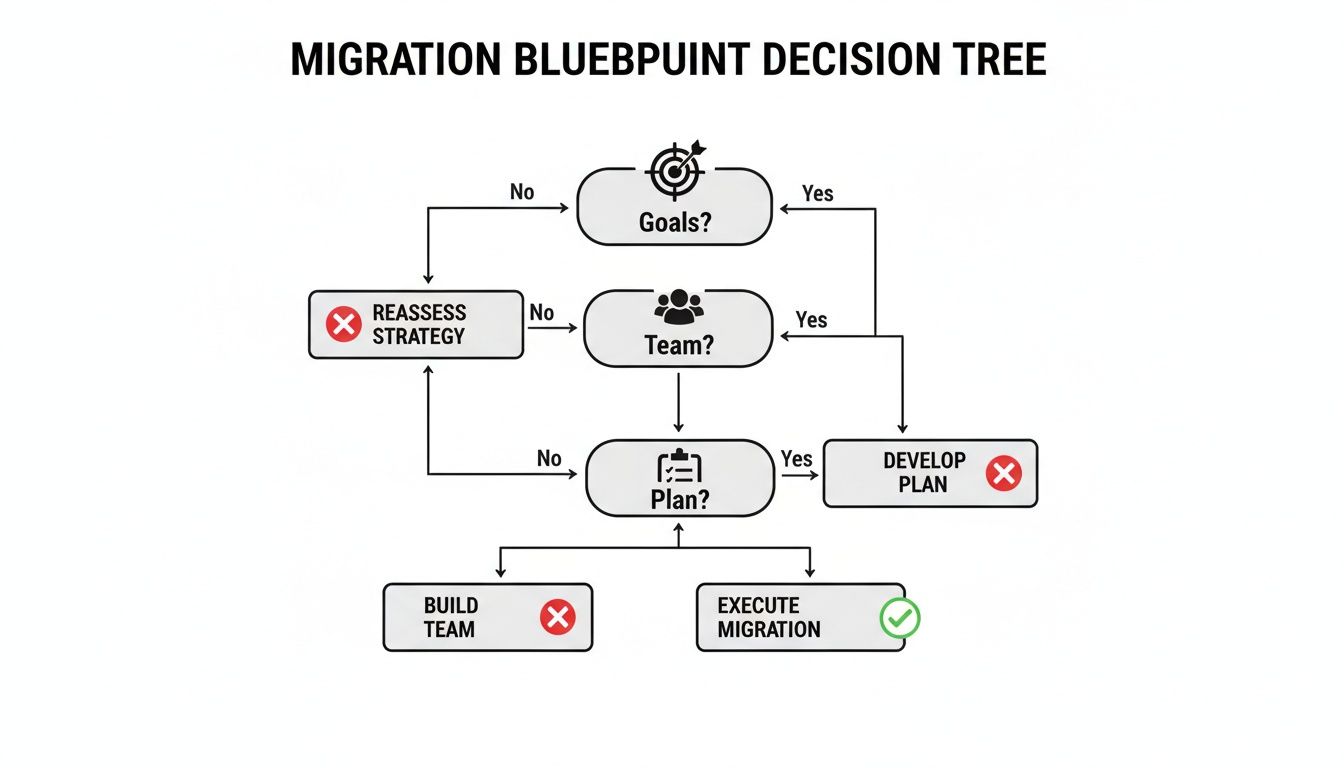
As you can see, the path you take is a direct result of the groundwork you've already laid.
The Careful Trickle Migration
For any business where downtime is a non-starter, the Trickle or Phased migration is the gold standard. Instead of a single, high-stakes move, you migrate the database in smaller, manageable chunks. This almost always means running the old and new databases in parallel for a while, using slick techniques like Change Data Capture (CDC) to keep them perfectly in sync.
This approach is the go-to strategy when:
- Downtime is simply not an option, which is the case for most 24/7 ecommerce platforms and critical fintech applications.
- The dataset is massive (terabytes or more), making a single transfer window completely impractical.
- You need to de-risk the process by testing and validating each component of the migration incrementally.
The catch? Complexity. A trickle migration demands more sophisticated tooling, careful orchestration, and a much longer project timeline. You’re essentially managing two live production databases simultaneously, which brings its own unique set of headaches.
Still, the ability to switch over with zero user impact is a massive win for any mission-critical system. For teams weighing a move from a legacy system, our guide comparing Oracle vs. PostgreSQL offers good insights into the types of modern databases that support these advanced strategies.
The best strategy isn't the fastest one on paper; it's the one that best protects your revenue and customer experience. A few extra weeks of planning for a trickle migration is a small price to pay to avoid a catastrophic outage.
Comparing Database Migration Strategies
Choosing between these methods requires a clear-eyed assessment of their strengths and weaknesses in the context of your specific project. While there are other hybrid approaches out there, like Blue/Green deployments, most strategies fall somewhere on the spectrum between a full big bang and a gradual trickle.
This table breaks down the core differences to help guide your decision.
| Strategy | Best For | Key Advantage | Primary Risk |
|---|---|---|---|
| Big Bang | Small-to-medium datasets, apps with low uptime requirements. | Simplicity and speed. The migration is a single, defined event. | High. A failure during cutover can cause extended downtime. |
| Trickle (Phased) | Large, complex databases, mission-critical 24/7 applications. | Near-zero downtime and lower risk through incremental validation. | High complexity. Requires parallel systems and robust data sync tools. |
| Parallel Run | Systems requiring intense validation before switchover. | Allows for direct comparison of old and new systems with live data. | Resource intensive, requiring double the infrastructure for a time. |
Ultimately, your selection is a strategic business decision disguised as a technical one. You have to weigh the cost of downtime against the cost of a more complex migration process to find the right balance for your organization's future.
Executing a Secure and Flawless Data Move
With a solid plan and the right strategy in hand, you're ready to get into the technical heart of the migration. This is where the blueprint becomes reality. It’s the intricate process of actually moving your data, and success here is measured in precision, security, and countless double-checks.
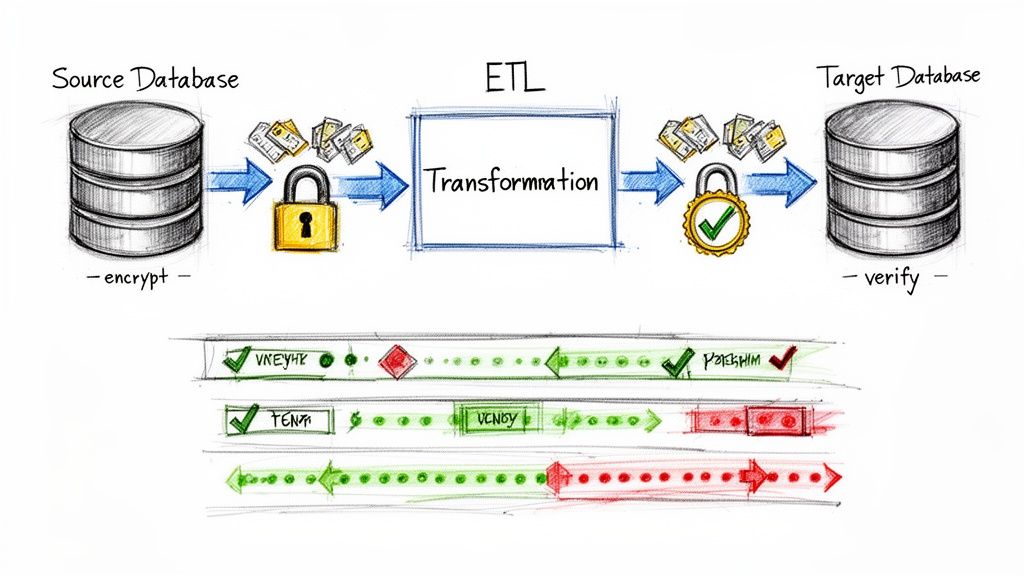
The entire execution phase boils down to a core workflow often called ETL—Extract, Transform, and Load. You're pulling data from the old system, reshaping it to fit the new schema, and then loading it into the target database. Think of each step as a potential failure point that demands meticulous attention to detail.
This isn't just a copy-paste job. It's a careful translation from one system's language to another, and getting that translation right is a cornerstone of database migration best practices.
Mastering Schema Conversion and ETL
The very first technical hurdle you'll face is schema conversion. Your source and target databases almost certainly have different data types, naming conventions, and structural rules. A DATETIME field in SQL Server might need to become a TIMESTAMP in PostgreSQL, for instance. Automated tools can give you a huge head start here, but never, ever trust them blindly.
Manual verification is absolutely crucial. You or your team needs to comb through the converted schema to guarantee:
- Data type fidelity: Confirm that no data will be truncated or misinterpreted (e.g., a high-precision decimal becoming a standard float).
- Constraint and index integrity: Ensure that primary keys, foreign keys, and performance-critical indexes are recreated perfectly in the new environment.
- Stored procedure and trigger logic: Translate any business logic embedded in the old database into a compatible format for the new one. This often trips people up.
Once the new schema is prepped and ready, the real ETL process kicks off. This usually involves writing custom scripts or using specialized software to manage the data flow. A common, battle-tested approach is to extract data into an intermediate format like CSV files, apply all your transformations, and then perform a bulk load into the new database. This method gives you clean checkpoints and makes debugging much simpler if something goes wrong.
The Non-Negotiable Role of Rigorous Testing
If you take only one piece of advice from this section, let it be this: testing isn't just a phase; it’s a continuous activity woven throughout the entire project. Skipping or rushing your testing is the single fastest way to turn a migration into a complete disaster. Your testing strategy has to be multi-layered, hitting every angle of the new system.
You'll want a variety of tests running in parallel with the migration development itself:
- Unit Tests: Verify individual data transformations. Does that script converting currency formats handle all the edge cases correctly?
- Data Integrity Checks: Use checksums, row counts, and data sampling to prove that the data in the new database is a perfect mirror of the old one.
- Performance and Load Testing: Hammer the new database with simulated peak user traffic. This is how you uncover bottlenecks and ensure it can handle real-world demand before your users do.
- Application Regression Testing: Run your entire existing application test suite against the new database to confirm that every feature still works exactly as expected.
A migration isn't "done" when the data is moved. It's done when you've proven, through exhaustive testing, that the new system is faster, more reliable, and just as accurate as the old one. This is your safety net.
Weaving Security into Every Step
Security can't be an afterthought you bolt on at the end. It must be baked into the execution from the very beginning. During the migration process, your data is at its most vulnerable, moving between systems and potentially across networks.
Your security checklist has to include:
- Encryption in Transit: All data moving between the source, any intermediate staging areas, and the target database must be encrypted using strong protocols like TLS.
- Encryption at Rest: Ensure that both the old and new databases, as well as any backups or temporary files created during the process, are fully encrypted.
- Strict Access Controls: Create temporary, least-privilege access credentials specifically for the migration tools and personnel. Just as important, revoke these credentials the moment the migration is complete.
This proactive stance is critical. While cloud migration success rates are a respectable 89%, that number can plummet without expert oversight. In fact, 38% of projects still face integration problems, and 30% struggle with security. This is especially concerning, as recent NSA warnings have highlighted that 82% of recent breaches targeted undersecured data that had been moved to the cloud. You can discover more insights about cloud migration security on DuploCloud.
Ultimately, a secure migration is about maintaining a chain of custody for your data. You need to know where it is, who can access it, and that it's protected at all times. For a deeper look into this topic, you should check out our guide on essential data security concepts to know. Following these secure execution tactics is what prevents costly errors and protects your business during the critical cutover phase.
Optimizing and Monitoring Your New Environment
Crossing the finish line of a database migration feels fantastic, but the work isn't over when the last byte of data lands. The go-live event is just the beginning of a new chapter. Now, the focus shifts from the move itself to making sure your new environment thrives under real-world pressure. This post-migration phase is all about optimization and continuous monitoring, turning your new database from a functional system into a high-performance, cost-effective asset.

This constant cycle of observation and adjustment is a core part of modern database management. You’ve built the new house; now you need to make sure the plumbing holds up and the electricity bill doesn't bankrupt you.
Establishing Your Monitoring Baseline
The moment your new system is live, you need to start gathering data. Without a clear baseline of what "normal" looks like, you'll be flying blind when issues inevitably crop up. Effective monitoring isn't about staring at dashboards all day; it's about setting up smart systems that tell you when something is wrong—ideally before your users do.
Your immediate monitoring priorities should include:
- Query Performance: Hunt down slow-running queries that are hogging resources. These are often the low-hanging fruit for massive performance gains.
- CPU and Memory Utilization: Keep a close eye on your server resources. Sustained spikes can indicate inefficient queries, indexing problems, or a need for scaling.
- Disk I/O and Storage: Watch read/write speeds and available space. If storage is filling up way faster than expected, it could signal a logging issue or a runaway process.
- Error Rates: Track both database errors and application-level exceptions. A sudden jump is a clear red flag that something is broken.
Setting up intelligent alerts for these metrics is crucial. You want to be notified when CPU usage exceeds 85% for a sustained period, not every time it briefly spikes.
The goal of monitoring isn't to collect data; it's to collect insights. Your dashboards should tell a story about the health of your system at a glance, enabling quick, data-driven decisions.
Proactive Tuning and Performance Optimization
With solid monitoring in place, you can finally shift from a reactive to a proactive stance. Instead of just fixing problems as they appear, you can start preventing them entirely. Remember, performance tuning is an ongoing discipline, not a one-time fix.
A great place to start is with the slow query log. Analyzing the most resource-intensive queries almost always reveals missing indexes or poorly structured SQL. I’ve seen cases where adding a single, well-placed index cut a query's execution time from several seconds down to milliseconds, completely changing the user experience.
Similarly, reviewing your database configuration is key. Default settings are rarely optimal for a production workload. You might need to adjust memory allocation, connection pool sizes, or caching strategies to fit your application's specific behavior. This is an iterative process: tweak, measure, and repeat.
Finally, don’t forget to securely decommission the old system. Once you're fully confident in the new environment, the old database and its hardware must be retired. This involves archiving data according to your retention policies and securely wiping the old servers to prevent any potential data leaks. This final step officially closes the migration chapter.
Unlocking AI Potential with Post-Migration Management
Here’s where an AI-ready infrastructure really starts to pay dividends. After migrating, you're not just managing a database; you're managing a data platform that can power intelligent applications. But integrating AI introduces new layers of complexity, especially around managing the prompts that interact with various models.
This is exactly where a dedicated prompt management system becomes indispensable. Think of it as the mission control for your AI features. It provides the structured oversight needed to turn a successful migration into a long-term strategic advantage.
Such a system offers critical capabilities for the post-migration world:
- A Prompt Vault with Versioning: Lets you track changes to prompts, test new variations, and roll back to previous versions if a new one degrades performance—all without touching application code.
- A Parameter Manager for Database Access: Securely connects your AI prompts to internal database information, allowing you to build features that are context-aware and data-rich.
- Integrated Logging: Gives you a unified view of every prompt sent and every response received across all integrated AI models, making debugging and auditing a breeze.
- Cost Management: Provides a centralized dashboard to track your cumulative spend on AI services, so you can monitor token usage and prevent budget overruns.
This level of control transforms post-migration management from a reactive chore into a powerful optimization loop. You can refine prompts, analyze costs, and improve AI performance continuously, ensuring your modernized system delivers on its promise.
Answering Your Database Migration Questions
Even with a rock-solid blueprint, you're bound to have questions. It's only natural. We've fielded hundreds of them over the years, so let's tackle a few of the most common ones we hear from teams just like yours.
How Long Is This Actually Going to Take?
This is the classic "how long is a piece of string" question. There's no single answer, as the timeline really depends on your data volume, the complexity of your systems, and the migration strategy you choose. A straightforward lift-and-shift of a small database might be done in a few weeks.
But for a large, enterprise-level project? Think terabytes of data, a web of tangled dependencies, and a strict zero-downtime requirement. These can easily stretch from 6 to 18 months. The single biggest reason projects run over is a rushed planning phase. That's why we hammer on the importance of a thorough, upfront blueprint—it's truly non-negotiable.
What Are the Biggest Risks I Should Worry About?
It really boils down to three major culprits: data loss, extended downtime, and security vulnerabilities. Each one is a project-killer if you don't have a specific plan to counter it.
-
Data Loss: This is the nightmare scenario. Your best defense is a multi-layered testing and validation strategy. We're not just talking about row counts and basic checksums. You need deep data sampling to prove the target is a perfect, byte-for-byte mirror of the source.
-
Extended Downtime: You manage this by picking the right game plan for your business. For mission-critical systems that can't just go dark—like an ecommerce checkout or a fintech trading platform—a phased or trickle migration is the only way to go.
-
Security Vulnerabilities: Migrations can accidentally expose data if you're not careful. You have to operate with a "security-first" mindset from the get-go. This means end-to-end encryption for data in transit and a full audit of the new environment's permissions and access controls before you even think about going live.
A common pitfall is getting so focused on data integrity and uptime that security becomes an afterthought. Trust me, all three of these risks can derail your project with equal force. Address them all from day one.
Can We Keep the Lights on During the Migration?
Absolutely—and for most modern businesses, you have to. This is where strategies like phased migrations or running systems in parallel become essential. They're designed specifically for zero or near-zero downtime.
The magic behind this is often a technique called Change Data Capture (CDC). It’s a process that keeps the old and new databases in sync by replicating any changes from the source to the target in real-time. This lets you run both systems side-by-side, giving you all the time you need to test and validate before you’re ready to make the final, seamless switch. It's more complex, sure, but it's the gold standard for any business that operates 24/7.
A successful migration gets you to the starting line of modernization. But to truly tap into the power of AI in your new environment, you need the right tools to manage it. Wonderment Apps offers a complete administrative toolkit for prompt management, cost control, and seamless AI model integration. See how it works and get your application ready for what's next.