

A lot of teams start with the same goal. Ship an app fast. Prove demand. Add intelligence later.
That logic sounds reasonable until “later” arrives. The app is in market, users want more, and the roadmap suddenly includes recommendations, search ranking, fraud checks, content generation, summarization, or an AI assistant. Then the original build choice stops being a delivery decision and becomes an operating constraint.
That’s why native application development services deserve a more strategic conversation than they usually get. This isn’t only about smoother scrolling or cleaner animations. It’s about whether your product can absorb AI cleanly, control model behavior over time, and scale without turning every new feature into a rewrite.
Your Next App Is More Than an App It’s a Gateway
A common pattern looks like this. A company launches a mobile product handling the basics well enough. Customers can sign in, browse, transact, and get notifications. Then the business wants the app to do more than display data. It wants to interpret behavior, personalize flows, automate support, and connect with internal systems in a way that feels immediate.
That’s where the first architecture decision comes back into focus.
If the app was built for short-term convenience, AI often lands awkwardly. Teams bolt on prompts in scattered services, pass sensitive context through brittle middleware, and lose visibility into cost and output quality. The app still functions, but the product becomes harder to govern every month it stays in market.
The opportunity is large enough that this decision shouldn’t be treated lightly. The global enterprise mobile-app development market is projected to reach $193.9 billion in 2025, and global app downloads are expected to hit 299 billion in the same year, according to mobile application development market projections.
The first mistake is treating AI as a plugin
AI changes the operating model of an app. It introduces prompt versioning, model selection, logging, access controls, fallback behavior, and spend management. Those concerns don’t live comfortably in an afterthought architecture.
A better approach is to treat the app as a gateway into a larger product system. The mobile interface is one layer. The orchestration, security, AI administration, and scalability decisions sit behind it.
Native apps age better when the team plans for the second wave of features, not just the launch checklist.
That matters even before launch. If you’re preparing your first release, even small details such as presentation quality influence adoption. Teams polishing launch assets often benefit from resources on creating effective App Store Previews, because the store listing sets expectations for the experience users are about to download.
What business leaders usually care about
Most leaders aren’t asking whether SwiftUI is elegant or whether Jetpack Compose reduces UI boilerplate. They’re asking different questions:
- Can this app support AI without a rewrite
- Can we keep customer data secure while adding smarter features
- Can the product team ship updates without destabilizing the experience
- Can finance understand what AI usage is costing
- Can the platform hold up when adoption increases
Those are architecture questions disguised as product questions.
Native application development services make the strongest case when the app isn’t just a feature. It’s the front door to a long-term digital business.
Decoding Native Apps Performance Experience and Power
Native development means building directly for each platform using the platform’s own tools and languages. In practice, that usually means Swift with SwiftUI for iOS and Kotlin with Jetpack Compose for Android. That choice shapes far more than code style.
A native app behaves like a product built specifically for the device in someone’s hand. Gestures feel expected. Hardware access is direct. Platform conventions don’t need to be simulated.
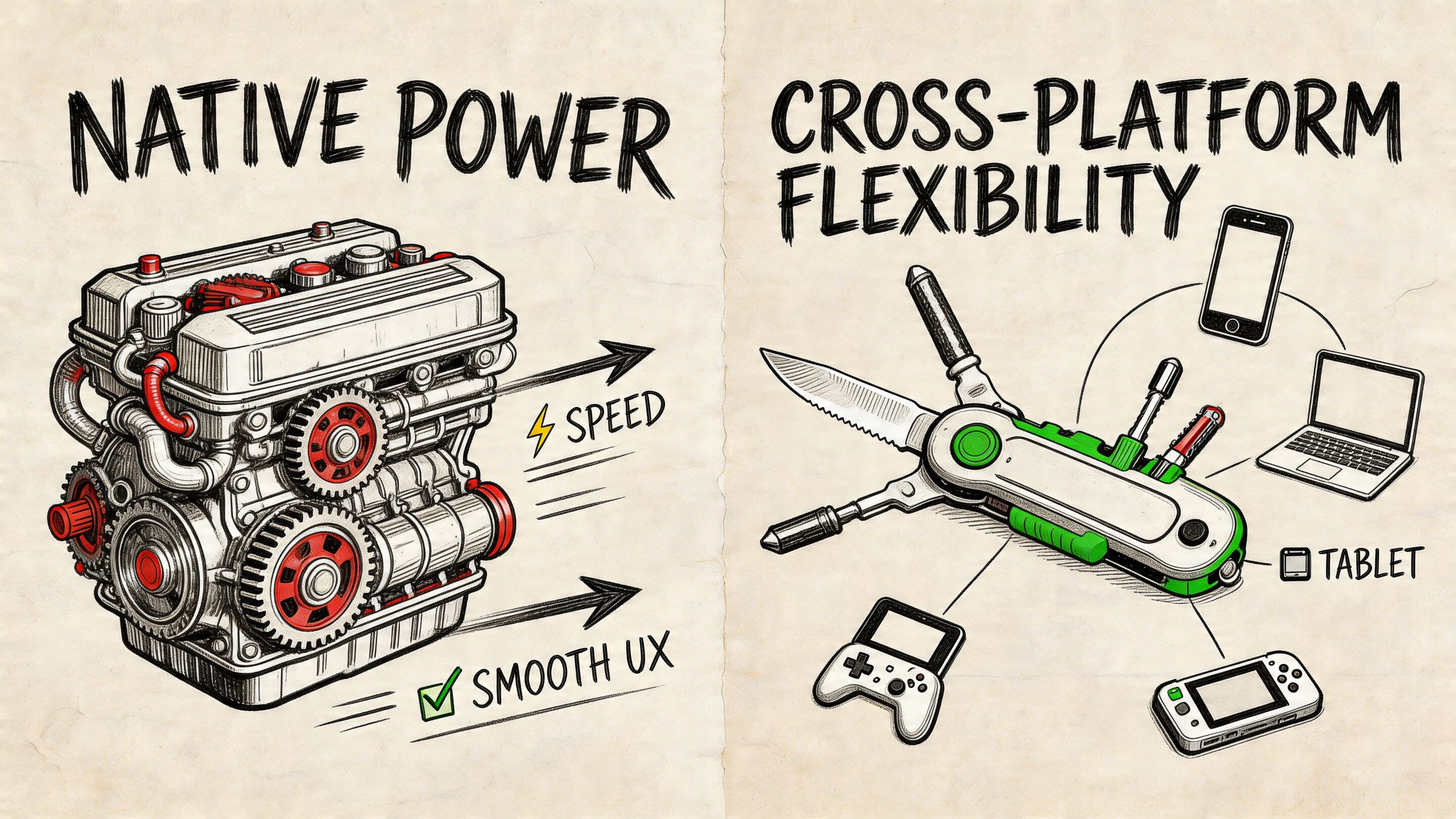
Here’s the simplest analogy. A cross-platform app is often a well-made kit car. It gets you moving and can serve many use cases. A native app is a machine engineered for one track, one driver, and one set of conditions.
Why native feels different to users
Users rarely say, “I love this because it uses a platform-specific rendering pipeline.” They say the app feels fast, clean, and trustworthy.
That feeling comes from direct integration with the operating system. Native code compiles for the host OS and works with its UI patterns, background processing, accessibility behaviors, and device APIs without an extra translation layer in the middle.
For apps in ecommerce, fintech, healthcare, and media, that difference shows up in moments users notice immediately:
- Authentication: biometrics need to feel instant and reliable
- Checkout: payment flows can’t hesitate or redraw oddly
- Live data: balances, orders, and health information need responsive refresh behavior
- Notifications: device-native handling matters for retention and re-engagement
- Camera and GPS: retail, logistics, and field-service workflows depend on stable hardware access
Why native performs better under pressure
The practical performance advantage is well documented in the benchmark data available here. Native apps consume up to 40% less memory and avoid the 20 to 30% performance degradation seen in graphics-heavy hybrid scenarios. For direct API calls such as Face ID, native can achieve sub-100ms response times, while cross-platform tools can lag by 200 to 500ms, according to native app development benchmarks.
Those aren’t abstract engineering wins. They affect business outcomes in places where hesitation breaks trust.
Practical rule: If the feature depends on camera performance, biometrics, real-time rendering, or hardware-level responsiveness, default to native unless you have a strong reason not to.
Direct access changes what’s possible
Teams often underestimate how much product ambition depends on direct hardware and OS access.
A retailer adding visual search, an insurer capturing guided photo evidence, or a wellness platform using device sensors for user feedback all benefit when the app can call platform APIs directly instead of navigating framework bridges and plugin limitations.
Native also makes asynchronous work cleaner. Network calls, local caching, and background processing can happen without freezing the interface. That reduces UI jank and gives teams more confidence when layering in heavier features such as personalization, anomaly detection, or secure transaction verification.
Native is also an experience decision
Performance gets the headline, but experience is the longer-lasting advantage. People know how iOS apps should feel. They know how Android apps should behave. Native teams can meet those expectations precisely instead of approximating them.
That’s one reason mature brands often return to native application development services after trying to economize early. They aren’t just chasing speed. They’re reclaiming control over the product experience.
Native vs Cross-Platform A Strategic Business Decision
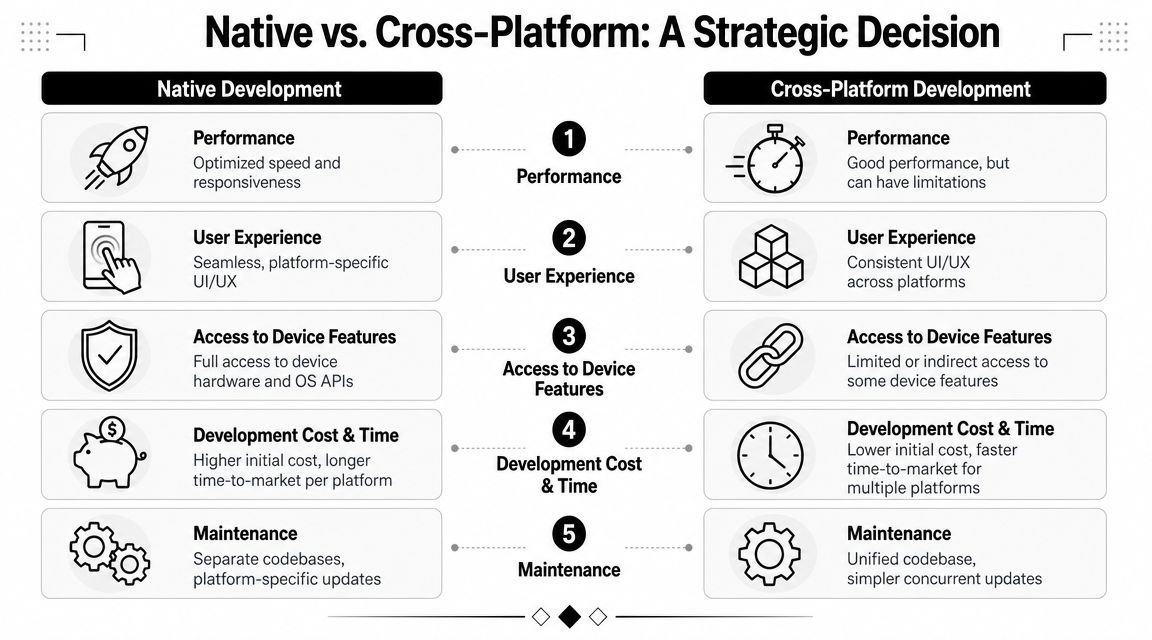
This choice receives an oversimplified framing. Native is often labeled “premium but expensive,” while cross-platform gets labeled “fast and cost-efficient.” That summary omits the part executives need, which is total business impact over time.
A more useful way to decide is to ask what kind of app you’re building. If the product is a lightweight MVP, content wrapper, or internal workflow tool with modest device demands, cross-platform can be a sensible move. If it’s a customer-facing product expected to define the brand, support AI features, and evolve for years, native usually holds up better.
Native vs Cross-Platform at a Glance
| Factor | Native Development (iOS/Android) | Cross-Platform Development (e.g., React Native, Flutter) |
|---|---|---|
| Performance | Optimized for the platform, best for demanding interactions and hardware-heavy features | Often good enough for many apps, but abstraction can create limits under load |
| User experience | Matches platform conventions closely and feels more natural to users | More uniform across platforms, sometimes at the cost of platform nuance |
| Access to device features | Full and direct access to OS APIs, sensors, biometrics, camera, notifications, and system capabilities | Access is possible, but sometimes indirect or dependent on framework support |
| Initial speed to market | Slower when building both iOS and Android separately | Faster when one team ships shared functionality to both platforms |
| Maintenance model | Separate codebases and platform-specific QA paths | Shared codebase can simplify synchronized updates |
| AI modernization readiness | Strong fit for advanced integrations, heavier interactions, and long-term system evolution | Can support AI, but complex integrations often create more operational friction |
| Long-term scalability | Better for products expected to grow in complexity and user expectations | Can work well, but some teams outgrow the original trade-off |
| Best fit | High-stakes consumer apps, regulated sectors, premium user experiences | MVPs, simpler products, budget-constrained experiments |
When cross-platform is the right answer
Cross-platform isn’t a mistake. It’s just often overused.
It fits well when the business needs market feedback quickly, the product logic is relatively straightforward, and no feature depends heavily on deep platform integration. Teams also benefit when internal resources favor one shared codebase and the roadmap is still uncertain.
That’s especially true for early validation work. If you need to confirm audience demand, gather usage data, and refine positioning before deep investment, a shared-stack approach can buy speed.
When native is the safer business move
Native becomes the better strategic choice when any of these are true:
- The app is central to revenue
- Brand perception depends on smooth, polished interaction
- Security and compliance are material concerns
- The roadmap includes AI-driven features
- The app needs advanced hardware integration
- You expect long product life with multiple generations of capability
In those cases, the “cheaper now” path can become the more expensive one later.
If your roadmap already includes personalization, secure transactions, advanced notifications, or heavy use of sensors, the architecture decision has already become a product strategy decision.
There’s also a middle ground. Some teams start with one approach, then migrate as usage patterns clarify. If you’re comparing broader options across mobile and web delivery, this guide on progressive web app vs native app is a useful companion to the decision.
What doesn’t work in practice
A few patterns consistently create pain:
- Choosing by trend instead of product need: framework popularity isn’t a roadmap
- Treating launch cost as total cost: maintenance, AI integration, and scaling work show up later
- Assuming all apps need the same architecture: a content app and a fintech product should not be judged by the same standards
- Ignoring team capability: the right stack still needs people who know how to operate it well
Cross-platform can absolutely work. Native just gives fewer excuses to compromise when the app needs to become a serious business asset.
The Blueprint for a High-Performance Native App
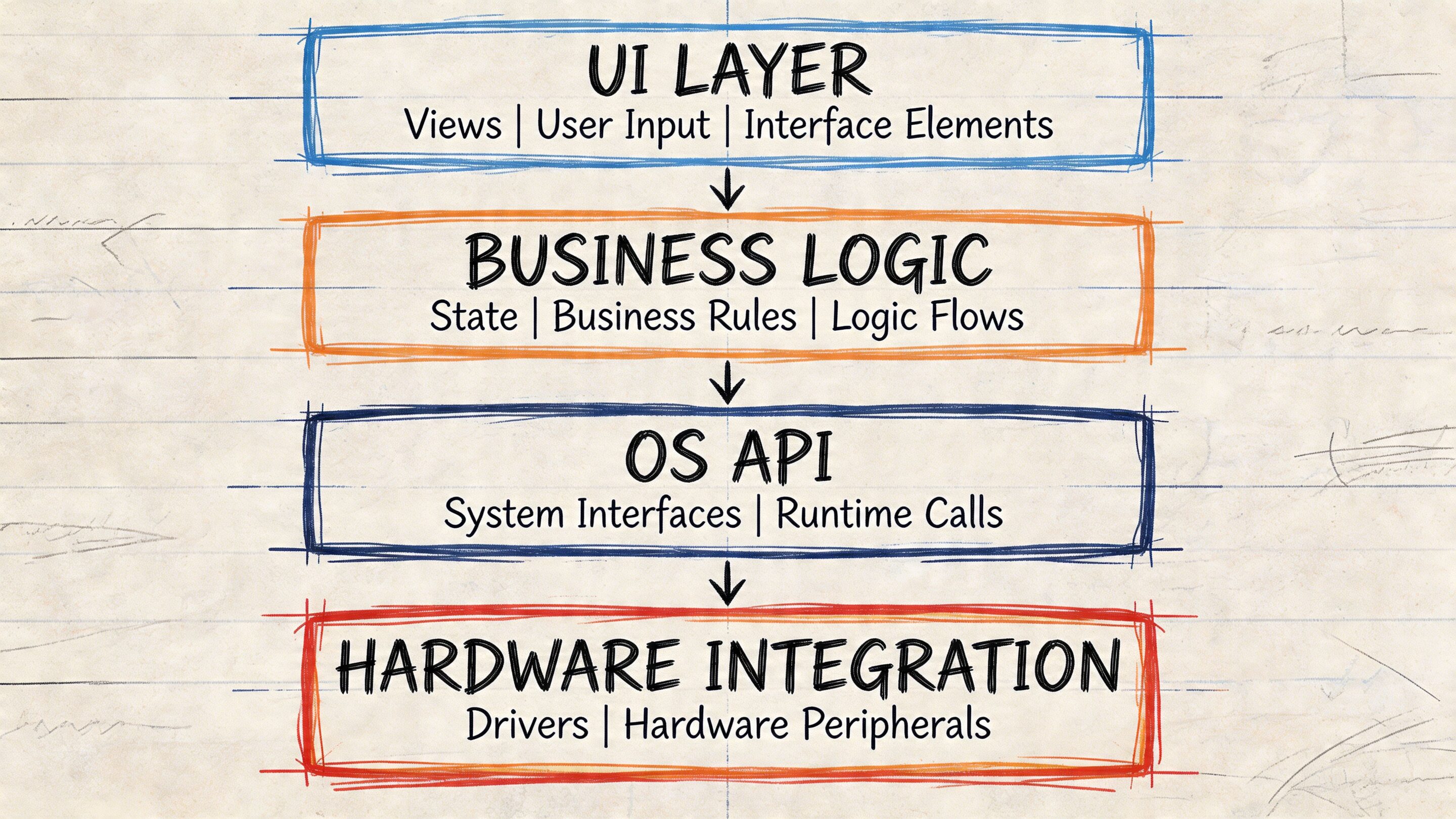
A strong native app isn’t only a polished front end. It’s a system with layers that support reliability, observability, and change. The visible experience matters, but the architecture behind it determines whether that experience survives growth.
The current baseline is clear. By 2025, 85% of organizations are forecast to run container-based applications in production, and users spent 4.2 trillion hours in apps in 2024, according to cloud-native application adoption data. That tells you where modern delivery is headed. Apps aren’t isolated binaries anymore. They’re front ends to cloud-native systems.
The client layer
On iOS, that usually means Swift with SwiftUI. On Android, Kotlin with Jetpack Compose. Those stacks let teams build interfaces that respond cleanly to state changes, support accessibility, and work naturally with platform services.
The mobile app should stay responsible for what belongs on the device:
- Rendering and interaction
- Secure session handling
- Local caching
- Notification handling
- Offline-aware behavior where appropriate
- Device feature integration such as biometrics, camera, and location
That sounds obvious, but many teams overload the client. They place too much orchestration logic in the app and then struggle to update behavior safely.
The service layer
Modern native products scale better when the back end is broken into focused services instead of one large application. Microservices and containers let teams separate responsibilities such as identity, catalog, payments, recommendations, media delivery, logging, and AI orchestration.
That structure helps in two ways. First, teams can update one part of the system without redeploying everything. Second, traffic spikes don’t have to crush unrelated services.
A well-designed service layer usually includes:
- Containerized services: often built and packaged with Docker
- Orchestration: typically managed with Kubernetes
- API access patterns: REST or GraphQL depending on product needs
- Event and queue processing: useful for async jobs and background workflows
- Centralized observability: logs, metrics, tracing, and alerting
Your mobile app doesn’t scale on its own. The surrounding system does the heavy lifting.
The delivery layer
Architecture decisions fail when release discipline is weak. Native teams need fast, repeatable ways to test and ship across devices, operating system versions, and backend environments.
That’s where CI/CD matters. The goal is more than faster deployment. It’s safer deployment. Each build should go through automated validation, environment checks, and release gates that reduce the chance of shipping regressions.
For leaders evaluating architecture quality, one useful indicator is whether the team can explain how performance monitoring, crash reporting, rollback, and environment promotion work. If those answers are fuzzy, the architecture probably is too.
If you’re diagnosing weak spots in an existing stack, this article on improving application performance is a practical reference point.
The security and resilience layer
In fintech, healthcare, and public sector work, resilience is not a nice extra. Security controls, auditability, and fault isolation need to be built into the platform itself.
That means thinking through items such as:
| Layer | What good looks like |
|---|---|
| Authentication | Strong identity flows, token handling, and session management |
| Data movement | Minimal exposure, clear boundaries, and secure API design |
| Deployments | Immutable infrastructure and controlled rollout paths |
| Monitoring | Real-time visibility into errors, latencies, and abnormal behavior |
| Recovery | Services fail independently instead of bringing down the whole product |
A high-performance native app is rarely the result of one brilliant technical choice. It comes from many boring, disciplined choices made correctly.
Modernizing Your App with Integrated AI
Native application development services become more than a build decision. They become an operating model for intelligent software.
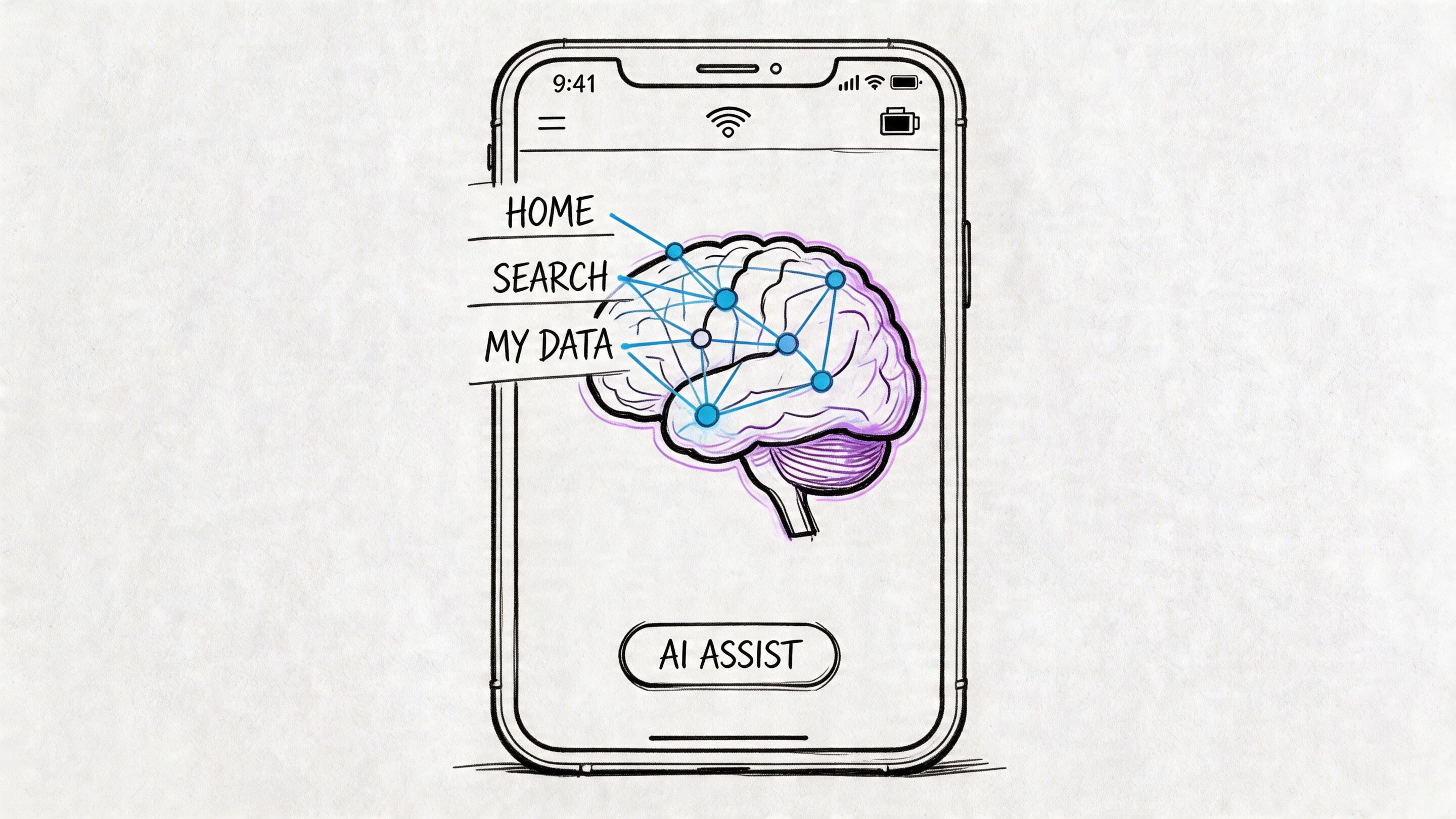
Organizations typically don’t stop at launching a mobile app. They want the app to adapt. They want recommendations that improve relevance, assistants that reduce support load, fraud checks that react faster, summaries that save user time, and internal workflows that become easier to manage. AI can support all of that, but only if the app and its backend were designed to absorb intelligence without chaos.
AI integration fails when governance is weak
A lot of AI modernization work starts with enthusiasm and ends with sprawl.
One team adds prompts in a support workflow. Another adds text generation for merchandising. A third experiments with search enrichment. Soon there are prompts in code, prompts in databases, prompts in environment variables, and prompts copied between staging and production with no clear version history.
At that point, the problem isn’t model quality. It’s operational discipline.
The skills gap is real. An often-overlooked challenge is the lack of developer training in cloud-native AI integration, and a 35% rise in AI-integrated mobile apps highlights why teams need stronger controls for prompt management and token cost visibility, according to this analysis of AI integration skills gaps.
Native gives AI a stronger home
Native helps because the app can handle the user-facing side of intelligence cleanly. It can gather context from authenticated sessions, device capabilities, user behavior, and secure inputs without the friction that often comes from less direct platform access.
That does not mean all intelligence should run on-device. For many business apps, the more important advantage is that native front ends pair well with well-structured backend orchestration. The app captures intent and context. Services enrich, route, moderate, log, and respond. The result feels fast to the user and manageable to the business.
This is also where people confuse chat interfaces with real application intelligence. If you’re thinking through that distinction, this breakdown of AI agents vs chatbots is useful because it separates conversational UI from systems that can act across workflows.
What mature AI modernization includes
Adding a single chatbot box is easy. Modernizing a product system is harder and more valuable.
The teams that do this well usually put structure around five areas.
Prompt control
Prompts shouldn’t live as scattered strings in product code. They need versioning, review, rollback, and ownership. Otherwise the team can’t tell what changed, why outputs shifted, or which release introduced a problem.
A prompt vault with versioning gives teams a central administrative layer. Product, engineering, and operations can review prompt evolution without digging through multiple repositories.
Parameter and data access management
AI features often need structured access to business data. That could mean customer profile attributes, account state, inventory status, order history, or internal knowledge.
If that access is loosely handled, teams create security and consistency problems fast. A parameter manager helps define what contextual data can be passed into models and under what rules. That becomes especially important in regulated environments where sensitive context needs tight control.
Logging across AI interactions
Once AI touches customer-facing flows, logging becomes essential. Teams need to know which model ran, which prompt version was used, what parameters were injected, what output came back, and how the system behaved afterward.
Without that trail, debugging becomes guesswork.
A modern AI feature is part product, part operations. If you can’t inspect it, you can’t manage it.
Cost visibility
AI spending rarely explodes because of one catastrophic event. It drifts upward through repeated usage, overlapping services, and silent inefficiencies.
A cost manager gives entrepreneurs and product owners a cumulative view of usage patterns and spend. That changes planning conversations. Instead of asking why the invoice looks strange at month end, teams can see how specific features and environments are consuming resources as they go.
Safe integration points
AI systems need boundaries. They should have clear places where prompts are evaluated, moderation rules are applied, errors are handled, outputs are validated, and fallbacks are triggered. Native apps benefit when these controls sit behind stable APIs rather than being improvised on the client.
Where an administrative AI tool fits
This is one area where a dedicated admin layer is more important than another clever prompt.
One option in this category is Wonderment Apps’ prompt management system, which is designed as an administrative tool teams can plug into existing software to support AI modernization. It includes a prompt vault with versioning, a parameter manager for internal database access, logging across integrated AI services, and a cost manager for tracking cumulative usage and spend. That kind of tooling addresses a practical problem many teams discover too late. AI output quality isn’t enough. You also need governance.
For teams exploring broader implementation patterns, this guide on how to leverage artificial intelligence adds useful business context.
What works and what doesn’t
Some patterns hold up well in production:
- Start with one high-value workflow: recommendations, support assistance, or internal summarization are often cleaner starting points than trying to redesign the whole product at once
- Keep prompts out of scattered application code: central management reduces drift
- Instrument everything from the beginning: logging and evaluation save pain later
- Separate experimentation from production governance: innovation moves faster when guardrails already exist
Other patterns usually backfire:
- Treating AI as a UI feature only
- Passing too much raw internal data into model calls
- Ignoring cumulative spend until finance raises the issue
- Assuming a successful demo is equivalent to a maintainable system
Native development doesn’t magically solve those problems. It gives them a better foundation. The ultimate win comes from combining native apps with disciplined AI administration so the product can evolve without losing control.
Choosing Your Development Partner and Measuring Success
The architecture can be right and the product strategy can be solid, but execution still determines whether the app becomes durable or expensive. Choosing a development partner is less about who can talk confidently about mobile stacks and more about who can make the trade-offs visible before they become problems.
A capable partner should be able to discuss native application development services in business terms. Not just languages and frameworks, but how release quality, AI governance, compliance expectations, and long-term ownership will work in practice.
Managed project or staffing support
These are the two engagement models most companies weigh first.
A managed project fits when you want one team to own delivery across design, engineering, QA, and project leadership. This model works well when the product needs coordinated execution, cross-functional planning, and accountability around timeline and scope.
Curated staffing works when your internal team already has product direction and delivery discipline, but needs additional specialists such as iOS, Android, QA, product, UX, React, .NET, Java, or AI-focused engineering support.
The wrong choice creates friction fast. Companies sometimes hire individuals when they need orchestration. Others bring in a full project team when they mainly need depth in one skill area.
Questions worth asking a partner
A good evaluation process is less about polished slides and more about specific answers.
- Industry depth: ask what they’ve shipped in sectors like fintech, healthcare, ecommerce, SaaS, or public services, especially where compliance matters
- Legacy modernization approach: ask how they upgrade an existing app without forcing a full rewrite when one isn’t necessary
- AI operating model: ask where prompts live, how outputs are logged, and how token or usage costs are monitored
- Architecture discipline: ask how they handle containers, services, observability, and rollback planning
- Native craft: ask how they manage iOS and Android parity without flattening each platform’s strengths
- QA reality: ask what they test on real devices versus simulators and how they handle release verification across OS versions
The partner you want won’t hide trade-offs. They’ll explain where complexity lives and how they plan to control it.
Delivery quality is measurable
The strongest teams don’t promise “innovation” in the abstract. They talk about delivery behavior.
In scalable architectures using microservices and CI/CD, automated testing can detect 90% of bugs early, deployment frequency can increase by 200%, release cycles can shrink from weeks to hours, and apps serving millions of users can achieve 99.99% uptime, according to cloud-native delivery best practices.
Those are useful indicators because they reflect process maturity, not marketing language.
What success should look like
A business should define success before development starts. Otherwise the team will celebrate shipping while leadership is still wondering whether the investment worked.
Use a scorecard tied to your product model. It might include:
| Area | What to track |
|---|---|
| Experience quality | Crash behavior, responsiveness, support complaints, app store feedback themes |
| Commercial outcomes | Conversion flow completion, repeat usage, purchase behavior, renewal support |
| Operational health | Release reliability, incident frequency, rollback events, QA escape issues |
| AI effectiveness | Output usefulness, error handling, logging completeness, spend visibility |
| Scalability readiness | How the system behaves during new launches, promotions, or heavier usage periods |
Success should also include softer but still practical signals. Can product managers change AI behavior without code surgery? Can support teams trace what happened in an AI-assisted interaction? Can finance understand where usage costs come from? Can engineering release with confidence instead of caution bordering on fear?
Those are signs the product is becoming sustainable, not just functional.
Frequently Asked Questions About Native Development
How long does a native app project usually take
It depends on complexity, compliance needs, backend readiness, and whether you’re building both iOS and Android together. A simple release can move quickly. A product with custom integrations, AI behavior, role-based access, and migration work takes longer. The better question is whether the project plan includes enough time for architecture, QA on real devices, and release preparation.
Is native always more expensive
Up front, often yes. Over the life of a serious product, not necessarily. Native can reduce friction when the roadmap includes device-heavy features, AI modernization, or long-term platform evolution. The cost conversation should include maintenance, scaling, and rework risk, not just initial build cost.
Can we migrate from cross-platform to native later
Yes, and many teams do. The cleanest migrations happen when the business logic and backend services are already well organized. The hardest migrations happen when the original app mixed UI, orchestration, and integration logic into one tangled layer.
Do we need separate iOS and Android teams
Not always as fully separate departments, but you do need platform expertise. Shared product leadership and backend services can work well while iOS and Android specialists own the platform-specific experience.
Is native the right choice for AI features
Usually, if AI is becoming part of the core product experience rather than a small experiment. Native gives the mobile layer stronger performance and device integration, while a disciplined backend can handle prompts, logging, policies, and cost controls more cleanly.
What about app store launch requirements
Store submission is its own workstream. Metadata, privacy disclosures, screenshots, preview assets, review guidelines, and release management all matter. If you need a practical checklist for that process, this guide on How to Get Your App on the App Store is a useful reference.
If you’re weighing native application development services, AI modernization, or a rebuild of an aging product, Wonderment Apps is worth a look. They work across mobile, web, AI integration, managed delivery, and staffing support, and their administrative tooling for prompt management, logging, parameter control, and cost visibility aligns with the actual operational work of modernizing software that needs to last.