

A lot of teams land in the same uncomfortable spot. The product still works. Revenue still flows. Customers can still complete the core journey. But the frontend sitting underneath it is an aging AngularJS application, and every roadmap conversation gets harder than it should be.
Adding a new dashboard takes longer than expected. Hiring frontend help takes too long. AI-powered search, recommendations, support copilots, or internal workflow assistants sound promising, but stitching them into an old UI feels risky. The debate stops being academic very quickly. AngularJS vs ReactJS becomes a budget question, a delivery question, and eventually a survival question.
That’s why this decision deserves more than a feature checklist. It needs a modernization lens. If your team is evaluating frontend options for a legacy rebuild, it helps to ground the conversation in broader user interface framework choices for product teams and then narrow down to what each path means for your codebase, hiring plan, and AI roadmap.
The Crossroads of Frontend Development
Legacy frontend decisions have a long half-life. An AngularJS app built years ago may still carry critical workflows for billing, operations, compliance, or customer self-service. That history matters because nobody is really choosing between two greenfield technologies. They’re choosing between preserving accumulated business logic and building a frontend that can keep up with current product expectations.
ReactJS and AngularJS come from different eras of web development. AngularJS grew up in a period when a full framework with strong conventions gave teams confidence and consistency. ReactJS took off by narrowing its focus to the UI layer and making composition the center of the development model. That difference sounds technical, but it shows up in practical ways: how fast teams ship, how easy it is to replace a feature slice, and how safely they can introduce new capabilities without destabilizing everything around them.
For product managers, the actual question isn’t “Which one is better?” It’s more specific.
- Can the current app support the next two years of product work?
- Can the team still hire for it without slowing delivery?
- Can new AI features fit into the frontend without turning every release into a high-risk event?
Legacy modernization works best when the team treats the frontend as a business asset, not just a code problem.
That framing changes the conversation. It pushes the team away from ideology and toward a decision based on scalability, maintainability, and readiness for what comes next.
Why This Choice Still Matters in 2026
This debate still matters because many businesses are not starting fresh. They’re carrying years of workflow design, customer edge cases, and integration logic inside applications that are not easily discarded. At the same time, the frontend market has clearly moved.
A useful starting point is the adoption gap. Recent web scans cited by The Tech Clouds comparison of AngularJS and ReactJS show React powering over 11.9 million live websites versus Angular’s 327,765. The same source notes that the 2025 Stack Overflow survey put React at 44.7% developer usage and Angular at 18.2%. That doesn’t automatically make React right for every team, but it does shape community momentum, hiring depth, and long-term ecosystem resilience.
What those numbers mean in practice
A larger installed base usually creates a healthier support environment. Teams get more community examples, more active libraries, and a wider hiring pool. Product leaders feel this less as “popularity” and more as delivery speed. It’s easier to find developers who’ve solved a similar problem before. It’s easier to replace a dependency. It’s easier to avoid bespoke work.
Angular, especially modern Angular rather than legacy AngularJS, still holds a meaningful place in enterprise software. It remains attractive to organizations that want stronger structure, built-in patterns, and a more opinionated development model. But if your application is specifically AngularJS, the question isn’t just whether the framework still works. It’s whether staying put creates drag across every future initiative.
| Decision area | AngularJS reality | ReactJS reality |
|---|---|---|
| Market momentum | Smaller footprint in current usage | Broad adoption and stronger market pull |
| Hiring flexibility | Narrower talent pool for legacy maintenance | Wider pool for new builds and modernization |
| AI feature rollout | Often harder to layer into tightly coupled legacy views | Easier to add as isolated UI components |
| Modernization strategy | Usually demands careful containment first | Often fits incremental replacement well |
The business risk isn’t abstract
Technical debt becomes expensive when it blocks business goals. Legacy AngularJS apps often continue to deliver value, but they can also trap teams in a maintenance-first posture. That affects release confidence, onboarding for new engineers, and your ability to prioritize customer-facing improvements instead of framework workarounds.
Three problems show up repeatedly:
Roadmap friction
Features that should be straightforward become architecture discussions.Operational risk
Older frontend patterns are harder to test, debug, and isolate cleanly.Innovation drag
AI-assisted interfaces, dynamic personalization, and richer client-side interactions are easier to ship when the UI is already modular.
If the frontend makes every new initiative feel heavier than it should, the stack is already influencing business outcomes.
The important distinction is this: modernizing isn’t always urgent, but waiting too long usually makes it more expensive and more disruptive. Teams that move while they still have control can phase the work. Teams that wait until hiring dries up or the UI becomes brittle often end up forced into a rushed rewrite.
Architectural Deep Dive Framework vs Library
The clearest way to understand angularjs vs reactjs is to look at what each one wants from your team.
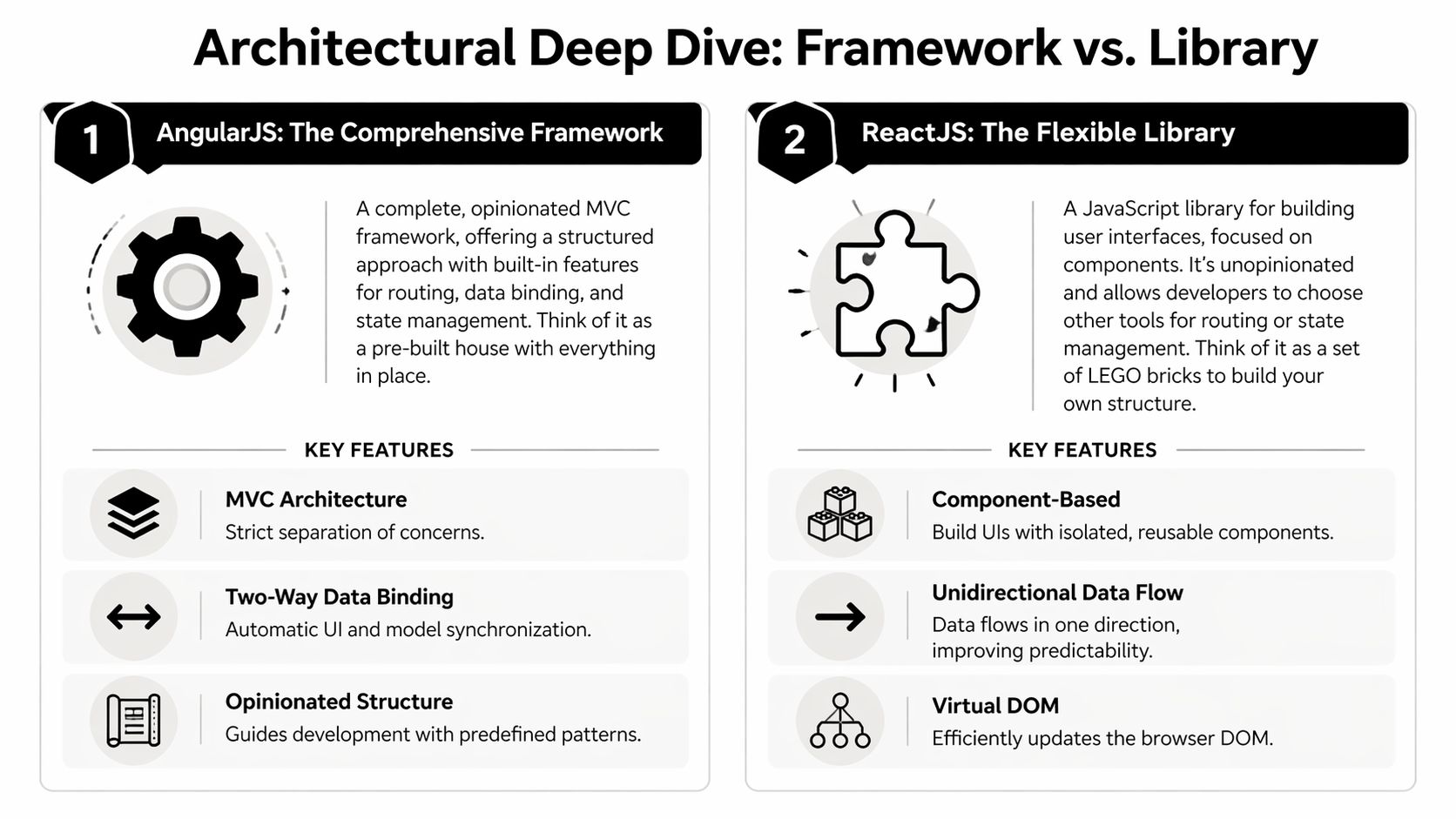
AngularJS, and later Angular, push toward a fuller application structure. ReactJS focuses on the interface layer and lets teams assemble the rest of the stack around it. Neither philosophy is automatically superior. The better choice depends on how much freedom your team can responsibly manage, and how much rigidity your product benefits from.
AngularJS and Angular favor structure
Angular’s value proposition is straightforward. It gives teams a stronger default architecture, consistent patterns, and built-in answers to common frontend concerns. The Hygraph analysis of Angular vs React describes Angular’s enterprise-grade MVC architecture and native TypeScript enforcement as a strong fit for regulated sectors such as healthcare and finance, where maintainability and consistency matter.
That kind of structure helps in environments where many developers need to work in the same way across a large codebase. It can reduce decision fatigue because fewer architectural choices are left open. Teams don’t spend as much time debating how to organize state, where to put logic, or which conventions to follow. In long-lived enterprise applications, that matters.
A broader developer's guide to user interface frameworks can be helpful. Not because it picks a winner, but because it reminds teams that consistency, staffing model, and product scope should shape framework selection as much as raw performance.
React optimizes for composition
React takes a different approach. It asks teams to think in components first. Each piece of UI can be built, tested, replaced, and evolved with less coupling than older monolithic patterns usually allow. That’s one reason React fits modernization projects well. You can replace one area at a time instead of redesigning the whole application at once.
For product work, this has a real payoff. A recommendation widget, a support assistant panel, a new onboarding flow, or a transaction review module can often be introduced as a bounded React surface. That makes it easier to ship visible improvements without waiting for a total platform rebuild.
The frontend architecture discussion is closely tied to broader app design architecture decisions for scalable products. A modular UI only helps if the surrounding application boundaries are also clear.
Data flow changes team behavior
The biggest practical difference is how each model handles updates.
AngularJS became known for two-way data binding, which can feel convenient because the UI and model stay synchronized with less explicit wiring. For smaller forms or tightly controlled workflows, that can reduce boilerplate. But in larger applications, those implicit updates can make behavior harder to reason about. Teams spend more time tracing what changed and why.
React’s unidirectional data flow is stricter. Data moves in one direction, and updates are more explicit. Developers have to be deliberate, but the payoff is predictability. That predictability matters more as the product grows and more contributors touch the same system.
Here’s the side-by-side that usually matters most during modernization:
| Architecture concern | AngularJS style | ReactJS style |
|---|---|---|
| Structure | Strong conventions, fuller framework approach | Lightweight UI library with flexible composition |
| Data flow | Two-way binding can hide update chains | One-way flow makes updates easier to trace |
| Team fit | Helpful for large teams that want consistency | Strong for teams that value modular feature delivery |
| Legacy migration | Harder to evolve in place if tightly coupled | Easier to replace slices incrementally |
What works and what doesn’t
In practice, I’d break the trade-offs down like this:
What Angular does well
It works well when governance matters, when teams want strict patterns, and when a product is more operational than experimental.What Angular can make harder
Legacy AngularJS can become cumbersome when product teams need frequent UI change, isolated feature delivery, or rapid experimentation.What React does well
It’s strong when you need adaptable interfaces, reusable components, and a frontend that can absorb change without broad rewrites.What React requires from the team
It doesn’t save teams from bad architecture. If engineering leadership doesn’t set standards for state, folder structure, testing, and component boundaries, React projects can become messy quickly.
Strong frameworks prevent some mistakes by default. Flexible libraries reward disciplined teams and punish vague ones.
That’s the core architectural truth. If your organization has mature frontend leadership, React often gives more room to modernize intelligently. If your organization needs a heavily guided model and values convention over flexibility, Angular still has a compelling story. But for legacy AngularJS modernization, React usually aligns better with phased migration and future-facing product work.
Performance and Scalability Under the Hood
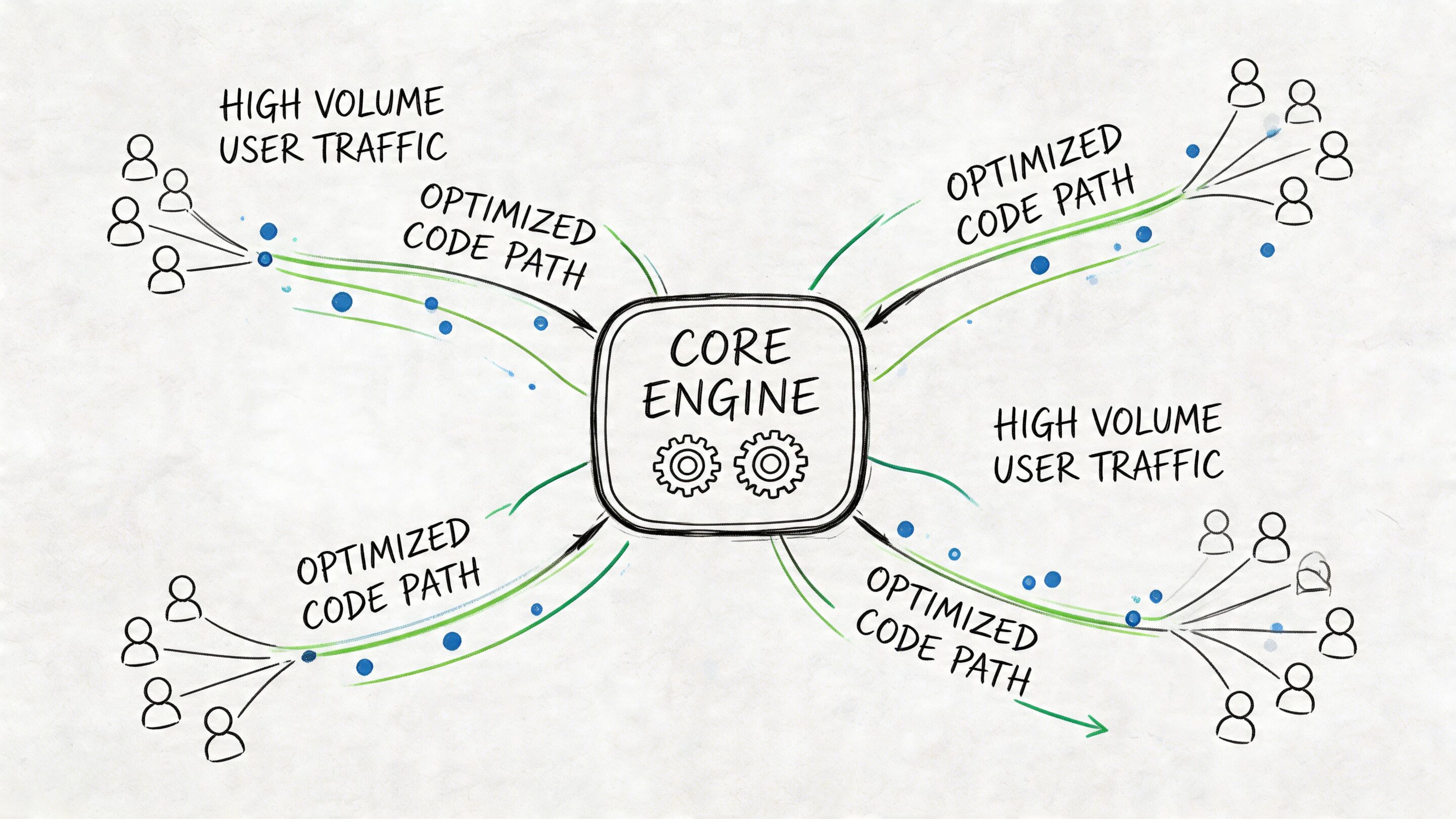
When a product serves high-volume traffic or dense operational workflows, frontend rendering stops being an engineering vanity metric. It becomes part of the user experience contract. Slow interfaces make search feel broken, dashboards feel untrustworthy, and transactional workflows feel risky.
ReactJS has a clear advantage in the rendering data cited for this comparison. In a controlled analysis published in the IJSAIT ReactJS and AngularJS performance paper, ReactJS showed a Page Load Time of 4.6s compared with 7.99s for AngularJS, along with a First Contentful Paint of 2s versus 4.12s and a DOM Load Time of 2.18s versus 4.35s. The study attributes that result to React’s virtual DOM, which reduces direct real-DOM manipulation.
Why the rendering model matters
AngularJS relies on patterns that can trigger more expensive UI updates as applications get larger and more interactive. That cost may be acceptable in a stable back-office tool with moderate complexity. It becomes much more visible in interfaces that redraw often, render large lists, or depend on frequent state changes.
React’s virtual DOM changes the equation. It compares the current UI state with the next one and applies only the necessary updates. For teams building data-heavy products, that usually translates into a smoother interface under load and a cleaner path to optimization.
This matters a lot for products that are adding modern frontend behavior such as:
- AI-assisted search panels
- Live personalization modules
- Transaction-heavy account views
- Complex admin consoles with frequent state changes
Each of those introduces more UI churn. A rendering model that handles localized updates gracefully gives the team more room to grow.
Performance is also an architecture issue
Raw rendering benchmarks only tell part of the story. The rest comes from how teams structure components, isolate expensive updates, and avoid global re-renders. React gives developers practical tools to contain that complexity. But it still requires discipline. A poorly organized React app can absolutely waste its technical advantage.
That’s one reason modern frontend teams often pair component architecture with server and rendering strategies intentionally. For example, product teams exploring React server-side rendering approaches for faster perceived performance often improve both responsiveness and SEO-sensitive delivery paths when the use case fits.
What this means for product leaders
The practical takeaway is simple. If the application depends on rich client-side interaction, heavy datasets, or visible responsiveness, React usually gives the safer long-term performance profile. If the app is stable, internal, and not interaction-heavy, Angular’s performance trade-offs may be acceptable if the rest of the architecture is healthy.
Faster rendering doesn’t just make the app feel nicer. It reduces friction in the exact moments where users decide whether the product feels trustworthy.
That’s why performance belongs in the stack decision. Not as a benchmark contest, but as a product risk discussion.
Ecosystem Hiring and Total Cost of Ownership
Teams often underestimate the cost of keeping a legacy frontend alive. They budget for code changes and bug fixes, but the bigger costs show up elsewhere: recruiting delays, slower onboarding, fewer reusable community patterns, and increasing dependence on a shrinking set of specialists.
AngularJS vs ReactJS becomes a business case, not just a technical preference.
Legacy AngularJS carries hiring drag
The most expensive line item may be the one that never appears in the sprint plan. The Sencha discussion of AngularJS and ReactJS highlights a significant talent drought around legacy AngularJS. It reports that fintech firms see 40-60% slower hiring for AngularJS maintainers, with annual costs inflated by 25-35%, and notes 12% of developers proficient in AngularJS compared with 68% in React.
That gap changes how organizations operate. You wait longer to fill roles. You rely more on a few internal experts. You carry more delivery risk when one senior developer leaves or a contractor rolls off. Even when the app itself is stable, the staffing model becomes fragile.
Ecosystem depth changes delivery speed
React’s broader ecosystem doesn’t just help with hiring. It also changes how quickly teams can solve ordinary product problems. When a library, pattern, or example already exists in active use, developers spend less time inventing infrastructure and more time building product value.
That’s especially relevant in modernization projects where the team is handling several goals at once:
- Stabilizing old workflows
- Replacing brittle UI sections
- Adding AI-enabled features
- Improving accessibility and design consistency
A larger ecosystem lowers the odds that every one of those tasks turns into custom engineering.
Total cost is about optionality
The smart way to think about frontend TCO is not “Which framework is cheapest?” It’s “Which stack gives the business the most options without repeatedly paying architectural tax?”
Angular can still be a rational choice for enterprise programs that need stronger conventions and expect long-lived internal tooling. But if the application is stuck on AngularJS, the maintenance burden becomes harder to justify over time, especially when the same roadmap includes modernization and AI work.
If your team is comparing delivery models while evaluating migration partners, a market scan like this roundup of outsourcing IT companies for Web3 and AI can help frame how external engineering support is evolving around modern stacks and AI-adjacent work.
The hidden cost of a legacy frontend is loss of choice. Fewer available hires, fewer easy integrations, fewer low-risk changes.
That’s the point many business leaders miss. The old app may still run, but its strategic flexibility may already be gone.
The AI Modernization Playbook
Most legacy frontend rewrites fail when teams treat modernization like a visual redesign. The main objective is to create a system that can absorb new capabilities cleanly. Right now, that usually means AI.
AI features are rarely one feature. They become a family of features: support copilots, recommendations, semantic search, document summarization, anomaly explanations, guided workflows, and internal productivity tools. Those capabilities need a frontend that can present dynamic responses, manage changing states, and evolve quickly as prompts, models, and workflows improve.
A safer migration pattern
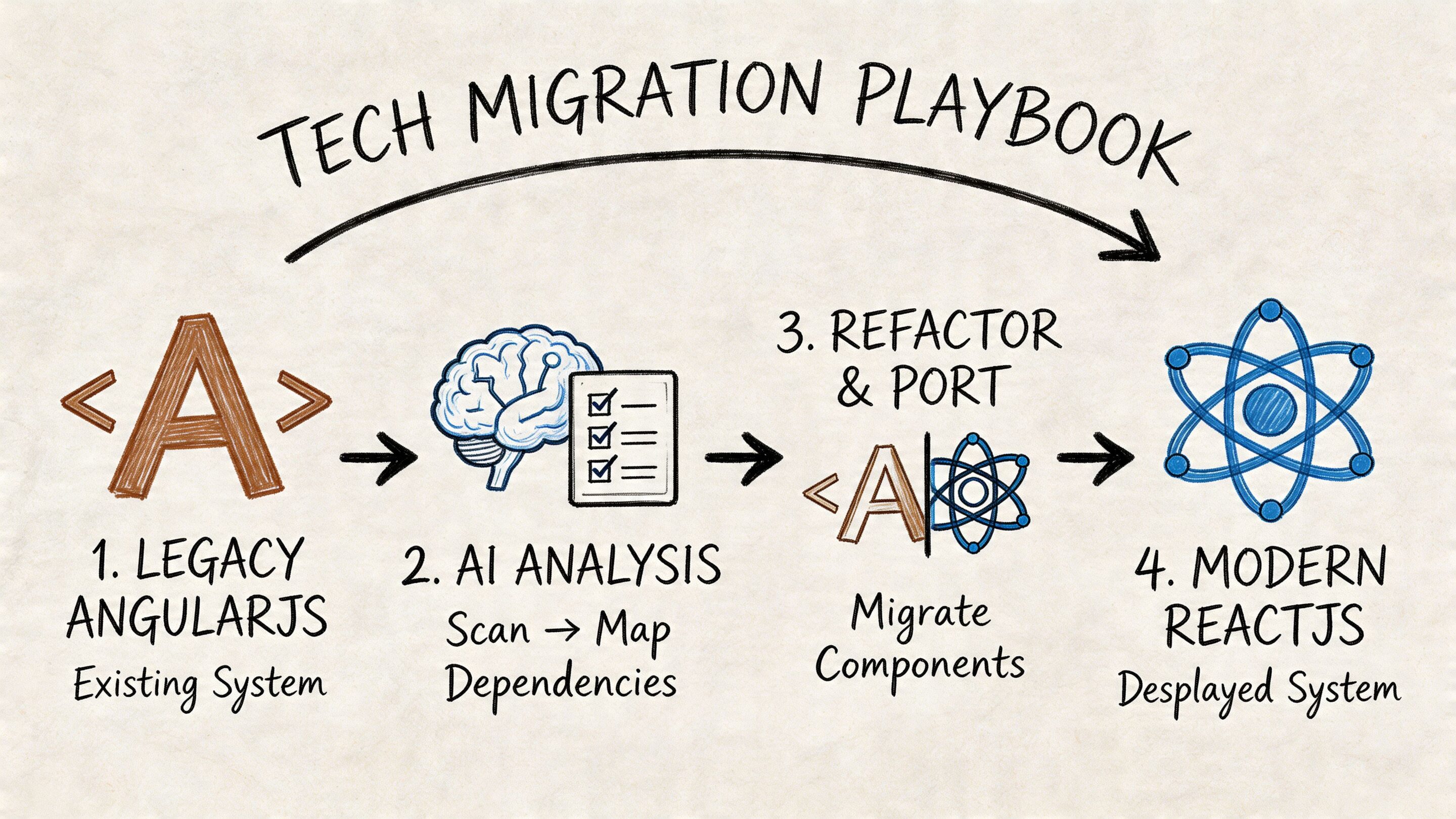
For most AngularJS applications, the best path isn’t a big-bang rewrite. It’s an incremental replacement strategy where new React surfaces gradually take over the highest-value areas of the product.
A practical sequence often looks like this:
Stabilize the legacy app first
Freeze avoidable churn, document risky areas, and identify the views that break most often.Choose seams, not pages
Replace bounded product surfaces such as account widgets, dashboards, or search experiences instead of trying to port everything at once.Modernize around user value
Prioritize areas where speed, experimentation, or AI features would visibly improve the product.Retire old dependencies deliberately
Don’t let the legacy shell become permanent. Every coexistence phase should have an exit plan.
React is a better host for AI UI patterns
React fits AI-heavy frontend work well because the interface can be composed out of reusable units. A chat panel, confidence indicator, response card, recommendation block, or summarization drawer can live as its own component with clearly managed state. That makes it easier to test interactions, update UX patterns, and swap backend model behavior without reworking the whole application.
This also improves product governance. AI experiences often require changes after launch. Prompt phrasing changes. Guardrails change. Logging requirements change. Teams need a frontend structure that can adapt without becoming brittle.
A small but useful operational note: teams shipping AI-rich interfaces often overlook content accessibility while moving quickly. For fast support on image descriptions during implementation, tools like this AI alt text generator can help teams keep accessibility work moving instead of pushing it to the end.
What not to do
A few modernization habits consistently create trouble:
Don’t migrate dead features
If a workflow hasn’t delivered value in years, deleting it may be better than porting it.Don’t embed AI everywhere at once
Start where the user benefit is obvious and measurable in product behavior.Don’t let frontend migration outrun backend reality
AI features still need clean APIs, permissions, audit thinking, and data boundaries.
Good modernization is selective. It upgrades the parts of the product that create leverage and stops protecting the parts that no longer matter.
That’s the practical playbook. Move in slices. Tie each slice to product value. Use the migration to create room for intelligent features rather than recreating yesterday’s UI with newer syntax.
Your Path Forward Recommended Choices by Use Case
The right answer depends less on ideology and more on what your business needs next.
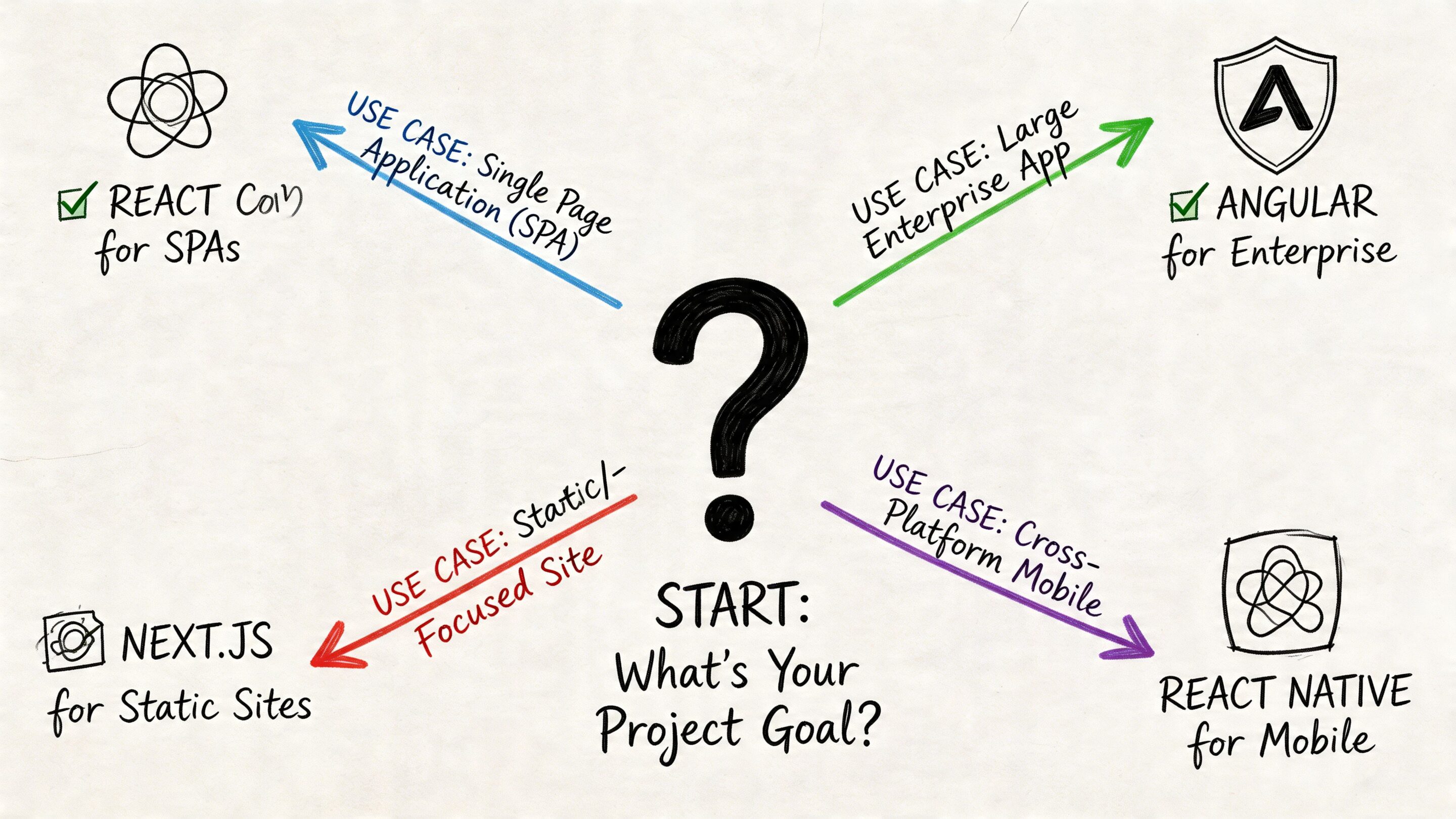
Keep and contain when stability matters most
If you run a complex internal platform with tightly governed workflows, and the current frontend isn’t blocking delivery, a careful containment strategy can make sense. That usually means maintaining what must stay operational, limiting new feature work in the legacy layer, and planning modernization around risk-heavy modules first.
This path fits organizations that value continuity over experimentation, especially when the app serves a defined internal audience and doesn’t need a rapid pace of UX evolution.
Choose React when growth and adaptability matter
If the product roadmap includes personalization, richer interactivity, customer-facing performance gains, or any meaningful AI integration, React is usually the stronger destination. It supports incremental replacement, modular delivery, and clearer separation between legacy logic and new experiences.
That recommendation gets stronger when the team expects to hire broadly, partner with outside specialists, or iterate on product surfaces quickly.
Avoid the false middle
The weakest option is usually indecision disguised as pragmatism. Teams keep AngularJS for “just one more cycle,” add new complexity to the old frontend, and postpone migration until the codebase is harder to unwind. That tends to produce the worst of both worlds: the old stack remains the delivery bottleneck, and the future stack never gets enough room to help.
A practical decision guide looks like this:
| Your situation | Best fit |
|---|---|
| Stable internal app with limited UX change | Contain legacy risk and modernize selectively |
| Customer-facing product with active roadmap | Migrate toward ReactJS |
| Need AI features on top of legacy AngularJS | Use phased React adoption around high-value surfaces |
| Large team that values conventions above flexibility | Evaluate modern Angular carefully, not legacy AngularJS |
If your product has to evolve quickly, the frontend should help the team move. It shouldn’t be the part everyone works around.
For most legacy modernization projects, that’s the decisive point. React isn’t just a new frontend choice. It’s the more practical foundation for products that need to scale, recruit well, and absorb AI without repeated architectural strain.
If you’re planning an AngularJS modernization or want to add AI features without increasing operational chaos, Wonderment Apps helps teams design the migration path, build scalable React-based products, and modernize responsibly. Their team also offers a prompt management system for AI-enabled applications, with a prompt vault, versioning, parameter management for internal data access, centralized logging across integrated AI services, and cost tracking so you can ship intelligent features with stronger control.