


A lot of AI app projects start with a deceptively small decision. The team has a product idea, maybe a recommendation engine, a support copilot, an internal analyst tool, or a mobile experience with embedded AI. Someone asks whether to use Anaconda or standard Python, and the room splits fast.
One group wants the fastest route to a working notebook. Another wants a clean production container that won’t punish the ops budget later. Both sides are right, depending on what the business is building.
That’s why anaconda vs python isn’t a beginner’s tooling argument. It’s an architecture decision with downstream effects on onboarding, CI/CD, Docker footprint, cloud cost, reproducibility, and how painful your first scale event becomes.
There’s also a naming joke hiding in plain sight. The animal names are dramatic, but the history is stranger than the myth. Historical records trace the “anaconda” etymology to a 1768 Scots Magazine fiction that misattributed a Sri Lankan python kill to the snake, evolving from the Tamil “anai-kondra” or “elephant killer,” even though anacondas are native to South America where there are no elephants in their range, as noted in this python vs anaconda animal comparison.
In software, the names are less wild than the consequences. If your team is only thinking about package installs, you’re still at the shallow end. Once AI moves into production, the harder problems usually aren’t just environments. They’re prompt versioning, parameter control, observability across model calls, and keeping AI spend visible before it surprises finance.
The Python Dilemma Starting Your Next AI Project
A common project pattern looks like this. Product wants a customer-facing AI feature in market quickly. Data science wants Jupyter, NumPy, and model tooling ready on day one. Platform engineering wants a deployment path that won’t turn every release into a dependency archaeology dig.
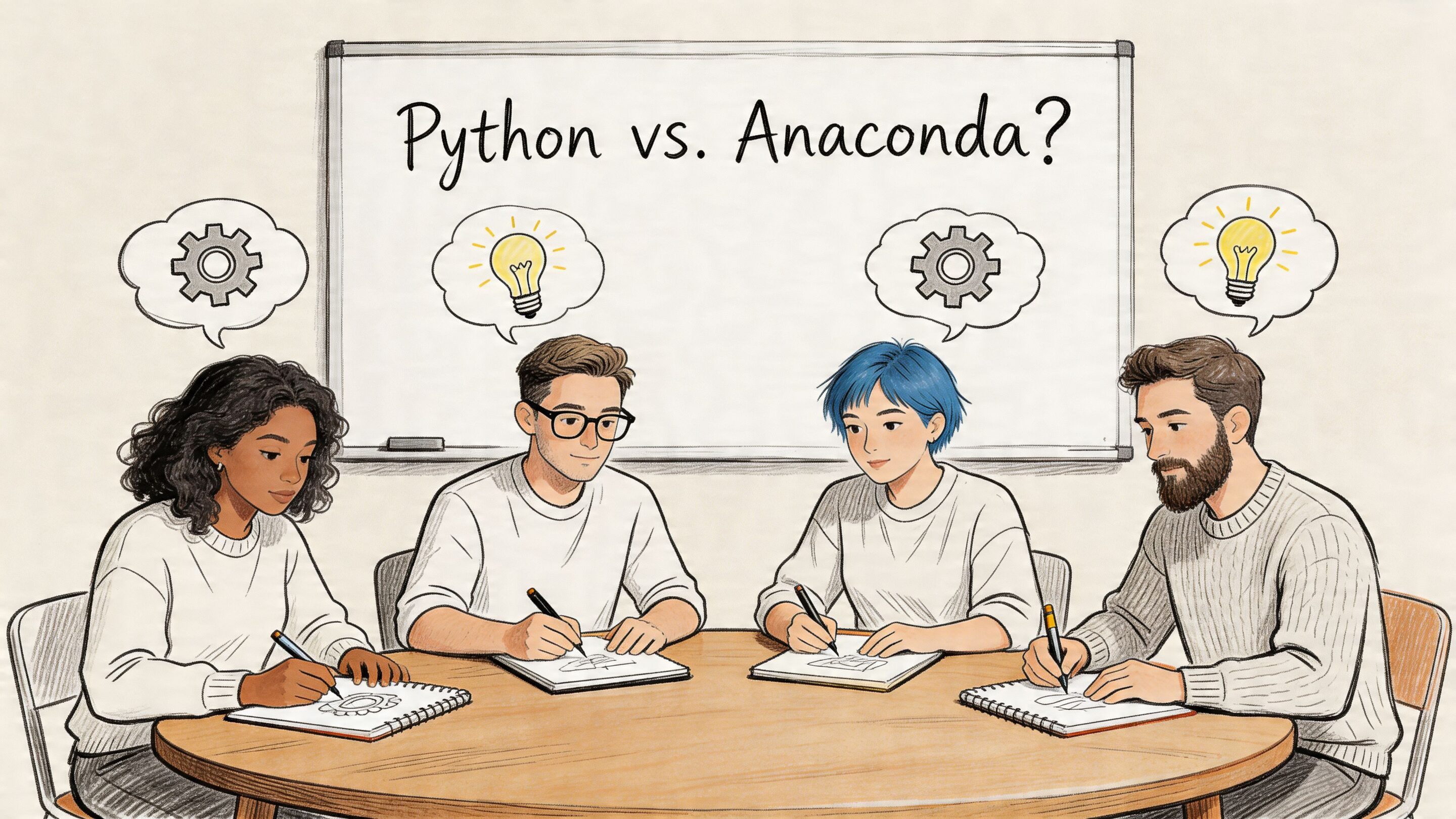
In that moment, Anaconda looks attractive because it removes friction. Standard Python looks attractive because it stays out of your way. The wrong move is treating those as the same kind of benefit. One improves early convenience. The other preserves long-term control.
What teams usually want versus what they actually need
At kickoff, teams usually say they need a Python stack for AI. More often, they need three separate things:
- Fast experimentation: notebooks, common ML libraries, fewer setup headaches.
- Predictable delivery: repeatable builds, stable CI runs, and clean rollback paths.
- Production discipline: slim containers, manageable dependency graphs, and low operational drag.
Those needs don’t always point to the same answer.
A startup building an internal prototype may gain more from Anaconda’s bundled experience. A retail platform shipping AI into high-volume request paths may regret that same choice once containers get heavier and deployment speed starts to matter.
Practical rule: Pick the toolchain for the phase you’re in, but don’t pretend a notebook-first setup automatically belongs in production.
The real modern AI problem starts after the environment
Teams often spend a lot of energy debating conda versus pip and almost none on how they’ll govern prompts, trace model behavior, or monitor cumulative AI spend. That’s backwards. Environment management matters, but AI operations become the bigger risk once usage expands.
If your team is still sketching the application itself, a hands-on tutorial like how to build an AI chatbot in Python is useful because it grounds the conversation in an actual software flow, not just abstract setup preferences.
The environment choice still matters. It just shouldn’t be the only operational decision anyone remembers six months later.
A quick comparison before we go deeper
| Area | Standard Python | Anaconda |
|---|---|---|
| What it is | The Python language runtime and common tooling | A Python distribution with bundled tools and packages |
| Best early use | Lean app development, services, APIs | Data science, notebooks, analytics workflows |
| Package style | Usually pip and PyPI |
conda, often with scientific stacks |
| Environment style | Usually venv |
Conda environments |
| Production tendency | Easier to keep slim | Easier to overpack if not managed carefully |
| Main risk | More manual setup | More baggage than production needs |
Understanding the Core Difference Distribution vs Language
The phrase anaconda vs python is technically sloppy, and that sloppiness causes bad decisions.
Python is the language. In most commercial discussions, teams mean the standard implementation, usually CPython, plus common tools like pip and venv. Anaconda is not a different language. It’s a distribution that packages Python with a broader environment and package management model.
That sounds academic until a business leader gets told, “We chose Anaconda instead of Python,” and assumes the engineering team picked two unrelated technologies. They didn’t. They picked two different operating styles around the same language.
What Anaconda actually bundles
Anaconda packages the Python interpreter with a package manager, environment manager, and a broad set of preinstalled tools commonly used in analytics and machine learning. That changes the day-one experience.
Instead of building a stack piece by piece, a team can start from a toolkit designed for data work. That’s useful when the first milestone is experimentation, model exploration, or internal analysis.
By contrast, a standard Python setup is leaner. Teams install the interpreter, create a virtual environment, and add only what the application needs. That’s usually a better fit when the product is a web app, API, automation service, or mobile backend where every dependency should justify its existence.
For leaders choosing a broader ML stack, this guide on the best language for machine learning is a useful companion because the environment question only makes sense after the language decision is already solid.
Why business leaders should care about the distinction
This isn’t a semantic cleanup. It changes budgets and timelines.
If you’re funding an AI product, you’re deciding between two philosophies:
Batteries included
Start with a rich ecosystem so teams can move quickly in exploratory work.Minimal by default
Start with a clean base so teams can control complexity as the system grows.
Neither philosophy is universally better. The mistake is using one philosophy for every stage of the software lifecycle.
Anaconda is a distribution optimized for convenience in scientific computing. Standard Python is a lean foundation optimized for control.
The easiest mental model
A simple way to explain it to non-engineers is this:
| Term | Plain-English meaning | Typical use |
|---|---|---|
| Python | The language and its standard runtime | General software development |
| Anaconda | A packaged Python ecosystem | Data science and ML-heavy development |
That framing clears up a lot of confusion in boardrooms and sprint planning. You’re not choosing between two languages. You’re choosing whether your team starts with a toolbox or a workbench.
The toolbox gets people moving fast. The workbench keeps the shop organized. Most serious AI organizations end up using both mindsets at different points.
A Head-to-Head Comparison for Development Teams
The local developer experience is where opinions about anaconda vs python get loud. Here, teams feel the trade-offs every day, especially during onboarding, environment setup, package conflicts, and dependency upgrades.
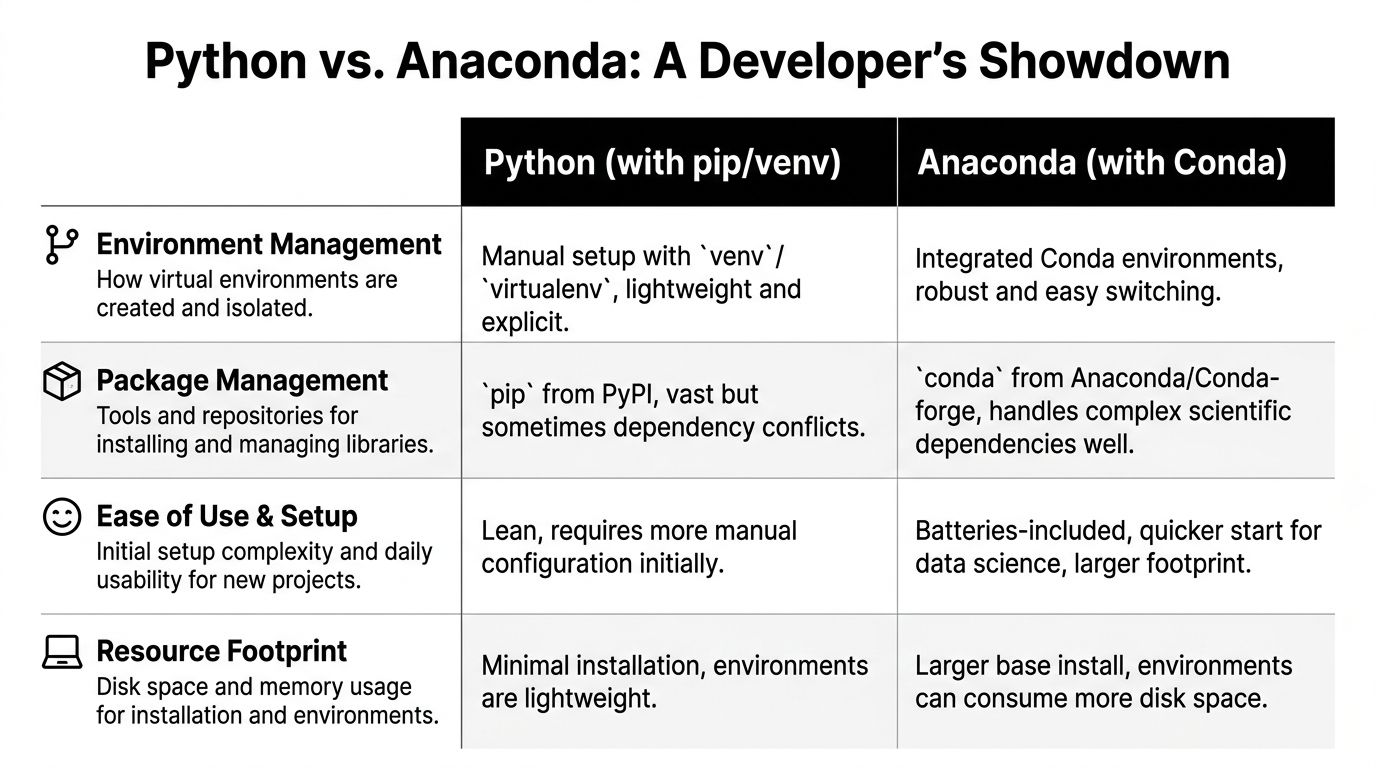
Here’s the short version before the details:
| Criteria | Standard Python with pip and venv | Anaconda with conda |
|---|---|---|
| Environment setup | Lightweight and explicit | Integrated and convenient |
| Package sources | Broad PyPI ecosystem | Strong scientific packaging workflow |
| Binary dependency handling | Can require more manual care | Often easier for complex data stacks |
| Local footprint | Smaller | Larger |
| Best fit | APIs, services, web apps, lean tooling | Notebooks, ML experimentation, scientific computing |
Package management
Conda first. Conda is more than a Python package installer. It can manage packages and dependencies across a broader environment, including non-Python components. That matters when teams work with heavy scientific libraries, GPU-adjacent setups, or compiled dependencies that can be painful in a plain pip workflow.
For data teams, this is one of Anaconda’s strongest arguments. Installing a stack that includes NumPy, SciPy, pandas, and model libraries often feels more predictable when conda resolves the environment as a whole.
Pip next. Pip is simpler, familiar, and firmly established in mainstream Python application development. Web engineers and backend teams often prefer it because it aligns with lightweight app packaging and avoids introducing a second ecosystem unless there’s a compelling reason.
The trade-off is that pip is mostly concerned with Python packages from PyPI. When a project leans hard into native libraries or system-level dependencies, teams sometimes hit more friction.
Key differentiator: If your team’s pain comes from scientific dependencies and compiled libraries, conda often saves time. If your team’s pain comes from keeping app dependencies minimal and transparent, pip usually wins.
Environment management
Anaconda’s environment management is one reason many teams like it. Conda environments are integrated into the same workflow as package installation, which lowers cognitive load for newer developers and analysts.
That’s valuable on mixed teams where not everyone lives in terminal sessions all day. A data analyst who needs to switch between projects often finds conda’s environment model easier to work with consistently.
Standard Python usually uses venv or virtualenv. This approach is lighter and more explicit. It asks the team to wire together environment creation and package installation as separate concerns, which is not a burden for experienced developers but can feel less polished for beginners.
Handling binary packages and optimized math libraries
In machine learning workflows, Anaconda earns real respect.
Anaconda ships pre-compiled binary packages for common data libraries. For teams using numerical computing heavily, that can reduce setup trouble and improve performance. According to DataCamp’s comparison of Anaconda vs Python key differences, Anaconda’s optimized NumPy can achieve up to 20-30% faster matrix multiplications on Intel CPUs compared with unoptimized pip builds, thanks to hardware-specific libraries such as Intel MKL.
That’s not a universal guarantee for every workload. It is a meaningful signal for teams training or iterating on ML models where matrix math sits in the hot path.
Standard Python can absolutely support strong ML workflows, but teams may need more deliberate package choices and more awareness of how binaries are built and installed. For experienced engineers, that’s manageable. For cross-functional product teams trying to move quickly, it’s one more thing to own.
Ease of use for onboarding
Anaconda often wins the first-week experience.
A new developer or analyst can get notebooks, common scientific libraries, and a functioning environment quickly. For organizations standing up an experimentation culture, that convenience is real. It lowers the cost of “let’s test this idea.”
Standard Python wins when the onboarding target is not exploratory work but product engineering. A backend developer joining an API project usually doesn’t want a broad scientific distribution unless the service needs it.
A useful checkpoint during hiring is this: are you staffing for research velocity or delivery velocity? The answer changes what “easy” means.
If your engineering org is tightening release quality and deployment consistency, these CI/CD pipeline best practices matter as much as the package manager itself.
Resource footprint and local machine trade-offs
At this stage, enthusiasm for Anaconda often cools.
A standard Python install is minimal. Local environments can stay narrow. Developers know what they added, why they added it, and what to remove later.
Anaconda starts heavier. That’s part of the bargain. The convenience comes from bundling a richer ecosystem, and that ecosystem has storage and memory implications. On strong developer machines, this may not feel like a big problem. On large teams, shared build systems, and frequent containerization, it becomes more visible.
What works well and what doesn’t
The practical split usually looks like this:
- Use Anaconda when your team spends most of its time in notebooks, exploratory analysis, model training, or scientific computing.
- Use standard Python when your team ships APIs, web backends, automation jobs, and production services that need to stay lean.
- Be careful with mixed usage when a prototype grows into a product without a deliberate handoff from research tooling to production tooling.
Teams get into trouble when they confuse “easy to start” with “easy to operate.”
A sensible team pattern
The strongest pattern I’ve seen is not ideological. It’s staged.
Exploration environment
Let data scientists use Anaconda or conda where it reduces setup pain and speeds iteration.Application environment
Build production services with standard Python, explicit dependencies, and container-first discipline.Shared contract
Move models, interfaces, and artifacts across that boundary with clear packaging and reproducible build rules.
That approach respects how people work. Researchers optimize for iteration. Platform teams optimize for reliability. Product leaders need both.
The Production Gauntlet From Laptop to Live Application
A local environment can feel excellent and still be the wrong production choice.
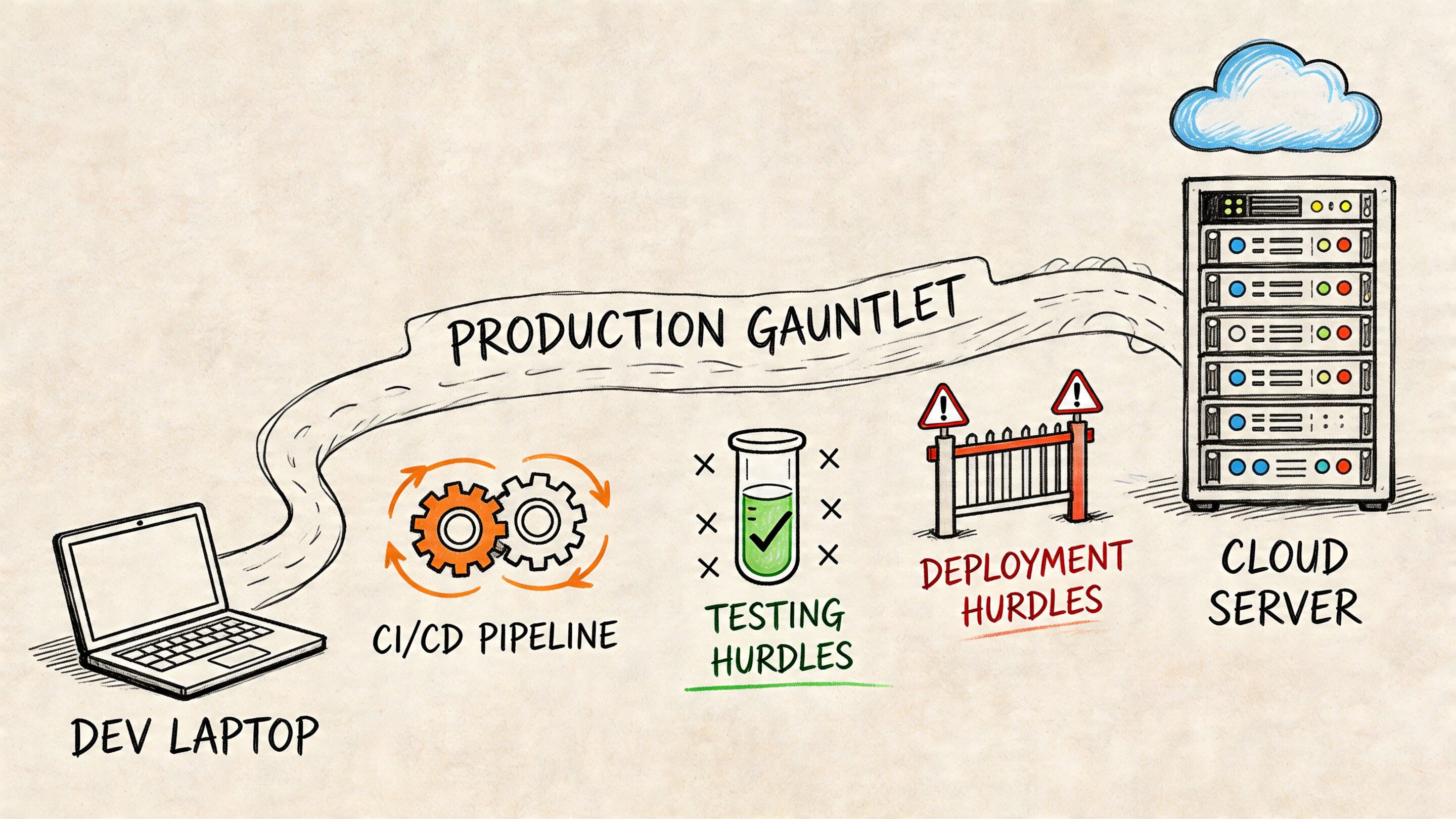
That gap matters because many AI projects don’t fail in the notebook. They fail during handoff. The model works. The feature demos well. Then CI slows down, containers get fat, cold starts become visible, and every environment mismatch turns into a release risk.
Docker image size and startup behavior
For commercial AI systems, the environment choice shows up directly in container behavior. Recent benchmarks summarized by WeDoWebApps report that lightweight Python environments inflate Docker images 2-5x less than Anaconda, can reduce AWS Lambda cold-start latencies by up to 500ms, and have helped cut infrastructure costs by 25% for high-traffic fintech and ecommerce applications in their Anaconda vs Python comparison.
Those numbers should get a business leader’s attention for one reason. They convert a developer preference into operating expense.
If your product serves requests at high volume, the environment isn’t just a local setup concern. It affects responsiveness, scaling behavior, and how efficiently cloud infrastructure handles burst traffic.
Reproducibility is where Anaconda still has a strong case
Anaconda’s defenders are not wrong. Complex environments are hard to reproduce. Conda can make it easier to recreate a data-heavy setup across developer laptops and operating systems.
That matters for ML teams where “works on my machine” can hide inside compiled dependencies, GPU tooling, and notebook-driven experimentation. A reproducible research environment lowers friction across data science and ML engineering.
The trap is assuming that a reproducible development environment should also be the deployment artifact. Those are related concerns, not identical ones.
A stable research environment is valuable. A production image should still earn every package it carries.
CI/CD speed and operational drag
CI/CD systems punish unnecessary complexity. Bigger images take longer to move. Larger dependency graphs increase the number of moving parts in builds. Security review gets harder when teams can’t clearly explain why a package exists.
That’s why many production teams prefer standard Python plus a minimal dependency file, often inside a container built from a slim base image. This pattern is easier to audit, faster to reason about, and usually simpler to troubleshoot under pressure.
Cloud-native teams generally benefit from keeping application runtime images narrow and purpose-built. This broader cloud-native architecture guide aligns with that principle. Build images for the service you run, not for every experiment you tried on a laptop.
What a pragmatic production pattern looks like
A strong operating model often uses both ecosystems, but not in the same place.
| Stage | Recommended bias | Why |
|---|---|---|
| Research and prototyping | Anaconda or conda | Easier package resolution for data-heavy work |
| CI validation | Standardized, explicit builds | Better visibility and repeatability |
| Production runtime | Standard Python, minimal container | Lower footprint and less operational overhead |
This is not dogma. It’s separation of concerns.
Where teams get burned
The most expensive mistakes usually come from one of these patterns:
- Notebook inheritance: a prototype environment gets promoted directly into a production service.
- Package hoarding: teams keep broad dependencies because removing them feels risky.
- Unclear ownership: data science owns local success, platform engineering inherits runtime complexity.
A clean handoff solves more than half the “anaconda vs python” argument. If the business funds a path from prototype to production, teams don’t need to force one environment to do everything.
Making the Right Choice for Your Industry
The best answer to anaconda vs python changes with the business model. Industry constraints shape what matters most. A recommendation engine in retail has a different risk profile than a healthcare analytics workflow or a fintech scoring service.
Here’s the practical decision matrix.
Decision matrix by industry
| Industry | Primary Goal | Recommended Environment | Key Rationale |
|---|---|---|---|
| Ecommerce and retail | Scale personalization and customer-facing features reliably | Standard Python for production, Anaconda for experimentation | Frontend-adjacent and API-heavy systems benefit from lean deployment, while data teams still need room to test models |
| Fintech | Control dependencies and support auditable delivery | Standard Python | Minimal, explicit environments are easier to reason about in production workflows |
| Healthcare and wellness | Support research, analytics, and careful handoff to compliant applications | Anaconda for research, standard Python for release workloads | Research teams often need richer scientific tooling, but delivered apps need discipline |
| SaaS platforms | Speed delivery without bloating infrastructure | Standard Python | Most SaaS AI features live inside services, workers, and APIs where slim runtime images matter |
| Media and entertainment | Handle traffic variation and content-rich experiences | Standard Python, with selective conda use offline | Production responsiveness usually matters more than broad local packaging |
Ecommerce and retail
Retail AI often lands in recommendation services, search ranking, customer support, forecasting, and merchandising tools. Those systems usually connect to live product catalogs, customer events, and high-volume application paths.
That favors standard Python in production. Retail platforms need responsive services and predictable deploys. A broad environment can slow down the very systems that shape conversion and user experience.
Anaconda still has a place here. Data scientists building personalization models or experimenting with demand signals can move faster in a richer local environment. The clean move is to separate experimentation from the runtime that serves customers.
Fintech
Fintech teams tend to highly value dependency control, reproducibility, and runtime clarity. Even when the culture embraces data science, production services often need explicit packaging and tighter operational boundaries.
That makes standard Python the safer default for shipped systems. It’s easier to keep the dependency chain understandable when the runtime starts lean.
A fintech team can still use conda-based workflows in model development. But if the end state is an autoscaling service, a transaction-adjacent API, or an internal decisioning engine, standard Python usually supports a cleaner production posture.
In fintech, convenience loses quickly to traceability.
Healthcare and wellness
Healthcare creates a split personality in the stack. Research, analytics, and model development may benefit from scientific tooling. Patient-facing or compliance-sensitive applications need careful release engineering.
This is the easiest industry case for a hybrid operating model. Let researchers and analysts use Anaconda where it removes friction. Ship the product side with standard Python and a controlled deployment pipeline.
The key leadership move is formalizing the transition. If that handoff remains informal, the production team inherits research complexity without research flexibility.
SaaS
Most SaaS AI features live inside a broader application estate that already includes APIs, background jobs, queues, auth layers, and observability standards. In that setting, the runtime should behave like the rest of the platform.
That points to standard Python as generally suitable. SaaS buyers don’t pay for your environment convenience. They pay for stability, responsiveness, and feature delivery.
Media and entertainment
Media systems often deal with bursty demand, content workflows, personalization, and consumer-facing performance expectations. That’s a poor place to carry excess runtime baggage if you can avoid it.
Use standard Python for live application paths. Keep any heavier tooling in offline pipelines, experimentation environments, or internal model development workflows.
Modernizing Your AI Stack Beyond the Environment
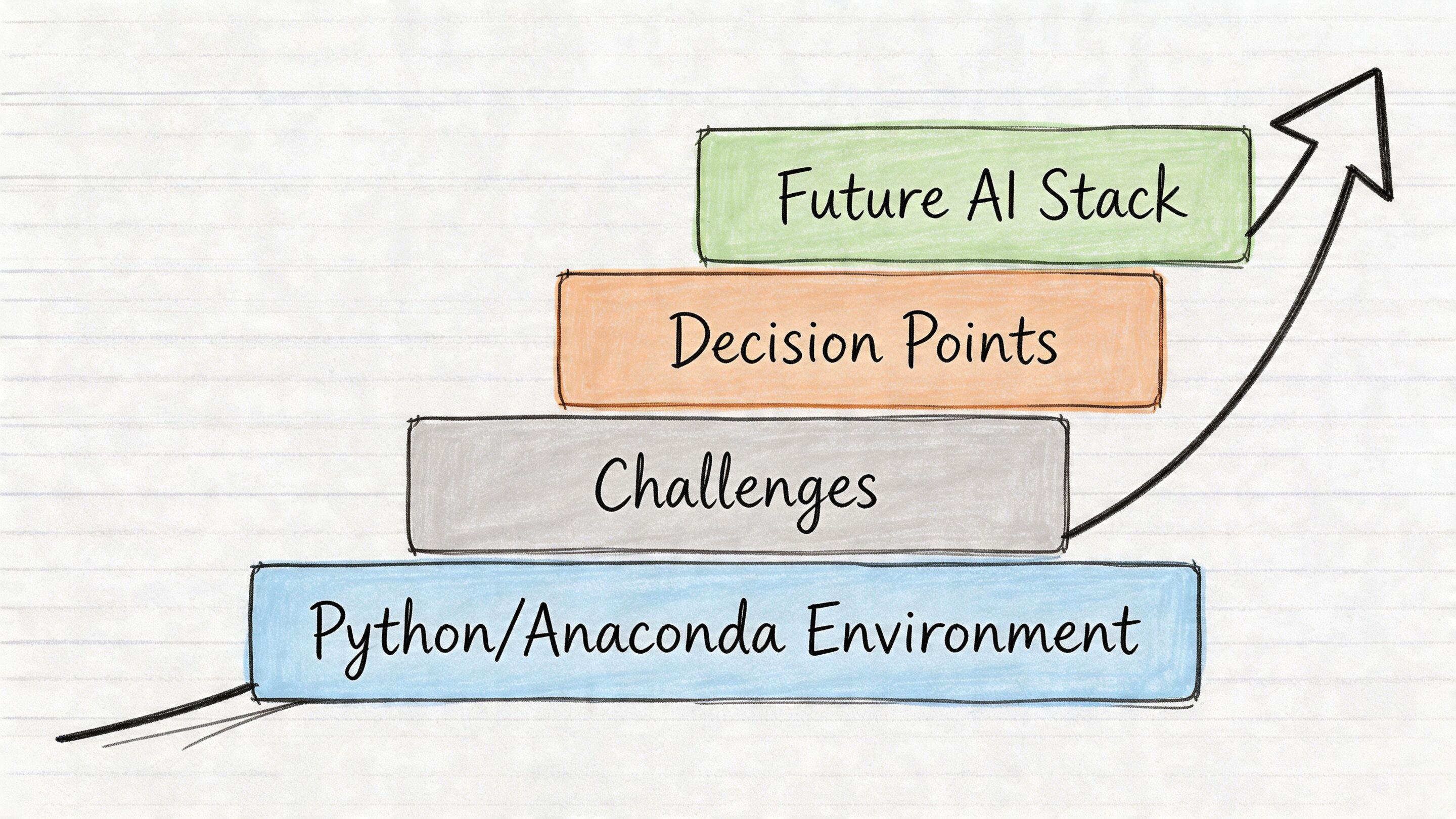
The environment debate matters, but it’s not where modern AI operations end. It’s where they begin.
A team can make the right choice between Anaconda and standard Python and still struggle badly once AI touches real workflows. The painful questions show up later. Which prompt version generated that output? Who changed a model parameter? Why did costs rise this month? Which application path is producing low-quality responses? Which release changed behavior across providers?
The stack gets harder above the runtime
Python environment decisions are foundational. They help you build and deploy software. They do not, by themselves, govern the AI layer.
Once an organization adds AI to an app, a second control plane becomes necessary. Teams need discipline around prompts, model settings, logging, and spend visibility. Without that, even well-built software starts to drift operationally.
That’s especially true when AI gets integrated into existing products rather than launched as a standalone greenfield system. Legacy workflows, multiple teams, and changing model vendors add complexity quickly.
Four operational controls that matter
A durable AI stack usually needs these controls somewhere in the workflow:
- Prompt versioning: teams need to know which prompt variant is live, which one was tested, and what changed.
- Parameter management: model settings and application-specific inputs need controlled access rather than ad hoc edits.
- Unified logging: engineering teams need one place to inspect model interactions across integrated AI services.
- Cost visibility: finance and product leaders need an understandable view of cumulative AI spend.
None of those problems are solved by choosing conda or pip.
The practical takeaway for business leaders
If the goal is a commercial AI application that lasts for years, don’t frame the roadmap as “pick Python tooling and we’re done.” Frame it as two layers:
| Layer | Decision | Business impact |
|---|---|---|
| Application foundation | Anaconda or standard Python | Developer speed, deployment shape, runtime efficiency |
| AI operations layer | Prompt, parameter, logging, and cost governance | Reliability, accountability, and budget control |
That split changes how budgets should be allocated. The environment is part of delivery efficiency. The governance layer is part of long-term survivability.
The first AI milestone is usually getting a feature to work. The second is keeping it understandable once the team, traffic, and model count grow.
A practical final recommendation
For most commercial software teams, the strongest pattern is simple:
- Use Anaconda where it helps research, analytics, and model experimentation move faster.
- Use standard Python where services need to stay lean, portable, and production-friendly.
- Build an AI operations layer early enough that prompts, parameters, logs, and costs don’t turn into a blind spot.
That’s how teams avoid turning a local tooling choice into a long-term operational tax.
If you’re modernizing an app with AI and need more than generic implementation advice, Wonderment Apps helps teams build and scale production-ready software with the operational controls most companies miss early. Their work spans AI modernization, product engineering, and a prompt management system that gives teams a versioned prompt vault, parameter management for integrations, unified logging across AI providers, and clearer visibility into cumulative AI spend. If your roadmap includes both shipping AI features and keeping them maintainable, they’re worth a closer look.