


In a world where mobile apps are the new front door for business, a single security lapse can be catastrophic. From compromised user data and regulatory fines to devastating financial losses, the stakes have never been higher. This isn't just about preventing attacks; it's about building scalable, future-proof applications that earn user trust and maintain a competitive edge. Implementing robust mobile app security best practices is non-negotiable for any enterprise looking to make their software initiatives successful.
As AI integration becomes standard, managing the complex interplay of prompts, data access, and API calls introduces a new layer of security challenges. A modernized, secure architecture is no longer optional—it's foundational. This is a core part of building excellent app experiences that can scale to meet the size of any user audience. For example, a tool that helps you modernize your app for AI integration must be built with this new reality in mind. We've developed a prompt management system at Wonderment Apps to address this head-on. It's an administrative tool with features like a prompt vault, versioning, and built-in logging to securely manage AI integration. We'll explore how tools like this fit into a modern security strategy later on.
In this comprehensive guide, we'll break down 10 essential mobile app security best practices your business needs to implement today. We’ll move beyond generic advice to provide actionable tips and tricks for business leaders looking to fortify their applications. Our goal is to help you transform your security posture from a liability into a strategic advantage, enabling you to build excellent app experiences that are secure, scalable, and ready for the future. Let’s dive into the practices that will fortify your application.
1. Implement End-to-End Encryption (E2EE) for Unbreakable Data Privacy
End-to-end encryption (E2EE) is a cornerstone of modern mobile app security best practices. It guarantees that data transmitted between a user's device and your backend services is completely private, accessible only to the sender and the intended recipient. Unlike standard transport-level encryption (like TLS), E2EE ensures that even the service provider (you) cannot decrypt the data stored on your servers.
This method is non-negotiable for apps in regulated industries like fintech, healthcare, and government, where data privacy is paramount. By implementing E2EE, you effectively neutralize the threat of man-in-the-middle (MITM) attacks and server-side data breaches, as any intercepted data remains an unreadable, scrambled mess without the correct decryption keys, which are held only by the end-users.
How to Implement E2EE Effectively
Implementing E2EE requires careful management of cryptographic keys, which can be a complex but essential task for ensuring robust security.
- Key Management: The core challenge of E2EE is secure key exchange and storage. A user’s private key must be generated and stored securely on their device, never transmitted to your server. Public keys are shared to allow others to encrypt messages for that user.
- Cryptographic Libraries: Use well-vetted, industry-standard cryptographic libraries like
libsodiumorSignal Protocollibraries for your specific platform (e.g., SwiftCrypto for iOS, Jetpack Security for Android). Avoid building your own cryptography. To understand the foundational technologies behind robust data protection, delve into the specifics of symmetric and asymmetric encryption. - Data in Transit and at Rest: E2EE protects data in transit. Ensure that data stored on the device itself is also encrypted using platform-specific tools like iOS Keychain or Android Keystore.
Key Insight: E2EE transforms your approach to data security. Instead of just guarding the perimeter, you are making the data itself inherently secure, drastically reducing the impact of a potential server compromise and building unbreakable trust with your users.
2. Secure Authentication with Biometric and Multi-Factor Authentication (MFA)
Relying solely on passwords for user authentication is a significant vulnerability in modern mobile applications. A robust mobile app security best practice is to layer defenses with Multi-Factor Authentication (MFA), a method that requires users to provide two or more verification factors to gain access. This drastically reduces the risk of unauthorized access, even if a user's password is compromised.
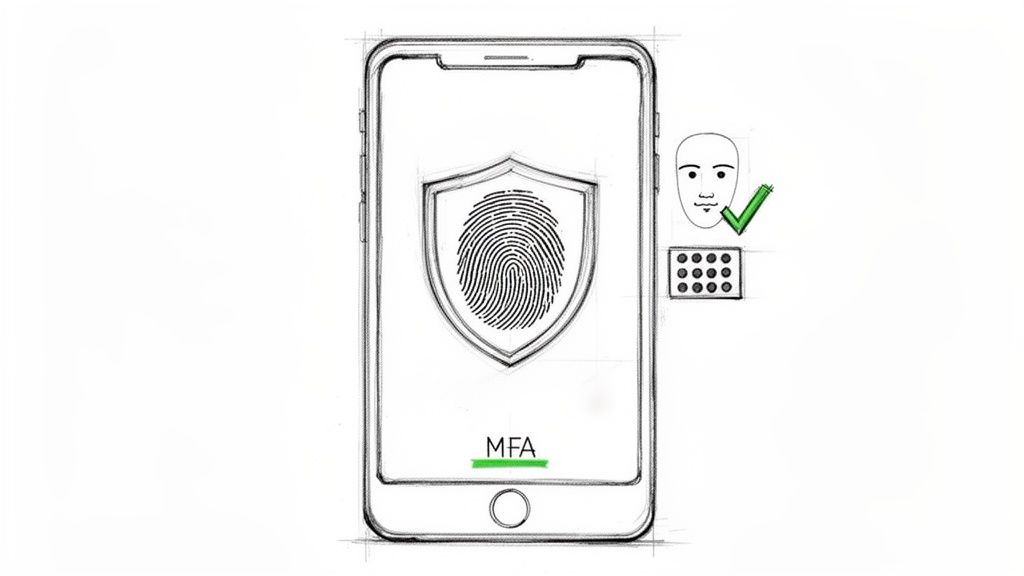
Pairing MFA with biometrics, like fingerprint or facial recognition, offers the ideal balance of high security and a frictionless user experience. Instead of remembering complex passwords, users can log in instantly and securely. This approach is critical for fintech, healthcare, and ecommerce apps like PayPal or Bank of America, where protecting sensitive user data and transactions is a primary objective.
How to Implement Secure Authentication Effectively
Effective authentication goes beyond simply adding a login screen; it requires leveraging secure, OS-level frameworks and a thoughtful implementation strategy.
- Leverage Native APIs: Always use the official, platform-provided biometric APIs, such as Apple's Face ID/Touch ID (using the LocalAuthentication framework) and Google's Biometric API for Android. These APIs securely handle biometric data within a protected hardware element like the Secure Enclave (iOS) or Trusted Execution Environment (TEE) (Android), ensuring raw biometric data is never exposed to your app or your servers.
- Implement Multiple Factors: Combine something the user knows (password/PIN), something the user has (a phone receiving an OTP, a security key), and something the user is (biometrics). For a smooth user journey, a well-structured MFA rollout plan is crucial for adoption without causing user friction.
- Provide Fallback Options: Not all devices have biometric sensors, and users may disable them. Always provide a secure, alternative authentication method, such as a strong PIN or password, to ensure universal accessibility.
Key Insight: Strong authentication is your app's digital gatekeeper. By combining the convenience of biometrics with the layered defense of MFA, you eliminate the single point of failure inherent in passwords, building a secure and trustworthy environment that protects user accounts from a wide range of common cyberattacks.
3. Secure Local Data Storage and Encryption at Rest
While encryption in transit protects data moving between the app and server, securing data stored locally on the device-or "at rest"-is equally critical. This practice prevents unauthorized access to sensitive information if a device is lost, stolen, or compromised by malware. Without robust local encryption, cached credentials, user data, and temporary files become easy targets for attackers with physical or logical access to the device.
This principle is fundamental to a defense-in-depth strategy and is a strict requirement in sectors like healthcare and finance. For example, a fintech app must encrypt locally stored transaction logs, while a healthcare app must protect cached patient data to maintain compliance. By encrypting data at rest, you ensure that even if the device's perimeter defenses are breached, the core information remains unreadable and secure.
How to Implement Secure Local Storage Effectively
Modern mobile operating systems provide powerful, hardware-backed tools for this purpose, which should be the foundation of your local data protection strategy.
- Leverage Platform-Specific Keystores: Always use the native, secure storage APIs provided by the platform. For iOS, use the Keychain for storing small, critical secrets like passwords, API keys, and auth tokens. For Android, use the Keystore system to store cryptographic keys and the EncryptedSharedPreferences class for key-value data.
- Encrypt Databases and Files: Never store sensitive data in plain text files,
UserDefaults(iOS), or standardSharedPreferences(Android). For local databases, use libraries like SQLCipher, which provides transparent 256-bit AES encryption for SQLite databases. This is a crucial step for protecting structured data. - Implement Data Classification: Not all data is equally sensitive. Classify data (e.g., public, confidential, restricted) to apply appropriate encryption levels. Additionally, always clear sensitive data from memory as soon as it is no longer needed to prevent memory-scraping attacks. This is a key practice detailed in guidelines for HIPAA-compliant app development.
Key Insight: Securing data at rest shifts the security focus from the device to the data itself. By treating the local device as a potentially untrusted environment, you build a more resilient application that protects user information regardless of the device's physical security status.
4. API Security and Secure Backend Communication
A mobile app is only as secure as the backend services it communicates with. Securing your APIs is a critical mobile app security best practice, as they serve as the primary gateway to your sensitive data and business logic. Strong API security involves authenticating and authorizing every request, ensuring that only legitimate users and devices can access backend systems, which is essential for maintaining data integrity in ecommerce transactions, fintech operations, and healthcare records.
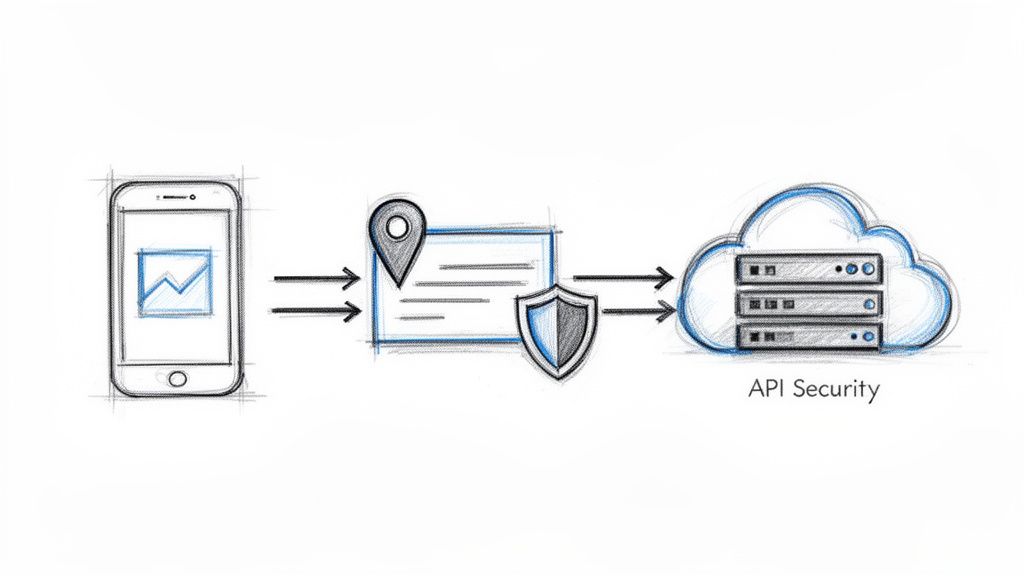
Without robust API hardening, your backend becomes vulnerable to a host of attacks, including data exfiltration, credential stuffing, and Denial of Service (DoS). This principle, popularized by the OWASP API Security Top 10, shifts focus from just securing the mobile client to protecting the entire ecosystem. For instance, a fintech app must ensure its payment processing API cannot be manipulated, while a healthcare app must protect patient data accessed via its FHIR APIs with strict, token-based controls.
How to Implement Robust API Security
Effective API security requires a multi-layered defense strategy that validates identity, protects data in transit, and controls access at a granular level.
- Authentication and Authorization: Use modern, token-based standards like OAuth 2.0 or OpenID Connect for user authentication. Implement JSON Web Tokens (JWT) with short expiration times and a reliable refresh mechanism to limit the window of opportunity for attackers if a token is compromised. For a deeper dive, explore these API authentication best practices.
- Secure Data Transmission: Implement certificate pinning to prevent man-in-the-middle (MITM) attacks. This ensures your mobile app only communicates with your trusted, whitelisted server certificate, thwarting attempts to intercept traffic with a fraudulent certificate. Also, enforce Transport Layer Security (TLS) 1.2 or higher for all API communications.
- Request Validation and Rate Limiting: Protect against abuse and automated attacks by validating all incoming API requests against a strict schema. Implement rate limiting and throttling to prevent DoS attacks and block malicious actors who make an excessive number of requests.
Key Insight: Securing your APIs is not a one-time task but an ongoing process. Treat your API as a primary product with its own security lifecycle, including regular penetration testing, threat modeling, and anomaly detection to defend against evolving threats and ensure backend resilience.
5. Protect Against Code Injection and Input Validation
Code injection remains one of the most persistent and damaging threats in the mobile app landscape. These attacks occur when an attacker inserts malicious code into your app through unsanitized input fields, vulnerable APIs, or poorly processed data. Failing to validate all incoming data creates a direct pathway for attackers to execute unauthorized commands, steal sensitive information, and even gain control of your backend systems.
This vulnerability is a critical concern for any app that accepts user input, from a simple search bar in an ecommerce app to complex data fields in a healthcare portal. By implementing rigorous input validation and output encoding, you create a fundamental defense that treats all user-supplied data as untrusted by default. This is a non-negotiable step in establishing a secure development lifecycle and is a core principle highlighted in the OWASP Mobile Top 10.
How to Implement Robust Input Validation
Effective validation involves a multi-layered approach, ensuring that malicious data is identified and neutralized before it can be processed by your application or backend.
- Server-Side Validation is Mandatory: While client-side validation provides a better user experience by catching errors early, it can be easily bypassed. Always perform authoritative validation on the server side. For example, a fintech app must re-validate transaction amounts and recipient details on the server before processing, regardless of client-side checks.
- Use Allow-listing: Instead of trying to block known bad inputs (block-listing), define exactly what is acceptable (allow-listing). For a username field, specify the allowed character set (e.g.,
a-z,0-9,_) and length limits. This is far more secure than trying to filter out every possible malicious character. - Use Parameterized Queries: To prevent SQL injection, the most common form of code injection, never construct database queries by concatenating strings with user input. Use parameterized queries (also known as prepared statements) available in all modern database libraries. This practice ensures user input is treated as data, not as executable code.
- Implement Output Encoding: When displaying user-generated content, especially within a
WebView, you must encode the output to prevent Cross-Site Scripting (XSS). This involves converting potentially harmful characters (like<,>,") into their HTML entity equivalents (<,>,") so the browser renders them as text instead of executing them as code.
Key Insight: Treat every piece of data originating from outside your app's trusted code base as potentially hostile. By systematically validating, sanitizing, and encoding all inputs and outputs, you effectively close the door on a massive category of injection-based attacks, making it a cornerstone of mobile app security best practices.
6. Secure Sensitive Data in Memory and Prevent Memory Dumping
One of the most overlooked aspects of mobile app security best practices is protecting data while it is actively being used in your application's memory (RAM). Sensitive information like API keys, passwords, and personal user data can be vulnerable to memory dumping attacks, where an attacker or malware gains access to a snapshot of the device's memory. This exposes plaintext data that was decrypted for processing, bypassing even the strongest on-device encryption.
Securing data in memory is non-negotiable for apps handling financial transactions, health records, or authentication credentials. Failing to do so can lead to catastrophic breaches, as attackers can extract session tokens or private keys directly from a compromised device. Proper memory management ensures that sensitive data has a minimal lifespan in its decrypted state, drastically reducing the window of opportunity for attackers.
How to Implement Secure Memory Management
Effective in-memory security involves a combination of platform-specific APIs, defensive coding practices, and runtime checks to prevent unauthorized memory access.
- Use Secure Data Structures: Whenever possible, use platform-native secure containers designed for sensitive information. For instance, Android developers should consider using
char[]arrays instead of immutableStringobjects for passwords, allowing the data to be explicitly cleared from memory after use. - Zero-Out Memory Immediately: Adopt a "zeroization" or "memory scrubbing" policy. As soon as sensitive data is no longer needed, your code must explicitly overwrite the memory location where it was stored with zeros or random data. This prevents residual data from being recovered.
- Prevent Debugger Attachment: Implement anti-debugging measures. Your application should be able to detect if a debugger is attached to its process and respond by terminating itself or refusing to handle sensitive data. This thwarts attempts to inspect memory in real time.
Key Insight: Securing data in memory shifts your focus from protecting data at rest or in transit to protecting it in use. This "in-use" protection is a critical layer that assumes a device might be compromised, making the sensitive data itself an incredibly difficult target to capture even with elevated privileges.
7. Implement Secure Update and Patch Management
Releasing a mobile app is just the beginning; maintaining its security over time is a continuous process. A robust update and patch management strategy is a critical component of mobile app security best practices. It ensures that vulnerabilities discovered after launch can be fixed promptly, protecting users from emerging threats. Without a secure way to deliver updates, your app becomes a static target, and your users remain exposed to known exploits long after you have developed a fix.
This practice is essential for all apps, but particularly for those in regulated or high-stakes industries. For example, banking apps often enforce mandatory security updates to protect financial data, while healthcare apps require rigorous update tracking to maintain HIPAA compliance. A failure to patch vulnerabilities can lead to significant data breaches, loss of user trust, and severe regulatory penalties, making a proactive update strategy non-negotiable.
How to Implement Secure Update and Patch Management Effectively
A successful update strategy is about more than just pushing new code; it involves verification, reliable delivery, and clear communication to ensure high adoption rates among your user base.
- Code Signing and Verification: All app updates must be digitally signed with your private developer key. This allows the operating system (iOS or Android) to verify that the update is authentic and has not been tampered with by a malicious third party. This is a fundamental security check enforced by both the Apple App Store and Google Play.
- Leverage Platform-Native Mechanisms: Always use the official distribution channels like the Google Play Console and Apple App Store Connect to deliver updates. These platforms have built-in security, manage the delivery process, and offer features like phased rollouts and automatic updates, which significantly improve security and user experience.
- Thorough Testing and Rollback Plans: Before releasing a patch, rigorously test it across a wide range of devices and operating system versions to prevent introducing new bugs. It is also crucial to have a documented rollback procedure in case a critical issue is discovered post-release, allowing you to quickly revert to a stable version.
Key Insight: Secure update management is your app’s immune system. It allows you to respond to new threats and vulnerabilities in real-time. By making updates seamless, verified, and mandatory when necessary, you ensure your entire user base remains protected against the latest exploits, reinforcing the long-term security and integrity of your application.
8. Institute Rigorous Security Testing and Vulnerability Assessments
Proactively identifying vulnerabilities before they can be exploited is a fundamental pillar of mobile app security best practices. A comprehensive testing strategy involves a multi-layered approach that includes static analysis (SAST), dynamic analysis (DAST), and interactive application security testing (IAST) to uncover flaws throughout the development lifecycle. Instead of treating security as an afterthought, this practice embeds it directly into your development and operational workflows.
For industries handling sensitive data, such as fintech, healthcare, and ecommerce, this is not optional; it is a core requirement for compliance and user trust. For example, banking apps undergo mandatory annual penetration tests, while ecommerce platforms require regular PCI-DSS vulnerability scans. A continuous testing program ensures that vulnerabilities are caught and remediated during development, not after a costly breach in production.
How to Implement a Robust Testing Program Effectively
An effective testing strategy integrates automated tools with manual expert analysis to provide a complete view of your application's security posture. This ensures both breadth and depth in vulnerability discovery.
- Integrate SAST and DAST: Embed Static Application Security Testing (SAST) tools like SonarQube or Checkmarx directly into your CI/CD pipeline to catch coding flaws early. Complement this with Dynamic Application Security Testing (DAST) tools like Burp Suite or OWASP ZAP to identify runtime vulnerabilities in a staging environment.
- Conduct Regular Penetration Testing: Schedule regular, in-depth penetration tests (pen tests) conducted by third-party security experts. These simulated attacks identify complex vulnerabilities that automated tools might miss. The frequency, whether quarterly or bi-annually, should align with your app's risk profile and release cadence.
- Leverage Threat Modeling: Before testing, create threat models to identify potential attack vectors and high-risk areas specific to your app's architecture and data flows. This helps focus your testing efforts where they are most needed. You can learn more about the different testing approaches by exploring the nuances of white and black box testing.
- Establish a Bug Bounty Program: For mature applications, consider launching a bug bounty program to crowdsource vulnerability discovery from a global community of ethical hackers, providing an additional layer of defense.
Key Insight: Security testing isn't a one-time event; it's a continuous, cyclical process. By shifting security left and embedding testing throughout the SDLC, you transform it from a gatekeeper into an enabler of secure, rapid innovation, building a more resilient and trustworthy application.
9. Implement Anti-Tampering and Anti-Debugging Protections
Anti-tampering and anti-debugging mechanisms are a critical layer of defense designed to prevent bad actors from reverse-engineering, modifying, or analyzing your mobile app's runtime behavior. These protections act as an active shield, detecting and responding to threats like code patching, memory inspection, and dynamic analysis, making it significantly harder for attackers to exploit vulnerabilities or steal intellectual property.
This proactive approach is essential for applications handling sensitive logic or high-value data, such as fintech, subscription-based media, and competitive gaming. For instance, a fintech app can use these protections to prevent a user on a rooted device from bypassing fraud detection controls, while a gaming app can block bots and cheat engines. Implementing these mobile app security best practices ensures your application operates only in the secure, intended environment you designed for it.
How to Implement Anti-Tampering Effectively
A multi-layered strategy that combines detection with response is key to building a resilient defense against runtime attacks. These techniques increase the complexity and cost for attackers, often deterring all but the most determined adversaries.
- Code Obfuscation and Hardening: Use tools to make your compiled code difficult to read and understand. For Android,
R8(formerly ProGuard) is the standard for shrinking and obfuscating code. For iOS, while less common, tools and build settings can strip symbols and complicate disassembly. - Integrity and Signature Checks: At launch and periodically during runtime, verify the app's signature to ensure it hasn't been re-signed or modified. This check confirms that the code running is the exact code you published.
- Debugger and Emulator Detection: Implement checks to see if a debugger is attached to the app's process or if the app is running within an emulator or a virtualized environment. Critical functions, like payment processing, should refuse to execute if a debugger is detected.
- Root and Jailbreak Detection: An app should detect if it's running on a rooted (Android) or jailbroken (iOS) device. These environments have elevated privileges that can be used to bypass security controls. You can then choose to limit functionality or block the app entirely.
Key Insight: Anti-tampering and anti-debugging shift your security from a passive state to an active one. You are no longer just building walls; you are creating a self-defending application that actively identifies and neutralizes threats in real-time, preserving the integrity of your code and the security of your users' data.
10. Secure Handling of Third-Party Libraries and Dependencies
Modern mobile apps are rarely built from scratch; they are assembled using a mix of proprietary code and numerous third-party libraries. While these dependencies accelerate development, they also introduce significant security risks. A single vulnerable component can become an entry point for attackers, turning a seemingly secure app into a target. This makes vigilant dependency management a critical component of mobile app security best practices.
Supply chain attacks, where adversaries compromise a popular library to infect all apps that use it, are on the rise. Proactively managing your software supply chain is no longer optional. It involves vetting, monitoring, and maintaining every open-source or commercial component integrated into your application. This practice is essential for preventing the widespread impact of vulnerabilities like those highlighted in the OWASP Top 10's "Vulnerable and Outdated Components" category.
How to Implement Secure Dependency Management
Effective dependency management requires integrating security checks directly into your development lifecycle, from initial selection to long-term maintenance.
- Software Composition Analysis (SCA): Integrate SCA tools like Snyk, Black Duck, or Dependabot into your CI/CD pipeline. These tools automatically scan your project's dependencies, such as those managed by CocoaPods for iOS or Gradle for Android, and flag any with known vulnerabilities. This automates the discovery process.
- Maintain a Software Bill of Materials (SBOM): An SBOM is a formal, machine-readable inventory of all software components and dependencies in your application. It provides the transparency needed for security audits, compliance checks, and rapid response when a new vulnerability is discovered in a library you use.
- Vet and Update Dependencies: Only use libraries from trusted, official repositories like Maven Central, CocoaPods, or npm. Before integrating a new library, review its maintenance history and security posture. Regularly update all dependencies to their latest stable versions to ensure you receive critical security patches.
Key Insight: Your app's security is only as strong as its weakest dependency. By treating third-party code with the same scrutiny as your own, you proactively defend against supply chain attacks and build a more resilient, trustworthy application.
10-Point Mobile App Security Comparison
| Item | Implementation complexity | Resource requirements | Expected outcomes | Ideal use cases | Key advantages |
|---|---|---|---|---|---|
| Implement End-to-End Encryption (E2EE) | High — cryptographic design and key management | High CPU, secure key storage, cryptographic libraries | Strong privacy; protected communications even if servers compromised | Messaging, fintech, healthcare, regulated data transfers | Maximum data confidentiality; MITM and server-breach protection |
| Secure Authentication with Biometric and MFA | Medium — integrate OS biometrics and auth backend | Auth servers, MFA infrastructure, device biometric hardware | Dramatic reduction in account takeover; improved UX | Fintech, healthcare, ecommerce, high-risk accounts | Phishing resistance, better user experience, compliance support |
| Secure Local Data Storage & Encryption at Rest | Low–Medium — use platform secure storage APIs | Platform keystore/keychain, encryption libs (SQLCipher) | Sensitive data safe if device lost or stolen; lower breach impact | Banking, healthcare, apps storing tokens/credentials | Protects data at rest; reduces liability from device theft |
| API Security & Secure Backend Communication | Medium–High — backend auth, signing and pinning | API gateway, auth servers (OAuth/JWT), monitoring | Prevents API abuse and MITM; ensures integrity and auth | Any client-server app, ecommerce checkout, fintech APIs | Prevents unauthorized access and data tampering; auditability |
| Protect Against Code Injection & Input Validation | Low–Medium — validation rules and encoding | Dev time, testing tools, security linting | Prevents SQLi/XSS and many injection attacks | Apps with user input, webviews, DB-backed features | Low overhead; significantly reduces common exploit vectors |
| Secure Sensitive Data in Memory & Prevent Dumping | Medium–High — secure alloc/dealloc, scrubbing | Runtime hooks, secure memory APIs, obfuscation tools | Reduces credential/key extraction via memory dumps | Password managers, fintech, apps handling in-memory keys | Protects in-memory secrets; raises difficulty for advanced attacks |
| Implement Secure Update & Patch Management | Medium — signing, OTA, rollback strategies | Signing infrastructure, update servers, QA/testing | Timely patching and authenticity verification of updates | Widely distributed apps, regulated industries needing rapid fixes | Ensures update integrity; minimizes exposure to known vulnerabilities |
| Security Testing & Vulnerability Assessment | Medium — integrate SAST/DAST and pentests | Security tooling, skilled testers, continuous CI/CD integration | Early detection of vulnerabilities and compliance evidence | All production apps; especially fintech and healthcare | Identifies issues pre-production; reduces breach/remediation cost |
| Implement Anti-Tampering & Anti-Debugging Protections | Medium — obfuscation, integrity and runtime checks | Obfuscation/anti-tamper libs, monitoring, maintenance effort | Harder reverse engineering and runtime manipulation | Fintech, gaming, DRM, high-value transaction apps | Raises bar for attackers; detects compromised/rooted devices |
| Secure Handling of Third-Party Libraries & Dependencies | Low–Medium — SCA, SBOM, process controls | SCA tools, CI integration, dependency management process | Faster response to supply-chain vulnerabilities; visibility | Apps with many dependencies, enterprise and regulated projects | Reduces supply-chain risk; automates vulnerability detection and tracking |
From Best Practices to Bulletproof: Modernizing Your App's Security
Navigating the landscape of mobile application security can feel like a high-stakes game. We've journeyed through ten foundational pillars, from the non-negotiable strength of end-to-end encryption to the proactive vigilance of continuous security testing. Implementing these mobile app security best practices is not a one-time checklist but a cultural shift. It’s about embedding a security-first mindset into every line of code, every API call, and every data transaction your application handles. The goal is to transform your app from a potential liability into a digital fortress that earns and retains user trust, which is the ultimate currency in today's competitive market.
Recapping our journey, we've seen how a multi-layered defense is critical. Strong authentication with MFA and biometrics acts as your front gate, while secure local storage and encryption at rest protect the valuables inside. Hardened APIs and robust input validation guard the communication channels, preventing attackers from exploiting the very pathways that make your app functional. Meanwhile, anti-tampering measures, secure memory handling, and vigilant third-party library management work behind the scenes to protect your application’s structural integrity. Together, these practices form a comprehensive security posture that addresses threats from every conceivable angle.
Turning Knowledge into Action: Your Next Steps
Understanding these principles is the first step; implementing them is where the real work begins. Your immediate priority should be to conduct a thorough security audit of your current mobile application against the best practices outlined in this article.
- Prioritize a Gap Analysis: Create a checklist based on the ten points we covered. Where does your app excel? More importantly, where are the critical gaps? An honest assessment is your best starting point.
- Update Your SDLC: Integrate security into your software development lifecycle. Mandate code reviews focused on security, adopt SAST and DAST tools early in the development process, and make penetration testing a non-negotiable phase before every major release.
- Educate Your Team: Security is a shared responsibility. Ensure every developer, QA engineer, and DevOps professional on your team understands these mobile app security best practices and their role in upholding them.
Key Takeaway: A proactive, continuous approach to security is far more effective and less costly than a reactive one. The cost of a breach, both financially and in reputational damage, far outweighs the investment in building a secure application from the ground up.
The Future is Secure and Intelligent
As technology evolves, so do the threats. The rise of Artificial Intelligence (AI) in mobile applications introduces a new frontier for both innovation and vulnerability. Integrating AI models requires managing sensitive prompts, controlling access to proprietary data, and ensuring that AI interactions don't open new attack vectors. A robust security framework is paramount for any organization looking to modernize with AI. This is where a strategic approach and the right tools become indispensable.
At Wonderment Apps, we've seen firsthand that a security-first approach is essential for any business wanting to use AI to modernize its software and build it to last. That’s why we developed our proprietary prompt management system. It's an administrative tool that developers and entrepreneurs can plug into their existing app or software to modernize it for AI integration securely. The system provides a centralized prompt vault with versioning, a parameter manager for internal database access, a comprehensive logging system across all integrated AIs, and a cost manager that allows you to see your cumulative spend and prevent abuse. It’s security and governance, built for the AI era. Implementing these mobile app security best practices isn't just about protection; it's about enabling innovation safely.
Ready to build a truly secure, modern application that stands the test of time? The team at Wonderment Apps specializes in engineering secure, scalable experiences and can help you integrate these best practices seamlessly. Request a demo of our prompt management tool to see how we can help you modernize your app with AI, securely and effectively.