


Building a powerful web application is a lot like constructing a skyscraper—you wouldn't lay the first brick without a solid blueprint. The stages of web development are that essential framework, breaking down a massive, complex project into a clear, manageable process. Getting a handle on this lifecycle is absolutely critical for keeping your project on time, within budget, and actually aligned with your business goals. For business leaders, this isn't just tech jargon; it's the roadmap to a successful software initiative.
Your Blueprint for a Successful Web Application
Jumping into a web development project without a clear roadmap is just asking for trouble. Each phase, from the initial spark of an idea all the way to long-term maintenance, builds on the one before it. For business leaders, grasping these stages is the key to managing expectations, allocating resources smartly, and ultimately, launching a product that people will love.
Think of this as your guide to demystifying that entire journey. We'll walk through the whole web development lifecycle, giving you a complete overview of what's ahead.
We'll also look at how integrating Artificial Intelligence is no longer some futuristic concept but a practical step you can take at various points in the process. This is where tools built for today's development challenges—especially modernizing existing apps—really shine.
At Wonderment Apps, we've developed a prompt management system specifically to help developers and entrepreneurs plug AI capabilities into their existing applications. It's an administrative tool that streamlines AI integration, making it possible to bring advanced features to even complex legacy systems. Request a demo to see how we can help modernize your application.
The Seven Core Stages
The best way to think about the process is as a clear, sequential flow. Each step logically follows the next, building momentum as you go.
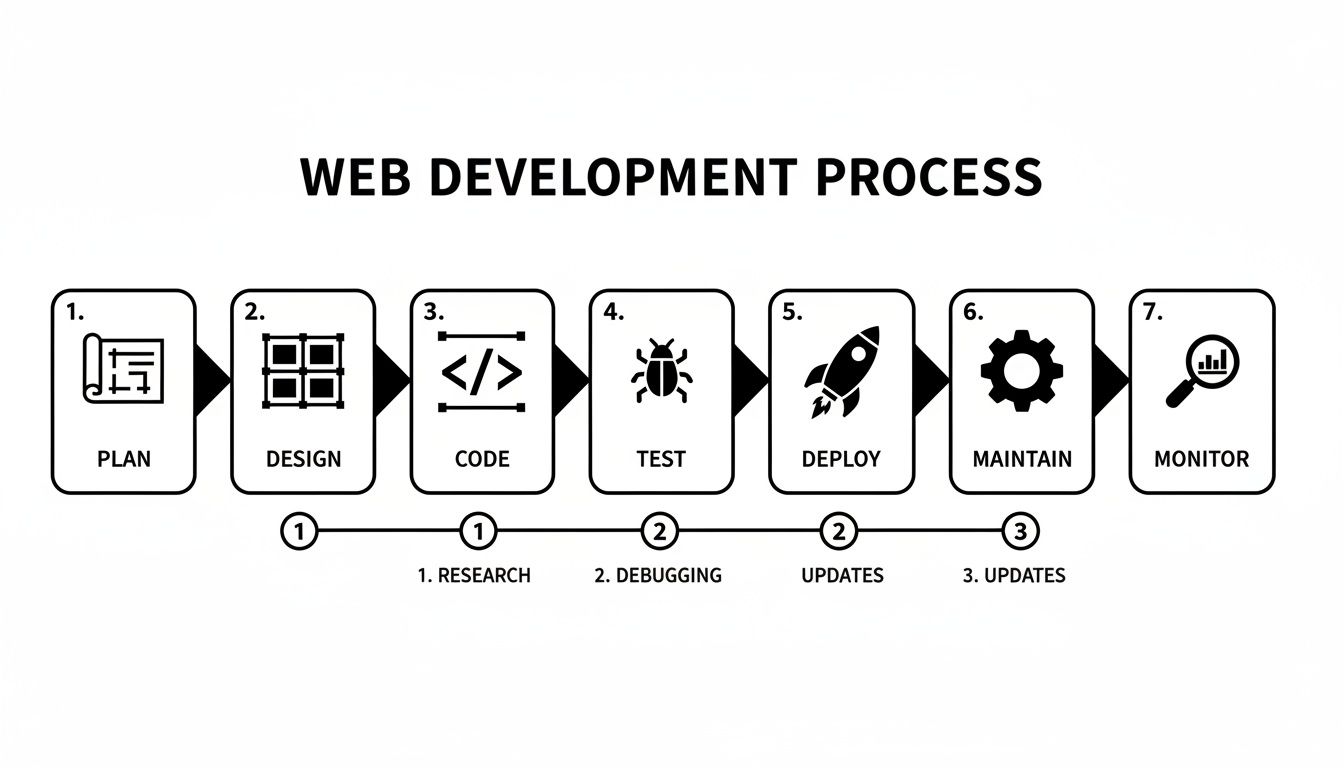
This visual roadmap drives home an important point: coding is just one piece of a much larger and more strategic puzzle.
Everything kicks off with planning, where your big vision meets the hard reality of what's viable. Industry benchmarks show this initial phase now takes up about 10-20% of the total project timeline—and for good reason. In fact, poor planning is a primary reason behind 37% of all project failures.
To build a solid foundation, it’s worth diving into a practical guide to project management for web development, which provides the kind of blueprint your entire project will depend on.
An Overview of the 7 Web Development Stages
To give you a quick snapshot of the journey, here’s a breakdown of each stage, its main goal, and what you can expect to come out of it.
| Stage | Primary Goal | Key Activities | Example Deliverable |
|---|---|---|---|
| Discovery | Define project scope, goals, and target audience. | Stakeholder interviews, market research, competitor analysis. | Project Brief, User Personas |
| Planning | Create the project roadmap and technical strategy. | Tech stack selection, feature prioritization, timeline creation. | Sitemap, Project Plan |
| UX/UI Design | Craft the user experience and visual interface. | Wireframing, prototyping, visual design mockups. | Interactive Prototype |
| Development | Write the code for the front-end and back-end. | Client-side scripting, server-side logic, database setup. | Functional Codebase |
| QA & Testing | Ensure the application is bug-free and functional. | Manual testing, automated testing, performance checks. | Bug Reports, Test Cases |
| Deployment | Launch the application on a live server. | Server configuration, code deployment, final checks. | Live Web Application |
| Maintenance | Provide ongoing support and updates. | Bug fixes, security patches, feature enhancements. | Updated Application Version |
This table provides a high-level view, but each of these stages involves a tremendous amount of detail, collaboration, and expertise to get right. Let's dig into what really happens in each one.
Building Your Foundation with Discovery and Planning
Every truly great web application starts its life long before anyone writes a single line of code. The first steps in any web development project—Discovery and Planning—are the absolute bedrock. This is where a bright idea gets translated into a tangible strategy, saving everyone from the chaos of scope creep and blown budgets later on.
Think of the Discovery phase as a deep-dive investigation. It's all about asking the tough questions upfront to get crystal-clear on the project's core purpose.
- Business Goals: What problem, specifically, are you trying to solve? And what does a win look like—more revenue, higher user engagement, better operational efficiency?
- Target Audience: Who, exactly, are you building this for? Getting inside their heads to understand their needs and pain points is non-negotiable for creating something they'll actually use.
- Competitive Landscape: Who’s already out there, and what are they doing right (or wrong)? This isn't about copying; it's about finding your unique opening in the market.
Getting this foundational work right ensures every decision made down the line is pulling in the same direction.
Turning Insights into a Concrete Plan
Once you've gathered all those insights, it’s time for the Planning stage. This is where you transform what you've learned into an actionable blueprint. A solid plan is what separates a project that moves with purpose from one that just wanders aimlessly.
The planning phase isn't just about creating documents; it's about establishing a shared understanding across the entire team and with all stakeholders. It aligns everyone on what will be built, why it's being built, and how it will be accomplished.
This phase results in a few critical documents that act as the project's North Star, keeping everyone on the same page through all the stages of web development. To nail this, you absolutely need to know how to create a product roadmap that clearly lays out your strategy.
Mapping the Technical and User Journey
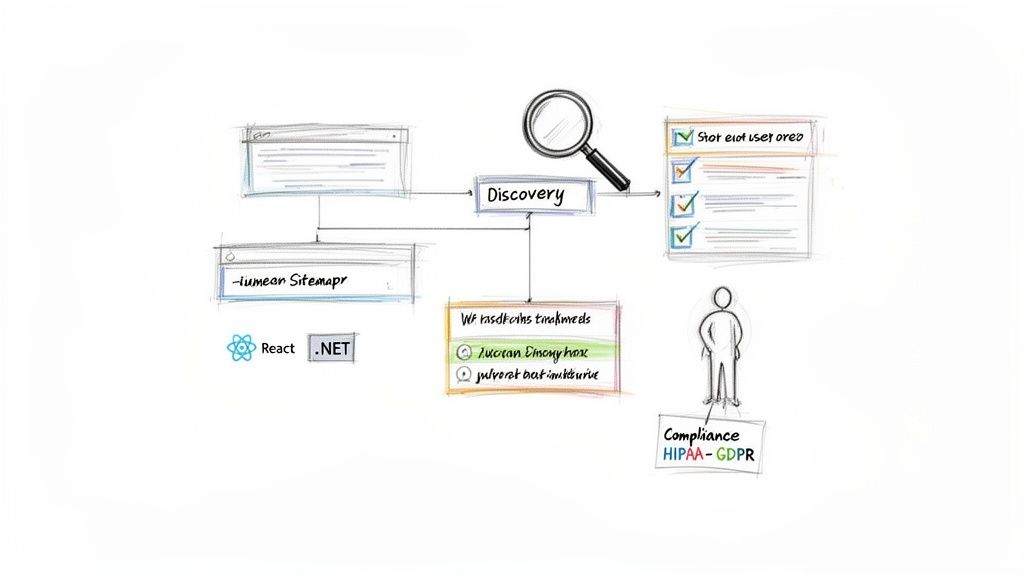
A huge part of planning involves hammering out the application's structure and the technology that will bring it to life. This means creating a sitemap to outline the hierarchy of pages and, just as importantly, a user flow map to visualize how someone will actually move through the app to get things done.
At the same time, the tech team is making one of the most important decisions of the entire project: choosing the technology stack. This choice has huge ripple effects on scalability, performance, and how easy (or hard) the app will be to maintain long-term. For instance, a team might go with React for a slick, responsive front-end, supported by a powerful and secure back-end like .NET.
For businesses in regulated fields like healthcare or fintech, this stage is even more critical. Things like HIPAA or GDPR compliance can't be an afterthought; they have to be baked into the plan from day one. Tackling these complexities early saves you from massively expensive fixes later and ensures the final product is both functional and legally sound. Without this foresight, a project can go off the rails fast, hitting unexpected delays and costs.
With a solid plan in place, the project moves from abstract ideas to a tangible, visual blueprint. This is the design stage, where we figure out exactly how your application will look, feel, and function.
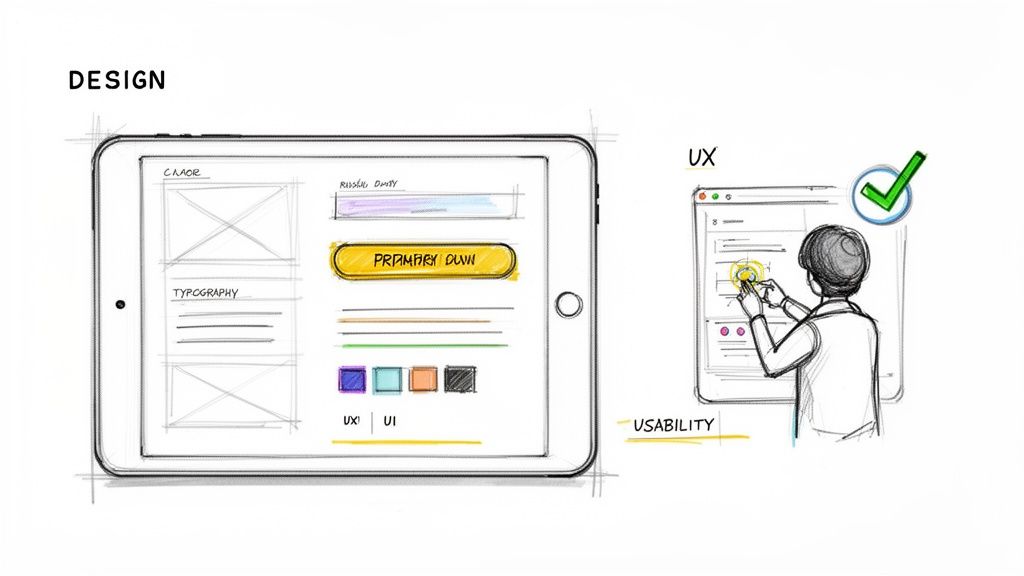
It all starts with User Experience (UX) design, which is like the invisible architecture of the user’s journey. The goal here is simple: make the application logical, intuitive, and seamless to navigate.
Our UX designers are the strategists who map out every single step a user will take, making sure the path from point A to point B is as effortless as possible. They build wireframes—basic, skeletal layouts of each screen—to define the structure and placement of every element without the distraction of colors or graphics. Getting this foundation right is non-negotiable, and understanding what great wireframes make successful websites and mobile apps is a game-changer.
Breathing Life into the Blueprint with UI Design
If UX is the skeleton, then User Interface (UI) design is the skin. UI is what breathes life into those wireframes, adding the visual and interactive elements that create an engaging aesthetic that feels like your brand. This is where personality comes in.
Our UI designers are responsible for:
- Color Palette: Choosing colors that evoke the right emotions and match your brand identity.
- Typography: Selecting fonts that are both easy to read and reflect your brand’s voice.
- Interactive Elements: Crafting buttons, icons, and menus that are not only beautiful but also clearly tell a user what to do.
Together, UX and UI ensure your application is both easy to use and beautiful to look at—a combination that’s absolutely critical for getting users to stick around.
A well-designed interface isn't just about looking good; it's about building trust. When an application is intuitive and visually polished, users feel more confident and are more likely to engage with its features.
Diving into the design stage, this is where pixels meet personality, transforming raw plans into mockups that drive user retention for the fintech and SaaS platforms Wonderment builds. Today, design phases can take up 20-30% of project timelines, though modern tools are definitely speeding things up.
More importantly, the investment pays off. Strong UX design can lift customer retention by as much as 200%, and integrating AI for personalization can increase revenue by 35% through features like tailored recommendations.
The finish line for this stage is a set of high-fidelity mockups and interactive prototypes. These aren't just static images; they are clickable, testable models of your application. This allows everyone—from executives to end-users—to experience the app’s flow and give feedback long before a single line of expensive code is written. It’s a crucial step that catches usability issues early and dramatically reduces the risk of costly revisions down the road.
Stage 4: Bringing Your Vision to Life Through Code
With the blueprints and designs locked in, we now enter the most intensive part of the process—the engine room. This is where your vision is translated into a functional, living application. All those abstract plans and static designs are meticulously crafted into tangible code, forming the two critical halves of your website.
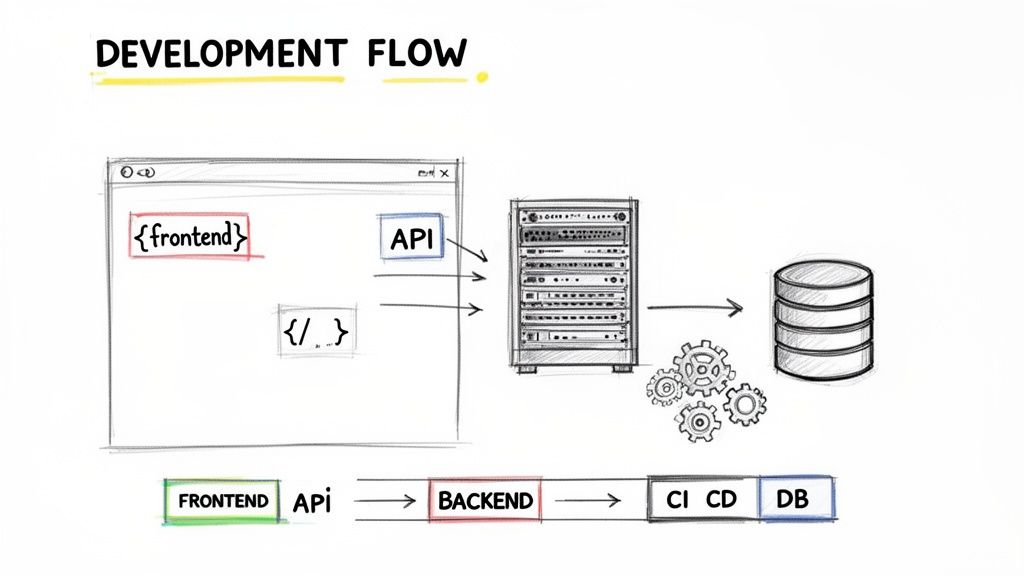
This phase is all about the build. It's neatly divided into two parallel streams of work that must eventually connect seamlessly.
Crafting the User-Facing Experience
First up is front-end development, often called the "client-side." This is everything your users can see, touch, and interact with in their browser. Think of it as building the interior of a house—the paint colors, the light fixtures, the flow from room to room. It’s the tangible experience they'll remember.
Our front-end engineers use a core set of technologies to make this happen:
- HTML (HyperText Markup Language): This provides the fundamental structure and content of your web pages. It’s the skeleton.
- CSS (Cascading Style Sheets): This controls all the styling—colors, fonts, and layout—making the application visually appealing and perfectly aligned with your brand.
- JavaScript: This is what adds interactivity. It brings the application to life with dynamic elements, animations, and complex user actions.
Modern development leans heavily on powerful JavaScript frameworks like React, which allows us to build complex, high-performance user interfaces much more efficiently. Making the right technology choices here is crucial, and you can dive deeper by exploring how to choose the right technology stack for your project in our detailed guide.
Building the Server-Side Powerhouse
While the front-end is what users see, the back-end development is the powerful, unseen machinery that makes everything work. This is the "server-side" of your application—the plumbing, electrical systems, and foundation of the house. It handles all the heavy lifting behind the scenes.
The back-end is where your business logic lives. It manages user authentication, processes data, interacts with the database, and ensures that when a user clicks a button on the front-end, the right thing happens securely and reliably.
This invisible powerhouse is built using server-side languages like .NET or Java and connects to robust databases that store all your critical information. The front-end and back-end communicate through an API (Application Programming Interface), which acts as a messenger, relaying requests and data back and forth.
The development stage is now the most significant part of the project timeline, claiming 40-50% of the total duration for complex builds. It's true that the rise of frameworks like React, now used in over 40% of all websites, has drastically reduced the amount of raw code needed. However, the complexity of modern applications, especially those integrating AI, keeps this phase substantial. Unfortunately, studies show nearly 70% of software bugs originate from poor coding practices, which is why disciplined approaches are so important.
For a scalable and resilient application, especially one designed for millions of users like a major e-commerce platform, the architecture must be flawless. Using agile methodologies and continuous integration/continuous delivery (CI/CD) pipelines is no longer a luxury; it’s a necessity for maintaining clean code, ensuring transparency, and keeping the entire build process efficient and on track.
Ensuring Flawless Performance with Rigorous Testing
So, the code is written. It’s tempting to feel like you’re at the finish line, but pushing to launch right now would be a huge mistake. This is where Quality Assurance (QA) and testing come in, acting as the critical gatekeeper between development and your users. It ensures your application isn't just functional, but bug-free, secure, and ready to stand up to real-world pressure.
Think of this phase as a complete audit of everything we’ve built so far. We move past the simple "does it work?" checks and start asking the really important questions: "Where does it break?" "Is it fast enough?" and "Is it safe?" A solid QA process isn't just a nice-to-have; it's essential for building user trust, avoiding expensive fixes after launch, and protecting your brand from a buggy release.
The Different Facets of Quality Assurance
Good testing isn’t a single step—it's a multi-layered strategy. We use several distinct types of analysis, each targeting a different aspect of your application’s quality. Together, they create a polished and reliable final product.
- Functional Testing: This is the baseline. Does every feature, button, and link work exactly as outlined in the project plan? We verify that the app meets its core requirements, no exceptions.
- Performance Testing: Here’s where we push the application to its limits. We simulate heavy user loads to measure speed, responsiveness, and scalability, making sure it won’t buckle during a traffic spike.
- Usability Testing: We bring in real users to interact with the application. Their direct feedback is invaluable for finding confusing navigation, awkward workflows, or any other friction point that could frustrate your audience.
- Security Testing: This is a big one. Our testers actively try to find and exploit vulnerabilities. The mission is to uncover any weakness that could lead to a data breach or unauthorized access before a malicious actor does.
This combination of tests guarantees the app is not only technically sound but also delivers a smooth, secure, and enjoyable experience.
The Human and Machine Partnership in Testing
The best QA strategies blend the raw efficiency of automated testing with the irreplaceable intuition of a human tester. Automated scripts are fantastic for running the same repetitive checks over and over—like testing login forms or verifying hundreds of links—with perfect consistency. This handles the grunt work and frees up our human testers to focus on what they do best.
Manual testing is where human experience and creativity really shine. A skilled QA professional can explore an application in ways a script never could, uncovering weird edge cases, subtle usability problems, and quirky bugs that automation would easily miss.
This dual approach gives you the best of both worlds, ensuring comprehensive coverage and a far superior result. It's a fundamental part of the modern stages of web development, and it protects the investment you've made up to this point.
Getting your application ready for high traffic is a science in itself. To really dig into how we prepare an app for the real world and ensure its stability, check out this comprehensive guide to load testing in software. After this intense vetting process, the application is finally ready for its public debut.
Launching and Evolving Your Application
The moment of truth is here. After countless hours of designing, coding, and testing, it’s finally time to share your application with the world. This is where the last two stages of web development—deployment and maintenance—come into play, marking not an end, but the true beginning of your application's journey.
Going live is so much more than just flipping a switch. Deployment is a carefully orchestrated process of moving your fully tested application from a private development environment to a live server where your users can finally get their hands on it. It involves meticulous server configuration, database migration, and final security checks to ensure launch day goes off without a hitch.
From Launch Day to Lasting Success
Once your application is out in the wild, the focus immediately shifts to maintenance. Think of this as the ongoing care and feeding required to keep your digital asset healthy and high-performing. This phase is absolutely crucial for protecting your investment and ensuring a positive user experience long after the initial launch excitement has faded.
Key maintenance activities include things like:
- Server Management: Keeping a constant eye on server health, performance, and uptime to prevent crashes and slowdowns.
- Bug Fixes: Quickly squashing any issues that slipped through the cracks or pop up as users interact with the app in unexpected ways.
- Security Patches: Proactively applying updates to shield your application against new vulnerabilities and keep user data locked down tight.
This is the baseline for keeping your application running smoothly. But in a competitive market, just running isn't enough; you need to evolve.
The Real Game Changer: AI Modernization
True success comes from continuous evolution, and the post-launch phase is the perfect time for what we call AI modernization. With real users generating valuable data every second, you have the raw material to make your application smarter, more personal, and more efficient. This is how you turn a good user experience into an unforgettable one.
Modernization isn't about chasing trends; it's about delivering tangible value. As you gather user data, you can integrate AI to power features like intelligent chatbots, personalized recommendations, or predictive analytics, creating a significant competitive advantage.
This is precisely where Wonderment Apps' toolkit becomes an indispensable partner in your growth. We designed our administrative tools to make AI integration seamless and manageable, even for teams just dipping their toes into the space. Our prompt management system, for example, gives your team a central prompt vault with versioning, a parameter manager for internal database access, and a central hub to easily create and deploy the AI prompts that power next-generation features.
Furthermore, our toolkit provides the control and transparency you need to scale responsibly. The cost manager offers a clear, consolidated view of your cumulative AI spend across different models, eliminating surprise bills. At the same time, the comprehensive logging system tracks every interaction across all integrated AI, providing the oversight necessary for compliance and continuous improvement. By empowering you to innovate with confidence, we help you build your application to last and keep it at the forefront of your industry for years to come.
Common Questions About Web Development
Even with a clear roadmap of the seven stages of web development, plenty of questions can pop up along the way. We get it—navigating this process for the first time can feel like a lot, so we’ve put together answers to the queries we hear most often. This should help you move forward with a bit more clarity and confidence.
How Long Does Web Development Take?
This is the classic "how long is a piece of string?" question. There’s no single answer, but we can give you a ballpark. A straightforward marketing website might be wrapped up in 4-8 weeks, but a complex web application loaded with custom features could easily take 6-12 months, sometimes longer.
The final timeline really boils down to a few key things:
- Project Scope: This is the big one. The more features, pages, and unique functions you need, the longer it’s going to take.
- Design Complexity: A highly creative, animation-heavy design requires far more time and effort than a site built on a more conventional layout.
- Team Size and Efficiency: A larger, more seasoned team can often move faster, but that makes clear communication and project management absolutely essential.
What Is the Most Important Stage?
Every stage has its place, but if we had to pick one, the Discovery and Planning phase is the bedrock of the entire project. Kicking off with a flawed or fuzzy plan is a recipe for disaster. Nailing this foundation from the start is your best defense against scope creep, budget overruns, and ending up with a product that doesn’t actually solve the right problem.
A well-thought-out plan acts as the project's North Star. It aligns every stakeholder—from designers and developers to executives—on the goals, ensuring that every decision made throughout the development lifecycle serves a clear purpose.
How Much Does a Website Cost?
Just like the timeline, the cost of web development is all over the map. A simple website for a small business might only cost a few thousand dollars. On the other end of the spectrum, a large-scale enterprise application can run into the hundreds of thousands, or even millions.
The main cost drivers are the complexity of the features, how much custom design work is involved, ongoing maintenance needs, and the rates of the development team you bring on board. It’s critical to get a detailed proposal that breaks down costs by each of the stages of web development so you know exactly where your investment is going.
How Can I Ensure My Project Stays on Track?
Solid project management and clear, consistent communication are what separate successful projects from the ones that go off the rails. You’ll want to establish regular check-ins, use project management software to keep an eye on progress, and make sure everyone knows their roles and responsibilities.
It’s also a balancing act between being decisive and staying flexible. Projects often get delayed when stakeholders can't agree on feedback or keep changing their minds mid-stream. Trust the process, give feedback promptly, and accept that some adjustments are a normal part of the journey. A well-run project can adapt without derailing the whole timeline or budget.
Frequently Asked Questions
Here are some quick answers to a few more common questions we encounter.
| Question | Answer |
|---|---|
| Do I need technical knowledge to start a web project? | Not at all. A good development partner will guide you through the process, translating your business goals into technical requirements. Your expertise is in your business; our job is to handle the tech. |
| What's the difference between a web app and a website? | A website is primarily informational (like a blog or brochure site). A web application is interactive; users can perform tasks, manipulate data, and engage with complex functionalities (think Google Docs or Trello). |
| Can I make changes to my website after it’s live? | Absolutely. We build websites with content management systems (CMS) that allow you to update text, images, and other content easily. For larger structural or feature changes, you'd work with your development team. |
| What is 'technical debt' and should I be worried? | Technical debt refers to the implied cost of rework caused by choosing an easy solution now instead of using a better approach that would take longer. A good team minimizes this, but some debt is normal. It becomes a problem only if it's never addressed. |
Hopefully, this clears up some of the initial uncertainty that comes with building a new web product.
At Wonderment Apps, we demystify the development process by pairing our technical expertise with transparent project leadership. Our Managed Projects practice provides you with a dedicated team to guide your application from concept to launch and beyond. If you're ready to build a high-performance application that scales and integrates modern AI, we're here to help. Request a demo to learn how we can bring your vision to life.