

When you automate regression testing, you're essentially building a safety net. You're using specialized tools to automatically re-run tests every time the code changes, making sure a new feature or bug fix didn't accidentally break something else.
In fast-moving development, this isn't just a nice-to-have. It's the only way to keep up without sacrificing quality. This is especially true when modernizing applications with AI, where new complexities demand smarter, more efficient testing. At Wonderment Apps, we've seen firsthand how integrating AI into software isn't just about cool new features; it's about building a robust foundation. That's why we developed a proprietary prompt management system—an administrative tool that developers and entrepreneurs can plug into their existing apps to modernize them for AI integration and ensure everything works flawlessly.
Why Automating Regression Testing Is Mission-Critical
Speed is the name of the game in software. But speed without quality is a race to the bottom.
Manual regression testing, as well-intentioned as it is, quickly becomes the single biggest drag on your release velocity. Every little change demands that a human manually re-checks core features. It's a soul-crushing, error-prone process that simply doesn't scale.
This isn't just an inconvenience; it's a real business risk. For industries like fintech and ecommerce, one unnoticed bug can snowball into a major service outage, torching revenue and user trust. Think about it: an update to a shipping calculator on an ecommerce site that inadvertently breaks the "Add to Cart" button. The fallout from something like that could be massive.
The True Cost of Neglecting Automation
Without a solid automation strategy, your teams are stuck in a terrible trade-off: ship fast and risk breaking things, or delay the release for a painfully slow manual regression cycle. This creates a culture of fear, where developers are hesitant to make changes and innovation grinds to a halt.
High-performing engineering teams know better. They treat automated regression testing as a non-negotiable part of their process. It gives them the freedom to:
- Deploy with Confidence: When that suite of automated tests turns green, developers have real assurance that their changes didn't cause collateral damage.
- Move Faster: Automation shrinks testing cycles from days to minutes, allowing teams to ship updates more frequently and consistently.
- Catch Bugs Early: By plugging these tests into a CI/CD pipeline, you get instant feedback. Regressions are caught moments after they're introduced, when they are cheapest and easiest to fix.
- Empower Your QA Team: Automating the repetitive, mundane checks frees up your talented QA professionals to focus on what humans do best—exploratory testing, usability, and digging into complex user scenarios.
At Wonderment Apps, we build software on a foundation of robust testing. It's how we ensure the applications we create aren't just great on day one, but are built to last and scale.
Modernizing Your Testing with AI
As applications grow more complex—especially with AI features woven in—your testing has to get smarter, too. Modernizing an application isn’t just about adding new features; it’s about making sure everything, old and new, plays nicely together.
Take the prompts that power AI features, for instance. That's a whole new frontier for quality assurance. An AI-driven product recommendation engine needs rigorous testing to confirm it’s serving up relevant suggestions without errors.
To tackle this, Wonderment Apps developed a proprietary prompt management system that developers can plug right into their software. This tool not only helps manage AI integrations but also opens the door for creating smarter, more dynamic tests. It's about ensuring that even the most advanced parts of your application remain completely reliable.
Building A Bulletproof Regression Testing Strategy
Diving headfirst into automation without a solid game plan is a classic way to burn through your budget and frustrate your team. A successful regression automation initiative isn't about how many scripts you can write; it's about the intelligence behind your strategy. You're building a safety net—one that needs to be effective, efficient, and above all, maintainable.
The biggest mistake I see teams make is trying to automate every single manual test case. This is a trap. It leads to a bloated, slow, and brittle test suite that breaks with every minor UI change. What you really need is a balanced approach that prioritizes tests across different layers of your application. That’s how you get a real return on your automation investment.
This isn't just a niche concern anymore. The entire industry is leaning hard into automation, especially in fast-moving sectors like e-commerce and fintech. In fact, the global automation testing market was valued at USD 25.43 billion in 2022 and is projected to hit USD 92.45 billion by 2030, which is a massive CAGR of 17.3%. If you're curious, you can dig into the full market research about automation testing to see the trend lines.
Prioritizing Your Automation Efforts
Let’s be realistic: you can’t automate everything at once. You have limited time and a finite budget, so the key is to start where you’ll get the biggest bang for your buck. A smart prioritization framework helps you focus on the tests that truly matter to your users and the business's bottom line.
I always recommend starting with test cases that fall into these high-value categories:
- Business-Critical Workflows: These are the absolute non-negotiables. For an e-commerce site, this is the entire checkout process—from adding a product to the cart right through to receiving that order confirmation email. If this breaks, you're losing money.
- High-Traffic Features: Dive into your analytics. Find out what parts of your app people use the most. Automating tests for these well-trodden paths ensures the core user experience stays solid and reliable.
- Historically Buggy Areas: You know the ones. Every application has those troublesome modules where bugs just seem to pop up again and again. Targeting regression tests here can save your developers from countless hours of chasing down the same old problems.
- Complex Logic: Got features with intricate business rules, like tax calculations or insurance premium quotes? These are perfect for automation. A script can validate hundreds of scenarios far more quickly and accurately than any human ever could.
This diagram perfectly illustrates the shift from a slow, risky manual process to a swift, reliable automated one.
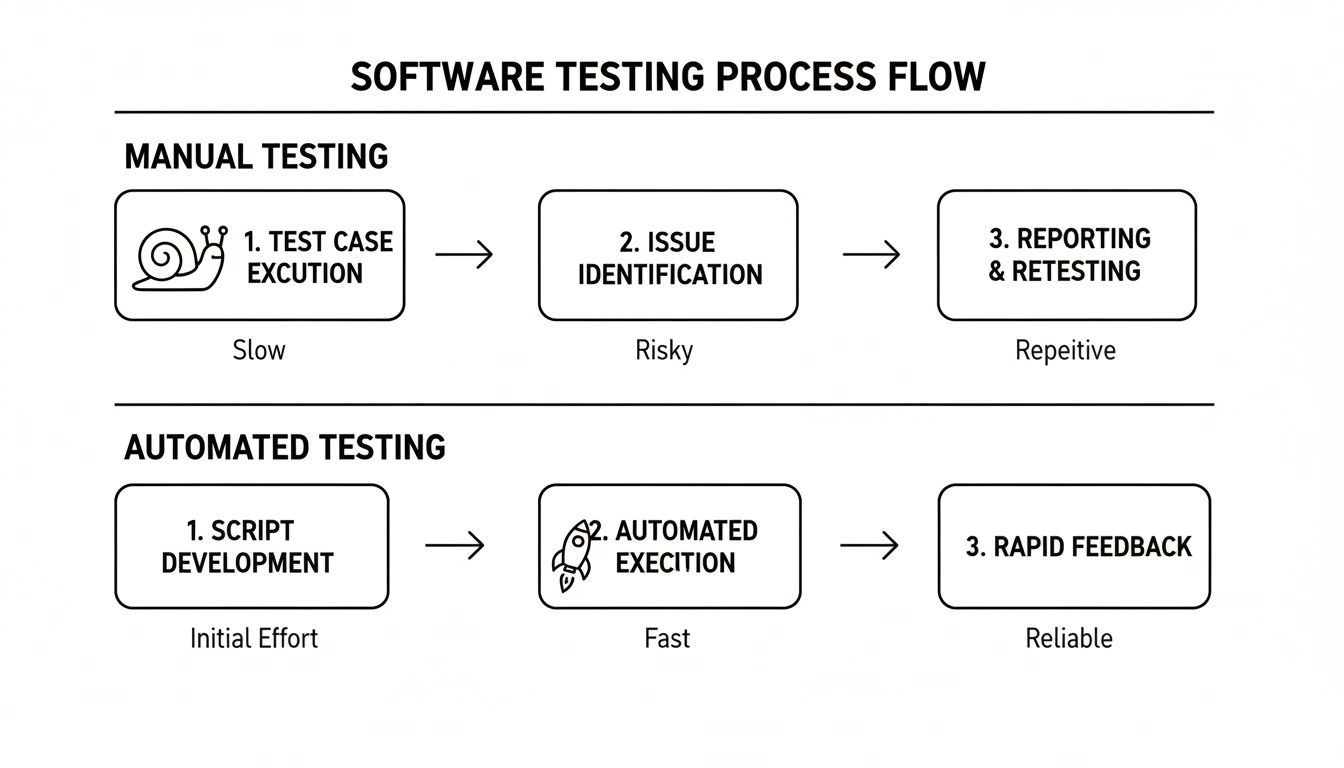
It really drives home how automation can transform a quality assurance bottleneck into a high-speed checkpoint.
Balancing Your Test Suite with the Test Pyramid
The Test Automation Pyramid is one of the most powerful mental models for building a healthy, sustainable test suite. It’s a simple visual that guides you away from an over-reliance on slow, expensive tests and toward a more stable foundation.
The core idea of the pyramid is simple but profound: Push tests down to the lowest possible level. If a scenario can be verified with an API test, it should never be an end-to-end UI test.
Here’s a quick breakdown of the layers:
- Unit Tests (The Foundation): This should be the largest part of your suite, by far. These tests check individual functions or components in isolation. They run in milliseconds and give developers immediate, precise feedback.
- Service/Integration Tests (The Middle): This layer is all about making sure different parts of your system play nicely together. This usually means hitting API endpoints or verifying interactions between microservices, all without the overhead of a graphical interface.
- UI/End-to-End Tests (The Peak): Sitting at the very top, these are your most expensive and slowest tests. They simulate a real user’s journey through your app’s UI. They are absolutely crucial for validating key workflows, but you want to use them sparingly.
Following this model helps you avoid the dreaded "inverted pyramid" or "ice cream cone" anti-pattern, where teams are drowning in slow, flaky UI tests with almost no unit test coverage. A well-thought-out test case planning process is the first step to building a solid pyramid.
Choosing The Right Tools And Frameworks
Picking the right tool for automating your regression testing is one of those foundational decisions that will stick with you for the entire life of a project. The market is flooded with options, and every single one claims to be the magic bullet that will solve all your QA problems. But let's be real—the "best" tool doesn't exist. The right tool is the one that actually fits your team's skills, your app's architecture, and where you see your project going long-term.
One of the most common missteps I see is teams jumping on the latest, trendiest framework without thinking it through. If your team lives and breathes JavaScript, forcing them into a restrictive low-code platform is going to cause friction. On the flip side, a QA team with less coding experience will likely drown if you hand them a complex, code-heavy framework like Selenium. It's all about matching the tool to the team, not the other way around.
Aligning Tools With Your Application And Team
Before you even start looking at specific frameworks, take a step back and look at what you're building and who's building it. A tool that's a rockstar for web testing is completely useless for a native mobile app.
Generally, you can bucket automation frameworks into a few key categories:
- Web Application Testing: This is where the action is. You have the big players like Selenium, Cypress, and the fast-rising Playwright. These tools are all about interacting with browsers and simulating what a real user would do.
- Mobile Application Testing: When it comes to iOS and Android, frameworks like Appium are king. It uses the WebDriver protocol, much like Selenium, making it the go-to for testing on real devices and simulators.
- API Testing: This is a non-negotiable part of a healthy test pyramid. Tools like Postman and REST Assured are built for this, but even UI-focused frameworks like Cypress offer powerful API testing commands (
cy.request(), for instance). - Code-Based vs. Low-Code: Code-based tools give you unlimited power and flexibility, but they demand solid programming skills. Low-code or no-code platforms, on the other hand, open the door for manual testers and business analysts to contribute to automation, usually with a drag-and-drop interface. The trade-off is often a loss of flexibility for those really tricky, complex scenarios.
A Head-to-Head Look at Popular Web Frameworks
For web apps, the conversation almost always boils down to three names: Selenium, Cypress, and Playwright. Each one has a passionate community and brings something different to the table, depending on your project's DNA.
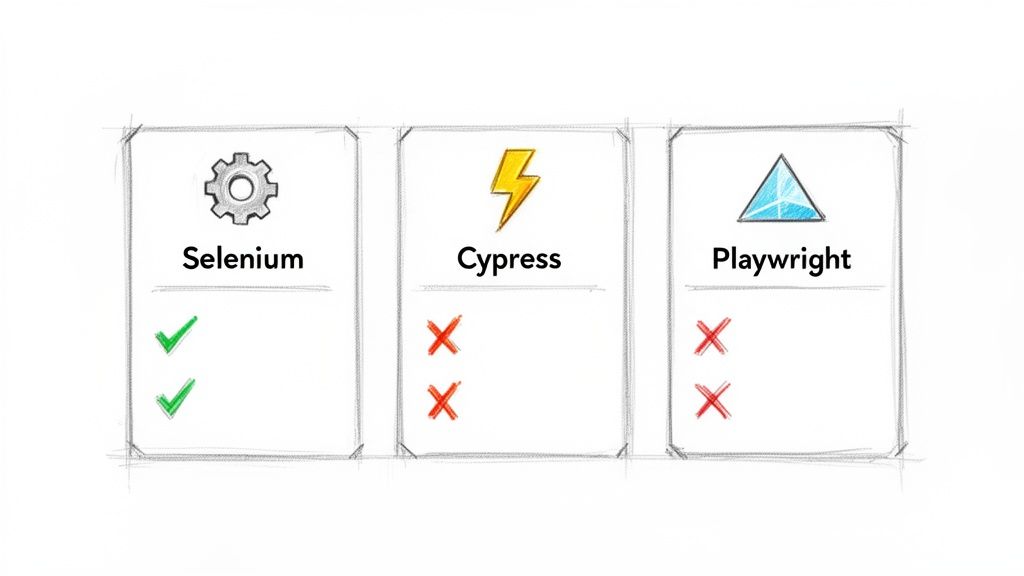
This comparison highlights critical decision factors for any team, like cross-browser capabilities and language support, which are essential when you're choosing a framework to invest in for the long haul.
Let's break them down to see how they really stack up.
Comparison Of Popular Automation Frameworks
Choosing a framework is a significant commitment. This table compares the leading options across the criteria that matter most, helping you find the perfect match for your team and technical stack.
| Framework | Primary Use Case | Language Support | Key Strengths | Best For Teams That… |
|---|---|---|---|---|
| Selenium | Cross-browser web automation | Java, Python, C#, Ruby, JS | Unmatched browser support and a massive community. The long-standing industry standard. | …need to support a wide array of browsers (including older ones) and have strong programming skills. |
| Cypress | End-to-end testing for modern web apps | JavaScript/TypeScript only | Excellent developer experience, fast setup, great debugging tools, and an all-in-one architecture. | …are primarily JavaScript-based and prioritize developer productivity and fast feedback loops. |
| Playwright | Modern end-to-end web automation | JS/TS, Python, Java, .NET | Speed and reliability, true cross-browser testing (Chrome, Firefox, WebKit), and powerful features like network interception. | …need top-tier performance and want to test across all major browser engines, not just browser brands. |
Each of these frameworks can get the job done, but the developer experience and specific features they offer can make a world of difference in your day-to-day work. The "best" choice is the one that empowers your team to write stable, maintainable tests efficiently.
Open Source vs Commercial Solutions
Another fork in the road is deciding between an open-source tool and a commercial platform. There's no universal right answer here; it really comes down to your budget, team structure, and how much support you think you'll need.
- Open-Source Tools (e.g., Selenium, Playwright): They're free and backed by huge, active communities. This gives you incredible flexibility and puts you on the front lines of innovation. The catch? You're on your own for support (think forums and Stack Overflow), and you have to build and maintain all the testing infrastructure yourself.
- Commercial Tools (e.g., Katalon, Testim): These platforms often package everything into a polished, all-in-one solution. You get test management, slick reporting dashboards, and a dedicated support team you can call. This convenience comes with a price tag, usually based on how many users you have or how many tests you run in parallel.
Automation is no longer a "nice-to-have"—it's a standard practice. While regression testing challenges still impact 47% of organizations, the industry's shift is clear. A 2023 survey revealed that 70% of companies have adopted test automation, with regression automation adoption specifically nearing 80%. It's now a core part of modern CI/CD.
You can dive deeper into these software testing statistics and trends to see just how widespread this movement is. This broad adoption just goes to show how critical it is to make a smart, informed decision about your tooling from the very beginning.
Integrating Automation Into Your CI/CD Pipeline
Having a suite of automated regression tests is great, but if they're just sitting on a developer's machine, you're only getting a fraction of their value. The real game-changer is weaving them directly into your Continuous Integration/Continuous Deployment (CI/CD) pipeline.
This is where your test suite goes from being a manual chore to an automated, always-on gatekeeper for quality. It’s the single best way to make sure no bad code slips through to production.
When you integrate your tests, they run automatically against every single code change. A developer pushes a commit or opens a pull request, and the pipeline immediately kicks off, builds the application, and runs the entire regression suite. This creates a tight, immediate feedback loop—developers find out in minutes if their change broke something, not days or weeks down the line.
Triggering Tests on Every Change
The heart of CI/CD integration is running your tests at the right moments. Modern platforms like GitHub Actions, GitLab CI, and Jenkins make this incredibly easy to set up. You just define a workflow in a simple configuration file (usually YAML) that tells the system what to do and when.
For most teams I've worked with, the perfect trigger is the pull request (or merge request). This setup means that before any new code can be merged into the main branch, it must pass the full regression suite. It’s a simple rule, but it's powerful—it stops regressions from ever polluting your stable codebase.
Here’s a quick look at what this might look like in a github-actions.yml file:
name: Run Regression Tests
on:
  pull_request:
    branches: [ main ]
jobs:
  test:
    runs-on: ubuntu-latest
    steps:
    - name: Checkout code
      uses: actions/checkout@v3
    - name: Setup Node.js
      uses: actions/setup-node@v3
      with:
        node-version: '18'
    - name: Install dependencies
      run: npm install
    - name: Run Playwright tests
      run: npx playwright test
This little script tells GitHub to spin up a fresh environment, check out the code, install dependencies, and run our Playwright test suite every time a pull request targets the main branch. Simple and effective.
Best Practices for Pipeline Integration
Just getting your tests to run in the pipeline is only the beginning. To build a truly efficient and reliable system that doesn't slow everyone down, you'll want to adopt a few key practices that separate the high-performing teams from the rest.
- Run Tests in Parallel: Don't run your tests one after another in a long, slow sequence. Modern test runners and CI platforms are built for parallelization. You can split your test suite across multiple virtual machines or containers, slashing execution time from 30 minutes down to just five.
- Containerize the Test Environment: Use Docker to create a consistent, reproducible test environment. This is your silver bullet for the classic "it works on my machine" problem. It guarantees your tests run in the exact same environment in the pipeline as they do locally.
- Set Up Automated Notifications: Your pipeline should be noisy when things go wrong. Configure it to send instant alerts to your team's Slack or Teams channel when a build fails. This immediate visibility ensures that failures are jumped on quickly and don't become a bottleneck.
A well-integrated test suite is the heartbeat of a healthy development process. It's not just about catching bugs; it’s about giving your team the confidence to move fast and innovate without fear.
Putting these strategies into practice can completely transform your approach to quality. If you're looking to go deeper, check out our guide on CI/CD pipeline best practices to find more ways to optimize your development lifecycle. Ultimately, building a culture where the pipeline is the final source of truth is the key to scaling automated regression testing successfully.
The Future Is Now: How AI Is Revolutionizing Testing
Traditional automation is powerful, but let’s be honest, it’s fundamentally reactive. It follows a script, and the second your application changes, that script breaks. The next frontier in automating regression testing is all about creating systems that are intelligent, adaptive, and proactive—and that’s exactly where Artificial Intelligence steps in.
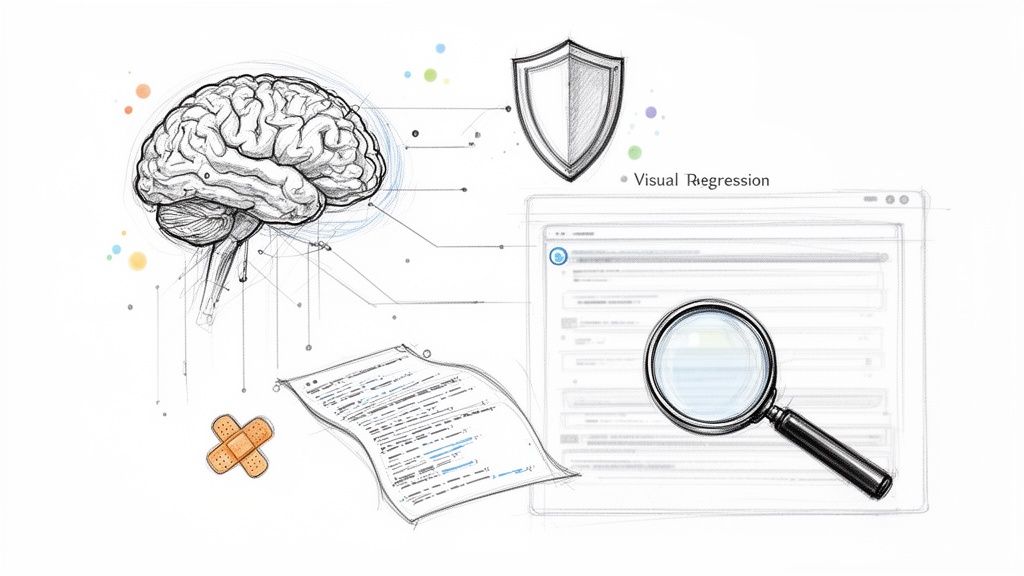
AI isn’t just another tool in the toolbox; it represents a fundamental shift in how we approach quality assurance. It gives our testing frameworks the ability to learn, predict, and even heal themselves. We're moving closer and closer to a truly autonomous testing process.
The AI revolution is already supercharging automated regression testing, giving teams a massive edge. The global AI market, which powers these advanced testing tools, is set to explode at a CAGR of 37.3% between 2023 and 2030. We’re already seeing real results: AI has been shown to boost test reliability by 33% and slash defects by 29%.
This trend is only getting stronger. By 2028, experts predict that 75% of enterprise software engineers will use AI code assistants. That’s a huge leap from less than 10% in early 2023.
AI-Powered Test Generation And Self-Healing Scripts
One of the most exciting developments is using AI to automatically generate test cases. By digging into user behavior, application code, and existing tests, AI models can spot coverage gaps and write meaningful new tests. This saves countless hours of manual work and helps uncover those tricky edge cases a human tester might overlook.
Even more groundbreaking is the idea of self-healing scripts. We’ve all felt the pain of test maintenance. A developer changes a button's ID or moves a UI element, and suddenly dozens of tests are failing. AI-powered tools can intelligently spot these changes and update the test scripts on the fly, which drastically cuts down on time spent fixing brittle tests.
How do they pull this off?
- DOM Analysis: When a test can't find an element, the AI engine scans the Document Object Model (DOM) for elements with similar attributes like text, class, or proximity to other elements.
- Visual Recognition: Some tools use visual AI to identify the correct element even if its underlying code has been completely rewritten.
- Learning from Failure: The system gets smarter over time, learning from past failures and fixes to make better healing suggestions in the future.
The Rise Of Visual Regression Testing
Functional tests are great for telling you if a button works, but they can't tell you if it's two pixels to the left of where it should be. Visual regression testing is where AI shines, catching these subtle but critical design flaws. It works by taking pixel-by-pixel screenshots of your application and comparing them against an approved baseline image.
AI algorithms are smart enough to ignore dynamic content like ads or live timestamps while flagging genuine visual bugs—things like font changes, layout shifts, or color mismatches that could completely ruin a user's experience. To get a broader sense of how AI is being used across industries, this article on Intelligent Process Automation is a great read.
Modernizing Your Testing with a Prompt Management System
This is where Wonderment Apps' expertise in AI modernization really comes into play. As our applications get smarter, our tests have to keep up. That’s why we developed a proprietary prompt management system that developers and entrepreneurs can plug right into their software. It's a key administrative tool for anyone looking to modernize their app for AI and build it to last.
Our system is designed to give you complete control and visibility over your AI integrations, which directly translates to a more powerful testing framework. It includes:
- A Prompt Vault with Versioning: Keep track of every version of your AI prompts, ensuring your tests are consistent and repeatable.
- A Parameter Manager: Easily manage access to your internal databases, allowing you to generate dynamic and realistic test data on the fly.
- A Centralized Logging System: Get a unified view of logs across all integrated AIs, making it easier to debug when tests fail.
- A Cost Manager: See your cumulative spend across different AI services in one place, helping you control costs and prevent budget surprises during testing cycles.
Our tool empowers your team to not just test AI features but to leverage artificial intelligence itself to build more robust, dynamic, and efficient regression tests. If you're ready to see how a dedicated prompt management system can transform your testing and AI strategy, book a demo with us today.
Common Questions About Automating Regression Testing
Even with a solid strategy and the right tools, questions always come up when you start a new initiative. Let's tackle some of the most common ones we hear from teams who are diving into automating their regression testing, with some practical, no-nonsense answers.
How Much of Our Regression Suite Should We Automate?
This is the big one, and the answer isn't "everything." A good rule of thumb is to aim for around 80% automation coverage for your regression suite. That last 20% is often better left for manual testing.
Why not shoot for 100%? Simply put, some tests just aren't good candidates for automation. Trying to automate them is a recipe for frustration and wasted effort. These typically include:
- Exploratory Testing: This is all about human curiosity and creativity. A script follows a path; a human wanders off it to find unexpected bugs.
- Usability (UX) Testing: An automated script can't tell you if a new workflow feels awkward or confusing to a real person. That requires human perspective.
- Highly Unstable Features: Writing automated tests for brand-new features still under heavy construction is like trying to build on quicksand. The tests will constantly break, creating more noise than value.
Focus your automation firepower on the stable, repetitive, and business-critical parts of your application. That’s where you’ll get the biggest bang for your buck.
What Is the Best Way to Handle Test Data?
Bad test data is probably the number one killer of automated tests. If your tests are failing because the data is inconsistent or just not there, you don't have a testing problem—you have a data problem. A solid test data management (TDM) strategy is non-negotiable.
Here are a few proven approaches we've seen work well:
- On-the-Fly Data Generation: Use scripts or specialized libraries to create fresh, realistic test data just before each test run.
- Database Seeding: Start each test run with a clean slate by loading a predefined, pristine set of data into your test database.
- API-Driven Data: This is often the gold standard. Use your application's own APIs to create the exact data needed for a specific test. It perfectly mirrors how data is actually created, making your tests incredibly robust.
The key is to make every test self-contained and independent. A test should set up its own data and clean up after itself, never relying on whatever was left over from a previous run. This discipline is what separates a flaky test suite from a reliable one.
How Do We Calculate the ROI of Our Automation Efforts?
Showing the value of your work is crucial for getting continued support from leadership. Calculating the return on investment (ROI) for automation doesn't need to be an academic exercise. A straightforward formula can paint a very clear picture:
ROI = (Time Saved – Cost of Automation) / Cost of Automation
Here’s how to break down the pieces:
- Time Saved: Figure out how many hours your team used to spend on manual regression testing. Multiply that by your team's average hourly rate.
- Cost of Automation: Add up the initial setup time, any tool licensing fees, and the ongoing hours spent on maintenance.
By putting real numbers to it, you can shift the conversation. Automation stops being a "cost center" and becomes a strategic investment that frees up your best people to solve bigger problems and push the business forward.
At Wonderment Apps, we believe a smart automation strategy is the foundation of modern, scalable software. Our AI-powered tools, including our proprietary prompt management system, help you build not just better tests, but a more intelligent and resilient application. Book a demo with us today to see how we can help you modernize your software development and testing practices.