


The real difference between unit testing and functional testing boils down to focus. Unit tests are hyper-focused, inspecting the smallest possible pieces of your code in isolation—like a single function or method—to make sure each one works perfectly on its own. In contrast, functional tests zoom way out. They verify a complete user workflow from start to finish, confirming that all those individual pieces play nicely together to deliver on a business requirement.
The best software development teams know this isn't an "either/or" debate. It's about using both to build excellent app experiences that can scale to any audience. But as AI integration becomes the new standard for modernizing software, the game is changing. Now, you also need to test your AI's behavior, and for that, you'll need specialized tools. That's why we built a powerful prompt management system at Wonderment Apps—it's an administrative tool that plugs into your app, giving you the power to test, version, and manage your AI integration with total confidence.
Building a Foundation of Quality Software
When you're building a new application or modernizing an old one, testing isn't just a final checkbox to tick off. It's the very foundation of a reliable and scalable product. Without a solid testing strategy, bugs inevitably slip through, the user experience suffers, and development costs start to spiral out of control.
The debate isn't about picking a winner between functional tests vs unit tests. It’s about understanding how these two critical practices work in tandem to create a safety net for your entire codebase.
Think of it like building a car. A unit test is like checking if an engine’s spark plugs fire correctly or if the brake pads have the right amount of friction. It's happening at the component level. A functional test, on the other hand, is like getting in the car, turning the key, and driving it around the block to make sure you can accelerate, brake, and turn just as a driver would expect. It validates the complete operation from the user's perspective.
The Testing Pyramid: A Model for Success

This distinction is so fundamental it forms the basis of the classic Testing Pyramid, a model that advocates for a healthy balance of different types of software testing.
This pyramid has become a cornerstone strategy in modern software development, advocating for a 70/20/10 split: 70% unit tests, 20% integration tests, and just 10% functional (or end-to-end) tests. Top engineering teams, including those at Google, endorse this structure because it provides rapid feedback loops while still maintaining comprehensive coverage of the application.
This balanced approach is more critical than ever, especially with the rise of AI integration. The unpredictable nature of AI models adds a new layer of complexity that traditional testing methods can't cover alone. At Wonderment Apps, we've seen firsthand how a strong testing foundation is non-negotiable for building resilient, AI-powered applications that are reliable, consistent, and cost-effective.
Unit Test vs Functional Test At a Glance
For a quick reference, this table breaks down the core differences between unit and functional tests. It’s a high-level summary to give you an immediate, clear understanding of each testing type.
| Attribute | Unit Test | Functional Test |
|---|---|---|
| Scope | A single function, method, or component | An entire feature or user workflow |
| Goal | Verify the internal logic of a code unit | Verify the application meets business needs |
| Perspective | Developer-centric (White Box) | User-centric (Black Box) |
| Speed | Very fast (milliseconds) | Slower (seconds to minutes) |
Ultimately, both are essential. Unit tests give developers the confidence to refactor and add features quickly, while functional tests give the business confidence that the software actually works for its users.
A Deep Dive Into Unit Testing
At the very foundation of the testing pyramid, you’ll find the most essential practice in modern software development: unit testing. The goal here is simple but incredibly powerful—to validate the logic inside the smallest, most isolated pieces of your code. Think of individual functions, methods, or components as the basic building blocks of your application. Unit tests are there to make sure each block is solid before you even think about putting them together.
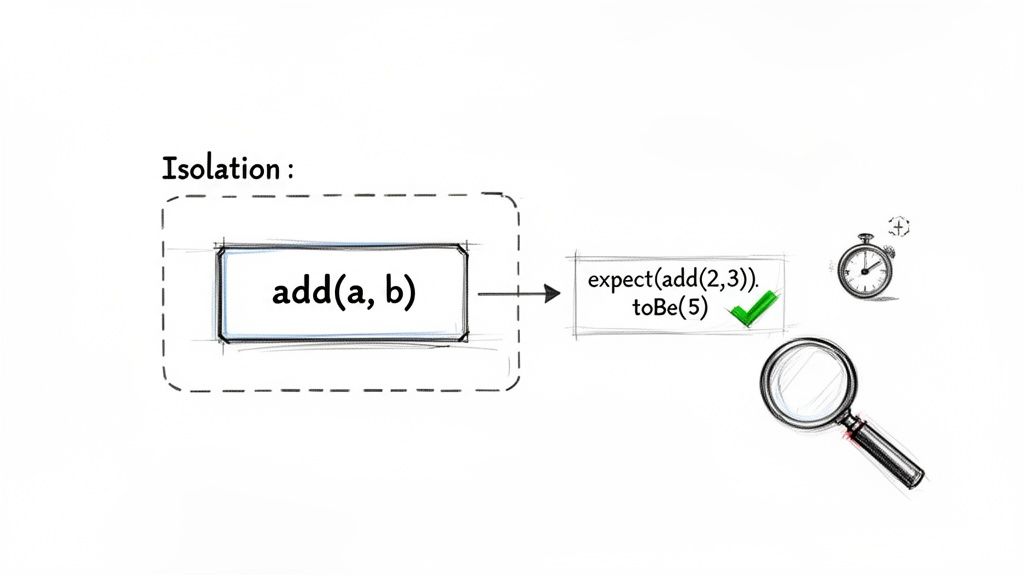
This process is a classic form of white-box testing, which means the developer writing the test knows the code's internal structure inside and out. They use this knowledge to craft laser-focused checks, confirming the code behaves exactly as it should under different conditions—including how it handles both valid inputs and unexpected ones.
The Anatomy of a Unit Test
Because unit tests zoom in on isolated logic, they are incredibly fast and lightweight. A developer can run hundreds, sometimes thousands, of them in just a few seconds. This provides an immediate feedback loop that’s non-negotiable for any team practicing agile development.
Let’s take a simple JavaScript function that calculates a total price with tax. A unit test for this function wouldn't involve a UI, a database, or any network calls. It would just call the function with specific inputs and assert that the output is exactly what's expected.
Here’s what that looks like in practice using Jest, a popular JavaScript testing framework:
// The function we are testing
function calculateTotalPrice(price, taxRate) {
if (price < 0 || taxRate < 0) {
throw new Error('Price and tax rate must be non-negative.');
}
return price * (1 + taxRate);
}
// The unit test for the function
describe('calculateTotalPrice', () => {
test('should return the correct total price with a standard tax rate', () => {
// Assert that 100 with a 10% tax rate equals 110
expect(calculateTotalPrice(100, 0.10)).toBe(110);
});
test('should handle a zero tax rate correctly', () => {
// Assert that 50 with a 0% tax rate equals 50
expect(calculateTotalPrice(50, 0)).toBe(50);
});
test('should throw an error for negative input', () => {
// Assert that the function throws an error as expected
expect(() => calculateTotalPrice(-100, 0.10)).toThrow('Price and tax rate must be non-negative.');
});
});
This small test suite confirms the core logic, checks edge cases, and verifies error handling for the calculateTotalPrice function—all in complete isolation. For a deeper look into this foundational practice, check out our other articles on unit testing strategies.
Why Unit Tests Are Non-Negotiable
The value of a strong unit testing culture goes way beyond just finding bugs early. It’s a cornerstone for high-performing engineering teams for several key reasons.
The most significant advantage of unit testing is its speed and precision. When a unit test fails, developers know exactly which component broke and why, eliminating the guesswork and prolonged debugging sessions associated with more complex test failures.
This speed is a game-changer. Teams that are disciplined about unit testing report catching 60-70% of defects before the code ever moves to later stages. Research even shows that unit tests, which are typically run by developers as they code, can help resolve issues 10 times faster than functional tests handled by QA teams post-integration. You can dig into more data on unit testing performance benchmarks to see the impact.
Other key benefits include:
- Immediate Feedback: Developers get instant validation that their changes haven't broken existing logic, which builds confidence and keeps development cycles moving quickly.
- Easier Debugging: Pinpointing the exact location of a bug becomes trivial since each test targets a tiny, self-contained piece of code.
- Living Documentation: A well-written suite of unit tests acts as executable documentation, clearly explaining what each component is supposed to do.
- Safer Refactoring: Teams can refactor and improve their codebase with confidence, knowing the test suite will immediately flag any regressions.
Unit testing is the bedrock of modern software practices like Test-Driven Development (TDD) and is a mandatory gate in any effective Continuous Integration (CI) pipeline. With common tools like JUnit for Java, NUnit for .NET, and PyTest for Python, it's accessible for any stack, ensuring your application’s foundation is built on quality from the very start.
Taking A Look At Functional Testing
While unit tests give you a microscopic view of your code’s logic, functional testing zooms out to answer a much more important question: does the software actually do what a user expects it to do? This approach treats the application as a black box, caring only about inputs and outputs. The goal is to confirm the software behaves according to business requirements, without getting bogged down in the underlying code.
Instead of isolating a single function, a functional test validates a complete user journey from start to finish. It’s the final check that ensures all the individual, unit-tested components work together correctly to deliver real value.
A Real-World Functional Testing Scenario
Think about an e-commerce website. A critical user workflow is finding a product, adding it to the cart, and successfully checking out. A functional test would automate this entire sequence of actions, mimicking exactly what a real user would do.
This end-to-end validation is designed to catch integration issues that unit tests, by their nature, simply can't. For example, unit tests might confirm that your addToCart function and processPayment function both run without errors. But only a functional test can verify that when a user actually clicks the "Add to Cart" button, the right item shows up in the cart, the subtotal updates, and the payment gateway is correctly triggered at checkout.
Functional testing is the bridge between development and the user experience. It’s where you prove that the sum of the parts creates a cohesive, working whole that meets real-world business needs.
This distinction is crucial for shipping a quality product. Data from Global App Testing shows that a staggering 45% of app crashes come from functional gaps, like UI bugs across different browsers. In contrast, only 25% stem from pure logic flaws—the kind of thing unit tests are great at catching. This really highlights how vital it is to test the application from the user's point of view. You can dig deeper into how these gaps impact users in these detailed testing analyses.
Automating User Workflows With Code
To automate these user journeys, engineers turn to tools like Cypress or Selenium. These frameworks can programmatically control a web browser, simulating user actions like clicking buttons, typing into forms, and moving between pages.
Here’s a simplified example using Cypress to test the "add to cart" feature on an e-commerce site:
describe('E-commerce Checkout Flow', () => {
it('should allow a user to add an item to the cart and see it', () => {
// 1. Visit the product page
cy.visit('/products/cool-gadget');
// 2. Find the 'Add to Cart' button and click it
cy.get('.add-to-cart-button').click();

// 3. Navigate to the cart page
cy.visit('/cart');

// 4. Verify that the correct item is now in the cart
cy.contains('h2', 'Cool Gadget').should('be.visible');
cy.get('.cart-item-quantity').should('have.value', '1');
});
});
This test script has no idea how the addToCart button works internally. All it cares about is that clicking it results in the correct item appearing in the cart, successfully validating a key piece of business functionality.
The Role of Functional Tests in Quality Assurance
Functional tests are your first line of defense for ensuring a solid user experience. They are absolutely essential for catching the tricky bugs that only surface when multiple components have to interact.
Here’s what makes them so important:
- Catching Integration Bugs: They are the best tool for finding errors in the connections between different services, APIs, and databases.
- Validating Business Requirements: They test directly against user stories and acceptance criteria, making sure the final product aligns with what stakeholders actually asked for.
- Ensuring Usability: By simulating real user behavior, they help you spot awkward or broken workflows that could frustrate customers.
Yes, they are slower and more complex to maintain than unit tests, but their value is undeniable. A well-designed suite of functional tests gives you the confidence that your application doesn't just work on a technical level—it also delivers a seamless and reliable experience where it matters most: in the hands of your users.
Comparing The Practical Tradeoffs
Choosing between a functional test and a unit test isn't about picking a winner; it’s about making strategic tradeoffs. Each testing approach offers distinct advantages and comes with its own costs related to speed, maintenance, and the type of feedback it gives you. Getting these practical differences right is the key to building an efficient and effective quality assurance strategy.
A development team’s velocity is directly tied to the speed of its feedback loop. When a developer can validate a change in seconds, they stay in the zone. But if they have to wait several minutes, productivity grinds to a halt, context is lost, and the cost of fixing bugs skyrockets.
Speed and Feedback Loop
The most immediate and impactful difference between the two is execution speed. This single factor pretty much dictates where each test type fits within a modern CI/CD pipeline.
- Unit Tests: These are lightning-fast. We're talking milliseconds. A suite of thousands of unit tests can blaze through in just a few minutes, giving immediate feedback right on a developer's local machine or as soon as they commit code.
- Functional Tests: These are inherently slower, often taking seconds or even minutes per test. They have to spin up a browser, click through a UI, and wait for network or database responses. This creates a much, much slower feedback loop.
A fast feedback loop is the lifeblood of agile development. Unit tests provide this near-instant validation, empowering developers to refactor and iterate with confidence. Over-reliance on slower functional tests creates a bottleneck that stifles innovation and slows down the entire delivery pipeline.
This view helps visualize how functional testing has to evaluate an application from both the user's perspective and through its internal system interactions.

This side-by-side view really highlights that functional tests have a tough job—they must validate both the user-facing workflow and the complex chain of system components working behind the scenes.
Scope and Maintenance Cost
The scope of a test directly influences how much effort it takes to write and, more importantly, maintain over time. As applications evolve, tests that are tightly coupled to implementation details or broad user interfaces can become a massive headache.
Unit tests have a narrow, laser-like scope, focusing on a single function or component. This makes them:
- Low-cost to maintain: Because they're isolated with few dependencies, changes in one part of the application rarely break unrelated unit tests.
- Easy to write: Developers can knock them out quickly as they code, without needing a full application environment up and running.
- Precise: When one fails, it points to the exact piece of code that has a problem. This drastically cuts down on debugging time.
Functional tests, with their broad, end-to-end scope, are a different story entirely. They are:
- High-cost to maintain: A small UI change, like renaming a button's ID, can break dozens of functional tests. They are notoriously brittle.
- Complex to write: They require setting up specific test data, managing application state, and handling all sorts of asynchronous operations.
- Vague on failure: A failed functional test just tells you a problem exists somewhere in a user workflow. It doesn't pinpoint the root cause, often kicking off a long and frustrating investigation.
Detailed Breakdown Unit Testing vs Functional Testing
To make an informed decision, it's helpful to see a direct comparison across the criteria that matter most to engineering leaders. This table provides a comprehensive look at the tradeoffs.
| Criterion | Unit Testing | Functional Testing |
|---|---|---|
| Primary Goal | Verify the logical correctness of a single, isolated code component. | Verify that a complete user workflow meets business requirements. |
| Feedback Loop | Immediate (milliseconds to seconds). Ideal for CI pipelines. | Delayed (seconds to minutes). Often run nightly or pre-release. |
| Maintenance Cost | Low. Isolated nature makes tests resilient to unrelated changes. | High. Brittle and often break due to minor UI or system changes. |
| Debugging Effort | Minimal. Failure points directly to the specific function or method. | Significant. Failure indicates a problem in a workflow, requiring investigation. |
| Bug Detection | Excellent at finding logical errors, incorrect calculations, and algorithm flaws. | Excellent at finding integration issues, UI bugs, and usability problems. |
| Environment | Runs in isolation, no external dependencies (database, API) needed. | Requires a fully deployed, integrated application environment. |
Ultimately, a balanced strategy is the only way to win. Leaning too heavily on unit tests risks missing critical integration bugs, while an overabundance of functional tests will absolutely cripple your development speed. The key is to use each tool for its intended purpose—building a robust foundation with unit tests while validating key user journeys with a select, high-value suite of functional tests.
Building A Modern Testing Strategy That Works
Knowing the difference in the functional test vs unit test debate is one thing. Actually weaving them into a smart, cohesive strategy that speeds up development without tanking quality is the real challenge. If you rely on just one type of test, you're setting yourself up for failure. A modern, effective approach has to be a blended one, built on the principles of the Testing Pyramid.
Think of it less as just writing tests and more as creating a safety net where every layer has a specific job. Unit tests create a wide, stable foundation. Functional tests give you targeted validation of key user journeys. And a few end-to-end tests at the very top make sure the whole system hangs together. This layered structure delivers the best possible balance of speed, cost, and confidence.
Situational Recommendations: When to Use Which Test
A winning strategy comes down to applying the right test to the right problem. Writing tests arbitrarily without a clear purpose just leads to bloated, slow, and expensive test suites. Instead, your team needs to be deliberate about where it invests its testing energy.
Here are a few clear, situational recommendations to guide your thinking:
- Focus Unit Tests on Complex Logic: Any slice of your codebase with tricky business rules, calculations, or algorithms is a perfect candidate for heavy unit testing. We're talking about things like tax calculation engines, data transformation functions, or complex validation logic. These tests are cheap to write and run, and they give you laser-focused feedback on the most error-prone parts of your system.
- Prioritize Functional Tests for Critical User Journeys: Let's be honest, not all user workflows are created equal. Pinpoint the most critical paths in your application—the ones that directly impact revenue or user trust—and cover them with functional tests. This means user registration, login flows, the entire checkout process, and any other core feature that absolutely, positively has to work.
By taking this approach, you make sure your fastest, cheapest tests cover the biggest surface area of your code, while your slower, more expensive tests are reserved for the highest-value user interactions.
The New Frontier: Testing AI Integrations
As software evolves, so must our testing strategies. The rise of AI and Large Language Models (LLMs) integrated into applications adds a new layer of complexity that traditional testing methods weren't built to handle. AI responses can be non-deterministic, which makes simple assertions like "input A equals output B" pretty unreliable.
This is where the principles of a blended strategy become even more vital, but with a modern twist. The challenge is no longer just about verifying code logic or user workflows; it's about making sure an AI's behavior is consistent, reliable, and cost-effective. How do you test a chatbot’s responses for the right tone? How can you verify that a prompt generates the correct data query without running up a massive API bill?
Testing AI isn't about checking for a single correct answer. It's about validating guardrails, ensuring consistency, managing costs, and systematically tracking performance over time. This requires a new class of tools built for the unique challenges of prompt engineering and AI management.
Modernizing Your App with Systematic AI Testing
This is exactly the problem Wonderment's prompt management system was designed to solve. It gives developers and entrepreneurs a controlled, administrative environment to modernize their applications for AI integration. By plugging our tool into your existing software, you get the ability to systematically test and manage AI interactions with total confidence.
Our system is packed with key features that directly tackle the challenges of AI testing:
- Prompt Vault with Versioning: Securely store and manage all your prompts in one place. Versioning lets you test changes to a prompt and easily roll back if a new version hurts performance.
- Parameter Manager: Define and control how prompts access your internal databases. This ensures AI interactions are secure and pull the correct data every single time.
- Comprehensive Logging: Track every prompt and response across all your integrated AI models. This creates a full audit trail to debug issues and analyze performance trends.
- Cost Management Dashboard: Get a clear, real-time view of your cumulative AI spend. This helps you optimize prompts and prevent any surprise costs from spiraling out of control.
This toolkit helps turn the unpredictable nature of AI into a manageable, testable part of your application. For a wider view on ensuring software quality, it's worth exploring what makes for effective Quality Assurance in Software Development.
Ultimately, a modern testing strategy has to be dynamic. It should be grounded in the proven principles of the Testing Pyramid but also flexible enough to adapt to new technologies like AI. By combining a strong foundation of unit and functional tests with specialized tools for managing AI, you can build applications that are not just robust and reliable today but are also ready for whatever comes next. For teams looking to put these ideas into practice, understanding automation is key, which is why we’ve outlined some CI/CD pipeline best practices that show you how to integrate testing seamlessly.
Frequently Asked Questions
Even with a solid testing strategy, questions always pop up when your team is in the trenches. Deciding between a functional or unit test for a specific problem isn't always cut and dry. Let's clear up some of the most common points of confusion to help you apply these ideas to your day-to-day projects.
Can Functional Tests Replace Unit Tests?
Absolutely not. It might be tempting to focus only on tests that act like a user, but that's a recipe for a slow, brittle, and expensive QA process. Unit and functional tests serve different, yet complementary, purposes. You really do need both.
Think of it like building a house. Unit tests are like checking every single electrical wire and plumbing connection before the drywall goes up. Functional tests are like flipping the light switches and turning on the faucets to see if it all works together. If you skip that first step, you'll only discover a leaky pipe after the walls are painted, making the fix at least 10x more difficult and costly.
A strong testing strategy is built on a large foundation of fast unit tests to prove the internal logic is solid. On top of that, you layer a smaller, more targeted set of functional tests to validate the critical user workflows. One can't effectively do the job of the other.
Who Is Responsible For Writing Each Type Of Test?
This usually comes down to who has the right perspective for the job. The classic "white-box" vs. "black-box" distinction is a great guide here.
-
Developers Write Unit Tests: Since unit testing is a white-box activity, it demands an intimate knowledge of the code's internal structure—the specific functions, classes, and logic. The developer who writes the code is in the perfect position to write these tests as they go, making sure each component is solid from the ground up.
-
QA Engineers Write Functional Tests: Functional testing is a black-box activity. The focus is entirely on user requirements and what the application should do, without any concern for how it does it. Quality Assurance (QA) engineers and dedicated automation engineers specialize here. They excel at thinking like a user, designing tests that cover real business scenarios and sniff out those tricky integration bugs.
How Do These Tests Fit Into A CI/CD Pipeline?
In a modern CI/CD pipeline, the whole point is getting fast, reliable feedback at every step. The different speeds of unit and functional tests naturally place them at different stages of the process.
Unit tests are your first line of defense. They're incredibly fast—you can run thousands in just a few minutes—which makes them perfect for running automatically on every single code commit. If a unit test fails, the build stops right there, preventing broken code from ever getting merged into the main branch.
Once the unit tests pass, the pipeline moves on to run a small, curated suite of the most critical functional tests. These validate core user journeys like logging in or completing a checkout. The full, much slower suite of comprehensive functional tests is often run less frequently, maybe on a nightly schedule or just before a major release. This tiered approach gives you the best of both worlds: rapid feedback for developers and thorough validation for the business, all without slowing down development.
Ready to modernize your application and build it to last? Wonderment Apps specializes in integrating AI into custom software, backed by a robust testing strategy. Our prompt management system provides the tools you need to test, manage, and scale AI features with confidence.