


When you're building a software application, ensuring its quality isn't just a single step—it's a mindset. Two of the most fundamental strategies in any quality assurance playbook are white box and black box testing.
Think of it like this: black box testing is like being a driver. You don't need to know how the engine, transmission, or electronics work together. You just need to know that when you turn the key, press the gas, and steer the wheel, the car responds exactly as it should.
White box testing, on the other hand, is the mechanic's view. It’s about popping the hood, getting your hands dirty, and inspecting every wire, piston, and belt to make sure the internal mechanics are sound, efficient, and correctly assembled. This guide will walk you through how to use both to build excellent app experiences that scale. And for business leaders looking to modernize their apps with AI, we'll show you how a smart testing strategy, powered by the right tools, is the key to building software that lasts.
Building Unbreakable Apps From The Inside Out
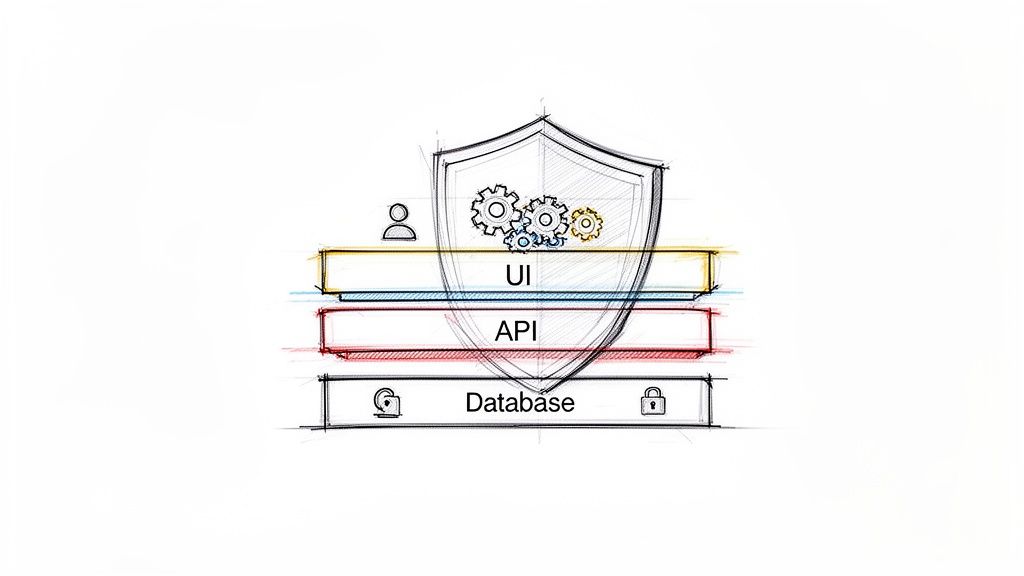
Welcome to the world of software quality, where the ultimate goal is to launch applications that are not just functional, but also secure, reliable, and ready to handle real-world demands. This is especially true in high-stakes industries like fintech, ecommerce, and healthcare, where a single bug can shatter user trust, expose sensitive data, or grind business operations to a halt.
To sidestep these disasters, development teams lean on a structured testing process. White and black box testing are the cornerstones of this process. Knowing the difference between them—and, more importantly, when to use each—is what separates a successful launch from a problematic one.
Why Both Perspectives Matter
Let's say you're launching a new mobile banking app. Your customers couldn't care less about the programming language or database architecture you used. They just want to check their balance and transfer funds without a hitch. This is where black box testing comes in, validating the app from the user's perspective to ensure every tap, swipe, and button works perfectly.
But what about the dangers you can't see? A slick, beautiful interface might be masking sloppy code that leaves a backdoor open for attackers to access sensitive financial data. That's precisely why white box testing is so vital. It lets developers get "under the hood" to scrutinize the source code, patch up security holes, and optimize performance from the inside.
A truly robust application is built by combining these two perspectives. One ensures the user experience is intuitive and functional, while the other guarantees the underlying architecture is sound and secure.
At Wonderment Apps, we've seen firsthand how a balanced testing strategy prevents expensive, stressful fixes after an app goes live. As software grows more complex—especially with AI integrations becoming standard—the need for comprehensive testing from every angle is more critical than ever. We tackle this with a smart, AI-driven approach, using our own prompt management system to confirm that even the most advanced AI features are solid from day one.
These testing methods are foundational, but they're just the start. You can get a broader view of the testing landscape by exploring the different main types of software testing in our detailed guide. Next, we’ll dive deeper into each methodology to show you how to build truly unbreakable applications.
Testing From The User's Perspective With Black Box

When a customer opens your new food delivery app, their goal is simple. They want to find a restaurant, place an order, and pay for it. They don't see—and don't care about—the complex code, database queries, or API calls happening in the background. This is the heart of black box testing.
This approach treats the software as an opaque, sealed box. The tester has zero knowledge of the internal code, architecture, or logic. Their entire focus is on the application's external behavior. By feeding the app specific inputs and checking the outputs, they confirm it works exactly as a real user would expect.
Core Techniques For Efficient Testing
Testing an application without seeing its code requires some smart strategies. QA teams rely on proven techniques to get thorough test coverage without creating an unmanageable number of test cases.
-
Equivalence Partitioning: Instead of testing every possible input, this method groups them into classes that should all behave the same way. For a password field requiring 8-16 characters, you’d create three partitions: less than 8 (invalid), 8-16 (valid), and more than 16 (invalid). You only need to test one value from each group to feel confident in the result.
-
Boundary Value Analysis: This focuses on the "edges" where things are most likely to break. For that same password field, you’d test the exact boundary values: 7, 8, 16, and 17 characters. These are the spots where developers often make small logical errors.
-
Decision Table Testing: This is perfect for features with tangled business rules. Testers map out all possible combinations of conditions to their expected actions. For an e-commerce checkout, conditions might include "user is logged in," "item is in stock," and "promo code is valid."
In the high-stakes world of software, especially for e-commerce platforms handling millions of transactions, black box testing is a game-changer. Since it requires no programming skills, it's ideal for outsourcing to specialized QA teams—something we excel at here at Wonderment Apps. This user-centric approach can slash the number of required test cases by up to 70% in complex scenarios.
When To Use Black Box Testing
Black box testing isn't a silver bullet, but it's exceptionally powerful at specific moments in the development lifecycle.
Its primary goal is to find vulnerabilities and functional errors an end-user would actually encounter. This makes it an incredibly effective way to spot weaknesses from an outside-in perspective.
One of its most important roles is in User Acceptance Testing (UAT). This is often the final hurdle before release, where actual users or clients validate that the software meets their business needs and is ready to go live. Since UAT is all about the real-world experience, the black box method is a natural fit.
It's also a cornerstone of regression testing, ensuring that new features haven't inadvertently broken existing functionality. Finally, black box methods are key to finding usability flaws. To learn more, check out our guide on the essentials of website usability testing.
Security is another area where this approach shines. A black box penetration test simulates how a real external attacker would try to breach your system, giving you a realistic assessment of your app’s defenses. It's the ultimate way to ensure your application delivers the intuitive and secure experience your users demand.
Going Under the Hood with White Box Testing
If black box testing is like using an app from the outside, white box testing is the complete opposite. Think of it as popping the hood on a car to inspect the engine’s internal mechanics. This is where we step into a developer’s shoes. Also called structural or clear box testing, this approach requires full access to the source code, architecture, and design documents.
The goal isn't just to see if a feature works, but to verify exactly how it works on the inside. Testers—who are often developers themselves—meticulously write test cases that trace every possible path, check every logical branch, and validate every line of code. It’s the single best way to make sure a software’s foundation is solid, secure, and built to last.
Core White Box Testing Techniques
To navigate the complex pathways of source code, testers rely on a few key techniques. These methods ensure that no stone is left unturned and that the application's internal logic is sound.
-
Statement Coverage: This is the most basic form of white box testing. The goal is simple: make sure every single line of code is executed at least once. This helps find dead code that’s never used or reveals parts of the app that haven’t been tested at all.
-
Branch Coverage: A step up from statement coverage, this technique checks that every possible branch from each decision point (like an
iforcasestatement) is tested. For anif-elsecondition, this means you test both the true and false outcomes. -
Path Coverage: This is the most comprehensive—and challenging—technique. Here, the goal is to test every conceivable path a user or process could take through a function or the entire application. While hitting 100% path coverage is often impractical for large systems, aiming for it on critical functions is a must.
These low-level testing activities are closely related to unit testing, which isolates individual components or functions. To get a better feel for this relationship, you can check out our guide comparing functional tests vs. unit tests.
Why White Box Testing Is Non-Negotiable
For some industries, white box testing isn’t just a nice-to-have; it's a necessity. In sectors like fintech and healthcare, a single hidden coding error could lead to massive financial loss, a data breach, or incorrect medical calculations. This is where the deep visibility of white box testing really proves its worth.
By diving deep into the codebase, white box testing uncovers hidden bugs completely invisible to black box approaches. It is essential for building secure, scalable apps where internal data flows must be flawless.
Because it requires full access to the source code and design, this method helps teams achieve comprehensive coverage, often hitting 90-100% code coverage targets. Techniques like data flow testing track how variables are used and modified, while path testing validates complex algorithms. In penetration testing, white box reviews expose insecure input handling and poor error management that could compromise sensitive information. In fact, studies show it can detect 50% more vulnerabilities in databases and logic flaws than black box testing alone.
This meticulous, inside-out approach is the definitive way to find hidden security vulnerabilities, optimize complex algorithms, and eliminate performance bottlenecks before they ever reach a user. It guarantees your app’s internal structure isn’t just functional but truly robust.
Unifying Your Strategy for Comprehensive Quality
The real debate isn't about choosing white box versus black box testing. The critical question is how to strategically combine them for maximum impact.
When you rely on just one method, you create dangerous blind spots. Black box testing might approve a seamless user interface while completely missing a critical security flaw in the code. On the flip side, white box testing could verify perfect internal logic but overlook a confusing, frustrating user workflow. Neither scenario ends well.
To achieve real quality, the best development teams champion a hybrid strategy. This approach, often called grey box testing, blends the strengths of both methodologies to create a comprehensive safety net. It’s about creating a testing plan that covers your application from the deepest lines of code all the way to the final click in the user interface.
Integrating Testing into Your SDLC
The most effective way to pull this off is to weave both testing types into your Software Development Lifecycle (SDLC) at the most logical phases. This creates a natural rhythm where different testing perspectives are applied at just the right time, reinforcing quality at every single stage.
Here’s how this typically works:
- Early Stages (Unit & Integration): During the core development phase, white box testing is king. Developers use it to run unit tests on individual functions and components, making sure the fundamental building blocks of the application are solid before they're ever assembled.
- Later Stages (System & Acceptance): As the application comes together into a cohesive whole, the focus shifts. Black box testing takes over during system testing and User Acceptance Testing (UAT), where the goal is to validate the complete, integrated software from an end-user’s perspective.
This balanced approach ensures you catch both low-level code defects and high-level usability issues, leading to faster, more confident releases and far fewer post-launch headaches.
The process flow below visualizes how these two testing disciplines combine to produce a high-quality application.
As you can see, true quality isn't the result of a single action but a thoughtful process that merges internal code validation with external, user-focused testing.
The Power of a Hybrid Approach
Strategically fusing white and black box testing has dramatically improved software reliability across the board. In fact, hybrid approaches like grey box testing have been shown to cut defect rates by 40-50% in production for major ecommerce and fintech platforms.
While black box testing is faster for broad functionality checks, white box provides deeper, surgical insights into code logic. This combination is absolutely essential for complex platforms, like those modernized by Wonderment Apps, where new AI integrations add another layer of complexity that demands robust, multi-faceted testing. You can find more insights on how these testing types compare on BrowserStack.
A unified strategy doesn’t just find more bugs—it builds a culture of quality. It encourages collaboration between developers and QA teams, ensuring everyone is aligned on the shared goal of delivering an exceptional and reliable product.
By pairing the internal knowledge of white box testing with the user-centric viewpoint of black box testing, you create a powerful feedback loop. This synergy allows teams to build applications that are not only technically sound and secure but also intuitive and genuinely delightful for the end-user.
Choosing the Right Tools for Efficient Testing
Manual testing definitely has its place, but let's be honest—automation is where you get the leverage to keep up with today's development speeds. Picking the right tools for both your white-box and black-box testing efforts is how you build a powerful, automated safety net. It’s what lets you ship code faster without sacrificing quality.
The tools you land on have to make sense for your specific tech stack, the scope of your project, and the kind of testing you’re doing. For black-box testing, you're thinking like the user, so the tools focus on the experience. For white-box testing, you’re diving straight into the code.
Tools for Black-Box Automation
Because black-box testing is all about mimicking real user behavior, the automation tools here are designed to interact with your application from the outside, just like a customer would. They are absolute workhorses for regression testing and making sure your end-to-end user journeys are solid.
- UI Automation Frameworks: Tools like Selenium and Cypress are the heavy hitters in this space. They let you write scripts that drive a web browser—clicking buttons, filling in forms, and navigating pages—to confirm the user interface (UI) is behaving exactly as it should.
- API Testing Tools: Long before any data ever shows up on a screen, it travels through your APIs. With tools like Postman or SoapUI, you can bypass the UI entirely and send requests directly to your API endpoints. This lets you validate the responses and catch data-level bugs before they ever have a chance to mess up the front-end experience.
Visual bugs can be particularly tricky to catch, especially when you’re trying to make sure the UI looks right across every update. To keep your application's appearance consistent, you’ll want to check out the top visual regression testing tools and find one that plugs into your workflow.
Tools for White-Box Automation
White-box testing calls for a completely different toolbox—one that gets its hands dirty with your source code. These tools are usually brought in very early in the development cycle, helping developers find problems as they write the code.
White-box testing tools empower developers to find bugs, security vulnerabilities, and performance issues at the source, drastically reducing the cost and effort required to fix them later in the lifecycle.
The main categories of white-box tools you'll encounter are:
- Static Analysis Tools: Think of platforms like SonarQube or Checkmarx as an automated, expert code reviewer that never gets tired. They scan your source code without running it to flag potential bugs, security holes (like SQL injection), and "code smells" that hint at deeper problems.
- Unit Testing Frameworks: This is really the foundation of solid white-box testing. Frameworks like JUnit for Java or PyTest for Python give developers a way to write small, focused tests for individual functions or methods. It’s how you prove that every single building block of your application works correctly in isolation.
When you bring these different tools together, you're not just testing one part of your app; you're creating a comprehensive strategy that covers it from the inside out. This unified approach gives your team the confidence to deploy changes quickly and reliably, knowing that both the code under the hood and the final user experience are rock solid.
Modernizing Your Apps with AI and Advanced QA

The worlds of app development and artificial intelligence are no longer separate. As businesses weave AI into their products to create smarter, more personal user experiences, our old QA playbooks—like white and black box testing—need a serious update. Adding AI to a legacy app isn't as simple as plugging in an API; it adds a whole new dimension of complexity that demands a smarter approach to quality.
For instance, checking if a machine learning model's output is "correct" is a world away from testing a simple true/false result. You need a testing strategy built for a world of probabilities, one that ensures your AI features are not just clever but also dependable, consistent, and secure. This is the new frontier for software quality.
The Unique Testing Challenges of AI Integration
Bringing AI into the mix introduces a set of headaches that traditional white and black box testing just weren't designed to handle alone. These hurdles call for a much more specialized and powerful set of tools and practices.
Here’s what you’re up against:
- Validating Non-Deterministic Outputs: AI models can give you slightly different answers to the same question. This makes writing a standard pass/fail test case incredibly tricky.
- Ensuring Data Privacy: AI systems are data-hungry, often processing massive amounts of user information. You have to be absolutely certain that sensitive data is kept safe across the entire pipeline.
- Managing Prompt Consistency: The magic of large language models (LLMs) is all in the prompt. Managing, versioning, and testing these prompts suddenly becomes a mission-critical QA task.
- Controlling Operational Costs: Most AI models, especially from third-party APIs, come with usage-based pricing. Without tight controls, testing and implementation can quickly lead to a runaway budget.
Modernizing software with AI demands more than just great code—it requires a powerful administrative layer to manage, monitor, and test the AI components effectively. This is where a dedicated management system becomes indispensable.
Streamlining AI Testing with a Centralized System
At Wonderment Apps, we hit these roadblocks ourselves, which is why we built our own proprietary prompt management system. It’s an administrative tool that developers and entrepreneurs can plug right into their software, making AI integration something you can actually manage and control. Our system supercharges both white and black box testing for AI features by putting you back in the driver's seat.
It gives you a complete toolkit built for today’s applications:
- A Prompt Vault with Versioning: Store, manage, and track every change to your prompts in one central place. This is crucial for consistent AI response testing and lets you roll back to a previous version if something goes wrong.
- A Parameter Manager: Securely link your AI models to internal databases, giving you granular control over what data they can access and how it's used.
- Comprehensive Logging: Keep an eye on every single interaction across all your integrated AI models. This creates a detailed audit trail that's invaluable for debugging and performance tuning.
- A Cost Manager: Get a real-time, clear view of your cumulative AI spending. It allows you to track costs and stop budget overruns before they even happen.
Our system provides the foundational control you need to test and deploy AI features with real confidence. It turns the tangled mess of AI modernization into a structured, reliable, and cost-effective process. If you’re ready to see how it can future-proof your application, request a demo of our tool today.
Frequently Asked Questions
When teams start digging into white and black box testing, the same questions always seem to pop up. Getting straight answers helps everyone get aligned and build a quality assurance strategy that actually works. Here are some of the most common queries we hear.
Which Method Is Better for Finding Security Vulnerabilities?
Both have a huge role to play in security, but white box testing is generally better for catching deep-rooted security vulnerabilities. When a tester has the source code, they can run static analysis to find common flaws like SQL injection, insecure data storage, or cross-site scripting (XSS) right where they start.
That said, black box penetration testing is just as critical. It mimics what an external attacker would do, helping you find holes that can be exploited from the outside without any insider knowledge. A rock-solid security strategy uses both: white box to make sure the foundation is secure and black box to test the locks on the doors.
Can Black Box Testing Be Fully Automated?
Yes, a huge chunk of black box testing can and absolutely should be automated. Automation is a lifesaver for repetitive work like regression testing and for making sure end-to-end user journeys work as expected.
- UI Automation: Tools like Selenium and Cypress are fantastic for automating how a user clicks and interacts with your web app's interface.
- API Automation: Tools such as Postman can automate tests for your application’s backend, checking if you get the right data back from your endpoints.
Even with powerful automation, some things just need a human touch. Exploratory testing and usability testing, for instance, rely on a person's intuition to catch subtle user experience problems that an automated script would breeze right past.
What Is the Right Balance Between White and Black Box Testing?
There's no magic formula here—the perfect mix depends entirely on your app’s complexity, risk profile, timeline, and budget.
For high-stakes applications, like a fintech platform or healthcare app where data integrity is everything, you’ll want to invest more heavily in white box testing. On the flip side, for a simple content-focused marketing website, putting more effort into black box testing makes more sense to ensure the user experience is seamless.
A proven strategy is to lean on white box testing during the early unit and integration stages of development. As the pieces come together, you shift focus toward black box testing during the system and user acceptance phases, tweaking the effort based on what each feature needs.
When Should I Use Grey Box Testing?
Grey box testing is the middle ground, a hybrid approach sitting between the two extremes. The tester has some knowledge of the system's inner workings—maybe they have access to API documentation or the database schema, but not the full source code. This partial insight helps them design smarter, more targeted test cases than pure black box testing, without the heavy lift of a full white box analysis.
It’s especially handy for integration testing, checking complex end-to-end workflows, and security testing where you want to simulate an attacker who’s already managed to get some inside information.
At Wonderment Apps, we believe a strong, layered testing strategy is the bedrock of any successful software project. By blending white box, black box, and grey box techniques—especially when modernizing applications with AI—we help our clients build digital products that are secure, scalable, and perform beautifully.
Ready to build an application that can stand up to any test? Learn more about our approach at https://wondermentapps.com.