


Your product team shipped the release. The roadmap looked solid, the AI features sounded smart in demos, and engineering did what engineering does: built the thing.
Then real users arrived.
They hesitated in onboarding. They opened support tickets for actions that felt obvious in planning sessions. Internal teams started debating whether the problem was copy, training, data quality, or the model itself. In many companies, that is the moment when user experience consulting stops sounding like a design extra and starts looking like risk management.
The same pattern shows up in AI modernization. Leaders want better recommendations, faster workflows, and smarter interfaces. But AI added to a weak experience is like bolting a jet engine onto a shopping cart. It moves, sure. It does not move in a way anyone enjoys controlling.
A managed approach helps. That includes the UX work of clarifying flows, expectations, and decision points, plus the operational side of AI governance such as prompt versioning, logging, parameter controls, and spend visibility. Those controls matter because users do not experience your model architecture. They experience outcomes, consistency, and trust.
What Is User Experience Consulting and Why It Matters Now
Many teams still treat user experience consulting as visual cleanup. Make the screens nicer. Tweak the buttons. Add a modern font. That is not the job.
User experience consulting is the practice of aligning product behavior with human behavior. It looks at how people understand a screen, where they get stuck, what they expect to happen next, and whether the product helps them complete a task without friction.
It is strategy, not decoration
A consultant starts with the business problem, not the color palette.
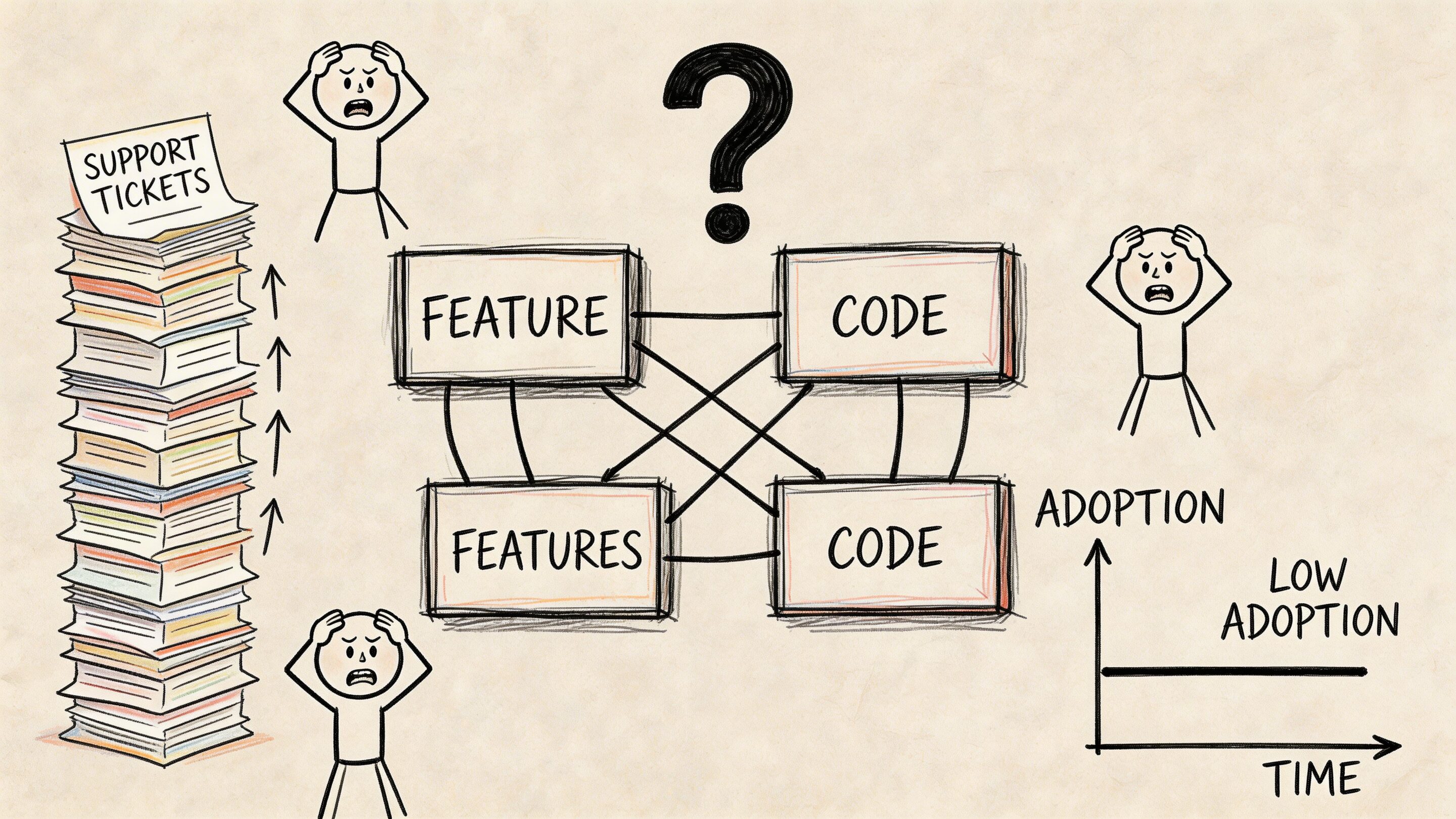
If adoption is flat, the issue might be navigation. If support tickets are climbing, the issue might be unclear system feedback. If AI outputs feel “smart” in isolation but confusing in context, the issue might be that the product is asking users to trust logic they cannot see.
That is why foundational design principles still matter. A practical refresher like 10 best practices in user experience (UX) design is useful because strong UX usually comes from disciplined basics, not flashy reinvention.
AI raises the stakes
The newest challenge is not whether to add AI. It is how to add it without making the product harder to use.
Advanced UX consulting in the AI era found that premature personalization via generative AI increased cognitive load and hesitation. In consumer-facing onboarding tests, AI-generated content led to 25 to 40 percent higher task abandonment, while human-crafted baselines followed by selective AI layers improved outcomes by 15 to 20 percent according to NN Group’s analysis of UX consulting and AI.
That trade-off is easy to miss inside a product team. The model may be technically correct. The experience can still be wrong.
A strong UX consultant asks a blunt question early. “Should this step be intelligent, or should it be clear?”
What good consulting changes
Good consulting reduces ambiguity for both users and teams.
It turns “people are dropping off” into specific diagnoses such as:
- Broken expectations: Users think the next step will confirm, but the system generates.
- Hidden risk: AI is making decisions where users expect review or control.
- Poor sequencing: The product asks for trust before it has earned confidence.
That is why UX matters now. Software is not getting simpler. It is getting more dynamic, personalized, and model-driven. The companies that win are not just adding capability. They are shaping it into something people can use.
The Business Value of Expert UX Consulting
The business case for UX is stronger than most budget discussions make it sound. This is not a soft investment. It is a commercial one.
Revenue moves first
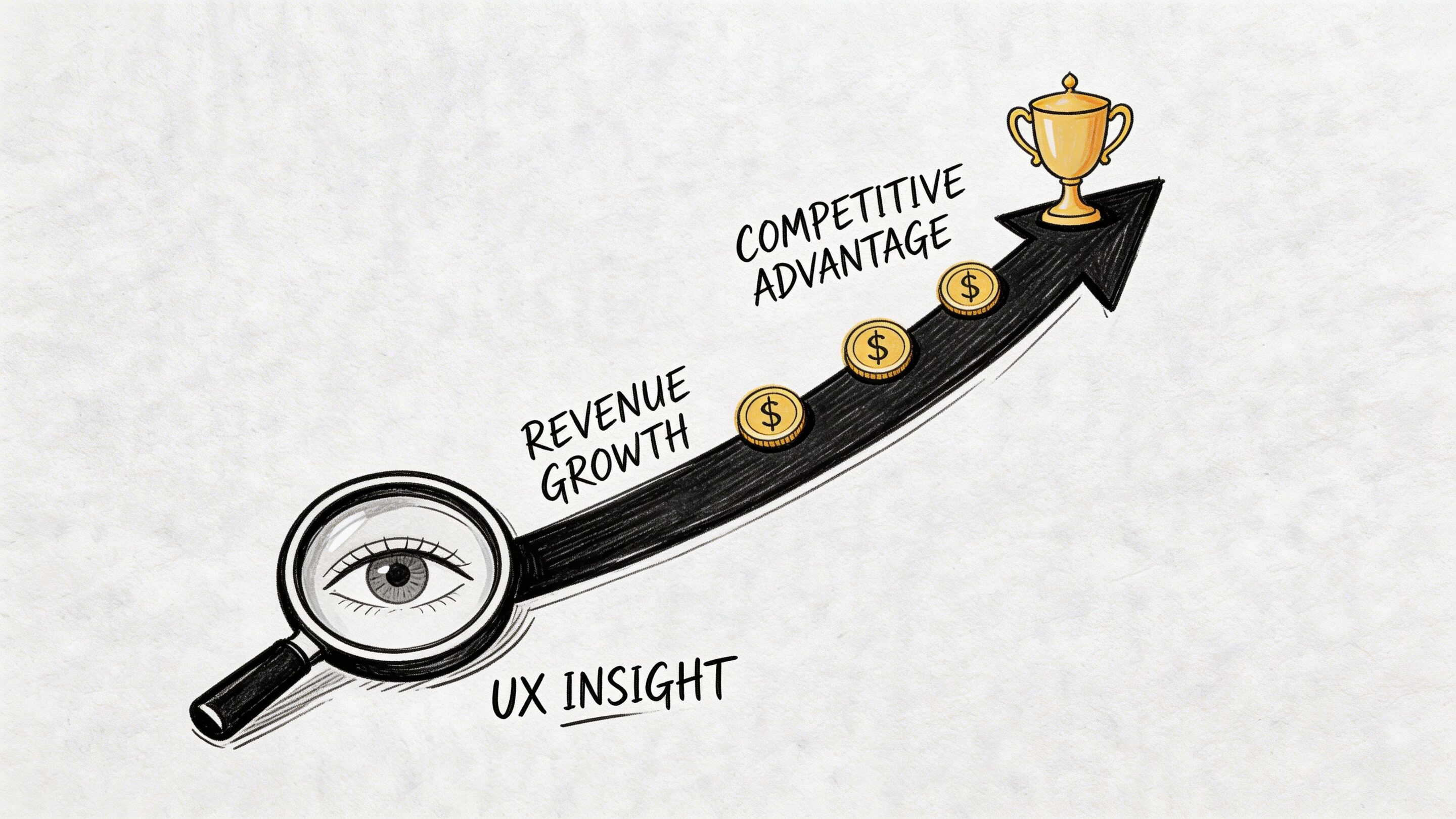
The clearest number is also the one executives remember. Every $1 invested in UX yields an average return of $100, equating to a 9,900% ROI, and well-thought-out UX can boost conversion rates by up to 400%, while poor UX costs companies $62 billion annually in lost revenue from abandoned purchases and churn according to these UX statistics compiled by UXtweak.
That number gets attention because it reframes UX from polish to performance. If your checkout, onboarding, or account setup flow creates hesitation, the product is not just inconvenient. It is expensive.
For teams building the internal business case, this breakdown of app or website ROI is a useful companion to product planning because it connects digital investment decisions to measurable outcomes.
Strong design outperforms weak design
The market has rewarded design discipline for years.
A landmark study analyzing 408 companies found that firms prioritizing UX and design investment achieved higher sales growth. Top UX leaders outperformed the S&P index by 35% overall, and design-centered companies surpassed it by 228% from 2004 to 2014 according to Intechnic’s summary of UX statistics.
Those are not “nice interface” results. They reflect companies that remove friction at scale.
Where the money leaks
Most organizations do not lose value in one dramatic collapse. They lose it in small, repeatable moments:
- Checkout friction: Users pause, second-guess, and leave.
- Onboarding confusion: New users never reach first value.
- Support dependency: Simple tasks require human help.
- Rework loops: Teams ship features, then rebuild them after users struggle.
A consultant looks for those leaks before the business normalizes them.
If a user needs a walkthrough for a core workflow, the issue is usually not training. The issue is product clarity.
UX pays in more than one direction
Better UX can increase revenue, but it also lowers drag across the organization.
Sales teams spend less time compensating for product confusion. Support teams handle fewer avoidable tickets. Engineering spends less time patching misunderstood interactions. Product teams make cleaner prioritization decisions because they know which friction points affect business outcomes.
That is the value of expert UX consulting. It creates a product that performs better in the market and behaves better inside the business.
Mapping the UX Consulting Engagement Lifecycle
Most buyers know they need help before they know what the engagement will look like. That uncertainty causes bad starts.
A useful UX consulting engagement is not mysterious. It is structured, collaborative, and designed to reduce risk before a team commits expensive engineering effort.
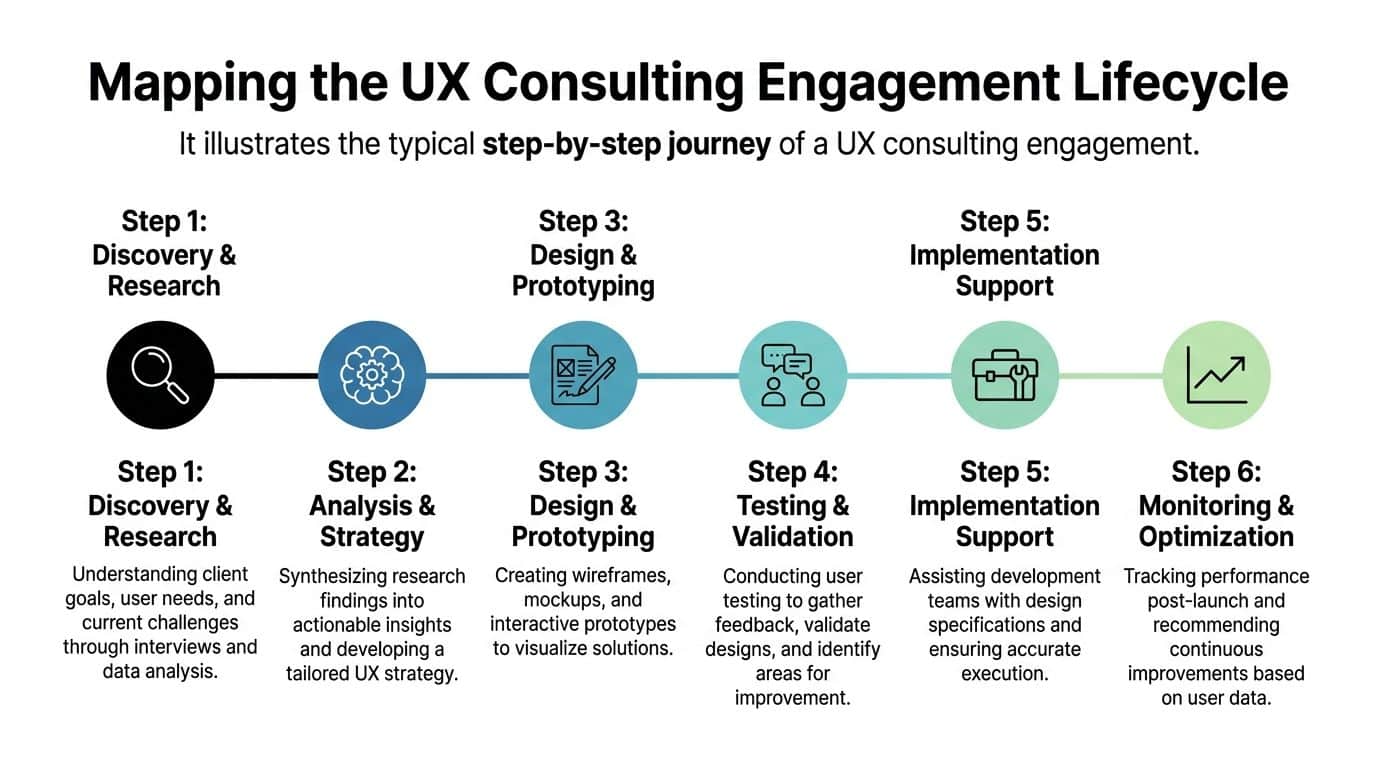
Discovery and research
This phase is part listening tour, part forensic analysis.
The consultant learns how the product makes money, what users are trying to accomplish, where the current experience breaks down, and which constraints are real. Real constraints matter. Compliance is real. Legacy systems are real. Team bandwidth is real.
Inputs often include:
- Stakeholder interviews: Product, support, operations, compliance, and engineering usually see different pieces of the problem.
- User evidence: Interview notes, surveys, support logs, analytics, and recordings.
- Product review: The current state of key flows across web, mobile, or internal tools.
The output is not a vague recommendation to “simplify the journey.” It is a prioritized view of where friction lives and why it matters.
Analysis and strategy
At this stage, patterns become decisions.
A strong consultant synthesizes the evidence into a working strategy. Which flows deserve redesign first? Which issues are usability problems versus messaging problems? Which AI behaviors should remain invisible in the background, and which need explicit user control?
This stage usually defines:
- Primary user journeys that matter most to business goals.
- Experience principles that keep teams aligned during design and development.
- Success metrics so nobody has to debate later whether the work paid off.
Design and prototyping
Now the abstract becomes tangible.
Wireframes, flows, and prototypes let teams evaluate product behavior before code hardens the wrong idea. Many expensive mistakes die a healthy early death at this stage.
A consultant may explore multiple patterns for the same problem. One version may optimize speed. Another may optimize confidence. Another may create stronger guardrails for regulated environments.
Prototypes are cheap arguments. Production code is an expensive one.
Testing and validation
This is the moment product teams often skip when they are in a hurry. It is also the moment that saves them from polishing the wrong solution.
Real users interact with prototypes or live workflows. The consultant studies where they hesitate, what they misunderstand, and what they expect to happen next. In AI-enabled products, this phase is especially useful because it reveals whether users trust the system’s reasoning or feel ambushed by it.
Implementation support and optimization
A consulting engagement should not end with a static deck.
The development team needs specifications, annotated designs, edge-case handling, and decision rationale. After launch, the consultant or product team monitors behavior, compares it to the baseline, and identifies the next round of improvements.
A healthy lifecycle feels less like a one-time design event and more like tuning an instrument. You do not strike a note once and declare victory. You keep adjusting until the product sounds right in the hands of real users.
Key Deliverables and Methodologies in a UX Project
A UX project becomes valuable when the work turns into artifacts that help teams make better decisions. Good deliverables reduce ambiguity. Weak ones decorate it.
The documents teams use
Some outputs are strategic. Others are operational. Both matter.
User personas are useful when they reflect behavior, motivations, and barriers. They are not useful when they become fictional poster characters with cute names and no decision value.
Journey maps help teams see the full flow across channels, handoffs, and emotional states. In ecommerce, that might include product discovery, cart building, checkout, post-purchase questions, and returns. In healthcare, it could include intake, consent, scheduling, reminders, and follow-up.
Information architecture defines how content and actions are organized. This is one of the least glamorous deliverables and one of the most important. When navigation is wrong, everything downstream gets harder.
For teams that want a practical look at how structure influences delivery, this article on why great wireframes make successful website and mobile apps gives a useful design-to-build perspective.
The working assets that shape the product
Design teams and engineers usually rely on a smaller set of hands-on artifacts every day:
- Wireframes: Early blueprints for layout, hierarchy, and flow.
- Interactive prototypes: Clickable experiences used to test assumptions before development.
- Annotated screens: Specifications for states, rules, validation, and edge cases.
- Usability findings reports: Evidence-backed summaries of where users succeeded, struggled, or stalled.
These are not deliverables for ceremony. They are coordination tools.
The methods behind the recommendations
A senior consultant does not rely on opinion alone. They combine qualitative and quantitative methods to understand what users say, what they do, and where those two things diverge.
Quantitative analysis in UX consulting can improve task completion rates by up to 20 to 30%, reduce time on task by 15 to 25%, lift conversion rates by 10 to 40%, and increase CSAT by 15 to 35% according to Abbacus Technologies’ overview of UX consulting metrics.
That kind of analysis often includes heatmaps, session recordings, funnel review, clickstream data, and A/B testing. None of those tools matter on their own. They matter when a consultant uses them to connect a behavior to a cause.
What separates useful deliverables from shelfware
A simple test works well here. Ask whether a deliverable helps a team do one of three things:
| Deliverable | What it should help a team do | Common failure mode |
|---|---|---|
| Persona or segment model | Prioritize for real user needs | Becomes a branding exercise |
| Journey map | Spot friction across the full workflow | Stays too high-level to act on |
| Wireframe or prototype | Validate task flow before development | Focuses on visuals too early |
| Test report | Show what blocked users and what to fix | Reads like observation without prioritization |
The best UX methodologies create outputs that survive contact with engineering, product, and operations. If the artifact cannot guide a build, settle a debate, or improve a metric, it probably is not finished.
How UX Consulting Transforms Key Industries
Different industries break in different ways.
An ecommerce team usually feels pain in conversion and repeat purchase. A fintech team feels it in trust, clarity, and approval flows. A healthcare team feels it in accessibility, compliance, and the stress level of the person using the product. The job of user experience consulting is to adapt the method to the context.
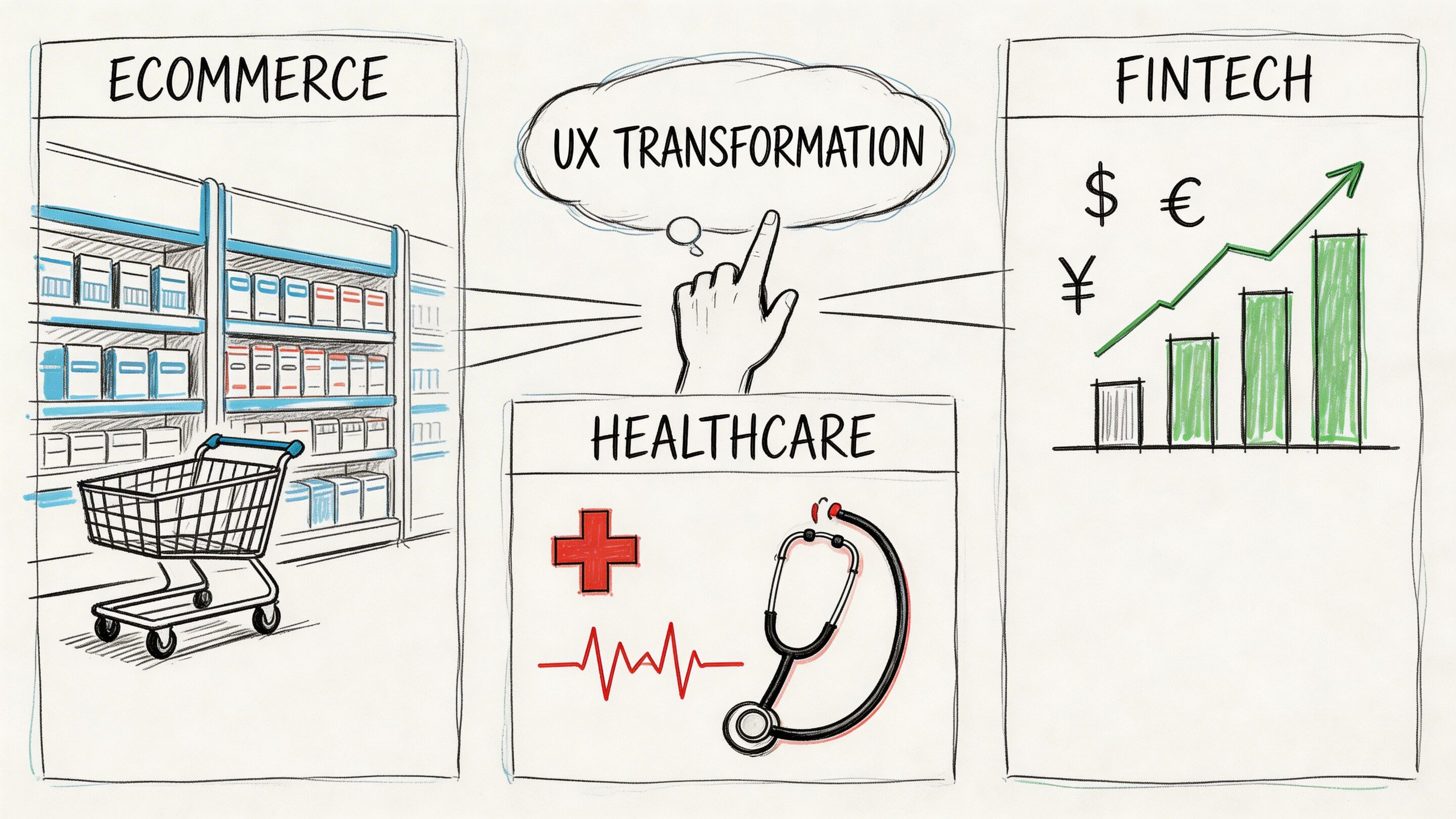
Ecommerce needs less friction and better timing
In ecommerce, small moments carry outsized weight. Search filters, variant selection, cart editing, shipping estimates, and returns language all influence whether a buyer keeps moving or leaves.
AI can help with recommendations, merchandising, and customer support. It can also make the experience noisier if it personalizes too early or too aggressively. A practical resource on how to improve ecommerce customer experience is useful because it keeps attention on the customer journey instead of only the tech stack.
A consultant usually focuses on the places where intent is already high. Product listing clarity. Cart confidence. Checkout flow. Post-purchase reassurance.
Fintech needs confidence before cleverness
Fintech products ask users to trust systems handling money, identity, and risk. That means the interface has to do more than move a task along. It has to explain enough to reduce uncertainty without burying the user in jargon.
This gets harder when AI enters the flow. A 2025 Forrester report notes that 68% of fintech firms report UX bottlenecks in AI integrations slowing deployment by 40%, while only 22% of UX consulting resources provide frameworks for compliant AI-UX audits according to the source referenced in McKinsey’s discussion of customer experience and design.
That gap matters. Teams often know how to build an AI feature. Fewer know how to present it in a way that feels compliant, understandable, and controllable.
Healthcare needs clarity under stress
Healthcare UX has almost no tolerance for vague interactions. Patients may be anxious, distracted, or in pain. Providers may be moving quickly and juggling multiple systems.
Good consulting work in healthcare often centers on:
- Accessible flows: Forms, instructions, and navigation that work under real-world conditions.
- Consent and privacy clarity: Users need to understand what is happening with their data.
- Reduced cognitive load: Language and interface choices should lower stress, not add to it.
For a deeper look at that domain, this overview of UX design for healthcare is a solid reference point.
In regulated industries, a confusing interface is not just an annoyance. It can become a trust problem, a support burden, or a compliance risk.
Media, SaaS, and the public sector have their own version of the same problem
Media products need to balance discovery with focus. SaaS products need to shorten time to value while supporting complex roles and permissions. Public sector services need to work for broad populations with mixed digital fluency.
The shared challenge is simple. Users arrive with a job to do. The product either helps them complete it with confidence or asks them to work too hard. UX consulting creates the conditions for the first outcome.
Choosing Your Ideal UX Consulting Partner
Finding a UX partner is not the same as hiring a team that makes polished screens. The partner has to diagnose product problems, work across disciplines, and tie recommendations to business outcomes.
That sounds obvious. It is not common enough.
A 2025 UX Collective survey showed that 62% of agency UX consultants struggle to demonstrate ROI, leading to 45% higher turnover. The same source notes that tying UX metrics directly to revenue has been shown to boost customer retention by 28% according to this UX Collective article on agency and in-house UX.
What to evaluate before you sign
Portfolio work matters, but only up to a point. Plenty of attractive portfolios hide weak operating discipline.
Look for evidence in four areas:
- Business fluency: Can the partner talk about conversion, retention, workflow efficiency, support burden, and rollout risk?
- Research rigor: Do they explain how they gather evidence, test assumptions, and prioritize findings?
- Delivery fit: Can they work with your developers, product owners, QA, and compliance stakeholders?
- AI judgment: Do they understand when AI should stay behind the scenes and when the user needs visibility or control?
UX Consulting Partner Evaluation Checklist
| Criteria | What to Look For | Red Flags |
|---|---|---|
| Process clarity | A defined discovery, design, testing, and handoff approach | A vague promise to “improve UX” without stages or outputs |
| Business alignment | Metrics tied to revenue, retention, efficiency, or risk reduction | Focus on visuals without commercial rationale |
| Industry fit | Experience with your constraints, especially regulated workflows | Generic examples that ignore compliance or operational realities |
| Collaboration style | Comfortable working with product, engineering, and stakeholder groups | Operates as a design silo |
| Research capability | Uses interviews, usability testing, analytics, and synthesis well | Recommends changes before reviewing evidence |
| AI modernization thinking | Understands prompts, governance, user trust, and model behavior in-product | Treats AI as a feature badge rather than an experience system |
| Post-launch support | Offers monitoring, iteration, and implementation guidance | Delivers files and disappears |
Questions worth asking in the first meeting
Some of the best evaluation happens through blunt questions.
Ask how the partner defines success. Ask what evidence they need before redesigning a key workflow. Ask how they handle disagreement between stakeholder opinion and user evidence. Ask what they do when the technically possible solution creates a worse experience.
Then ask one question many teams skip: what should not be redesigned yet?
A strong partner knows where to focus. A weaker one treats every screen like an opportunity to bill hours.
A consultant earns trust by narrowing the problem, not by inflating it.
The best fit is usually boring in the right ways
The ideal partner is rarely the one with the flashiest presentation. It is usually the one that can show a disciplined method, communicate trade-offs clearly, and work without drama across business and technical teams.
That kind of partner helps you avoid the expensive trap of building the wrong thing more beautifully.
Modernizing Your UX with Wonderment Apps
AI modernization changes the UX brief.
It is no longer enough to design a clean interface around fixed product logic. Teams now have to manage variable outputs, shifting model behavior, token costs, internal data access, and auditability. If those moving parts are invisible to the product organization, the user experience becomes harder to govern over time.
That is where operational controls become part of the UX conversation.
AI UX needs management, not just ideas
A modern application with AI features usually needs a way to answer practical questions:
- Which prompt version produced this output
- What parameters influenced the response
- Which model handled the request
- What did the interaction cost
- How do we debug inconsistent behavior across environments
Those are not backend trivia questions. They affect trust, consistency, and the ability to improve the product without guessing.
One practical option for teams modernizing legacy or custom apps
Wonderment Apps offers a prompt management system that plugs into existing software for AI integration. It includes a prompt vault with versioning, a parameter manager for internal database access, a logging system across integrated AIs, and a cost manager for cumulative AI spend.
Those capabilities are useful when a team wants to modernize an application without letting the AI layer turn into a black box.
A prompt vault helps teams track which instructions are live and which changes improved outcomes. Parameter controls reduce the chance that internal data access turns sloppy. Logging helps product and engineering teams review what happened in a given interaction. Cost visibility matters because AI enthusiasm gets expensive when nobody can see how usage patterns accumulate.
Future-proof UX is controlled UX
The most durable products are not the ones with the most AI on the homepage. They are the ones where AI is governed carefully enough that users experience it as helpful, stable, and understandable.
That means building from a validated baseline, testing user reactions before rolling out dynamic behavior too broadly, and keeping enough visibility into prompts and outputs that teams can improve the system deliberately.
In practice, user experience consulting and AI modernization belong together. One shapes the experience people can trust. The other creates the controls that keep that experience from drifting.
If your team is modernizing an app, adding AI features, or trying to fix adoption problems that code alone did not solve, Wonderment Apps is worth a look. They work across UX, engineering, and AI implementation, and you can request a demo of the prompt management system to see how prompt versioning, logging, parameter controls, and cost tracking fit into a real product workflow.