

A lot of platform decisions get framed as a feature checklist. iOS or browser. App Store or URL. Swift or JavaScript.
That framing misses what matters.
When a leadership team chooses between a native application and a web application, they’re also choosing how fast the product can feel, how much operational complexity the team can absorb, how much the software can use device hardware, and how easily the business can layer in modern AI features without turning the product into a maintenance headache. If you’re also evaluating admin tooling for prompts, logging, parameters, and AI spend, that decision gets even more important.
The businesses that handle this well usually don’t ask, “Which option is better?” They ask, “Which architecture fits the product we’re trying to build, and what will this choice cost us in flexibility later?”
The Crossroads of Digital Innovation
A common version of this decision looks like this.
A retail CEO wants a new customer product. Marketing wants reach fast. Product wants personalization. Operations wants stable release cycles. Engineering wants something the team can maintain without duplicating effort. Six months later, the company also wants AI search, guided buying, support automation, and internal dashboards that explain what those AI systems are doing.
That first platform choice shapes all of it.
A native application vs web application decision isn’t just about launch. It sets the terms for how customers experience the product and how your team evolves it. Native tends to win when the app itself is the product, especially if performance, device integration, and habit formation matter. Web tends to win when distribution, discoverability, and fast iteration matter more than deep hardware access.
The usage patterns are hard to ignore. Nearly 90% of mobile internet time is spent in apps rather than browsers, according to Qyrus on native apps’ edge. That doesn’t mean every company needs a native app. It does mean customers already signal where they’re willing to spend attention.
For many teams, AI now changes the conversation again. A product roadmap that includes recommendations, assistants, document analysis, anomaly detection, or internal copilots needs more than model access. It needs governance. Prompts change. Parameters drift. Logs matter. Costs creep. The companies that modernize cleanly usually pair product architecture with operational controls from the start, instead of bolting them on after launch.
Build for the experience you need now, but also for the management burden you know is coming.
That’s where platform choice becomes a business decision, not a developer preference.
Understanding the Architectural DNA of Apps
The simplest way to understand this choice is to look at where the software lives.
A native app lives on the device and speaks the operating system’s language. A web app lives in the browser and depends on web standards the browser interprets.
That single difference explains almost every trade-off that follows.

What makes a native application native
A native application is built specifically for an operating system like iOS or Android. Teams usually use Swift for iOS and Kotlin for Android. The app is installed directly on the phone or tablet, which gives it direct access to system services and hardware.
That access matters because the app doesn’t have to negotiate everything through a browser layer. It can interact more directly with camera APIs, GPS, biometrics, notifications, sensors, local storage, background tasks, and graphics acceleration.
Deployment follows the app store model. Teams package the app, submit it for review, and release updates through platform distribution channels. That creates more ceremony, but it also gives the product a home in the mobile ecosystem users already know.
How a web application is built
A web application uses HTML, CSS, and JavaScript and runs in a browser. The user opens a URL instead of installing a full platform-specific binary. Good web apps can feel polished and responsive, especially when the team takes architecture seriously and plans caching, rendering, state handling, and API behavior carefully.
Software architecture best practices are essential.wondermentapps.com/blog/software-architecture-best-practices/) matter more than often understood. A shaky backend, poor state management, or unclear service boundaries can make a web app feel slow and brittle long before browser technology becomes the bottleneck.
Web apps also fit naturally into broader business ecosystems. If your roadmap depends on CRM connections, analytics tools, search platforms, ERP data, marketing automation, and AI services, the architecture around platform integration often matters as much as the front end itself.
The structural difference that drives the strategy
A useful shorthand is this:
| App type | Where it runs | Typical stack | Distribution model | Core implication |
|---|---|---|---|---|
| Native application | On the device OS | Swift, Kotlin, platform SDKs | App stores | Deep hardware access and tighter OS integration |
| Web application | In the browser | HTML, CSS, JavaScript | Direct URL access | Faster updates and broader reach with one codebase |
Native software behaves like a resident. Web software behaves like a visitor.
Neither is automatically right. The architecture has to match the job.
If your app must respond like part of the device, native starts with an advantage. If your app needs universal access, instant publishing, and strong discoverability, web starts from a better position.
A Side-by-Side Analysis for 2026
A leadership team approves an app roadmap. Six months later, product wants AI search, support wants an internal copilot, marketing wants personalization, and security wants tighter control over customer data. The native versus web decision now affects more than speed and cost. It shapes how quickly those capabilities can be shipped, governed, and improved.
The short version is below.
| Decision area | Native application | Web application |
|---|---|---|
| Performance feel | Faster, more responsive, deeper OS integration | Depends on browser rendering and network conditions |
| Build cost | Higher upfront investment | Lower upfront investment |
| Hardware access | Full device feature access | Limited or browser-mediated access |
| Updates | App store release process and user adoption of updates | Immediate deployment to all users |
| SEO and discoverability | Not indexed like websites | Search-friendly and URL-based |
| Offline support | Stronger by design | Possible, but more constrained |
| AI implementation fit | Strong for on-device experiences and rich mobile workflows | Strong for cloud AI access, admin tooling, dashboards, and broad rollout |

Performance and user experience
If user trust depends on responsiveness, native gives a wider margin for error.
The reason is architectural. Native apps compile for the operating system and interact directly with device APIs. Web apps run inside the browser, which adds another rendering layer, another runtime, and more dependence on network conditions. For simple workflows, that trade-off is often acceptable. For animation-heavy interfaces, live data views, media processing, offline activity, or high-frequency interactions, the difference becomes visible.
A 2023 Android study comparing native and web implementations found lower energy use, CPU use, memory use, and network traffic in the native version under the tested conditions, according to the arXiv study on native vs web Android performance. That matters to the business. Poor efficiency shows up as battery complaints, stutter, session drop-off, and lower task completion.
AI raises the stakes. If the product roadmap includes on-device inference, camera-based recognition, voice interaction, or real-time guidance in the field, native gives teams more control over latency and device resources. If AI mainly lives in the cloud and returns answers into a browser-based workflow, web can still perform well.
Development cost and time to market
Native usually costs more to build and more to coordinate.
Separate iOS and Android workstreams increase engineering effort, QA scope, release management, and long-term maintenance. Web teams can often ship a single codebase across devices and desktop environments, which reduces the cost of getting a product into market and testing demand.
That difference matters most early. A company still validating use cases, pricing, or adoption usually benefits from the lower commitment and faster release cycle of web. A company that already knows mobile engagement drives revenue can justify native sooner because the product has less room for friction.
AI delivery follows the same pattern. Web is often the faster path for shipping prompt changes, model routing updates, admin controls, and experimentation. Native is slower to iterate at the client layer, but stronger when AI features depend on sensors, local context, offline behavior, or secure device-level interactions.
The overlooked issue of total cost of ownership
Launch cost gets the attention. Operating cost decides whether the platform still works two years later.
The long-term burden includes regression testing, compatibility work, release approvals, version fragmentation, monitoring, and support. Future Processing’s comparison of web, native, and hybrid applications is useful here because it focuses on delivery reality, not just launch math. Web updates reach users immediately. Native updates often depend on store approval and on users installing them.
For AI-enabled products, that gap becomes operationally important. Model safeguards change. Retrieval logic changes. Prompting changes. Compliance rules change. A browser-based app lets teams update the experience for the whole user base at once. A native app can still call cloud AI services, but the client experience, permissions flow, or embedded model behavior may lag if users stay on older versions.
One practical rule has held up well in client work. If product, operations, and compliance expect weekly changes, web is easier to govern. If the interaction has to feel precise every time a user opens the app, native often justifies its maintenance load.
Device features and system access
At that point, the choice becomes concrete.
Native handles direct access to camera pipelines, biometrics, GPS, Bluetooth, motion sensors, secure local storage, background processes, and push notifications with fewer compromises. Products in fintech, health, logistics, retail, and field service often need that level of control because the hardware is part of the workflow, not just the screen the workflow appears on.
Web apps can reach some of these features through modern browser APIs, but support varies by browser, operating system, and permission model. That is manageable for forms, dashboards, portals, and content-led experiences. It becomes restrictive for barcode scanning, continuous location tasks, advanced authentication, offline-first service flows, or media-heavy interactions.
The AI angle is easy to miss. Many modern AI use cases depend on device signals. A fraud model may need behavioral context. A service app may need camera input and local caching. A retail app may need image capture plus personalization based on recent in-app behavior. Native supports those scenarios more directly.
Maintenance and update behavior
Web wins on speed of change and control of versions.
A web team can deploy, test, roll back, and measure in hours. Every user gets the current version. That is a major operational advantage if the roadmap includes frequent UX changes, content changes, pricing updates, or AI workflow tuning.
Native updates are slower by design. That can improve review discipline, but it also creates version spread across the user base. In practice, that means support has to handle more edge cases, analytics gets messier, and AI-related changes can be harder to standardize if different app versions send different context or expose different controls.
Neither platform forgives poor execution. A fast native shell will not fix a weak backend or an unreliable AI service. A web app with a clear architecture and disciplined performance work can outperform a poorly managed native product in the metrics that executives care about, including activation, task completion, and support load.
A practical reading of the comparison
The better question is not which platform wins in the abstract. It is which platform supports the operating model the business is about to run.
Use these four filters:
- Is the product experience tied to device behavior, or mainly to access and reach?
- How often will the team need to change workflows, AI logic, or compliance controls after launch?
- Do key use cases depend on sensors, biometrics, offline work, or background processing?
- Can the company support the maintenance model over multiple years, including AI governance and release management?
For 2026 planning, that final point matters more than it did a few years ago. The app is no longer just a front end. It is the delivery layer for data collection, identity, personalization, automation, and AI. Native and web can both support that future. They do it with very different cost structures, release models, and levels of control.
Matching Your App Strategy to Business Goals
The technical debate gets much simpler once you tie it to business model and user behavior.
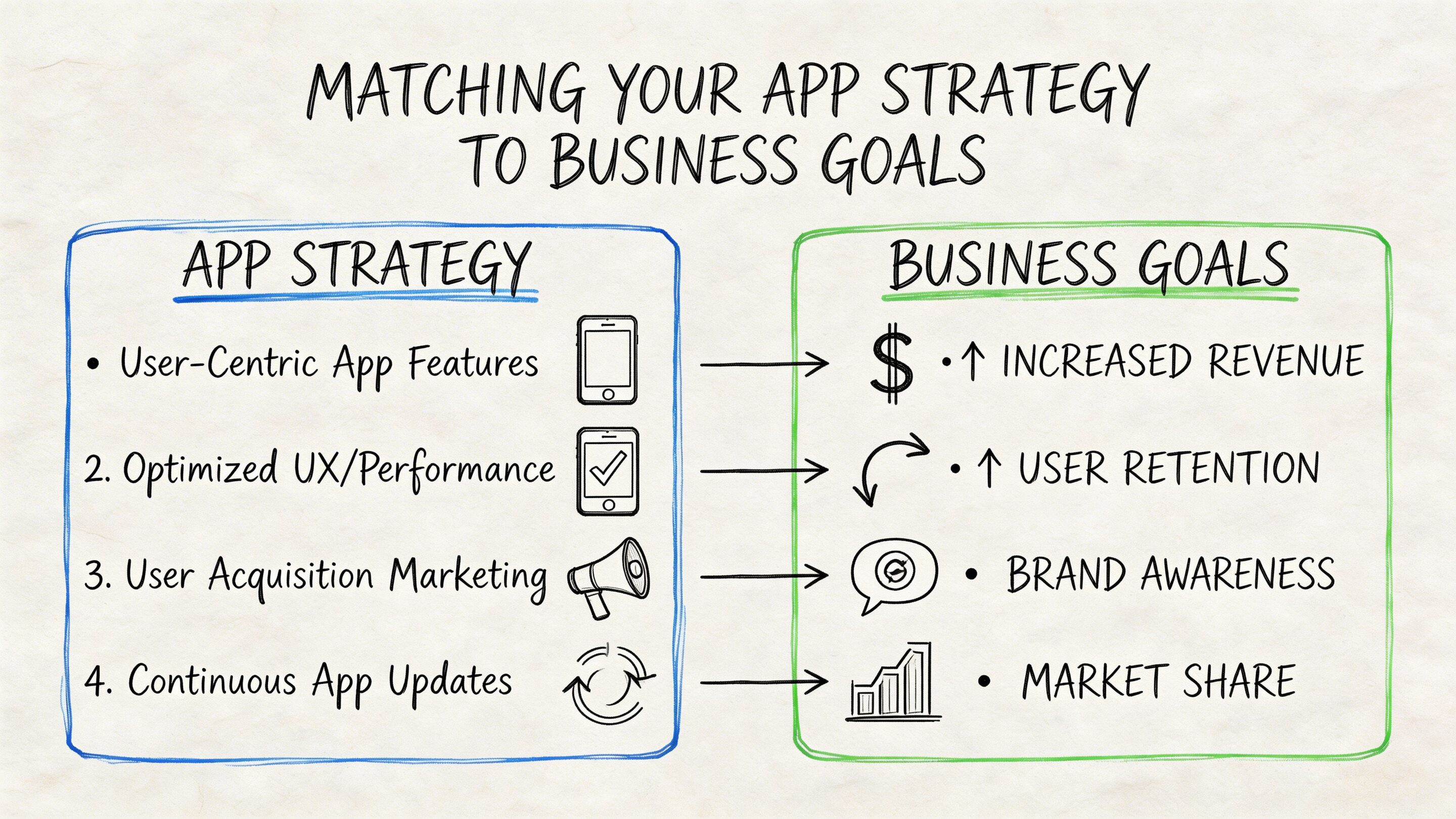
A platform decision should protect the main source of value. If you’re making money from transactions, habit loops, field workflows, subscriptions, or trusted mobile interactions, your architecture should reinforce that. If you’re making money from reach, discoverability, content velocity, or broad service access, that pushes the decision in a different direction.
Ecommerce and retail
Retail teams usually ask for speed first, then realize they also need immersion.
If the roadmap includes camera-led shopping, loyalty usage in stores, push notifications, saved credentials, and personalized buying flows, native is often the stronger fit. The app becomes part storefront, part identity layer, part engagement engine.
If the immediate goal is broader reach, campaign landing experiences, and easier testing across audiences, web can get you to market faster. That’s often the right move for a first launch or a commerce companion experience.
Fintech and regulated services
Fintech products usually benefit from native sooner than many founders expect.
Secure sign-in, biometrics, trustworthy interaction patterns, local device capabilities, and reliable session behavior all matter. Customers don’t want a financial product that feels like a clever website. They want one that feels stable, private, and built for the device in their hand.
That said, internal portals, admin consoles, reporting systems, and advisor dashboards often work better on the web. Many fintech organizations end up with a mixed estate on purpose. Native for customer-critical experiences. Web for operations and back-office tooling.
In regulated environments, the smartest architecture is often split by user journey, not by purity.
Healthcare and wellness
Healthcare teams have a sharper version of the same trade-off.
Patient apps, remote monitoring tools, symptom check-ins, and secure mobile workflows often lean native when reliability and device integration are central. The more the app depends on notifications, local behavior, camera use, or sensor-linked features, the stronger the native case becomes.
But healthcare organizations also run scheduling portals, staff interfaces, content libraries, education tools, and administrative systems that web handles well. For many organizations, forcing everything into one format creates more friction than value.
Media and entertainment
Media companies usually benefit from web earlier because reach matters so much.
Content teams need publishing speed, search visibility, links that travel cleanly, and fewer release bottlenecks. Web supports that naturally. If the product is article-first, catalog-first, or ad-supported, web is often the practical foundation.
If the experience shifts toward subscription retention, offline use, advanced playback behavior, or high-frequency engagement, native becomes much more compelling.
SaaS and enterprise platforms
Most SaaS products don’t need a native mobile app on day one.
They need a stable web product with clean workflows, strong permissions, resilient integrations, and room for AI features that help users work faster. Browsers are a strong home for dashboards, collaboration, admin controls, knowledge tools, and operational systems.
Native enters the picture when the SaaS product extends into field work, mobile-first approvals, scanning, location-sensitive tasks, or constant user engagement.
A better way to align strategy
Use this lens:
- Native fits products where mobile experience is the value.
- Web fits products where access, distribution, and iteration are the value.
- Mixed architectures fit companies with distinct customer and operational journeys.
That’s usually the point where the native application vs web application debate stops being abstract and becomes useful.
The Third Way Hybrid Apps and PWAs
A strict native-versus-web debate leaves out an important middle ground.
Some teams don’t need full native fidelity, and they don’t want the limitations of a plain browser experience either. That’s where hybrid apps and Progressive Web Apps, or PWAs, enter the conversation.
Where hybrid fits
Hybrid usually means a shared codebase that targets multiple platforms while still packaging an app-like experience. Frameworks such as React Native changed this category because they let teams ship mobile products without maintaining two completely separate front ends.
That approach can make sense when a business needs mobile presence on both iOS and Android, wants lower development overhead than pure native, and can accept some trade-offs around edge-case performance or platform-specific polish.
Hybrid tends to work well for:
- Operational apps: Internal workforce tools, approval flows, inspections, and service apps.
- Maturing products: Teams that have moved past MVP but aren’t ready for two dedicated native tracks.
- Shared design systems: Products where UI consistency and cross-platform delivery matter more than squeezing every ounce of OS-specific behavior.
Why PWAs keep coming back into the discussion
PWAs are web apps with more app-like behavior. They can support install-like experiences, offline behavior, and push notifications in some environments. They appeal to teams that want a single web codebase with lower friction for users.
If you want a broad overview of the value case, this guide to Progressive Web App Benefits gives a helpful business-oriented framing.
PWAs also matter strategically because they narrow the gap between web and app experience without committing a team to full native distribution from day one. That’s why many leaders revisit them every few years.
For a more direct comparison with mobile-native trade-offs, Wonderment has also covered progressive web app vs native app.
Why adoption still feels lower than the hype suggests
The simple explanation is capability confidence.
The current market still has a major information gap around when PWAs are sufficient and when they break down. The AWS comparison of web, native, and hybrid applications highlights that PWAs and hybrid options exist, and that native apps can access system resources such as GPS or camera while web apps face challenges with features like fingerprint readers. What’s still missing in most boardroom conversations is a precise capability map for modern use cases.
That uncertainty affects buying decisions:
- Retail teams ask whether PWA camera and sensor access is enough for richer product experiences.
- Healthcare teams ask whether the web delivery model fits their compliance and reliability needs.
- Product teams ask whether they’re avoiding complexity or just postponing it.
PWAs don’t fail because they’re weak. They often fail because the business needed certainty about edge cases, and native provided it.
The practical read
Hybrid and PWAs are not compromise choices by default. They’re strategic choices for certain product shapes.
Use them when you need one or more of these conditions:
- Shared delivery across platforms without doubling front-end effort
- Faster release cycles than traditional native app distribution
- A lighter mobile footprint for users who won’t commit to a full install
- A bridge strategy while validating demand before deeper platform investment
They’re a poor fit when hardware depth, highly polished platform behavior, or strict reliability under heavy mobile usage is central to the product.
The AI Modernization Factor in Your Decision
The older version of this debate focused on screens, speed, and stores.
The current version includes AI architecture.
That doesn’t mean every app needs a chatbot bolted onto the homepage. It means businesses now expect software to classify, summarize, recommend, search, predict, personalize, and assist. Once those features enter the roadmap, your platform decision starts affecting implementation details in practical ways.

Where native helps AI
Native has an advantage when AI needs to feel immediate on the device.
That can include image recognition tied to the camera, input assistance inside a mobile workflow, personalization that depends on tight device context, or experiences where latency and fluid interaction matter a lot. Native is also a more natural fit when the app already relies on hardware and AI is enhancing that hardware-driven journey.
Where web helps AI
Web is often the more efficient control plane for AI-heavy businesses.
Most advanced AI capabilities are cloud-based anyway. The front end calls services, sends context, receives outputs, and renders them into user workflows. For internal tools, dashboards, moderation consoles, knowledge systems, and prompt-driven business features, the browser is often the fastest environment to iterate.
That’s also why teams modernizing legacy products often start with web-based administrative layers before they rebuild every customer touchpoint. The app interface matters, but so does the system that manages what the models are doing behind it.
The hard part isn’t access to models
The hard part is governance.
As soon as a business uses multiple prompts, multiple models, or multiple AI-powered workflows, messy operational questions appear:
- Which prompt version is live?
- Who changed the retrieval or parameter settings?
- Where are the logs for compliance review?
- Which workflows are driving token spend up?
- How do developers test prompt changes without breaking production behavior?
Those problems exist whether the customer-facing experience is native, web, or hybrid.
Wonderment’s article offers a practical overview of that broader shift and explains how to use artificial intelligence.
The operational layer most teams forget
One option in this category is Wonderment Apps’ prompt management system, which is designed as an administrative layer that can plug into existing or new applications. It includes a prompt vault with versioning, a parameter manager tied to internal database access, unified logging across integrated AI systems, and cost tracking for cumulative spend.
That kind of tooling changes the platform conversation in a useful way. Instead of asking whether native or web “supports AI,” a better question becomes whether your product architecture makes AI manageable over time.
A flashy AI feature is easy to demo. A governed AI system is what survives procurement, compliance, and scale.
Your Decision Framework and Next Steps
If you’re still weighing native application vs web application, use a short decision filter.
Four questions that usually settle the choice
Does the core experience depend on device hardware and top-tier responsiveness?
If yes, lean native.Is speed to market the main constraint right now?
If yes, web often gives you the cleanest first move.Do you need mobile presence across platforms without building separate full native tracks immediately?
If yes, evaluate hybrid seriously.Will AI become part of the product and the operations layer?
If yes, design for management early, not after the first model integration goes live.
What works in practice
The strongest product teams don’t pick a platform because it sounds modern. They pick a platform that matches the revenue engine, the user journey, the maintenance capacity, and the modernization roadmap.
That often leads to decisions like these:
- Native for the customer app, web for admin and analytics
- Web first for validation, native later for retention
- Hybrid for operational mobility, web for core platform workflows
- Any of the above paired with AI admin controls from the beginning
What doesn’t work
Two patterns keep causing trouble.
The first is building native because leadership assumes “real apps” must be native, even though the actual product behaves like a service portal. The second is forcing everything into web delivery even when the product depends on biometrics, notifications, camera workflows, and persistent mobile engagement.
Both mistakes come from abstract thinking. Good platform decisions are concrete.
If you’re evaluating a launch, a rebuild, or an AI modernization effort, write down the journeys that generate value, then choose the architecture that protects those journeys.
If you want a second opinion on your platform decision or a closer look at how AI admin tooling fits into your roadmap, Wonderment Apps can help you assess the trade-offs, shape the architecture, and walk through a demo of the prompt management system for versioning, logging, parameter control, and cost visibility.