

Your AI roadmap can look convincing in a board meeting. Personalization, support automation, smarter search, and internal copilots all promise faster growth and better margins. Then the delivery reality sets in. The model may work in a demo, yet production release slips because the application stack, deployment process, approvals, and monitoring are not ready to support it.
Many modernization efforts stall in the gap between code and customer.
DevOps closes that gap by turning software delivery into a repeatable business capability. Teams release changes faster, recover from failures with less disruption, and keep service quality stable as systems get more complex. That matters even more once an application depends on prompts, model APIs, vector stores, data access controls, and usage-based infrastructure costs.
AI features add a second layer of operational risk. Shipping a new checkout flow is one kind of release. Shipping a workflow that calls an LLM, pulls customer data, applies guardrails, and stays within latency and budget targets is a different one. The work is no longer limited to code quality. It includes deployment discipline, rollback paths, observability, cost controls, and clear ownership across engineering and operations.
I have seen teams underestimate this transition. They budget for model experimentation, then lose time on environment drift, brittle release pipelines, unclear secrets handling, and poor visibility into production behavior. The result is familiar. Features arrive late, user experience becomes inconsistent, and AI spend climbs before the business sees reliable value.
A strong DevOps practice changes that equation. It gives teams a way to ship application changes and AI updates with less friction, whether that means a new model version, a prompt change, or an infrastructure adjustment to handle rising traffic. A purpose-built administrative layer also helps in this context. Prompt management, model routing, and operational controls belong in the delivery stack if AI is part of the product, not in an isolated experiment.
The practices below matter because they improve three outcomes executives care about. Faster feature delivery. Better user experience. Tighter cost control as AI-powered applications scale.
1. Infrastructure as Code
A growing company should not rely on one senior engineer’s memory to rebuild production.
Infrastructure as Code, or IaC, turns cloud setup into version-controlled code. Networks, compute, storage, access rules, and environment settings all live in files your team can review, test, and roll back. That one shift removes a surprising amount of operational drama.
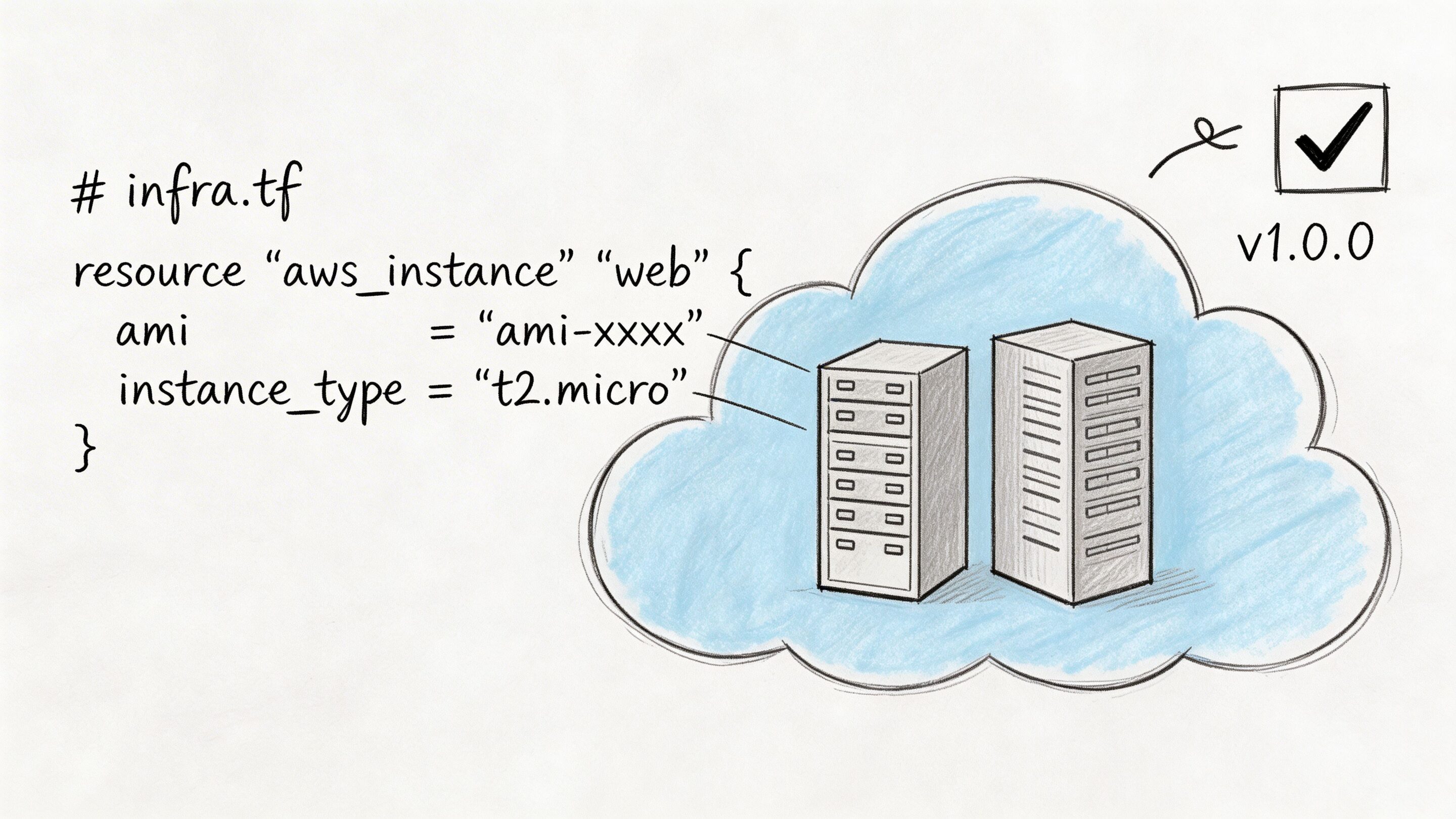
In practice, this is one of the most useful best practices for devops because it creates consistency across development, staging, and production. Teams stop asking whether the server was configured “the same way as last time.” They can inspect the repo and know.
Practical Approaches
Terraform, AWS CloudFormation, Pulumi, and OpenTofu all solve roughly the same business problem. The right choice matters less than using one consistently and reviewing changes like application code.
For fintech, healthcare, and public sector systems, IaC also makes audits less painful. Security groups, encryption settings, and retention policies are visible and repeatable. If your compliance posture depends on screenshots and tribal knowledge, it is already weaker than you think.
A practical pattern looks like this:
- Start with low-risk resources: Move non-critical services first so the team learns the workflow without putting customer-facing systems at risk.
- Review every infrastructure change: Pull requests catch mistakes earlier than late-night console edits.
- Separate environments cleanly: Use separate state files and clear boundaries so staging experiments do not leak into production.
- Add policy checks: Tools such as OPA or Sentinel help teams enforce rules before deployment.
Common failure mode
Many teams “adopt IaC” but keep making emergency manual edits in the cloud console. That creates drift. The code says one thing. Production says another. Eventually, a redeploy overwrites the manual fix, and everyone learns the same lesson again.
If it changes production, it should pass through the same review path as code. Exceptions should be rare and documented.
For AI modernization, IaC pays off twice. You can provision model gateways, vector stores, observability pipelines, and secrets infrastructure with the same discipline you use for the main app. That makes experimentation faster without turning the platform into a puzzle no one can safely touch.
2. Continuous Integration and Continuous Deployment
The quarter goes sideways fast when a team ships a new customer workflow on Friday, finds a regression in production that night, and spends the weekend figuring out which change caused it. A disciplined CI/CD pipeline prevents that kind of avoidable chaos. It gives every code change, infrastructure update, and AI behavior change a defined path through build, test, approval, and deployment.
CI/CD matters because release quality affects revenue, customer trust, and operating cost. Teams that deploy in small increments catch defects earlier, recover faster, and spend less time coordinating risky launch windows. That matters even more in AI modernization, where model endpoints, prompt templates, retrieval logic, and safety policies can change user-facing behavior just as much as application code.
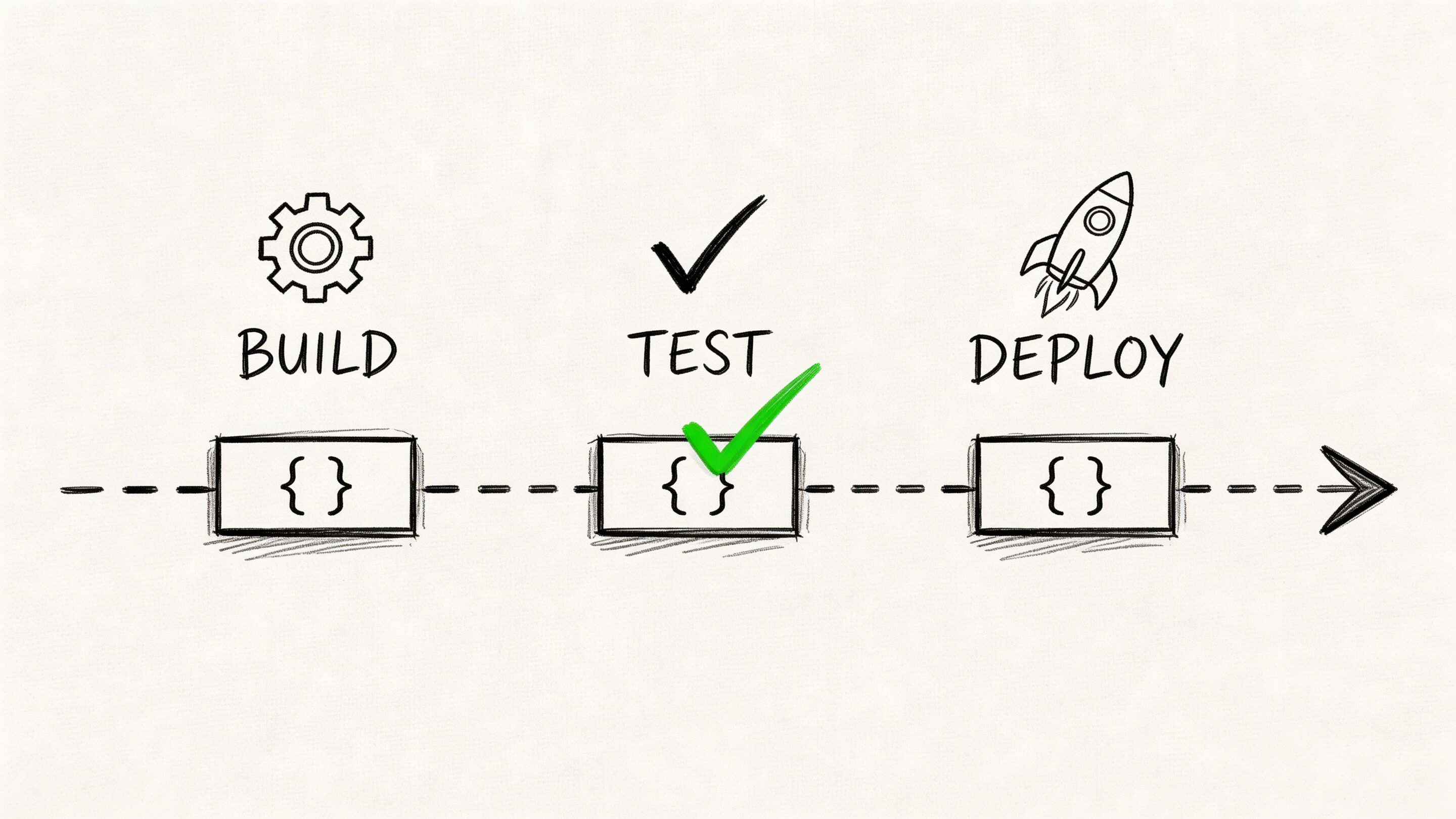
The operational shift that pays off fastest is separating deployment from release. Deploy code when it is ready. Release functionality when the business is ready.
Feature flags, canary rollouts, and blue-green deployments make that possible. Product teams gain control over timing. Compliance teams get a clearer review point. Engineering avoids bundling ten changes into one high-stakes release. For AI features, this also gives teams room to validate a new model route or prompt change with a small audience before exposing it to everyone.
Teams building this muscle do better when they standardize the pipeline before they try to optimize it. Wonderment’s guide to CI/CD pipeline best practices is a useful reference for the mechanics, but the strategic point is simple. Every production change should move through the same system, with the same visibility, and with rollback already prepared.
A practical starting point looks like this:
- Run build and test on every commit: Fast feedback keeps integration problems small and cheap to fix.
- Track what changed in every deployment: Support and engineering need a clear record when a release affects customers or model output quality.
- Make rollback routine: Recovery should be scripted and tested, not improvised on a call with half the company watching.
- Use progressive delivery for higher-risk changes: Start with a small percentage of traffic, especially for payment flows, account logic, and AI-assisted experiences where output quality can drift in subtle ways.
One trade-off deserves attention. More pipeline stages can improve safety, but too many manual gates turn CI/CD into theater. I have seen teams automate builds and packaging, then lose days waiting on approvals that add little real review value. Keep human approval where judgment matters, such as compliance-sensitive releases or major model changes. Automate the rest.
For AI deployments, extend the pipeline beyond traditional app checks. Validate prompt and model configuration changes, run regression tests against representative inputs, and watch latency and cost before full rollout. That discipline helps teams ship AI features faster without letting experimentation erode reliability or cloud spend.
3. Containerization and Container Orchestration
“Works on my machine” is funny exactly once.
Containers package an application with its runtime dependencies so it behaves consistently across laptops, CI runners, and cloud environments. Orchestration platforms such as Kubernetes then manage deployment, scheduling, scaling, networking, and restarts across a fleet.
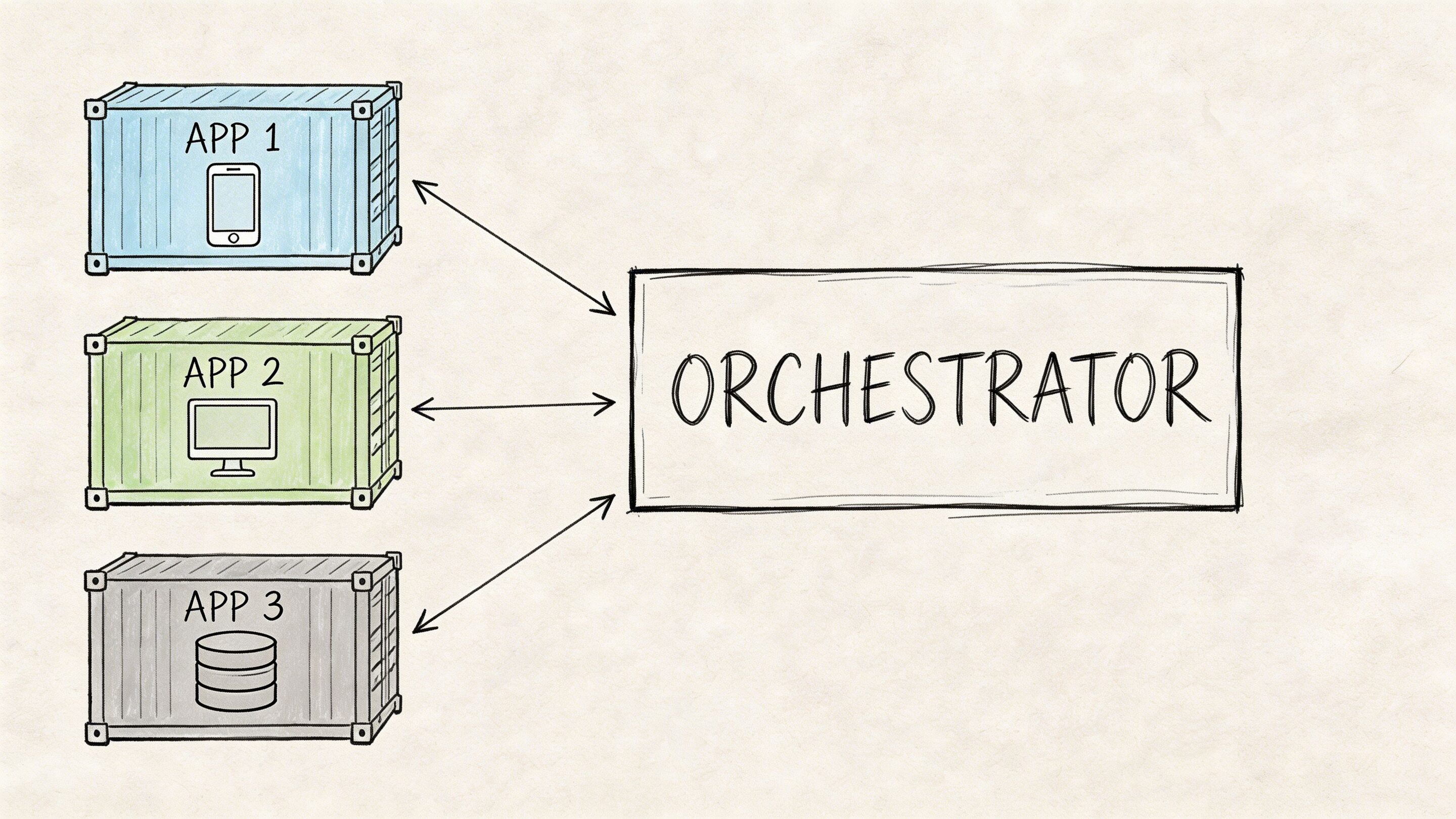
This is one of the best practices for devops that pays off as systems become more modular. AI services often accelerate that trend. Suddenly you have the main app, an embeddings worker, a prompt service, a background queue, a moderation layer, and an admin tool. Containers keep that sprawl manageable.
The trade-off many teams underestimate
Containers simplify packaging. They do not simplify operations by themselves.
A team can move from virtual machines to Docker and feel immediate relief. Then it jumps into self-managed Kubernetes too early and inherits cluster complexity, networking quirks, admission controllers, storage classes, and a whole new vocabulary of failure. Managed services such as EKS, GKE, or AKS often make more sense unless platform engineering is already a core competency.
A few habits matter more than the orchestrator brand:
- Build small images: Multi-stage builds reduce attack surface and improve pull times.
- Set resource requests and limits: Otherwise noisy neighbors and surprise throttling appear at the worst times.
- Use readiness and liveness probes carefully: Good probes improve recovery. Bad probes create restart storms.
- Keep configuration out of images: Environment-specific settings belong in config maps, secrets managers, or equivalent tools.
Where containers shine
Containers are particularly useful when your app must scale unevenly. Maybe your checkout API needs strict reliability, while an AI summarization worker can run asynchronously and scale based on queue depth. Separate containers let you tune each workload to the business need instead of scaling the entire monolith just to support one hot path.
The mistake is containerizing everything because it feels modern. Some systems benefit immediately. Others just acquire packaging overhead. Use containers where portability, scaling, and isolation solve a real operational problem.
4. Monitoring, Logging, and Observability
A dashboard full of green checks can still hide a bad customer experience.
Monitoring tells you whether known signals crossed known thresholds. Observability helps your team investigate unknown problems by correlating logs, metrics, and traces across distributed systems. In modern applications, especially those with APIs, queues, third-party services, and AI components, that difference matters a lot.
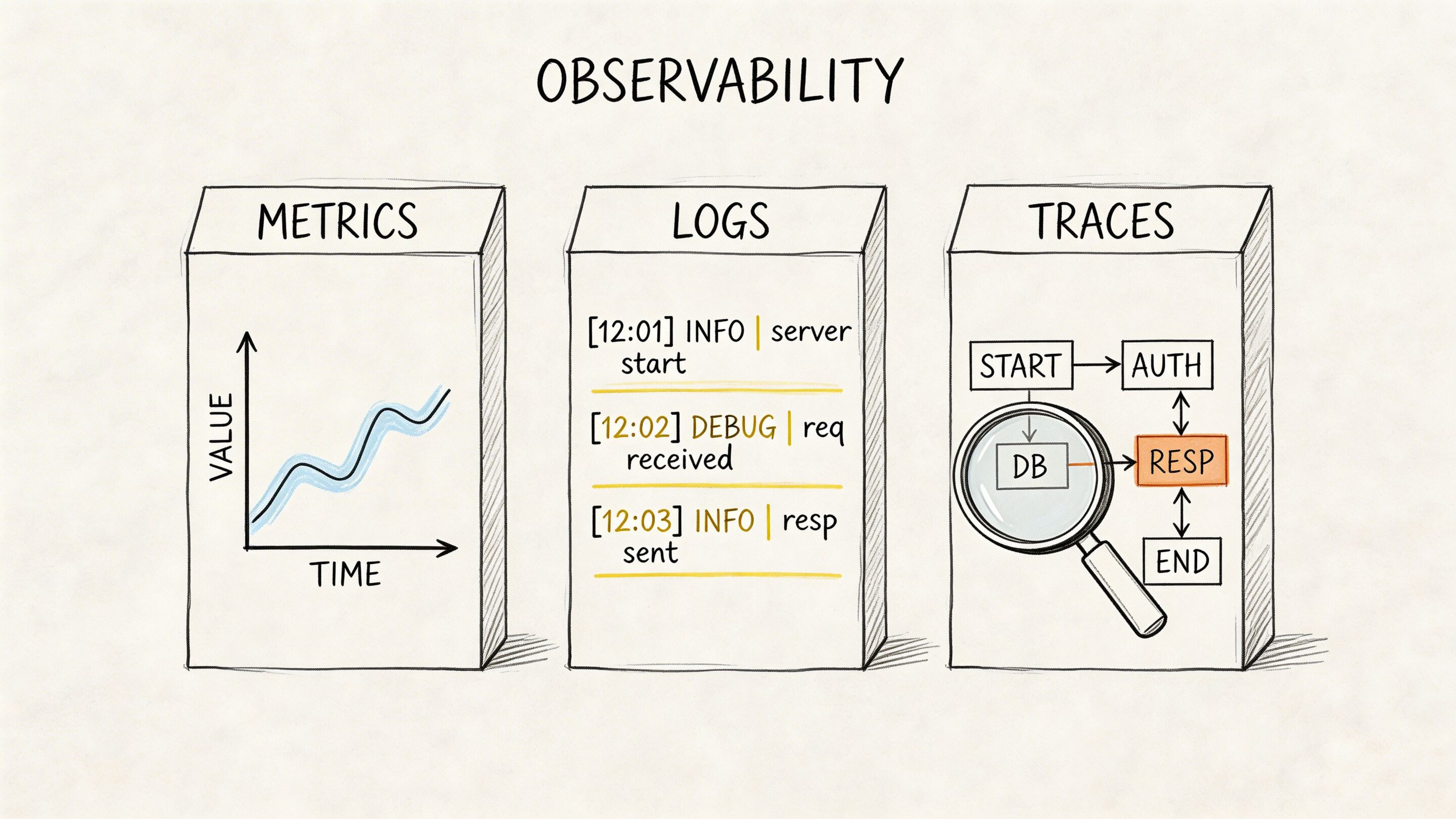
The tooling story is where many teams get stuck. Octopus reports that 54% of DevOps teams are responsible for observability, 85% use more than one monitoring tool, and only 14% are satisfied with MTTR. That combination is familiar. The issue is rarely lack of data. It is fragmented context.
Build one operational narrative
A strong setup connects a customer event to an application trace, a service log, an infrastructure metric, and a deployment marker. If the team has to swivel between tools and manually line up timestamps, recovery slows down.
That is why consolidated stacks have become attractive. Grafana with Mimir, Loki, and Tempo is one example. OpenTelemetry is another practical standard because it helps teams propagate trace context across services instead of inventing custom instrumentation every time.
Instrument business events too. “Checkout latency by payment provider” or “AI answer timeout by model route” is often more useful than raw CPU graphs.
Cost control matters too
Observability can become its own budget problem, especially once traces and verbose logs pile up. Tail-based sampling is one of the smarter trade-offs. Keep the high-value traces for errors and slow requests. Sample the quiet background noise more aggressively.
In AI-enabled products, this gets even more important. Teams need logs for prompt execution, traces for service flow, and enough metadata to understand failures without storing every token-heavy event forever. The mature move is not “collect everything.” It is “collect what helps you debug and operate responsibly.”
5. Security and Compliance Automation
Security reviews that happen right before launch usually produce one thing. Delay.
DevSecOps shifts security and compliance checks earlier into the software lifecycle, where they are cheaper to fix and less disruptive to the business. That means code scanning, dependency checks, image scanning, secrets detection, policy checks, and access control validation become part of the delivery system itself.
For industries such as fintech, healthcare, and public services, this is not optional process overhead. It is how teams move quickly without creating unacceptable risk.
Put security in the path, not on the sidelines
Strong teams do not wait for a separate audit phase to discover that a service account has broad permissions or a dependency introduced a known vulnerability. They wire those checks into pull requests, build pipelines, and deployment gates.
The challenge is balancing protection with developer flow. Too many blocking checks with poor signal quality train engineers to click around the process or ignore alerts entirely. The practical answer is tiered controls.
- Use lightweight checks early: Catch obvious issues at commit and pull request time.
- Apply stricter gates where risk is highest: Production-facing services and regulated data paths deserve more scrutiny.
- Manage secrets centrally: Use tools such as AWS Secrets Manager, HashiCorp Vault, or cloud-native equivalents instead of config files and wiki pages.
- Document exceptions: Temporary risk acceptance should be visible and time-bound.
A useful primer for leaders and delivery teams is Wonderment’s article on security in DevOps.
AI systems make this more urgent
AI features introduce fresh attack surfaces. Prompt injection, over-permissive data access, insecure model routing, and sensitive output logging can all become operational risks. Security automation helps because it treats these concerns as repeatable controls instead of one-time conversations.
What does not work is adding “AI governance” as a slide in a steering committee while the application pipeline remains unchanged. If the controls are real, they should show up in the engineering workflow.
6. Automated Testing Strategies
Fast delivery without testing is not agility. It is deferred cleanup.
Automated testing is the mechanism that keeps release speed from crushing product quality. The exact mix will vary by architecture, but the principle is stable. Most confidence should come from tests that are quick, reliable, and close to the code. A smaller set of broader tests should validate integration points and critical user journeys.
Favor a practical testing pyramid
Many teams sabotage their own pipelines by leaning too heavily on slow end-to-end tests. Those tests have value, especially around signup, checkout, authentication, and other high-risk flows. But they are expensive to maintain and often fail for reasons unrelated to the change under review.
Healthier test suites put more weight on unit and service-level integration tests, then reserve full browser or system tests for the journeys that matter most to the business.
A few patterns hold up well:
- Test business rules first: Tax logic, access rules, pricing behavior, and workflow conditions deserve precise coverage.
- Use contract tests for services: They catch breaking API changes without requiring every system to boot together.
- Run performance checks in staging: Functional correctness alone does not protect customer experience.
- Keep flaky tests on a short leash: Quarantine and fix them quickly. Flakiness erodes trust in the whole pipeline.
For teams revisiting their QA discipline, Wonderment’s guide to quality assurance testing best practices is worth a read.
AI features need test strategies too
Testing AI is different, but it is not impossible. You may not assert one exact sentence as the only valid output. You can still test for structure, policy compliance, latency boundaries, fallback behavior, and acceptable response ranges.
Prompt versioning becomes operationally important in this context. If a prompt change causes a drop in answer quality or a spike in cost, teams need a clean rollback path. Treat prompts as testable release artifacts, not hidden text blobs living in application code.
7. Configuration Management and Secrets Management
Configuration drift creates some of the most boring and expensive outages in software.
A service points at the wrong queue in staging. A production worker uses an expired API key. A developer hardcodes a temporary value and forgets to remove it. None of these failures look dramatic in a roadmap meeting, but they create hours of waste and real customer impact.
Configuration management separates environment-specific settings from the application itself. Secrets management keeps credentials, certificates, and tokens out of source control and under controlled access.
Keep sensitive values out of the repo
This sounds obvious. Teams still violate it constantly under deadline pressure.
A better operating model uses environment variables, secret stores, and deployment-time injection. Access follows least privilege. Rotation is automated where possible. Audit logs exist for who accessed what and when. In regulated environments, that control surface matters as much as the app code.
Here is the simple standard:
- Never commit secrets: Add pre-commit scanning and CI checks to catch accidental leaks.
- Separate by environment: Production credentials should never be shared with lower environments.
- Use expiring credentials when possible: Short-lived access reduces blast radius.
- Log secret access: Not the values, the access events.
Why this matters more with AI modernization
AI features tend to multiply integrations. Model providers, vector databases, search APIs, document stores, analytics tools, and internal data sources each introduce more keys and more configuration. If teams manage that sprawl informally, the platform becomes fragile fast.
This is also where a purpose-built administrative layer helps. A parameter manager that controls how prompts access internal data is not merely a convenience feature. It is a way to reduce accidental overreach and make data access more deliberate.
The weak pattern is storing model settings, prompt variables, and provider keys in scattered environment files and hoping everyone remembers what is current. The strong pattern is central control with versioning, auditability, and clear ownership.
8. Incident Management and Runbooks
When something breaks, the first few minutes decide whether the incident stays small.
Strong incident management is not just paging someone and opening a chat room. It is a structured response system with clear ownership, escalation paths, communication norms, and runbooks that guide people through likely failure modes.
Runbooks should be executable, not inspirational
A useful runbook answers specific questions fast. What alerts indicate this issue? What dependencies should the responder check first? What commands or dashboard views matter? When should the team fail over, restart, scale out, or roll back?
Too many runbooks read like policy documents. During an incident, nobody needs a paragraph on company values. They need a decision tree.
If your on-call engineer still has to ask three people where the right dashboard lives, the runbook is incomplete.
Blameless postmortems matter here too. Good teams examine the conditions that allowed the failure, not just the final triggering action. They improve alerts, automation, documentation, and ownership boundaries so the same class of incident becomes less likely.
AI workloads need incident patterns of their own
AI-enabled systems fail in distinctive ways. A provider slows down. A prompt revision raises latency. A retrieval layer starts returning poor context. Costs spike because a route shifts to a more expensive model. These are operational incidents, even when they do not look like classic infrastructure outages.
That is why unified logging and version tracking matter so much. If responders can see which prompt version shipped, which model handled the request, and what parameters were applied, they can isolate problems much faster. Without that trail, teams end up arguing from guesses.
The best incident cultures make response repeatable and learning continuous. They do not rely on heroics.
9. Infrastructure Scaling and Load Balancing
Growth has a habit of arriving unevenly.
A campaign lands. A partner integration goes live. A payment event spikes traffic. A piece of content catches fire. The system that looked perfectly healthy yesterday suddenly needs more capacity in one narrow area and not much elsewhere.
That is why infrastructure scaling and load balancing belong on any serious list of best practices for devops.
Design for horizontal movement
Scaling works better when applications are stateless, or at least as stateless as the architecture allows. Load balancers can then distribute requests across multiple instances without sticky-session gymnastics, and orchestration tools can add or remove capacity with less risk.
Caching also matters. Redis, CDN layers, and query optimization often solve customer-facing performance problems more efficiently than brute-force compute growth. Teams that skip this discipline often “solve” traffic with more servers until cloud bills become the next incident.
A practical scaling posture includes:
- Health checks that reflect reality: An instance should not receive traffic until it is ready.
- Aggressive scale-up, cautious scale-down: This is especially useful for customer-facing commerce and event-driven traffic.
- Queue-based scaling where appropriate: Background jobs and AI tasks often scale better on backlog depth than CPU alone.
- Cost guardrails: Autoscaling without budget awareness can turn a success spike into a financial headache.
Tie scaling to user experience
The best teams do not scale around infrastructure metrics alone. They watch request latency, error rates, queue age, and customer-critical journey timing. If a recommendation engine slows down but the checkout path remains healthy, the business decision may differ from a broad all-systems panic.
AI features add another wrinkle. Model calls can be slow, bursty, and expensive. Sometimes the better answer is not more replicas. It is asynchronous design, response streaming, caching, or fallback behavior when the premium path is under pressure.
The useful mindset is this: scale the experience customers care about, not just the servers engineers can see.
10. Disaster Recovery and Business Continuity Planning
Every system fails eventually. Mature teams decide in advance how much failure the business can tolerate.
Disaster recovery is the discipline of restoring systems and data after serious disruption. Business continuity is the broader plan for keeping critical operations going while that recovery happens. For software leaders, the key is to turn both from shelf documents into tested operating capability.
Recovery goals should come from business impact
Not every service needs the same recovery target. A customer payment workflow, clinical workflow, or regulatory reporting path usually demands more protection than an internal dashboard. Leaders should define recovery expectations according to operational and customer impact, then align architecture and process around those priorities.
The 2024 DORA report emphasizes resilience over pure speed, and teams using hybrid cloud and public cloud correlate with stronger goal achievement, according to Firefly’s summary of DevOps best practices and DORA findings. The point is not that any one hosting model is magical. The point is that resilient design has become a performance differentiator.
Test the recovery, not just the backup
Backups are necessary. Untested backups are wishful thinking.
Recovery plans need simulation. Teams should practice region loss, database restore, dependency failure, credential compromise, and key-person absence. Infrastructure as Code helps here because it turns rebuilds into repeatable procedures rather than frantic reassembly.
A solid continuity posture usually includes:
- Documented failover paths: People need to know what switches first and who authorizes it.
- Verified backups: Restoration must be proven, not assumed.
- Communication templates: Customers, partners, and internal teams need timely updates during disruption.
- Role clarity: Ambiguity wastes time when pressure is highest.
For AI-enabled applications, continuity planning should also address model fallback, provider switching, and degraded modes. If one external model becomes unavailable, can the product still serve a simpler response, queue work, or route to another provider safely? The companies that answer these questions early recover with less drama later.
Top 10 DevOps Best Practices Comparison
| Item | Implementation complexity | Resource requirements | Expected outcomes | Ideal use cases | Key advantages |
|---|---|---|---|---|---|
| Infrastructure as Code (IaC) | Medium: requires coding skills and state management | IaC tools (Terraform/CloudFormation), DevOps engineers, CI integration | Repeatable, auditable infrastructure; faster provisioning and rollback | Compliant fintech/healthcare, multi-environment platforms, scaling AI infra | Consistency, auditability, reduced human error |
| Continuous Integration and Continuous Deployment (CI/CD) | Medium to High: needs test automation and pipeline design | CI/CD platform, test suites, build agents, engineering time | Faster, smaller releases with earlier bug detection | High-frequency deployments, feature experimentation, model iteration | Faster time-to-market, lower deployment risk, developer productivity |
| Containerization and Container Orchestration | High: orchestration and cluster ops expertise required | Container runtime (Docker), orchestration (Kubernetes/ECS), SRE/ops staff | Portable, scalable deployments with self-healing and rolling updates | Microservices, scalable AI model serving, multi-cloud deployments | Environment parity, efficient scaling, portability |
| Monitoring, Logging, and Observability | Medium to High: instrumentation and analysis expertise | Metrics/log collection, tracing tools, storage, SRE/DevOps resources | Faster MTTR, proactive anomaly detection, deep system insights | High-scale systems, fintech/healthcare, model drift detection | Early detection, improved reliability, data-driven troubleshooting |
| Security and Compliance Automation | Medium to High: policy integration across pipelines | SAST/DAST/SCA tools, container scanners, security engineers, policy-as-code | Early vulnerability detection, automated compliance and audit trails | Fintech, healthcare, regulated environments, payment systems | Reduced security risk, compliance automation, quicker response |
| Automated Testing Strategies | Medium: test design, maintenance, and coverage efforts | Unit/integration/e2e frameworks, test data, CI resources, QA staff | Higher quality releases, regression protection, confident refactoring | Complex applications, AI validation, ecommerce checkout flows | Early bug detection, supports CD, lowers manual QA burden |
| Configuration Management and Secrets Management | Medium: secure stores and access control policies | Secrets manager (Vault/AWS Secrets Manager), IAM, audit logging | Secure credential handling, environment-specific configuration | Multi-tenant SaaS, fintech, sensitive integrations | Prevents credential leaks, centralized control, secret rotation |
| Incident Management and Runbooks | Medium: process, on-call culture, and documentation | On-call tooling (PagerDuty), runbooks, rotation policies, training | Consistent, faster incident response and continuous learning | Production-critical services, high-availability platforms | Reduced MTTR, knowledge retention, blameless post-mortems |
| Infrastructure Scaling and Load Balancing | Medium to High: autoscaling strategy and state handling | Autoscaling (K8s/HASGs), load balancers, caching, monitoring | Handle traffic spikes, improved availability, cost optimization | Ecommerce peaks, media virality, large-scale web services | Scalable performance, high availability, cost efficiency |
| Disaster Recovery and Business Continuity Planning | High: multi-region design and regular testing | Backup/DR tools, duplicate infra, runbooks, recovery drills | Minimized data loss, defined RTO/RPO, regulatory compliance | Fintech, healthcare, public sector with strict SLAs | Regulatory compliance, minimized downtime, customer trust |
Your Next Step Building a DevOps-Powered AI Future
A familiar pattern plays out in AI modernization efforts. The team ships a promising pilot, leaders see early interest, and then production reality shows up. Releases slow down, model behavior changes across environments, costs rise without a clear owner, and no one has a clean answer when a customer-facing workflow fails at 2 a.m.
DevOps prevents that pattern from becoming the operating model.
Across the practices in this guide, the business value is consistent: faster delivery, fewer release surprises, better user experience, and tighter control over infrastructure and AI spend. Infrastructure as Code reduces environment drift. CI/CD shortens release cycles. Containers make deployments predictable. Observability speeds diagnosis. Security automation catches policy gaps earlier. Testing protects revenue-critical workflows. Configuration and secrets management reduce exposure. Runbooks improve incident response. Scaling keeps applications responsive under load. Disaster recovery limits the cost of failure.
For business leaders, that adds up to more than engineering efficiency. It creates a delivery system that can support modernization without increasing operational chaos. Teams can ship new product capabilities faster because the path from change to production is defined, repeatable, and measurable. That matters even more for AI-enabled products, where deployment risk includes model updates, prompt revisions, provider outages, data access controls, and usage-based costs.
AI changes the operating model in specific ways. A strong demo can still fail in production if prompt versions are not tracked, model parameters are handled inconsistently, logs are split across tools, or spending is only reviewed after the invoice arrives. Those problems affect release speed and margins at the same time.
That is why prompt operations belong inside the DevOps conversation for AI systems. Wonderment Apps offers an administrative tool for that layer, including a versioned prompt vault, a parameter manager for controlled access to internal data, unified logging across integrated AI systems, and cost tracking for cumulative usage. Those capabilities bring operational discipline to prompt-driven features in the same way teams already expect discipline for application code, infrastructure, and deployments.
The payoff is practical. An ecommerce team can roll out AI-assisted search without losing visibility into latency and spend. A healthcare platform can add workflow automation with tighter controls around data access and auditability. A fintech product can ship customer-facing AI features with clearer change management and rollback paths. Internal AI assistants benefit too, especially once adoption spreads beyond a single department.
The next step should be small and concrete. Fix the bottleneck that is slowing delivery today. For some teams, that is release automation. For others, it is observability, secrets management, or cost visibility for AI workloads. Start there, measure the result, and build from a stronger base.
If you are also shaping the team that will own this work, it helps to explore the AI Engineer role and see how it intersects with platform, product, and DevOps responsibilities.
DevOps is how modernization scales. For AI initiatives, it is also how new capabilities reach production without eroding reliability, governance, or cost control.
Wonderment Apps helps organizations modernize software, ship scalable web and mobile products, and add operational discipline to AI-enabled applications. If you want a partner for delivery or want to see how its prompt management system works in practice, visit Wonderment Apps.