

You’re probably dealing with one of two headaches right now. Your team already has a web product that feels dated on mobile, or you’ve priced out separate iOS and Android builds and don’t love the timeline, cost, or maintenance burden.
That’s where progressive web app development services become a strategic option, not just a technical one. A well-built PWA gives users an app-like experience in the browser, cuts delivery friction, and creates a cleaner path to modernization when you want to layer in AI features like personalization, recommendations, support workflows, or internal copilots.
That last point matters more than most guides admit. Teams can bolt AI onto almost anything. The hard part is running it responsibly once prompts multiply, model choices expand, and token costs start showing up in finance meetings. That’s why smart modernization now includes not just the app itself, but also administrative tooling for prompt versioning, parameter controls, logging, and cost visibility.
Beyond the App Store Your Smartest Business Move
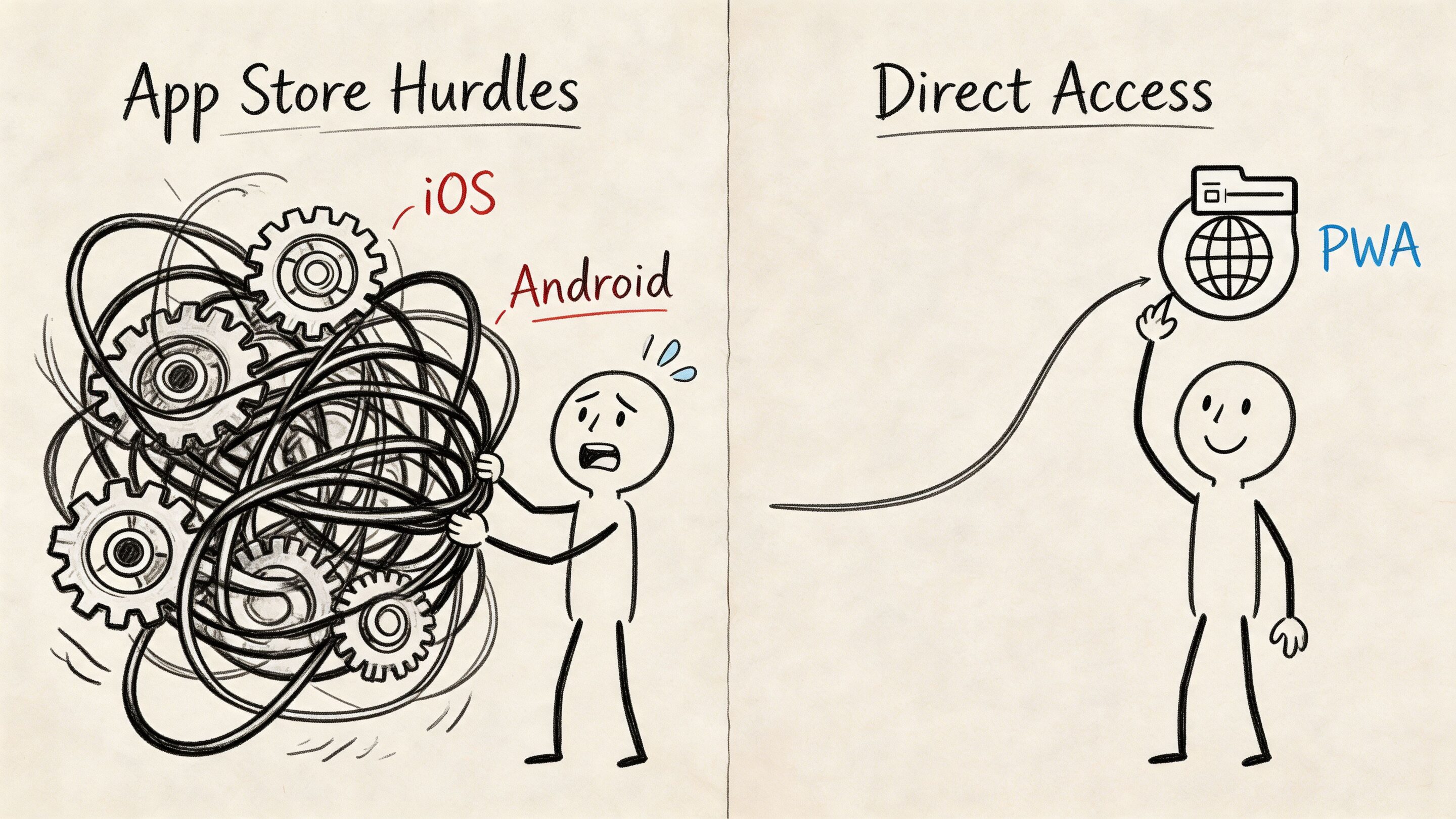
Building a native app stack often means duplicate work, approval delays, and one more hurdle between you and the customer. Users have to find your app, trust it, install it, update it, and keep it. Many won’t make it through that chain.
A PWA strips away much of that friction. People can open it from a link, use it in a browser, and often install it to their home screen without a traditional app store journey. For many businesses, that’s the difference between being easy to try and easy to ignore.
The business case is getting harder to dismiss. The global PWA market is projected to grow from USD 1,487.33 million in 2024 to USD 22,069.45 million by 2034, with a 31.0% CAGR, according to Polaris Market Research’s progressive web apps market analysis. That kind of projected growth doesn’t happen because a technology is trendy. It happens because companies keep finding practical uses for it.
Why this shift is bigger than mobile delivery
PWAs sit in a useful middle ground. They can feel more like products than websites, but they avoid many of the operational burdens of fully native builds. That makes them attractive for ecommerce storefronts, SaaS dashboards, patient portals, field tools, media platforms, and internal enterprise systems.
They also create a strong foundation for AI modernization because the same application can serve desktop and mobile users from one product surface. If you want to add search assistance, guided workflows, product recommendations, anomaly alerts, or support automation, a PWA gives you one place to orchestrate that experience.
A modern PWA isn’t just a better mobile site. It’s often the cleanest launchpad for future features your team hasn’t scoped yet.
The smartest move isn’t always “build an app.” Often it’s “build the right app architecture once, then extend it intelligently.”
What Exactly Is a Progressive Web App
A progressive web app is a website that has learned a few app tricks. It still uses web technologies, still opens from a URL, and still benefits from search visibility. But it can also become installable, work more reliably in weak network conditions, and support app-like behaviors such as push notifications and offline access.
A simple analogy helps. A responsive website is a site that resizes itself nicely for a phone. A PWA is that same site after it’s gained memory, resilience, and a stronger relationship with the device.
The plain-English definition
Confusion often arises because “web app,” “mobile app,” and “responsive site” sound interchangeable. They aren’t.
A responsive site adjusts layout. A native app is built specifically for iOS or Android. A PWA lives on the web, but uses modern browser capabilities so it behaves much more like an app.
Core traits usually include:
- Installability: Users can add it to a home screen or desktop.
- Linkability: Every screen can still be shared with a URL.
- Reliability: Key assets can be cached so the app remains usable in poor connectivity.
- Re-engagement: Push notifications can bring people back.
- Security: PWAs are served over HTTPS.
- Discoverability: Search engines can index content more naturally than with a closed native app experience.
If you’re comparing options for a product roadmap, this overview of cross-platform mobile app solutions is also useful because it helps frame when a browser-based approach makes more sense than a device-specific build.
PWA vs Native App vs Responsive Website
| Feature | Progressive Web App (PWA) | Native App | Responsive Website |
|---|---|---|---|
| Installation path | Browser-based install in supported environments | App store download | No install flow |
| App store dependency | No | Yes | No |
| Offline support | Yes, when designed with service workers and caching | Yes | Limited |
| Push notifications | Supported in many modern environments | Yes | Limited |
| Search visibility | Strong | Limited compared with web pages | Strong |
| Codebase strategy | Single web codebase | Separate platform builds are common | Single web codebase |
| Access friction | Low | Higher due to store and download steps | Low |
| App-like UX | Yes | Yes | Usually less app-like |
That comparison is why business leaders often pause at the same question. If a PWA can cover the core experience, when is native still necessary?
Where teams make the wrong comparison
The wrong comparison is “PWA versus website.” The better comparison is “What’s the lightest architecture that can still deliver the experience, reliability, and business model we need?”
If your product depends on deep hardware access or platform-specific features, native may still win. If your goals center on reach, speed to market, simpler updates, and a cleaner path to modern web performance, a PWA often becomes the stronger choice.
For a more detailed side-by-side, this Wonderment Apps article on progressive web app vs native app is a helpful follow-up.
Practical rule: If users mainly need fast access, repeat visits, strong mobile UX, and minimal download friction, a PWA deserves a serious look before you approve two separate native roadmaps.
Why Your Business Needs a PWA Right Now
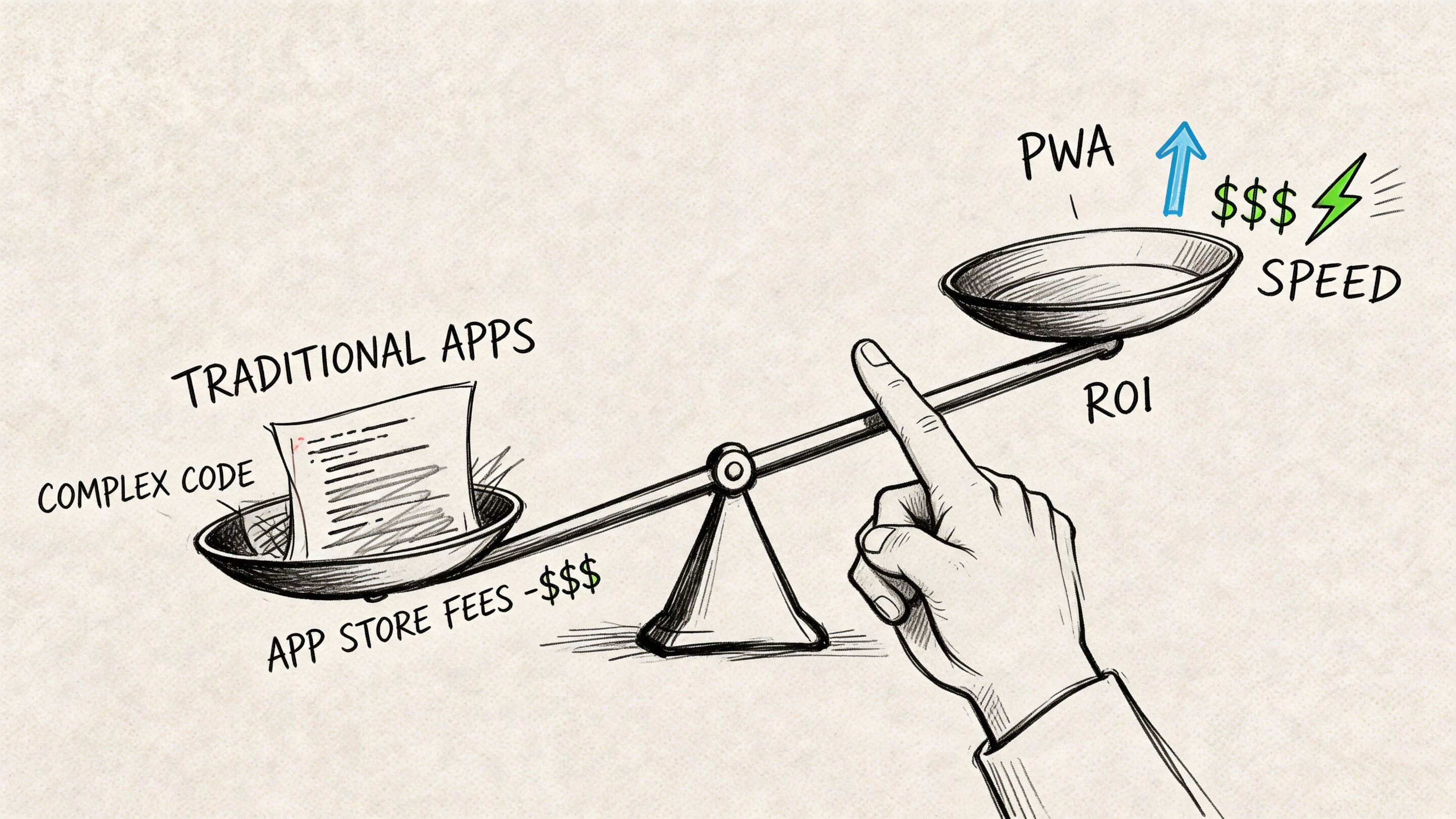
The clearest reason to invest in progressive web app development services is that they improve business outcomes in places leaders already care about. Conversion. Retention. cost-to-maintain. Reach.
According to The Permatech’s PWA performance overview, businesses that adopt PWAs report conversion rates rising 36%, user retention increasing 50%, bounce rates falling 45%, time on site increasing 140%, and app development costs declining by up to 35%. Those are not cosmetic improvements. They touch acquisition, engagement, and operating efficiency all at once.
What that means in real business terms
For ecommerce, the issue is usually mobile drop-off. A customer taps an ad, lands on a slow product page, hesitates at login, and disappears before checkout. A PWA helps by making the storefront faster and more dependable, especially when the connection is weak.
For SaaS, the challenge is consistency across devices. Users don’t care whether your team labeled the product “desktop-first” or “mobile-enhanced.” They care whether they can finish the task. A PWA can give account dashboards, approvals, messaging, and workflows a more unified experience.
For media and content-heavy platforms, engagement is the battleground. Faster loading, installability, and re-entry through notifications create more opportunities for users to come back without asking them to commit to a full app install.
If you’re focused specifically on storefront performance, this guide to increasing e-commerce sales is worth reading alongside your product planning because it connects UX choices to conversion behavior in a very practical way.
Why leaders care about the cost angle
The cost story isn’t just about the first build. It’s about every month after launch.
Separate native apps often mean separate release cycles, separate QA paths, separate platform quirks, and separate resourcing decisions. A PWA can reduce that sprawl by concentrating effort into one modern web platform.
Here’s where teams usually underestimate the value:
- Fewer moving parts: Product, design, QA, and engineering can align around one primary experience.
- Faster updates: You can ship web changes without waiting on an app store gate.
- Simpler analytics: Cross-device behavior is easier to interpret when people use one product surface.
- Broader reach: A link remains the easiest distribution mechanism on the internet.
PWAs solve a trust problem too
Users trust products that load quickly, behave predictably, and don’t interrupt them with unnecessary friction. That trust builds subtly. It shows up as one more page view, one completed checkout, one saved session, one return visit.
Better product performance doesn’t only make engineers happy. It makes customers less likely to leave halfway through something important.
That’s why PWAs have become a business decision rather than a front-end preference.
Our Blueprint for PWA Success The Development Process
A strong PWA rarely comes from “just making the site installable.” The wins come from deliberate architecture, careful scope control, and a product process that treats performance and reliability as first-class requirements.
The best projects don’t begin with code. They begin with clarity. Teams need to know who the users are, what flows matter most, what must work offline, what can be delayed, and what integrations create risk.
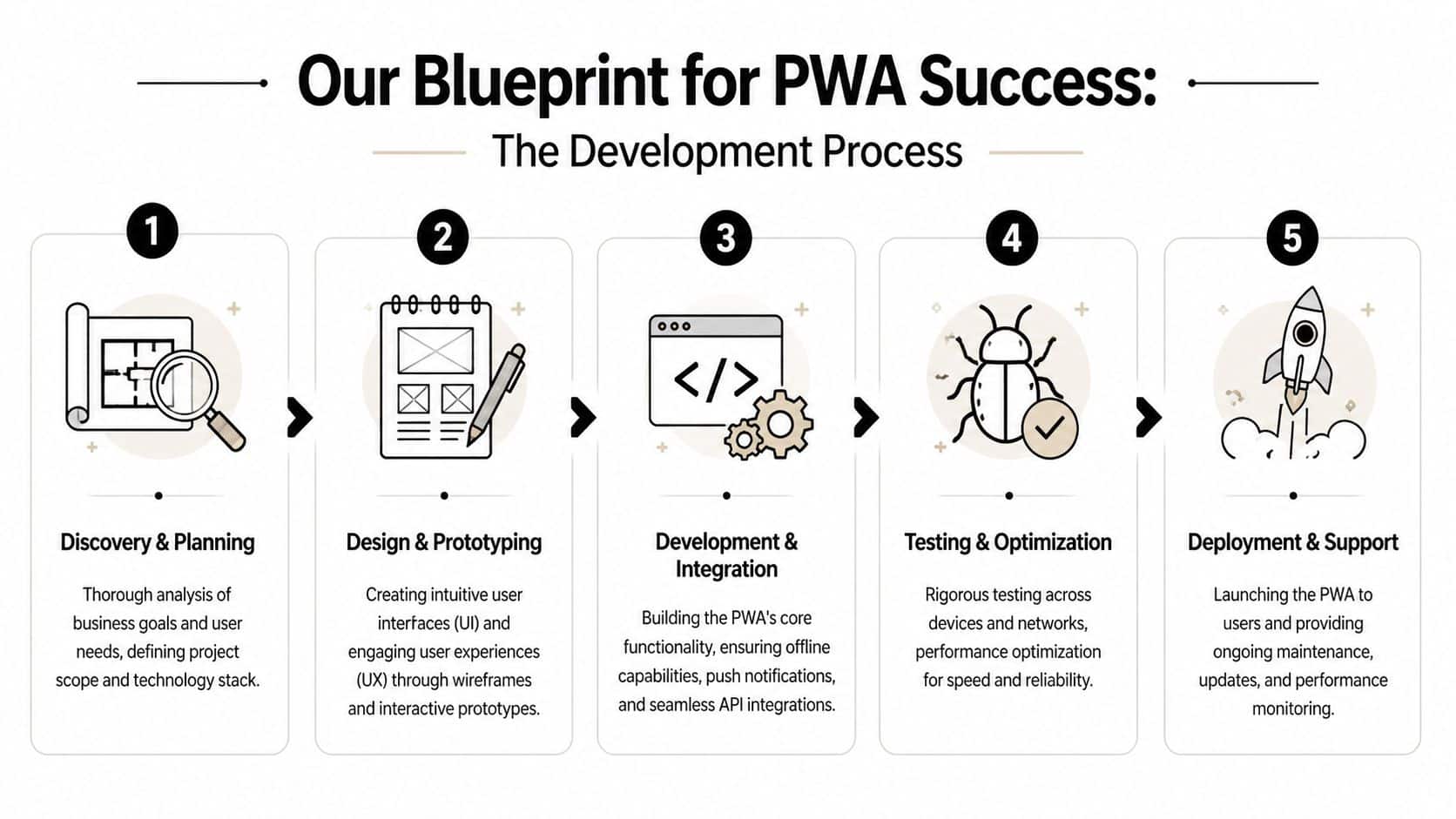
1. Discovery and planning
This stage answers the expensive questions early.
You define the product goals, audience, business rules, success metrics, system dependencies, and rollout priorities. If the client already has a website or legacy app, at this point you decide what gets preserved, what gets rebuilt, and what should be retired.
Useful outputs usually include:
- User journey mapping: Which actions matter most on mobile, desktop, and low-connectivity conditions.
- Technical audit: APIs, authentication, analytics, CMS, payment flow, and any compliance constraints.
- Scope boundaries: A clear separation between must-have launch features and later enhancements.
If your organization hasn’t formalized this kind of software planning before, this article on the web development stage gives a solid overview of how mature teams structure the work before engineering starts.
2. Design and prototyping
PWA design has a different job than standard marketing-site design. It needs to feel lightweight, task-oriented, and app-like.
Navigation matters more. Empty states matter more. Loading states matter more. Teams also need to decide which interactions should feel immediate even when data is syncing in the background.
A good prototype helps answer questions such as:
- Should this experience open with a dashboard, a feed, or a search-first view?
- What data needs local persistence?
- Which actions need optimistic UI behavior so users don’t feel blocked?
- Where do notification prompts belong so they feel useful instead of annoying?
3. Development and integration
The PWA becomes a product, not just a front end, as engineers wire up the web app manifest, service workers, caching rules, API orchestration, authentication, and install behavior.
The tricky part is not adding features. It’s deciding how each feature behaves when conditions are less than ideal.
Examples of the right questions:
- What should load from cache first?
- What content must always come fresh from the network?
- What happens if a user submits data while offline?
- How do we reconcile local changes once the connection returns?
4. Testing and optimization
PWAs can look great in a conference-room demo and still fail in real-world conditions. Testing needs to happen across browsers, screen sizes, and unpredictable networks.
This phase usually covers functional QA, install flow checks, accessibility review, performance audits, and edge cases like interrupted sessions or stale data. It also helps to test on actual devices, not just desktop browser simulators.
Test the product where your users live, not where your office Wi-Fi is strongest.
5. Deployment and support
Launch is where many teams relax too early. PWAs need ongoing attention because browsers evolve, APIs change, and user expectations don’t stand still.
Post-launch support often includes release monitoring, cache updates, browser compatibility maintenance, bug triage, and roadmap extensions. This is also when many organizations begin phase two: adding search improvements, recommendation engines, workflow automation, or AI-powered assistance once the foundation is stable.
Future-Proofing Your PWA with AI Integration
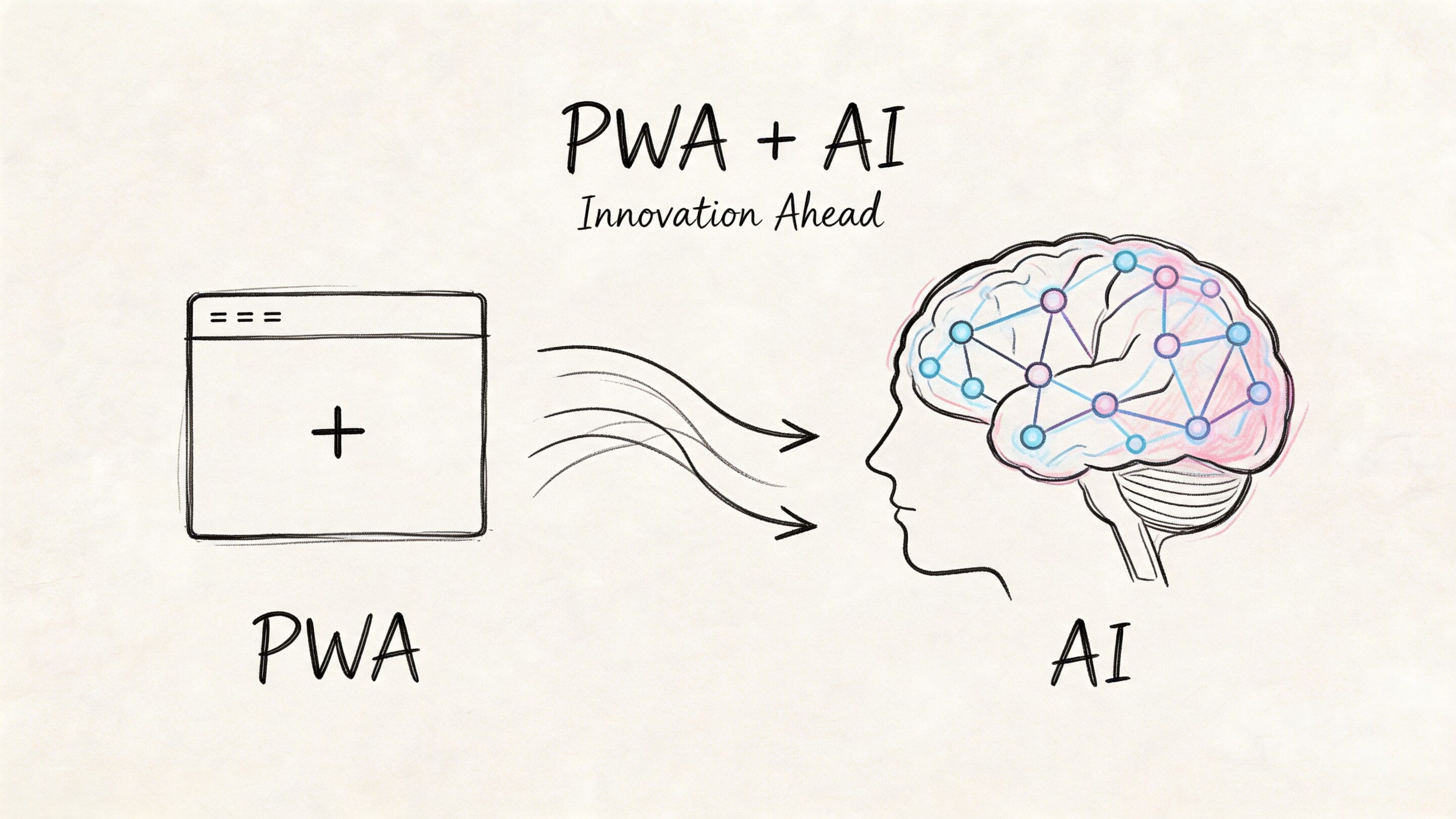
A PWA becomes much more valuable when it stops being only a delivery layer and starts acting like an intelligent product surface. That could mean personalized recommendations in retail, anomaly detection in operations, triage support in healthcare, smarter content discovery in media, or guided workflows inside a SaaS platform.
PWAs are well suited to this because they already sit on modern web architecture. They can connect to APIs, unify mobile and desktop experiences, and present AI-driven outputs in the same interface users already trust.
The opportunity is real
AI integration in PWAs isn’t just a thought experiment. According to Simpalm’s overview of progressive web app development, AI-powered personalization in PWAs is a fast-moving trend, and pioneers like Pinterest have reported 52% higher conversions. The same source also points out the problem many teams ignore: prompt complexity and token cost control can become a long-term operational issue if nobody designs for them up front.
That’s the part too many modernization plans skip. They talk about the model. They don’t talk enough about management.
What AI features fit naturally inside a PWA
Not every app needs a chatbot. Many need something more practical.
Common AI patterns that fit well inside a PWA include:
- Personalized product or content ranking: Useful for ecommerce, marketplaces, and media libraries.
- Smart search and filtering: Especially helpful when catalogs or knowledge bases become challenging to browse.
- Workflow assistance: Summaries, suggested next actions, form drafting, and support guidance.
- Operational signals: Fraud flags, anomaly detection, or prioritization alerts for internal teams.
These features become much more powerful when delivered in one browser-based experience instead of fragmented across separate tools and platforms.
For teams planning customer-facing AI, this piece on AI CX implementation and KPIs is a strong companion read because it grounds AI conversations in service design and measurable outcomes.
The hidden operational challenge
Once AI is live, four problems show up quickly.
Prompt sprawl
Different teams create different prompts, and nobody knows which version is running where.Parameter risk
If model inputs touch internal systems or sensitive data, guardrails matter.Logging gaps
When something goes wrong, teams need to know which prompt, model, and input chain produced the output.Cost drift
Token usage gradually increases until finance asks why “experimental AI” is now part of infrastructure spend.
A proper administrative toolkit helps address that. The most useful versions include a prompt vault with versioning, a parameter manager for controlling structured access to internal data, a unified logging layer across AI integrations, and a cost manager that shows cumulative spend clearly enough for product and business teams to act on it.
AI modernization works better when prompts are treated like product assets, not loose text pasted into code.
That’s one reason many teams now look for a partner that can handle both product engineering and AI development services. The app and the AI layer can’t be planned in isolation if you want the result to be maintainable.
How to Choose the Right PWA Development Partner
A PWA partner shouldn’t just know how to ship a web app. They should know how to make product decisions under real constraints. That includes speed, offline behavior, browser differences, analytics, security, compliance, and long-term maintainability.
If you operate in a regulated environment, this gets more serious. According to Blackthorn Vision’s discussion of PWA development companies, 68% of fintech firms adopting PWAs faced compliance hurdles, and those issues led to 25% project delays. That’s a strong reminder that technical skill alone isn’t enough.
What to ask before signing
Use these questions in partner interviews:
How do you handle offline data and sync behavior?
You want specifics, not general confidence. Ask what happens when users submit data without a stable connection.What’s your approach to performance from day one?
Strong teams talk about architecture, loading priorities, caching, and testing habits early.How do you manage browser differences?
A polished demo in one environment doesn’t prove a durable product.What’s your experience in our industry?
Healthcare, fintech, public sector, and ecommerce all carry different risks.How do you think about post-launch ownership?
Good partners plan for maintenance, enhancements, and product evolution from the beginning.
Signs you’re talking to the right team
The best answers usually sound grounded, not flashy.
Look for a partner who can explain tradeoffs in plain language, challenge unrealistic scope, and connect technical decisions to business outcomes. They should also ask sharp questions about your data model, your internal stakeholders, and your future roadmap rather than jumping straight into frameworks.
A strong partner also treats AI as part of modernization, not as a separate novelty project. If they can talk intelligently about prompt governance, usage monitoring, and integration safety, that’s a good sign they’re thinking beyond launch day.
Red flags worth noticing
A few warning signs come up often:
- They lead with design mockups before discovery
- They can’t explain their QA process clearly
- They dismiss compliance as a legal-team problem
- They treat offline support like a checkbox
- They have no opinion on long-term AI management
The right development partner behaves like a guide with technical depth, not a code vending machine.
Build Your App for Tomorrow Today
The strongest argument for progressive web app development services is simple. They give businesses a practical way to combine reach, speed, and app-like usability without taking on the full weight of separate native builds.
They also age well when the product is designed properly. A PWA can start as a smarter customer experience and grow into a platform for personalization, automation, support tooling, or internal operations. That flexibility matters when business priorities change faster than software budgets do.
At the technical core, service workers make much of this possible. According to GeekyAnts’ guide to PWA development, service workers enable full offline functionality and background sync, can reduce user abandonment by 50% on flaky networks, and can drive a 20% to 40% uplift in conversions and retention. For many organizations, that’s the quiet engine behind a better product experience.
A good PWA strategy doesn’t ask, “How do we copy a native app?” It asks, “How do we build the most useful, resilient, and extensible product for the people who need it?”
If the answer includes AI, personalization, or long-term modernization, plan for that from the start. The app experience and the management layer behind it should grow together.
Frequently Asked Questions About PWA Development
A few questions come up in almost every buying conversation. The answers below are the practical version.
PWA FAQ
| Question | Answer |
|---|---|
| Do PWAs work on iPhone and Android? | Yes, they work across modern mobile browsers, but support for certain features can differ by platform and browser version. That’s why cross-device testing matters early. |
| Can a PWA replace a native app completely? | Sometimes. If your core value is content, commerce, account access, booking, dashboards, workflows, or communication, a PWA may cover most of what users need. If you depend on deep device integration, native may still be the better fit. |
| Are PWAs good for SEO? | Yes. Because they live on the web, their pages and content can support search visibility more naturally than a closed app-store experience, provided the implementation is technically sound. |
| Can an existing website be turned into a PWA? | Often, yes. But the right approach depends on how your current site is built, how interactive it is, and whether the information architecture supports app-like usage. Some teams can progressively enhance what they have. Others benefit more from a structured rebuild. |
| What makes a PWA feel fast? | Caching, careful front-end architecture, optimized assets, efficient API usage, and thoughtful loading behavior all matter. “Fast” is usually the result of several good engineering decisions working together. |
| Can a PWA support AI features? | Yes. A PWA can present recommendations, guided support, smart search, summaries, and other AI-assisted experiences. The real challenge is managing prompts, logging, and cost controls well after launch. |
| Is offline mode automatic? | No. Offline capability has to be designed intentionally. Teams need to decide what data is cached, what users can do while disconnected, and how updates sync later. |
| How do I know if a PWA is right for my business? | Start with user behavior. If people need quick access, repeat visits, reliable mobile performance, and low-friction entry, a PWA is worth evaluating seriously. |
If you’re weighing a PWA build, a modernization project, or an AI rollout inside an existing app, Wonderment Apps can help you think it through. We build scalable digital products, and we’ve also developed an administrative toolkit for AI integration with prompt versioning, parameter controls, logging, and spend visibility. If you want to see what that looks like in practice, ask for a demo.