


Imagine your software doing more than just executing commands. Imagine it genuinely understanding context. That's the real advantage you get by embedding knowledge in artificial intelligence. This isn't about building a slightly better chatbot; it's about upgrading your application into an intelligent partner capable of delivering context-aware answers and truly personal user experiences. But as business leaders know, adding this level of intelligence can quickly become a complex, costly, and chaotic undertaking without the right tools.
This is where having a robust administrative tool becomes a game-changer. Imagine being able to plug a central command center directly into your existing app or software, allowing you to modernize it with sophisticated AI capabilities. An effective prompt management system is designed to do just that, giving developers and entrepreneurs the power to manage their AI integration efficiently and scalably. We'll explore this concept in more detail, showing you how to tame AI complexity from the start.
Giving Your App the Power to Think
For developers and business leaders alike, making the jump from a standard app to an intelligent system is a massive opportunity. It’s the difference between a tool that just follows instructions and a partner that actually anticipates what you need. When an application can tap into a deep well of specialized information, it fundamentally changes the entire user interaction, making it far more engaging and valuable.
But let's be realistic. Juggling the complex web of prompts, data connections, and AI model versions can spiral into chaos fast. Without the right infrastructure, managing your app's growing intelligence becomes a serious technical headache. You need a way to control that chaos and make sure every AI-driven interaction is consistent, accurate, and doesn't blow your budget.
Taming AI Complexity from the Start
This is where a powerful prompt management system becomes your command center. Think of it as the central nervous system for your app's AI, providing the structure you need to scale its capabilities without losing your mind. It’s the control panel for your application's brain.
A solid system handles several critical functions that turn a complex integration into a manageable process:
- A Prompt Vault: This is your space to store, test, and version all your prompts. You can experiment with different approaches to see what works best, all without breaking what's already working.
- Parameter Management: This lets you securely connect your AI to your internal databases. Suddenly, your prompts can pull in real-time, proprietary data to generate responses that are incredibly relevant and accurate.
- Centralized Logging: You can track every single interaction across all your integrated AI models. That visibility is crucial for debugging, monitoring performance, and really understanding how people are using your AI features.
- Cost Management: A unified dashboard gives you a clear view of your cumulative spend across various AI services. This transparency helps you avoid surprise bills and optimize for efficiency.
By putting a dedicated management tool in place from day one, you build an AI operation that is governable, scalable, and transparent. It frees you up to focus on creating amazing user experiences, knowing the underlying complexity is handled.
Platforms like Wonderment provide this exact toolkit, giving developers and entrepreneurs the administrative power they need to modernize their software with sophisticated AI. Instead of getting bogged down in technical details, you can focus on building an application that truly thinks.
This guide will unpack the core concepts of AI knowledge and give you a clear, actionable path for implementation. We'll start with what "knowledge" actually means for an intelligent system.
What AI Knowledge Actually Looks Like
When we talk about “knowledge” for an AI, we're not just talking about raw data. Think of it this way: a giant, unsorted pile of books, articles, and scribbled notes is just data. It’s all there, but good luck finding anything useful. Knowledge in artificial intelligence is the organized library—everything is cataloged, cross-referenced, and ready to use. It’s structured, interconnected information an AI can lean on to reason, make decisions, and interact with the world intelligently.
This shift from a messy pile of data to an organized library is what turns a standard app into a truly intelligent one.
As you can see, the "brain" or knowledge layer is the secret sauce that elevates an application from a simple tool to a smart, responsive partner.
The Four Core Methods of AI Knowledge Representation
So, how do we actually build this organized "library" for an AI? Engineers have developed a few key methods for representing knowledge, each with its own quirks and advantages. For any business leader aiming to build smart software, understanding these approaches is the first step toward solving real problems.
The global artificial intelligence market is exploding right now, showing just how fast these technologies are being adopted. In 2025, the market size is expected to be somewhere between USD 254.50 billion and USD 390.91 billion. Projections shoot up to USD 3,497.26 billion by 2033, driven by a compound annual growth rate of over 30%.
Let's break down the four main ways AI systems are built to "think."
| Representation Method | How It Works (Analogy) | Best For | Key Limitation |
|---|---|---|---|
| Symbolic AI | Like a detailed instruction manual. It uses explicit rules like "IF a user adds an item to their cart, THEN display a ‘continue shopping’ button." | Clear, predictable tasks with defined rules, like product configurators or form validation. | It's rigid. It can't handle any situation that hasn't been explicitly programmed into its rules. |
| Statistical/Machine Learning | Learning from experience. It analyzes thousands of examples to find patterns, much like a person learning to identify a cat after seeing many pictures of cats. | Making predictions based on historical data, such as forecasting sales or identifying spam emails. | Requires massive amounts of labeled data to learn effectively and can be a "black box," making it hard to understand why it made a certain decision. |
| Embeddings | Creating a "feel" for data. Words and concepts are turned into numbers (vectors) and placed in a mathematical space where similar things are grouped together. "King" is near "queen," but far from "car." | Grasping context and nuance in language. Perfect for semantic search, where the meaning behind the query matters more than the exact keywords. | The relationships are abstract and based on statistical co-occurrence; they don't represent explicit, factual connections. |
| Knowledge Graphs | Building a web of facts. It explicitly maps out entities (like products or customers) and their relationships, creating a detailed network of interconnected information. | Answering highly specific, complex questions like, "Which customers who bought Product X in the last six months have also opened a support ticket?" | Can be complex and time-consuming to build and maintain, requiring a clear structure (schema) from the start. |
Each of these methods offers a different way to structure information. The one you choose directly impacts what your application can do, how it learns, and the kind of intelligent experiences it can deliver to your users. To dig deeper into how these concepts are shaping the industry, you can explore our detailed guide on AI software development and how it will change the future.
How RAG Keeps Your AI Fresh and Factual
Large Language Models (LLMs) are incredibly powerful, but they have a couple of massive blind spots. First, their knowledge is frozen in time, limited to whatever data they were last trained on. Second, they can confidently make things up—a problem we call "hallucination." For any business building an app where accuracy is non-negotiable, these are complete deal-breakers.
This is where Retrieval-Augmented Generation (RAG) changes the game. It’s a clever technique that essentially gives your AI an open-book test, connecting it directly to your company's most current files before it generates an answer.
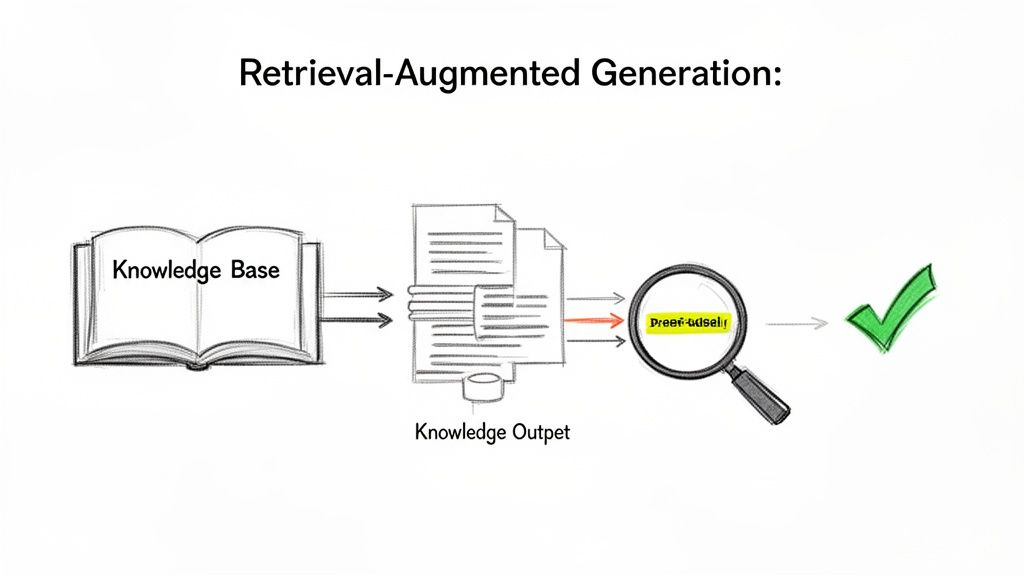
Instead of just relying on its static internal memory, RAG lets the LLM pull real-time information from your private knowledge bases. This could be anything from new product manuals and internal wikis to the latest customer support logs. The result is an AI whose answers are grounded in truth, always relevant, and reflect the very latest information.
How RAG Works Step by Step
Think of RAG as a hyper-efficient research assistant working side-by-side with your LLM. The process is both elegant and effective, turning a potential hallucination into a verified, useful response. To keep AI models current and factually accurate, especially in fast-moving environments, a powerful technique like Retrieval Augmented Generation (RAG) is essential.
Here’s a simple breakdown of how it all works:
- The User Asks a Question: It all starts when a user asks something in your app, like, "What is our Q4 return policy?"
- The Retrieval Phase: Before the LLM even tries to answer, the RAG system first searches your private knowledge base (like your company's policy documents). It uses smart search to find the most relevant snippets of text that likely hold the answer.
- The Augmentation Phase: The retrieved text is then packaged up with the original question. This combined info is fed to the LLM as a new, super-charged prompt. It basically says, "Using only the information provided below, answer this question…"
- The Generation Phase: Now, the LLM generates an answer, but its creativity is restricted to the facts it was just handed. It synthesizes the retrieved text into a natural, human-friendly response, making sure the information is accurate and straight from your approved sources.
This entire process transforms the LLM from a know-it-all with a spotty memory into a precise expert on your specific business data.
Smart Retrieval: The Secret to Finding the Right Facts
The magic of RAG really hinges on that "retrieval" step. If the system can't find the right information, the whole thing falls apart. This is where advanced techniques like semantic search become so important.
Unlike old-school keyword search that just matches words, semantic search understands the meaning and intent behind what a user is asking.
By converting both your documents and the user's question into numerical representations (embeddings), the system can find matches based on conceptual similarity, not just keyword overlap. This means a user asking about "sending an item back" can find the document titled "Official Return Policy" even if the exact words don't match.
This level of intelligent retrieval is what makes a reliable AI knowledge system possible.
The adoption of AI is picking up speed across the globe as businesses rush to implement these kinds of smart solutions. As of 2025, a solid 55% of companies are actively deploying AI, while another 45% are in the piloting phase for automation and personalization. In fact, 89% of small businesses already report using AI for routine tasks, boosting productivity and making their employees' jobs better.
By putting RAG to work, businesses can confidently tap into the power of LLMs, knowing the information they get is not just intelligent but also accurate, up-to-date, and a direct reflection of their own internal knowledge.
Integrating AI Knowledge into Your Enterprise Software
Knowing the theory behind AI knowledge is one thing, but actually weaving it into your company’s existing software stack? That’s where the real work begins. It demands a practical roadmap that respects your current architecture while opening up new channels for genuine intelligence. This is the moment the true value of knowledge in artificial intelligence is finally unlocked.
Hooking up a powerful AI to your enterprise systems isn’t as simple as flipping a switch. It’s about building secure, efficient bridges between your legacy platforms and the AI models that need to tap into them. The whole point is to make these connections feel invisible, so your applications get the information they need, right when they need it, without missing a beat.
Choosing the Right Integration Pattern
There are a few different ways to wire AI into your software, and each one is built for different situations. The key is to pick the pattern that lines up with what you’re actually trying to accomplish and what your tech stack can handle.
A couple of common approaches include:
- Simple API Calls: This is the most direct route. Your application makes a straightforward request to an AI model's API and gets a response. It’s perfect for things like generating content on the fly or running a quick data analysis.
- Event-Driven Models: This approach is much more dynamic. An action in one of your systems—like a new customer signing up in your CRM—kicks off an event that sends that data to the AI. The AI can then chew on this information and push back an insight, like a personalized welcome email draft.
To really nail this, it helps to start by understanding what a knowledge management system is. After all, that’s the foundation for organizing all the information your AI is going to use.
Fueling Your AI with Fresh Data
An AI is only as smart as the information it can get its hands on. This makes solid data pipelines an absolute must. Think of these pipelines as automated channels that constantly feed your AI fresh, relevant information from all corners of your business, making sure its knowledge base never gets stale.
Securing these pipelines is a top priority, especially when you’re connecting an AI to sensitive corporate databases. You have to lock down these connections with strict security protocols and access controls to protect private information. It's like building a secure, armored pipeline straight into your AI’s brain.
This push for smarter integration is backed by some serious financial confidence. Globally, private AI investment shot up 26% in 2024 to a record high, with generative AI alone pulling in USD 33.9 billion. The U.S. is leading the charge, responsible for USD 109.1 billion in 2024 private investment, blowing past other nations. You can dig deeper into these numbers in the 2025 AI Index Report.
Real-World Integration Scenarios
Let’s bring this down to earth. Imagine you want to give your Customer Relationship Management (CRM) system a serious upgrade. By plugging in an AI knowledge layer, your sales reps could get instant, deep insights. When they open a customer’s file, the AI could be analyzing past purchases and support tickets in real-time to suggest talking points for their next call.
Or think about a logistics platform. If you connect an AI to historical shipping data and live weather feeds, the system could start predicting supply chain problems before they happen. This gives the company a chance to reroute shipments and let customers know about a delay before they even notice there’s a problem. For more ideas on putting these ideas to work, check out our guide on how to leverage artificial intelligence in your business.
These examples show that a great integration is really a two-way street. Your existing systems provide the context and the raw data, and the AI provides the intelligence that makes all that data truly useful.
Managing AI Complexity with a Prompt Management System
As you start weaving more sophisticated AI into your application, a new challenge sneaks up on you: managing the beast you’ve just built. The initial thrill of unlocking knowledge in artificial intelligence can quickly get bogged down by the sheer mess of dozens of prompts, multiple AI models, and a web of data connections. Without a central command center, your brilliant project risks becoming an operational headache.
How do you safely A/B test a new prompt without taking down existing features? How do you securely handle the parameters that link your AI to different internal databases? And maybe most importantly, how do you track spending across all these models and APIs before you get a shocking bill at the end of the month? These are the real-world hurdles that can grind progress to a halt and blow up your budget.
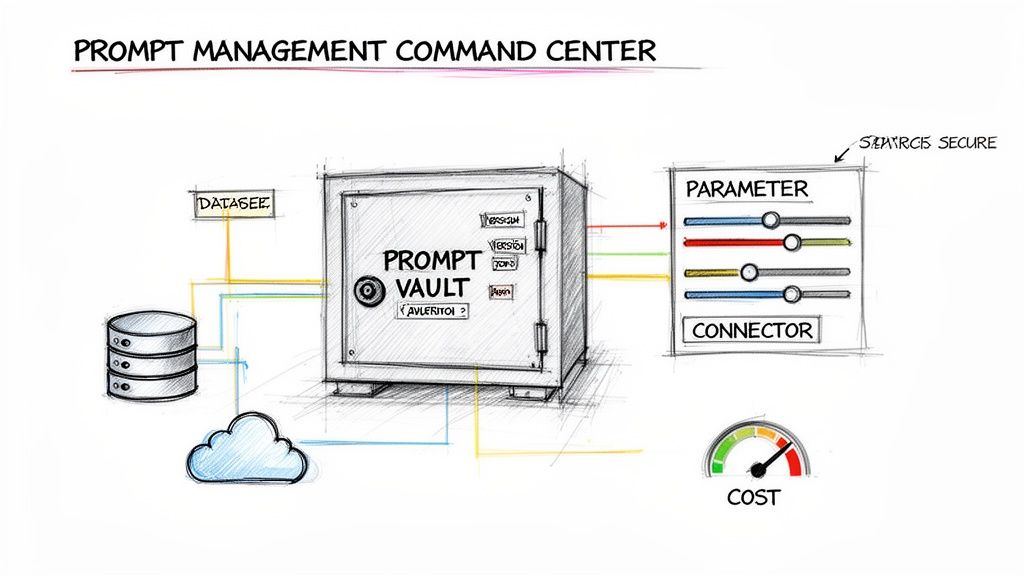
This is exactly why a dedicated prompt management system isn't just a nice-to-have; it's essential. It acts as the administrative backbone that transforms a chaotic development process into a scalable, efficient, and well-governed operation. Wonderment has developed an administrative tool that developers and entrepreneurs can plug into their existing app or software to modernize it for precisely this kind of AI integration.
A Unified Command Center for Your AI Operation
Think of a prompt management system as the air traffic control for your app's AI. It gives you a single place to orchestrate every moving part, making sure everything runs smoothly, securely, and without breaking the bank. Platforms like Wonderment's administrative tool are built to give developers and entrepreneurs this precise level of control.
A solid system brings several critical features to the table that are non-negotiable for any serious AI integration:
- Prompt Vault with Version Control: This is your secure library for storing, testing, and tweaking all your prompts. Version control is a lifesaver—it means you can experiment with new ideas, see a full history of changes, and instantly roll back to a previous version if an update goes sideways.
- Parameter Manager: This feature lets you securely manage all the variables your prompts need to pull from internal data sources. It separates the prompt's logic from your data connections, so you can easily switch between databases or APIs without having to rewrite the entire prompt.
- Unified Logging System: Imagine having a clear, consolidated log of every single interaction across all your integrated AI models. This complete visibility is crucial for squashing bugs, monitoring performance, and truly understanding how people are using your AI features.
- Cost Manager: Get a transparent view of your cumulative spend across all integrated AI models. This allows entrepreneurs to see their total investment in real-time, preventing budget surprises and enabling cost-effective scaling.
Taking Control of Performance and Spend
Beyond just keeping things organized, the real magic of a management system is the crystal-clear view it provides into your AI's performance and financial impact. You can finally stop guessing and start knowing.
A dedicated dashboard that tracks costs across every model and API call is a game-changer. It allows you to see your cumulative spend in real time, preventing budget overruns and helping you identify which features are driving the most cost. This data empowers you to optimize prompts for efficiency, choosing models that deliver the best performance for the lowest price.
Ultimately, this level of oversight is what makes a sophisticated AI integration sustainable. It gives you the governance you need to scale your AI initiatives with confidence, ensuring your app not only gets smarter but does so in a way that’s manageable, predictable, and perfectly aligned with your business goals.
Putting AI Knowledge to Work in the Real World
Theory is great, but let's be honest—tangible results are what really drive a business forward. It's one thing to talk about concepts; it's another to see how embedded knowledge in artificial intelligence creates actual value. Let's move past the abstract and look at some compelling, real-world examples of how this technology is solving problems and opening up opportunities across industries right now.
These aren't just futuristic ideas. They're practical applications that are delivering a measurable impact today. Each case clearly connects a real business problem to an intelligent, effective solution.
Hyper-Personalization in E-commerce
An e-commerce platform was stuck with a problem we’ve all seen: generic product recommendations that just weren't clicking with users. They decided to overhaul their approach by integrating an AI knowledge system, building it on a knowledge graph that mapped out their products and user behavior data.
The new AI doesn't just see transactions; it understands the subtle relationships between products, what a user is trying to do, and their browsing history. Now, if someone buys hiking boots, the system doesn't just throw more boots at them. It thinks about the context of the purchase and suggests genuinely helpful items like waterproof socks, daypacks, or trail guides.
The Result: The platform saw a 22% increase in average order value and a noticeable lift in how long users stuck around. The AI-powered recommendations felt less like an aggressive upsell and more like a helpful shopping assistant who actually gets it.
Intelligent Compliance in Financial Services
A major financial services firm was buried under the immense weight of regulatory compliance. Answering complex questions meant someone had to manually dig through thousands of pages of internal policy documents—a painfully slow and error-prone process.
Their fix was to deploy a compliance bot built on Retrieval-Augmented Generation (RAG). The AI was hooked up to a secure, constantly refreshed knowledge base containing every single policy, regulation, and procedure. Now, when an employee asks, "What are the documentation requirements for a cross-border transaction over $50k?" the bot instantly pulls the relevant sections and synthesizes a precise, verifiable answer, complete with source citations.
This is a perfect illustration of how SaaS companies are using AI to improve their products and streamline their own operations. You can dive deeper into this topic in our guide on how SaaS companies are using AI to improve their products.
On-the-Spot Guidance for Field Technicians
Picture an app designed for field technicians who repair complicated industrial machinery. Before, when they hit an unusual snag, they had to either call for backup or waste precious time flipping through dense paper manuals.
The company revamped its app by embedding an AI knowledge system that could tap into a dynamic database of technical manuals, schematics, and thousands of past repair tickets. A technician can now just describe a problem in plain language or even upload a photo of the part. The AI uses semantic search to instantly serve up step-by-step troubleshooting instructions based on what has worked best in the past.
The business impact was immediate and clear:
- Reduced Average Repair Time: Technicians started solving issues 35% faster.
- Improved First-Time Fix Rate: The number of repeat visits for the same problem dropped dramatically.
- Captured Institutional Knowledge: The system continuously learns from new repair tickets, making sure that valuable expertise isn't lost when a seasoned technician retires or leaves.
Questions Everyone Asks About Implementing AI Knowledge
As engineering teams and business leaders start exploring how to weave real knowledge into their AI systems, a few key questions always come up. Getting the first steps right, locking down accuracy, and keeping costs in check are crucial for any project to succeed. Let's dig into the most common ones.
Where Do I Even Start With Integrating AI Knowledge?
The trick is to start with a high-value, low-complexity use case. Don't boil the ocean. Instead, pinpoint a specific business headache that giving people better information could solve right now. Think about automating answers to common customer questions or building a smarter internal search tool for your own team.
Once you’ve picked a target, you need to define the exact knowledge base the AI will rely on. This might be a curated set of support documents, product FAQs, or technical specs. Starting small like this lets you prove the concept works, show a real return on the investment, and learn the ropes before you take on bigger, more ambitious projects.
How Can I Be Sure the AI Gives Accurate Answers?
Accuracy really comes down to two things: a high-quality knowledge base and a solid Retrieval-Augmented Generation (RAG) setup. First off, you have to make sure your source documents are clean, up-to-date, and well-organized. The old saying "garbage in, garbage out" has never been more true.
Second, using a RAG architecture is pretty much non-negotiable if you care about factual accuracy. This approach forces the AI to build its answers from information it pulls directly from your own verified data, instead of just making things up based on its general training. Finally, you need to keep a close eye on performance by logging queries and setting up feedback loops. This lets you review the AI's responses and fine-tune both your data and the retrieval process over time.
Is This Going to Be Expensive?
The cost can vary, but it’s more manageable than you might think. Your main expenses will be the API calls to the AI models, data storage costs, and the initial development time to get everything running.
The good news is, using a dedicated prompt management system can give you a huge amount of control over your spending. It offers detailed analytics on API usage, which helps you optimize your prompts for efficiency and kill any budget surprises before they happen.
By tackling a focused use case first, you can often see a positive ROI pretty quickly from things like productivity boosts, lower support costs, or happier customers. That makes the initial investment a whole lot easier to justify and scale up later on.
Ready to modernize your software with manageable, scalable AI knowledge? The Wonderment Apps prompt management system provides the command center you need to control costs, manage versions, and securely integrate your data. Schedule a demo today to see how it works.