


Application security best practices aren't just a checklist; they're a proactive mindset woven directly into how you build software. Think of it as a ‘secure by design’ philosophy. It means security isn't some final step you bolt on at the end—it's a core ingredient from the first line of code to the moment you deploy and beyond.
Why Application Security Is Your New Business Imperative
Welcome to the new front line. In a world where a single vulnerability can shatter customer trust and send your business reeling, solid application security is no longer a "nice-to-have." It’s the very foundation of successful software, especially when you're looking to modernize your application with powerful new tools like AI.
Trying to patch security holes after the fact is a losing game against modern threats. The only way to win is to build security directly into your applications from day one. This guide is about moving past simple checklists and embracing the practices that create true resilience. We'll show you how to embed security into every stage of development, making it a shared responsibility from the C-suite to the developer's keyboard.
The Shift to Proactive Defense
Today's environment, especially with the rise of AI, demands a proactive, 'secure by design' approach. Simply reacting to discovered vulnerabilities is like trying to plug a leaky dam with your fingers—it just won't work for long. The real goal is to anticipate threats and shut them down before they ever become a problem.
Getting this right has some huge upsides:
- Reduces Long-Term Costs: Finding and fixing a security flaw during the design phase is 100 times cheaper than dealing with it after your product is live.
- Builds Customer Trust: When you protect user data, you earn loyalty. It's that simple.
- Accelerates Innovation: With security baked into the process, your teams can innovate with confidence, not fear.
Building security in, rather than bolting it on, transforms it from a costly bottleneck into a competitive advantage. It’s about creating a culture where everyone owns a piece of the security puzzle.
Navigating the AI Frontier Securely
Bringing AI into your products opens up amazing possibilities, but it also creates entirely new ways for things to go wrong. Suddenly you're dealing with complex new challenges like managing AI prompts, securing data access, and keeping operational costs from spiraling out of control. Without the right tools, these powerful integrations can become serious security headaches.
This is where a modern administrative tool can make a world of difference. For instance, a dedicated AI prompt management system is designed to help developers and entrepreneurs plug AI into their existing apps without the security guesswork. Tools like this offer a secure prompt vault with versioning, give you tight control over how internal data is accessed via a parameter manager, and provide the logging and cost controls you need to manage your spend. It turns a potential liability into a strategic asset.
Mastering application security best practices isn't just about playing defense. It’s about giving your business the freedom to innovate safely and build products that will thrive for years to come.
Building a Secure Foundation with a Shift-Left Mindset
The strongest applications are built securely long before anyone deploys the first line of code. This is the whole idea behind "Shifting Left"—pulling security into the earliest phases of the Software Development Life Cycle (SDLC).
Think of it like building a skyscraper. You wouldn't start pouring concrete without a flawless architectural blueprint that already accounts for structural integrity and safety from the very beginning.
When you tackle security during planning and design, you sidestep the expensive, chaotic scramble of patching vulnerabilities found right before launch—or even worse, after. This proactive mindset turns security from a last-minute gatekeeper into a shared responsibility woven through the entire project. It becomes a powerful part of building a quality product, not a bottleneck that slows everyone down.
What Shifting Left Looks Like in Practice
Adopting a shift-left approach is all about embedding specific security activities into each stage of your development workflow. It’s about consistently asking, "What could go wrong here?" and answering that question early and often.
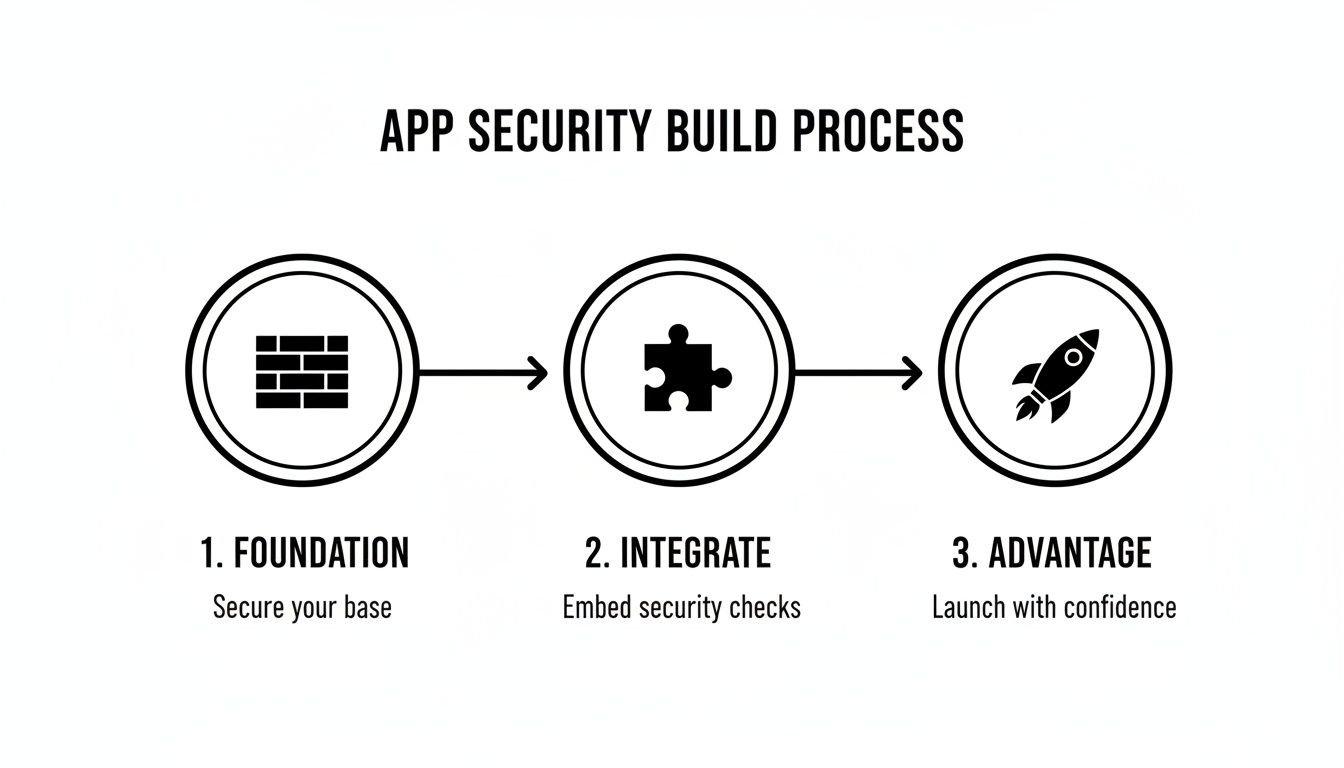
As you can see, security isn't just a final checkpoint. It’s a foundational piece you build on throughout development, ultimately creating a real competitive advantage. A strong foundation and tight integration are prerequisites for gaining that strategic edge.
Here are a few key practices to get started:
- Threat Modeling: Before a single line of code is written, get the team together to brainstorm potential threats. This means figuring out what you’re trying to protect (assets), who might want to attack it (threat actors), and how they might try to do it (attack vectors).
- Secure Design Principles: Architect your application with security baked in from the ground up. Foundational concepts like Least Privilege (only giving users the absolute minimum access they need) and Defense in Depth (using multiple, overlapping security controls) are non-negotiable.
- Secure Coding Standards: Create and enforce a clear set of coding guidelines for your entire team. This ensures everyone is on the same page, building defenses against common vulnerabilities like SQL injection or cross-site scripting (XSS) by default.
To truly nail this, it’s critical to start embracing a Shift-Left mindset that incorporates prevention and an 'assume breach' philosophy. That means you build the strongest possible defenses while also preparing for the worst-case scenario.
Why Proactive Security Is No Longer Optional
In today's threat environment, a reactive "wait-and-patch" strategy is a massive liability. The data paints a pretty grim picture: app attacks shot up to 83% of all incidents in January 2025, a huge jump from 65% in 2024, with much of that surge fueled by AI-assisted malware.
Worse yet, 60% of breaches in 2025 exploited known, unpatched vulnerabilities. It’s a preventable problem that’s costing companies dearly.
Shifting left is your most effective defense against this rising tide of automated, sophisticated attacks. By finding and fixing flaws early in the process, you dramatically shrink your attack surface and slash the risk of a costly breach.
Making Security a Team Sport
At the end of the day, shifting left is really about changing your culture. It means tearing down the old walls between development, security, and operations teams.
When developers are empowered with the right training and tools, they become your first and best line of defense. They can spot potential issues during code reviews and use automated security tools right in their workflow to get instant feedback. This creates a powerful loop where security just becomes a natural, integrated part of building an excellent product.
3. Mastering Access Control with Modern Authentication
At its core, application security is all about making sure only the right people can access the right data at the right time. This entire process stands on two critical pillars: Authentication (who are you?) and Authorization (what can you do?).
Getting this wrong is like leaving your office front door wide open overnight and just hoping for the best. It’s no surprise that breaches from broken access control are consistently among the most damaging, often leading to catastrophic data exposure. It's time to graduate from basic passwords and embrace modern, tough-as-nails methods for managing who gets in and what they can do.
Authentication: Who Are You, Really?
Think of authentication as your application’s digital bouncer. Its one job is to check IDs at the door and confirm that every user is exactly who they claim to be. For decades, the simple username and password combo was the standard—but today, that’s just not enough to keep a determined attacker out.
Modern authentication methods put some serious muscle behind that verification process.
- Multi-Factor Authentication (MFA): This is the undisputed champion of account security. MFA demands that users provide two or more separate verification factors to get access. It’s like needing both a key (your password) and a fingerprint scan (a biometric factor) to open a high-security lock. Simply turning on MFA can block over 99.9% of account compromise attacks.
- Biometric Authentication: Leveraging unique physical traits like fingerprints, facial recognition, or even iris scans offers a user-friendly yet highly secure way to prove identity, especially on mobile devices.
- Passwordless Authentication: This approach gets rid of traditional passwords entirely. Instead, it relies on things like "magic links" sent to an email, push notifications to a trusted device, or physical hardware security keys. This guts the risk from common password theft and phishing scams.
Implementing strong authentication isn't just about checking a technical box; it’s a fundamental way to build trust. When your users see you taking their security seriously with features like MFA, their confidence in your entire application skyrockets.
Authorization: Okay, You're In. Now What?
Once a user’s identity is confirmed, authorization takes the baton. This is all about defining and enforcing permissions. Just because someone is a legitimate user doesn't mean they should have the keys to the entire kingdom. A customer service rep, for example, definitely needs to see customer orders, but they should never be able to touch the company’s financial records.
This brings us to the Principle of Least Privilege (PoLP). It’s a beautifully simple but incredibly powerful concept: give every user the absolute minimum level of access they need to do their job, and nothing more. This one principle drastically shrinks your attack surface and limits the potential damage if an account ever gets compromised.
Implementing Modern Access Control
Applying these principles isn't a free-for-all; it requires a structured approach. You need clear policies and the right tech to enforce them consistently across your application.
Here’s a look at some of the essential methods modern teams use to manage access control effectively.
Modern Authentication and Authorization Methods
The table below breaks down some key modern access control methods, where they shine, and best practices for putting them to work.
| Method | Primary Use Case | Key Best Practice |
|---|---|---|
| OAuth 2.0 | Securing APIs by allowing applications to obtain limited, delegated access to user accounts on an HTTP service. | Always use short-lived access tokens and implement scope limitations to enforce the Principle of Least Privilege. |
| Role-Based Access Control (RBAC) | Assigning permissions to users based on their role within an organization (e.g., admin, editor, viewer). | Regularly review and audit roles to ensure permissions are still appropriate and haven't become excessive over time. |
| JSON Web Tokens (JWT) | Securely transmitting information between parties as a compact, self-contained JSON object, often for session management. | Ensure tokens are digitally signed (not encrypted) and have a short expiration time to minimize the window for potential misuse. |
By thoughtfully combining these modern authentication and authorization techniques, you can build a formidable defense for your application. Mastering these application security best practices is how you ensure your sensitive data stays protected, accessible only to those who have the explicit right to see it.
Automating Security Within Your CI/CD Pipeline
In modern software development, speed is everything. When your teams are pushing code multiple times a day, waiting around for manual security reviews just isn't an option. The solution isn't to hit the brakes; it's to build security directly into the fast-moving workflow you already have. This is where automating security inside your Continuous Integration/Continuous Deployment (CI/CD) pipeline becomes a total game-changer.
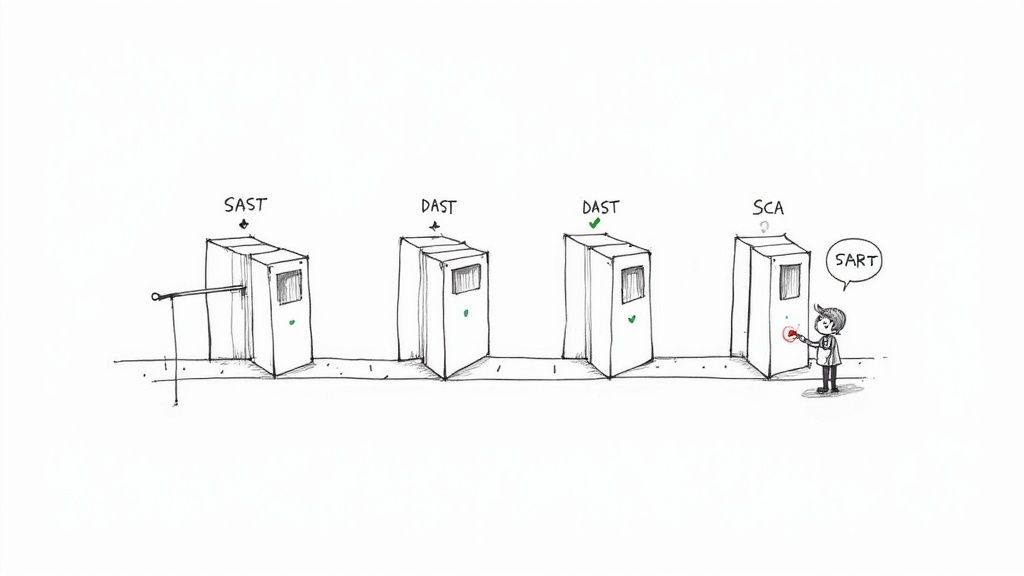
Think of your CI/CD pipeline as the digital assembly line for your application. Every time a developer commits new code, it kicks off an automated sequence of building, testing, and deploying. By embedding security tools right into this assembly line, you create automated checkpoints that scan for vulnerabilities with every single change. This shifts security from a slow, manual bottleneck to a seamless, automatic part of your development rhythm.
Your Automated Security Toolkit
Weaving security into your pipeline isn’t about flipping a single switch. It's about combining different testing methods that work together to cover your bases. Three core types of automated testing are the backbone of any strong DevSecOps practice.
- Static Application Security Testing (SAST): This is your "white-box" tester. SAST tools scan your application's source code, bytecode, or binary—all without actually running it. They act like a super-meticulous code reviewer, spotting potential flaws like SQL injection vulnerabilities or buffer overflows before the code is even compiled.
- Dynamic Application Security Testing (DAST): This is your "black-box" tester. DAST tools poke and prod your application while it's running, simulating the kinds of attacks a real hacker would try. They don't know anything about the internal code; they just attack from the outside to find weaknesses like cross-site scripting (XSS) or broken authentication.
- Software Composition Analysis (SCA): Think of this as your supply chain inspector. Modern applications are rarely built from scratch; they're assembled from countless open-source libraries. SCA tools scan these third-party components and check them against a database of known vulnerabilities, making sure you aren't accidentally inheriting someone else’s security problems.
Creating Security Gates in Your Pipeline
The real magic of automation happens when you create "security gates." These are automated checkpoints in your CI/CD pipeline that code must pass before moving to the next stage. For instance, you can configure your pipeline to automatically fail a build if a SAST scan turns up any high-severity vulnerabilities.
This gives developers immediate feedback, letting them fix issues on the spot while the code is still fresh in their minds. It's a world away from finding the same flaw weeks later during a manual penetration test. For more on structuring your workflow, check out our guide on CI/CD pipeline best practices.
This automated approach helps tackle some of the biggest hurdles teams face today. A 2025 survey on web application security revealed that cloud infrastructure misconfigurations were the top challenge for 63% of respondents, and 60% struggled with limited visibility. By embedding automated security checks, you gain that crucial visibility and enforce security policies before a misconfiguration ever sees the light of day. You can explore more findings about evolving web application security threats.
By automating security testing within the CI/CD pipeline, you make security an inherent part of the development process. This approach not only catches vulnerabilities earlier but also fosters a culture where developers are empowered to write more secure code from the start.
Ultimately, plugging these tools into your pipeline isn't just about catching bugs. It's about creating a powerful feedback loop that continuously strengthens your application's security. When security becomes a seamless, automated part of your daily workflow, you can deliver high-quality, secure code at the speed modern business demands.
Protecting Your Application in a Live Environment
Pushing your application live isn't the finish line for security; it's the starting gun for active defense. Once your app is out in the wild, it's operating in a dynamic environment where new threats can pop up at any moment. This is where runtime protection becomes one of the most critical application security best practices, forcing a shift from pre-launch prevention to real-time defense.
Your security work has to continue around the clock, shielding the application while it's actually serving users. This means setting up a digital perimeter to block incoming attacks, keeping a constant eye out for suspicious activity, and having a clear, well-rehearsed plan to act decisively when something goes wrong.
Your First Line of Runtime Defense
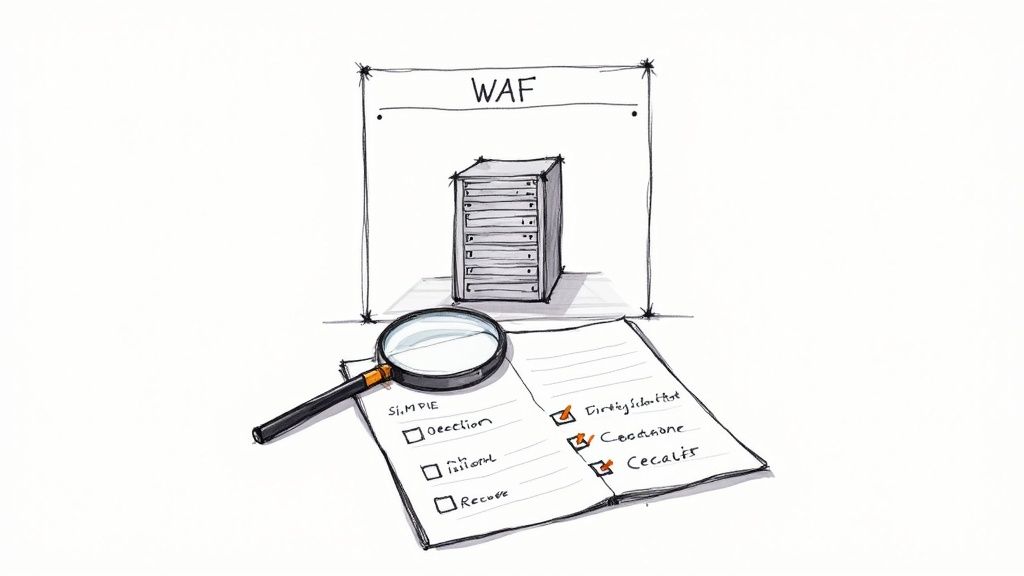
The first layer of defense in a live environment is a Web Application Firewall (WAF). The best way to think of a WAF is as a highly intelligent security guard standing between the internet and your application. It inspects all incoming HTTP traffic and filters out malicious requests before they can ever touch your code.
A well-configured WAF can shut down common attacks like:
- SQL Injection: Attempts to manipulate your database through malicious input.
- Cross-Site Scripting (XSS): Efforts to inject malicious scripts into your website to harm users.
- Malicious File Uploads: Blocking dangerous file types that could compromise your server.
But a WAF isn't a "set it and forget it" tool. To really get robust protection, you need to understand how to implement effective cloud security solutions, as this bigger picture strategy informs how you'll configure and maintain tools like WAFs.
The Power of Logging and Monitoring
You can't stop a threat you can't see. It's as simple as that, and it's why robust logging and monitoring are non-negotiable. Your application and infrastructure should be generating detailed logs of all significant events—from user logins and API calls to system errors and configuration changes.
Raw logs are just noise, though. The real power comes when you feed this data into a centralized Security Information and Event Management (SIEM) system. This kind of tool pulls in and analyzes logs from all over your environment, using smart rules and machine learning to spot patterns that might signal an attack in progress.
The goal is to cut through the overwhelming amount of data to find the real threats. A great example comes from the 2025 Application Security Benchmark Report from OX Security, which found that organizations get an average of 569,354 security alerts per year. Here's the kicker: only 2-5% of those are actually critical. This just hammers home the need for systems that can prioritize real issues and save your team from alert fatigue. You can discover more insights from this application security report.
Building a Practical Incident Response Plan
Even with the best defenses in the world, a breach is always possible. How you react in the first few hours can be the difference between a minor hiccup and a major catastrophe. An Incident Response (IR) plan is your playbook for exactly these moments.
A strong IR plan isn't some dense, 100-page document that collects dust. It's a clear, actionable guide built around four key stages:
- Containment: The immediate priority is to stop the bleeding. This means isolating affected systems from the rest of the network to keep the threat from spreading.
- Eradication: Once contained, you have to find and completely remove the root cause of the incident. This could mean patching a vulnerability, wiping out malware, or disabling a compromised user account.
- Recovery: This stage is all about safely restoring affected systems and data from clean backups. It's absolutely crucial to validate that systems are secure before you bring them back online.
- Post-Incident Review: After the dust settles, hold a "lessons learned" session. Dig into what went wrong, what went right, and how you can update your defenses and your IR plan to be even stronger next time.
For more guidance on building resilience, our article on preparing your app for outages and disruptions offers some incredibly valuable strategies. Protecting your application in a live environment is an ongoing commitment to vigilance and preparation.
Future-Proofing Your App Security with AI Integration
As we all know, technology never sits still—and neither do the threats that come along with it. When you weave AI into your applications, you unlock some incredible new powers. But you also open the door to a whole new class of security challenges that old-school methods simply weren't built to handle.
This isn’t about your typical code vulnerabilities anymore. We're now dealing with risks buried in the prompts themselves, the way AI models access your data, and the operational logic that drives these features. Without the right guardrails, you’re looking at serious trouble: prompt injection attacks, sensitive data leaking out through loose parameters, and API costs spiraling out of control. These are not just tech problems; they're genuine business risks that can derail your entire AI strategy.
Specialized Tools for a New Era of Threats
To get a handle on these new risks, you need a new breed of specialized tools designed specifically for the AI age. It’s kind of like moving from a simple deadbolt on your door to a full-blown security system with cameras, motion sensors, and keycard access. These tools provide the governance and security layers needed to let your team innovate safely.
This modern toolkit is built to tackle the unique operational and security hurdles you'll face when building with AI. Here are the key features you should be looking for:
- A Secure Prompt Vault: This gives you a central, version-controlled library for all your prompts. It ensures consistency and stops unauthorized tweaks that could lead to malicious or off-brand outputs.
- A Parameter Manager: This is all about giving you pinpoint control over how AI models access your internal databases, enforcing the principle of least privilege so they only touch the data they absolutely need.
- Unified Logging: You need a single, clear record of all AI interactions. This makes it infinitely easier to monitor usage, spot strange behavior, and troubleshoot problems across different models you might be using.
- Cost Management Dashboards: Get real-time visibility into your spending on AI services. No one likes a surprise bill, and this helps prevent massive budget overruns.
These modern systems aren't just another security checklist item; they're what makes safe innovation possible. They provide the guardrails that allow your development teams to experiment and build powerful AI features without introducing unacceptable risks.
For a deeper dive into this area, our article on how to leverage artificial intelligence in your projects offers more strategic insights.
Tying It All Together for Secure Innovation
This is precisely the challenge that Wonderment's prompt management system was created to solve. It’s an administrative tool that developers and entrepreneurs can plug into their existing app or software to modernize it for AI integration. With a prompt vault featuring versioning, a parameter manager for secure database access, a unified logging system across all integrated AIs, and a cost manager to track cumulative spend, it directly addresses the critical application security best practices for the age of AI.
This isn't just about theory; it's a look at where secure development is heading. To truly get the most out of AI, you need tools that are just as sophisticated as the models you're working with. Seeing how these systems operate in a real-world context is the best way to grasp their true value.
We invite you to see for yourself how a dedicated prompt management system can help you stay ahead of the curve, build with confidence, and truly future-proof your application security. Schedule a demo today to see how you can innovate with confidence.
Your AppSec Questions, Answered
Jumping into application security can feel like trying to learn a new language, complete with its own set of acronyms and constantly shifting rules. Let's cut through the noise and get straight to some of the most common questions product teams ask when they start taking security seriously.
What Does “Shifting Left” Actually Mean?
Think of your development process as a straight line. On the far left, you have the initial idea and design. On the far right, you have the live, deployed product. "Shifting left" is the simple, powerful idea of moving security from the end of the line to the very beginning.
Instead of a last-minute panic security review right before launch (a classic "far right" activity), you weave security into every stage. This means threat modeling when you're still sketching out features, running code scanners while developers are coding, and baking security tests directly into your CI/CD pipeline. The whole point is to catch and fix security flaws when they're small, simple, and cheap to fix—not when they've become massive, expensive emergencies in production.
How Do I Choose the Right Security Tools?
The market is flooded with security tools, and it's easy to get overwhelmed. The best approach is to ignore the noise and focus on covering your biggest areas of risk first. For most teams, a solid foundation starts with a trio of automated testing tools:
- SAST (Static Application Security Testing): Think of this as an automated code reviewer. It scans your source code for potential vulnerabilities before the application is ever run.
- DAST (Dynamic Application Security Testing): This is your personal ethical hacker. It probes your running application from the outside in, looking for holes an attacker could exploit.
- SCA (Software Composition Analysis): Consider this your supply chain inspector. It digs through all the third-party and open-source libraries you're using to find any known, published vulnerabilities.
Get these three integrated into your CI/CD pipeline, and you've built an incredibly strong security baseline.
What Is the First Step to Build a Security Culture?
This is the big one. The single most important first step is making security a shared responsibility, not just one person's or one team's problem. You can’t just assign it away.
Start by giving your development team real, practical training on secure coding practices. When developers truly understand why a certain coding pattern is risky and feel empowered to write better, more secure code, security stops being a chore. It becomes part of their professional craft.
Then, back that knowledge up with automated tools that provide immediate feedback right inside their workflow. This is key. When a tool flags an issue and they can fix it in minutes, you remove all the friction. Security becomes a natural, collaborative part of building a great product, which is exactly where you want to be.