


A React single page application, or SPA, is a type of web application that loads just a single HTML page. From there, it dynamically updates the content as you click around, creating a super fluid, app-like experience without those jarring page reloads we all hate. This modern architecture is the perfect launchpad for integrating next-generation features, especially Artificial Intelligence. But managing the complex, dynamic prompts needed for AI can quickly become a massive headache.
This is where a dedicated prompt management system becomes absolutely essential. At Wonderment Apps, we've developed an administrative tool that developers and entrepreneurs can plug into their existing app to modernize it for AI integration. This system provides a centralized prompt vault with versioning, a secure parameter manager for database access, a unified logging system, and a cost manager to track cumulative spend. It lets you build intelligent, responsive AI features without tanking the performance that makes your SPA great in the first place.
Why React Is the Go-To for Modern Web Applications
Let's imagine your favorite website is a book. With a traditional multi-page application (MPA), every time you want to see something new, the server has to send you an entirely separate book. This constant back-and-forth, fetching a whole new copy for every single click, can feel clunky and slow.
A React single page application completely flips that model on its head.

Think of a React SPA more like a dynamic digital binder. On your first visit, the browser loads the entire binder—all the HTML, CSS, and JavaScript it needs for the whole experience. As you navigate, it just swaps out the individual pages of content inside the binder. The cover and structure stay put. This simple change is what makes interactions feel almost instant.
The Power of Dynamic Content
This fundamental shift from full reloads to dynamic updates is why SPAs are the engine behind so many platforms we use every day. We're talking about everything from complex data dashboards to the social media feeds on Instagram and streaming services like Netflix. The benefits are crystal clear for both the people using the app and the developers building it.
- Fluid User Experience: By rewriting only the necessary bits of a page, SPAs deliver a smooth, continuous journey that feels more like a native desktop or mobile app.
- Faster Interactions: After that initial load, clicking around and seeing data update is way faster. The app only has to fetch small pieces of data, not entire HTML pages.
- Simplified Development: For complex apps, organizing the interface into reusable components—a core principle of the React library—makes development far more efficient and easier to scale.
To see how this stacks up against the old way of doing things, here’s a quick comparison.
SPA vs Multi-Page Application (MPA) A Quick Comparison
This table highlights the fundamental differences in user experience, performance, and development between Single Page Applications and traditional Multi-Page Applications.
| Feature | Single Page Application (SPA) | Multi-Page Application (MPA) |
|---|---|---|
| User Experience | Seamless, app-like feel. No page reloads. | Traditional navigation with noticeable page reloads. |
| Initial Load Time | Slower, as it loads the entire application shell upfront. | Faster, as it only loads one page at a time. |
| Subsequent Loads | Very fast. Only data is fetched and rendered. | Slower. Each new page requires a full server request. |
| Development | Complex state management but highly component-based. | Simpler architecture, but can lead to code duplication. |
| SEO | Can be challenging but is solvable with modern tools. | Straightforward and easier for search engines to crawl. |
Ultimately, the SPA model provides a superior user experience for applications that require a lot of interaction, which is why it's become the standard for modern web development. For business leaders looking to make their software initiatives successful, understanding these fundamental technologies for front-end developers is the first step toward building an excellent app experience that can scale to meet the size of any user audience.
Designing a React SPA Architecture That Can Scale
Trying to build a React single page application without a solid plan is like trying to build a skyscraper without a blueprint. It might seem faster to just start coding, but making thoughtful decisions about your app's structure before you write a single line is the most important step you can take to make sure it can grow without collapsing under its own weight.
A good architecture isn't just about organizing files. It's about creating a system that’s easy for your team to understand, maintain, and expand. When you get the foundation right, you speed up development, make debugging way simpler, and have a clear path for adding advanced features—like AI-powered services—down the road. Skip this part, and you’ll end up with "spaghetti code," a tangled mess that only gets harder to work with over time.
Embracing a Component-Based Mindset
The heart of any modern React single page application is its component-based structure. Think of your user interface as a collection of Lego blocks. Each component—a button, a search bar, a user profile card—is a self-contained, reusable piece with its own logic and look.
This approach gives you a massive leg up when building apps that need to scale:
- Reusability: A well-designed button component can be dropped anywhere in your application, keeping the look consistent and saving you from writing the same code over and over.
- Isolation: Since each component is independent, you can work on one piece of the UI without worrying about accidentally breaking something else. This makes bug hunting and testing far less painful.
- Composability: You can build complex UI by snapping together smaller, simpler components. A "user profile" component, for instance, might be made up of an "avatar," a "username," and a "follow button" component.
A component-based architecture forces you to think about your UI in a modular way. This discipline not only improves code quality but also makes it dramatically easier for development teams to collaborate effectively on large-scale projects.
This modularity is your secret weapon for long-term success. As your app gets bigger, you can add or change features by simply swapping out or adding new Lego blocks, instead of performing risky surgery on a massive, interconnected codebase.
Choosing the Right Folder Structure
Once you're thinking in components, the next question is where to put everything. The way you structure your project's folders has a huge impact on how quickly developers can find what they need and get to work. There are really two main schools of thought on this.
-
Type-Based Structure: This is the classic way. You group files by what they are. All your components live in a
components/folder, API calls go inservices/, and state management logic sits instore/. It’s simple enough for small projects, but it quickly becomes a pain as the app grows. A developer might have to jump between five different folders just to work on a single feature. -
Feature-Based Structure: This is the modern, more scalable alternative. You group files by the feature they belong to. Everything related to user authentication—components, API logic, state—lives together inside a single
features/authentication/folder. This co-location makes each feature a self-contained module that's easier to understand, maintain, or even rip out if it's no longer needed.
For most growing applications, the feature-based approach is the clear winner. It keeps related code glued together, which drastically reduces the mental gymnastics required to figure out how any specific part of the app works.
Building a Foundation for Future Growth
Beyond components and folders, a truly scalable architecture is one that’s ready for the future. Abstracting your API layer is a perfect example. Instead of making direct fetch calls from inside your components, create a dedicated service layer that handles all communication with your backend. This simple step isolates your UI from the nitty-gritty details of your API, making it a breeze to swap out data sources or mock data for testing without ever touching a component.
In the same vein, get your environment configurations sorted out from day one. Your app will inevitably need different settings for development, staging, and production—things like API keys and database endpoints. Managing these variables in a systematic way prevents costly mistakes and makes your deployment process smooth. By establishing these patterns early, you're creating a robust framework that can gracefully handle new features, bigger teams, and whatever integrations the future throws at it.
Mastering State and Navigation in Your SPA
In a React single page application, the application's "state" is the single source of truth that dictates everything the user sees. Think of it as the app's memory. When something changes in this memory—like a user logging in or adding an item to a cart—the UI instantly reacts and updates.
Getting this flow of data right is one of the biggest challenges in building a complex React app, but mastering it is what creates a truly seamless experience for your users. The heart of the matter is understanding the two main kinds of state you'll be juggling.
Local vs. Global State
First up is local component state. This is data that only one specific component needs to worry about. A great example is the text inside a search bar or whether a dropdown menu is open or closed. React's built-in useState hook is your best friend here, as it neatly contains the data right where it's being used.
Then you have global application state. This is the big-picture data that needs to be shared across many different, often unrelated, components. We're talking about things like the current logged-in user's profile, the contents of a shopping cart, or the app's theme (like light vs. dark mode). Trying to pass this data down through layers of components, a painful practice known as "prop drilling," becomes a complete mess very quickly.
To sidestep that headache, developers turn to dedicated state management solutions.
-
React Context API: This is React’s built-in way to share data globally without the nightmare of prop drilling. It’s a great fit for simpler global state needs, like managing a theme or user authentication, where you don’t have a ton of frequent updates.
-
Zustand: A lightweight and modern state management library that has exploded in popularity because it's just so simple. It uses a minimal, hooks-based approach that makes setting up and managing global state a breeze with very little boilerplate code.
-
Redux: The long-standing, powerhouse solution for truly complex state management. For large-scale applications where state changes need to be strictly controlled and easily debugged, Redux is the go-to choice, offering a predictable state container and fantastic developer tools.
Picking the right tool is a critical architectural decision. The diagram below gives you a simplified decision tree for app structures, which often dictates how complex your state management will need to be.
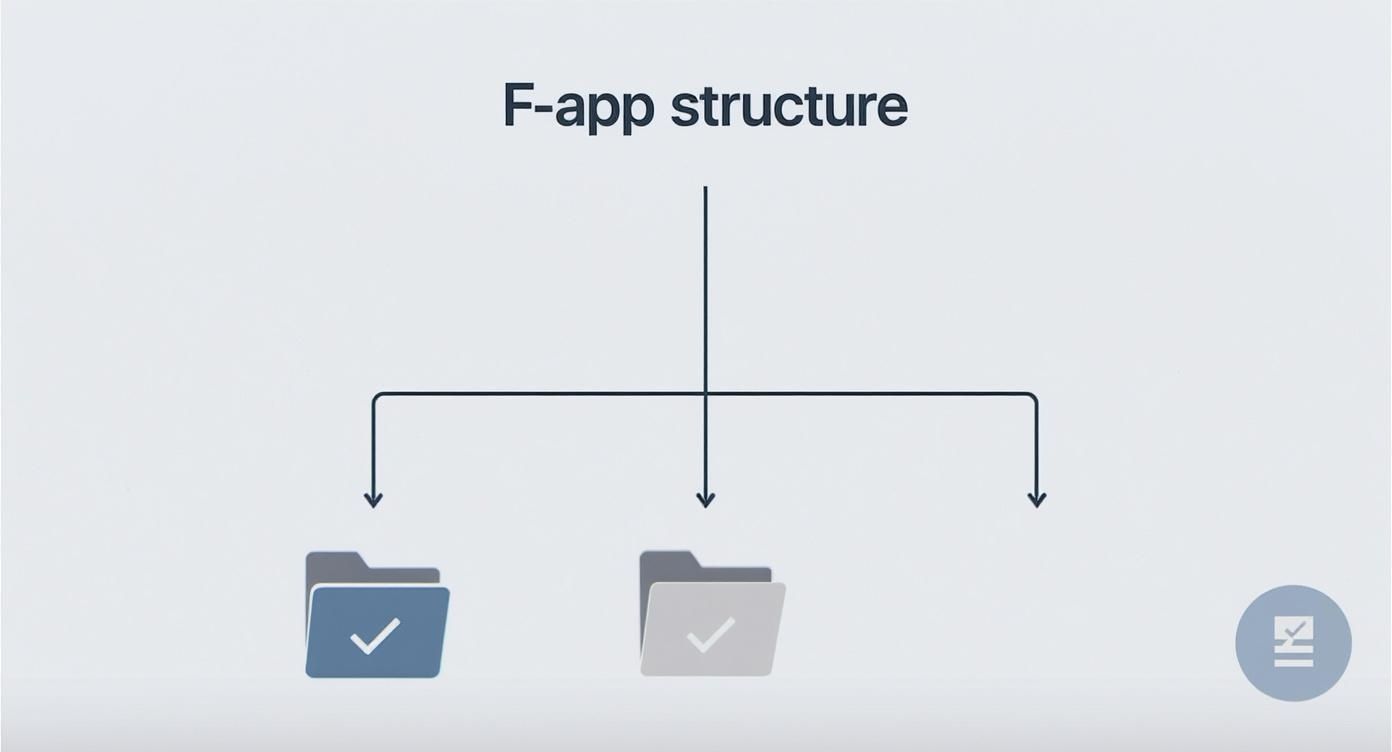
As you can see, as a project's complexity grows, a feature-based structure often becomes easier to manage. This kind of structure, in turn, really benefits from a more robust global state solution like Redux or Zustand.
Demystifying Routing with React Router
State management handles what the user sees, but routing handles where the user is. On a traditional website, clicking a link sends a request to a server, which then sends back a whole new page. A React SPA, on the other hand, handles all of this on the client-side, making navigation feel instant, without those jarring full-page reloads.
This is where React Router, the community-standard library for routing, comes into play. It cleverly intercepts the browser's navigation events and dynamically swaps out the components being shown on the screen.
With React Router, you can create dynamic, bookmarkable URLs that correspond to specific views or states within your application. This makes the SPA feel like a real website, with a navigable history and shareable links, all while maintaining its lightning-fast, interactive feel.
By 2025, it's estimated that around 80% of Fortune 500 companies will be using React in their production apps, many of which are SPAs for dashboards and customer portals. This high level of corporate trust proves React is ready for mission-critical applications that demand solid state and navigation.
It's no surprise, then, that React Router sees over 8.8 million weekly downloads on NPM, showing just how essential it is to the react single page application ecosystem. You can read more about React's market scope and massive adoption to get a sense of its incredible impact.
Mastering both state management and client-side routing is non-negotiable. A well-managed state ensures your data stays consistent and your UI is predictable, while effective routing delivers the smooth navigation that users now expect from any modern web application.
Optimizing Performance and SEO for Your React SPA
While the fluid, app-like experience of a React single page application is a major win for users, two classic challenges often pop up during development: slow initial load times and tricky Search Engine Optimization (SEO). Because a traditional SPA loads one hefty bundle of JavaScript upfront, first-time visitors can be left staring at a blank screen for a few seconds. In a world where attention spans are measured in milliseconds, that delay can be a dealbreaker.
At the same time, this deep reliance on client-side JavaScript can throw a wrench in the works for search engine crawlers. Bots from Google and others prefer to see fully-formed HTML content right away. When they find an almost-empty HTML shell that needs JavaScript to come to life, they might struggle to index your content properly, hurting your site's visibility.
Luckily, these aren't dealbreakers anymore. Modern web development has powerful, proven solutions for both of these problems.
Boosting Performance with Smart Loading Strategies
To fight back against slow initial loads, you have to stop sending a giant monolith of code to the user all at once. The trick is to break it up and deliver only what’s needed, right when it's needed. This approach dramatically improves the perceived performance of your react single page application.
Here are three core techniques every developer should master:
-
Code Splitting: This is simply the practice of splitting your large JavaScript bundle into smaller, more manageable chunks. Using tools like Webpack and dynamic
import()syntax, you can load code tied to specific routes or features on demand. For instance, the code for a user's complex admin dashboard doesn't need to load until they actually click to go to that page. -
Lazy Loading: This technique takes the same "on-demand" principle and applies it to individual components and assets. You can lazy-load heavy components, high-resolution images, or videos so they are only fetched from the server when they’re about to scroll into view. This can slash your initial payload size.
-
Memoization: Sometimes, React's performance gets bogged down by unnecessary re-renders. By using hooks like
useMemoanduseCallback, you can "memoize"—or cache—the results of expensive calculations and functions. This ensures they only re-run when their dependencies have actually changed, preventing wasted rendering cycles and keeping the UI feeling snappy.
Conquering SEO with Server-Side Rendering
While performance tweaks make users happy, solving the SEO puzzle often requires a different strategy. The most effective solution is to render your application on the server before it ever reaches the user's browser. This way, both users and search engine bots get a fully-formed, content-rich HTML page on the very first request.
Server-Side Rendering (SSR) gives you the best of both worlds. You get the rich interactivity of a client-side React SPA combined with the fast initial load and SEO benefits of a traditional multi-page website.
This is where frameworks built on top of React, like Next.js, become incredibly valuable. They handle the heavy lifting of SSR (and a related technique called Static Site Generation, or SSG) right out of the box. By pre-rendering your pages, you guarantee that search engines can easily crawl and index your content, boosting your rankings while still delivering that slick SPA experience your users love.
To help you decide which path is right for your project, let's put these two rendering methods head-to-head.
Client-Side vs Server-Side Rendering for SPAs
Thinking about how to render your app isn't just a technical detail—it has a direct impact on how fast your site feels and how well it shows up in search results. Here’s a quick breakdown of how Client-Side Rendering (CSR) and Server-Side Rendering (SSR) stack up for a react single page application.
| Metric | Client-Side Rendering (CSR) | Server-Side Rendering (SSR) |
|---|---|---|
| Initial Load Time | Slower. The browser must download, parse, and execute a large JS bundle before rendering content. | Faster. The browser receives a fully rendered HTML page and can display it immediately. |
| SEO Friendliness | Challenging. Search crawlers may not properly execute the JavaScript needed to see the content. | Excellent. Search crawlers receive complete HTML, making pages easy to index. |
| Server Load | Lower. The server's main job is to serve static files; the client handles the rendering. | Higher. The server must render the page for each initial request, requiring more processing power. |
Ultimately, choosing the right rendering strategy is a crucial business decision. For leaders who want their application to be both fast and discoverable, understanding these differences is key. To go deeper on this topic, check out our guide on the benefits of React Server-Side Rendering.
By thoughtfully combining performance tuning with an intelligent rendering strategy, you can build a React SPA that truly shines.
Integrating AI to Modernize Your React Application
If you have a well-architected React single page application, you’re sitting on the perfect foundation for modernization. Its dynamic, component-based structure is an ideal canvas for weaving in Artificial Intelligence, transforming a standard app into an intelligent, responsive partner for your users.
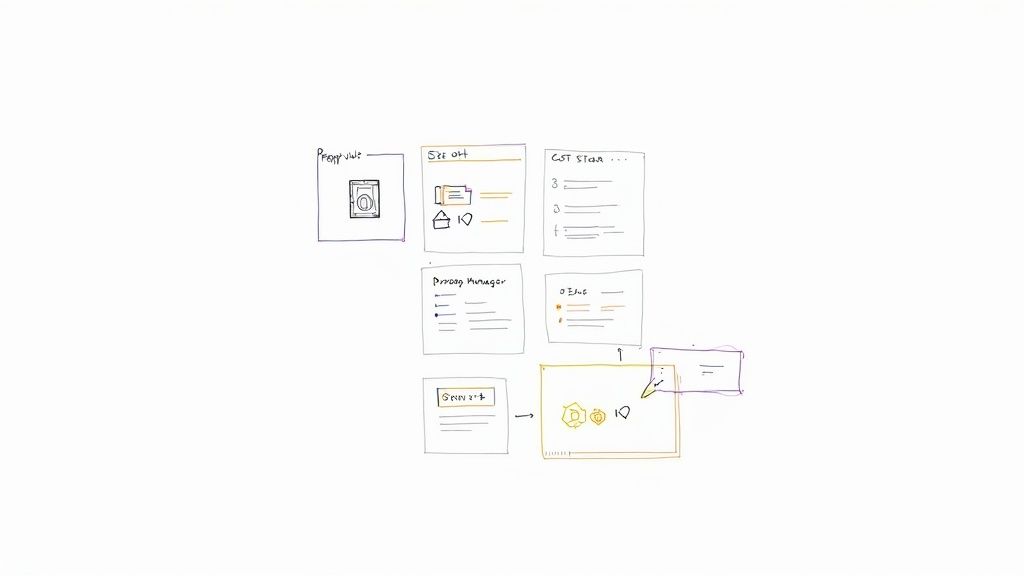
This is about moving beyond static interfaces. We’re talking about building features that learn, adapt, and even anticipate what your users need. The possibilities here are huge, creating real business value by boosting engagement, making operations smoother, and opening up entirely new revenue streams.
Common AI Integrations for React SPAs
You can introduce a whole range of smart features that fundamentally change how people interact with your software. These integrations turn what was a one-way communication tool into a genuine two-way conversation.
- Intelligent Chatbots: Imagine a conversational AI that handles customer support queries 24/7, guides users through tricky workflows, or gives instant answers—all without the user ever having to leave their current screen.
- Personalized Content Recommendations: This is the magic behind platforms like Netflix and Amazon. You can use machine learning models to analyze user behavior and serve up hyper-relevant products, articles, or media that keeps people coming back.
- Smart Data Analysis Dashboards: Go beyond just displaying data. Build dashboards that actively highlight trends, spot anomalies, and offer predictive insights, turning raw information into intelligence your business users can act on.
- AI-Powered Search: Implement a search function that actually understands natural language, corrects typos, and provides context-aware results. It’s a world away from a simple keyword match.
Beyond user-facing features, using AI tools for code during the development process itself can seriously boost your team's efficiency and the quality of their work. It helps your team build smarter, and faster.
The Challenge of Managing AI Prompts
While the benefits are clear, bringing AI into the mix adds a new layer of complexity. This is especially true when it comes to managing the prompts that power these models. A prompt isn't just a simple question; it's a carefully crafted instruction that might contain user data, system parameters, and specific formatting rules.
As your AI features grow, you'll hit some major roadblocks. You could end up with dozens, or even hundreds, of prompt variations for different scenarios, each needing careful versioning. Securely passing sensitive internal data into these prompts without creating security risks is another huge challenge. On top of that, trying to track usage and costs across multiple AI models can quickly become a chaotic and expensive mess.
Trying to manage AI prompts with simple text files or environment variables just doesn't scale. It leads to duplicated code, security holes, and a complete lack of oversight into what your AI is doing or how much it’s costing you.
This is exactly where a dedicated tool becomes a necessity. Instead of trying to build a complex management system from the ground up, you can plug in a solution that’s already built to handle it.
Streamlining AI with a Prompt Management System
At Wonderment Apps, we developed a powerful Prompt Management System designed for developers to plug seamlessly into their existing React SPAs. It's an administrative tool built to solve these key challenges of AI integration, letting your team focus on building great features instead of getting tangled up in technical overhead.
Think of our system as the central nervous system for your app's intelligence. It provides a suite of essential features:
- Prompt Vault with Versioning: Keep all your prompts in one centralized, secure vault. You can track changes, roll back to previous versions, and even A/B test different prompts without deploying new code.
- Parameter Manager: This allows you to securely connect prompts to your internal database. You can inject dynamic, real-time data into your AI requests without ever exposing sensitive credentials on the client side.
- Unified Logging System: Get a complete audit trail of every single interaction across all your integrated AI models. This is absolutely critical for debugging, monitoring performance, and ensuring compliance.
- Cost Manager: Keep a close eye on your AI spending with a dashboard showing cumulative spend and cost per transaction. This transparency helps you manage budgets and avoid any nasty surprise bills.
By simplifying the backend complexity, our system empowers you to leverage artificial intelligence to its full potential. You get to build the innovative, personalized experiences that will make your React SPA stand out for years to come.
Answering Your Questions About React SPAs
Jumping into the world of the React single page application can stir up a lot of questions, both in the boardroom and on the development floor. It's a seriously powerful architecture, but getting the nuances right is what separates a good strategic decision from a great one. We've put together some of the most common questions we hear to give you clear, straightforward answers.
These insights should help you navigate the practical side of building, securing, and modernizing your web applications.
Is a React SPA the Right Choice for Every Website?
Honestly, no. A React SPA absolutely shines when you're building web applications that need a high degree of user interactivity and have to juggle complex data—think dashboards, SaaS products, or social media platforms. The fluid, app-like experience you get is a massive win in those cases.
But for a content-heavy, mostly static site like a blog or a simple corporate brochure website, a traditional Multi-Page Application (MPA) could be a much more direct and efficient choice. MPAs often have an easier time with SEO right out of the box. The key is to match the architecture to what your project is actually trying to accomplish.
If a seamless, fast-loading, and highly interactive user experience is your absolute top priority, then choosing a React single page application is a powerful and modern approach that will serve your users well.
Ultimately, it all comes down to the kind of interaction you want to create. For those dynamic, data-driven experiences, the SPA model is tough to beat.
How Do You Handle Security in a React SPA?
Security in a React single page application isn't a single checkbox; it's a multi-layered concern. You have to protect the client-side code running in the browser and the data it’s talking to on the backend. Since a good chunk of the application's logic now lives on the client, you have to build in a strong security posture from day one.
Here are the non-negotiables every development team should have on their checklist:
- Secure Your API Endpoints: Your frontend is only as secure as the backend it talks to. Every single API endpoint needs to be locked down with strong authentication and authorization, like OAuth 2.0 or JSON Web Tokens (JWT).
- Prevent Cross-Site Scripting (XSS): This one is critical. Always sanitize and validate any content that comes from a user before you render it to the DOM. This stops malicious scripts from being injected and running in your users' browsers.
- Guard Against Cross-Site Request Forgery (CSRF): You need to make sure requests coming to your server are the real deal. Using anti-CSRF tokens is the standard way to confirm that a request was genuinely initiated by your application, not some malicious third-party site.
- Be Smart with Sensitive Data: Never, ever store sensitive info like auth tokens in
localStorage. It's easily accessible via JavaScript. A much safer bet is to use secure, HTTP-only cookies, which shield them from client-side script access. - Audit Your Dependencies: Modern web apps are built on the shoulders of hundreds of third-party packages. You need to be running tools like
npm auditregularly to find and patch any known vulnerabilities hiding in your project's dependencies.
Can I Migrate an Existing App to a React SPA?
Absolutely. Migrating an older Multi-Page Application to a React SPA is a very common modernization play, but it demands a careful, well-thought-out plan. Trying to do a complete "big bang" rewrite all at once is incredibly risky. It almost always leads to painfully long development cycles, blown budgets, and a whole new set of bugs.
There’s a much smarter, less risky way to do it: the "strangler fig" pattern.
This approach is all about incrementally replacing pieces of the old application with new, modern services, one at a time. Here’s what it looks like in practice:
- Find a Small, Contained Section: Start with a low-risk, self-contained piece of your application. Think of something like a user profile page or a settings dashboard.
- Rebuild It as a React Component: Build out this section as a new React single page application or a small collection of React components.
- Embed It into the Old App: You then drop this new React "micro-frontend" right inside the existing legacy application. Traffic slowly gets routed over to the new piece.
- Repeat and Expand: You just keep repeating the process. Over time, you build and swap out more and more parts of the old application with new React components.
Eventually, the original application is completely "strangled" out of existence, fully replaced by the new, modern architecture. This phased approach keeps risk to a minimum, lets your team learn as they go, and delivers real, continuous value to your users throughout the migration.
At Wonderment Apps, we specialize in helping businesses modernize their applications by integrating cutting-edge solutions like AI. Our Prompt Management System is designed to plug directly into your React SPA, providing the robust backend tools you need to manage AI integrations effectively. With features like a version-controlled prompt vault, a secure parameter manager, and a comprehensive cost tracker, we handle the complexity so you can focus on building truly intelligent user experiences.
Ready to see how you can elevate your application with seamless AI integration? Schedule a demo with us today.